ImageToTable vs Parseur:
Template-Based or Template-Free? An Honest 2026 Comparison
Choosing between ImageToTable and Parseur comes down to one question: do your documents arrive in predictable, consistent formats — or do you deal with layout variety that changes by vendor, by month, and by source? The answer doesn't just affect which tool is faster to set up. It determines whether your extraction pipeline gets easier over time or turns into a maintenance treadmill. Both tools extract data from documents reliably. But they approach the problem from opposite architectural philosophies, and the philosophy that works for a team with three stable suppliers will frustrate a team juggling invoices from forty vendors who update their layouts on their own schedules.
Key Takeaways
- Every extraction tool comparison reads the same until you notice what's missing — nobody calculates what happens three months in, when supplier formats start drifting.
- Template maintenance is not a setup cost you pay once — it's an unpredictable recurring tax that grows with every vendor who updates their document design.
- Skip the comparison table and ask one question: how many times did your suppliers change their layouts last year? More than twice means template‑free saves the whole maintenance treadmill, not just the initial setup.
Quick Comparison
Before we dive into each dimension, here is a snapshot of how the two tools differ on the factors that matter most in a document extraction decision.
| Dimension | Parseur | ImageToTable.ai |
|---|---|---|
| Extraction model | Three engines: template-based (zone/keyword), AI extraction, CSV auto-parsing — best accuracy from templates | Vision LLM — reads document semantics directly; no templates, no training, no layout dependency |
| Setup time | 15–30 minutes per template; multiple templates needed for multiple vendors | Under 1 minute — type column names, upload, results appear |
| Format change handling | Templates break; require manual update; AI engine absorbs some variation | Automatic — semantic extraction adapts to any layout change |
| Email intake | Native — dedicated inbox, auto-forwarding, auto-extraction | Native — one inbox per account, Auto-Process binds to a template |
| Batch processing + merge | Per-document results; no built-in batch merge UI | Native batch-first: merge mixed-format documents into one aligned spreadsheet |
| Computed / inferred columns | Not supported — raw values only; post-processing via Python on Scale plans | Native — compute totals, classify categories, derive values during extraction |
| Zapier / Make integration | Native — deep integration with both platforms | Direct Excel/CSV/JSON download; no native Zapier connector |
| Starting price (100 docs/mo) | $39–49/month for 100 pages | $9/month for 150 credits — ~5× cheaper at entry level |
The table makes the tradeoffs visible. But the real decision depends on which of these dimensions matters most in your workflow. Let's walk through each one.
Setup & Onboarding: Templates vs. Column Names
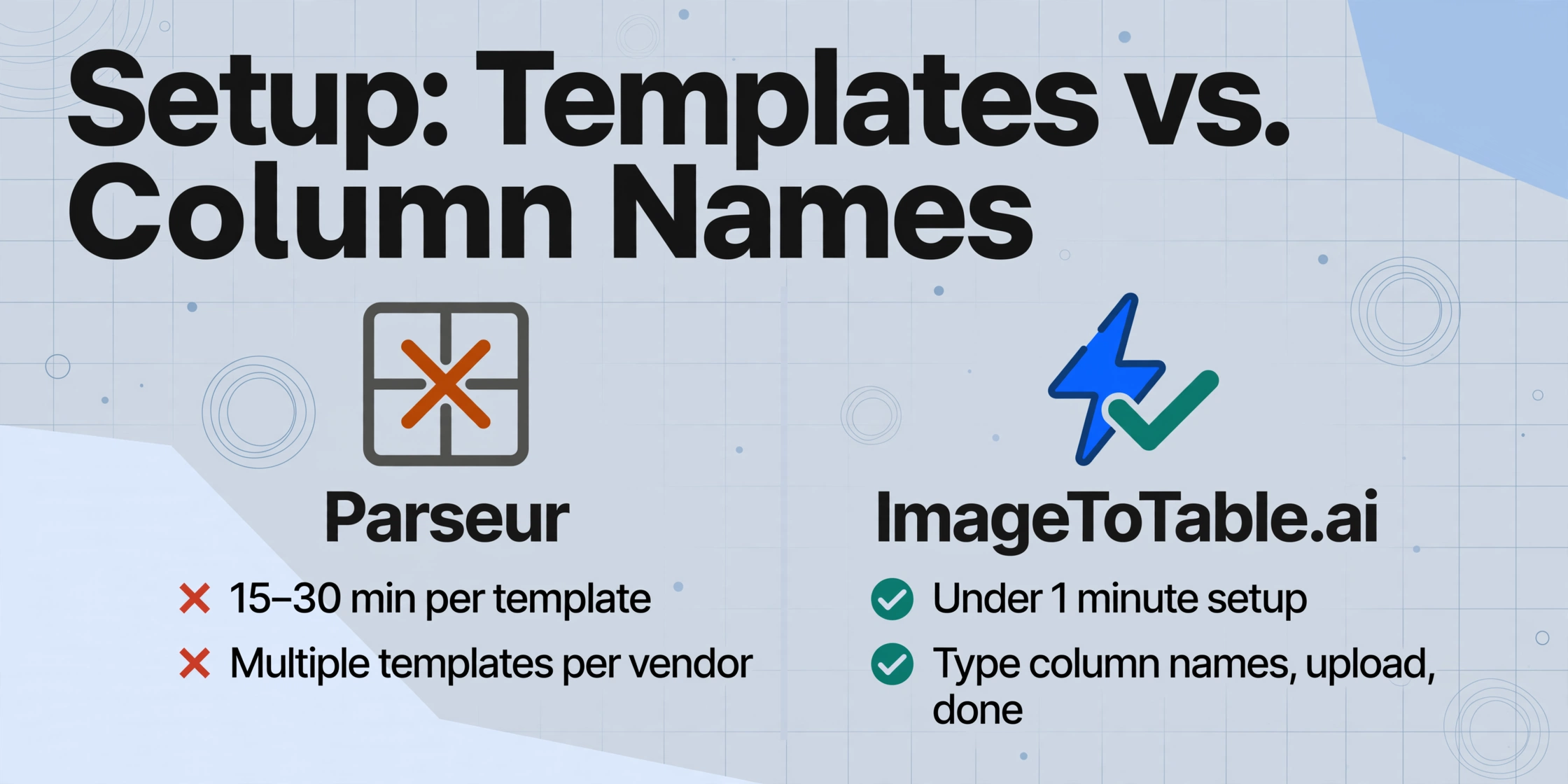
Parseur organizes extraction around "mailboxes" — each mailbox is a dedicated document intake channel with its own parsing configuration. The first time you process a document type, Parseur auto-detects fields on the first upload — a genuinely helpful starting point. But to get reliable results, you're guided toward building a template: you highlight zones on a sample document, define field extraction rules (zonal OCR for fixed positions, dynamic OCR for fields that move relative to a label), and train the system on that layout. The first template typically takes 15–30 minutes to configure, test, and refine.
If you receive documents from five vendors with consistent formats, that's 75–150 minutes of template setup — a one-time cost that pays off if the formats never change. But if you process documents from thirty vendors, or if your document sources vary by month, the initial setup becomes a significant time investment before you see any return.
ImageToTable reverses this equation. You don't set up any intake channel — no mailboxes, no templates, no field definitions. You type the column names you want extracted ("Invoice Number," "Vendor Name," "Date," "Total — ex. tax," "Line Items") and upload your documents. The vision LLM locates those values by understanding what each field means semantically. It does not look for text at a specific pixel coordinate or next to a specific label. It looks for the concept of "Invoice Number" — wherever it sits, however it's labeled, in any document layout you throw at it. For returning users, template-free extraction means column lists can be saved as presets, so the same extraction runs on every future batch without re-entering field names.
The difference matters most in month one. Parseur asks for upfront configuration time before you see results. ImageToTable returns its first extraction in under 10 seconds — you evaluate the tool on your own documents, not on a setup tutorial.
Handling Format Changes: The Hidden Cost of Template Maintenance
This is the dimension that separates the two tools most sharply, and it's also the one most comparison articles gloss over. Template-based extraction works perfectly — until it doesn't. And in real-world document processing, format changes are not exceptions; they are the norm.
Suppliers update their invoice layouts when they switch accounting software, merge with another company, redesign their branding, or comply with new regulations. A vendor changes their invoice template — the "Total" field moves from the bottom-right to the bottom-left. A supplier adds a new header row to their purchase order format. An email notification system reformats its HTML template, shifting the order confirmation details into a different table structure. Each change is invisible to you until the next batch of documents arrives with extraction errors.
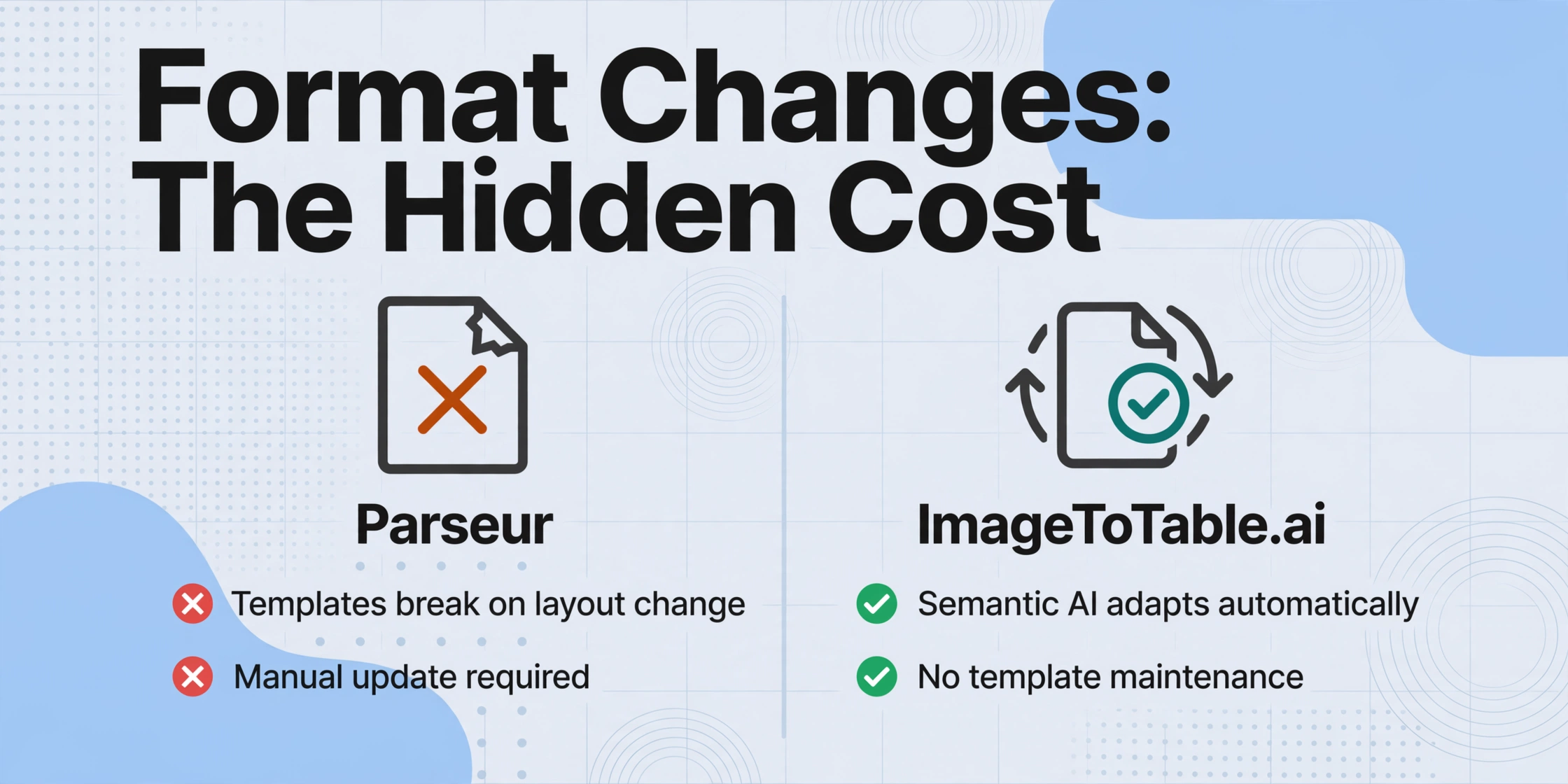
Parseur's template engine — which gives the most consistent results on known layouts — breaks when these changes happen. The field positions you highlighted on the sample document no longer align with the actual data. The anchor keyword you used for dynamic OCR has moved or been renamed. Parseur's AI engine is more flexible than its template engine — it can absorb some layout variation without breaking — but the AI engine still works within a document-type configuration, not across arbitrary layouts. G2 reviewers confirm this: "Minor changes in email formats can disrupt parsing." Each disruption means a manual intervention — open the template editor, re-highlight the shifted field, re-test, re-deploy.
ImageToTable's vision LLM does not care where a field sits on the page. It reads the document as a whole and locates each requested field by meaning. A vendor moves the "Total" from bottom-right to bottom-left — the AI still finds "Total." A supplier renames "Invoice #" to "Inv No" — the AI maps it to your "Invoice Number" column because it understands the semantic relationship. A new vendor sends a document in a format you have never seen before — it processes correctly on the first upload, with no template to create. This is the practical meaning of no-training document extraction: the tool adapts to format variation automatically, without your involvement.
The real cost of template maintenance isn't the initial setup — it's the ongoing, unpredictable effort of fixing templates every time a format changes somewhere in your supply chain. For teams with stable, known senders, this cost is low. For everyone else, it transforms what was supposed to be automation into a reactive maintenance task.
Email & Automation: Parseur's Unfair Advantage
This is the dimension where Parseur wins — and we need to be direct about it. Parseur was built from the ground up around email as the primary document intake channel. You get a dedicated email address for each mailbox. Forward incoming invoices, purchase orders, shipping notifications, or any attachment to that address, and Parseur parses them automatically without anyone opening a browser, uploading a file, or clicking a button. The extraction pipeline runs unattended — documents land in your inbox, data lands in your spreadsheet, and nobody needs to touch the process.
For teams whose document workflow is fundamentally email-driven — AP departments where vendors send invoices to [email protected], logistics teams where carriers email proof-of-delivery PDFs, ecommerce operations where order confirmations arrive by email — Parseur's email-first architecture eliminates more steps from the workflow than any template-free approach can match through better extraction alone. The difference isn't in how the data is extracted; it's in how the document reaches the extraction engine.
Parseur also integrates natively with Zapier, Make, Power Automate, and n8n. This means parsed data can flow automatically into hundreds of downstream destinations — Google Sheets, Airtable, QuickBooks, Slack, Salesforce — without manual export. For teams that have invested in automation platforms, this integration depth is a genuine productivity multiplier.
ImageToTable now covers unattended email intake too. Every account gets a dedicated inbox address — share it with vendors, or forward your own invoices and receipts to it, and attachments land in your processing queue automatically, no login or upload page required. Turn on Auto-Process and bind it to an extraction template, and processing starts the moment mail arrives — forward the mail and walk away, the same way Parseur's pipeline works.
The remaining gap is granularity, not automation. Parseur gives each document type or channel its own mailbox and its own address, each configured separately. ImageToTable gives every account a single inbox address, so mixed mail from different sources routes through one bound template rather than several independently configured mailboxes. Email Inbox can be set to read attachments, the email body itself, or both — so a supplier who types the numbers straight into the message text works too, not just forwarded files. A sender whitelist keeps unrelated mail out of the queue, and for encrypted attachments like password-protected bank statements, saved passwords are tried automatically before anything reaches your review screen.
Documents also reach the extraction engine through direct file upload in the web interface or the Google Sheets add-on sidebar — two more routes that don't touch email at all.
That said, the Collection Link fills an adjacent gap that Parseur's email architecture doesn't cover: collecting documents from people who are not emailing them to you. Field staff uploading site photos from their phone, clients submitting invoices through a portal, employees forwarding receipt photos from a trip — the Collection Link accepts uploads from anyone with the link, no registration needed. It's not email automation, but it solves a different intake problem that email-forwarding doesn't address.
Pricing & Value: Two Different Cost Models
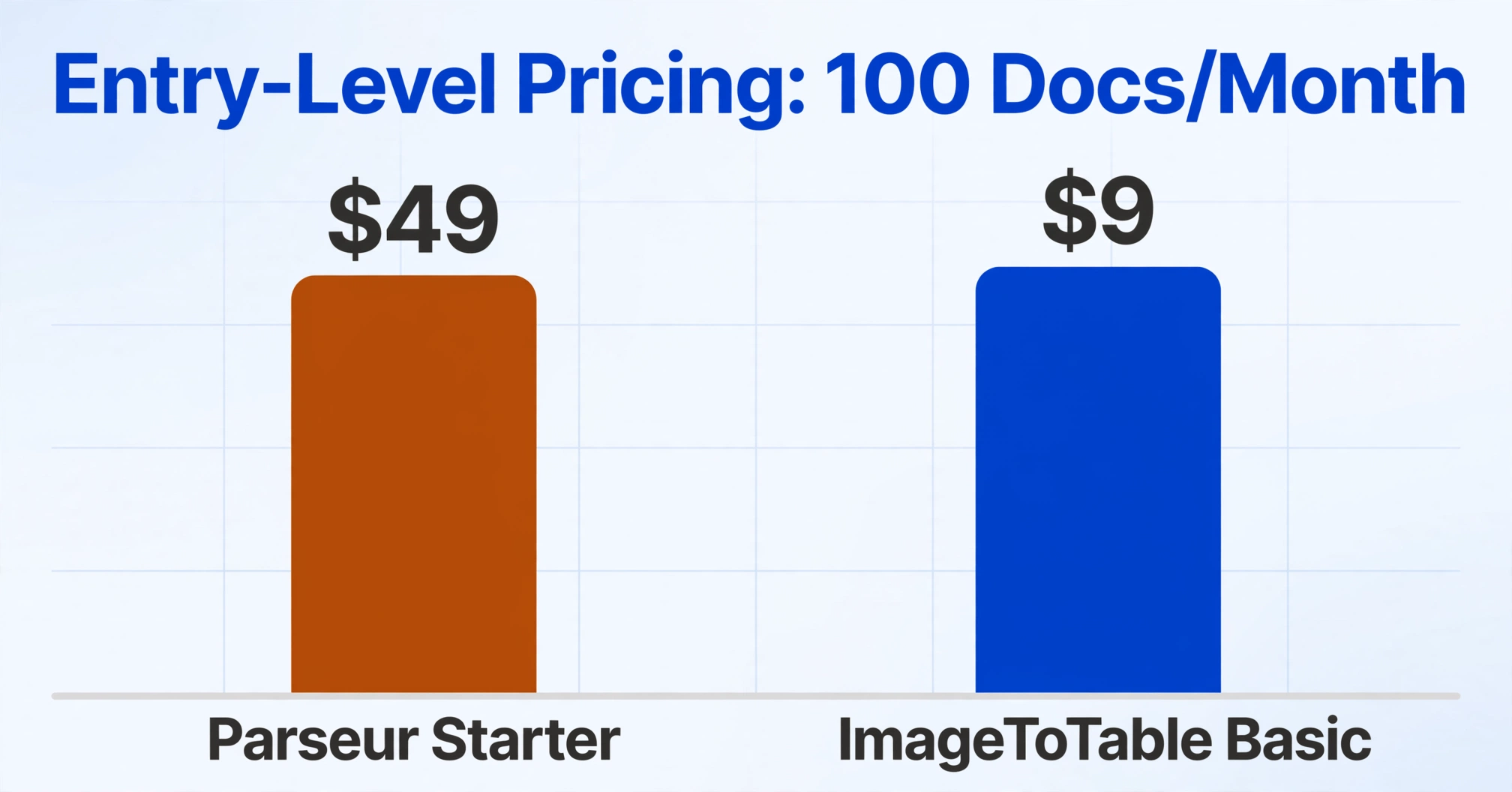
Parseur's published pricing starts at $39/month (annual billing) or $49/month (monthly) for the Starter plan at 100 pages. A page is one credit — a 3-page PDF invoice consumes 3 credits. The free tier gives 20 pages/month with watermarks on exported data. The Pro plan ($99/month) covers 1,000 pages, and the Scale plan ($399/month) covers 10,000 pages. All plans include the same core features — the pricing is purely volume-based.
ImageToTable uses a subscription model with credit limits: Basic at $9/month for 150 credits, Pro at $29/month for 500 credits, Max at $59/month for 1,500 credits. One credit equals one image or one PDF page. There is no watermark on any plan. A daily free quota lets you test with real documents before paying. One-time credit packs are available without a subscription.
At the entry level, ImageToTable's Basic plan ($9/mo for 150 pages) costs roughly 80% less than Parseur's Starter plan ($39–49/mo for 100 pages) and gives you 50% more volume. At 1,000 pages/month, ImageToTable's Max plan costs $59/month compared to Parseur's Pro at $99/month — a 40% saving at equivalent volume. For a detailed comparison of how different pricing models affect your monthly bill, see document extraction pricing breakdown 2026.
There is one scenario where Parseur's pricing is more favorable: very high volume with a fixed, predictable sender base. If you process exactly 10,000 pages every month from known suppliers where templates work reliably, Parseur's per-page cost drops to about 4¢ per page on the Scale plan ($399/mo for 10,000 pages). ImageToTable's pricing is not as aggressive at that volume tier — the best option would be the Growth plan at $149 for up to 3,000 credits shared across a team, or the Enterprise plan at $899 for up to 10,000 shared credits. At true enterprise scale (100,000+ pages), Parseur's volume discount model may produce a lower per-page cost.
But for the volume range where most teams operate — 100 to 3,000 documents per month — ImageToTable's flat subscription consistently delivers more volume for less money, with the added advantage of predictable monthly billing that doesn't fluctuate with document complexity.
Document Types & Accuracy
Both tools cover the common document types: invoices, receipts, purchase orders, delivery notes, contracts, and forms. But they reach accuracy through different mechanisms, and the difference matters depending on how your documents look.
Parseur's template engine is at its best on clean digital PDFs and structured email content where field positions are consistent across documents from the same sender. Once a template is built and tested for a known layout, extraction is deterministic — the same fields in the same positions every time. The template engine also handles table extraction (line items within invoices) through a visual table editor, but configuring it requires defining row boundaries, column separators, and header/footer margins. For fixed-format documents from a stable set of senders, this approach delivers reliable, repeatable results.
Parseur's Vision AI engine extends coverage to scanned documents and images — it can handle checkboxes, stamps, and handwriting better than the template engine alone. But it's a secondary option, not the primary extraction path. The template engine remains Parseur's most accurate method, and its strengths are tied to format consistency.
ImageToTable's vision LLM treats every document as a unique visual layout. Print, scan, phone photo, screenshot, or handwritten form — the AI reads the document semantics directly without switching engines. For printed table data, accuracy reaches up to 99% on clean documents. The model is particularly strong on documents that mix printed and handwritten content — such as inspection forms where pre-printed labels are filled in by hand — because it understands the relationship between the label and the value rather than relying on position-based extraction.
One capability where ImageToTable has no equivalent in Parseur is Computed Columns. Beyond extracting what's on the page, you can define columns where the AI calculates during extraction — "Line Total (Qty × Unit Price)," "Total Exc. Tax," "Category (options: Meals/Transport/Office)" as an inferred classification. Parseur extracts raw values; you perform calculations and classifications externally. ImageToTable embeds them in the extraction step, so your output is ready to use without post-processing.
When ImageToTable Makes More Sense
If your documents arrive from multiple vendors with different layouts — and those layouts change — ImageToTable's template-free approach saves you from the maintenance treadmill that template-based tools create. The semantic extraction model means you define your output once (the column names you want) and the AI handles any variation in input layout automatically.
If you process batches of documents together — uploading 50 invoices at once and needing them merged into one aligned spreadsheet — ImageToTable's batch-first design delivers that in a single step. Parseur treats each document as an individual item in a mailbox; merging multiple extractions into a unified table requires external work.
If you need values computed or categories inferred during extraction — not just raw field values — Parseur cannot match ImageToTable's Computed Columns and Inferred Columns. You would need to export Parseur's raw data and process it in a spreadsheet or a separate script. ImageToTable delivers finished data on extraction.
If your budget is tight and you process under 3,000 documents per month, ImageToTable's pricing offers 5× more volume per dollar at the entry level and 40% savings at the mid tier.
When Parseur Makes More Sense
If your intake spans multiple document types or sources that each need their own parsing setup — one address for invoices, another for shipping notifications, a third for order confirmations — Parseur's per-mailbox model handles that natively, with a separate address and configuration for each. ImageToTable's Email Inbox also runs hands-off once Auto-Process is bound to a template — forward the mail and walk away, the same as Parseur — but it's one inbox address per account rather than a mailbox per document type, so mixed mail routes through a single bound template instead of several independently configured ones. For AP teams whose vendors send genuinely different invoice layouts through separate addresses, or logistics and ecommerce operations juggling several distinct notification types, Parseur's per-channel separation is the more scalable setup.
If your workflow depends on Zapier, Make, or Power Automate to route extracted data into downstream systems, Parseur's native integration depth is more mature. ImageToTable focuses on direct file export; it doesn't have Parseur's automation connector ecosystem.
If your documents come from a fixed, small set of known senders with stable formats and no layout changes, Parseur's template engine delivers deterministic, reliable extraction. The template setup cost is a one-time investment that pays back over months of consistent processing. In this scenario, template maintenance is not a burden — it's a one-time configuration.
If you process very high volumes (10,000+ pages per month) of predictable documents, Parseur's per-page pricing at scale (as low as 3–4¢ per page) can undercut flat subscription models. At that volume, Parseur also unlocks multi-user accounts (up to 100 users on the Scale plan) and Python post-processing for custom business logic.
The honest verdict: Parseur wins for email-driven, high-volume workflows with stable formats. ImageToTable wins for teams juggling layout variety, batch processing, constrained budgets, and the need for computed outputs without post-processing. The tools are solving the same problem with different architectures, and neither architecture is universally better.
The Verdict: It Depends on Your Document Ecosystem
After comparing both tools across setup time, format resilience, email automation, pricing, document coverage, and computed output capabilities, the decision framework is clearer than most comparison articles suggest.
Parseur is built for inbound email document pipelines — recurring, predictable attachments that arrive by email and need to be extracted without human intervention. Its template engine rewards teams with stable senders through deterministic accuracy. Its limitations surface when formats change, when documents come from many sources, or when you need computed outputs beyond raw field values.
ImageToTable is built for batch document processing with layout variability — teams that upload documents in groups, need merged outputs, and face constantly changing document formats. Its semantic AI removes template maintenance entirely, and its own Email Inbox now covers unattended intake too — though Parseur's per-channel mailbox model and native Zapier/Make integration depth still go further for automation-heavy pipelines.
If your document ecosystem is email-driven with stable senders, Parseur is the pragmatic choice. If your ecosystem is varied formats from multiple sources, processed in batches, ImageToTable delivers more value with less ongoing effort. If you're somewhere in between — and most teams are — the dimension that should tip the scale is format change frequency. If your vendors update their layouts more than once a quarter, the template-free approach will save you more time over a year than any email automation gain can offset.
Want the condensed version? See the side-by-side feature comparison table, or browse all ImageToTable comparisons.
FAQ
Does Parseur require templates, or does its AI engine work without them?
Parseur offers both a template engine and an AI engine. The template engine — which produces the most consistent results — requires building a visual template for each document layout by highlighting field positions on a sample document. The AI engine is more flexible and can handle layout variation without a template, but it still requires document-type configuration. In practice, most Parseur users end up relying on templates for recurring documents from known senders, because the template engine delivers higher precision for fixed layouts. ImageToTable uses semantic AI exclusively — no templates, no engine selection, no document-type configuration required.
Can ImageToTable automatically extract documents received by email?
Yes. Every account gets a dedicated inbox address — share it with vendors or forward your own invoices and receipts to it, and attachments land in your processing queue automatically, no login or upload page required. Turn on Auto-Process and bind it to an extraction template, and processing starts as soon as mail arrives — the same forward-and-walk-away workflow Parseur offers. A sender whitelist keeps unrelated mail out, and saved passwords are tried automatically against encrypted attachments like password-protected bank statements. The difference is granularity: Parseur gives each document type or channel its own mailbox and address with independent configuration, while ImageToTable gives each account one inbox address, so mixed mail routes through a single bound template. Email Inbox can be set to read attachments, the email body, or both.
Which tool is more affordable for 100 documents per month?
ImageToTable is significantly more affordable at this volume. The Basic plan costs $9/month for 150 credits — enough to cover 100 single-page documents with 50 spare credits. Parseur's Starter plan costs $39/month (annual) or $49/month (monthly) for 100 pages. ImageToTable is roughly 5× cheaper at the entry level. For a full pricing comparison across different volume tiers, see document extraction pricing breakdown 2026.
Does Parseur support batch processing like ImageToTable?
Parseur processes documents as individual items within a mailbox. You can send multiple documents to a mailbox and each one is parsed independently. But there is no built-in "merge 50 documents into one aligned spreadsheet" UI. Results are available per document, and merging them into a single table requires integration output (Google Sheets sync, Zapier) or manual export. ImageToTable was designed batch-first: upload multiple files, define column names once, and download one merged Excel file with consistent headers across all documents.
Can Parseur calculate fields during extraction like ImageToTable's Computed Columns?
Not as a native extraction feature. Parseur extracts raw values from documents. Calculations, classifications, or transformations must be handled externally — in a spreadsheet, via Python post-processing (available on Scale plans at $399+/month), or through Zapier/Make transformations. ImageToTable's Computed Columns and Inferred Columns perform calculations and classifications during the extraction step, so the output is ready to use without additional processing.
Can I switch from Parseur to ImageToTable?
Yes, and the migration does not require importing templates — because ImageToTable does not use templates. Export your historical Parseur data as CSV or Excel. Upload the same source documents to ImageToTable, type the column names that correspond to your Parseur field definitions, and the AI extracts them without any template configuration. The column names you used in Parseur (Invoice Number, Vendor, Date, Total) become your column names in ImageToTable. Merge your historical Parseur exports with new ImageToTable extractions in a spreadsheet — consistent header names make the merge straightforward.
Which tool is better for GDPR compliance?
Parseur has a stronger GDPR compliance posture. The company is Singapore-based with EU founders, and GDPR compliance is built into the architecture from day one with EU-hosted infrastructure. SOC 2 Type II and HIPAA compliance are in progress. ImageToTable encrypts data in transit (TLS) and at rest with configurable auto-deletion — sufficient for most SMB use cases but without formal GDPR certification documentation. If documented GDPR compliance with EU data residency is a hard requirement, Parseur is the safer choice.