The Root Cause of RAG Hallucinations
Is Broken Parsing
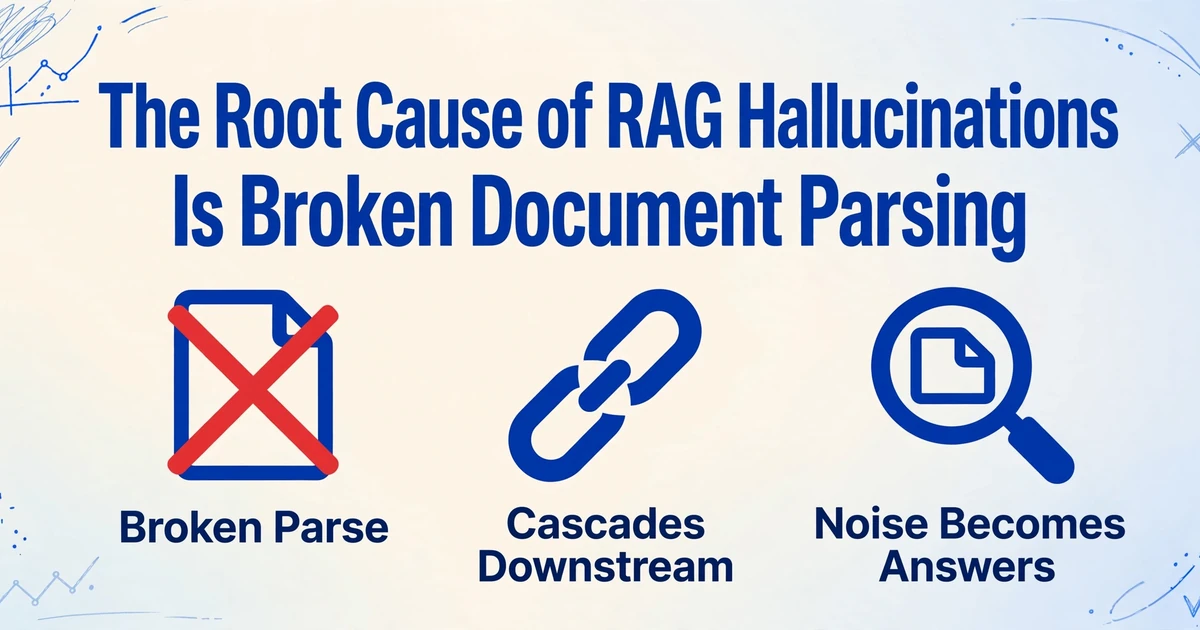
A wrong answer from a retrieval-augmented generation system looks like a model problem. The answer is fluent, specific, and confident, which is what a hallucination looks like. But the model was asked to reason over a chunk of text, and it reasoned over that chunk faithfully. The question worth asking is who built the chunk, because by the time the model saw it, the document had already been read once, by a parser most teams never inspect.
The failure chain runs in one direction. A weak parse produces poor chunks, poor chunks produce weak retrieval, and weak retrieval leaves the model to answer from corrupted evidence. This article walks that chain from the document upward, names the parsing failures that do most of the damage, and shows how to check your own ingestion layer before you spend another sprint tuning prompts.
Key Takeaways
- You blamed the model for a wrong answer that actually came from a chunk you never inspected.
- Even the best scan-to-text software in an 8,561-document benchmark fell at least 14% short of clean structured data, and that gap becomes your answer.
- The cleanest test is feeding the model the ground-truth text of the page it answered from, since a correct answer from clean text shows the fault was in ingestion.
The Failure Chain Starts Before Retrieval
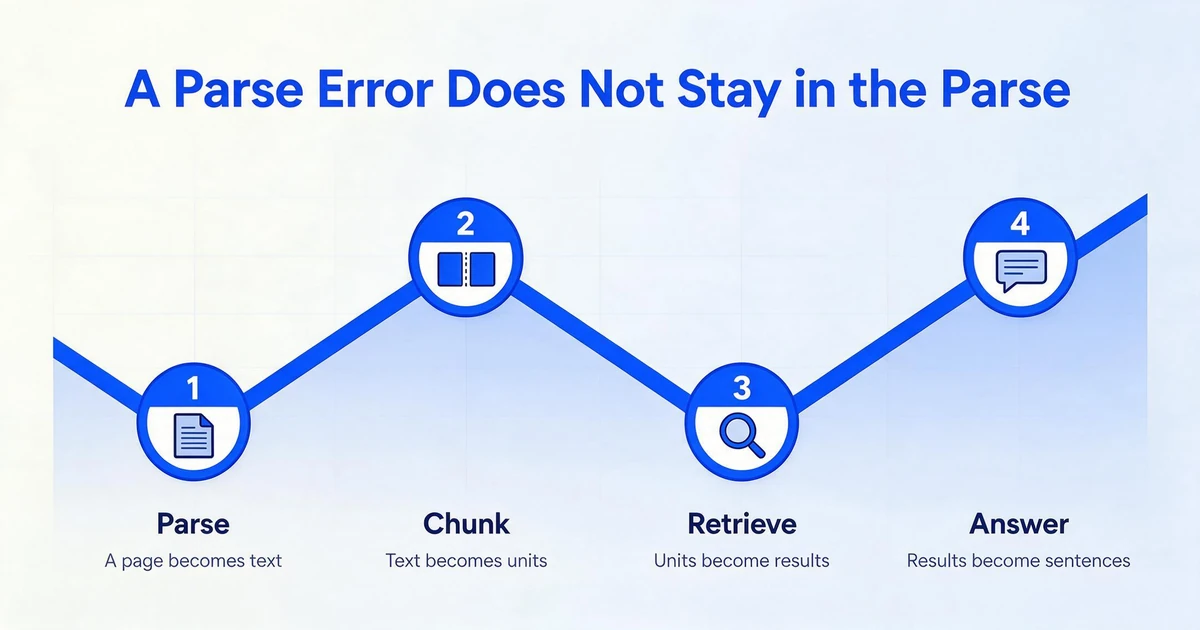
Retrieval-augmented generation is a four-stage chain, and each stage inherits exactly what the stage before it produced. The parser turns a page into text and, if it can, structure. The chunker splits that text into retrieval units. The retriever selects units. The model writes an answer from what the retriever handed it.
The chain matters because a chunker can only split what the parser gave it, and it cannot add back structure the parser discarded. If a table arrives flattened into one long line, the chunker has no row boundary to respect. If two columns arrive interleaved, no chunk size can un-mix them. The parsing stage sets the floor, and every later stage sits on top of it.
This is not a rare edge case. The OHR-Bench study, published at ICCV 2025, built a test set of 8,561 unstructured document images across seven real RAG application domains with 8,498 question-and-answer pairs, then measured how OCR noise cascades through retrieval and generation. Even the best OCR solution in the benchmark fell at least 14% short of the clean ground-truth structured data, and as semantic noise rose from mild to severe, most retrievers and language models lost close to half their performance (Zhang et al., "OCR Hinders RAG", arXiv:2412.02592).
That 14% gap is the part teams underestimate. A parse error does not stay in the parse. It becomes a chunk, then an embedding, then a retrieval result, then a sentence in the answer.
The parse sets the ceiling for everything above it. No chunking strategy can add back a table row the parser flattened or un-mix two columns it read across.
Why the Model Gets the Blame
When a RAG system fails in practice, the failure usually sits in retrieval or in the content, not in the generator. An experience report from Deakin University analyzed three production RAG case studies and an empirical run over 15,000 documents and 1,000 questions, then catalogued seven failure points. Three of them describe exactly this pattern: the answer never ranked high enough to be returned, it was retrieved but lost in the context assembly, or it was present in the context and the model still failed to extract it, which the authors tie to too much noise or contradicting information (Barnett et al., "Seven Failure Points When Engineering a RAG System", arXiv:2401.05856).
"Noise or contradicting information" is the phrase that matters. A model reasoning over a chunk where a number lost its label is grounding to something real that was extracted badly, and it has no way to know the label is missing. On a document-heavy setup, one practitioner described the same discovery after weeks of chunking changes, embedding swaps, and rerankers: the source documents themselves were being turned into text badly, and many of the apparent hallucinations were the model grounding to something that had been extracted wrong (r/Rag, March 2026).
Then there is the fix everyone reaches for first: give the model more context. It backfires more often than it helps.
Research on how language models use long inputs found a U-shaped performance curve. Models use information best when it sits at the very start or the very end of the context, and performance drops when the relevant passage is buried in the middle. In one open-domain test, moving from 20 retrieved documents to 50 improved reader accuracy by only about 1.5% while adding a large amount of input (Liu et al., "Lost in the Middle", arXiv:2307.03172).
Increasing top-k or the context window adds more material for the model to reason over. It does not make corrupted material cleaner.
The Parsing Failures That Actually Poison RAG
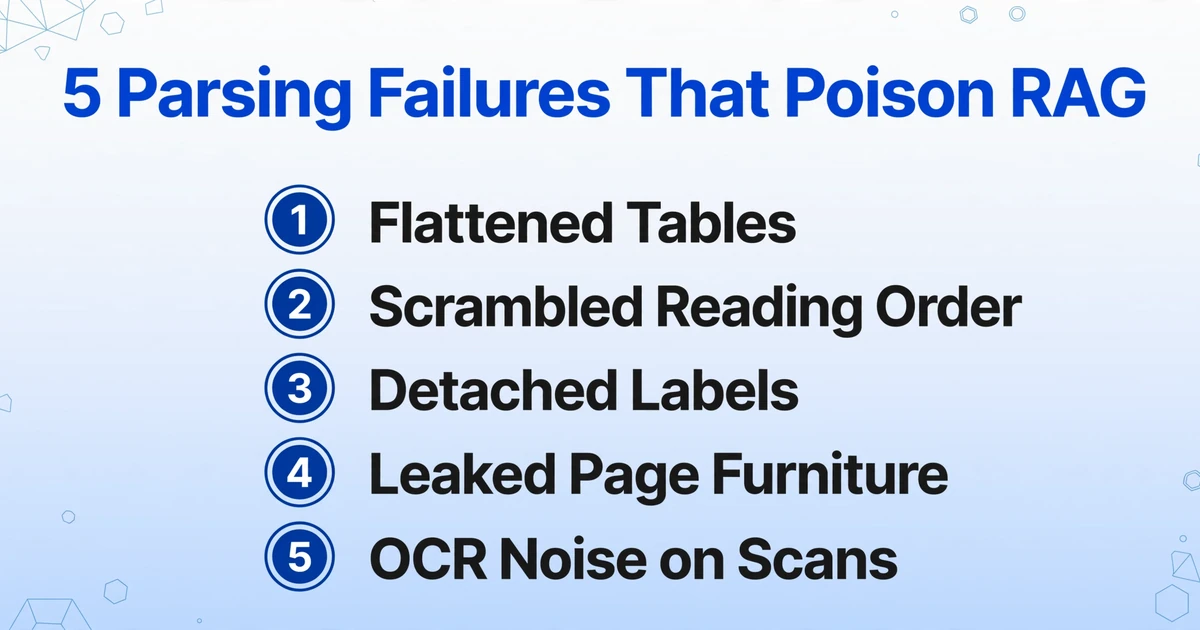
Ingestion failures are not random. Most of them fall into a small set of recurring types, and each one leaves a recognizable symptom further down the chain. The table below maps them.
| Parsing failure | What breaks in the text | How it shows up downstream |
|---|---|---|
| Flattened tables | Rows and columns collapse into one line, and a cell loses the header that names it. | The retriever returns the right page, but the chunk carries "3.5" with no "Henry Hub" beside it, so value questions get missing or wrong answers. |
| Scrambled reading order | On multi-column pages, the parser reads across the gutter and interleaves two unrelated columns. | The chunk reads as fluent prose but mixes two ideas. Retrieval matches it, and the model answers from the wrong one. |
| Detached labels and lost hierarchy | A value separates from its label, and a heading loses its level. | Chunks cross section boundaries. "Termination penalty: 2%" becomes orphaned tokens, and the model attaches the nearest number it can find. |
| Leaked page furniture | Running headers, footers, and page numbers enter the body text. | Repeated boilerplate pollutes chunks and dilutes the embedding, so relevant passages score lower than they should. |
| OCR noise on scans | Characters and numbers are misread, or text drops out on low-quality scans. | Numbers and identifiers arrive subtly wrong. The answer is confident and off by a digit. |
A human reading a flattened table can often reconstruct the grid from context. A chunker cannot, and neither can an embedding. The relationship between a number and its header exists only if the parser captured it. This is the difference the two parsing families come down to: position-based OCR reads characters and infers structure from where they sit, while a vision model can read the page by meaning and keep a label attached to its value. The benchmark evidence behind that split is on our reference page comparing traditional OCR with document-parsing vision models.
How to Tell If the Parsing Layer Is Your Problem
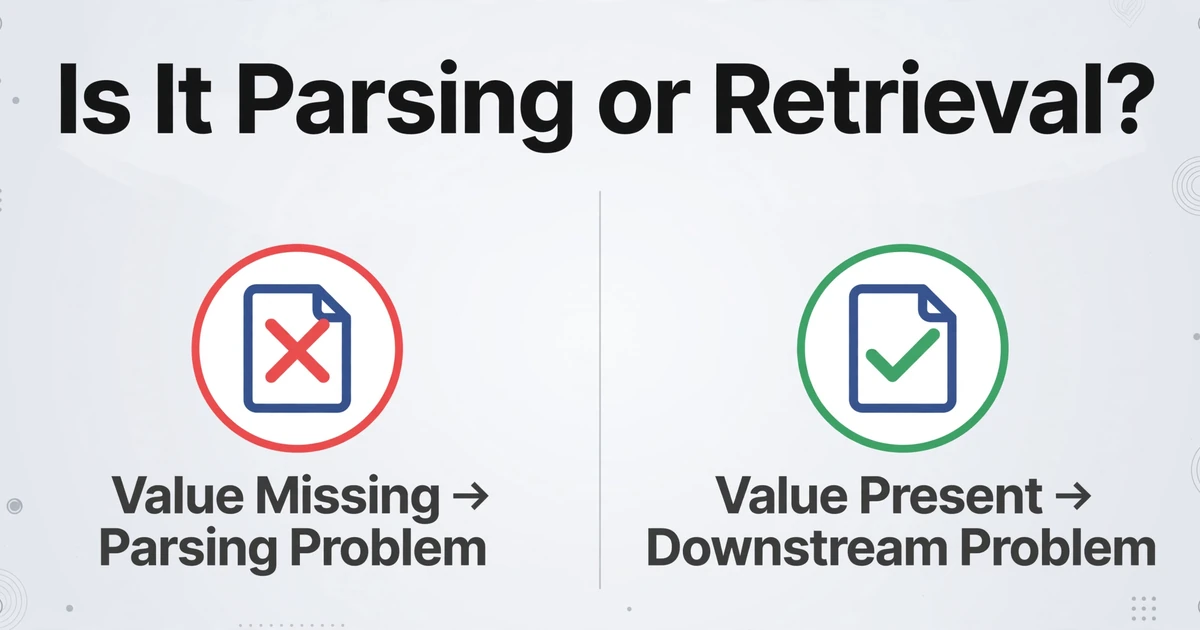
You do not have to guess which stage failed. The chain gives you a test at every link, and the tests are cheap. Run them in order and stop as soon as you have your answer.
Pull the chunks retrieval returned for a wrong answer
Almost every RAG stack can log which chunks went into the prompt. Start there, because the rest of the audit depends on seeing the actual context the model received, not a summary of it.
Search those chunks for the correct value
If the source document clearly contains the answer but the retrieved chunk does not, the parse or a chunk boundary dropped it. If the value is present and correct but the model still answered wrong, your problem is downstream of parsing.
Inspect a page that contains a table
Paste the parser output for that page into a plain text view. If the rows and columns survived, the table is intact. If they collapsed into a single line, every table question in that document is at risk.
Check reading order on a two-column page
Read the extracted text the way a human would read the page. If it hops between two unrelated columns, chunks drawn from that page are semantically mixed even when they look coherent.
Look for page furniture in the body text
Search the extracted text for the page number or the running header. If they appear inside a paragraph, they are being embedded as if they were content, and they are diluting every chunk on the page.
Run the question against ground-truth text
Feed the model a hand-corrected or ground-truth version of the page the answer came from. If it answers correctly from clean text and wrongly from the parsed text, you have isolated the fault to ingestion and can leave retrieval and the model alone.
The cleanest single test: give the model the ground-truth text of the page the answer came from. If it gets the answer right, retrieval and generation were never the problem.
These checks overlap with general extraction troubleshooting, and the symptom-to-cause map in our guide to diagnosing document extraction problems is a useful companion when one document type keeps failing the same way. One caution on measurement: a character-level score can rank a good parser as the worst performer, so treat any single parse-quality number with care, as this analysis of why CER misleads for document parsing explains.
Fixing It at the Extraction Layer
The fix belongs at the layer that first turns a page into text, because that is the only layer where structure can still be preserved. If the parse output is a raw character stream, the chunker is left to invent boundaries and the retriever is left to rank noise. If the parse output is already structured and labeled, the downstream steps have something honest to work with.
The practical shift is from position-based reading to semantic reading. Position-based OCR converts a page into characters and places them by coordinates, then relies on layout rules to guess what is a heading, a value, or a table cell. A vision model can read the page for meaning instead, which is the approach behind Custom Column Extraction. You type the column names you want, such as "Invoice Number", "Account Number", or "Contract Value", and the AI locates each value anywhere on the page by understanding what the field means. Each document comes out as a row with those columns filled, so the values arrive already attached to the labels you defined.
For a RAG pipeline, that changes the input to the chunker. Instead of a wall of numbers, table rows keep their headers. Instead of a label floating free of its value, the pair travels as one unit. The extraction layer does not decide your chunk boundaries or pick your embedding model. It hands the next stage structured, labeled output, so the chunks built from it are not built on corrupted text.
Files are processed securely and not stored.
If you are wiring the extraction layer into your own code rather than a spreadsheet, the v1 API is the integration point. It accepts document uploads and batch jobs, returns structured JSON, and can notify your system through a webhook when processing finishes, so extraction can sit behind your own application or workflow. For corpora where one logical document spans several pages, such as a bank statement or a contract, Multi-Page Merge groups the pages back into a single record, so a chunk is not built from half a document. Data post-processing can also normalize dates and amounts to a fixed format during extraction, which keeps identifiers consistent from one chunk to the next.
What this replaces is the document-reading step, not your RAG stack. Most teams keep the retriever, the vector store, and the model. The extraction layer simply stops feeding them text that was already broken. The same mechanism, described for the parsing task on its own, is on the AI document parser page.
What This Does Not Solve
Honesty matters more than a clean pitch here, because a RAG project built on an overstated claim fails the same way the pipeline did.
It does not build or run your RAG system. It handles the document-reading layer that feeds retrieval. It does not set up a vector database, choose a retrieval strategy, or run your generation step.
It does not pick your chunk boundaries or embedding model. Those stay your pipeline's decisions. The extraction layer only changes the quality of the text those decisions operate on.
It does not match fields across documents. It maps fields within each document to your named columns. Comparing a value in one document against a value in another and deciding automatically is a different job, and it belongs in your downstream logic.
It cannot invent a value that is not in the document. If a field is genuinely absent, the output is blank rather than fabricated. That is the correct behavior, and a blank is a signal to check the source, not a number to trust.
Poor scans still reduce accuracy. Faded thermal receipts, heavy skew, and low-resolution photos remain hard for any system. Those outputs deserve a review pass. The goal is to move human judgment from fixing the pipeline to checking the few values that need a second look.
Frequently Asked Questions
Why does my RAG hallucinate when the retrieval looks relevant?
Relevance and correctness are different things. A retrieved chunk can be topically similar to the question while missing the value that answers it, or carrying that value detached from its label. The OHR-Bench study measured parsing noise degrading both retrieval and generation, so a result that looks relevant can still be corrupted evidence the model is reasoning over faithfully.
Can a bigger context window or a higher top-k fix RAG hallucinations?
Rarely. Research on long-context models shows they use information best at the start and end of the context and degrade toward the middle, and adding documents past a point yields very small gains. More context gives the model more material to reason over. It does not repair a chunk that was built from a broken parse.
What document parsing errors cause the most RAG failures?
Flattened tables, scrambled reading order on multi-column pages, values detached from their labels, lost section hierarchy, leaked headers and footers, and OCR noise on scans. Table failures hurt most, because the relationship between a cell and its header exists only if the parser captured it, and no downstream step can reconstruct a grid that never survived the parse.
How do I test whether my RAG problem is parsing or retrieval?
Pull the chunks retrieval returned for a known wrong answer and look for the correct value in them. Inspect a table page's raw parse output against the original, and check reading order on a two-column page. Then feed the model ground-truth text for the same page. If it answers correctly from clean text, the fault is in ingestion, not retrieval.
Does ImageToTable.ai build or run a RAG pipeline?
No. It is an extraction layer. It reads documents and returns structured, labeled data as Excel, CSV, JSON, or Word. Your retrieval, vector store, and generation remain yours. The product handles the parsing step that feeds those systems, and nothing beyond it.
What output does the extraction layer produce for a RAG pipeline?
One row per document with the columns you named, plus structured JSON through the v1 API. Because the values arrive attached to the labels you defined, downstream chunking and retrieval work on structured text rather than a raw character stream.
Can it handle scanned PDFs and multi-page documents?
It accepts PDFs including password-protected ones, JPG and PNG images, WebP and AVIF files, and screenshots, and it recognizes printed and handwritten text. Multi-Page Merge groups pages of the same logical document into one record, which helps when a chunk would otherwise be built from part of a statement or a contract. Accuracy still drops on very poor scans, so those outputs are worth a review pass.
The most expensive RAG bugs are the ones that look like a model problem and send you tuning prompts, chunk sizes, and rerankers while the real damage was done before retrieval ever ran. Audit the parse first. When the text entering your pipeline is structured and correctly labeled, the model is finally reasoning over evidence worth trusting.