Do You Need a Parsing Pipeline
for Spreadsheet Data?
The average accounts payable team still pays about $9.40 to process one invoice, and only 32.6% of invoices make it through end to end without a human touching them (Ardent Partners, State of ePayables 2024). When a team that just needs supplier data sitting in columns gets quoted that gap, the standard answer is "you need a document parsing pipeline."
A parsing pipeline is a real architecture and it solves real problems, but it was designed for a different destination. Its output is a document model: the layout, the reading order, the tables, all preserved so the content can be chunked and fed to a retrieval system. If your deliverable is rows in a spreadsheet, you may be buying the architecture that someone else's RAG project needs, not the one your spreadsheet needs. This article walks through what each approach actually produces, what the pipeline costs you when rows are the goal, and when a parsing pipeline really is the right call.
Key Takeaways
- Only 32.6% of invoices get processed without a human touching them, and the pipeline that gets pitched as the fix returns a document model rather than the rows a spreadsheet consumes.
- The pipeline does not remove the extraction step, it moves it down the chain to a layer you still have to write, and a 40-page contract still costs forty pages even when you only need one renewal date.
- The deciding question is the destination: rows in a spreadsheet point to named-column extraction, and a queryable or layout-preserving document corpus is where the parsing pipeline earns its cost.
Why a Spreadsheet Goal Keeps Getting Sold a Parsing Pipeline
The term "document parsing" has a precise meaning in the research literature. A 2024 survey of the field defines it as converting unstructured or semi-structured documents into structured, machine-readable representations for downstream applications like knowledge base construction and retrieval-augmented generation, or RAG (Document Parsing Unveiled, arXiv:2410.21169). A parsing pipeline reconstructs the document: OCR on scanned pages, layout analysis to find text blocks and tables, reading order rebuilt so two-column pages flow correctly, table cell structure recognized, and everything serialized into markdown or JSON. That representation is then sliced into chunks, embedded, and indexed so an AI can answer questions about the document later.
That sequence solves a specific problem: making an entire document corpus searchable and answerable. It is a knowledge base architecture. Teams evaluating document automation tools are routinely shown it because it is where a large share of the current document AI investment went, and it is genuinely impressive. The question is whether the team's problem is "answer questions over a corpus of documents" or "get the invoice number, due date, and total into three columns." Those are different problems, and the second one does not automatically benefit from the first one's machinery.
A parsing pipeline produces a structured representation of the document. Column extraction produces a structured representation of the fields you asked for. Those are different outputs, and the second one is closer to what a spreadsheet actually consumes.
What a Parsing Pipeline Actually Does, Step by Step
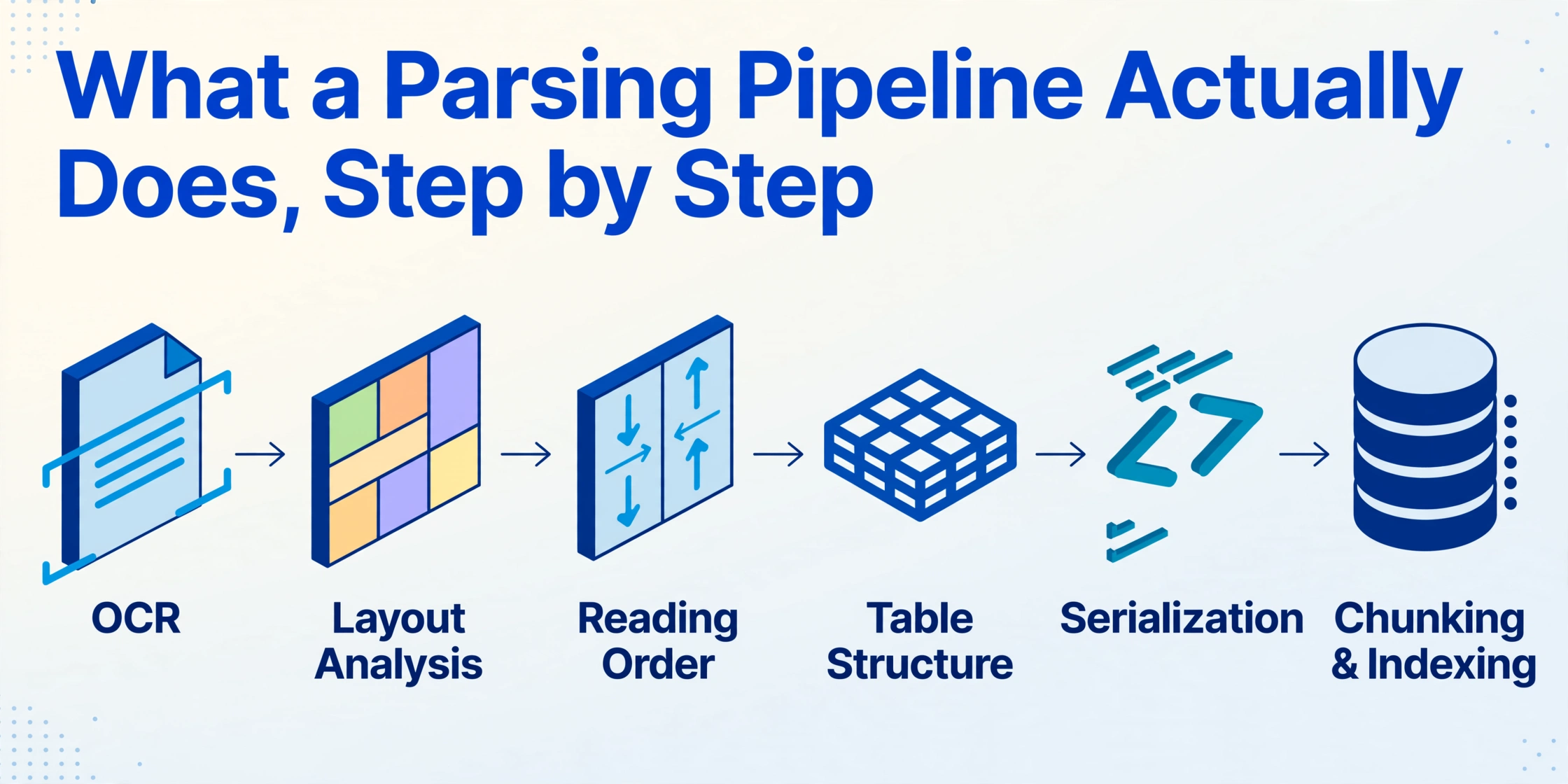
When someone proposes a parsing pipeline for your document data, here is the concrete work inside it, in the order it runs.
Text acquisition
Scanned and photographed documents go through OCR to produce a text layer. Born-digital PDFs may carry an embedded text layer that can be read directly, which is faster but less reliable for complex layouts.
Layout analysis
The page is segmented into text blocks, tables, figures, headers, and footers. This is where the parser learns which text belongs to a table and which to a paragraph.
Reading order reconstruction
Multi-column pages are reassembled into the order a human would read them. Without this step, a two-column invoice is read left column to bottom, then right column, which scrambles the content for anything downstream.
Table structure recognition
Rows, columns, merged cells, and spans are identified so a table survives as a table instead of flattening into a string of cells.
Serialization
The result is written out as markdown, JSON, or HTML, usually with bounding boxes and page numbers attached so each element can be traced back to its source coordinates.
Chunking and indexing
For RAG stacks, the parsed output is split into chunks sized for embedding, embedded into vectors, and loaded into an index that a retrieval system can query.
Familiar engines in this category include AWS Textract, Azure Document Intelligence, Google Document AI, Unstructured, Docling, and LlamaParse, which is built around the LlamaIndex stack. Extend is a newer entrant in the same parse-and-extract API lane. They differ in tiering, per-page pricing, and output fidelity, but they share the same architecture: parse the document into a model, then hand the model to whatever consumes it. A developer comparing these engines on Reddit summarized the practical reality of all of them: "All solid, all pay per page and yes all require you to orchestrate the pipeline yourself" (r/LLMDevs).
What Column Extraction Does Instead
The alternative philosophy stops the workflow at the answer. With Custom Column Extraction, you type the column names you want: "Invoice Number", "Due Date", "Total Amount". The AI reads the document and locates each value by understanding what the column name means, anywhere on the page, no coordinates and no layout template involved. The column names you enter become the headers of the output table, so the unit of work is a field, not a page.
Nothing in this flow needs a document model. There is no layout analysis step, no reading order reconstruction, no serialization into markdown, no chunking. The AI is asked one question per upload: "find the values for these columns and return them." What you get back is rows, and the rows are the deliverable. The processing is batch-first: upload a folder of supplier invoices, and every invoice lands as its own row in one merged spreadsheet instead of one parse result per file (a fuller walk-through of how AI document extraction reads a page goes through the mechanism in more detail).
Because fields are the ask, the approach doesn't care which vendor's layout the document uses, which is covered separately in our look at template-free document extraction. A supplier that changes its invoice template does not invalidate anything, because the column definitions were never tied to a position on the page.
What the Pipeline Costs a Team That Only Needs Rows
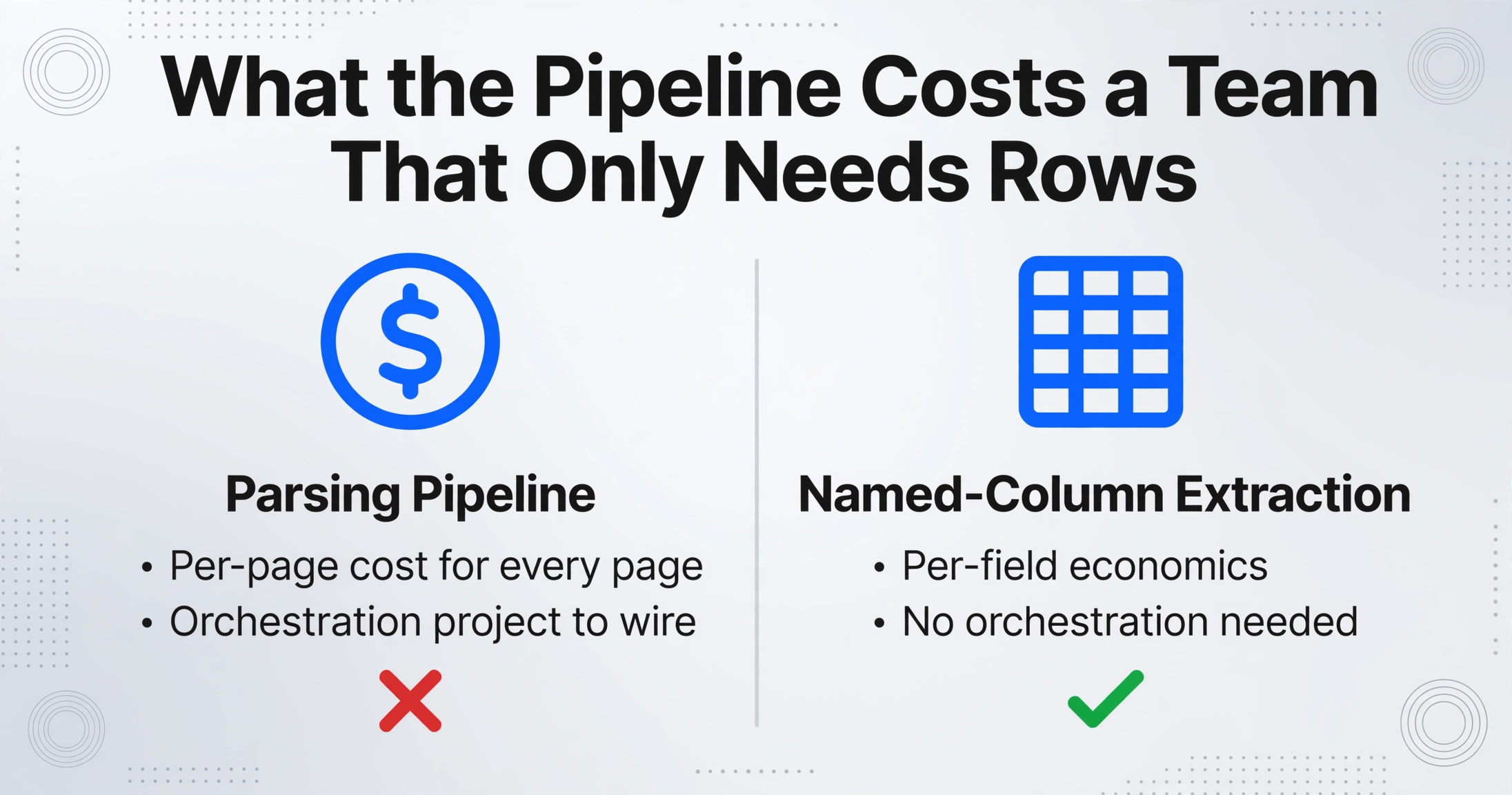
A parsing pipeline is not wrong for a spreadsheet goal, it is just more machine than the job needs, and the extra machine shows up in three places.
You pay for pages when your unit of value is a field. Parsing APIs price per page or per credit for OCR and layout processing. Every page is parsed in full, including the boilerplate you will never look at again, because that is what document reconstruction means. An invoice that takes up one page costs one page. A 40-page contract costs forty pages, even when the deliverable is a renewal date and a party name. Rows in a spreadsheet are usually a handful of fields per document, and the per-field economics are what column extraction bills against, not the per-page cost of reconstructing everything.
You inherit an orchestration project. The Reddit comment above said it plainly: every parser in the category requires you to wire the pipeline yourself. A Textract user on r/aws described the same experience in a different register: it is "quite expensive for a large number of documents," and "if the layout of the document is unusual, it could give wrong results" (r/aws). Someone has to glue the OCR step to the layout step, handle retries, keep the chunking consistent, and deploy the result. For a team of one or two ops people whose actual job is supplier data in a sheet, that orchestration is the job they were trying to automate away.
The pipeline ends where your extraction starts. Here is the part that rarely appears in the vendor comparison page: a parsing pipeline hands you markdown, not fields. To get "due date" out of a parsed document, you still write your own extraction layer, either pattern matching over the markdown or a schema prompt against an LLM, and then you validate its output. Some parsing platforms bundle an extraction endpoint, but it is an add-on, and the engineering cost of mapping parsed output into the rows your sheet needs is still yours. That is a second extraction project bolted onto the first.
There is a human version of that same double-handling, and it has measured error rates. A 2023 systematic review and meta-analysis of data processing methods in clinical research found a pooled error rate of 6.57% when someone reads a value from a source document and manually enters it into a structured record, against 0.29% for direct keying and 0.74% for automated scanning (Garza et al., 2023). When the parsed markdown gets re-keyed into a spreadsheet by hand, the step is the same and the error lives at the same place: the human interface between two representations.
The pipeline does not remove the extraction step. It moves it down the chain: from the document to the markdown, and from you to the small script or schema prompt you still have to ship.
How Named-Column Extraction Maps Directly to a Spreadsheet Goal
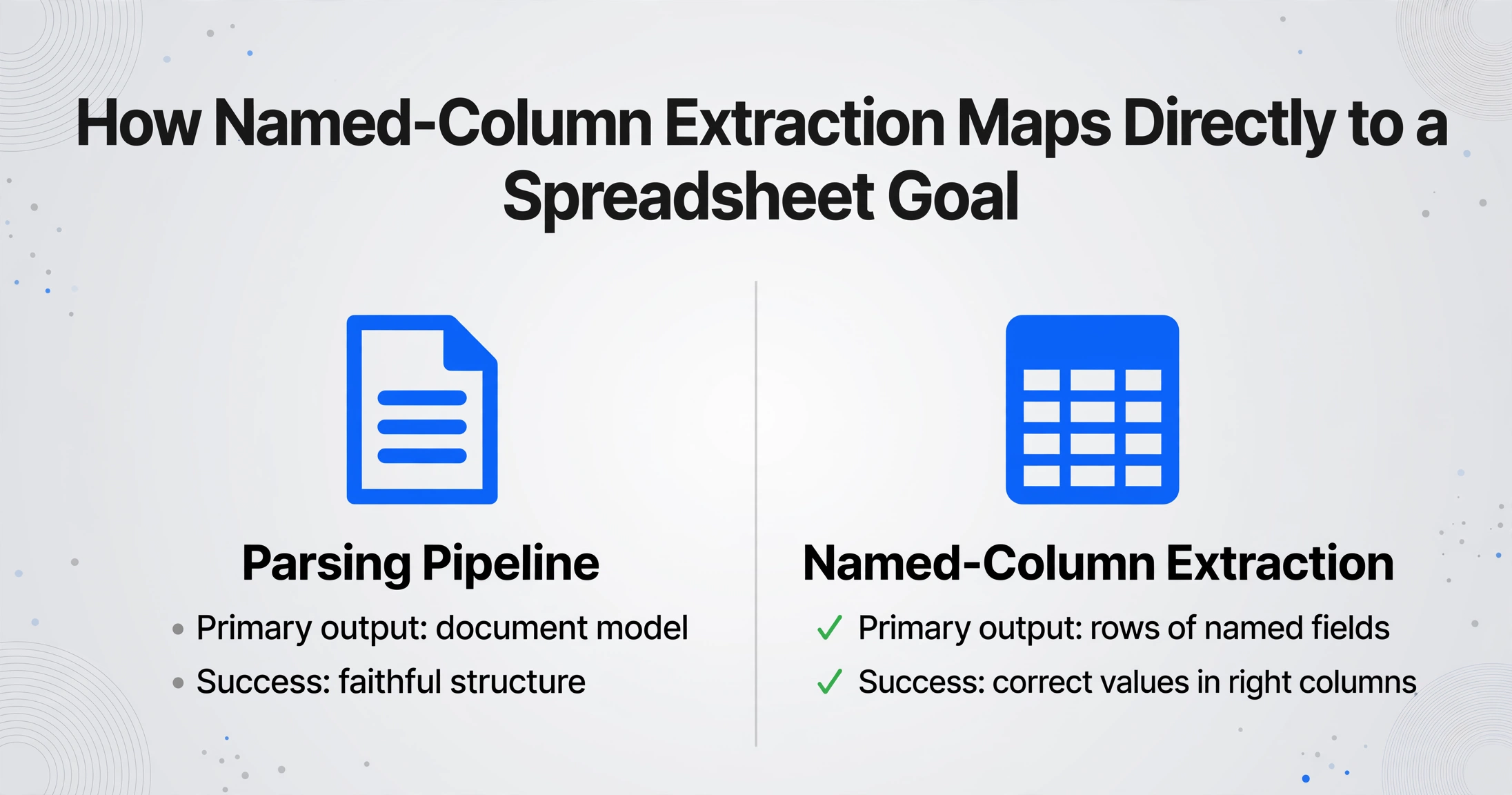
Against that cost structure, column extraction is deliberately minimal. The workflow is: upload the documents, enter the column names once, run the batch. The tool reads every file, fills the columns, and merges the results into a single spreadsheet, no parsing project, no orchestration, no second extraction phase. Processing a single page takes about 5 to 10 seconds where manual entry runs closer to three minutes, a roughly 18x difference that comes from the same efficiency numbers we publish across the product.
Two product settings matter for teams that need to trust the output. Model Tier lets an account pick a stronger vision model for dense handwriting, complex layouts, or documents where small slip-ups are costly, while the standard tier already covers most printed tabular documents. And Review Mode with bounding-box highlighting maps every extracted value back to its exact location on the original page: hover a cell and the source region lights up, click the region and the cell is found. Teams that compare this with a parsed markdown dump usually find the per-field source trace is exactly the verification layer a spreadsheet audit needs.
| Parsing pipeline | Named-column extraction | |
|---|---|---|
| Primary output | Document model: layout, reading order, tables as markdown or JSON | Rows of the fields you named |
| What determines success | Faithful structure, clean chunks for retrieval | Correct values in the right columns |
| Setup | Engine choice, per-page config, orchestration, chunking, index | Type the column names you want once |
| Natural downstream | RAG, agents, semantic search over a corpus | Excel, Google Sheets, ERP imports, reporting |
| What you maintain | Glue code, retries, schema mapping onto parsed output | Review of the rows that need a second look |
The verification story is where a column extraction workflow often confirms itself on the first batch. Run your invoices through, open Review Mode, and check the flagged fields against the source pages instead of reading every value twice. For teams coming from template tools that break whenever a vendor changes its layout, that first-batch experience is usually the whole argument, as covered in the discussions of moving off Docparser and moving off Parseur. If you are still comparing individual names in this space, our Parseur comparison goes tool by tool.
When You Genuinely Do Need a Parsing Pipeline
Column extraction is not a universal replacement, and saying otherwise would be dishonest. A parsing pipeline is the right architecture for four concrete needs.
RAG and conversational AI over a corpus. If the deliverable is "answer questions across 10,000 policy documents" or "an agent that pulls citations from a knowledge base," you need chunks, embeddings, and a retrieval index. Column extraction returns fields, not retrievable content. The parsing pipeline's document model is exactly what this use case consumes, and this is genuinely where the approach shines.
Layout-preserving document models. Some downstream systems must keep the document as a document: a legal review platform that needs a contractual clause reconstructed in reading order, a research workflow that needs a two-column paper reflowed correctly, an archival system that maintains the visual structure of the source. A field table throws that structure away by design. When the output is consumed as a document, you want the pipeline.
Full-content search. If the success metric is natural language search over everything the documents say, not over the columns they fill, the index needs the complete parsed content. A spreadsheet of key fields is no substitute for a queryable body of text.
Document structure as a product. A team building document tooling as their own product, where other developers consume parsed markdown or layout trees via an API, needs the parsing layer as infrastructure. That is a developer-deliverable, not an operations deliverable.
The decision rule is the destination: rows in a spreadsheet point to column extraction, a queryable or layout-preserving document corpus points to a parsing pipeline. Teams that need both run both, but the spreadsheet half does not require the pipeline half to get built first.
For readers still comparing tools by name, the annual OCR and document API roundup lists the major engines side by side, including the parsing-pipeline ones. What none of those engines promise is what column extraction gives up front: no pipeline build, no chunking schema, just the columns you named.
FAQ
What is the difference between document parsing and data extraction?
Document parsing reconstructs the document itself: layout, reading order, tables, serialized into markdown or JSON for downstream systems. Data extraction pulls the specific fields you define, like invoice date or total amount, and returns them as rows. The first produces a document model, the second produces the answer you asked for.
Do I need a parsing pipeline to extract data from PDFs into a spreadsheet?
No. If your deliverable is rows of named fields in a spreadsheet, column extraction reads the document and fills the columns directly. A parsing pipeline adds per-page parsing costs, an orchestration step, and a separate extraction layer that maps parsed markdown into the fields you want.
When does a parsing pipeline make sense?
When the output needs to be the document: RAG and agent systems that retrieve over a whole corpus, layout-preserving workflows, full-content search, or building document tooling as a product. In those cases the pipeline's document model is genuinely the right foundation.
Is parsing more accurate than column extraction for tables?
They are measured on different things. Parsing is evaluated on how faithfully the table structure survives in markdown or JSON. Column extraction is evaluated on whether the value in a named column is correct. For a spreadsheet, the second metric is the one that matters, and that is why verification tools like bounding-box highlighting compare each value against the source page instead of trusting the serialized structure.
Which tools are parsing pipelines and which are column extraction tools?
AWS Textract, Azure Document Intelligence, Google Document AI, Unstructured, Docling, and LlamaParse are parsing-pipeline engines: they produce a document model for downstream systems. ImageToTable.ai is a column extraction tool: upload, name your columns, get spreadsheet rows. The two categories are solving for different outputs, which is exactly the decision this article is about.
The next time a document AI vendor shows you a parsing pipeline, ask which part of it your spreadsheet will consume. If the honest answer is "just the values", you already know the shorter route: name the columns, run the batch, and check the rows that need a second look. Run your own documents through column extraction and compare the output with what a parsing pipeline would give you.