Resume Parsing vs AI Extraction for Recruiters:
Which Actually Survives Multi-Column PDFs
If you're comparing "resume parsing software" and "AI extraction" side by side, the first thing you'll notice is that both say they read resumes — and both say they're accurate. The search results don't help either: most articles on this query are tool lists written by parser vendors, and the comparison usually stops at "this one has 200 fields, that one has 100." What recruiters actually need to know — which approach survives the two-column PDFs candidates keep sending, and which one costs less at real hiring volumes — is almost never covered.
Key Takeaways
- Every resume parser and AI extraction tool claims ~95% accuracy — the numbers are close enough that the choice feels like splitting hairs.
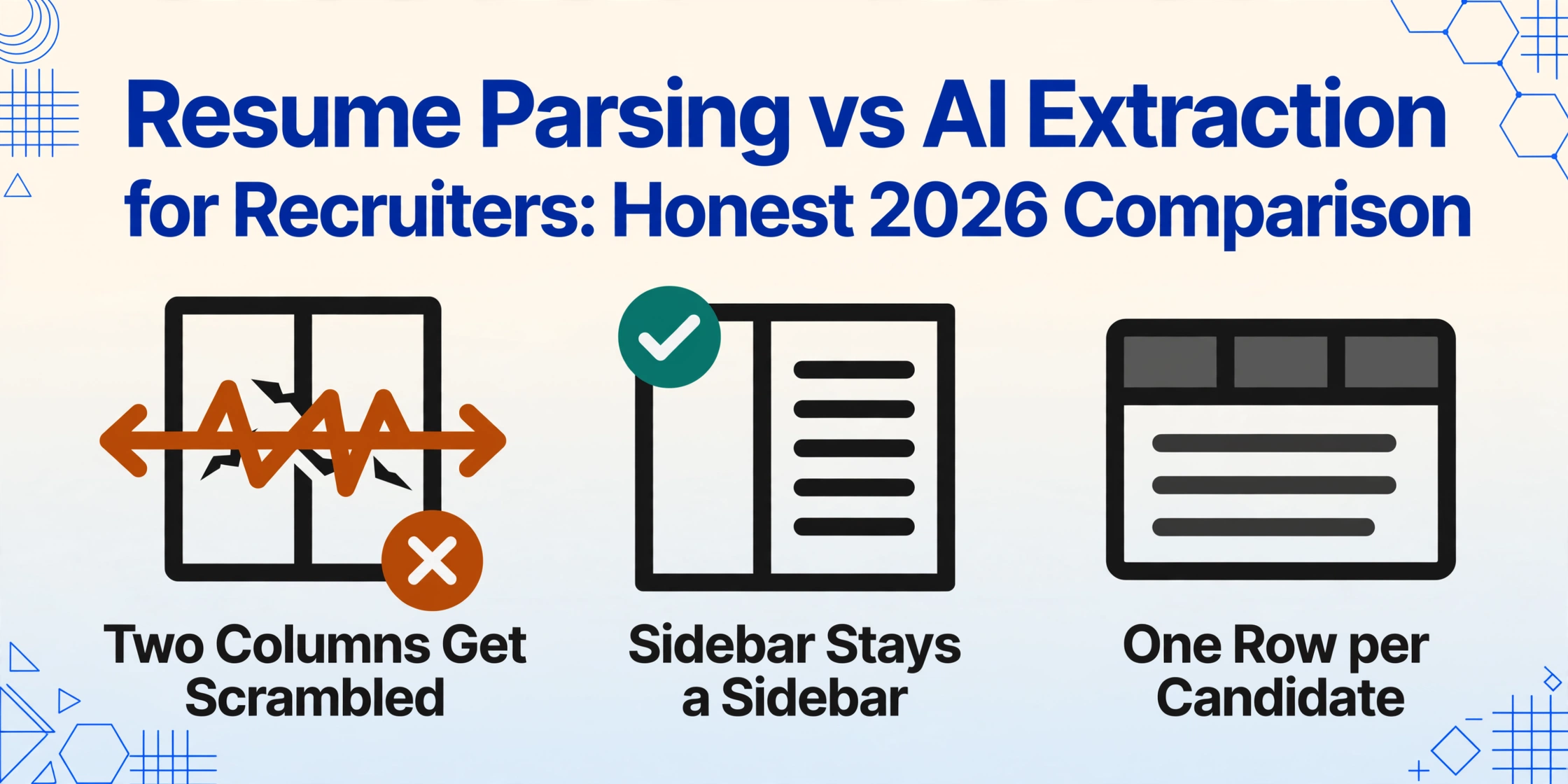
- That number is measured on single-column, text-friendly resumes. Candidates keep sending two-column layouts, and position-based parsers scramble them: the skills sidebar merges into the work history, producing ghost employers and lost search hits.
- One question cuts through the noise: does the tool read by position or by meaning? The answer determines whether your Canva-template candidates show up in your searchable fields.
The Question Behind Every Parser Search
Searching "resume parsing vs AI extraction" usually means one of two things. Either you're a recruiter or HR lead trying to decide whether to buy parsing technology — or you're a developer evaluating a parsing API to embed in a product. This article is written for the first group, and it declares its bias up front: it's written from the perspective of a recruiting team that wants candidate data in a spreadsheet, not from the perspective of a software company that sells parsing infrastructure. If you're building an ATS, a job board, or an HR product, skip to the section on where parser APIs genuinely win — that's the honest case for buying one.
For everyone else, the decision framework comes down to three questions: What documents are you actually feeding it? What output do you need? And what does each option cost at your volume? The rest is detail.
Most "resume parser vs AI" comparisons are written by one side selling something. This one starts from what a hiring team actually needs: a candidate spreadsheet that's correct, cheap at volume, and that doesn't fall apart on the layouts real candidates use.
What Resume Parsing Software Actually Does
Resume parsing software converts a resume document into structured candidate data — name, email, phone, work history, education, skills — by mapping the document's content onto a fixed, pre-built resume schema. The core technologies are OCR (optical character recognition) to extract text from scans and images, then NLP (natural language processing) rules to classify that text into fields like "Employer" or "Job Title." You can buy this as an API from vendors like Textkernel (Sovren), RChilli, Daxtra, Affinda, and HireAbility, or it comes bundled inside most ATS platforms (Greenhouse, Workday, Lever, iCIMS) as the feature that "auto-fills" a candidate profile from an uploaded file.
The defining characteristic of most resume parsers is that they are position-based: they expect contact information near the top, employment history in the middle, education at the bottom, and they read text in a fixed order — typically top-to-bottom, left-to-right, as a single stream. When a resume matches that expected layout, parsers are fast and reasonably accurate. When it doesn't, the output quality drops sharply, because the parser has no mechanism for understanding that a skills sidebar on the left and a work history column on the right are different semantic regions.
What AI Data Extraction Actually Does
AI data extraction is a newer category built on vision large models — the same class of AI that powers image understanding. Instead of mapping text onto a fixed resume schema by position, it reads the document the way a human does: understanding that "Education" is a section, that a sidebar labeled "Skills" contains skills, and that a photo of a resume is just another format. ImageToTable.ai is built on this semantic-reading paradigm, which it calls Custom Column Extraction: you type the field names you want — "Candidate Name", "Email", "Top Skills", "Years of Experience" — and the AI locates each value anywhere on the page by understanding what the field means, not where it sits. The column names you type become the headers of your output spreadsheet.
Two practical differences follow from this design. First, the output is spreadsheet-native: you get an Excel or Google Sheets table with one row per candidate, ready to filter and sort, rather than a JSON object that needs integration code to become usable. Second, there's no resume-specific schema to update: because extraction is driven by the columns you define, the same tool that extracts resumes can extract offer letters, onboarding forms, or employment contracts without reconfiguration.
The real difference isn't "parser vs AI" as marketing categories. It's position-based reading (text is classified by where it sits on the page) versus semantic reading (text is classified by what it means). Everything else in this article — accuracy on creative layouts, setup effort, cost model — follows from that single distinction. It is also the first thing to verify in any document parser you evaluate, before looking at the field count on its spec sheet.
The Multi-Column PDF Test
There is one resume format that separates the two approaches more cleanly than any benchmark: the two-column layout with a skills sidebar. It's ubiquitous — designers, marketers, product managers, and most people using modern resume templates produce it — and it's exactly the layout position-based parsers handle worst.
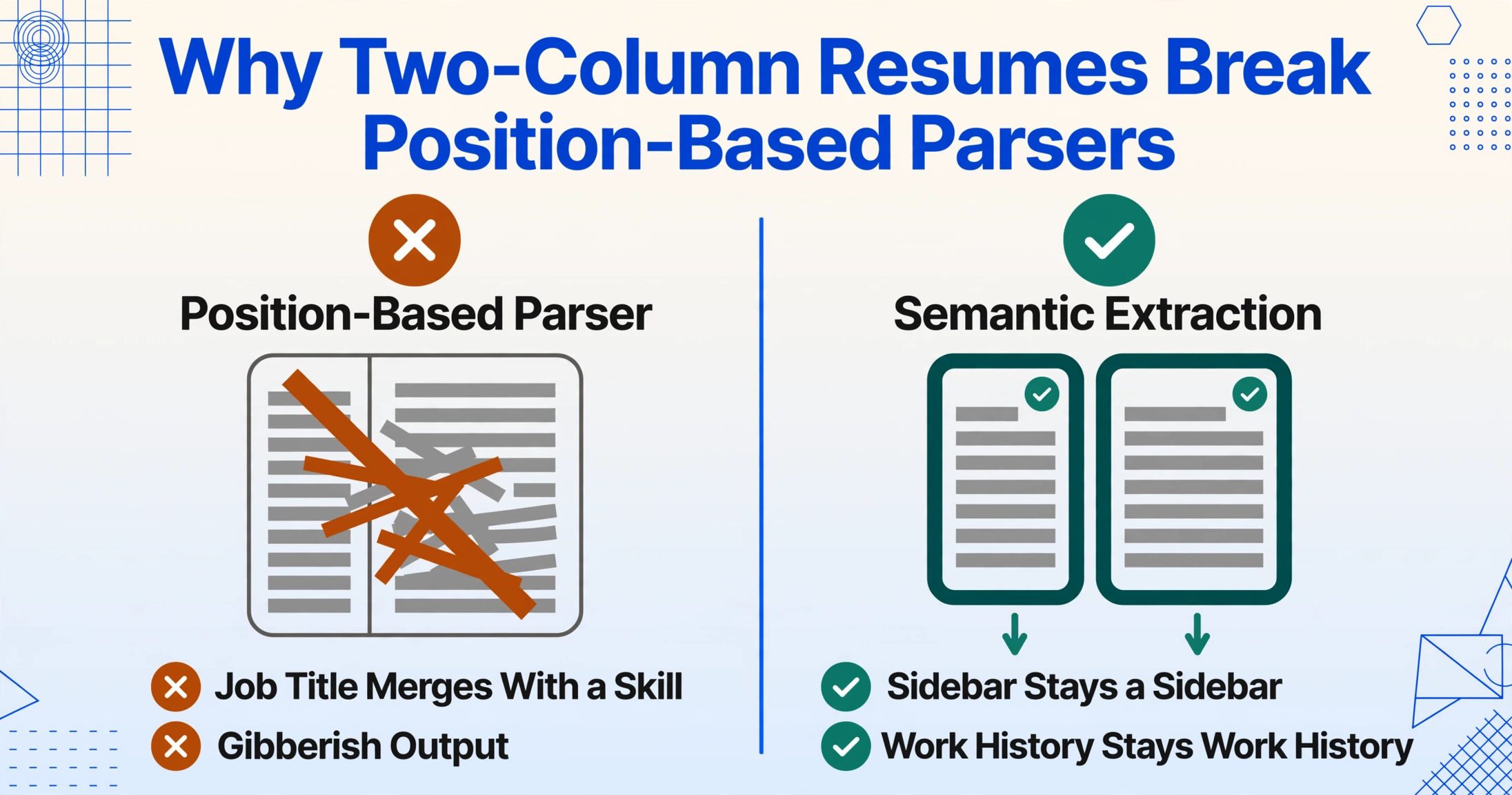
A developer who spent 8 months testing real ATS platforms against thousands of resume variants documented the failure mode from the inside: "Two-column layouts. ATS reads top-to-bottom in a single stream. Two columns get scrambled — your job title from column A merges with a skill from column B. It's gibberish on the other end" (r/jobsearchhacks). A second practitioner who reverse-engineered Workday's parser reported the same mechanism: "Multi-column layouts break the parser. It reads left-to-right across both columns simultaneously. Your 'Skills' and 'Experience' sections get merged into nonsense strings" (r/jobsearchhacks). The r/resumes community reaches the same conclusion from the job-seeker side: "a lot of them struggle with columns, tables, text boxes, and heavily designed layouts" (r/resumes).
Semantic extraction doesn't have this failure mode, because it never relies on reading order. A skills sidebar is recognized as a "Skills" section regardless of which side of the page it sits on; a work history column is read as employment history. That doesn't mean AI extraction is flawless on every layout — heavily stylized graphic-designer resumes with icon-based section markers can still produce lower confidence on specific fields, and handwritten margin notes remain a real challenge — but the structural failure that scrambles two columns into one text blob is eliminated.
The stakes aren't just cosmetic. A candidate whose parsed profile shows the wrong employer, or whose skills never landed in the searchable field, is a candidate who disappears from your pipeline without anyone deciding to reject them. Recruiters on r/recruiting describe this as the norm, not the exception: "Both Workday and Dayforce parse resumes (and do a terrible job of it)... the way Greenhouse works is exactly how most of them work" — a summary from a practitioner who had implemented more than a dozen ATS platforms.
Cost per Resume: Per-Parse Pricing vs a Subscription
The second dimension that matters at real hiring volumes is cost — and the two categories price themselves completely differently.
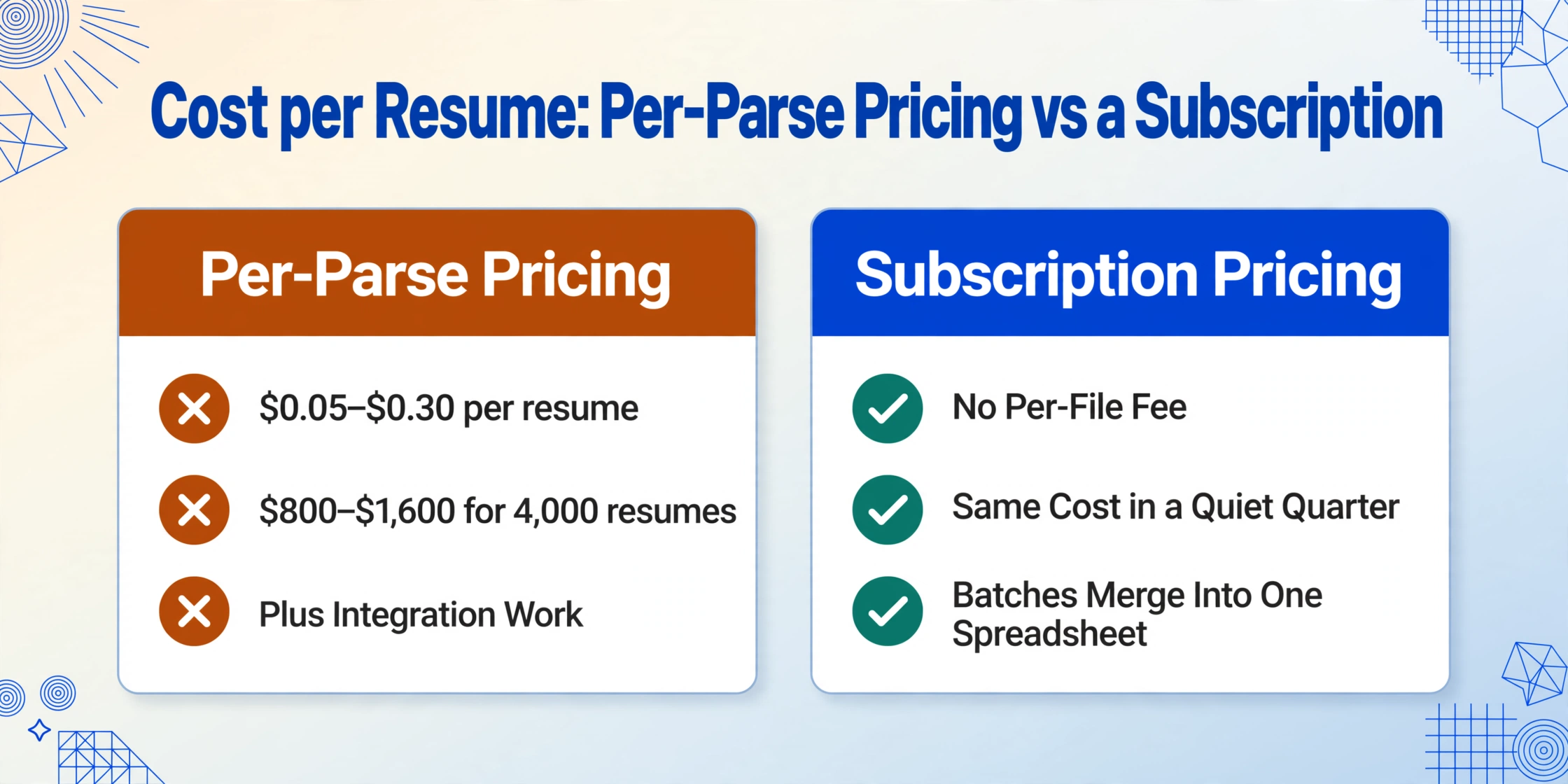
Parser APIs charge per document. Industry rates for dedicated resume parsing typically run $0.05 to $0.30 per resume depending on volume and vendor. Affinda's published pricing is a concrete example: US$0.20 per page on pay-as-you-go, or an annual plan from US$3,600 for 66,000 documents — roughly $0.055 per document at that tier (Affinda Resume Parser pricing). Run the numbers for a mid-size hiring team processing 200 resumes per opening across 20 openings a year — 4,000 documents: pay-as-you-go at $0.20 per page costs $800 to $1,600 depending on page counts, and you haven't touched the annual tier yet. At 66,000 documents the per-document price drops, but you've also committed to a volume most in-house recruiting teams will never reach.
AI extraction on ImageToTable.ai charges by subscription, not per file. You process as many resumes as your plan's processing capacity covers — batches merge into one spreadsheet, and there's no per-document fee that climbs as your applicant pool grows. For a team that hires seasonally, that means a quiet quarter costs the same as a busy one instead of billing you per resume you happened to receive.
There's also a hidden cost that per-parse pricing doesn't include: integration work. A parser API returns structured JSON, which is only useful once someone writes code to map it into your ATS, your spreadsheet, or your database. For a recruiting team without developers on staff, that's an invisible line item that can exceed the parse fees themselves.
Fields and Setup: Fixed Schema vs Columns You Define
Parser vendors advertise hundreds of pre-mapped resume fields, and that's a real strength — for a certain buyer. A parser's schema is designed for completeness: it extracts everything a resume could contain, so a downstream system can decide what matters. If you're building software that serves many clients with different field needs, a comprehensive fixed schema saves you from defining fields yourself.
For a recruiting team, that completeness is often the problem. A candidate spreadsheet is for filtering and comparing, not archiving — and extracting 200 fields means 200 columns of mostly-empty spreadsheet. Semantic extraction inverts the workflow: you define the handful of columns your hiring decision actually uses — name, email, current title, years of experience, top skills — and the output table contains exactly those. You can also add computed columns (the AI calculates a value during extraction, like "Years of Experience" summed from multiple date ranges) and inferred columns (the AI fills in information not printed on the resume, like a Source tag for where the candidate came from).
Setup effort follows the same pattern. A parser API typically requires account provisioning, API credentials, schema mapping, and testing before your first clean result. Semantic extraction has no training or template step: upload a resume, name your columns, and the first file you process is a real result. If your resume data extraction workflow needs to handle two-column PDFs, phone photos, and scanned pages in the same batch, format independence matters more than field count.
When a Resume Parser API Is Genuinely the Right Buy
An honest comparison has to say where the other side wins, and parser APIs win in three specific scenarios:
- You're building a product that ingests resumes for many customers. ATS vendors, job boards, staffing platforms, and HR software companies need parsing as infrastructure. The per-document cost scales into the millions for them, the JSON output feeds a real product, and the skill taxonomy (normalizing "C++" and "C Plus Plus" to one skill) is genuinely valuable at that scale. This is what Affinda, Textkernel, RChilli, and Daxtra are built for — our direct comparison with Affinda walks through the boundary in more detail.
- You need 50+ languages with normalized output. Resume parsing vendors have invested years in multilingual normalization. If you're hiring across markets where a candidate's skills must map to a standardized taxonomy in multiple languages, a parser API's language coverage beats a general extraction tool that reads but doesn't normalize.
- You have developers and you're building a pipeline. If the resumes are flowing into an automated workflow — deduplication, candidate matching, scoring — the JSON output of a parser API plugs directly in. ImageToTable.ai has a v1 API for this scenario too, but a dedicated resume parser is the mature choice for resume-specific pipelines.
If none of those describe you, the parser API's advantages mostly don't apply — and its per-document cost and integration burden are pure overhead.
What Your ATS's Built-in Parser Is (and Isn't) Doing
There's a third option hiding in the comparison: the parser already bundled into your Greenhouse, Workday, Lever, or iCIMS subscription. You're paying for it either way, so the question is whether it does the job.
Practitioner consensus says it's the same position-based technology, usually a lighter version of it. The r/recruiting thread quoted above puts it bluntly: "the way Greenhouse works is exactly how most of them work" — the built-in parser fills a profile page from a text-friendly resume, but its accuracy on creative layouts is no better than the standalone parsers it's based on. Some ATS platforms don't even attempt the hard cases: Breezy HR's bulk-import documentation states that uploaded resumes must be text-based documents (DOCX, TXT, RTF, ODT, or PDF) — "not scanned copies, images, or image-based PDFs" — which it rejects outright (Breezy HR documentation). A recruiting team that receives photographed resumes from mobile applicants — common in hourly and blue-collar hiring — simply can't rely on that feature.
The cost of relying on a broken first cut is measurable, and it's bigger than a single lost candidate. Harvard Business School's Project on Managing the Future of Work surveyed 8,720 "hidden workers" and 2,275 executives across the US, UK, and Germany, and found that more than 90% of employers using a recruitment management system relied on it to make the first cut or rank applicants — 94% for middle-skills roles and 92% for high-skills roles. Yet only one in five hidden workers made the first cut at all, and the average surveyed worker applied to 25 jobs over five years for a single offer (HBS Working Knowledge). When parsing is the gate, parsing errors become hiring errors — and the HBS study documents roughly 27 million people in the US alone who are qualified, available, and systematically filtered out.
That's the strongest argument for extracting resume data outside your ATS and importing clean rows in. Our step-by-step guide to extracting resume data into Excel covers the field list and the full workflow; the short version is that most ATS platforms import candidate spreadsheets via CSV, so you can extract once, review the data, and import a verified file instead of trusting the built-in parser on every application.
A Decision Framework for Your Hiring Workflow
Here's the comparison condensed into the dimensions that should drive your choice — each one mapped to what a recruiting team actually observes, not what the vendor claims.
| Dimension | Resume Parser API | ATS Built-in Parser | AI Extraction (ImageToTable.ai) |
|---|---|---|---|
| Reading method | Position-based + NLP rules | Position-based (lighter) | Semantic (vision model) |
| Two-column / creative layouts | Scrambles — sidebar merges into work history | Same limitation, plus scanned files often rejected | Reads by meaning, not position; sidebar stays a sidebar |
| Output | Structured JSON (needs integration code) | Profile page inside the ATS | Excel / Google Sheets / CSV — one row per candidate |
| Setup | API keys, schema mapping, developer time | Already there (but limited) | Name your columns, upload, done |
| Cost model | Per document (~$0.05–$0.30; Affinda $0.20/page) | Bundled in ATS subscription | Subscription — no per-file fee at volume |
| Fields | 100–200 pre-mapped + skill taxonomy | Core profile fields only | Exactly the columns you define |
| Best for | Product builders, multilingual pipelines | ATS users with standard resumes | Recruiting teams that want a filterable spreadsheet |
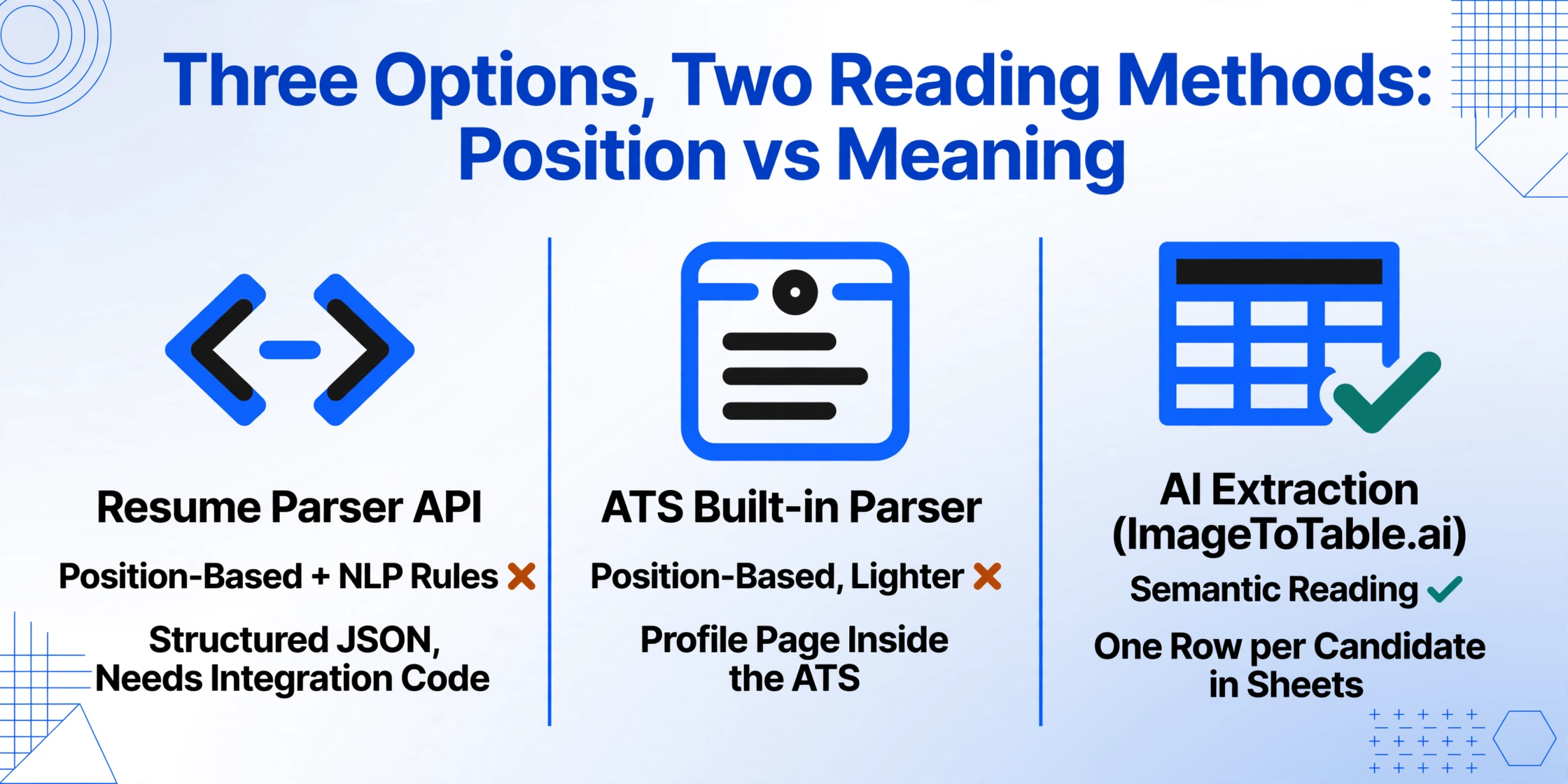
The decision rules follow directly. Building software that ingests resumes → buy a parser API. Receiving standard single-column resumes and happy with your ATS profile page → you already have what you need. Receiving two-column layouts, phone photos, scans, or simply wanting a spreadsheet you control → AI extraction. The third case is most teams; the demo below is what the workflow looks like — no preset, no template, just columns you define against whatever resumes you upload.
Files are processed securely and not stored.
How to Test Before You Buy
Vendors on both sides publish accuracy claims — "95%+" is the common figure on parser landing pages, and it's almost always measured on clean, single-column resumes. You can verify either approach in an afternoon with ten real resumes:
Collect a worst-case sample. Take ten resumes from your actual applicant pool — and deliberately include at least two two-column layouts, one heavily designed or icon-based resume, one scanned page, and one photo taken on a phone. This is the sample that exposes the multi-column failure mode, so don't normalize it.
Run them through the tool. For an extraction tool, define the columns you'd actually screen on — Candidate Name, Email, Current Title, Current Company, Years of Experience, Top Skills — and process the batch. For a parser API, use its trial tier and export the JSON.
Check fields, not vibes. Go row by row and count: how many names, emails, titles, and skills are correct? How many candidates would be unsearchable because their skills landed in the wrong field? A tool that's 98% accurate on ten clean resumes and 60% on the two-column ones fails the only test that matters for your pipeline.
Total the real cost. Multiply per-document price by your yearly resume volume, add the setup hours, and compare against a subscription. For a batch of 200 resumes, the difference between $0.20 per page and a flat subscription is a line item you can actually see.
For volume workflows, also see how batch resume processing into a candidate database handles naming collisions, merged results, and the handful of files that break any tool — those problems are the same regardless of which parsing approach you pick.
FAQ
Can resume parsing software handle two-column PDF layouts?
Generally no, and this is the single biggest accuracy gap. Position-based parsers read top-to-bottom in a single stream, so a two-column layout with a skills sidebar gets scrambled — sidebar skills merge into work history, creating ghost employers and misplaced fields. Semantic AI extraction reads by meaning rather than position, so it handles sidebar and multi-column layouts correctly in most cases, though heavily stylized icon-based designs can still produce lower confidence on specific fields.
Is AI extraction as accurate as a dedicated resume parser?
On standard single-column resumes, both approaches are accurate — parsers quote 95%+ on the layouts they're built for, and vision-model extraction benchmarks up to 99% on printed table data. The gap appears on creative layouts: parser accuracy drops sharply on multi-column and designed resumes, while semantic extraction keeps reading them correctly. The right accuracy test isn't a vendor claim — it's your own worst-case resumes, run through both.
Do I need both a parser API and an extraction tool?
Only if you have two different problems. If you're building software that ingests resumes for many customers, a parser API gives you the normalized schema and language coverage that product needs. If you're a hiring team that wants candidate data in a spreadsheet, extraction covers it with less setup and no per-document fee. Most in-house recruiting teams need the second, not the first.
Can I use this without an ATS?
Yes — the spreadsheet is the workflow. Extract candidate data into Excel with the columns you define, filter and sort in the spreadsheet, and track pipeline stages with a status column. When you do adopt an ATS, the same spreadsheet imports as a CSV candidate file, so nothing you've built is wasted.
What about scanned or photographed resumes?
Semantic extraction handles them as normal inputs because it reads pixels, not text layers — which is why it also reads phone photos of paper resumes. Many ATS bulk-import features reject scanned or image-based files outright (Breezy HR's documentation is explicit about this). Scan quality still matters: a clear scan extracts cleanly, while heavily blurred or angled photos produce lower-confidence fields that get flagged for review rather than silently filled in.
Can I import results into Greenhouse, Workday, or Lever?
Yes. Greenhouse bulk import accepts up to 8,000 rows per upload from a spreadsheet, Bullhorn takes 1,000 records per batch in CSV, and Workday's EIB imports spreadsheet data with a 30MB cap. Because the extracted file already has one row per candidate with a verified email column, it imports cleanly — and you skip each platform's built-in parser entirely.
Parser APIs were designed for companies that build resume software. If you're a recruiting team, you want candidate data in a spreadsheet — and the fastest way to find out which approach survives your candidates' actual layouts is to feed it your own resumes.
Test It on a Real Resume