ImageToTable.ai vs Affinda:
No-Code Spreadsheet Extraction vs Developer Resume-Parsing API
Both tools turn documents into structured data, but they answer different questions. Affinda is an API-first document-AI platform — you generate an API key, configure a document type, and wire extraction into your own software, most often a recruiting or ATS product. ImageToTable.ai is a no-code web tool — you upload files, type the column names you want, and download a merged Excel sheet. The real decision here isn't "which extracts better"; it's whether you're a developer building a pipeline or a person who needs data in a spreadsheet today.
Quick Comparison
If you're a recruiting-software company or developer embedding resume parsing into a product, Affinda is a genuine leader — jump to When Affinda Is the Better Fit. If you're a finance, ops, or admin team that lives in spreadsheets, read on.
Choose ImageToTable.ai if…
- You don't write code and want results without an API integration
- You want to type column names in plain language — no document-type configuration
- Your output needs to land in Excel, CSV, or Google Sheets, not a JSON pipeline
- You want a free tier and published pricing — not a 14-day trial and a sales call
- You process mixed documents (invoices, receipts, statements, forms) from many sources
Choose Affinda if…
- You're building or running a recruiting/ATS product and need resume/CV parsing at scale
- You have developers who will integrate a REST API into your software
- You need data routed programmatically into an ATS, HRIS, or ERP — not into a spreadsheet
- You want 100+ pre-mapped resume fields across 50+ languages from a trained model
- You need enterprise IDP features: classification, document splitting, validation rules, straight-through processing
Feature Comparison
| Dimension | Affinda | ImageToTable.ai |
|---|---|---|
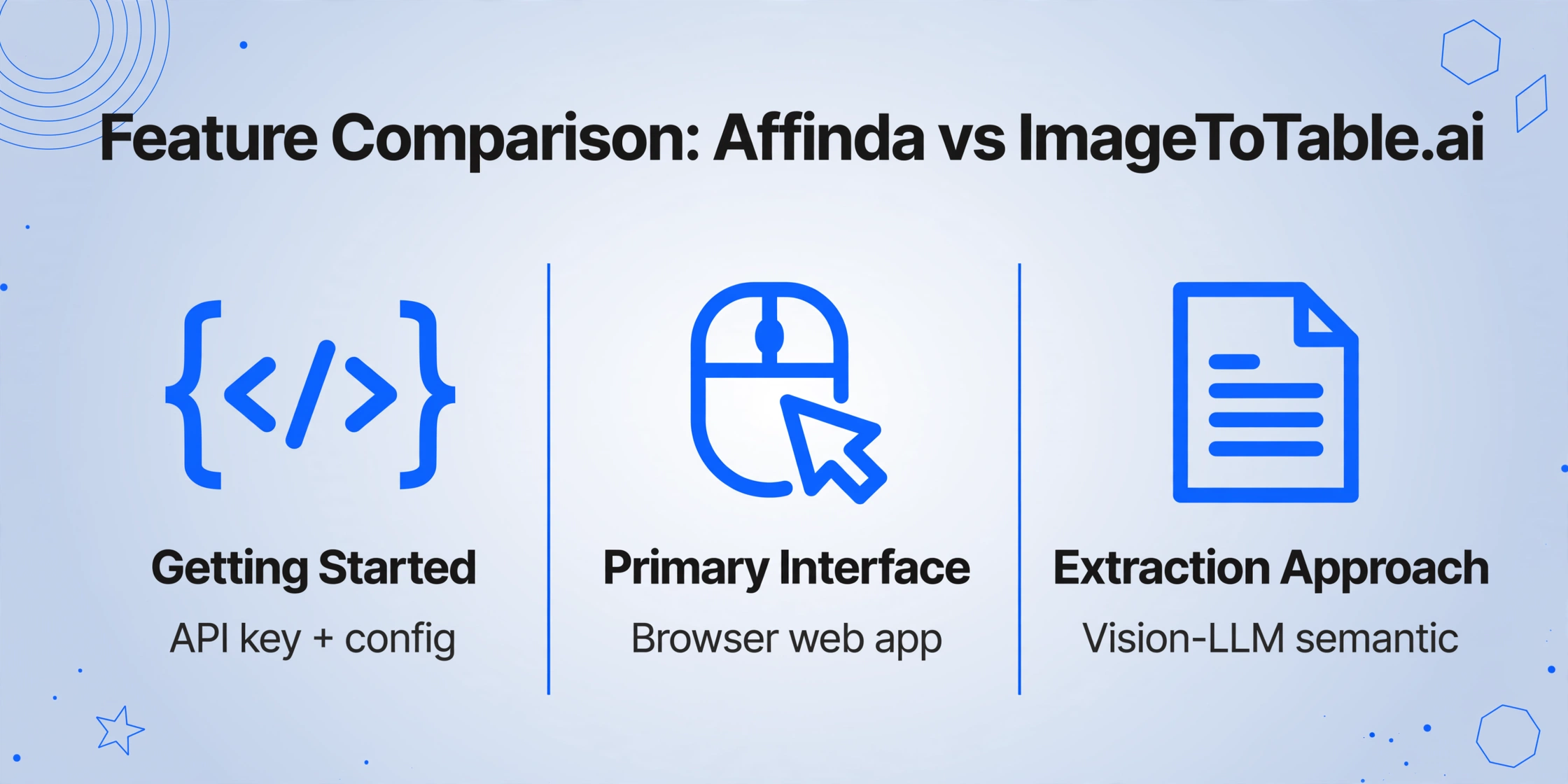
| Getting started | Developer setup: create an account, generate an API key, configure a document type, retrieve a workspace identifier, then call the REST API | No-code: open the web app, upload files, type the column names you want, download Excel — no key, no config |
| Primary interface | API-first, plus a configuration dashboard; designed to be embedded in your own software | Browser web app with a Google Sheets sidebar add-on; built for end users, not pipelines |
| Extraction approach | Pre-built and configured document-type models; resume parser uses a trained ML model for stable accuracy at scale | Vision-LLM semantic extraction — template-free, no training; the AI finds fields by meaning, not position |
| Defining custom fields | Configure a document type and map fields; extraction beyond pre-defined fields involves setup and validation rules | Type any column name in plain language; AI extracts, infers, or computes it — those names become your headers |
| Resume / CV parsing | Specialist strength: 100+ fields, 50+ languages, ~95%+ accuracy, 3–4 sec/resume, plus JD parsing and redaction | General-purpose extraction; not a dedicated ATS resume parser with pre-mapped recruitment fields |
| ATS / HRIS / ERP integration | API plus the Affinda Agent connects to 1,000s of downstream systems for programmatic data flow | Excel, CSV, JSON, Word export and a Google Sheets add-on; REST API on paid plans |
| Output format | Structured JSON/XML intended for a developer pipeline; no built-in spreadsheet deliverable | Spreadsheet-native — Excel/CSV/Word out of the box, or straight into Google Sheets |
| Free tier | 14-day trial (200 credits on the platform); no perpetual free tier | Perpetual free guest tier — try extraction with no account and no card |
| Pricing model | Consumption credits; resume parser sold in annual packs (from ~$800/yr), platform production pricing via sales quote | Published self-serve plans from $9/mo, plus pay-as-you-go from $6/50 images — no sales call |
No-Code Web UI vs Developer API
The fastest way to see the difference is to follow each tool's first-run path. With Affinda, the documented quick start is: create an account, generate an API key in the dashboard, configure a document type, retrieve your workspace identifier, then send a curl POST to the /v3/documents endpoint and parse the JSON response in your code. That's the right shape for a developer wiring extraction into a product — and Affinda's own materials acknowledge the trade-off, noting that "smaller organizations often don't have access to developers, so integration is often a barrier to document automation" (Affinda blog).
ImageToTable.ai removes that path entirely for anyone who doesn't need it. No API key, no workspace to configure, no code to write — you open the web app, drag in your files, type the column names you want, and download a merged spreadsheet, typically in under two minutes. For a five-person finance team processing supplier invoices, that's the difference between starting today and waiting on a developer. A REST API is also available on paid plans for teams that do want programmatic access later — it's an option layered on top of the no-code path, not a requirement to get started.
Custom Column Extraction vs Configured Document Types
Affinda's model is built around defining a document type and mapping the fields it should return — a structured, pre-configured schema. For its core use cases (resumes, invoices, receipts) the pre-built models are mature and accurate. The friction appears when you want a field that isn't in the pre-defined set, or you process a document type the platform hasn't been configured for: that involves setup, validation rules, and sometimes model memory tuning.
Because nothing is bound to a fixed layout, a new vendor format or an unusual one-off document doesn't require a new configuration — you change the column names, not the setup. If you're comparing several tools on this axis, our roundup of the best document data extraction tools walks through where each approach fits.
Free Tier & Self-Serve vs Trial + Sales Quote
Affinda is set up for committed, higher-volume customers. The platform offers a two-week trial with 200 credits, and for production pricing its own page is explicit: "How do I get a price? Talk to us and we will shape a quote" (Affinda pricing). The resume parser is sold in annual credit packs starting around $800/year. That structure makes sense for a recruiting platform forecasting steady volume — but it's a poor fit for someone who wants to test a tool on a handful of real documents this afternoon. Rossum's sales-led model is even more pronounced, with an $18,000/year entry — our Rossum's sales-led model covers that end of the market.
ImageToTable.ai keeps the whole funnel self-serve: a perpetual free guest tier to try extraction with no account, published plans from $9/month, and pay-as-you-go top-ups with no monthly commitment. You can evaluate, pay, and scale without ever talking to sales.
Pricing Comparison
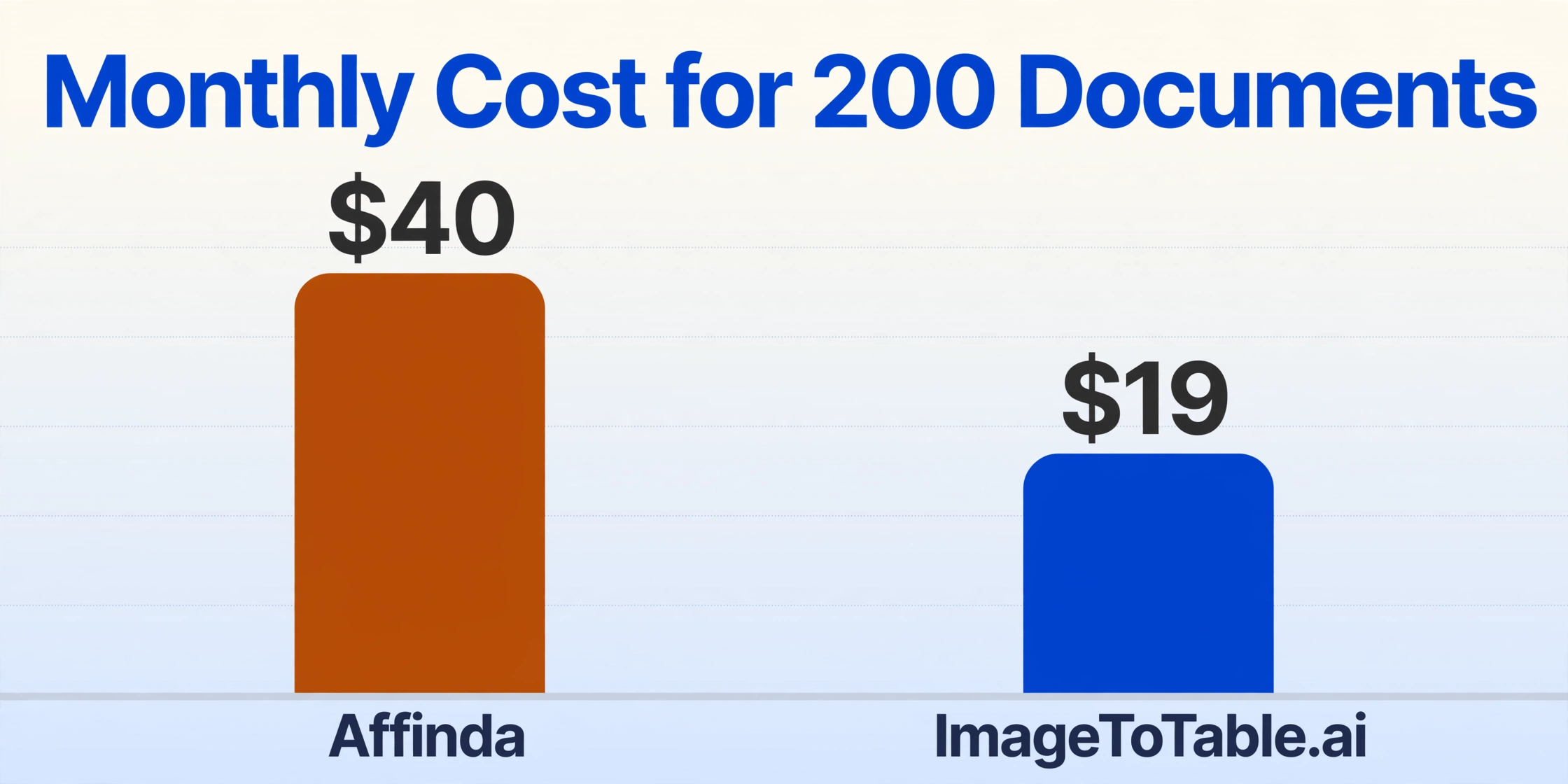
Affinda. On its AWS Marketplace listing, the platform's published self-serve rate is $0.20/page for the first 2,500 pages/month (dropping to $0.15, $0.10, and $0.05/page at higher volume tiers), with the resume parser at $0.10/document (AWS Marketplace). Direct platform production pricing is sales-led, and the resume parser is otherwise sold in annual packs from ~$800/year for 6,000 credits. Free tier: 14-day / 200-credit trial only.
ImageToTable.ai. Published plans: Basic $9/mo (150 credits, ~$0.06/image), Pro $19/mo (400 credits, ~$0.05/image), Max $59/mo (1,500 credits, ~$0.04/image). Pay-as-you-go runs $0.06–$0.12/image (50 for $6, up to 5,000 for $300). One credit = one image. Free tier: a perpetual free guest tier, no card required.
Processing 200 documents/month: ImageToTable.ai's Pro plan at $19/month covers it with room to spare (400 credits). On Affinda's published self-serve page rate, 200 pages costs roughly $40/month — about double — and production usage still routes through a sales quote. For 200 resumes/month specifically, Affinda's smallest annual pack means pre-committing to ~$800/year regardless of actual usage.
*Pricing as of June 2026. Check official pages for latest.*
When Affinda Is the Better Fit
For the use cases Affinda is built for, it's a strong, well-earned choice — and these readers are right to pick it.
High-volume resume and CV parsing. This is Affinda's heritage and remains its edge. The resume parser extracts 100+ fields across 50+ languages with ~95%+ accuracy at 3–4 seconds per document, backed by a trained ML model that holds accuracy at scale. Customers like Bayt.com parse around 6.5 million resumes a year on it. If your product depends on recruitment-grade parsing, ImageToTable.ai is not a like-for-like substitute.
API-driven extraction inside a developer pipeline. When extracted data needs to flow programmatically into an ATS, HRIS, or ERP — with no human spreadsheet step in between — Affinda's API-first design and its Agent connecting to thousands of downstream systems is exactly the right architecture. That's a different goal than producing a spreadsheet for a person to use.
Enterprise IDP with dedicated document-type parsers. If you need pre-built parsers plus classification, document splitting, validation rules, model memory, and straight-through processing under one platform, Affinda delivers that depth. Teams that need this level of pipeline control will find it well-suited. Docsumo covers similar enterprise IDP ground with a validation-rules focus — our Docsumo comparison breaks it down.
What Users Say About Affinda
In the interest of an honest comparison: Affinda is genuinely well-reviewed. It holds a 4.9 / 5 rating across 40 verified reviews on G2, and its developer and recruiting-software users rarely report substantive complaints. We won't manufacture criticism that isn't there.
"Ease of use stood out. The academy resources were clear, and we didn't need a long onboarding process." — Verified reviewer, G2, 2026
"Honestly no complaints from us! I have not found any problems or areas that I dislike as of writing." — Verified reviewer (asked what they dislike), G2, 2026
The takeaway isn't that Affinda has hidden flaws — it's that those happy reviewers are mostly developers and recruiting-platform teams, the audience Affinda is designed for. The gap for a non-developer is structural, not about quality: production pricing is sales-led ("Talk to us… we will shape a quote"), there's no perpetual free tier, and the output is a JSON pipeline rather than a spreadsheet. If that audience is you, the question is fit, not whether Affinda is good.
Frequently Asked Questions
Is Affinda free? How does its pricing compare to ImageToTable.ai?
Affinda is not free beyond a 14-day trial (200 credits on the platform); there's no perpetual free tier, and production platform pricing is sales-led ("talk to us for a quote"). Its published self-serve rate on AWS Marketplace is $0.20/page for the first 2,500 pages/month, and its resume parser is sold in annual packs from about $800/year. ImageToTable.ai has a perpetual free guest tier and published plans from $9/month (~$0.06/image), with pay-as-you-go from $6/50 images and no sales call. For 200 documents/month, ImageToTable.ai Pro is $19 versus roughly $40 at Affinda's published page rate.
Can Affinda extract custom fields without code?
Affinda lets you configure a document type and map the fields you want, but it's built around an API and a configured schema — extracting beyond pre-defined fields involves setup and validation rules, and integrating results means writing code against the REST API. ImageToTable.ai needs no code: you type any column name in plain language and the AI extracts it, including inferred columns (a category the document never printed) and computed columns (like Line Total = Qty × Unit Price), all from the web UI.
Does Affinda have a no-code interface?
Affinda provides a configuration dashboard and has added a no-code integration agent, but its core delivery is API-first — it's designed to be embedded in your own software, with extracted data returned as JSON/XML for a pipeline. There's no spreadsheet deliverable for an end user. ImageToTable.ai is no-code by default: a browser web app plus a Google Sheets sidebar add-on, with Excel/CSV/Word output and nothing to integrate.
What's the technical difference between Affinda and ImageToTable.ai?
Affinda runs configured, pre-built document-type models (its resume parser uses a trained ML model for stable accuracy at scale) and returns structured JSON via API. ImageToTable.ai uses a vision LLM that reads documents semantically — it's template-free and needs no training, locating fields by meaning rather than position, so a new layout doesn't require reconfiguration. In short: Affinda is a configured pipeline you build on; ImageToTable.ai is an adaptive extractor you point at any document.
Can I switch from Affinda to ImageToTable.ai?
If your goal is getting structured data into a spreadsheet, yes — and it's usually simpler, since there's nothing to integrate. Upload your documents, type the same column names you mapped in Affinda, and download Excel or push to Google Sheets. ImageToTable.ai also has a REST API now, so a fully programmatic switch is possible too — but if your data flows into an ATS or ERP through one of Affinda's pre-built connectors, or depends on its recruitment-grade resume parsing, Affinda's depth in that specific niche is the better tool to keep.
Is Affinda better for resume parsing?
For dedicated, high-volume resume/CV parsing, yes. Affinda is a specialist with 100+ pre-mapped recruitment fields, 50+ languages, ~95%+ accuracy, and 3–4 second parse times, plus job-description parsing and resume redaction. ImageToTable.ai is general-purpose document extraction — excellent for invoices, receipts, statements, and forms into spreadsheets, but not a drop-in replacement for a recruitment-grade resume parser embedded in an ATS.
Extract Your First Document in Under Two Minutes
No API key, no document-type configuration, no sales call required. Upload your files, type the columns you want, and download a merged Excel sheet — or call the REST API directly if you want it in your own pipeline. If what you actually need is recruitment-grade resume parsing or Affinda's Agent connecting to thousands of downstream systems, Affinda is the honest recommendation for that specific job.
Free guest tier — no account or credit card required to try.