P60 Deadline 31 May
What Payroll Teams Must Audit Before the Cutoff
The P60 paperwork panic does not start on 28 May. It starts on 6 April — the day the tax year closes and the eight-week clock begins ticking toward the statutory deadline. But the real bottleneck is not the time it takes payroll software to generate 150 certificates from a clean dataset. It is the employee-list audit, the NINO verification pass, the FPS reconciliation, and the edge-case triage — leavers on 4 April vs 8 April, directors paid quarterly, employees with two NI category letters — that should have been done before anyone clicked "generate." In firms where that audit is deferred until mid-May, the last two weeks of the month become a sprint of corrections, duplicate reissues, and late-night cross-referencing that a single morning of verification work in April would have prevented.
Key Takeaways
- 31 May is not your real deadline — it is the date by which every certificate must survive employee scrutiny because a wrong NINO printed on a P60 locks the error into that person's tax record until a duplicate certificate is reissued.
- Your payroll register on 6 April is not the P60 distribution list — a leaver on 4 April gets no certificate while a leaver on 8 April needs one and payroll software cannot draw this distinction without a manual audit pass.
- One afternoon running a NINO format check across the employee list in Week 2 of April catches every malformed National Insurance number before it gets printed on a certificate and triggers a summer of duplicate reissues.
The Deadline Clock: What the Law Requires and Why Eight Weeks Isn't as Long as It Looks
The obligation is clear and does not bend. Under Regulation 67 of the Income Tax (Pay As You Earn) Regulations 2003 (SI 2003/2682), every employer must give a certificate — Form P60 — to every employee who was on the payroll on 5 April, by no later than 31 May. The certificate must contain the full set of statutory fields defined in HMRC's annual RD1 specification for substitute P60 forms, including pay and tax figures split by "this employment" and "total for year," National Insurance contributions broken down by category letter and earnings band, and any statutory payments received.
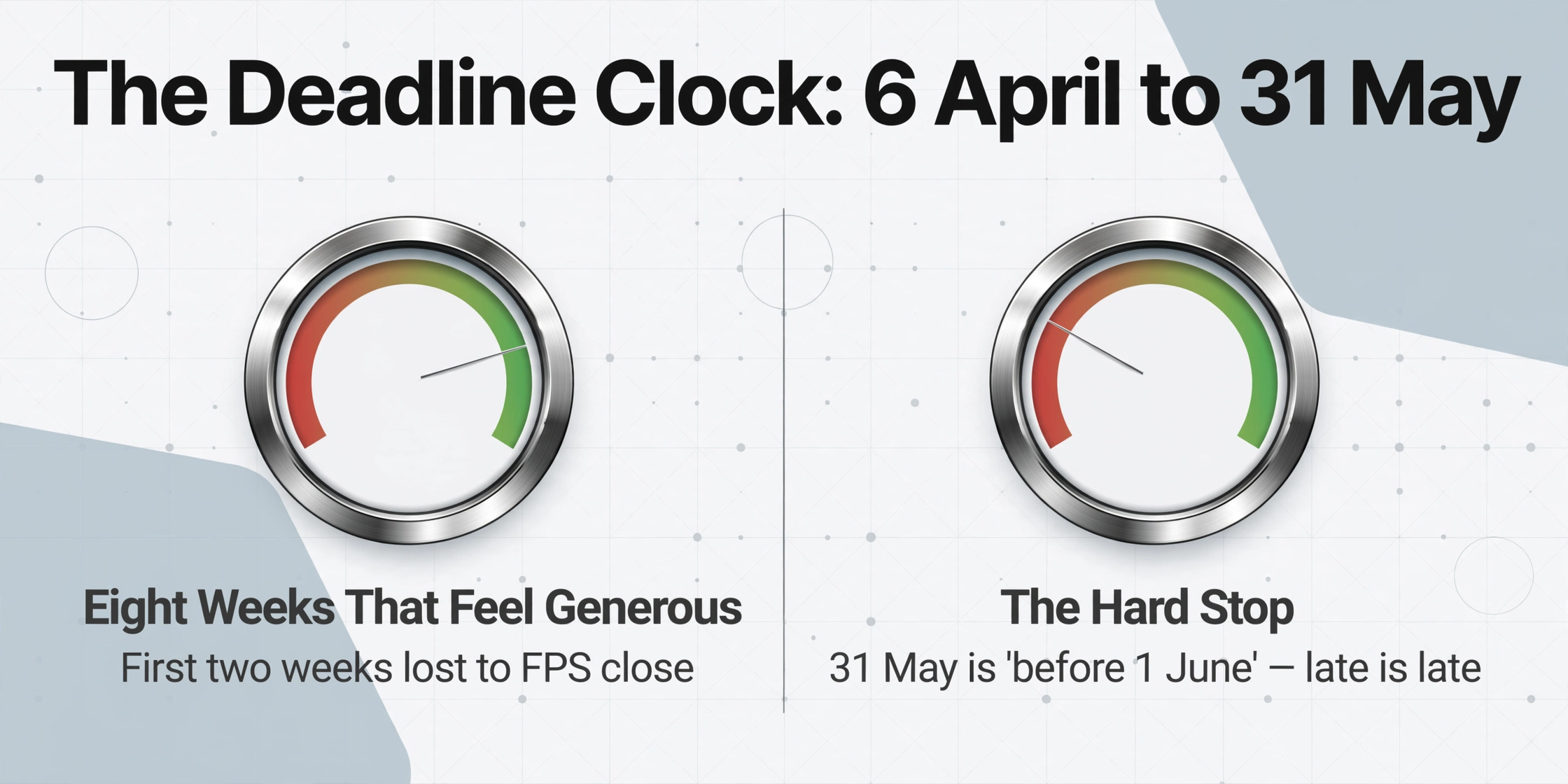
The deadline is not "try to get it done by the end of May." It is "before 1st June." A P60 issued on 1 June is late. The practical consequence for the employer is not a fixed penalty — HMRC does not levy an automatic fine for a late P60 in the way it does for a late PAYE payment — but it triggers a chain of downstream problems. Employees who do not receive their P60 cannot complete a Self Assessment tax return with accurate figures. Employees applying for mortgages or income-based benefits find their application stalled. The cumulative cost of fielding chaser emails from 150 employees and reissuing certificates throughout June erases whatever time the payroll team thought it was saving by deferring the work.
Eight weeks — from 6 April to 31 May — sounds generous. It is not. The first two weeks are consumed by the final FPS submission deadline of 19 April and the associated payroll close procedures. The last two weeks are consumed by distribution logistics and employee queries. That leaves roughly four working weeks in late April and early May for the actual audit and verification work. The checklist below is structured around that four-week window — and every item on it is something that, if skipped, will surface as a correction request in June.
Who you need to verify, not just who you need to generate for: An employee on payroll on 5 April gets a P60 — including someone who started on 1 April, a director paid quarterly, and a leaver on 8 April. An employee who left on 4 April gets a P45, not a P60 — and issuing a P60 to a leaver creates confusion at HMRC and for the employee's new employer. The list of employees in your payroll software on 6 April is not automatically the correct P60 distribution list — it needs an audit pass.
Who Gets a P60 — and Who Doesn't: The Employee List Audit
The statutory test is binary: was the individual on your payroll on 5 April? But a payroll register on 6 April contains people who should not be on the P60 list, and missing from it are people whose status requires a second look. Running the audit means going through the employee roster and tagging each entry with a P60 decision and the evidence supporting it.
| Employee scenario | P60 due? | Why |
|---|---|---|
| Employed continuously all year, still on payroll 5 April | Yes | Clear statutory eligibility |
| Left employment on 4 April | No — P45 only | Not on payroll on 5 April. P45 issued at departure covers the period up to leaving date |
| Left employment on 8 April | Yes | Was on payroll on 5 April. P60 covers full year; P45 also issued for the April stub period |
| Started on 1 April, still employed on 5 April | Yes | Even one day on payroll as of 5 April triggers P60 obligation |
| Director paid quarterly, last payment in March, still a director on 5 April | Yes | Employment relationship exists on 5 April regardless of payment frequency |
| Employee on extended unpaid leave, still contractually employed 5 April | Yes | Employment not terminated; P60 may show zero pay for part of the year |
| CIS subcontractor paid gross with deductions | No | CIS deductions reported separately via CIS returns, not PAYE. Subcontractors receive CIS statements not P60s |
| Rehired employee — left in September, rehired in March, on payroll 5 April | Yes | P60 covers the period from rehire date to year-end only. Original employment period was covered by the P45 issued at September departure |
| Pensioner receiving occupational pension through payroll | Yes | Pension treated as employment income for PAYE purposes; P60 issued by pension scheme administrator |
The most common source of P60-list errors is the leaver who departed in the first week of April. Payroll software will show them as active through the March pay period — their April departure date sits in the system as a future-dated change that may not have been processed before the P60 generation run. If the team generates P60s by selecting "all employees" without first running a separation-date audit, leavers on 6–8 April get P60s they do not need alongside P45s they already received. The correction involves issuing a revised P60 marked "duplicate" and a manual note to the employee — avoidable with a 10-minute date-range filter before generation.
Verifying NI Numbers, PAYE References, and Employee Details Before Generation
The moment a P60 leaves your office with an incorrect National Insurance number, the error is locked into the employee's tax record until a correction is issued — and the correction process is not a simple "reprint with the right number." Under RTI, the NI number is the primary key that links every FPS submission to the individual's HMRC account. A P60 with a wrong NINO produces a mismatch that HMRC's systems may not flag until months later, when the employee files a Self Assessment return and the figures on the return do not reconcile with the employer's reported data.
The pre-generation verification pass checks three categories of data — and two of them cannot be caught by payroll software alone because the software assumes its own records are correct.
NINO format and ownership
A valid NINO is nine characters: two letters, six digits, one suffix letter (A, B, C, or D). Common errors include a transposed digit (QQ 12 34 56 C becomes QQ 12 43 56 C), a suffix letter dropped during a data migration, and a temporary reference number (TN prefix followed by a date) that was never updated when the permanent NINO was received. Run a format check on every NINO in the employee list — if your payroll software has a bulk export, a single Excel formula flags non-conforming entries: =AND(LEN(A2)=9,ISNUMBER(VALUE(MID(A2,3,6))),OR(RIGHT(A2,1)={"A","B","C","D"})). Employees whose NINO starts with TN, or is blank, need follow-up before P60 generation.
PAYE reference integrity
The employer PAYE reference appears on every P60 and follows the format three digits, slash, up to ten alphanumeric characters (e.g. 123/AB45678). The three-digit prefix is the HMRC tax office number assigned to the employer scheme. If your organisation operates multiple PAYE schemes — a common setup for groups with subsidiary companies or separate payrolls for different locations — confirm that each employee is assigned to the correct scheme reference before generating P60s. An employee under PAYE scheme 123/AB45678 who is included in the P60 batch for scheme 456/CD12345 will generate a certificate that does not match any HMRC record.
Employee name and address currency
A name change that was updated in the HR system but not synced to payroll — a common gap in firms where HR and payroll are separate platforms — produces a P60 with the employee's former name. While HMRC matches on NINO primarily, the name mismatch creates confusion for the employee and undermines the certificate's utility as proof of income for third parties (mortgage providers, letting agents). Cross-check the employee name in payroll against the HR system, or confirm with employees directly during the April payroll close communication. Addresses are less critical for HMRC matching but matter for paper P60 distribution.
None of these checks requires access to HMRC's systems. They are internal data-integrity validations that take an afternoon to run and catch the errors that, once printed on a P60 and handed to an employee, become a six-week correction process involving duplicate certificates and explanatory letters.
Reconciling P60 Figures Against the Final FPS Submissions
The figures printed on a P60 are not sourced from a separate year-end calculation. They are an aggregate of the same data reported to HMRC through every Full Payment Submission (FPS) submitted during the tax year. Under the Real Time Information (RTI) framework — mandatory since April 2013 — every payroll run generates an FPS that reports each employee's pay, tax, National Insurance, and statutory payments for that period. The final FPS for the tax year, marked with a year-end indicator, tells HMRC that no more submissions are coming. The P60 is the employee-facing summary of what those twelve (or fifty-two) FPS submissions reported.
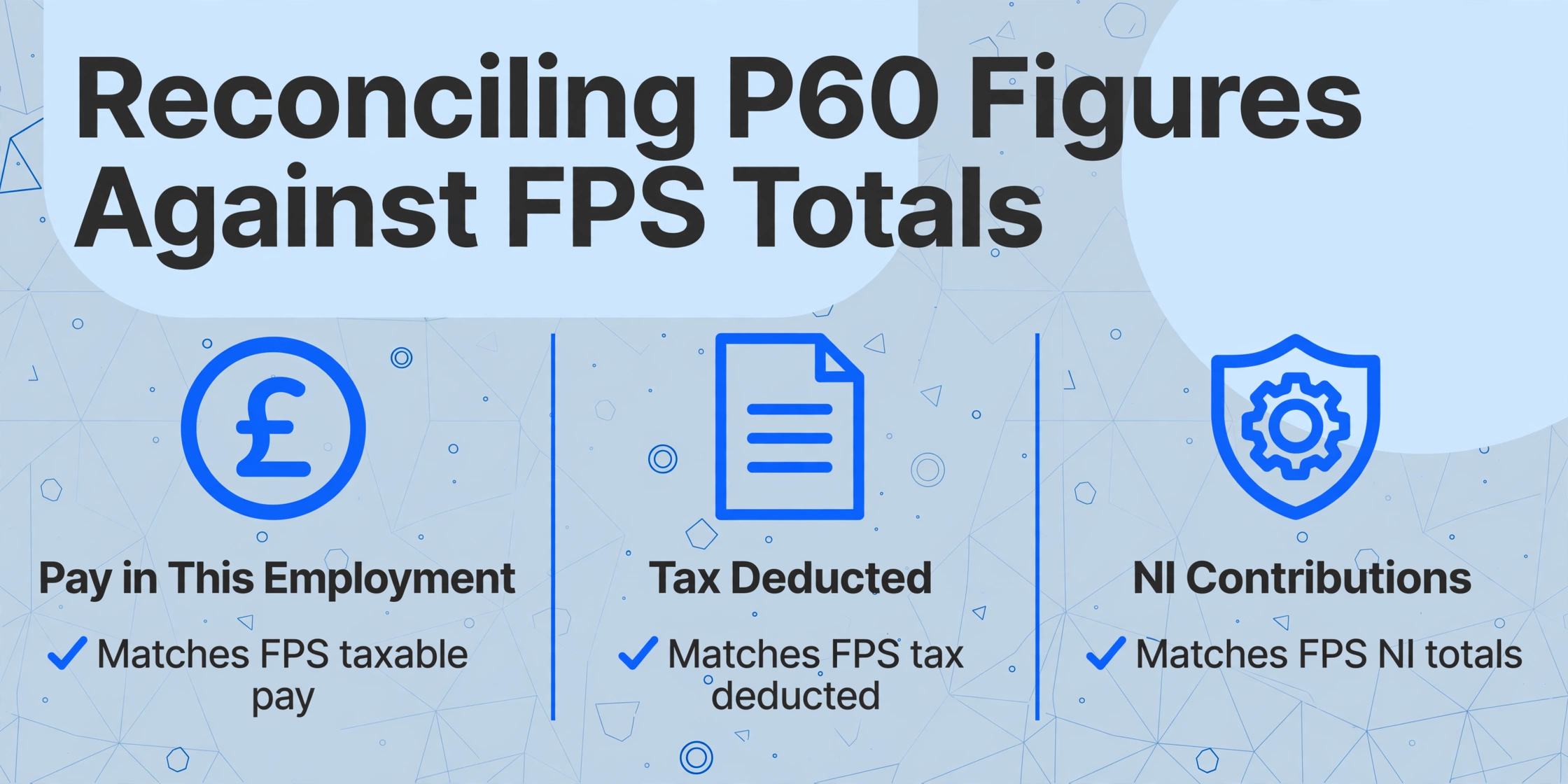
Reconciling the P60 draft against the FPS totals is therefore not a "nice to have" verification step. It is the only way to catch discrepancies before the certificate reaches the employee. The three figures that cause the most reconciliation drift — and where a discrepancy between the P60 and the employee's HMRC record will trigger a formal inquiry — are:
| Figure | Source in FPS data | Common reconciliation failure mode | Resolution |
|---|---|---|---|
| Pay in This Employment | Aggregate of all FPS "taxable pay" fields for the tax year, this employer only | Mid-year correction submitted via an additional FPS that was applied in payroll but not reflected in the P60 generation module | Force a P60 regeneration from the adjusted payroll data, or issue a manual corrected P60 |
| Tax Deducted | Aggregate of all FPS "tax deducted" fields | A tax code change applied after the December payroll run was backdated by payroll but the corresponding FPS was not re-filed; the P60 shows the corrected cumulative figure, HMRC holds the uncorrected one | Submit an additional FPS for the affected period, then regenerate P60 |
| NI Category Letter | Reported per period in every FPS | Employee reached State Pension age mid-year — NI letter changed from A to C. P60 shows both letters in separate rows but FPS may have recorded only the final letter if the change was applied late | Verify NI table letter against employee date of birth. If the mid-year change was missed in payroll, an Earlier Year Update (EYU) — now an additional FPS — is required |
The practical method: export the P60 draft data to a spreadsheet, pull the year-to-date totals from the final FPS file or payroll software report, and run a column-level variance check. Any row where the pay or tax variances exceed the rounding tolerance (a few pence) warrants investigation. For payroll teams handling this manually — transcribing P60 figures from printed certificates into a reconciliation spreadsheet — the audit itself becomes the time bottleneck. A mid-sized firm with 150 employees and no automated data extraction from P60 PDFs into Excel spends the reconciliation phase retyping figures rather than analysing variances. See our guide to extracting UK P60 data into Excel for payroll reconciliation for the column-by-column workflow that turns the transcription step into a structured data pipeline. For payroll bureaus and multi-employer firms running the same audit across multiple client payrolls simultaneously, our batch audit methodology covers the parallelised reconciliation workflow that handles dozens of PAYE schemes in a single processing job.
Multi-Source P60s: When Employees Have Certificates From More Than One Employer
An employee who held two concurrent jobs during the tax year — common in hospitality, retail, and education — receives a separate P60 from each employer. The certificates are independent: each covers only the pay and tax for that specific employment. The employee, not the employer, is responsible for aggregating the figures when completing a Self Assessment return or providing proof of total income.
For the employer, this fact creates two operational considerations during the P60 preparation window. First, the employee's prior-employment figure on the P60 — "pay in previous employments" — must reflect the correct cumulative position at the point the employee joined. If the employee started mid-year and the payroll team entered an incorrect P45 figure at onboarding, the P60's "total pay for year" and "total tax for year" columns — which sum across previous and current employments — will be wrong. The P60 "pay in this employment" column will still be correct, but the employee will use the total-for-year figures when filing their tax return, and a mismatch between the P60 total and HMRC's record of combined earnings creates an inquiry.
Second, when your firm acquires another company mid-year and inherits its employees under TUPE — the Transfer of Undertakings (Protection of Employment) regulations — those employees should receive a single P60 covering the full tax year from the new employer, not two separate P60s from the old and new entities. The new employer takes on the PAYE obligations for the full year. If payroll software is not configured to merge the acquired employees' year-to-date figures into the new PAYE scheme before P60 generation, the certificates will show only post-acquisition pay — and the employees will be missing several months of earnings on their P60.
Umbrella company transitions: An employee who moved from one umbrella company to another mid-year — common in the contracting sector — will have two separate P60s from two different employers. This is correct. Unlike the TUPE scenario, the employer did not change by operation of law; the employee ended one employment and began another. Both umbrella companies must issue P60s covering their respective periods of employment.
The 4-Week Preparation Timeline: From 6 April to 2 May
This timeline assumes a mid-sized payroll — 50 to 500 employees — running on Sage, Xero, BrightPay, IRIS, QuickBooks, or an equivalent platform. It front-loads the audit work into April and reserves May for generation and distribution. The goal is not to finish early and wait; it is to finish with enough margin that a correction — a wrong NINO, a missed leaver, a misaligned FPS figure — can be addressed without the calendar doing the talking.
Week 1 (6–12 April): Close the tax year and lock the employee list
Deliverables: (1) Submit the final FPS for the 2025/26 tax year — marked with the year-end indicator — by 19 April at the latest. (2) Run the final payroll of the tax year and confirm all corrections, backdated adjustments, and missing payments are processed before the close. (3) Export the full employee list from payroll as of 5 April and freeze it — this is your P60 candidate list. (4) Tag every entry: leaver before 5 April → P45 already issued, no P60; leaver after 5 April → both P45 and P60; active employee → P60; director → P60; pensioner → P60; CIS subcontractor → no P60. The tagged list becomes the audit baseline for Week 2.
Week 2 (13–19 April): Verify employee data and reconcile totals
Deliverables: (1) Run the NINO format check on every employee flagged for P60. Flag blank, TN-prefixed, and non-conforming NINOs for follow-up. (2) Verify the employer PAYE reference per employee — especially in multi-scheme organisations. (3) Pull the year-to-date FPS totals for pay, tax, and NI and compare against the P60 draft figures. Flag rows where variance exceeds pence-level rounding. (4) For any employees whose NI category letter changed mid-year — most commonly A → C on reaching State Pension age — confirm the P60 draft shows two separate NI rows with correct earnings band splits. (5) Identify any employee who held multiple concurrent employments and confirm which employer is responsible for issuing which P60.
Week 3 (20–26 April): Generate and stage the certificates
Deliverables: (1) Generate P60s from payroll software using the verified employee list — not the raw payroll register. (2) Spot-check a 10% sample of generated certificates against the employee's final payslip for the year. The payslip's year-to-date figures should match the P60's "pay in this employment" and "tax deducted" figures exactly. (3) If the firm issues P60s electronically via a payroll portal (permitted without employee consent since April 2023), confirm that every flagged employee has portal access and that no account is inactive or locked. (4) For employees receiving paper P60s, confirm current postal addresses — the address on file from April 2025 may be twelve months out of date. (5) Prepare duplicate-marked certificates for any employee who requests a reissue from a prior year.
Week 4 (27 April–2 May): Distribute and document
Deliverables: (1) Distribute all P60s — electronic or paper — by the end of this week. The remaining weeks of May are buffer for corrections and employee queries, not for first-time distribution. (2) Send a company-wide email confirming that P60s have been issued, where employees can access them, and who to contact with questions. (3) Log the distribution: a simple spreadsheet recording employee name, date issued, method (portal/email/paper), and any notes (duplicate, corrected). This log is the evidence of compliance if an employee later claims they never received their certificate. (4) File the P60 distribution log and retain it alongside payroll records — the statutory retention period for PAYE records is three years from the end of the tax year.
This timeline front-loads the verification work because the generation step itself — clicking a button in payroll software — takes minutes. The four weeks of audit before that click are what determine whether the P60s that come out the other side are right the first time or need a summer of corrections.
What Comes After 31 May: P11Ds, Corrections, and the Next Deadline
Issuing P60s closes one chapter of the payroll year-end cycle, but it does not close the book. By 6 July — roughly five weeks after the P60 deadline — employers must submit P11D and P11D(b) forms to HMRC reporting any benefits-in-kind and expenses not payrolled during the tax year. Class 1A National Insurance on those benefits is payable by 19 July (postal) or 22 July (electronic). The P60 issuance window and the P11D preparation window overlap: while the payroll team is distributing P60s in May, they are simultaneously gathering company car mileage data, private health insurance premiums, and interest-free loan balances for the July benefits return.
For any P60 issued with an error — a wrong figure, a missed employee, an incorrect NINO — the correction takes one of three paths depending on the nature and timing of the error. A simple clerical error (wrong NINO, misspelled name) requires issuing a corrected certificate marked "duplicate" with the corrected information. A payroll data error (wrong pay figure because a correction FPS was never filed) requires filing the correction FPS first, then regenerating the P60 from the corrected data. An error discovered after the employee has already filed their Self Assessment return requires coordination: the employer issues the corrected P60, the employee amends their return, and HMRC cross-references the corrected FPS data.
Duplicate P60 requests are a predictable May-June volume: Employees lose P60s, need them for mortgage applications, or discover they misplaced the certificate from a prior employer. Employers must provide a replacement — marked "duplicate" — on request, and many payroll teams underestimate the administrative volume this generates in the four weeks following the 31 May deadline. Building duplicate-request handling into the post-deadline workflow rather than treating each request as an ad-hoc interruption is what separates a clean June from a fractured one.
FAQ
What happens if I miss the 31 May P60 deadline?
HMRC does not issue automatic penalties for late P60s in the way it does for late PAYE payments. However, employees who do not receive their P60 can contact HMRC, who may then contact the employer to request compliance. The practical consequences are more immediate: employees blocked from filing Self Assessment returns, mortgage applications stalled, and a wave of chaser emails. Issue the P60 as soon as possible after discovering the delay, and maintain a record of why it was late and when it was eventually issued. Persistent failure to issue P60s — where HMRC sees a pattern across multiple years — can result in a compliance review.
Can I issue P60s electronically instead of on paper?
Yes. Since April 2023, employers can provide P60s in electronic format — such as a PDF via a payroll portal or as an email attachment — without first obtaining the employee's explicit consent. The previous requirement that the employee must agree to electronic receipt was removed. The electronic P60 has the same legal standing as a paper copy and must contain all the same statutory fields. The employer must ensure the employee can access, save, and print the electronic certificate.
What if a former employee who left before 5 April asks for a P60?
Employees who left before 5 April do not receive a P60 from that employment — their P45, issued at departure, serves as their year-to-date record. However, a former employee has the right to request their payroll data, and as a matter of good practice, an employer can issue a statement of earnings for the period of employment. This is not a statutory P60 and should not be labelled as one — mark it "statement of earnings for the period [start date] to [leaving date]" to avoid confusion with HMRC records.
Our company has multiple PAYE schemes. Do we issue separate P60s from each?
Yes. Each PAYE scheme is a separate employer entity for HMRC purposes. If an employee appears on the payroll of two schemes — for example, because the company operates separate payrolls for different divisions under different scheme references — they should receive a separate P60 from each scheme. The same principle applies to a group of companies: each subsidiary with its own PAYE scheme issues its own P60s to its own employees. The employer PAYE reference on each certificate identifies which scheme issued it.
Do CIS subcontractors get P60s?
No. Construction Industry Scheme (CIS) subcontractors are not employees and are not on the PAYE payroll. Their tax deductions are handled through the separate CIS return system — contractors deduct 20% (or 30% for unregistered subcontractors) from payments and submit monthly CIS returns to HMRC. At year-end, subcontractors receive a CIS statement of deductions, not a P60. Including a CIS subcontractor on the P60 list is a common payroll audit error because the individual may appear in the payroll system as a payee but not as an employee.
What if an employee brings a paper P60 from a previous employer and I need to digitise it?
If a new employee provides a paper P45 or P60 from a previous employer that needs to be entered into payroll records, the data can be extracted into a structured format using AI-based document processing. The relevant fields — Pay to Date, Tax to Date, NINO, and employer PAYE reference — can be captured from a photo or scan of the certificate without manual transcription. See our detailed guide to P60 data extraction for the column-by-column setup.
I found a payroll error after issuing P60s. How do I fix it?
The correction path depends on when the error originated. If the error was in an individual FPS submitted during the year — a wrong pay figure for a single period — you must submit an additional FPS for that tax year with the corrected year-to-date figures. Since April 2021, HMRC only accepts additional FPS submissions for amendments; the old Earlier Year Update (EYU) mechanism is no longer in use. Once the corrected FPS is accepted, regenerate the affected P60s from the corrected payroll records and issue them to the relevant employees marked as "replacement" or "corrected." Keep a record of which certificates were corrected and why — this documentation is essential if HMRC later queries the discrepancy.
The difference between issuing P60s on 28 May with three corrections pending and issuing them on 2 May with every figure verified against FPS totals is four weeks of audit work front-loaded into April. The four-week timeline above is the structure — the extraction step that turns it from a manual transcription marathon into a spreadsheet audit is the engine.
Start Your P60 Data AuditNo sign-up required to test. Secure processing with automatic file deletion after the retention window.