UK Payroll's May Problem
The Hidden Cost of P60 Data Entry
Every May, UK payroll departments execute a ritual that the software industry has spent two decades pretending doesn't exist. HMRC's deadline for issuing P60 end-of-year certificates falls on 31 May — eight weeks after the 5 April year-end. For the 30.2 million people in PAYE employment recorded by HMRC in March 2025, an employer somewhere generates a P60. That part is automated: Sage, Xero, BrightPay, and ADP generate the certificates during the payroll year-end run. What happens next is not. The P60 data — total pay, total tax deducted, National Insurance contributions, final tax code — needs to move from the certificate into spreadsheets, reports, audits, and downstream systems that the payroll software was never designed to feed. And at that handoff point, a person opens Excel and starts typing.
Key Takeaways
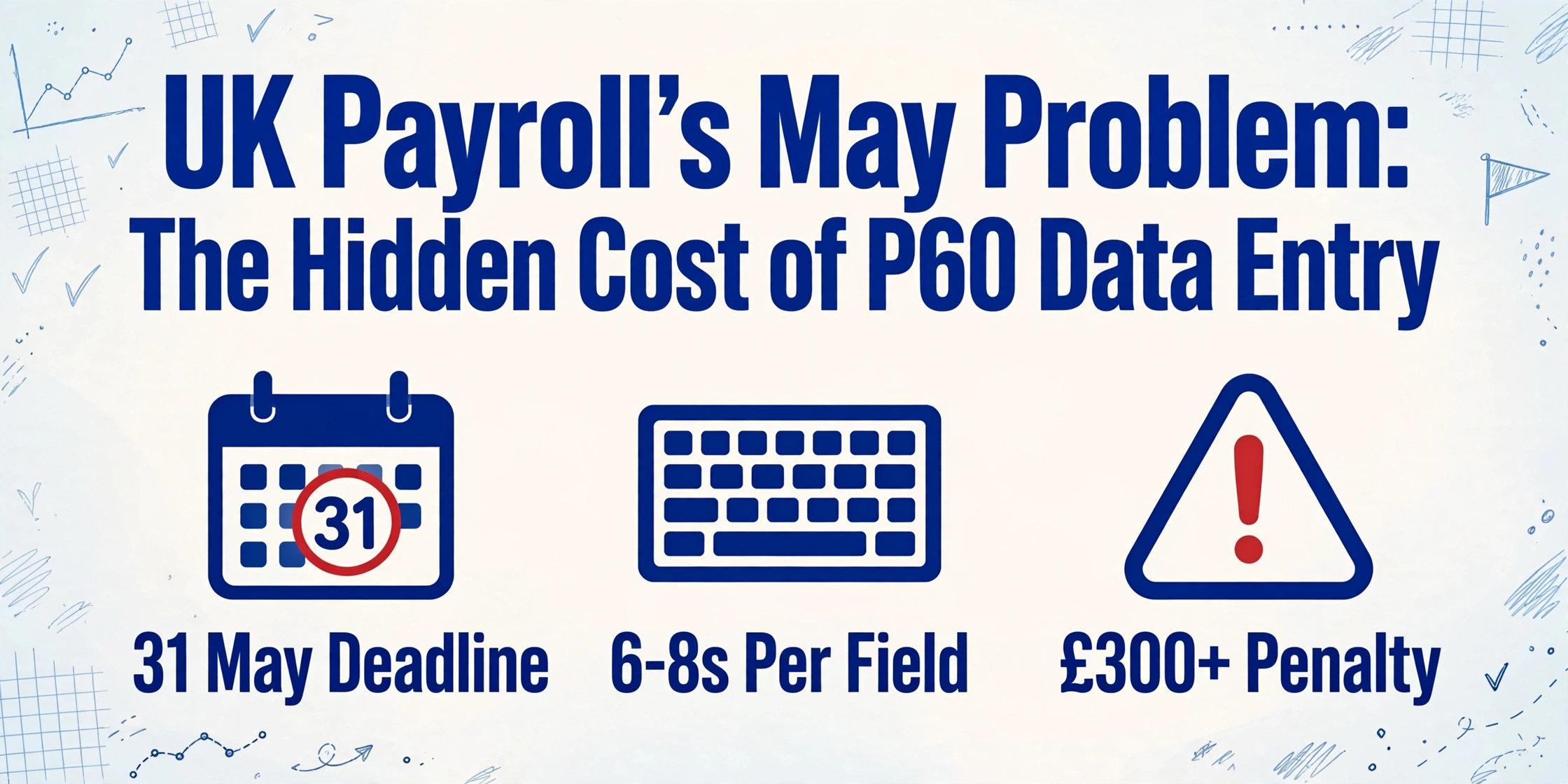
- Across 30 million UK P60s, payroll professionals spend May retyping total pay, tax deducted, and NI contributions from certificates into spreadsheets — the typing itself takes 6–8 seconds per field and feels too small to question.
- The real cost has never been on a single line of any budget: correction emails, reissued duplicate P60s, HMRC compliance queries, tax return amendments, and mortgage application delays — each absorbed into a different cost centre, none ever added together to reveal what one mistyped figure actually costs across its six-year correction window.
- Add it up once: one administrator, three days of fragmented entry, five correction emails, two reissued P60s, one HMRC query — the number that emerges from that exercise tells you whether the gap between "P60 generated" and "P60 data used" is cheaper to tolerate or to close.
The May Problem Nobody Budgets For
The P60 is not optional. Under Regulation 67 of the Income Tax (PAYE) Regulations 2003, every employer must provide a P60 to every employee on the payroll as of 5 April. The window closes on 31 May. Miss it and HMRC can levy an initial penalty of £300, plus £60 per day for every day the P60 remains outstanding. For a payroll department that has already survived the year-end submission sprint — final FPS, final EPS, reconciling the P32 — May is not a recovery month. It is a second deadline.
For a company with 100 employees, the P60 issuance itself takes minutes in modern payroll software. Click "generate P60s." Download. Distribute. Done. The labour cost enters the picture when someone needs to use the P60 data for something the payroll software was never built to do: compile a year-end compensation report for the board, reconcile total pay figures against the general ledger, prepare data for an audit, or — and this is where the volume explodes — consolidate P60 information from employees who brought certificates from previous employers.
A mid-sized payroll bureau handling 30 SME clients with an average of 15 employees each manages 450 P60s every May. A single accountant processing self-assessment tax returns for 80 clients needs P60 figures from each. An HR department planning salary benchmarking needs year-end pay totals for the entire workforce — including staff who joined mid-year and whose P60 shows only the portion earned with the current employer, not the total they earned across two jobs in the same tax year. In each of these scenarios, the P60 exists. The data is on the page. But getting it into a spreadsheet — row by row, field by field, employer by employer — is still a manual operation.
The structural reality: Payroll software automates the generation of P60s. It does not automate the downstream consumption of P60 data. The gap between "P60 issued" and "P60 data used" is where the typing happens.
Where the Paper Comes From
If every P60 arrived as a clean, machine-readable data export from the same payroll system, the manual entry problem would not exist. It would also be a different country. In the UK, the P60 landscape is fractured by structural factors that no payroll software vendor has an incentive to fix.
Previous employers still issue paper. An employee who changed jobs during the 2025/26 tax year left their old employer with a P45 — but on 5 April, the old employer still issues a P60 for the portion of the year the employee worked there. Under HMRC rules, each employment generates its own P60. If the previous employer uses paper-based filing or is exempt from online filing — care and support employers, some religious organisations, and those granted exceptional-circumstances exemptions — that P60 arrives as a physical document. The employee hands it to their new payroll department. Someone types in the figures.
Multiple jobs mean multiple P60s. An employee with two PAYE jobs — a full-time role and a weekend position, or a main job and a director's salary from a side business — receives two separate P60s. Each shows only the earnings from that specific employment. To compile the employee's total annual earnings — needed for a mortgage application, tax credit claim, or self-assessment return — someone must add the two figures together, then enter the combined data wherever it needs to go. The payroll system for Job A cannot see the P60 from Job B. The payroll system for Job B cannot see Job A. The bridge is a calculator and a keyboard.
Acquisitions leave payroll on different systems. A company that acquired a subsidiary in 2024 may still be running two payroll providers — Sage for the parent company, BrightPay for the acquired entity. Both providers generate P60s. Both providers generate them in their own format, with their own field labels, structured for their own reporting dashboards. A finance director who needs a single consolidated view of total staff costs across the combined entity opens a spreadsheet and starts merging data from two incompatible exports — or, more commonly, from the P60 PDFs themselves, because the export formats differ enough that automated matching would require an IT project nobody has time to commission in May.
Bureau clients bring files in any format. Payroll bureaus and accountancy practices sit at the intersection of all these fragmentation forces. A single bureau may process payroll for 40 clients using four different payroll systems. When a client brings P60 data from a previous payroll provider they switched away from mid-year — or when an employee of a bureau client needs prior-year P60 figures for a tax return — the bureau receives PDFs, scanned paper copies, screenshots from HMRC's Personal Tax Account, and occasionally a photograph of a P60 that someone's spouse found in a filing cabinet and texted over. The bureau's job is to turn all of that into accurate numbers. The bureau's tool, in most cases, is a data entry clerk.
What Manual P60 Entry Actually Looks Like: Field by Field, Minute by Minute
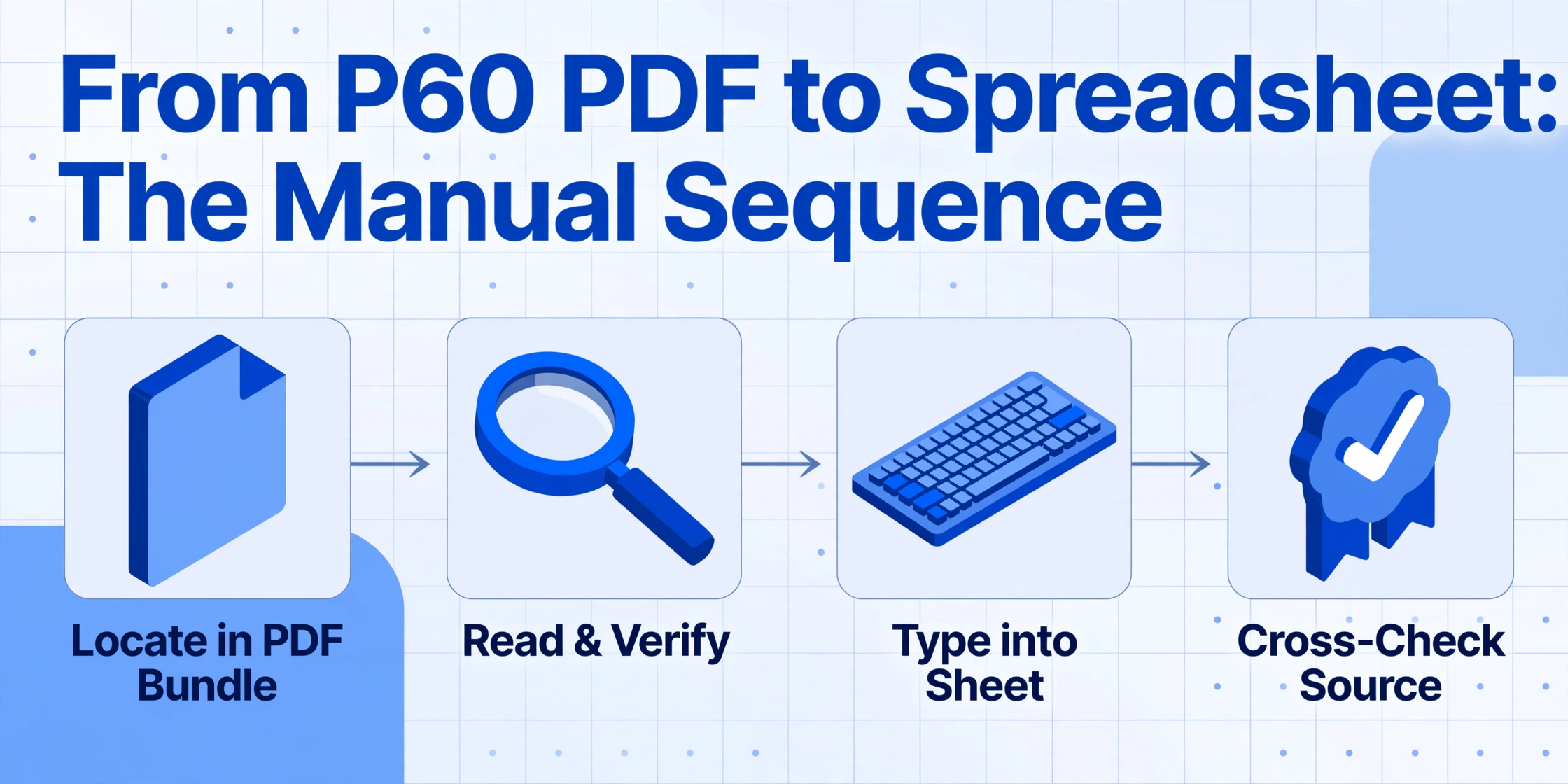
"Manual data entry" is an abstraction that payroll software marketing has worn smooth. It tells you nothing about what a person actually does at their desk during the May crunch. Here is the real sequence.
A payroll administrator at a 120-employee company sits down on 6 May to compile the year-end compensation report. The payroll system — say, Sage 50 Payroll — has already generated P60s for all current employees. The administrator downloads the PDF bundle. But the report the finance director wants is not the P60s themselves. It is a spreadsheet with the following columns: Employee Name, NI Number, Tax Code, Total Gross Pay, Total Tax Deducted, Employee NI Contributions, Employer NI Contributions. Some of these fields are on the P60. Employer NI is not — it is in the payroll system's P32 report. Employee pension contributions are not on the P60 either — those are on the final payslip. So the administrator now has three source documents to cross-reference for every employee.
For each of the 120 employees, the administrator must: locate the employee in the PDF bundle, read the gross pay figure and verify it against the payroll system's internal report, type it into the spreadsheet, read the tax deducted and type it, read the NI contributions and type it, then switch to the P32 report for employer NI, switch to the payslip PDF for pension contributions. Each field takes roughly 6 to 8 seconds: find the number on screen, confirm it is the right number, type it, glance back to verify. At 120 employees and 7 fields per employee, that is 840 fields. At 7 seconds each: 98 minutes of pure transcription. In practice, it is closer to three hours once you account for the employee who has two P60s (one from a previous employer), the PDF that won't search properly because it was generated from a scanned template, and the interruption from the managing director asking whether the report will be ready for the 2 p.m. board meeting.
For a payroll bureau, scale makes the numbers starker. At 450 employees across 30 clients, assuming the same 7 fields per employee and the same cadence, the raw transcription consumes roughly 6 hours — more than a full working day of uninterrupted typing. But bureaus do not get uninterrupted blocks. They process client files in batches as they arrive, between phone calls from clients who have questions about their P60s, P32s, P11Ds, and the new mandatory payrolling of benefits that came into force on 6 April 2026. Spread across a week of fragmented attention, 6 hours of data entry becomes two full days of stop-start work — and the error rate rises with every context switch.
The research on manual data entry error rates converges on a range of 1% to 4% for trained operators. In the UK payroll context, industry surveys have found that approximately 20% of payrolls contain at least one error — not 20% of data fields, but 20% of entire payroll runs. For the 450-employee bureau, a 1% field-level error rate means 4 to 5 mistyped figures per P60 season. Each one is a seed.
The Error Cascade in a UK Payroll Context
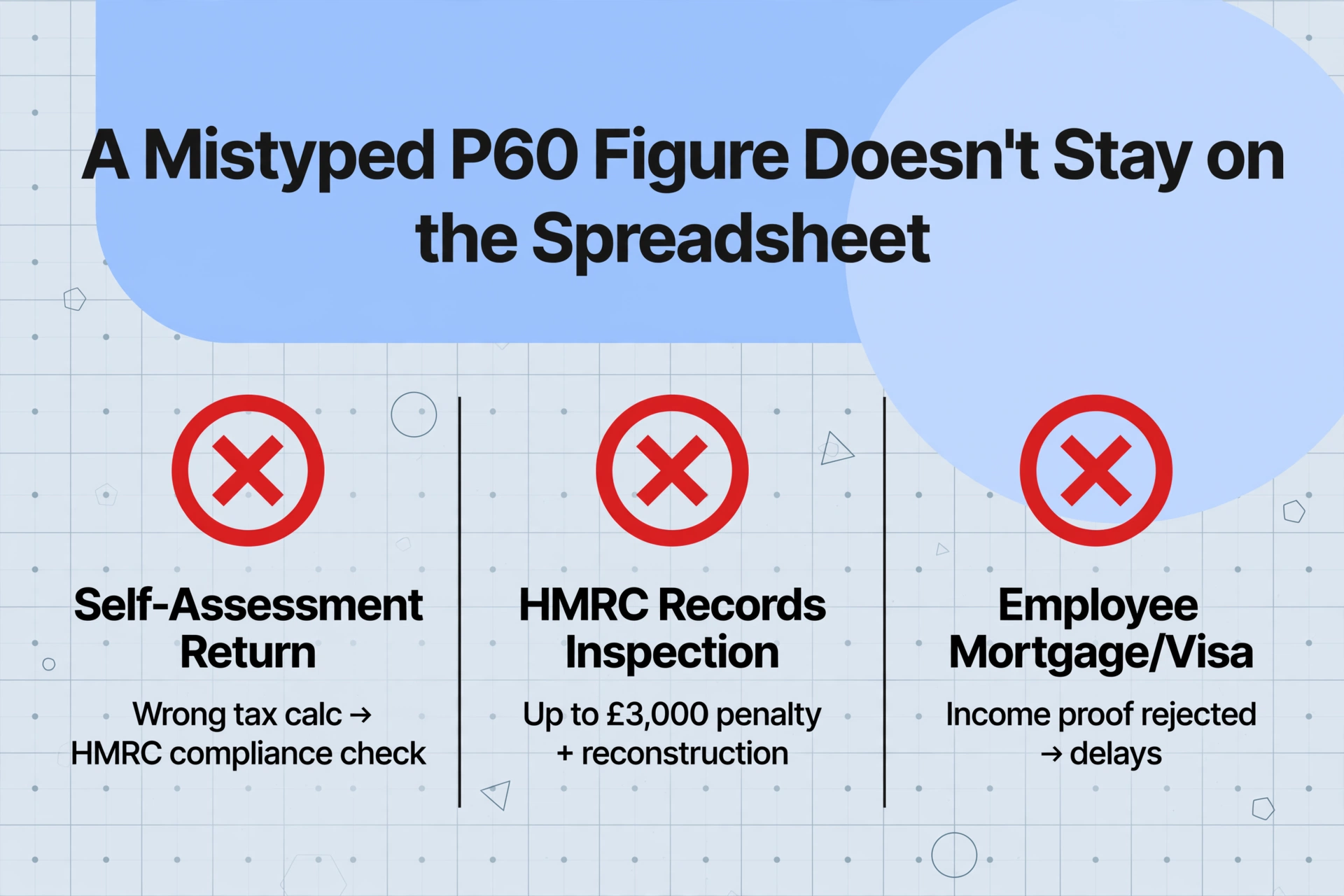
A mistyped P60 figure does not stay on the spreadsheet. It travels.
The shortest path is into the employee's self-assessment tax return. If an accountant enters the wrong total pay from a P60 into a client's SA100, the tax calculation is wrong. HMRC's systems compare the submitted return against the RTI data the employer filed. A mismatch triggers a compliance check. The accountant must locate the original P60, identify the transcription error, amend the return, and explain the correction to the client. Each step is unbillable.
The next path is into HMRC's compliance machinery itself. Under HMRC's record-keeping requirements, employers must retain payroll records for at least three years from the end of the tax year they relate to. If HMRC inspects those records and finds discrepancies between the P60 figures issued to employees and the internal records used for reporting, the employer faces a penalty of up to £3,000 for inadequate records — plus the obligation to reconstruct the correct figures, which, for a manual-entry spreadsheet with no audit trail, means re-entering everything from the original source documents. The penalty is not for getting the calculation wrong. It is for not being able to prove the calculation was right. A spreadsheet with a stray keystroke is not proof.
Then there is the cascade that affects employees directly. A P60 is the primary document UK employees use to prove income for mortgage applications, tax credit claims, and visa renewals. An employee who receives a P60 with an incorrect figure — or whose total pay across two P60s was miscalculated when someone added the two numbers together — discovers the error at the worst possible moment: when a lender or the Home Office asks for clarification. The payroll department that produced the P60 is legally obligated to issue a corrected version, marked "duplicate." Every duplicate P60 issued because of a manual entry error represents time the payroll team did not budget for, spent on a correction that should not have been needed.
The correction window makes this worse. HMRC accepts payroll amendments going back six tax years from the original submission. A mistyped P60 figure from the 2020/21 tax year, entered in May 2021 and corrected in 2026, has been sitting in the company's records for five years — during which every report, every audit, every mortgage application that relied on those figures was built on a wrong number. The cost of a single error compounds with time, not dissipates.
The cost of manual P60 entry is not the typing time. It is the correction time, the compliance exposure, and the unmeasurable downstream consequences — tax return amendments, mortgage delays, audit findings — that all trace back to one field retyped one digit wrong.
Why Payroll Software Didn't Solve This Problem
Sage was founded in 1981 and processes payroll for roughly half the UK's businesses. Xero has over 5,200 UK customers on its bookkeeping platform, with integrated payroll. BrightPay dominates the bureau market. ADP runs payroll for multinationals with UK operations. The UK payroll software industry is mature, well-capitalised, and deeply integrated with HMRC's RTI system. So why are payroll professionals still retyping P60 data by hand in 2026?
Because payroll software is built to generate P60s, not to consume them. Sage Payroll produces a P60 with the correct statutory layout, populates the fields — total pay, tax deducted, NI contributions, tax code — from its own database, and distributes the certificate. It does this reliably. What it does not do — what no payroll platform was designed to do — is ingest P60 data from outside the system and structure it for downstream use. When a payroll professional needs to bring P60 data from a different employer, a different payroll provider, or a paper certificate into their own reporting environment, the payroll software has nothing to offer. The data is on a PDF or a piece of paper. The system cannot read it. The gap between "data exists" and "data is in my spreadsheet" is still a person at a keyboard.
This is the same structural problem that affects payslip processing across markets — the US equivalent explored in our article on W-2 and 1099 extraction for accounting firms follows the same pattern: standardised forms, incompatible systems, manual re-entry. The difference in the UK context is that the P60 standardisation actually makes the manual entry feel more reasonable — the fields are always the same, the layout is prescribed, so typing them in feels like a small task. It is only when you multiply that small task by employee count, by source system count, by the downstream consequences of getting it wrong, that the scale of the problem becomes visible.
This is where a different category of tool — designed for extraction rather than generation — changes the equation. Rather than requiring every P60 to arrive through a payroll system's input channel, semantic document extraction reads what each field means. Define the columns you need once: "Total Pay," "Tax Deducted," "NI Contributions," "Tax Code," "PAYE Reference." The AI locates each value across every P60 in the batch — whether it came from Sage, from Xero, from an HMRC-ordered paper template filled in by hand, or from a scanned copy of a 2019 certificate that an employee found in a drawer. The column names you defined stay the same; the source format does not matter. No templates. No per-employer configuration. Upload the files, get the spreadsheet. For the step-by-step workflow, see our guide on extracting UK P60 data into Excel for payroll reconciliation, and for the full field-by-field reference across the year-end workflows, our complete guide to UK P60 data extraction.
If you would rather run the pass than read about it, the P60 to Excel converter takes a single certificate or a full folder and returns the same column set described above.
The Compliance Clock Is Ticking
The May crunch is not the only deadline at play when P60 data enters a spreadsheet by hand. HMRC's three-year record retention window means every keystroke lives in the company's compliance record until at least April 2029. The six-year correction window means an error discovered in 2031 must still be traceable back to the original P60. A manually entered spreadsheet with no source-to-cell audit trail cannot survive that level of scrutiny.
The penalty structure is binary and unforgiving. If HMRC requests records and the employer cannot produce them, HMRC may estimate the tax liability — and the employer must then prove the estimate is wrong, using records they have already admitted they do not have. If the records exist but contain errors, the employer faces the £3,000 penalty for inadequate records. If the errors affect the tax reported to HMRC, additional late-payment penalties apply — starting at 1% of the unpaid amount at 30 days, rising to 5% at 6 months and 12 months. A single incorrectly typed total pay figure on one P60, multiplied through a bureau's client base and carried forward into multiple tax years, can compound from a keystroke error into a five-figure liability.
And yet, for most payroll teams, none of this risk is priced into the decision to type P60 data by hand — because the risk has never been measured. The cost of the data entry itself is invisible: buried inside "payroll processing," absorbed into a salaried role, never appearing as a line item in a budget. The cost of corrections is absorbed the same way. Only when an audit exposes the gap — when HMRC asks, "prove this figure" and the proof is a spreadsheet with no traceability — does the cost become real. At that point, it is too late to decide that manual entry was a false economy.
For organisations that need to gather P60s from multiple sources — employees across different payroll systems, clients of a bureau, prior-year certificates for amended returns — a Collection Link can centralise document intake before extraction, removing the "chase employees for paper copies" step from the workflow entirely.
Frequently Asked Questions
Why can't I just get P60 data from my payroll software's export function?
Your payroll software can export P60 data for the employees it pays. It cannot export P60 data for employees paid by another employer, a previous payroll provider, or a paper-based system. And even within your own payroll, the export format rarely matches the structure your downstream reports require — field names differ, column layouts don't align, and the export may not include employer NI or pension contributions that sit in separate modules. Exporting is not the same as having usable data.
What is the penalty for issuing a P60 late?
HMRC can charge an initial penalty of £300, plus £60 per day for every day the P60 remains outstanding. The likelihood of a penalty depends on the reason for the delay and how quickly it is rectified. Genuine errors corrected promptly are less likely to attract fines than systematic failures or repeated late issuance.
How long do employers need to keep P60 records?
Three years from the end of the tax year they relate to, under HMRC's record-keeping requirements. This means a P60 for the 2025/26 tax year must be retained until at least April 2029. HMRC may also accept corrections going back six tax years, so the practical retention window is longer if there is any chance of an amendment.
Does a P60 show pension contributions?
No. P60s show total pay, total tax deducted, National Insurance contributions, and the employee's final tax code. Pension contributions appear on the employee's final payslip of the tax year, not on the P60. This is one of the structural reasons manual entry is prevalent: a single report that covers all the fields a payroll professional actually needs does not exist — the data is distributed across the P60, the P32, and the final payslip.
If an employee had two jobs in the same tax year, do they get one P60 or two?
Two — one from each employer. Each P60 reports only the pay and deductions from that specific employment. The employee is responsible for combining the figures for self-assessment or other purposes. For the payroll professional processing the employee's current-year data, this means the P60 from the current employer covers only part of the year, and the full picture requires manual consolidation with the previous employer's P60 or P45 figures.
Can AI really handle the variety of P60 formats across different payroll systems?
The P60 follows an HMRC-prescribed layout, which makes it more standardised than most document types. The variation comes from payroll software rendering — different fonts, slightly different field positions, the presence or absence of employer logos — rather than from structural differences. Modern AI extraction reads the field labels semantically: it understands that "Total Pay for the Year" on a Sage-generated P60 and "Pay for the Year" on a BrightPay-generated P60 refer to the same data point. That said, heavily degraded photocopies, handwritten amendments, and non-standard paper templates can reduce accuracy. For the typical P60 batch — a mix of digital PDFs from known payroll software and a handful of scanned paper copies — extraction accuracy eliminates the bulk of the manual typing workload, not every edge case.
The Cost of Not Looking
The UK payroll industry has built a sophisticated infrastructure for calculating PAYE, processing RTI submissions, and generating P60s on time. What it has not built is a bridge between the P60 and the spreadsheet where the data actually gets used — for compensation analysis, audit preparation, self-assessment returns, mortgage applications, and every other downstream process that requires year-end pay figures in a structured format.
That gap is filled, every May, by payroll professionals typing. At 6 to 8 seconds per field, the typing itself is fast enough that nobody questions it. At 1% to 4% error rates, the errors are infrequent enough that each one feels like an isolated mistake rather than a systemic cost. The reporting — corrections, amendments, duplicate P60s, reissued certificates — gets absorbed into "business as usual." The cumulative cost, across 30 million P60s and thousands of payroll departments, has never been measured — because measuring it would require admitting that the gap exists.
The first step is not buying software. It is counting the hours, counting the errors, and putting a number on the May problem. One payroll administrator. Three days of fragmented data entry. Five correction emails from employees with wrong figures. Two duplicate P60s reissued. One HMRC query that takes an afternoon to resolve. Add it up once. Then decide whether the cost of the gap is lower than the cost of closing it.