Why Mixed-Language OCR Keeps
Getting the Language Wrong — 3 Root Causes and Fixes
You feed a document into an OCR tool and get back text that is technically readable — but wrong. A German invoice outputs "Rechnung" as "Rechnung" (correct), but "Geschäftsführer" becomes "Geschaftsfuhrer" — the umlauts disappeared. A Japanese purchase order with mixed Kanji and English returns "注文書" as garbled Simplified Chinese characters. You did everything right: the image was clear, the contrast was good, the resolution was adequate. The problem is not the image quality. It is the language detection.
Key Takeaways
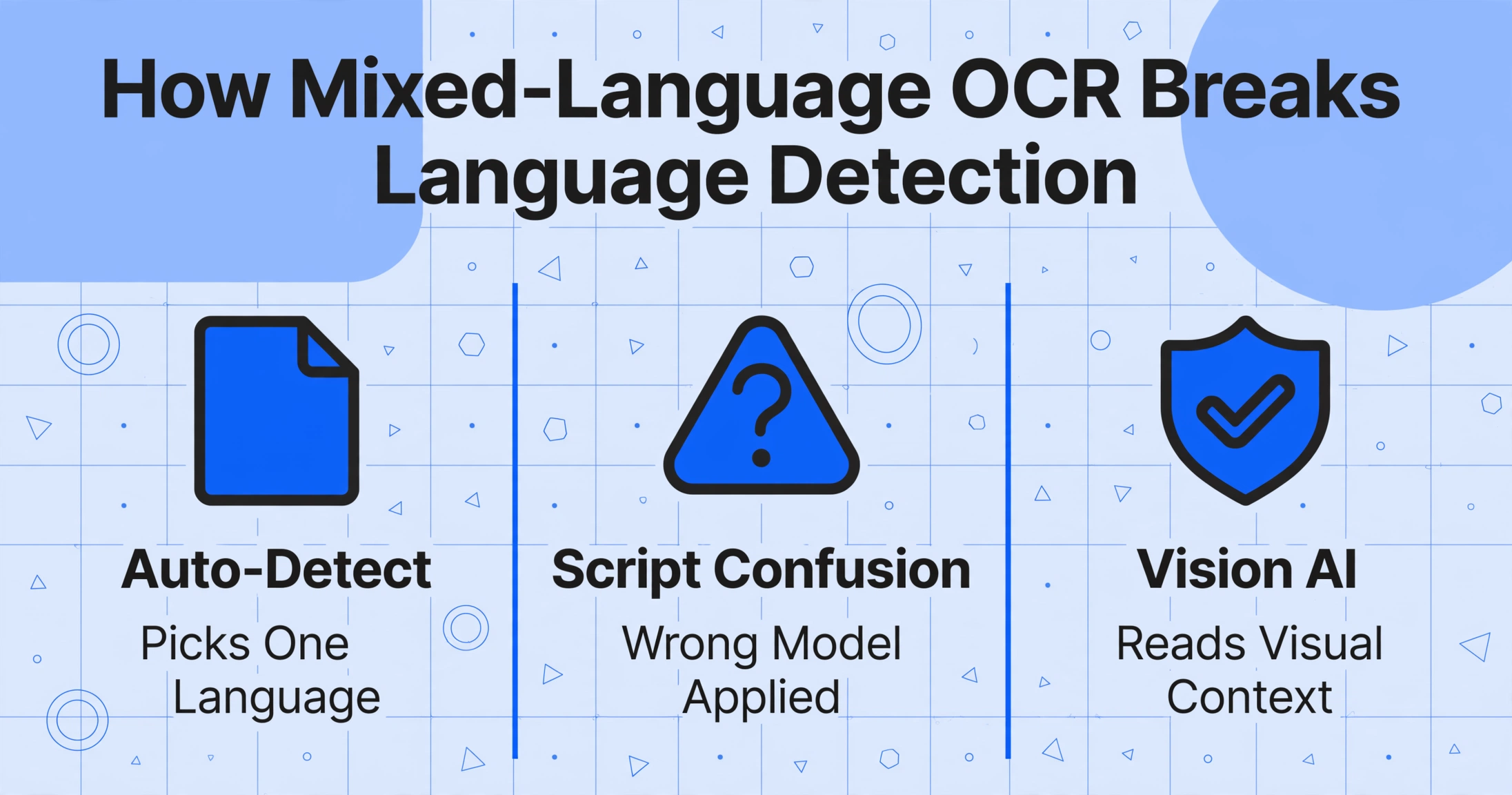
- OCR output can be technically readable yet entirely wrong — an Italian €1,250 invoice becomes €1.25 because the engine applied English number formatting to an Italian document.
- The failure point is upstream of character recognition: most tools decide the page's language before reading a single word, and every character that does not match the chosen language gets silently degraded.
- Fix the architecture, not the detection — tools that read documents visually, without a language-selection step, eliminate the language-detection problem rather than patching it with more language packs.
OCR language detection sounds straightforward: scan the first few words, guess the language, apply the right recognition model. In practice, it fails in predictable ways that cost you time and produce output that looks right at a glance but is wrong in the details. And if you are working with documents that contain more than one language — which, in a globalized business, is most documents — the failure rate climbs steeply.
This article walks through the three specific ways OCR language detection breaks, so you can diagnose which one is causing your problem and know what fix actually applies.
Cause 1: Auto-Detection Picks One Language for the Entire Document
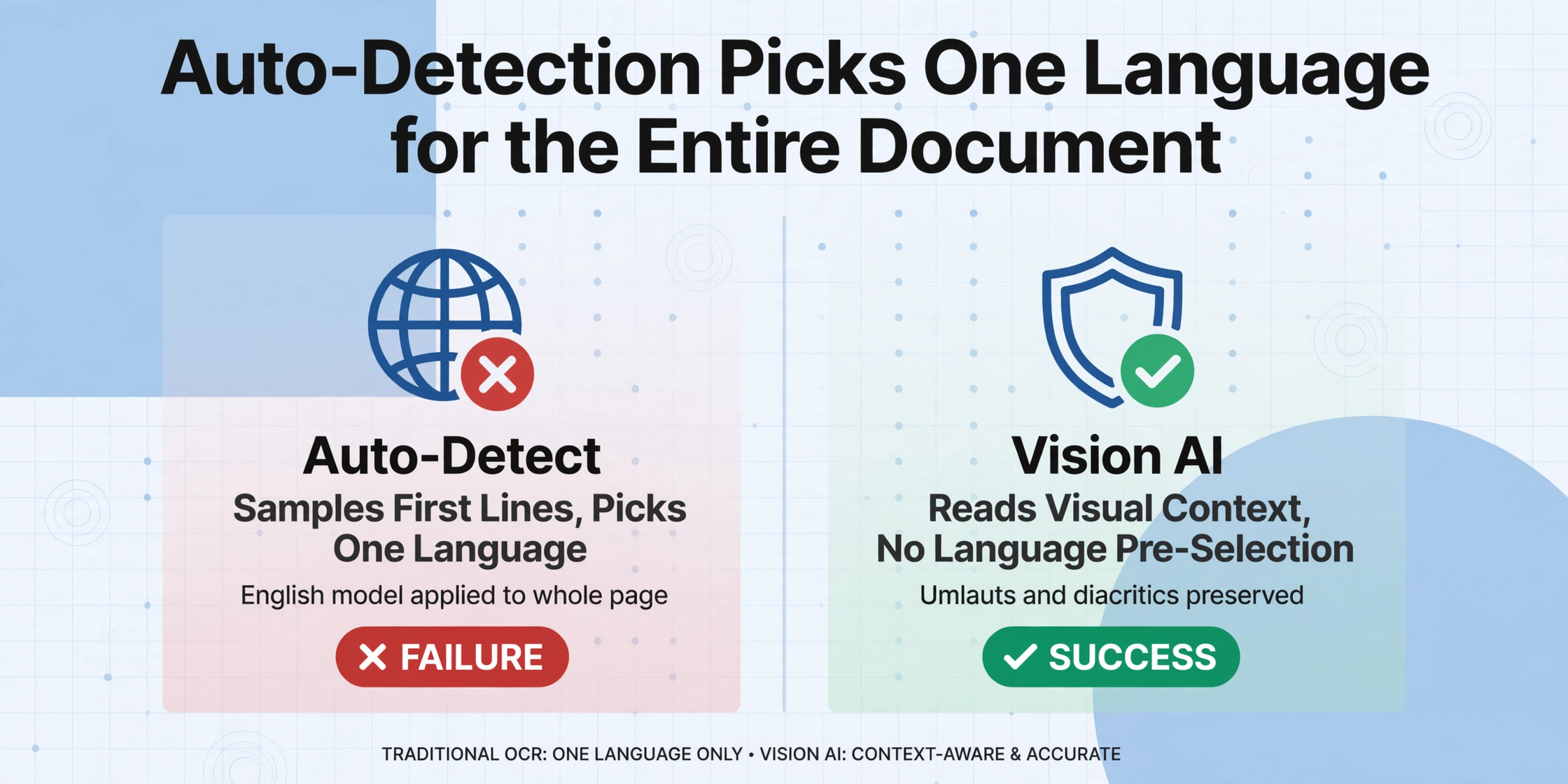
The most common OCR language detection problem happens before the OCR engine reads a single character. Most traditional OCR tools use an auto-detection step that samples the first few lines or paragraphs of a document, runs a language identification algorithm — typically something like fastText or langdetect — and picks the most probable language for the whole page. Then it routes the entire document through a recognition model trained on that single language.
This works fine when the document is monolingual. It fails immediately when the document starts in one language and switches to another, or when the heading language does not match the body language.
Real-World Example
A German invoice with an English company header: "GlobalTech Solutions Inc. — Rechnungsnummer: 2024-0871 — Lieferdatum: 15. März 2024 — Geschäftsführer: Dr. Müller." The auto-detection reads "GlobalTech Solutions Inc." at the top and selects English. The entire document is processed with the English language model. Result: "Geschäftsführer" becomes "Geschaftsfuhrer," "März" becomes "Marz," and "Straße" gets rendered as "Strasse" — not unreadable, but not correct either. The umlauts are silently dropped because the English model has no dictionary entries for those characters.
The same problem hits any language with diacritics — French (élève → eleve), Spanish (año → ano), Portuguese (ç dropped), Polish (ł → l). The characters are visually present on the page, but the recognition model does not expect them, so it maps them to the closest ASCII equivalent or drops them entirely.
This is not a "bug" in the OCR engine. It is a design assumption: traditional OCR pipelines are built around the idea of one language per page. When that assumption breaks, the accuracy drops not because the image is bad — but because the engine is trying to decode a French word with a German dictionary.
Cause 2: Script Confusion — When Characters Look Alike but Mean Different Things
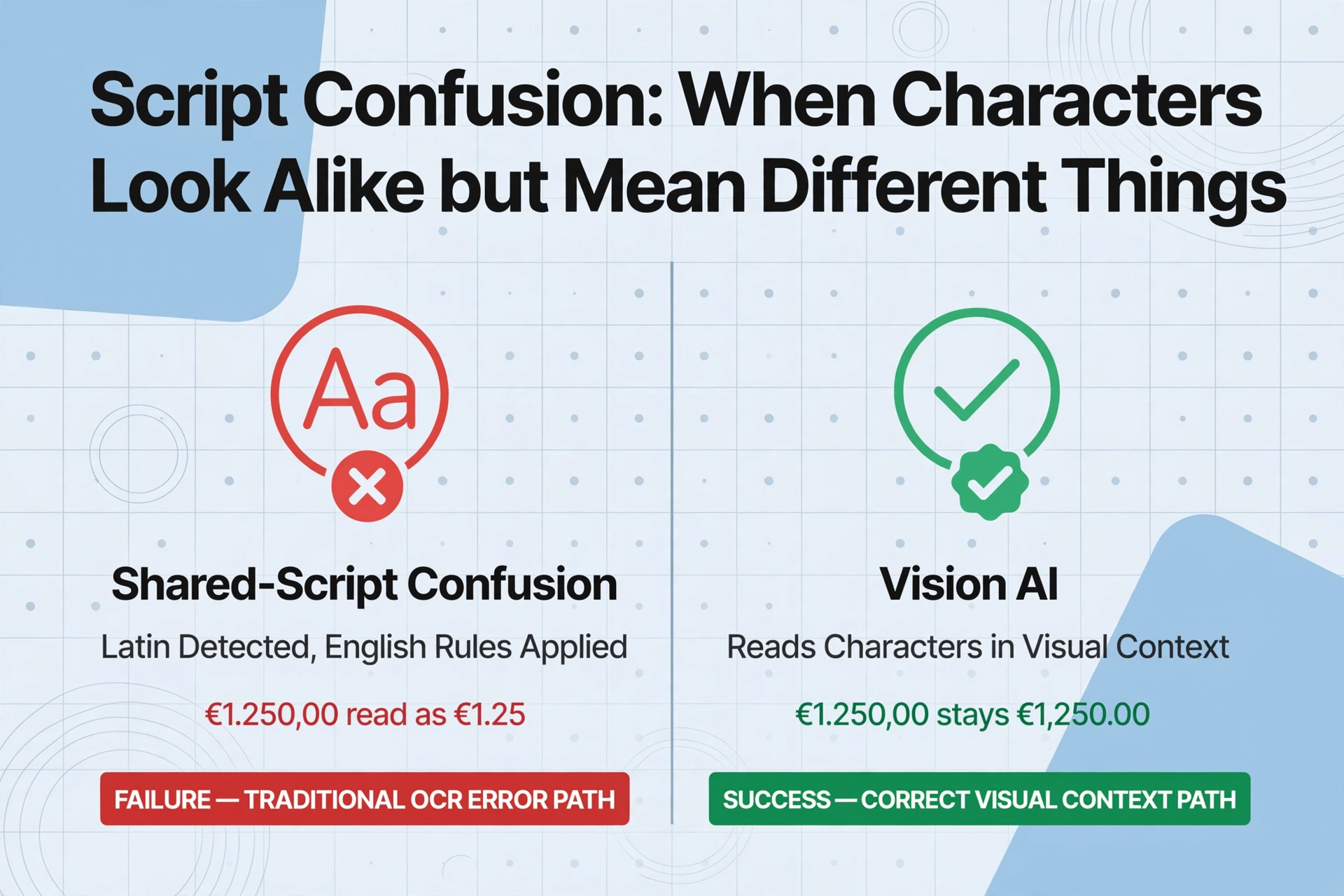
A harder class of language detection failure happens when the script (the writing system) is shared across languages, or when two scripts have visually overlapping characters. The auto-detection correctly identifies the script — Latin, Han (CJK), Cyrillic — but picks the wrong language within that script family.
The Shared-Script Problem
Latin script is shared by English, French, German, Spanish, Italian, Portuguese, Dutch, Swedish, Norwegian, and dozens of other languages. When an OCR engine detects Latin script and auto-selects English — the default language for most tools — every French accent aigu, German Umlaut, and Spanish tilde becomes a problem. The engine can read the characters, but its post-processing dictionary applies English spelling rules, so valid foreign words get "corrected" into English.
Real-World Example
An Italian supplier sends a document with "Fattura — Importo: € 1.250,00 — Spedizione: via Roma, 15." Detected as English. The OCR engine reads the comma in "1.250,00" as a decimal separator rather than a thousands separator — because English uses periods for decimals and commas for grouping, while Italian does the reverse. The result: €1.250,00 (one thousand two hundred fifty euros) is output as €1.25 (one euro and twenty-five cents). This is not a reading error — it is a formatting interpretation error caused by the wrong language model.
CJK Script Confusion: Kanji, Hanzi, and Hanja
The most painful script confusion happens in East Asian languages. Chinese, Japanese, and Korean all use Chinese-derived characters (Hanzi in Chinese, Kanji in Japanese, Hanja in Korean), and many individual characters are shared across all three. A Japanese document uses Kanji characters that visually match Simplified Chinese characters — but the meaning, reading, and context are entirely different.
When the OCR engine auto-detects "Chinese" for a Japanese document — which happens routinely because Kanji and Hanzi overlap heavily — the output is technically readable but linguistically wrong. The engine applies Chinese character models and dictionary biasing to text that was written in Japanese. Words that should be read as Kun-yomi or On-yomi (Japanese readings) get Chinese pronunciations. Mixed Japanese content — Hiragana and Katakana interspersed with Kanji — confuses the detection further because the engine does not know which writing system to prioritize.
Traditional OCR treats this as a binary: either the page is Chinese, or it is Japanese. It has no concept of "this page is both." A document that mixes Simplified Chinese text with English product codes, or Japanese body text with English loanwords, triggers language models that alternate unpredictably between correct and incorrect interpretations.
Cause 3: Mixed-Language Documents Break the "One Language Per Page" Assumption
The hardest case — and the most common one in international business — is a single document that genuinely contains two or more languages, not because of detection ambiguity but by design.
Consider a multinational contract written with English clause headers and French body text. Or a shipping label that lists the origin address in Japanese, the destination in English, and customs declarations in the local language. Or a medical record from a Swiss clinic, where the intake form is in German, the lab results in French, and the diagnosis summary in English. These are not edge cases — they are routine documents in global operations.
Traditional OCR processes these documents by selecting one language at the document level, applying it uniformly, and accepting the accuracy loss on every segment that does not match. The result is an output where some sections look perfect and other sections look like they were run through a different tool entirely — because in a sense, they were meant to be.
Even tools that support "multi-language mode" often do it by chaining language models sequentially — try English first, then French, then German, and take the highest-confidence result per line. This works poorly in practice because adjacent lines in different languages influence each other, and the confidence scoring itself is language-dependent: a model trained on English has inherently higher confidence on English text than a model trained on a language with less training data, even when both are reading their respective languages correctly.
What Vision AI Does Differently — and Why It Changes the Equation
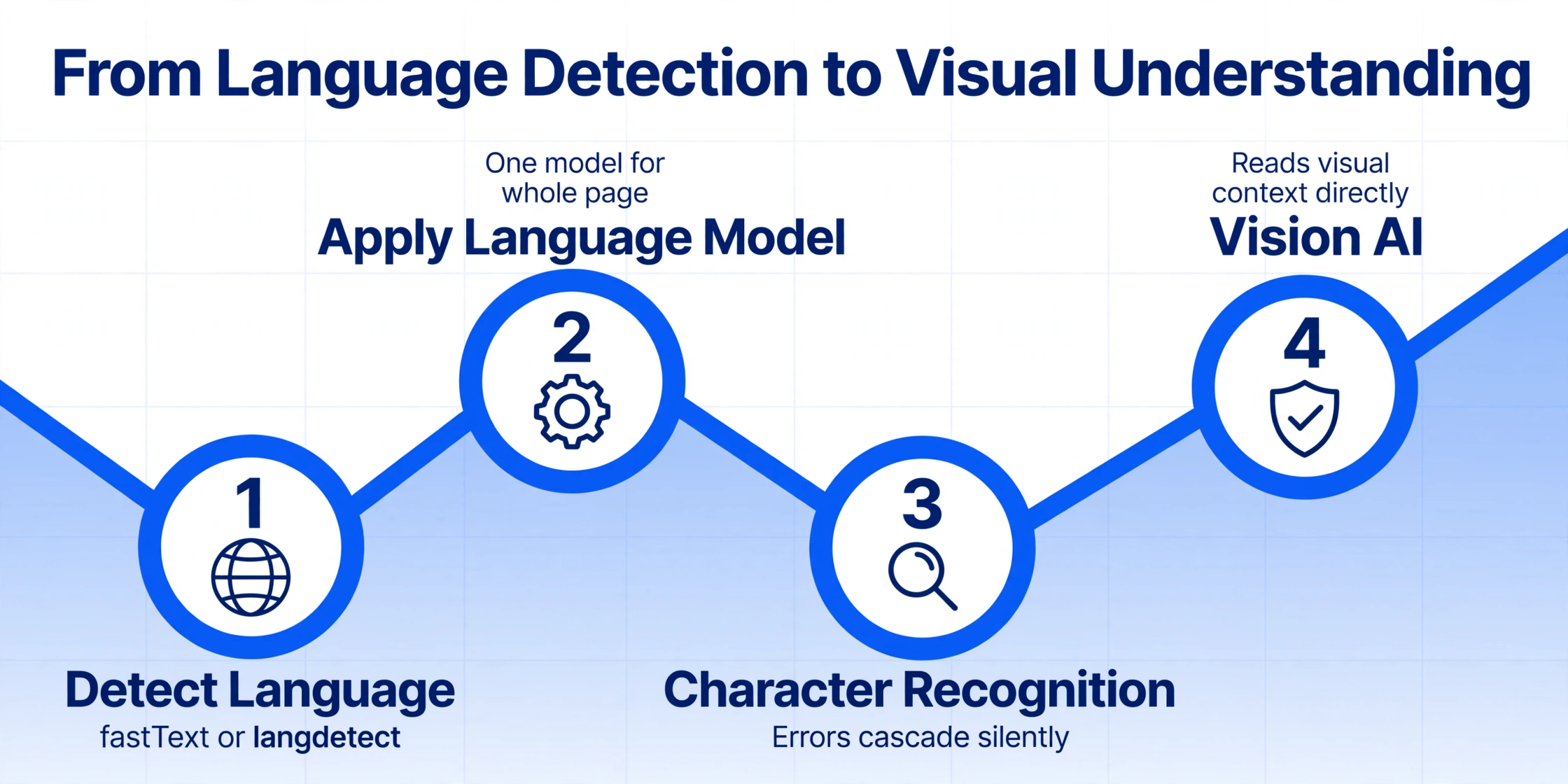
The reason language detection keeps failing is architectural. Traditional OCR pipelines separate language detection from character recognition into two sequential stages: (1) identify the language, then (2) apply the model for that language. If stage one gets it wrong, stage two has zero chance of recovery.
Vision AI — the technology behind tools like ImageToTable.ai — collapses this pipeline into a single semantic understanding step. Instead of asking "what language is this?" and then "what characters do these pixels form?", the model reads the visual content holistically: it interprets characters, numbers, and symbols in their visual context, independent of a pre-selected language model.
This paradigm shift — from script-specific recognition models to visual semantic understanding — means that language auto-detection errors cannot cascade into character recognition failures, because character recognition never depended on language selection in the first place. A Japanese invoice with English terms, a German contract with French clauses, a shipping label with three scripts — each is read as a visual whole, not as a page that must be classified into one language bucket.
This does not mean Vision AI is perfect — it means the failure mode changes. Instead of silently dropping umlauts because the wrong language model was selected, the model either reads the characters correctly or flags ambiguous regions for review. The output is not silently wrong; it is either right or explicitly uncertain. For the first time, the "language detection problem" stops being the root cause of bad OCR results.
What You Can Do Right Now — Practical Fixes
Regardless of which tool you are using, here are three things that will immediately reduce language detection errors in your OCR output.
If your OCR tool allows manual language selection, use it. For single-language documents, this eliminates auto-detection entirely. For mixed-language documents, specify a primary language and check whether the tool supports a secondary language fallback (many do not advertise this feature, but it is worth testing). Tesseract supports a "+" operator — eng+deu+fra — that processes multiple language models in parallel and selects the best match per segment, though as noted above, this has its own accuracy limitations.
The most reliable fix is to use a Vision AI-based extraction tool that reads documents semantically rather than through script-specific models. These tools do not ask "what language is this?" because the answer is irrelevant to how they read the page. The output is the same whether your document is in German, Japanese, Arabic, or a mix of all three — the model processes the visual content directly.
Do not benchmark OCR language detection accuracy on clean single-language test samples — your production documents are not that simple. Take your three worst mixed-language documents — a German-English invoice, a Japanese-English spec sheet, a French-English contract — and run them through your candidate tools. Check specific high-value fields: amounts with European vs. US number formatting, names with diacritics, addresses with mixed scripts. The tool that handles these correctly on your actual documents is the one that will work in production.
When to Escalate: Recognizing an Unfixable Language Problem
Some language detection problems are worth fixing through configuration and workflow changes. Others indicate that the tool itself is architecturally incapable of handling your document set. Here is how to tell the difference.
If your OCR tool produces mostly correct output but occasionally drops diacritics or misreads number formatting on mixed-language pages, manual language specification or post-processing cleanup will likely solve it. Tesseract, for example, can be configured with multiple language packs and specific page segmentation modes that significantly reduce detection errors.
If your tool consistently produces output where whole sections are wrong — German body text read as English, Japanese entire paragraphs returned as Chinese, or a complete inability to handle pages with more than one script — manual configuration will not fix it. The architecture itself is the bottleneck. In this case, the solution is to move to a Vision AI tool that does not depend on language pre-selection.
Quick Diagnostic Checklist
- ✓ Output has correct characters but missing diacritics (German umlauts, French accents) → Fixable (manual language selection or language pack)
- ✓ Output has right text but wrong number format (comma vs period) → Fixable (manual language + locale configuration)
- ✗ Whole sections read in the wrong script (Kanji as Hanzi, Cyrillic as Latin) → Architectural (switch to Vision AI)
- ✗ Mixed-language documents produce inconsistent output across different runs → Architectural (auto-detection is probabilistically unstable)
- ✗ Every document is read as English regardless of actual content → Architectural (tool defaults to English with no real detection)
Frequently Asked Questions
Does OCR work with documents that contain more than one language on the same page?
Some tools claim support, but the reality depends on the architecture. Traditional OCR tools that detect a single language at the document level will degrade accuracy on any language segment that does not match the detected language. Vision AI tools that read documents semantically — without requiring language pre-selection — handle mixed-language pages fundamentally better because they never needed language detection to begin with. If mixed-language documents are a regular part of your workflow, test specifically on your document mix before committing to a tool.
Can I fix OCR language detection by installing additional language packs?
For tools like Tesseract, yes — installing the correct .traineddata files and configuring the -l parameter with multiple languages (e.g., eng+deu+fra) can reduce detection errors on known languages. However, this approach still assumes the language models are applied to the right text segments. On mixed-language pages where lines alternate between languages, the "+" operator produces a best-effort merge that is better than a single language but still measurably less accurate than per-segment language assignment. For auto-detection that does not require manual pack installation, Vision AI tools offer a fundamentally different approach.
Why does my OCR tool read Japanese as Chinese?
Japanese and Chinese share a large set of characters (Kanji in Japanese, Hanzi in Chinese). Many traditional OCR engines detect "CJK" as a broad script category and default to Simplified Chinese because it has the largest training dataset. The tool reads the Kanji correctly at the character level but applies Chinese dictionary biasing and language models, which means it misinterprets Japanese-only characters (Hiragana, Katakana) and applies incorrect readings to shared characters. The fix is either to manually specify Japanese as the document language (if the tool supports it) or to use a Vision AI model that recognizes writing systems natively rather than through a script-classification gate.
Why does OCR keep dropping umlauts and accents from my German/French documents?
The most common reason is that the OCR engine detected "English" as the document language and applied an English recognition model. English models have no entries for ä, ö, ü, ß, é, è, ê, ñ, ç and similar characters. When the engine encounters them, it maps them to the closest character in its working character set — usually the unaccented Latin equivalent. Manually specifying German, French, or Spanish as the document language (or using a multi-language mode) usually solves this. If it does not, your tool may not have language-specific models for those languages at all.
What is the accuracy difference between auto-detect and manual language selection?
On clean, single-language documents, the difference is often small — modern auto-detection hits 95%+ accuracy for major languages. On documents with mixed content, unusual formatting, or languages with smaller training datasets, the gap widens significantly. Manual language selection on a known monolingual document gives the best possible accuracy because it eliminates the detection step as a failure point. On mixed-language documents, manual selection alone is not sufficient — the tool must support per-segment language assignment or use a semantic reading approach that does not depend on language classification at all.
The language detection problem is not about image quality or OCR settings — it is about whether your tool treats language as a gate that must be passed before reading begins, or as an irrelevant detail that never needs to be decided.