Find the Amount and LINE ID
on a LINE Pay Screenshot
LINE Pay doesn't have a standalone app — it lives inside LINE, the messaging platform that dominates daily communication in Japan, Taiwan, and Thailand. Open the LINE app, tap the Wallet tab (錢包 / ウォレット), and you'll find your payment history, balance, and transaction records all in one place. When a payment completes — whether it's a QR scan at a Taipei night market, a transfer to a friend's LINE account in Bangkok, or a purchase at a convenience store in Osaka (before April 2025) — the confirmation screen gives you a handful of data points: a large number at the top (the amount), a name below it (the counterparty), and a timestamp. But the name on that screen is a LINE display name — a username your contact chose, not a legal identity. If you're pulling data from LINE Pay screenshots for shared expense logs, freelance income records, or monthly reconciliation, knowing which of those names maps to an actual person is what keeps a row from pointing to the wrong contact.
Where the Amount and LINE ID Sit on the Screen
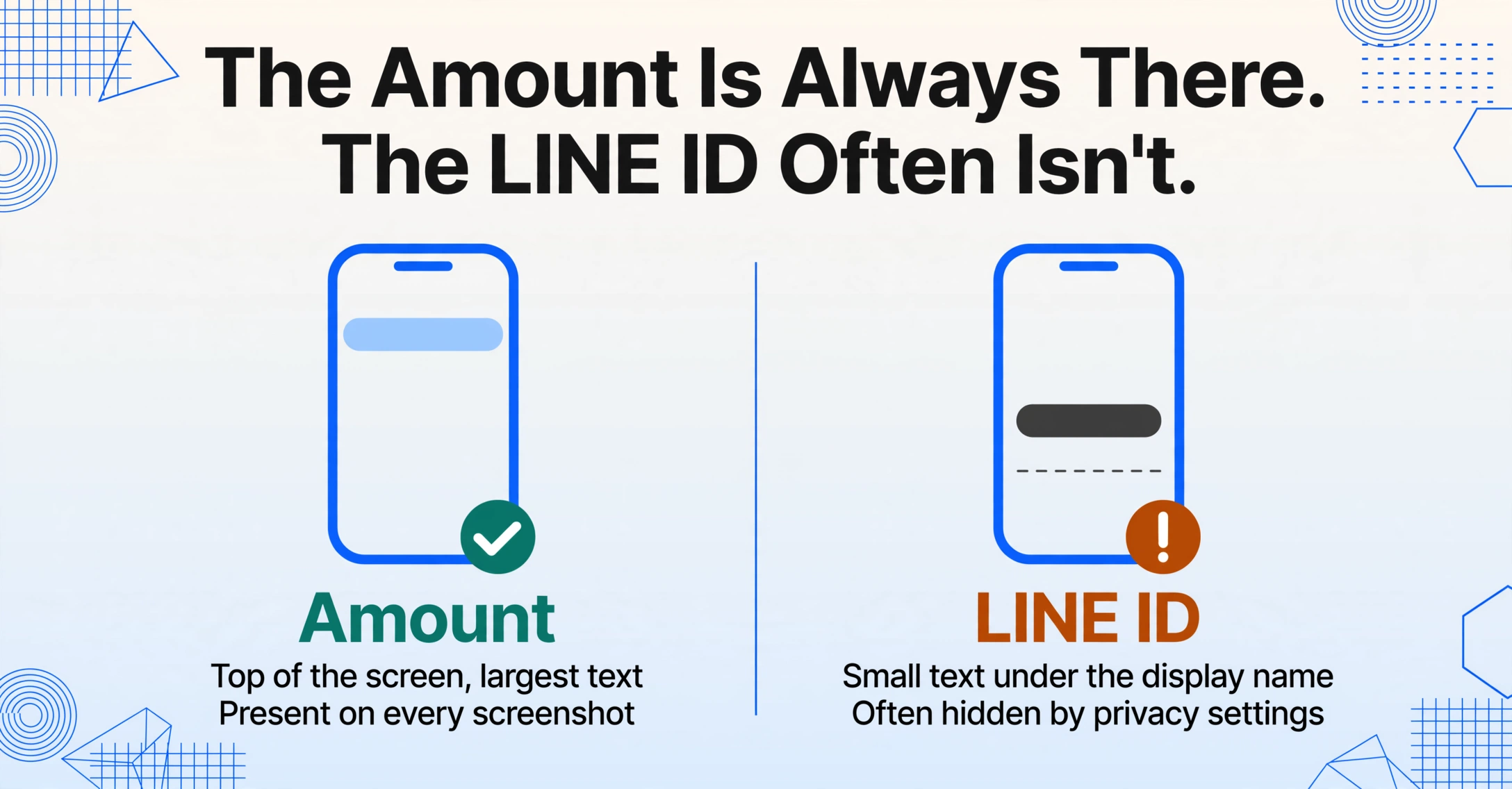
Open a LINE Pay transaction entry — tap into any completed payment from the Wallet tab's history — and the screen follows a consistent layout, even if the exact styling differs between Taiwan, Thailand, and the now-closed Japanese service.
At the very top, in the largest type on the page: the amount. In Taiwan, it's displayed in New Taiwan Dollars (TWD/新台幣), usually with a dollar sign and a comma separating thousands — NT$1,280. In Thailand, the amount appears in Thai Baht (THB/บาท), no comma, with a ฿ symbol prefix. In the Japanese service that closed in April 2025, the format was ¥1,234, with a yen symbol and no decimal places for whole-yen payments. The amount is always the most prominent element — line-height alone distinguishes it from every other field on the page.
Below the amount sits the counterparty name — and this is where LINE Pay departs from every Western payment app. On a Venmo confirmation, the recipient field shows a @username paired with the account holder's legal first and last name (if the user has enrolled identity verification). On Zelle, it's the enrolled name on file with the recipient's bank. On LINE Pay, the counterparty field shows whatever LINE display name the other party chose — which could be a real name, a nickname, a single character, or an emoji. There is no second field showing a verified legal identity. The LINE ID (the unique @username-style identifier assigned at account creation) may appear in smaller text beneath the display name on some transaction screens, but it is not always present — and a LINE ID, unlike a bank account number, can be changed once per year.
Further down the screen: the transaction date and time, always in the local timezone of the LINE Pay account's registered country. Taiwan uses the Republic of China calendar (民國年, Minguo year) on some system screens — a transaction on July 9, 2026 may display as "115/07/09" in certain views. Thailand shows the Buddhist calendar year (พุทธศักราช, BE) — the same date appears as "09/07/2569." Thailand's LINE Pay also includes LINE POINTS earned per transaction, displayed as a separate line item below the date — a loyalty field absent from the Taiwanese wallet interface, where LINE POINTS are tracked in a separate tab.
LINE ID vs Real Name: Why the Counterparty on Your Screenshot Isn't a Legal Name
LINE Pay inherits its identity layer from LINE the messenger, not from a bank. When you send money through LINE Pay to a friend, you select them from your LINE friend list — the same list you use to send chat messages. The transaction confirmation then shows that person's current LINE display name, which is the same name you see in your chat list. This design makes LINE Pay transfers frictionless: no need to ask for an account number, no routing code, no bank lookup. But it also means that the counterparty identifier on a screenshot is a self-selected label, not a verified identity.
A LINE display name can be changed at any time from the profile settings — no limit on frequency. A contact who appeared as "Sarah Chen" in January's transfer might appear as "Sarah C." or "sarahchen_2026" in March's screenshot. If you're maintaining a running ledger of who paid what — rent split among four housemates in Taipei, monthly lunch contributions from a group of colleagues in Bangkok — a single person may show up under three different display names across six screenshots. The LINE ID (a permanent handle with a once-per-year change limit) is the stabler identifier, but it only appears on transaction screens if the counterparty chose to make it visible in their privacy settings. Many users don't.
For merchant payments — scanning the green QR at a store counter — the counterparty field shows the merchant's registered trade name, not a personal LINE ID. This is the same dynamic as WeChat Pay's merchant screen: a verified business name filed during merchant onboarding. But unlike WeChat Pay, which assigns every merchant a unique merchant ID (商户号) that appears on the confirmation, LINE Pay's merchant payment screen in Thailand and Taiwan does not consistently display a merchant ID in the transaction detail — the store name alone is what you get. For chain stores with standardized naming (7-Eleven, FamilyMart, Watson's), this is unambiguous. For independent vendors — a food stall that registered as a sole proprietor under a different trade name — the name on the screenshot may not match the storefront sign.
The practical outcome: when you pull a counterparty field from a LINE Pay screenshot, you're pulling a display label, not an identity. If the purpose is splitting a bill among friends — where you know who "Ming" is because he's the one who ordered the hot pot — the display name is sufficient. If the purpose is logging income from dozens of freelance clients who pay you through LINE Pay, a display name alone will cause ambiguity. Record the LINE ID alongside the display name whenever both are visible, and cross-reference with your own contact list if the name on the screenshot isn't immediately recognizable.
One Wallet, Three Markets: Different Screens in Japan, Taiwan, and Thailand
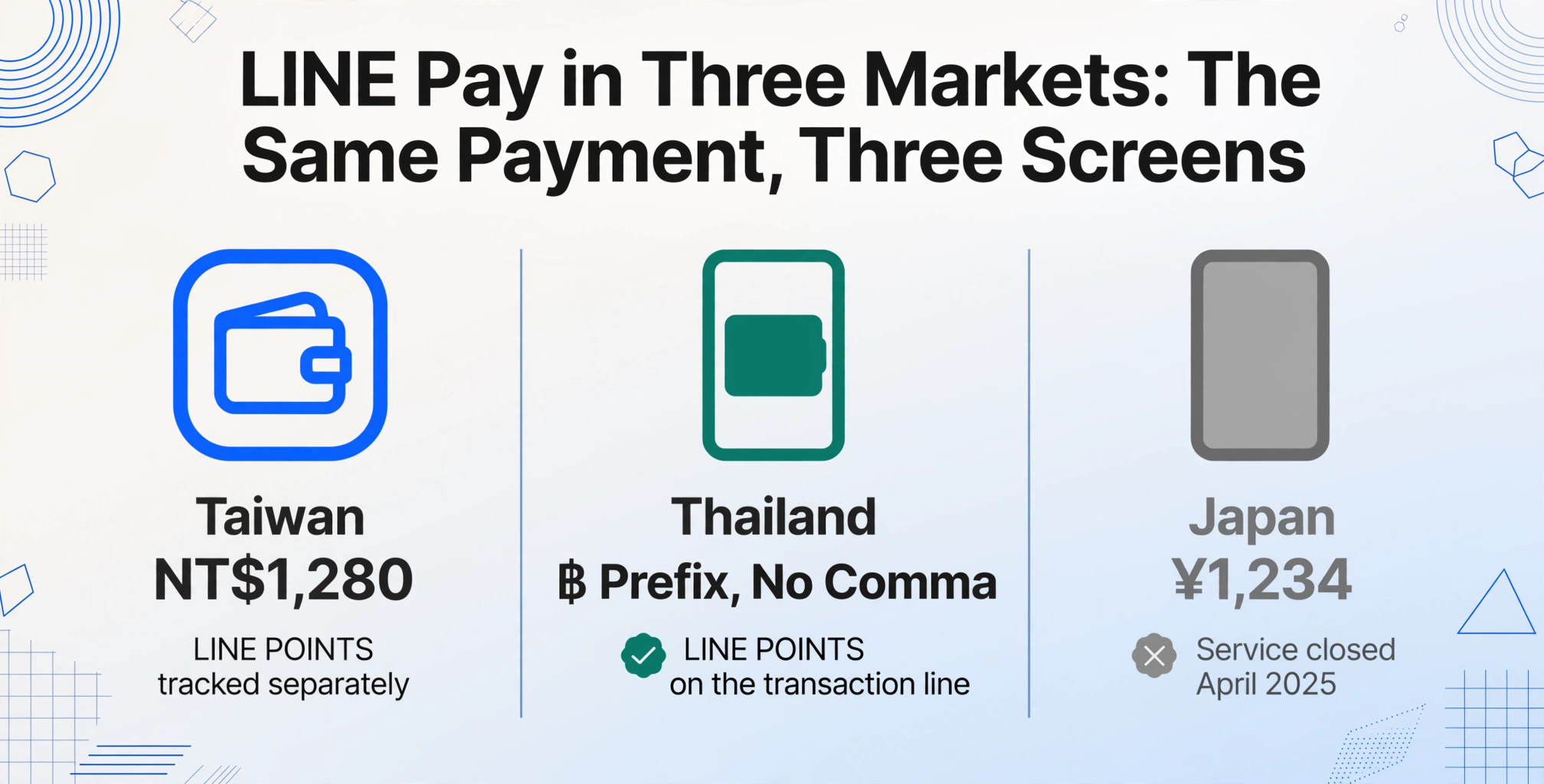
LINE Pay is the same brand across all three markets, but the transaction screen you see depends entirely on which country your LINE account is registered in. The differences go deeper than language — they affect which fields exist and how they're labeled.
Taiwan (台灣) is LINE Pay's largest active market — over 12 million users as of 2023, roughly one in every two people. The Taiwanese wallet uses a standalone app model — in July 2025, LINE Pay Taiwan launched LINE Pay Money (獨立的 LINE Pay Money App 錢包), a separate digital wallet application that requires identity verification via Taiwan's national ID system. The transaction history within this app shows the amount (金額), counterparty name, date/time, and the funding source (支付方式 — which linked credit card or bank account was charged). LINE POINTS (點數) earned are tracked in a separate section, not on the transaction detail line.
Thailand (ประเทศไทย) has over 54 million LINE users — 75% of the country's population — and LINE Pay operates as a wallet integrated directly into the LINE app's Wallet tab, rebranded from Rabbit LINE Pay in October 2023. The Thai transaction screen shows the amount in baht, the counterparty name, the date (in Buddhist calendar format), and — uniquely among the three markets — LINE POINTS earned on that specific transaction, displayed as a separate line item labeled "ポイント" or "LINE POINTS." Thailand's LINE Pay also integrates with the BTS Skytrain through the Rabbit Card, and transit payments generate transaction entries that look different from retail purchases — the store name field may show "BTS" or the station name rather than a merchant trade name.
Japan (日本): LINE Pay service in Japan terminated on April 30, 2025, replaced by PayPay — the SoftBank-backed QR payment platform that now commands roughly two-thirds of Japan's QR code payment market. Japanese LINE Pay users were offered balance transfers to PayPay accounts, and after May 2025, new transactions no longer appear. What remains: existing LINE Pay transaction history is still viewable in the LINE app for users who had a Japanese LINE Pay account, but no new data enters. For Japanese users with historical LINE Pay screenshots — a year of freelance payments received through LINE Pay, monthly rent splits captured before the shutdown — those screenshots are now a closed archive. The data on them is frozen: the amount, the counterparty LINE display name, and the timestamp as they were recorded at the time of the transaction. No new screenshots will join the pile, but the old ones still need to be reconciled, categorized, and entered into whatever accounting or record-keeping system they were always destined for.
The cross-market variation means a single column definition — Amount, Counterparty, Transaction Date — returns different-looking values depending on which country's screenshots you're feeding in: NT$ vs ฿ vs ¥, Republic of China year vs Buddhist Era year vs Gregorian, and a LINE POINTS field that exists in Thailand but not Taiwan. A semantic extraction approach — defining columns by meaning rather than position — handles this variation without per-market template switching because the engine reads "the largest number on the page" as the amount regardless of the currency symbol attached to it.
Files are processed securely and not stored.
Getting the Amount and LINE ID Into a Spreadsheet
LINE Pay does not offer a built-in export to CSV or Excel. The transaction history is viewable in the Wallet tab, scrollable and tappable, but the data stays inside the app. To get it into any external record — a shared Google Sheet for splitting rent, a personal expense tracker, a tax filing spreadsheet — the only route is manual: open each transaction, read the amount, type it, read the counterparty name, type it, switch to the date, type it, move to the next row. A month of daily LINE Pay transactions — a coffee here, a grocery run there, a transfer to a friend — becomes twenty or thirty rows of manual entry.
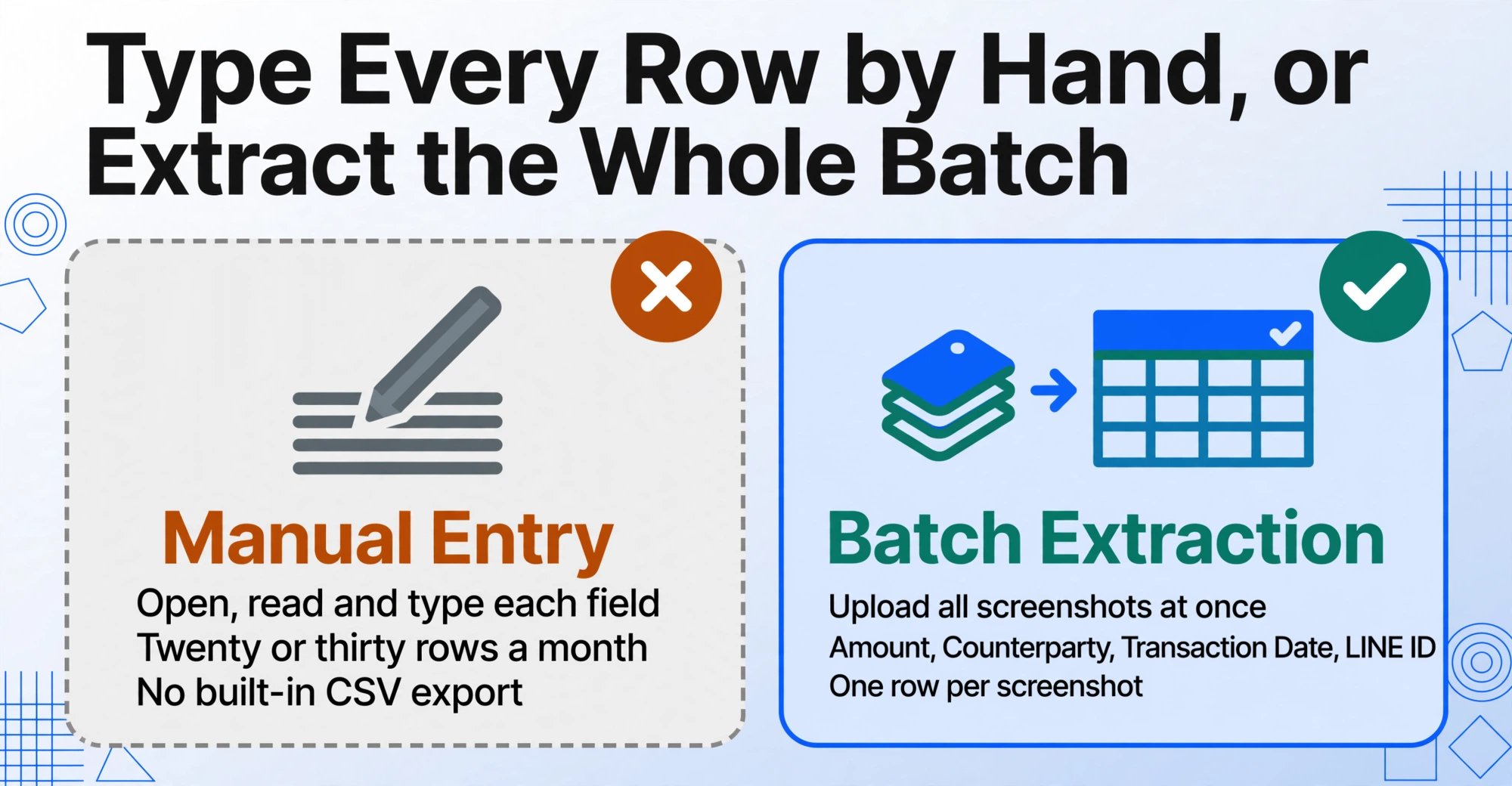
If the screenshots already exist — taken as you paid, saved to the camera roll — the alternative is batch extraction: upload all the screenshots at once, define the column names you want (Amount, Counterparty, Transaction Date, LINE ID), and let the extraction engine find each value on each screenshot simultaneously. The output is a single table with one row per screenshot, all columns filled to the extent each screenshot contains the field. A merchant payment screenshot populates the amount, merchant name, and date. A transfer screenshot populates the amount, display name, LINE ID (if visible), and date. A screenshot from the Thai wallet adds the LINE POINTS field; a screenshot from Taiwan doesn't, because Taiwan's wallet doesn't carry points on the transaction line. The column exists for every row; the value is present where the source provides it.
The same column definitions also work across payment apps, which matters if you pay through LINE Pay for personal expenses but receive payments through PayPal for freelance work — or if you used LINE Pay in Japan before the shutdown and now use PayPay for everything else. Amount, Date, and Counterparty are universal payment fields; the tool finds them by meaning across any platform's confirmation screen.
FAQ
Can I tell from the screenshot whether LINE Pay charged my bank account or my LINE Pay balance?
Yes, if the funding source line (支付方式 in Taiwan, or the payment method label in Thailand) is visible on the transaction detail screen. LINE Pay supports multiple funding sources — linked credit card, debit card, bank account, and LINE Pay balance — and the confirmation screen shows which one was used. A screenshot that captures the full transaction detail (not just the summary list view) will include this field. Screenshots of only the "payment successful" popup (the brief confirmation overlay that appears immediately after payment) may not — that overlay typically shows only the amount and merchant name before fading out.
What happens to my LINE Pay Japan screenshots now that the service shut down?
The transaction history for Japanese LINE Pay users remains viewable within the LINE app even after the April 2025 shutdown, but only for existing records — no new transactions are generated. The screenshots you already have are your only frozen-in-time records of those payments. If you need to reconcile a year's worth of Japanese LINE Pay transactions — whether for tax filing, expense reporting, or closing out a shared household ledger — batch-extracting the data from those existing screenshots is now the fastest path, because there is no active LINE Pay service to log back into and re-export from. The data exists only in what you captured.
Does LINE Pay's transaction screen look the same on iPhone and Android?
The field layout is the same across iOS and Android — amount at top, counterparty below, date/time and transaction ID further down — but font scaling, line spacing, and screen density differ between devices. An iPhone screenshot at standard display zoom captures slightly more vertical space than an Android screenshot from a device with a taller aspect ratio. The data fields are identically named and positioned relative to each other, so extraction that reads by content rather than by pixel coordinate is unaffected. What does vary: the top status bar (carrier, battery, time) occupies different heights on different phones, and the LINE app's own bottom tab bar may or may not be visible depending on whether the screenshot was taken from the transaction list or the individual transaction detail view.