Find the Transaction Amount
on a LINE Chat Screenshot With LINE Pay
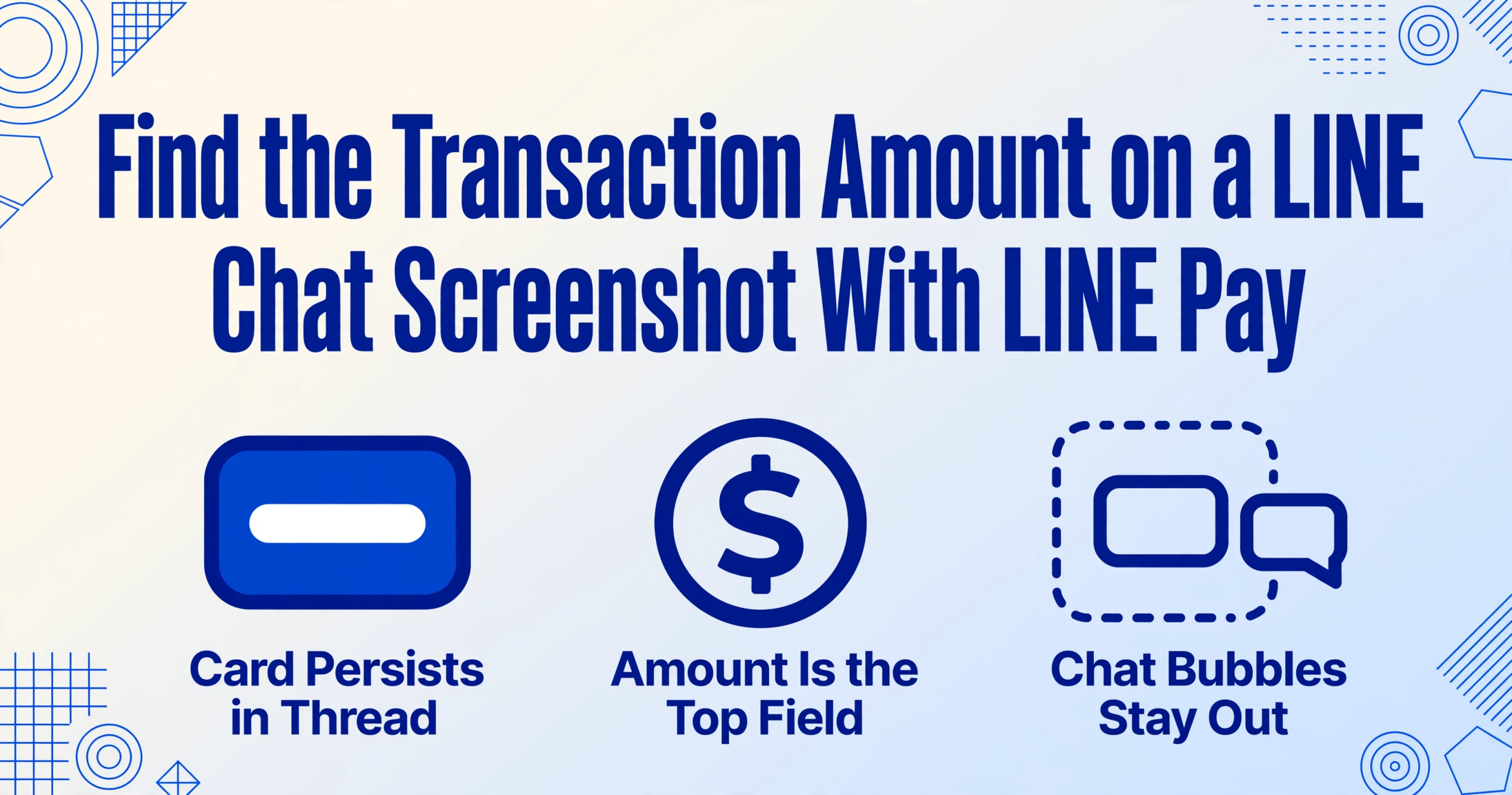
When someone sends you money through LINE Pay — splitting a dinner bill in Taipei, paying a tutor in Bangkok, or settling a shared utility deposit — the transfer lands as a card inside your LINE chat. It is not a separate receipt screen or a financial document. It is a structured notification bubble, embedded in the middle of your conversation, surrounded by emoji reactions, sticker messages, and "see you at 7" texts. The card shows the amount, the payment method used (支払方法), and a unique transaction ID (取引ID). But because the screenshot captures both your chat thread and this inline card together, traditional OCR reads everything as one undifferentiated block of text — chat messages and payment data mixed together. The challenge is not reading the card. The challenge is telling the card apart from the conversation it lives in.
Key Takeaways
- A LINE Pay transfer card is a white rounded rectangle embedded in your chat thread — not a separate receipt screen, surrounded by stickers, emojis, and "see you at 7" messages.
- Traditional OCR reads the card's amount, the chat bubbles, and sticker captions as one flat block of text — it cannot tell structured payment data from casual conversation.
- Define Amount, Payment Method, and Transaction ID as columns — the same three-field setup works across Taiwan (NT$), Thailand (฿), and legacy Japan (¥) screenshots because the card's visual hierarchy is identical in all markets.
What the LINE Pay Card Looks Like in Your Chat
Open any 1-on-1 conversation in LINE and tap the + button next to the message input field, then select the transfer option. Enter an amount, confirm with your LINE Pay passcode, and — on the other person's screen — a card appears in the chat thread. This card is visually distinct from the regular speech bubbles around it: a white or light-gray rounded rectangle with clearly labeled fields, separated from the conversation timeline by a subtle line break and a "LINE Pay" header at the top.
The card stays in the conversation permanently. It is not a notification that disappears after a few seconds — it is a persisted message, just like a photo or a sticker. Both the sender and the recipient can scroll back to it days or weeks later to verify the amount. And because LINE conversation threads are most often captured as screenshots for record-keeping (forwarding to a third person, attaching to a shared expense sheet, or saving as proof of payment), that card ends up in a screenshot alongside every other message in the same thread.
This is the fundamental difference between a LINE Pay card and a standard payment confirmation screen. A PayPal receipt or a Venmo confirmation exists on its own page — you screen-capture it alone, or you download it as a PDF. A LINE Pay card is part of your chat history, inseparable from the conversation around it. The screenshot that preserves the transaction also preserves the jokes, the voice messages, and the sticker spam that surround it.
The Three Data Points on the Card
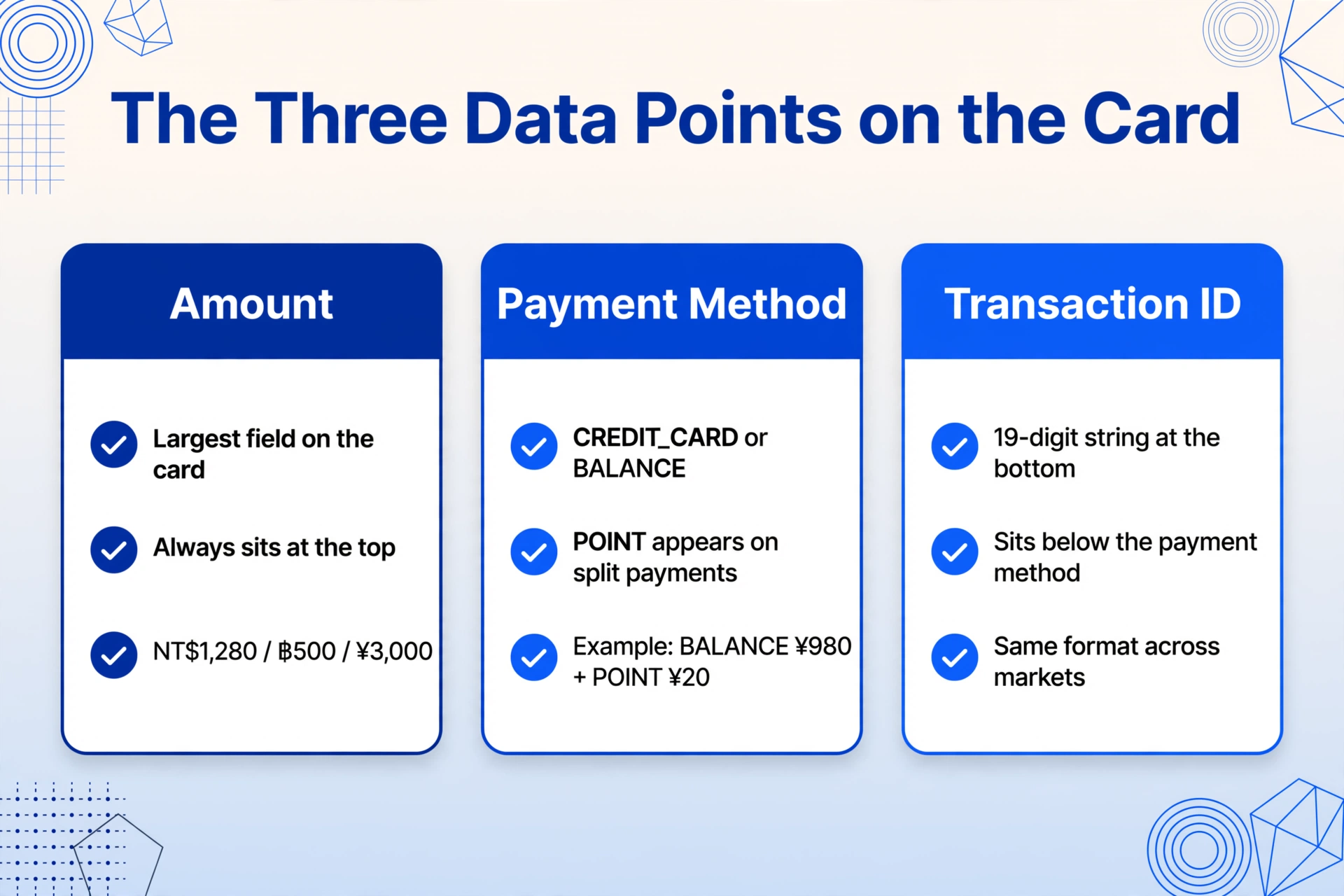
Inside the white card, three data points are consistently present across all LINE Pay markets — even though the display language and field labels differ between Taiwan (Traditional Chinese) and Thailand (Thai, with some Japanese labels inherited from the platform).
1. Amount (金額 / จำนวนเงิน). The largest element inside the card, displayed prominently. In Taiwan, the format is NT$1,280 — New Taiwan Dollars with a dollar sign and comma separator. In Thailand, it appears as ฿500 — Thai Baht with the ฿ symbol prefix, no comma for whole-baht amounts. For users with legacy Japanese LINE Pay screenshots (the service closed in April 2025), the amount displayed as ¥3,000 with a yen symbol. The amount is always at the top of the card, and its font size alone distinguishes it from every other field.
2. Payment Method (支払方法 / วิธีการชำระเงิน). Below the amount, the card specifies which funding source was used. This field maps to one of two API-defined values: CREDIT_CARD (クレジットカード / บัตรเครดิต) — the user's registered credit or debit card — or BALANCE (残高 / ยอดเงินคงเหลือ) — the prepaid LINE Pay balance that was topped up from a bank account or convenience store. Some transactions also show POINT (ポイント / แต้ม) as a partial payment method when LINE POINTS cover part of the amount and another method covers the remainder. The presence of multiple payment methods on a single transaction (e.g., "BALANCE ¥980 + POINT ¥20") is a LINE Pay-specific detail that a generic OCR reader would collapse into a single number field, losing the split.
3. Transaction ID (取引ID / เลขที่รายการ). At the bottom of the card, a 19-digit numeric string — the unique identifier assigned by the LINE Pay server when the transfer was processed. This number is the transaction's canonical reference in LINE Pay's system. The 19-digit format is long enough that manual transcription carries a meaningful error risk — one mistyped digit and the transaction becomes untraceable in a bank reconciliation or a shared expense log. This is the field that connects the chat screenshot to an actual, verifiable transfer on the LINE Pay side.
Some versions of the card also display the date and time of the transfer in the local timezone, though the exact position of the timestamp varies between the Taiwanese and Thai UI builds. In Taiwan, the date appears at the bottom-left of the card in ROC calendar format (e.g., "115/07/09 14:30"). In Thailand, the Buddhist calendar year is used ("09/07/2569 14:30").
Why the Chat Context Breaks Traditional OCR
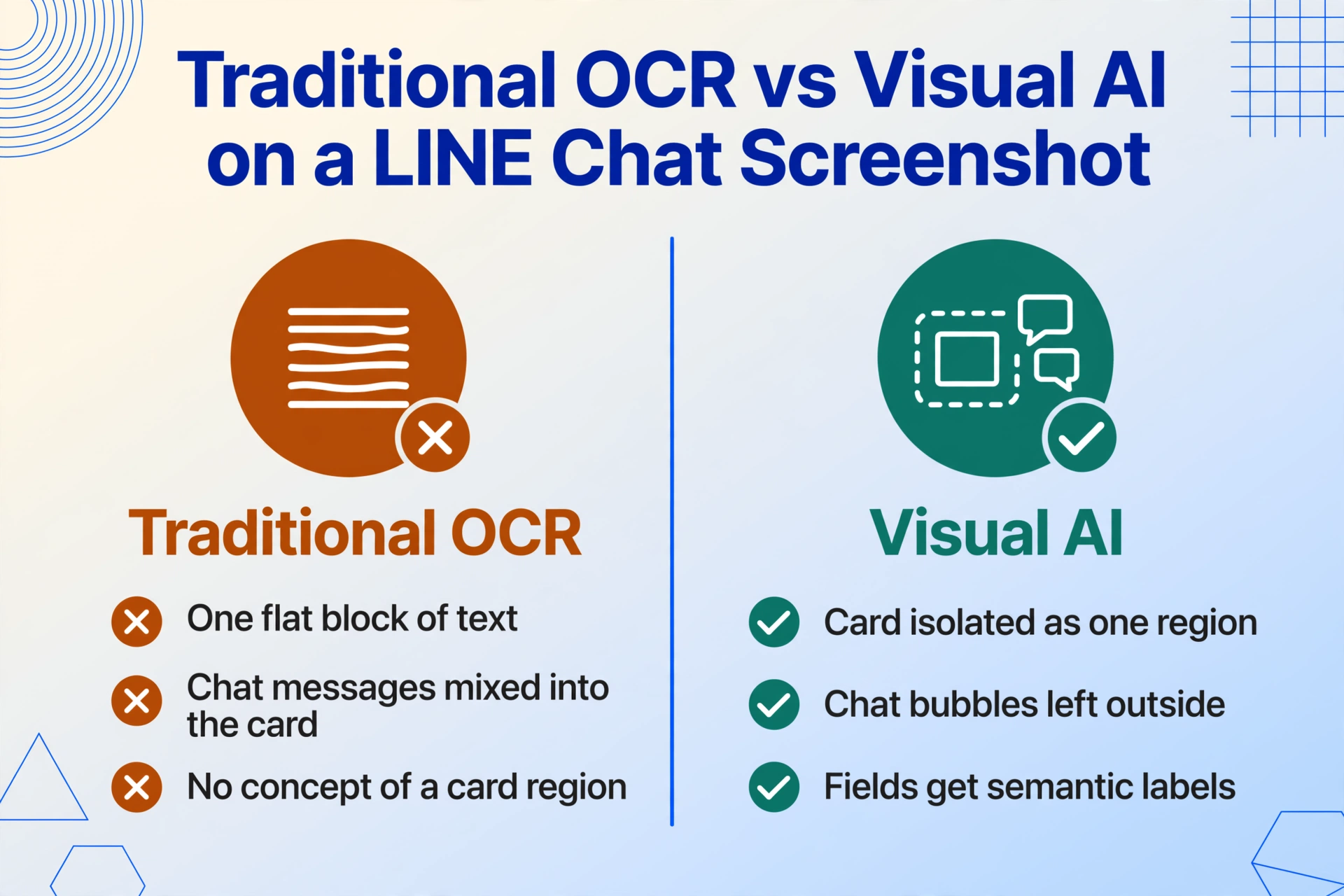
Hand a screenshot of a LINE conversation containing a LINE Pay card to a traditional OCR engine, and the output will be a single chronological sequence of every character it detected — chat bubbles, the card, stickers that contain text, and any system messages in the same view. The engine has no concept of "this block of white pixels is a payment card that should be treated as structured data, and the gray bubbles around it are casual conversation that should be ignored." It reads the amount, "明天幾點碰面" (what time to meet tomorrow), the counterparty's display name, and a sticker caption all as one flat wall of text.
This is not a resolution problem or a font issue. The card text itself is clean, well-lit, and machine-printed. Traditional OCR can read every character on it perfectly. The problem is that it cannot answer the question: "which of these characters belong to the LINE Pay transaction, and which belong to the chat?"
The card is readable. The chat is readable. But the boundary between them — the visual cue that separates structured payment data from casual conversation — is invisible to character-level OCR.
The same limitation applies to the WeChat Pay confirmation and the WeChat red packet (红包) card: embedded payment UIs that share a screenshot with normal messaging content. The extraction challenge is not about recognizing the text — it is about recognizing which visual region of the image constitutes a structured data object.
How Visual AI Separates the Card From the Chat
Vision language models — the type of AI that powers tools like ImageToTable.ai's Custom Column Extraction — process screenshots differently from traditional OCR. Instead of scanning pixel by pixel for character strings, a VLM looks at the entire image and identifies visual regions by their layout characteristics. The LINE Pay card's white rounded rectangle on a darker chat background is a distinct visual zone — the model recognizes it as a card object, separate from the speech bubbles above and below it.
Once the card is isolated as a region of interest, the model reads the text inside it and assigns each field a semantic label. The largest number at the top is identified as the amount. The line below it, labeled "支払方法" or "วิธีการชำระเงิน," is identified as the payment method. The 19-digit string at the bottom is identified as the transaction ID. Chat text outside the card — messages like "收到了謝謝" (received, thanks) or "ส่งให้แล้ว" (sent it) — is ignored because it falls outside the card's visual boundary.
Applied in practice: upload the chat screenshot, define three columns — Amount, Payment Method, and Transaction ID — and the AI locates each value inside the LINE Pay card, regardless of where in the chat thread the card sits, what language the surrounding messages are in, or which market's LINE UI issued the transaction. The surrounding conversation provides context (who sent the payment, what it was for) but does not interfere with the extraction. The same column-based reading extends to the rest of a conversation — order IDs, Japanese addresses, and chat metadata — as covered in the LINE chat screenshot data extraction workflow.
Three Markets, One Card: What Changes and What Stays the Same
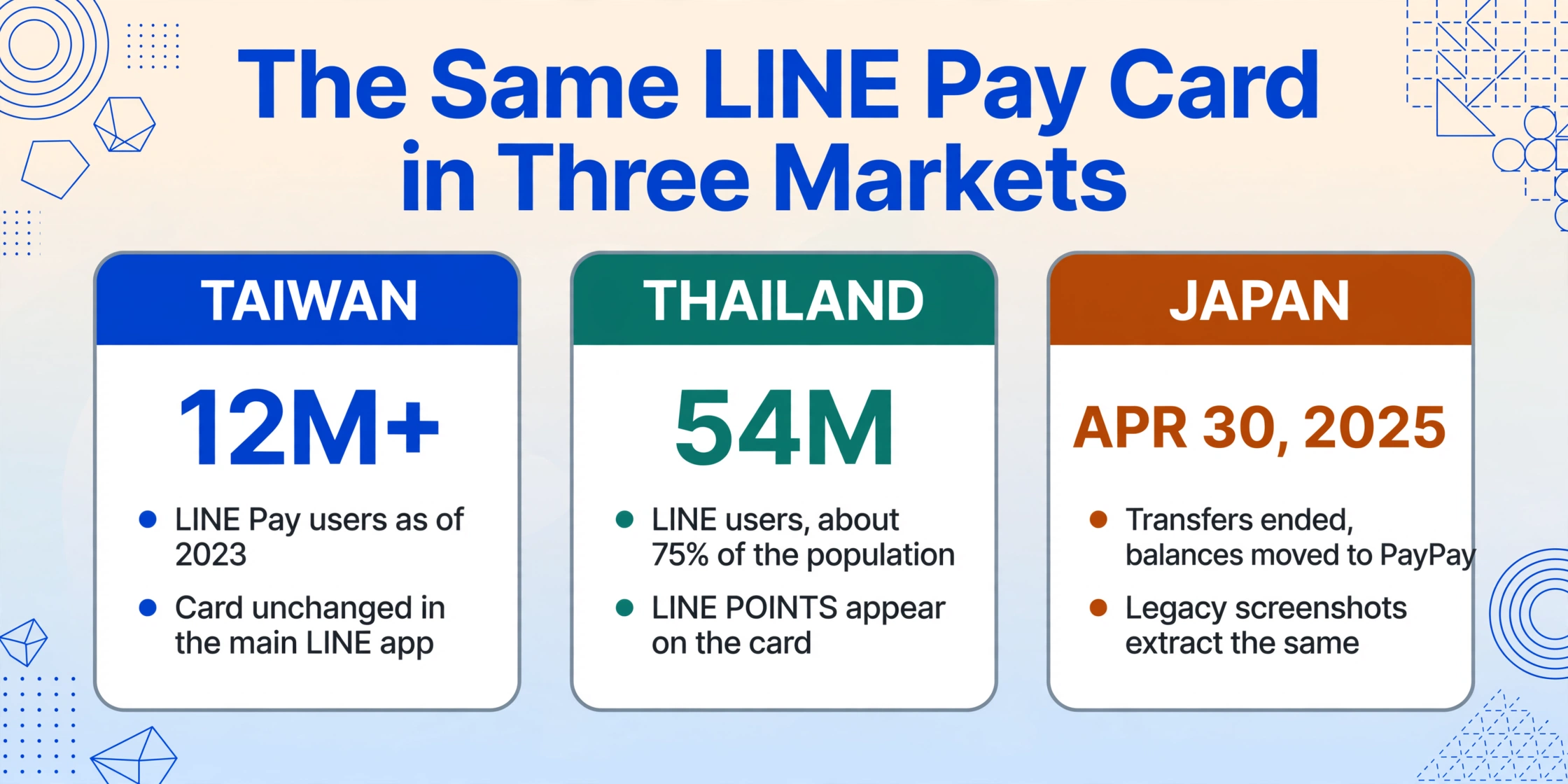
LINE Pay operates in three distinct markets, each with its own regulatory environment and UI history. The card structure stays consistent across all of them, but the details vary in ways that affect extraction.
Taiwan is LINE Pay's largest active market, with over 12 million users as of 2023. The chat card in the Taiwanese LINE app uses Traditional Chinese labels: 金額 (amount), 支払方法 (payment method), and 取引ID (transaction ID). In July 2025, LINE Pay Taiwan launched a standalone app called LINE Pay Money (LINE Pay Money App 錢包), but the inline chat card within the main LINE messaging app continues to work the same way — the card appears in the conversation thread when a transfer is completed, regardless of whether the sender uses the standalone app or the in-app wallet.
Thailand, where over 54 million people use LINE (approximately 75% of the population), uses the same card with Thai labels mixed with some Japanese technical terms inherited from the platform. The payment method field shows วิธีการชำระเงิน; the transaction ID reads เลขที่รายการ. Thailand's LINE Pay also records LINE POINTS earned per transaction, which may appear as an additional line inside the card — a field that has no equivalent in Taiwan's chat card (Taiwan tracks POINTS in a separate tab, not on the transaction line).
Japan: LINE Pay's domestic transfer service in Japan ended on April 30, 2025, with balances migrated to PayPay. Users in Japan can no longer send or receive LINE Pay transfers within chat. However, for anyone with historical screenshots — a year's worth of freelance payments, shared household expenses captured before the shutdown, rent splits from 2024 — those cards are still in the chat history. The data on them is accurate. The 19-digit transaction IDs, the amounts in yen, and the 支払方法 fields are all preserved in the screenshots stored on the device. No new cards are being created, but the old ones still need to be reconciled and entered into spreadsheets.
The cross-market variation underlines why semantic extraction outperforms template-based approaches for this use case. A template that expects "金額" as the field label works for Taiwan but breaks in Thailand, where the same field uses a Thai label. A semantic model that reads "the largest number on the card" as the amount works everywhere — because the visual hierarchy of the card (big number at top, smaller labels below, ID string at bottom) is consistent across all three markets, regardless of the human language used for the field names.
FAQ
Does the chat card contain the same data as the LINE Pay Wallet transaction detail?
Mostly, but not entirely. The chat card shows the amount, payment method, and transaction ID — the three fields needed to verify the transfer. The full transaction detail in the Wallet tab (accessed by tapping the Wallet icon in LINE) shows additional information: the timestamp with seconds, the sender's LINE display name history (if changed), and — in Thailand — the exact LINE POINTS earned. If you need the complete record, use the Wallet tab. If you are collecting transaction records from chat screenshots (shared by someone else who forwarded you a screenshot), the card contains the core data points. You can also extract data from the full LINE Pay transaction detail screen as a separate workflow.
Can I still use this with old LINE Pay screenshots from Japan?
Yes. The LINE Pay chat card in Japan used the same visual structure as the active Taiwan and Thailand implementations — a white card with the amount in yen, 支払方法 for payment method, and a 19-digit 取引ID. The extraction works identically on these legacy screenshots. The service closure means no new transactions, but the existing data in the screenshots is unchanged.
What if the card overlaps with a chat bubble in the screenshot?
The card is a self-contained visual region. LINE's interface keeps the card separate from adjacent chat bubbles — there is always visual padding and the card's rounded-rectangle background distinguishes it from speech bubbles. Even if a screenshot captures only part of the card (e.g., cropped at the bottom), the remaining visible fields are still extractable. The amount, being the largest element at the top of the card, is almost always visible even in partial captures.
Can I extract multiple LINE Pay cards from the same chat screenshot?
Yes, if multiple cards are visible in the same screenshot. If the screenshot captures a conversation scroll that contains two or more LINE Pay transfer cards (e.g., several rent payments in one chat thread), each card is identified as a separate structured object. The tool processes each card independently, extracting the amount, payment method, and transaction ID from each one. This is useful for bulk reconciliation — a month of utility payments made through LINE Pay, captured in a few conversation screenshots, yields a complete transaction log without needing to enter each card one at a time.