WeChat Pay Screenshots:
Not Receipts. Still Get the Amount & Order No
At first glance, pulling data from a WeChat Pay screenshot sounds like it shouldn't work. There is no invoice layout, no itemized breakdown, no tax ID — the payment confirmation looks like it belongs in a chat thread, not a spreadsheet. For anyone who has stared at a WeChat transaction screen wondering whether it counts as proof of payment, that instinct is half right. It is not a receipt. It is not a fapiao — China's official tax invoice, a document with a 12-digit code, an 8-digit serial number, and a government-issued stamp that is the only legally recognized proof of expenditure. But the two numbers most people actually need from it — the amount paid and the transaction order number — are sitting right there in the screenshot. And they can be pulled out without retyping a single digit.
What a WeChat Pay Screenshot Actually Shows (and What It Doesn't)
When you pay with WeChat at a restaurant, a taxi, or a corner store, the app confirms the transaction with a notification screen. It shows the merchant name, the transaction amount in RMB, the time of payment, and a transaction number — a long numeric string that identifies this specific payment in WeChat's system. That is the entire screen. No line items, no tax breakdown, no merchant's registered address, no official seal.
A formal receipt — what China calls a fapiao (发票) — requires all of those missing pieces. The gap between a WeChat screenshot and a fapiao is not a minor formatting difference. It is a legal category difference: one is a payment notification, the other is a tax document.
Here is what separates them:
| What a WeChat Screenshot Shows | What a Formal Fapiao Requires |
|---|---|
| Merchant name | Seller's registered business name + tax identification number |
| Transaction amount (RMB) | Taxable amount and VAT amount, separated |
| Payment time | Invoice issuance date + 12-digit fapiao code + 8-digit fapiao number |
| Transaction/order number | Seller's address, phone number, and bank account details |
| Payment method (balance or card) | Buyer's tax ID (for special VAT fapiao used in deductions) |
| — | Official red stamp (发票专用章) or digital signature equivalent |
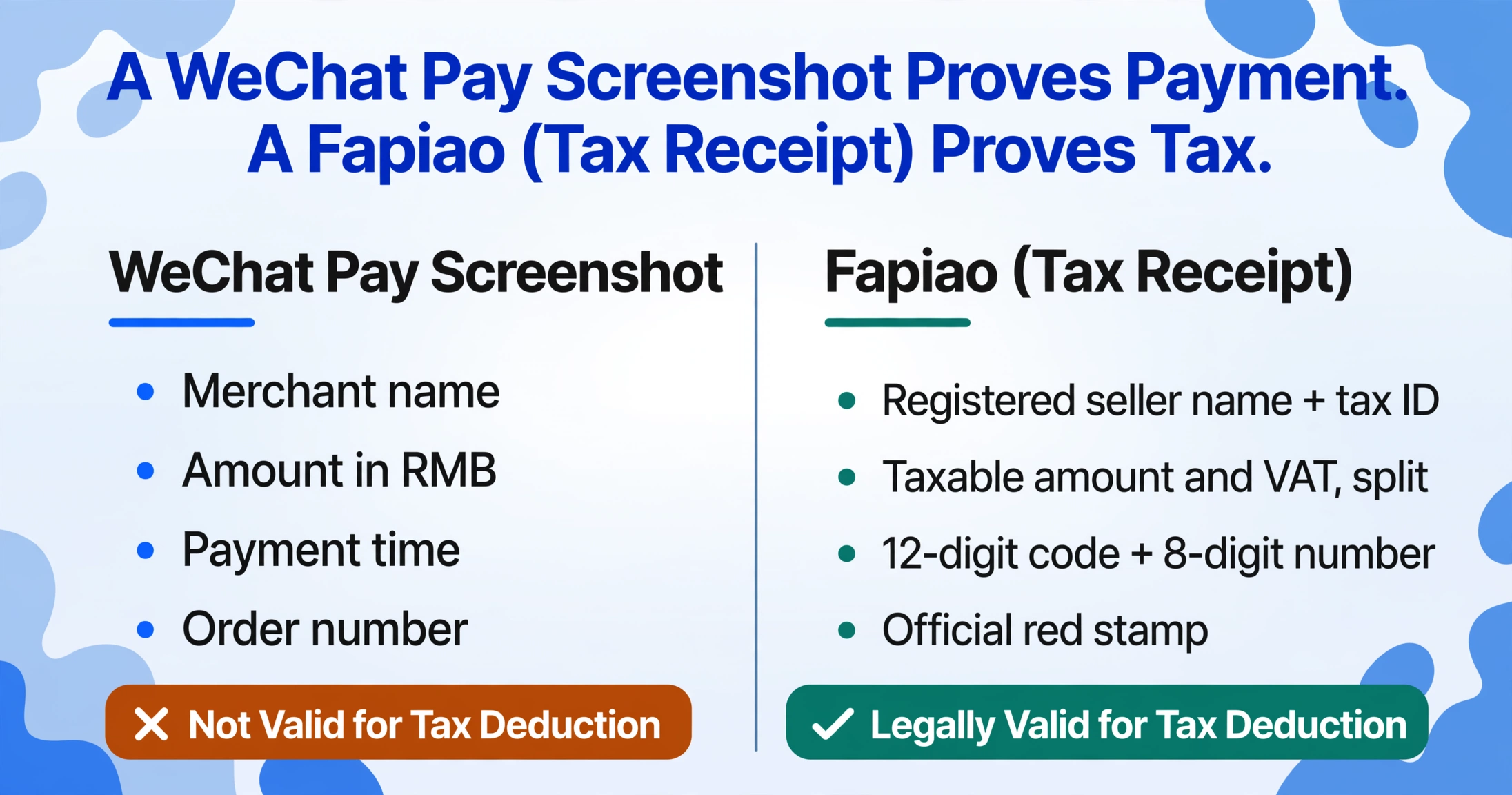
The takeaway is not that a WeChat screenshot is useless. It is that the screenshot and the fapiao serve different purposes. If you need a tax-deductible receipt for corporate reimbursement in China, you need the fapiao — the screenshot alone will not satisfy a finance department or the tax bureau. But if you are tracking your own spending across dozens of WeChat transactions, reconciling what you paid against what you were invoiced, or maintaining a personal record of payments for your own accounting, the screenshot has exactly the data you need. The problem is getting it out efficiently.
Why "Not a Receipt" Doesn't Mean "Not Extractable"
The instinct that a WeChat screenshot cannot be extracted comes from a reasonable place: this is not a structured document. Traditional OCR tools are built on the assumption that a document has a predictable layout — an invoice has a header with a vendor name and a footer with a total, and the OCR engine reads characters from known coordinates within those zones. A WeChat payment confirmation has none of that. It is a flat UI screen where the amount, merchant name, and transaction number float in a notification-style layout that varies depending on the WeChat version, the phone's screen size, and whether the payment was made by scanning a QR code or having a code scanned.
Traditional OCR fails here not because the text is hard to read, but because it cannot answer the question "which of these numbers is the amount?" without a template telling it where to look.
This is where the approach matters. Visual language models — the type of AI behind modern extraction tools — do not read documents by scanning for characters at fixed coordinates. They process the entire visual input at once: the text, the layout, the spatial relationships between elements, and the context that ties them together. When a VLM encounters "¥238.00" in the same visual frame as a payment confirmation UI — with a merchant name above it, a timestamp below it, and a WeChat Pay header wrapping the whole screen — it recognizes that this number is a transaction amount. Not a product price, not a date, not a phone number. An amount. The distinction is semantic, not positional.
This is the shift from position-based extraction to semantic extraction. A template asks: "where on the page is the amount field?" A visual model asks: "which number in this image represents what was paid?" The second question works on any layout because it is not tied to any layout. It works the same way on a WeChat screenshot as it does on a Venmo confirmation or a PayPal checkout page — because the concept of "amount paid" exists across all of them, even though the pixels are arranged differently in each app.
Applied to ImageToTable.ai, this mechanism is called Custom Column Extraction: you type the field names you want — "Amount" and "Order Number" — and the AI locates the corresponding values anywhere on the screenshot by understanding what each field means, not where it sits. The column names you enter become the headers of your output spreadsheet. Upload one screenshot or a hundred; the extraction works the same way because it does not depend on coordinates.

Pulling the Two Fields That Matter
Here is what the actual workflow looks like for a WeChat Pay screenshot. Upload the image. Define two columns: Amount and Order Number. The AI scans the screenshot, identifies the merchant, the payment total, and the transaction ID string, and drops them into a row in a table. If you upload ten screenshots from ten different WeChat payments — different merchants, different amounts, different dates — you get ten rows in one spreadsheet, with the same two columns populated for each one.
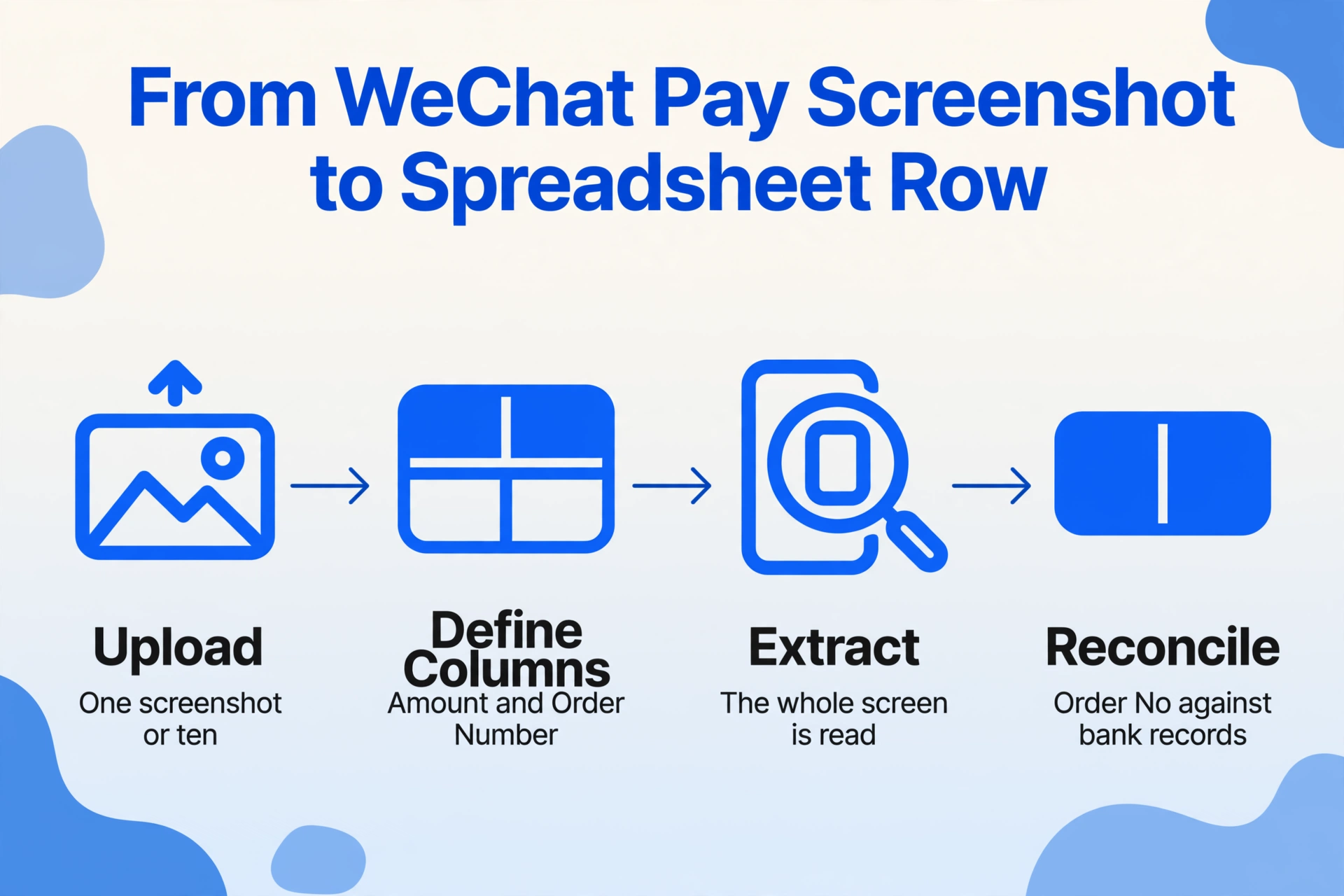
The order number deserves a closer look because it is the field that turns a screenshot from a memory aid into something you can actually use downstream. Every WeChat Pay transaction generates a unique transaction ID — visible in the payment details screen within the app and, in many versions, directly on the confirmation notification. This number is what you use to cross-reference the payment against your WeChat transaction history in-app, or to match it against a bank statement if the payment was made via a linked card rather than WeChat balance. It is the anchor that connects the screenshot to a specific, verifiable transaction — and having it extracted into a spreadsheet alongside the amount means you are not toggling back and forth between a photo gallery and a transaction log every time you need to verify something.
What can you do with these two fields once they are in a spreadsheet? The uses are straightforward and not limited to any one type of person: split shared expenses with the exact numbers instead of rough estimates, reconcile a month of WeChat outflows against a bank statement, attach a record of payment to an invoice that arrived separately by email, or simply keep a running log of what went out and when. If you process ten or twenty of these a month, the time saved by not manually typing two fields per screenshot adds up quickly — and more importantly, the order numbers are long numeric strings that are easy to mistype by hand.
There are real limitations worth stating plainly. If a screenshot is cropped and the order number is not visible in the image, the AI cannot extract it — there is no data to find. Different versions of WeChat display payment details slightly differently, and while the amount is reliably present on every confirmation screen, the order number may require tapping into a detail view to see the full string on some UI versions. The extraction is only as complete as the screenshot you provide. And critically, the output is a spreadsheet row, not a tax document — nothing about this process transforms a WeChat screenshot into a legally valid fapiao. What it does is save you from manually transcribing the data that is already there, so you can spend your time on the parts of your workflow that actually require judgment.
If you are looking for a step-by-step walkthrough of extracting transaction details from WeChat screenshots — including what the full confirmation screen looks like and how to capture it properly — see our WeChat Pay transaction details guide for the how-to version of this article.
FAQ
Can a WeChat Pay screenshot replace a fapiao for expense reimbursement?
No. In China, a fapiao is the only legally recognized document for tax-deductible business expense reimbursement. A WeChat Pay screenshot is a payment confirmation — it proves you paid, but it lacks the tax information, official stamp, and government-issued invoice structure that makes a fapiao legally valid. Some companies accept payment screenshots as supplementary documentation alongside the fapiao — a 2024 legal compliance guide from Covington & Burling specifically recommends this practice for companies managing employee expenses in China (source). But the screenshot alone cannot stand in for a fapiao. For personal recordkeeping, reconciliation, and internal tracking — where tax compliance is not the goal — it provides exactly the data you need.
What if the screenshot is entirely in Chinese — can the extraction still work?
Yes. Visual language models process text in the language it appears — in fact, they process the visual appearance of the text alongside its meaning, which means Chinese characters are handled natively, not through a separate OCR-then-translate pipeline. The amount (expressed as a number with a ¥ symbol) and the transaction number (a numeric or alphanumeric string) are language-independent fields. Even the merchant name, which might be in Chinese, gets extracted as-is — it is a data field, not something that needs translating to be useful in a spreadsheet.
Does this approach work for Alipay and other payment apps?
Yes. The same principle — semantic extraction, not template matching — applies to any payment app screenshot. Alipay, Venmo, Zelle, Cash App, PayPal, Revolut, and Wise all produce payment confirmation screens that share the same characteristic: they are not tables, they are not receipts, but they all contain an amount and some form of transaction identifier. We have written separate guides for several of these platforms — including Venmo, Zelle, Cash App, PayPal, Revolut, and Wise — each covering the specifics of that platform's confirmation screen. The underlying mechanism is the same across all of them: you define what you want, and the AI finds it — regardless of what the source looks like.
The WeChat Pay screenshot is an extreme case of this principle. It is the furthest thing from a structured document — a payment notification buried inside a messaging super-app — yet the two fields that matter are still extractable. If the approach works here, it works anywhere. That is the point.