Read a Chinese Delivery Address
and Phone Number From a WeChat Chat Screenshot
If you sell on WeChat — as a 微商 (wēishāng) seller, a daigou (代购) personal shopper, or a small business owner taking orders directly in chat — you know this exact moment: a customer sends you their delivery details in a single message. "广东省深圳市南山区科技南路18号 李明 13800138000" — province, city, district, street, building number, recipient name, and phone number, all in one unbroken line. The message contains everything you need to fulfill the order. The only problem is that none of it arrives in separate fields. You read the address, memorise the name, copy the phone number, and type each piece into your own order system — or write it on the package by hand. Every order, every customer, every time.
Key Takeaways
- A Chinese delivery address arrives in WeChat as one unbroken line — province, city, street, building, recipient name, and phone number — with no commas, no line breaks, and no field labels separating any of it.
- Traditional OCR outputs the entire string as a single text blob — it cannot tell where the city name ends and the street number begins because both are just Hanzi characters to the engine.
- Define columns for Delivery Address, Recipient Name, and Phone Number — the AI splits the string by recognizing structural markers like 省 (province), 路 (road), and the 11-digit mobile pattern that always ends the message.
What a WeChat Address Message Actually Looks Like
A typical Chinese delivery address sent in WeChat chat follows a big-endian hierarchy: the largest geographic unit comes first, the smallest last, followed by the recipient's name and phone number. A complete message reads like this:
浙江省杭州市西湖区文三路478号华星科技大厦12楼1208室 王芳 13812345678
Zhejiang Province, Hangzhou City, Xihu District, Wensan Road No. 478, Huaxing Technology Building, 12th Floor Room 1208 — Wang Fang — 13812345678
In that single string, a human reader instantly identifies six distinct data points: the province (省), city (市), district (区), street and building (路/号/楼/室), recipient name (收件人姓名), and phone number (手机号). The address is structured — Chinese address format is one of the most consistently hierarchical postal systems in the world — but that structure lives entirely in the meaning of the words, not in any visual separation. There are no line breaks, no column dividers, no form fields. Just one continuous block of Chinese characters and digits.
The address is perfectly structured. It just does not look structured. And that is exactly the kind of input that traditional OCR handles worst.
The same format repeats across every WeChat order scenario. A customer buying clothes from a WeChat seller (微商) sends their address in one message. A daigou buyer confirms their shipping details the same way. A restaurant supplier receiving delivery instructions over WeChat gets the same kind of text — province through phone number, all in one block. The content is identical regardless of who sent it: geographic hierarchy + name + phone, everything concatenated into a single string that a human parses in half a second and a machine misreads as a single undifferentiated blob of text.
The Hierarchy Problem — Why a Flat String Is Not an Address
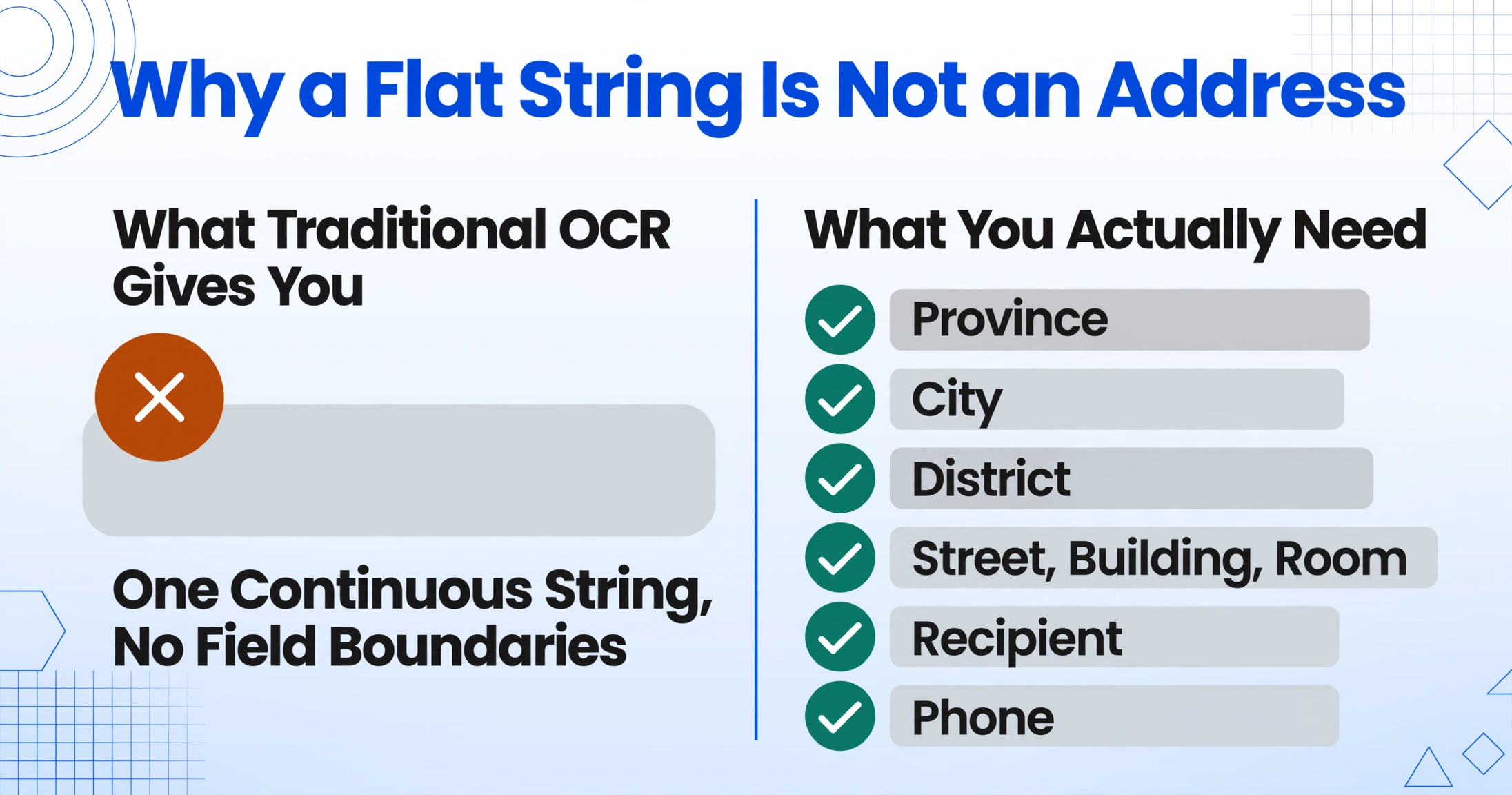
The difficulty is not that Chinese characters are hard to recognise. Modern OCR reads printed Chinese with high accuracy — the technology for character recognition has been reliable for years. The difficulty is that a Chinese address is not a sequence of characters; it is a hierarchy expressed as a sequence of characters. Traditional OCR treats the entire string as one line of text. It outputs "浙江省杭州市西湖区文三路478号华星科技大厦12楼1208室 王芳 13812345678" as a single field — one continuous string with no semantic segmentation.
| What You Actually Need | What Traditional OCR Gives You |
|---|---|
| Province: 浙江省 | "浙江省杭州市西湖区文三路478号华星科技大厦12楼1208室 王芳 13812345678" |
| City: 杭州市 | |
| District: 西湖区 | |
| Address: 文三路478号华星科技大厦12楼1208室 | |
| Recipient: 王芳 | |
| Phone: 13812345678 |
The problem compounds when addresses are not perfectly formed. A customer might omit the province entirely when ordering from a seller in the same province: "杭州市西湖区文三路478号" without "浙江省" at the front. Another might include only the city and district: "深圳南山科技南路18号" — dropping the province and using a well-known shorthand for the district. Some addresses omit the building name and give only the street number and a nearby landmark. Traditional OCR has no way to normalise these variations because it does not know it is looking at an address at all.
The phone number, which looks like the easiest piece to separate, has its own traps within the address block. A Chinese mobile number is 11 digits starting with 1 — a clear pattern in isolation. But when it sits at the end of an address string that also contains building numbers (like "12楼" or "1208室"), a tool that naively extracts all digit sequences might grab "478" (the building number), "12" (the floor), "1208" (the room number), and "13812345678" (the actual phone). It has no way to know which digit group is the phone number and which are address components.
The phone number pattern (11 digits, starts with 1) is easy for a human to spot — but a tool that does not understand it is looking at an address will grab every number on the page and call them all "data."
How Visual AI Reads the Same Screenshot Differently
This is where the extraction approach shifts from character recognition to semantic understanding. Instead of scanning the screenshot for all text and outputting it as a flat block, a visual AI tool reads the image by asking: "what kind of information is this, and where does each piece belong?"
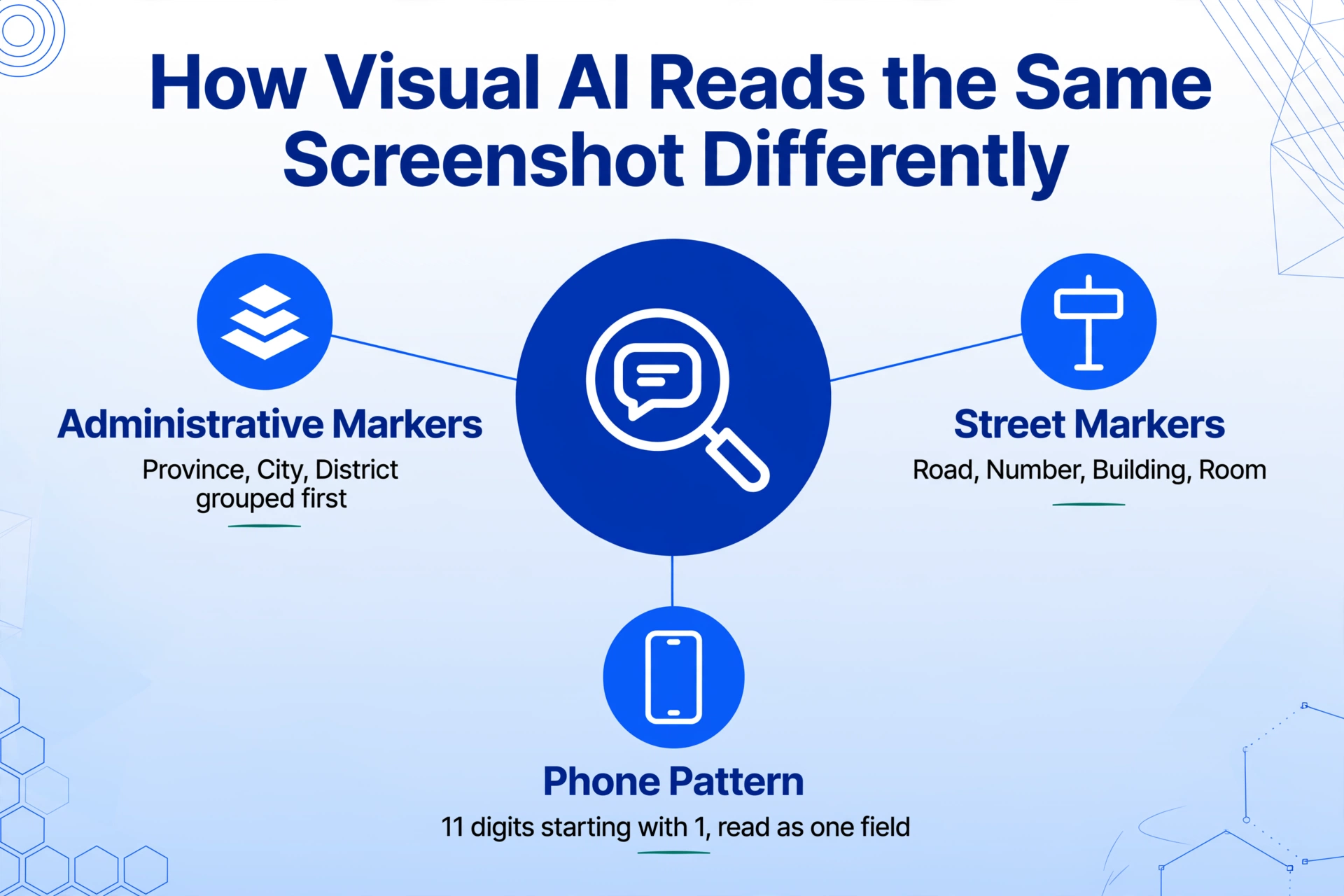
With Custom Column Extraction, you define the columns you want — "Delivery Address (收货地址)", "Recipient Name (收件人)", "Phone Number (联系电话)" — and the AI locates the matching values by understanding what each one means within the context of the Chinese address format. It does not need to be told that 省 marks the province or that 路 marks the street name. It identifies these markers because it understands the structural grammar of Chinese addresses — the same way you instinctively know that "浙江省" is the province even if you have never studied Chinese geography.
Here is how the semantic approach handles each component of the address block:
The AI identifies 省, 市, and 区/县 as administrative boundary keywords. It groups everything from the start of the recognised address up to the first street marker as the upper administrative area. If the province is omitted (common in same-province orders), it uses the city name as the top-level anchor.
Markers like 路 (road), 街 (street), 大道 (avenue), 号 (number), 楼 (building), 幢 (block), and 室 (room) delimit the detailed address. The AI reads the sequence of these markers to reconstruct the full street-level address, even when the format varies — some messages use "XX路XX号XX楼XX室", others use "XX路XX号XX大厦XX层".
Chinese names are typically 2-3 characters and appear just before the phone number, after the address. The AI recognises the transition from address markers to the name block — the name is what remains between the last address component (室, 号, or building name) and the start of the 11-digit phone number.
The 11-digit mobile pattern starting with 1 is the most reliable delimiter in the entire string. The AI identifies it by pattern and position — it is always the last numeric sequence in the address block, distinct from building numbers (which are shorter and appear mid-string next to 号 or 楼).
This approach works because the AI does not need to know exactly which city or which street name appears in the screenshot. It needs to know that something in that position functions as the city, something functions as the street, and something functions as the phone number. The extraction is driven by the structural role each segment plays in the Chinese address format — a format that, despite local variations, is one of the most consistent postal hierarchies in the world.
The same principle that applies to extracting data from payment screenshots that are not formal receipts applies here: you define the output columns, and the AI locates the matching values on the screenshot by understanding what they mean, not by matching a template. Whether the input is a WeChat Pay confirmation screen or a chat message with a delivery address, the method is the same — semantic extraction reads by meaning, not by position.
Batch-Processing Multiple WeChat Orders
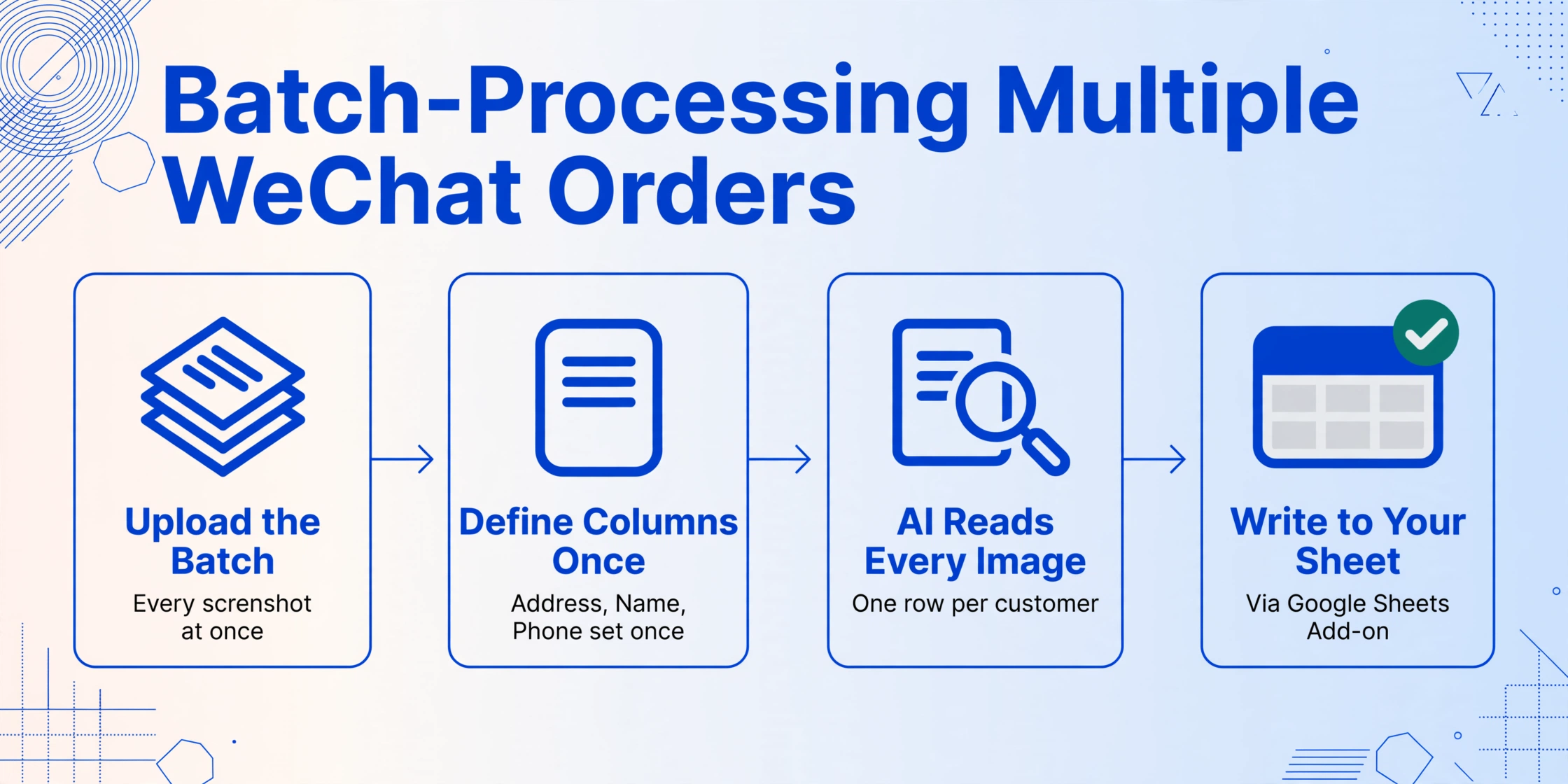
A WeChat seller does not receive one order at a time. On a busy day, the chat log fills with address messages from multiple customers — each with a different name, a different city, a different set of delivery instructions. Manually transcribing ten addresses means reading ten messages, copying ten phone numbers, and typing ten names into an order sheet or a package label. The process is the same every time, and the error pattern is the same every time: a digit swapped in the phone number, a street number misread, a district misidentified.
Batch processing changes that workflow. All the screenshots — each showing one customer's address message in chat — are uploaded together. A single set of column definitions ("Delivery Address", "Recipient Name", "Phone Number") is applied once. The AI reads every screenshot in the batch and outputs a unified table: one row per customer, with the address, name, and phone number in three clean columns.
The output table can be exported directly to Excel or written straight into Google Sheets using the ImageToTable.ai Google Sheets add-on — without leaving the spreadsheet. Each row is one order, ready to print as a shipping label, import into your order management system, or share with your fulfilment team. The per-order effort drops from roughly a minute of reading and typing to a few seconds of verification.
The value of extraction is not about saving a few seconds on one address. It is about scaling from ten orders a day to thirty without adding more manual work — because the bottleneck is not reading the address, it is retyping it every single time.
The same batch workflow applies across the address format variations discussed earlier. A batch might contain ten messages with perfectly structured addresses (province→city→district→street→name→phone), two with the province omitted, one where the customer included a landmark instead of a street name, and one in a municipality (Beijing or Shanghai) that has no province level at all. The AI handles all of them in the same pass, because it reads each address by its structural components — not by assuming every address follows the exact same template.
For sellers who also handle orders on WhatsApp — especially those serving customers across different markets — the same approach extends to address messages sent via WhatsApp Business. The extraction columns stay the same; only the chat interface changes.
Frequently Asked Questions
Can it handle addresses that include both Chinese and English text?
Yes. Some customers working with international logistics may include English place names or hotel names alongside Chinese address components — "广东省深圳市南山区 深圳湾万丽酒店 张伟 13800138000". The AI reads both scripts and treats the English text as part of the address string, preserving it in the output alongside the Chinese components.
What if the address is split across multiple chat messages?
Each screenshot is processed independently. If the address spans two messages — the customer sends the address in one message and the phone number in a follow-up — you would capture both in a single screenshot that includes the full conversation context, or capture two separate screenshots and merge the rows after extraction. The tool operates on what is visible in each uploaded image.
Does it handle special characters in address names — like 栋, 座, 区 in compound building names?
Yes. Chinese address markers include a wide vocabulary — 栋 (block), 座 (building), 区 (zone), 层 (floor), 号 (number), 单元 (unit), 室 (room) — and compound combinations like "B栋1206室" or "3座2单元8层801". The AI recognises these as address structure markers regardless of which specific character combination is used.
Can I extract just the city and province without the full street address?
Yes. Define your columns as "Province (省)", "City (市)", and "Recipient Name (收件人)" — leaving out "Delivery Address (收货地址)" — and the AI extracts only the administrative levels you specify. This is useful for sales analysis or customer distribution tracking where the full street address is not needed.