Where Does Zelle Show the
Amount, Date, and Recipient?
You just paid someone through Zelle — or received a payment — and the confirmation screen is still sitting on your phone. You need three numbers from it: the dollar figure, the date the money moved, and who was on the other end. On Venmo, every confirmation screen looks the same because it's one app. On Zelle, the confirmation screen is your bank's app with Zelle stitched in — so a Chase Zelle confirmation and a Wells Fargo Zelle confirmation arrange the same three fields differently, and a Bank of America screen does it a third way. Here's where each field lives, how to confirm you're reading the right one, and what to do once they're in a spreadsheet.
Zelle Is Not One App — and That Changes Where Every Field Sits
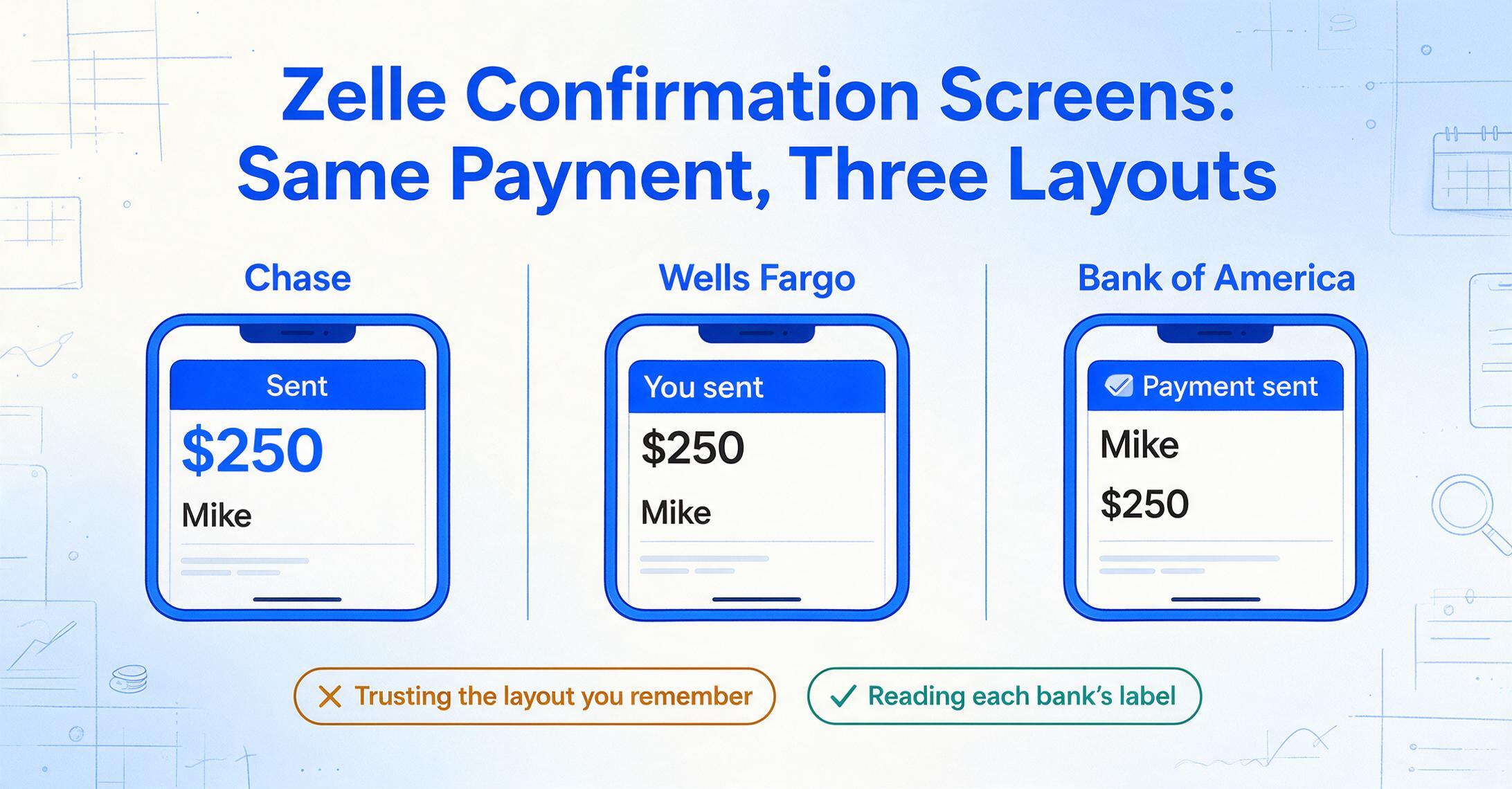
Venmo is a standalone app. Cash App is a standalone app. Zelle has not been a standalone app since April 2025 — it runs exclusively inside your bank or credit union's mobile app and online banking portal. The 2,400-plus financial institutions on the Zelle network each host it inside their own interface, which means the confirmation screen you see after a payment depends entirely on whose app you opened. Chase shows a Chase-styled confirmation. Wells Fargo shows a Wells Fargo version. Bank of America's places the same data in a different arrangement. The payment network underneath is identical — the amounts move the same way — but the screen you're looking at to grab those numbers for your records is not.
This has a practical consequence most people don't think about until they need to pull data from a screenshot weeks later: if you use Zelle at two different banks — say a personal Chase account and a business account at a local credit union — the confirmation screens won't match. Same fields, different layout. Knowing where to look on each saves you from staring at a screenshot wondering whether the number in the top-right corner is the amount or a transaction reference code.
Where the Amount Appears — and How Not to Read the Wrong One
The dollar figure is the field you're least likely to miss: it's almost always the largest number on the screen, often in a bold or colored font. But "the amount" on a Zelle confirmation screen means two different things depending on whether you sent money or received it, and the label next to the number tells you which direction you're looking at.
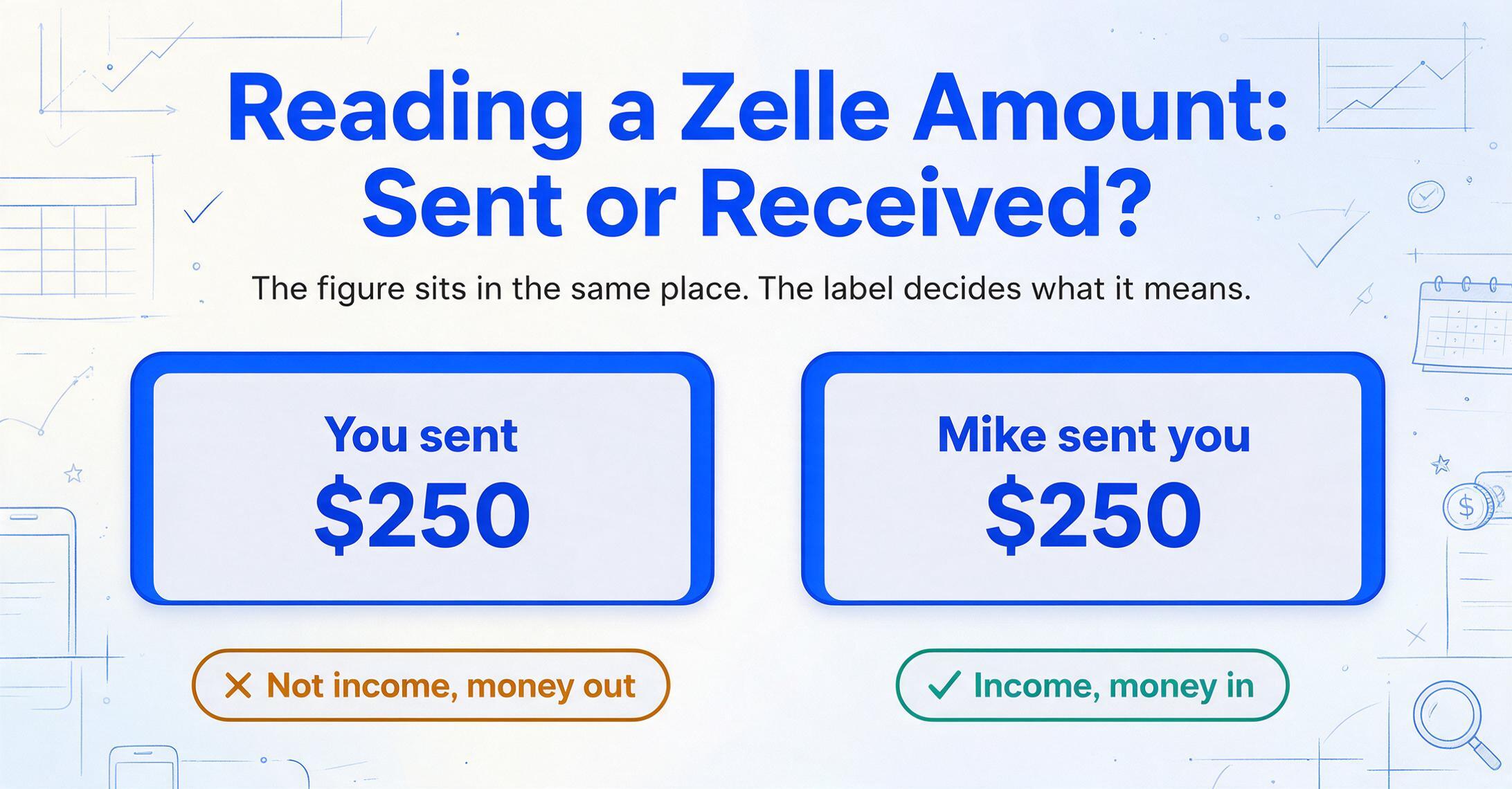
On a sent payment confirmation — Chase, Wells Fargo, Bank of America, and most other banks — the screen says something like "You sent $X to [Recipient]" with the amount prominently centered or in the top half. Chase appends "Sent" in a status banner. Bank of America uses "Payment sent" with a checkmark icon. Wells Fargo shows the amount under a "You sent" header with the recipient's name directly below.
On a received payment confirmation, the labeling shifts to "[Sender] sent you $X." The amount appears in the same visual position but the direction label flips. This distinction matters if you're looking at a screenshot from weeks ago and can't immediately remember whether you were the sender or recipient — the label on the screen is the definitive answer, not your memory. A $250 figure from a screenshot labeled "You sent" doesn't belong in your income column.
The amount format itself is consistent: U.S. dollars with two decimal places. Zelle doesn't support international currencies, so you won't encounter currency ambiguity on a standard confirmation screen. Some banks add a negative sign or parentheses in the transaction activity view to indicate a debit, but the confirmation screen — the one you'd screenshot right after completing the payment — usually shows the absolute value with the direction indicated by the label text instead.
The Recipient Name: How Much of It You Actually Get
After a Zelle payment completes, the confirmation screen shows the recipient's name as registered with Zelle — but how much of that name appears varies by bank. Wells Fargo displays the full first and last name of the enrolled recipient on the confirmation screen, sometimes alongside the last four digits of the phone number or a masked email. Chase shows the name exactly as it appears in your Zelle contacts list — which might be a nickname you entered ("Mike the plumber") rather than the legal name associated with the recipient's bank account. Bank of America's confirmation screen shows the name enrolled with Zelle, which could be a first name only in some cases.
This matters when the screenshot is your record. If you entered "Mike" as a Zelle contact for a contractor named Michael Chen, the confirmation screen says "Mike" — and six months later, "Mike" on a screenshot doesn't tell you who got paid. The Zelle system knows the legal identity behind the enrolled account, but the confirmation screen shows what you — or your bank's contact system — chose to label that recipient. The stable reference is the email address or U.S. mobile number you used to send the payment, but that information may or may not appear on the confirmation screen depending on the bank.
This is one area where Venmo's approach is cleaner: the @username is a public, stable identifier visible on every screen. Zelle doesn't have usernames — it has an enrollment key (phone number or email), and the confirmation screen displays whatever name the bank associates with it. If you're using Zelle screenshots as transaction records, add the recipient's phone number or email to the record yourself — the screenshot alone may not preserve it.
The Date on a Zelle Screenshot: Which One Are You Looking At?
A Zelle confirmation screen can display a date in several forms, and they don't all mean the same thing. The confirmation screen you see immediately after sending shows the transaction date — the day and time the payment was initiated. For an immediate one-time payment, this is the date the money left your account. For a scheduled payment that you set up to go out three days from now, the confirmation screen you see at setup time shows the scheduled date — not today's date. Bank of America, for example, labels this "Payment date" in the confirmation flow, with a calendar icon next to it.
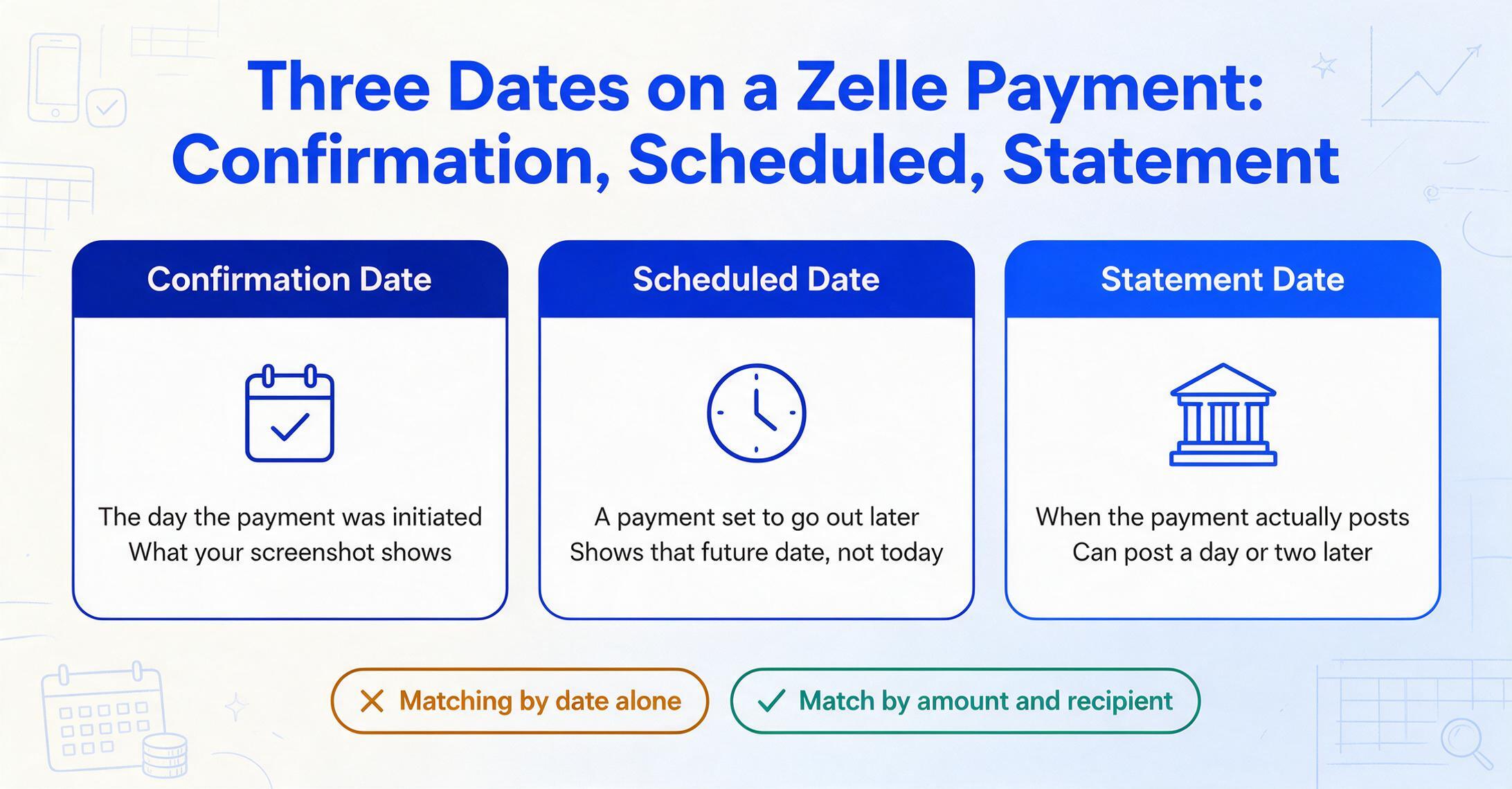
The bank statement date — when the transaction actually posts to your account — can differ from the confirmation screen date by a day or two, especially for payments sent late in the evening or on weekends. This means a Zelle screenshot taken Tuesday at 11 PM might show Tuesday's date on the confirmation screen, but your bank statement might list it as Wednesday. If you're reconciling screenshots against a bank export, match by amount and recipient, not by date alone.
Different banks also label the date field differently. Chase uses "Date" in its confirmation flow. Wells Fargo displays the transaction date under a "Sent on" or "Paid on" label. The U.S. Bank app places the date alongside a clock icon in the activity view, though the confirmation screen itself may simply show "Today" or the full calendar date depending on how recently the transaction occurred. If your screenshot says "Today" or "Yesterday" instead of an absolute date, that relative timestamp will be meaningless in a month — always confirm the absolute date if you plan to keep the screenshot as a record.
From Three Fields on a Screenshot to a Full Spreadsheet Row
One Zelle screenshot gives you three data points. Ten screenshots give you thirty. A month of payments between clients, tenants, and contractors gives you more than you'll want to retype. The friction isn't in reading the first screenshot — it's in reading the twentieth without introducing a typo, and the fortieth without skipping a row.
Zelle doesn't offer a built-in download button for transaction data. Payments are recorded inside your bank's transaction history, mixed in with debit card purchases, ATM withdrawals, and bill payments. You can filter your bank activity for "Zelle" in the search box and export to CSV from there — Chase, Wells Fargo, and Bank of America all support this through their desktop online banking portals — but the exported file is your full account activity, not Zelle-specific, and includes every column the bank generates, from transaction ID to running balance. If all you wanted was three columns per Zelle payment, the export gives you fifteen columns to clean.
The alternative is to work directly from the screenshots: open each one, read the amount, date, and recipient, and type them into your spreadsheet. That's three manual reads per payment, each with a chance of transposing a digit or misreading a name. The same challenge applies to screenshots from any payment app — the same concept that makes AI extraction work for Venmo works for Zelle: instead of typing each field out, you define the three column names you want — Amount, Date, Recipient — and the extraction reads the values straight off each screenshot, placing them into the correct cells. No template configuration per bank, because the AI is reading the content semantically — "$250.00" is the amount regardless of whether it's centered on a Chase screen or left-aligned on a Wells Fargo one. The same column set extends to Venmo, PayPal, and Cash App in one batch — see the payment screenshots into Excel workflow for the cross-platform workflow.
The screenshot stays as your original record; the spreadsheet becomes your working copy. If you later need to look up whether a specific payment was a sent or received transaction, the original screenshot with the directional label is still there. The extracted row is just the numbers, standardized across every bank's interface — the same three columns, the same format, regardless of how the source screen arranged them.
For payments made through Venmo, the same approach applies — the fields are the same (amount, date, payer), only the screen layout is different. The amount, date, and payer on a Venmo screenshot have their own set of traps — the amount might not be what landed in your balance after fees, for example — but the extraction workflow is identical.
FAQ
Can Zelle generate a receipt I can download?
No. Zelle does not issue receipts. What you get is a confirmation screen inside your banking app, an email notification from your bank (if enabled), or an SMS alert — none of which is a formal receipt. The confirmation screen you screenshot after completing a payment is your transaction record. If you need a receipt for tax or reimbursement purposes, the screenshot paired with a bank statement showing the matching debit is the strongest documentation you can produce.
Does the Zelle confirmation screen show the recipient's email or phone number?
It depends on the bank. Some banks display the recipient's enrolled email address or a truncated phone number on the confirmation screen; others show only the name. For example, Wells Fargo's confirmation screen may show the last four digits of the recipient's phone number along with the name, while Chase's confirmation typically shows only the contact name as saved in your Zelle recipient list. If the identifier isn't visible on the confirmation screen, check the Zelle Activity view inside your banking app — the transaction detail there usually includes the full email or phone number used for the payment.
Can I pull data from a Zelle screenshot taken on the desktop website?
Yes. Online banking Zelle confirmations — viewed on a laptop or desktop browser — display the same three fields: the amount (with direction label), the recipient name, and the transaction date. The layout is typically a single-column or two-column confirmation card rather than a full-screen mobile view, but the fields themselves are the same. The extraction reads the text content regardless of whether the screenshot came from a phone screen or a browser window.