Twint Payment Screenshots
Extract the Amount, Merchant, and Transaction Time
Someone sends you a Twint payment confirmation screenshot. The amount is CHF 47.50. You can see the merchant name — "Coop" or "Migros" or maybe something like "Beck's Bier Shop GmbH" or simply "B. Muller." A timestamp sits at the top or bottom of the screen. You need these three pieces of data for your records. But here is where it gets difficult: the person who sent it might be using UBS Twint, PostFinance Twint, Raiffeisen Twint, or the standalone Twint Prepaid app. Those four screens look different from one another, and they are just four of the 71 bank-specific versions of Twint available in Switzerland as of 2026. The amount, the merchant name, and the transaction time are all there on every version — but to locate them reliably across different app layouts, you need to understand what stays consistent and what moves.
Key Takeaways
- Twint isn't one app with one confirmation screen — it's 71 bank-branded versions, each showing the same three fields in a different layout.
- UBS Twint and several other versions actively block screenshots, and building templates for all 71 versions is a dead end before you capture a single confirmation.
- Define columns once by what the fields mean — Amount, Merchant, Time — rather than where they sit on any particular bank's screen, and the extraction works across all Twint versions.
Three Fields, One Screen — Why Twint Is Both Simple and Not
Twint is Switzerland's largest mobile payment system — more than 6 million active users completed over 901 million transactions in 2025, according to Twint AG's year-end report. It is jointly owned by UBS, Raiffeisen, Zürcher Kantonalbank (ZKB), PostFinance, and the consortium of cantonal banks. In stores, 81% of brick-and-mortar merchants and 86% of online shops accept it. The brand recognition among the Swiss population over the age of 16 is 99%. "Twinten" — to Twint — has entered Swiss German vocabulary as a verb that needs no explanation among the country's 8.7 million residents.
With that kind of penetration, Twint payment screenshots are everywhere in the daily financial life of Switzerland. The three fields that matter for record-keeping — the transaction amount (Betrag/Montant/Importo), the merchant name, and the transaction time — are present on every confirmation screen. But the confirmation screen itself is not the same across users, because Twint is not a single app. There is the basic Twint Prepaid wallet that works independently of any bank. Then there are 70 bank-specific versions — UBS Twint, PostFinance Twint, Raiffeisen Twint, ZKB TWINT, Migros Bank Twint, Valiant Twint, and versions from each cantonal bank — all rendering the same transaction data in their own parent bank's interface design language. Singapore's PayNow has a similar problem — a national instant-payment system embedded in each bank's app, producing confirmation screens that change with every banking partner. Twint faces the same fragmentation, but in a European market with three official languages and a uniquely dense banking landscape. The bank-by-bank variation in those confirmation screens is why PayNow screenshot extraction has to read fields by meaning rather than by position.
The practical consequence: if you collect Twint payment screenshots from multiple sources — customers paying by Twint, freelancers documenting received payments, a Verein (association) collecting membership fees — the screenshots will not look alike. But the three fields you need are always on the screen. The trick is knowing what to look for and understanding why a semantic extraction approach handles this variability without per-app templates.
The Fragmentation Problem: One Payment, 71 Confirmation Screens
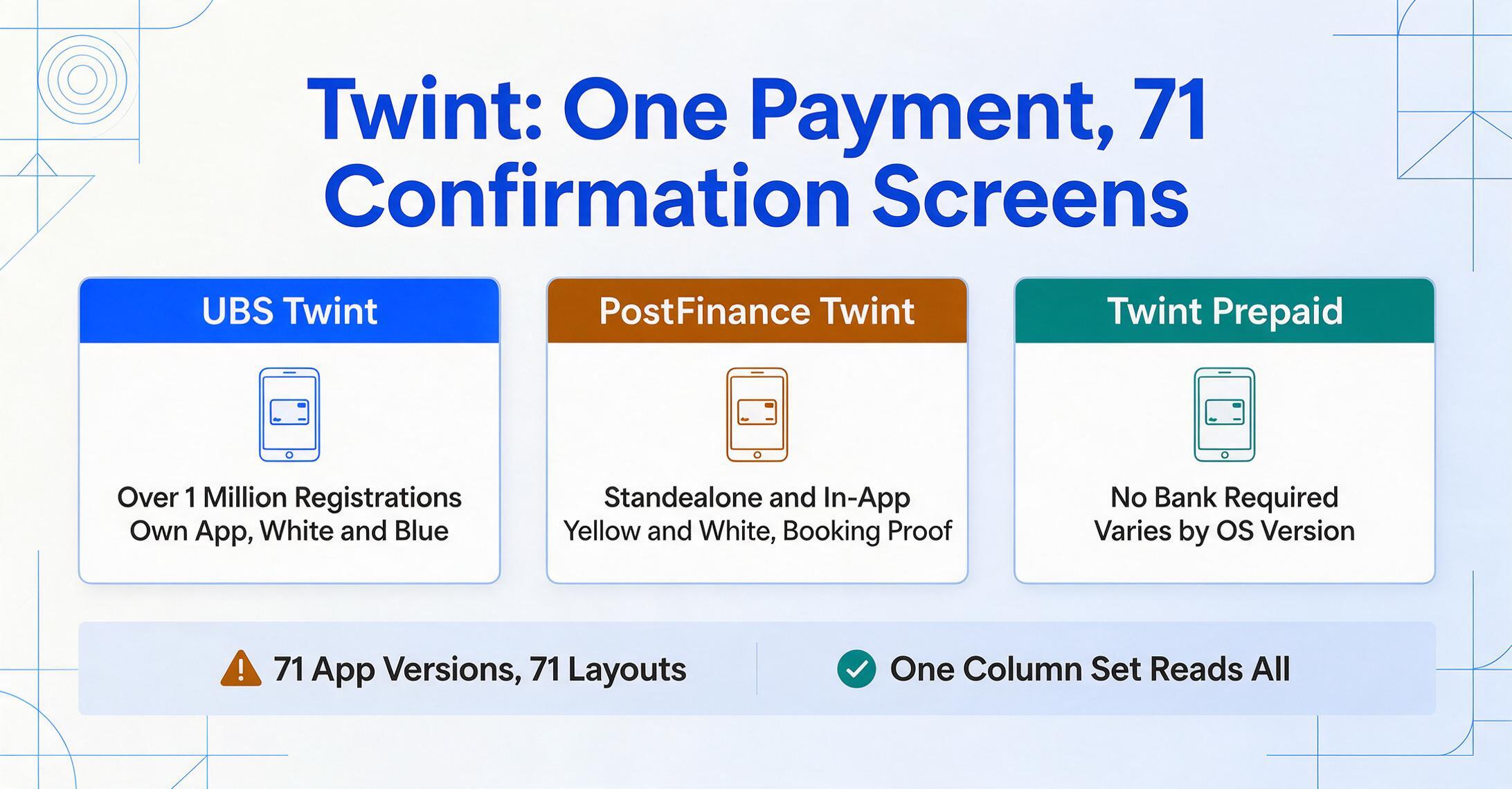
Twint started as two parallel projects that merged in April 2017: Paymit from the UBS/Credit Suisse/ZKB consortium and Twint from PostFinance. The combined entity, Twint AG, inherited multiple banking partners, each of which wanted to offer Twint through its own mobile banking app rather than forcing customers to download a separate app. The result, according to moneyland.ch's Twint FAQ (March 2026), is 71 distinct versions of the Twint app currently available in Switzerland.
UBS Twint is the most widely used single version, with well over one million registrations. Its payment confirmation screen typically appears as a white background with blue UBS accent colors — the amount displayed prominently in large bold text, the merchant name underneath, and a confirmation message above. UBS Twint uses its own dedicated app (available on iOS and Android) with its own design language, separate from the UBS Mobile Banking app. The confirmation screen in UBS Twint is clean, card-like, and centered around the payment amount.
PostFinance Twint takes a different visual approach. Because PostFinance offers Twint both as a standalone "PostFinance TWINT" app and embedded within the broader PostFinance App, the confirmation screen inherits PostFinance's yellow-and-white visual identity. The transaction details appear inside the PostFinance app's standard transaction view, which can also generate a formal "booking proof" (Zahlungsbeleg/justificatif de paiement/prova di pagamento) on demand. This means a PostFinance Twint payment confirmation can exist in two visual forms: as an in-app confirmation screenshot, and as a downloadable PDF with the PostFinance document header.
Standalone Twint Prepaid — the bank-independent version — uses its own interface, with a more neutral design that is not tied to any bank's brand. The confirmation screen here uses the generic Twint color scheme (teal and white) and follows a simpler layout pattern than the bank-branded versions.
Then there are the remaining versions: Raiffeisen Twint, ZKB TWINT, Migros Bank Twint, Valiant Twint, and versions for each cantonal bank (Bank Cler, Berner Kantonalbank, Luzerner Kantonalbank, and so on). Each one wraps the same Twint payment data inside its own mobile banking app's design, producing confirmation screens that share a common set of data fields but differ in layout, font, color scheme, and field placement. A template-based extraction tool would require a separate configuration for each of these 71 versions. A semantic extraction tool reads the data by meaning, not by pixel position — so the same column definition works whether the screenshot came from UBS Twint or PostFinance Twint or the standalone app.
The Amount (Betrag / Montant / Importo) — Always CHF, Always Prominent, Tri-Lingual Label
The transaction amount is the most straightforward field on any Twint confirmation screen. Every Twint transaction is in Swiss francs (CHF). There is no multi-currency display, no exchange rate calculation, and no convenience fee deduction from the shown amount — the value on the confirmation is exactly what moved from payer to payee. The amount is always the most visually prominent number on the screen, typically displayed in a larger font size than any other figure.
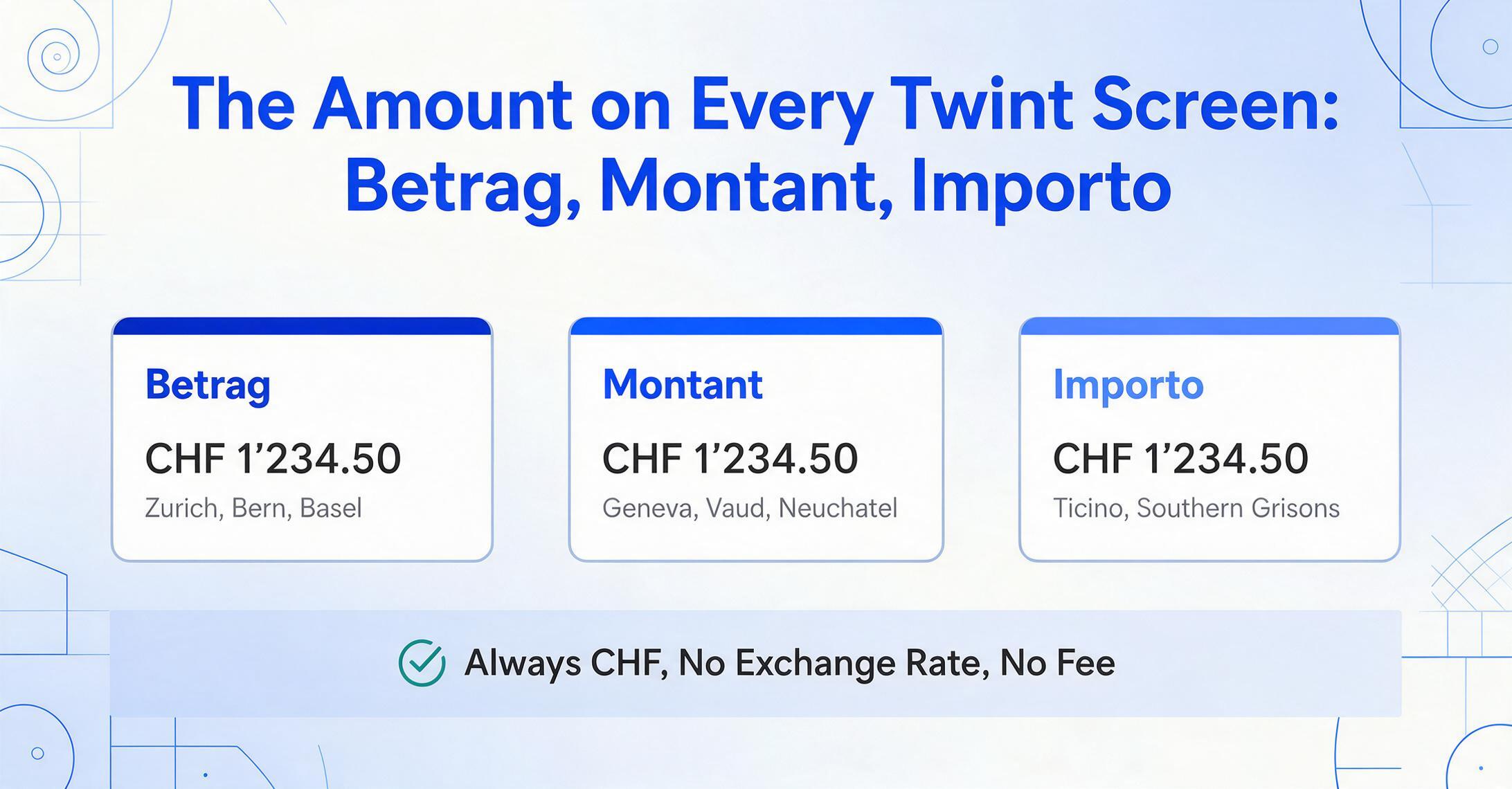
What makes the amount field specifically Swiss is the labeling language. The label above or beside the amount appears in one of three languages depending on the app's UI language setting and the user's linguistic region:
Betrag (German) — used in the majority of Swiss cantons including Zurich, Bern, Basel, Lucerne, St. Gallen, Aargau, and most of eastern and central Switzerland.
Montant (French) — used in the cantons of Geneva, Vaud, Neuchâtel, Jura, and parts of Fribourg and Valais.
Importo (Italian) — used in Ticino and some southern Grisons municipalities.
The label language changes with the app, but the amount itself follows a consistent Swiss formatting convention: a leading "CHF" or "Fr." prefix, or sometimes no prefix at all when the context makes it obvious, with a period (.) as the decimal separator and an apostrophe (') or space as the thousands separator — for example, "CHF 1'234.50" or "Fr. 850.—". The Rappen/Centimes (Swiss centime) portion is always two decimal places for amounts that include fractions. Whole-franc amounts may appear with a dash in place of the centimes — "CHF 47.—" — which is a standard Swiss typographic convention that an extraction engine must interpret as CHF 47.00 rather than treat as a broken number.
For extraction, the amount field benefits from being semantically unambiguous across all 71 app versions. It is the largest currency-denominated value on the screen, always in CHF, always near a label that says "Betrag," "Montant," or "Importo." A semantic extraction engine does not need to know which bank's Twint app produced the screenshot — it reads "CHF 47.50" in context and identifies it as the transaction amount regardless of where on the screen it sits or which language labels it.
The Merchant Name — Display Name vs. Registered Name, and the Multilingual Factor
The merchant name on a Twint confirmation screen is where things get less predictable. Twint displays the name as it was registered by the merchant or as it appears in the merchant's Twint business account. In practice, this can mean any of the following:
- The full legal business name — e.g., "Müller AG" or "Coop Genossenschaft" — as registered in the Swiss commercial register (Handelsregister/registre du commerce/registro di commercio).
- A shortened or branded display name — e.g., "Beck's Bier" instead of the legal "Beck's Bier Shop GmbH" — chosen by the merchant for visual simplicity in the payment flow.
- A personal name — for sole proprietorships (Einzelfirma/raison individuelle/ditta individuale), the name is the owner's personal name as registered with the AHV compensation office. This can be "Hans Meier," "Maria Bianchi," or "Sara Dubois" depending on the linguistic region.
- A farm-stand or market name — Over 1,900 Swiss farm stalls (Hofläden/stands de la ferme/punti vendita aziendali) accept Twint using printed QR codes. The merchant name on the confirmation may be the farmer's name, the farm name, or something in between.
The language of the merchant name itself follows the linguistic region of the business. A merchant in Geneva appears in French, one in Lugano in Italian, one in Zurich in German. This tri-lingual naming pattern, combined with abbreviations and display-name choices, means that the same physical merchant can appear differently on different Twint confirmation screens depending on which version of their name they registered with the Twint Business Portal.
For anyone reconciling payments — whether against invoices, customer accounts, or expense reports — the merchant name extracted from the screenshot is the name on the payment, not necessarily the name on your records. It is worth keeping both columns: the raw merchant name from the screenshot and a separate column for the name as it should appear in your books. This is especially relevant for Swiss freelancers and SMEs that use software like Bexio (used by over 100,000 Swiss SMEs for invoicing and accounting) or Abacus (the top-tier choice for Swiss fiduciaries), where customer and vendor records are maintained with specific legal names that may not match the Twint display name.
Transaction Time — Where Twint Logs the Moment
Every Twint payment records the exact date and time of completion. The transaction time is the third field that turns a raw screenshot into a usable record — without it, matching a Twint payment to a specific invoice, shift, or delivery becomes guesswork.
On most Twint confirmation screens, the transaction time appears in one of two locations:
- At the top of the confirmation — as a line like "Bezahlt am 15.06.2026 um 14:32 Uhr" (German), "Payé le 15.06.2026 à 14:32" (French), or "Pagato il 15.06.2026 alle 14:32" (Italian), depending on the app language.
- In the transaction details section — accessible by tapping "Show details" on the payment confirmation. The Twint FAQ notes that receipts and detailed transaction records are found by going into the transaction overview and selecting "Show details" — the full timestamp is available in this expanded view across all app versions.
The date format follows Swiss convention: DD.MM.YYYY (day first, period separator, four-digit year). Time is in 24-hour format (HH:MM). This is the same date format used on Swiss bank statements, QR-Rechnung payment slips, and Swiss accounting software exports — so the timestamp from the screenshot maps directly onto the Swiss financial date convention without any format conversion. PostFinance Twint users can also generate a downloadable PDF booking proof (Zahlungsbeleg) through the app's document center, which includes the timestamp alongside the full transaction details in a format suitable for forwarding to a fiduciary (Treuhänder/fiduciaire/fiduciario).
The transaction time is particularly important for the downstream use cases that give Twint screenshots their documentary value — matching payments against AHV/IV/EO (Alters- und Hinterlassenenversicherung/Invalidenversicherung/Erwerbsersatzordnung — old-age, disability, and loss-of-earnings insurance) contribution records for self-employed individuals, or reconciling daily sales for small businesses that use Twint as their primary payment acceptance method.
The Screenshot Itself — Why You Might Not Be Able to Take One at All
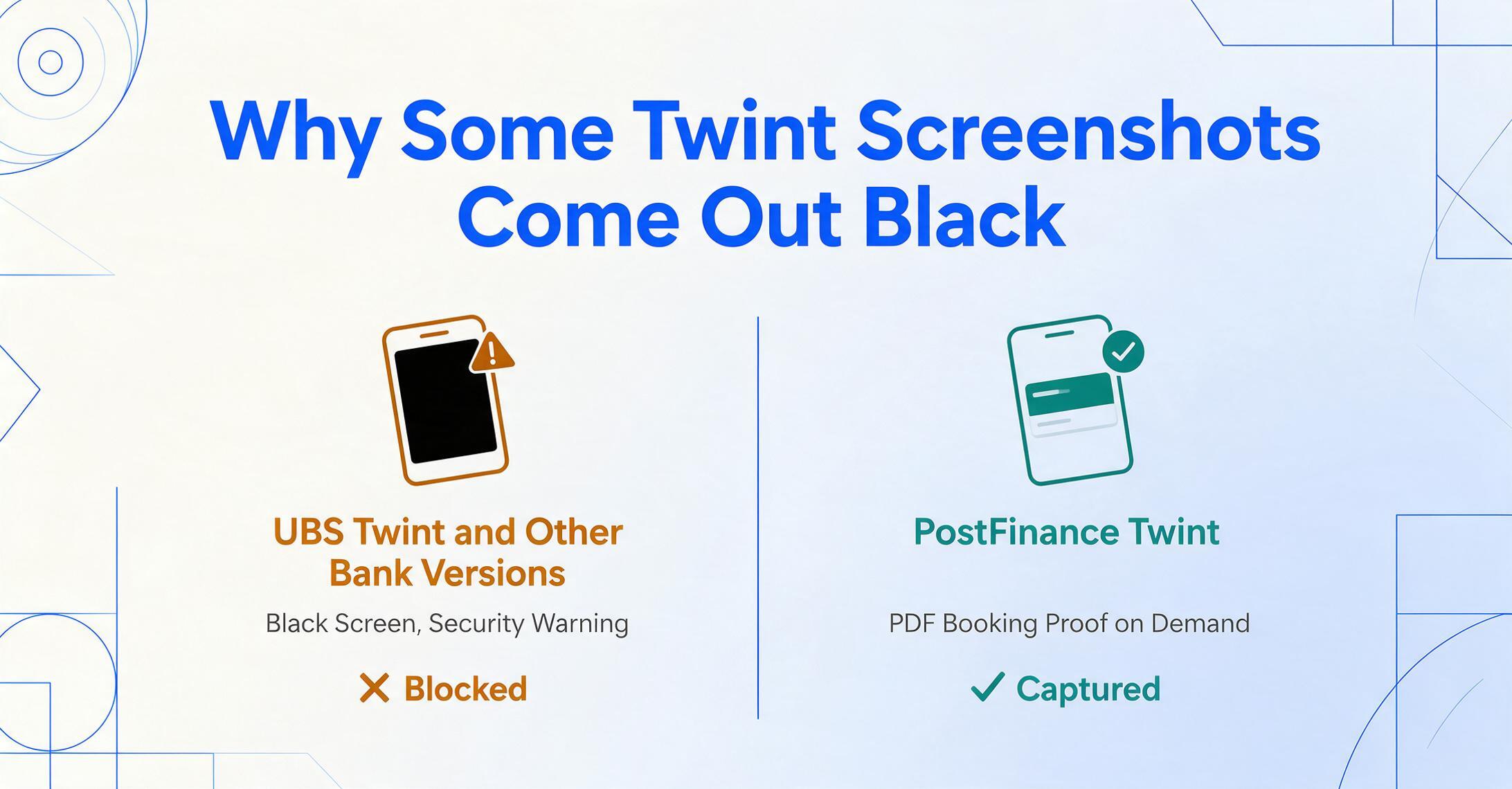
There is one quirk that sets Twint apart from virtually every other payment app covered in this series: several versions of the Twint app actively block screenshots. On r/Switzerland, users regularly report that attempting to screenshot the Twint confirmation screen produces a black screen or a security warning. This is not a bug — it is a deliberate security measure implemented in certain bank-branded versions of Twint.
However — and this is the nuance that matters for practical use — not all Twint versions block screenshots. User reports indicate that PostFinance Twint generally does not block the screenshot function, while UBS Twint and some other bank versions do. The basic Twint Prepaid app's behavior varies by operating system version. The inconsistency means that whether you can take a confirmation screenshot depends on which Twint app the payer uses, and on the phone model. This is not something the payer can easily change — it is determined by which bank they use and which app version that bank distributes.
For screenshots that are successfully captured (or received from someone who uses a non-blocking version of Twint), the extraction process works exactly as it does for any other payment screenshot — upload, define the columns, and the AI locates the amount, merchant name, and transaction time by understanding what those terms mean in the visual context of the confirmation screen. For situations where screenshots are not available, some Twint versions offer alternatives: PostFinance Twint generates a formal booking proof as a downloadable PDF from the app's document center, which can then be processed through the same extraction workflow since PDF input is supported. The larger point is that the screenshot itself is not always possible, and any workflow built around Twint payment data needs to account for this limitation honestly rather than assuming every user can produce a clean confirmation screenshot.
What These Three Fields Mean for Swiss Freelancers and Small Businesses
The three fields — amount, merchant name, transaction time — are not just nice-to-have metadata. They form the evidentiary basis for several financial obligations that are specific to the Swiss system:
AHV/IV/EO contribution records. Self-employed individuals in Switzerland (Einzelfirmen/indépendants/lavoratori autonomi) must register with their cantonal AHV compensation office (Ausgleichskasse/caisse de compensation/cassa di compensazione) and pay social security contributions — currently between 5.371% and 10% of net income depending on the income level. The Federal Tax Administration (ESTV) and the compensation offices accept self-declared income records, but they also expect documentary evidence. A Twint payment screenshot showing the amount received, the payer (customer), and the date — extracted into a structured table alongside other receipts — serves as supporting documentation for the income declared on the annual AHV contribution statement. While a Twint screenshot alone is not a formal receipt (Quittung/reçu/ricevuta) for VAT purposes, it is a contemporaneous record of the payment event.
MWST/Vorsteuerabzug (input VAT deduction) evidence. Swiss VAT is governed by the Mehrwertsteuergesetz (MWSTG), Article 26 of which specifies the mandatory fields for a valid VAT invoice. Twint payment screenshots do not satisfy those requirements — they lack the supplier's VAT number (CHE-XXX.XXX.XXX MWST/TVA/IVA), the VAT rate breakdown, and the sequential invoice number. However, the screenshot serves as payment confirmation evidence that a transaction occurred, complementing the formal invoice. For small businesses using the Saldosteuersatz (flat-rate VAT method) or the Nettoverfahren (net tax method), the extracted amount from the Twint screenshot helps reconcile revenue declared against actual payments received — particularly for businesses that accept payment via Twint at the time of service without issuing a separate invoice in every case.
Accounting software reconciliation. Swiss accounting tools approach Twint payment data in different ways. Bexio — the most widely used cloud accounting platform among Swiss SMEs, with over 100,000 clients — does not natively ingest Twint confirmation screenshots. Neither does Abacus (the choice of top-tier Swiss fiduciary firms), Banana Accounting (popular among freelancers), KLARA (SME all-in-one platform), or To Bill (modern Swiss invoicing with receipt OCR). All of them rely on manual data entry for Twint payments. The step between "a customer sent me a Twint screenshot on WhatsApp" and "the CHF 47.50 is recorded in my Bexio ledger under the right customer account" remains a manual transcription step for virtually every Swiss business. Extraction fills that gap: batch-process a week's worth of Twint screenshots, export the rows to a spreadsheet, and import or copy the data into whichever accounting system tracks your revenue.
For anyone handling payments across multiple Swiss payment methods — Twint alongside PayPal, Alipay from Chinese tourists, or bank transfers via QR-Rechnung — the same column definitions (amount, counterparty, date) apply across all of them, because the underlying principle is the same: you define the output columns, and the AI finds the matching values by understanding their meaning, not by matching a pre-set template for each payment type. For consolidated processing across Swiss and other payment methods, the bulk payment screenshot extraction is the single batch entry point.
FAQ
Can I extract data from Twint screenshots from different bank versions in one batch?
Yes. UBS Twint, PostFinance Twint, ZKB TWINT, and standalone Twint Prepaid screenshots can be uploaded together in the same batch. Define the columns once — Amount (CHF), Merchant Name, and Transaction Time — and a semantic extraction engine applies those definitions across all screenshots regardless of which app version produced them. The engine identifies the amount by recognizing the largest currency-denominated value near a "Betrag/Montant/Importo" label, the merchant by its position and format on the confirmation, and the time by the date-time string in Swiss DD.MM.YYYY HH:MM format. Each screenshot produces one row in the output table.
What if the Twint app blocks screenshots on my phone?
PostFinance Twint users can generate a downloadable PDF booking proof (Zahlungsbeleg/justificatif de paiement/prova di pagamento) from the app's document center — this PDF contains the same transaction data as the confirmation screen and can be uploaded for extraction. Not all Twint versions offer this PDF feature. If neither screenshot nor PDF is available from a specific Twint version, the fallback is to request the payer to share the transaction details manually or to use the QR invoice reference if the payment was linked to one. The screenshot-blocking limitation is real but partial — some major versions (notably PostFinance Twint) do not block screenshots, and the PDF workaround covers additional cases.
Can a Twint screenshot serve as proof for Swiss VAT (MWST) purposes?
A Twint payment confirmation screenshot is a record of a payment event, not a substitute for a VAT-compliant invoice. Swiss MWST law (Art. 26 MWSTG) requires a supplier VAT number (CHE-XXX.XXX.XXX MWST/TVA/IVA), a sequential invoice number, and a VAT rate breakdown — none of which appear on a Twint confirmation. However, the screenshot does serve as contemporaneous payment evidence that complements the formal invoice. For businesses using the Saldosteuersatz (flat-rate VAT method), the extracted amount helps reconcile revenue declared versus revenue actually received. For self-employed individuals documenting income for AHV contribution purposes, the extracted transaction record provides supporting evidence for the amounts declared.
Which Swiss accounting software can import extracted Twint data?
Bexio and Abacus, the two most widely used accounting platforms among Swiss SMEs and fiduciaries, both accept CSV or Excel imports from external sources — but neither can natively ingest a Twint confirmation screenshot. Banana Accounting (CHF 89/year, popular with freelancers), KLARA (SME all-in-one platform from CHF 35/month), To Bill (modern Swiss invoicing from CHF 30/month with receipt OCR), and CashCtrl (free tier available for basic accounting) all require manual data entry for Twint payments. The extraction workflow — batch-process screenshots, export to a spreadsheet, then copy into your accounting tool — fills this gap without requiring any changes to the software you already use.