Pull the Amount and Recipient
From a Bizum Payment Screenshot
Bizum doesn't have an app of its own. When someone sends you money through Spain's most-used mobile payment system, the confirmation doesn't appear inside a Bizum-branded interface — it shows up inside your bank's app, and which bank you use changes what the confirmation screen looks like. A Santander customer sees a green banner with the amount centered and the recipient name below it. A CaixaBank customer sees a white card with labelled fields. A BBVA customer sees a different layout entirely. The three fields you actually need — the transaction amount, the recipient identifier, and the payment concept — are present in every single case, but their visual arrangement depends entirely on which of the 30+ participating banks processed the payment. The challenge isn't that the data is missing. It's that there is no single "Bizum screenshot" to learn from.
Key Takeaways
- Bizum does not have its own app — the payment confirmation you see is rendered by your bank, and which of the 30+ Spanish banks you use determines what the screenshot looks like.
- Since January 2026, every Bizum payment tied to economic activity is automatically reported to the Spanish tax authority — your saved screenshots are no longer informal keepsakes but supporting documents in a live audit trail.
- A field-level extraction that reads the amount, recipient phone number, and concept by what they mean — not by where they sit on a Santander versus CaixaBank screen — processes all 30 bank formats with the same column definitions.
Bizum Is Not an App — It's 30 Different Confirmations
Bizum (pronounced bih-ZOOM) launched in 2016 as a joint project of the Spanish banking industry, operated by Bizum SL. Its purpose was simple: let anyone with a Spanish bank account send money using only a phone number, settled in seconds over the SEPA Instant Credit Transfer (SCT Inst) rail. Adoption was rapid — today, more than 30 million people in Spain, roughly 60% of the population, use Bizum through 70,000 online merchants, and the system processed over 3.2 billion transactions according to bizum.com. For person-to-person transfers, the service is free, with a standard limit of €1,000 per transaction and €2,000 received per day.
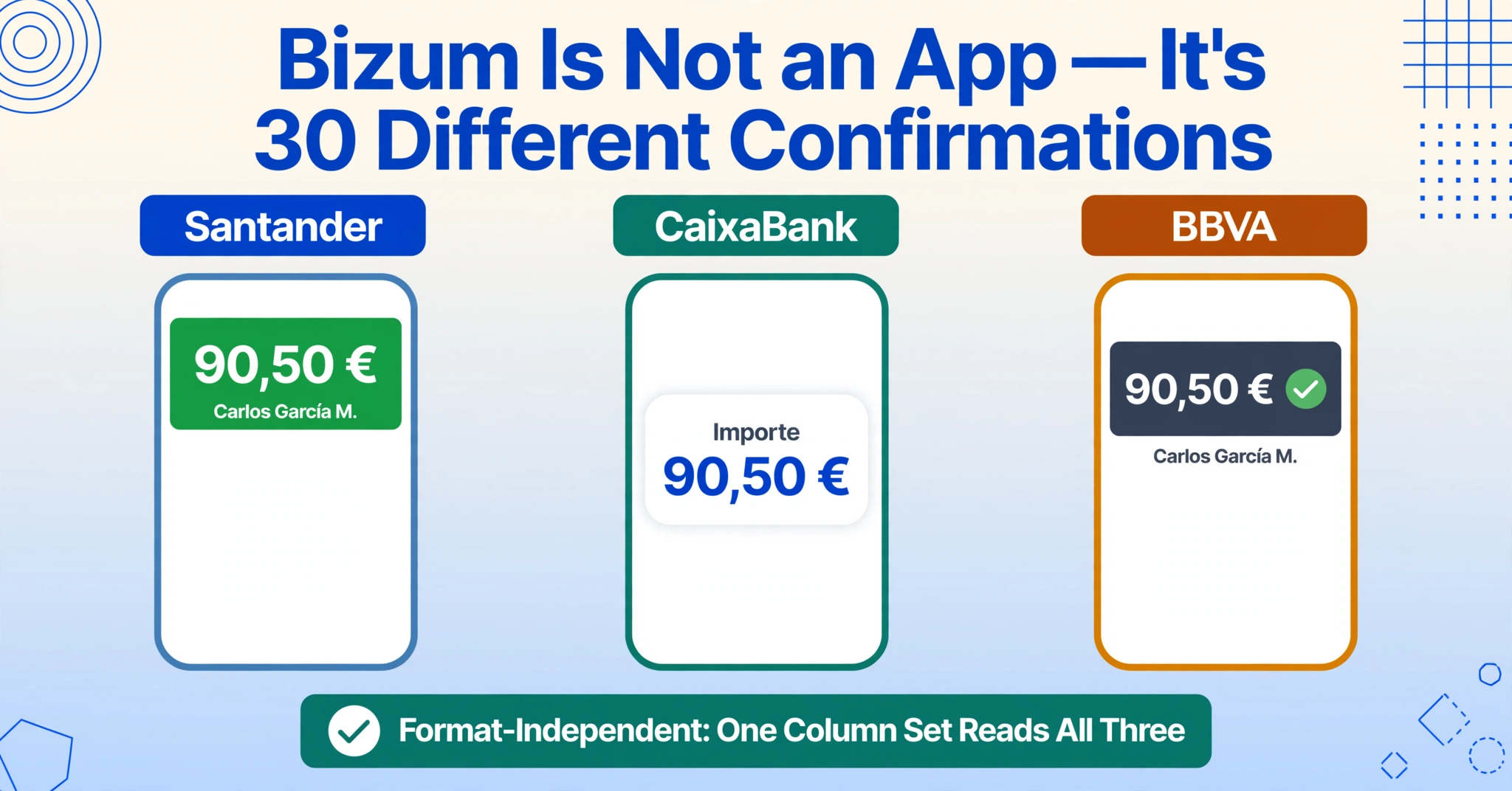
But Bizum has never been a standalone app. You do not download "Bizum" from an app store. You access it from within your bank's mobile app — the same app you use to check your balance and make transfers. This design choice means that the confirmation screen for a Bizum payment is rendered by your bank, not by Bizum itself. Santander places the amount on a green success banner at the top of the screen, with the recipient name in smaller white text beneath it. CaixaBank shows a labelled transaction card: the amount, the recipient's phone number, and the concept are all listed in separate fields with descriptive labels. BBVA integrates the confirmation into its own notification layout, with the data distributed across the screen differently. Sabadell, Bankinter, Kutxabank, and the two dozen other participating banks each render the same three data points in their own visual language.
This fragmentation is the core challenge when you need to extract data from a Bizum screenshot. The three fields you care about are always there — but where you find them on the image depends entirely on which bank's customer sent you the screenshot, and the visual differences are large enough that a tool looking for pixels at fixed coordinates would need a separate template for every single bank. The same bank-by-bank variation applies to Spanish bank transfer screenshots, where BBVA, CaixaBank, and Santander each render the Importe, Concepto, and IBAN in a different layout.
The Amount — Always in EUR, Never in the Same Place
Every Bizum transaction is in euros. There is no foreign exchange, no multi-currency display, and no convenience fee deducted from the face value. The amount on the confirmation screen is exactly what moved from one account to another. The per-transaction minimum is €0.50 and the maximum is €1,000 — a range that covers everyday payments like splitting a restaurant bill (the most common use case), reimbursing a colleague for train tickets, or paying a freelancer for a small job.
The amount is the most visually prominent field on every bank's Bizum confirmation, but its exact location and appearance vary. On Santander's app, the amount sits inside a full-width green banner at the top of the confirmation — large white bold text such as "90,50 €" with the euro amount as the clear focal point. On CaixaBank, the amount appears inside a centred white card in the middle of the screen, with the label "Importe" (Amount) written above the figure. On BBVA, the confirmation screen presents the amount within a darker summary area near the top, paired with a green checkmark icon. In every case, the amount is identifiable by its visual prominence and its pairing with a currency symbol — but its pixel coordinates shift from bank to bank.
This is where semantic extraction makes a practical difference. A tool that identifies the amount by understanding what it means — "the largest number in this image that is expressed in EUR, shown in the context of a payment confirmation" — does not need to be told where to look on a Santander screenshot versus a CaixaBank screenshot. It reads the confirmation as a whole and picks out the value that functions as the transaction total, regardless of which bank's visual theme surrounds it. For anyone processing Bizum screenshots from multiple sources — a freelance designer collecting payments from clients across different banks, for example — this eliminates the need to recognise each bank's layout before deciding where the amount sits.
The Recipient — A Phone Number, Not a Username
The single most important thing to understand about Bizum's recipient field is that the account identifier is a mobile phone number. Unlike Venmo (which uses @usernames), PayPal (which uses email addresses), or WeChat Pay (which uses account nicknames), Bizum links each user's bank account to their phone number. When you send a Bizum, you either select a contact from your phone's address book or type the number manually. The confirmation screen then displays the recipient as identified by the system's lookup. Other markets resolve recipients the same way: Canada's Interac e-Transfer screenshots and Australia's PayID and Osko transfer screenshots identify the recipient by email address or phone number, and France's Lydia payment screenshots are built on the phone number outright — so a "recipient phone number" column reads all of them the same way it reads a Bizum confirmation.
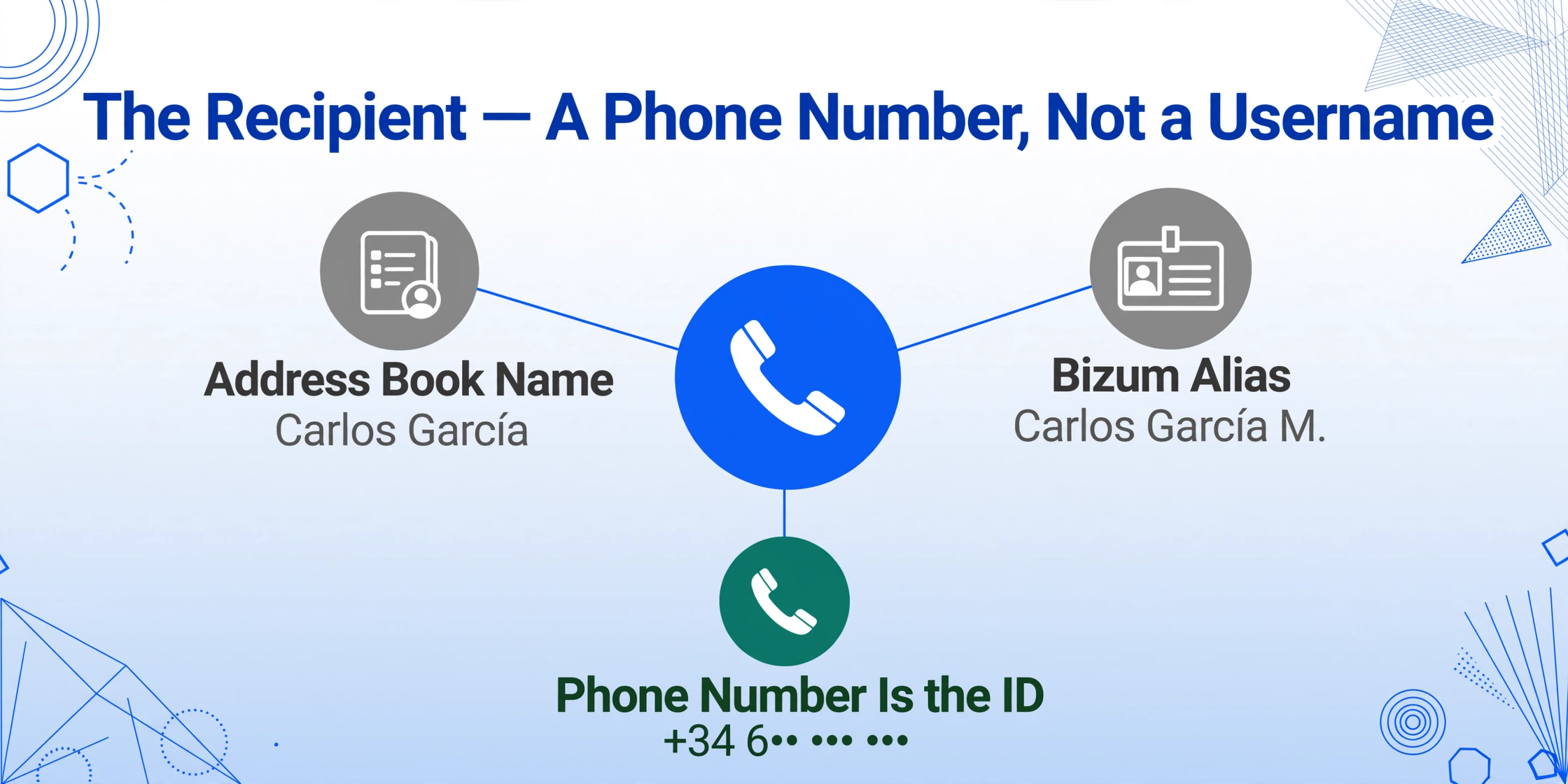
What you actually see on the confirmation depends on two layers of identity. First, your phone's address book supplies the contact name you have saved — "Carlos García" or "Marta López" — which appears as a familiar reference point. Second, Bizum performs a lookup through the banking network (via Redsys, the central aggregator) and returns the Bizum Alias, which is the recipient's full name followed by the initials of their two surnames — for example, "Carlos García M." — as registered with their bank. The Faster Payments Council's detailed research on Bizum's flow documents this step explicitly: the payer sees a screen confirming that the recipient can accept Bizum payments and that "it is indeed [Name] on the account" before the transaction completes.
The phone number itself is the authoritative identifier — it is what links the transaction to the recipient's bank account. Extraction targeting the recipient field should capture the phone number (or its masked representation, such as "******567") as the primary data point, treat the displayed name as a confirmatory label, and not confuse the two. This is especially relevant when the contact name saved in the sender's phone differs from the official name registered with the bank — a scenario that happens more often than not in personal and semi-professional transactions. A column definition that asks for "Recipient Phone Number" will return the identifying number, while "Recipient Name" will return whatever string the Bizum Alias system resolved to, which can then be matched against the phone number for verification.
The Concepto — Your Audit Trail in a 2026 Compliance World
Bizum allows the sender to attach a short note called the "concepto" (concept) when making a payment. On the confirmation screen, this concept appears as a text line — something like "Cena sábado" (Saturday dinner) or "Factura #1042" (Invoice #1042). The sender can also attach an image to the concept for additional context, such as a photo of the restaurant bill. Both the text note and the notification of an attached image are visible on the recipient's confirmation screen.
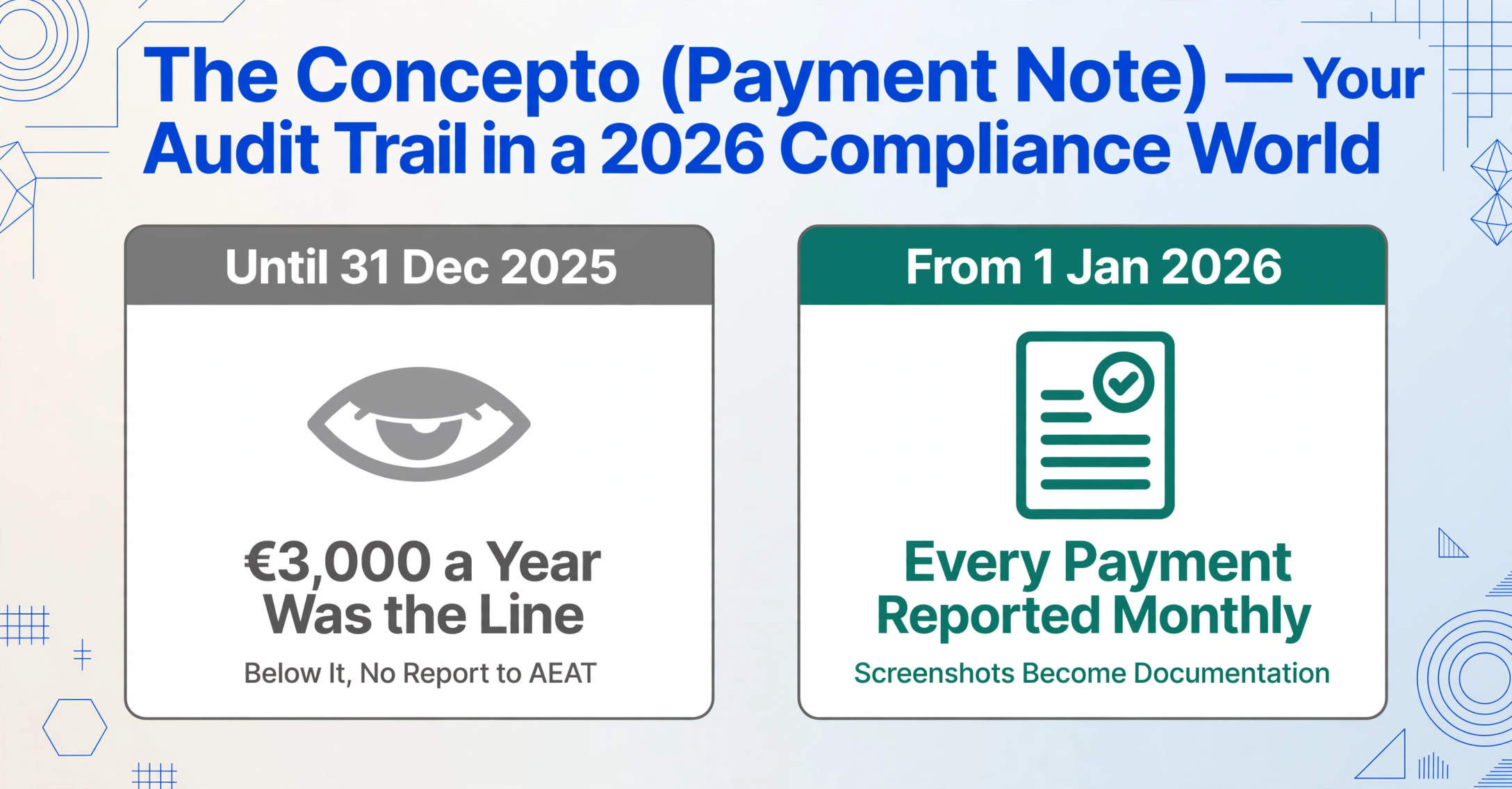
This concept field has gained new significance since January 2026. Real Decreto 253/2025, which took effect on 1 January 2026, requires Spanish financial institutions to report monthly to the Agencia Tributaria (AEAT) all payments received by autónomos (self-employed professionals) and businesses through Bizum, cards, transfers, and any other payment method associated with a phone number. The previous €3,000 annual reporting threshold has been eliminated — every single payment linked to economic activity is now visible to the tax authorities, reported in aggregate by the banks on a monthly basis. As Bizum itself states on its official "Bizum Hacienda" page, the obligation or exemption depends on the nature of the income, not the payment method used.
For autónomos receiving client payments through Bizum, this means the screenshots they keep are no longer just informal records — they are supporting documentation for income that the AEAT already knows about through the bank's monthly report. The concept field becomes the key link between a specific Bizum payment and a specific invoice. If the sender includes "Factura #1042" as the concept, the recipient has an audit trail connecting the €250 received to the numbered invoice issued. Without this concept, the payment appears as an undocumented income item — not a compliance violation in itself, but harder to reconcile when the AEAT cross-references the bank's aggregated monthly totals against the freelancer's declared income in Modelo 130 (quarterly IRPF prepayment) and Modelo 303 (quarterly VAT return). The practical recommendation from multiple Spanish advisory sources is to request that clients include the invoice number in the Bizum concept when paying, and to keep the screenshot as a supplementary record alongside the issued invoice.
FAQ
Can I batch-process Bizum screenshots from different Spanish banks together?
Yes. A Santander Bizum confirmation and a CaixaBank Bizum confirmation can be uploaded in the same batch and processed with the same column definitions. The extraction engine identifies each field by its semantic role on the screen — the amount by its currency formatting and visual prominence, the recipient by its proximity to identity labels, the concept by its free-text placement — so it does not need per-bank templates. The output table merges all transactions into a single set of rows, each one representing one Bizum payment regardless of which bank's app generated the screenshot. This is the same principle that applies to extracting fields from payment screenshots in general, and the payment app screenshot extraction manages all of Spain's Bizum banking formats with one column set: the data is there, and the extraction method follows the meaning of the field, not the visual layout of the interface.
Does a Bizum screenshot count as an official receipt for AEAT purposes?
A Bizum screenshot is evidence that a payment occurred, but it is not a substitute for a formal invoice (factura) under Spanish tax law. Autónomos are required to issue invoices that meet specific legal requirements — sequential numbering, tax base, IVA rate, client NIF/NIE — which a Bizum confirmation does not include. The screenshot serves as a supporting document that links a payment to its corresponding invoice. With the 2026 reporting rules in effect, keeping both the invoice and the Bizum confirmation with its concept field intact creates a clear documentary trail that matches what the AEAT already knows from the bank's monthly report.
What if the Bizum screenshot was sent through WhatsApp or email and compressed?
WhatsApp and email compression can reduce image quality, but the three fields on a Bizum confirmation are typically rendered in fonts large enough for a visual AI to read reliably. The amount appears in bold text on most bank interfaces; the recipient information is displayed in standard readable type; the concept field is the smallest but still legible on well-taken screenshots. For critical records, requesting the original screenshot directly rather than a forwarded copy reduces the risk of compression artifacts affecting the finer text.
How do I distinguish between a Bizum payment I received and one I sent when looking at a screenshot?
The key is the direction indicator in the confirmation. Most bank confirmation screens show a directional label such as "Recibido" (Received) or "Enviado" (Sent) alongside the transaction summary. The recipient's phone number orientation also gives it away — if the phone number on screen belongs to someone who paid you, that number is the sender's registered Bizum number. Contextual analysis that includes a "Direction" column in the extraction definitions can automate this classification: a single column definition paired with the AI's ability to read the Spanish directional label on the screen reliably distinguishes incoming from outgoing payments across a batch of Bizum screenshots.