PIX Payment Screenshots
How to Extract the Amount, PIX Key, and Recipient
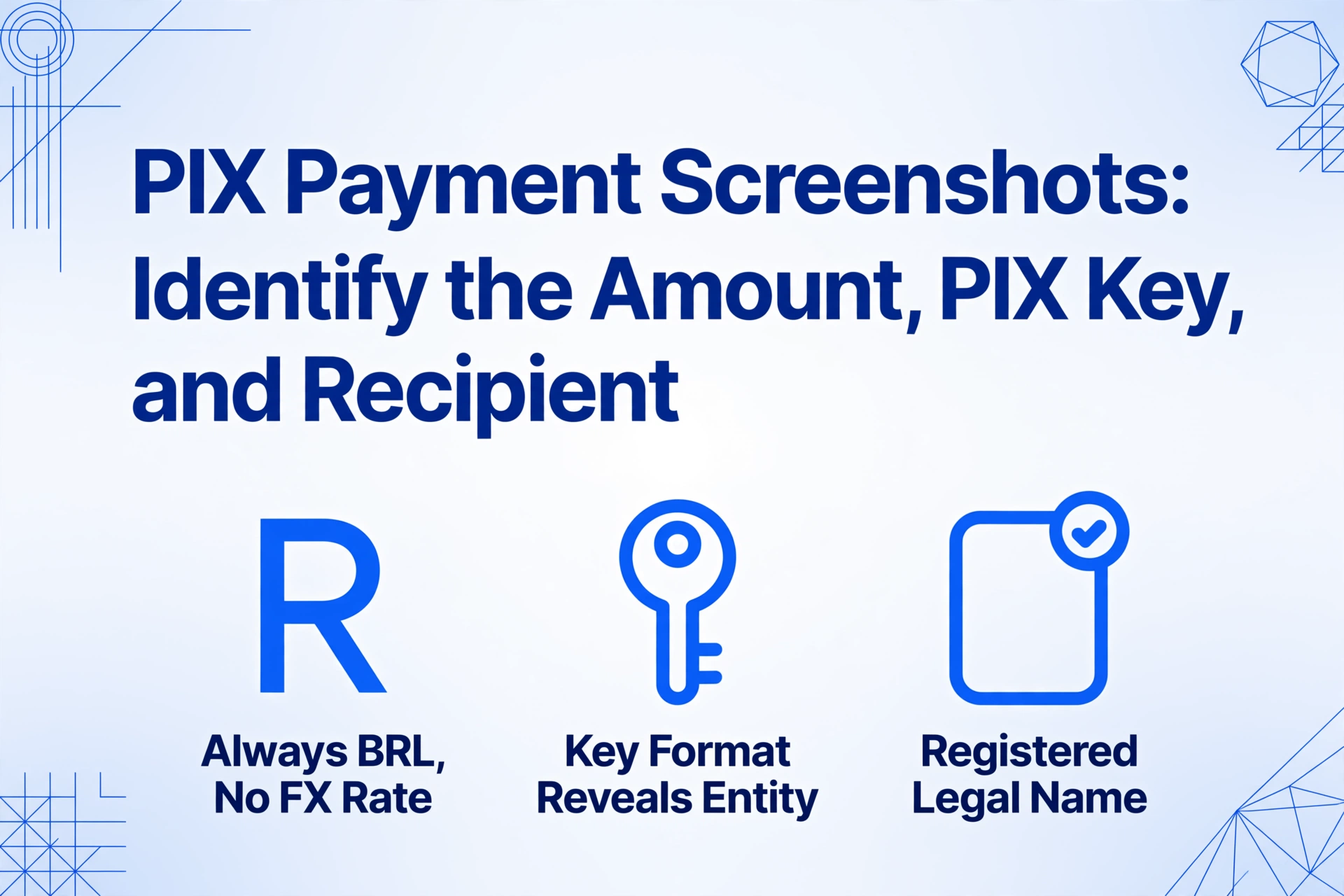
PIX is not an app you open. It is Brazil's instant payment infrastructure, built by the Banco Central do Brasil (BCB) and embedded into every Brazilian banking app — Nubank, Itaú, Bradesco, Banco do Brasil, Caixa, Inter, PicPay, Mercado Pago, and over 800 other institutions. When a customer sends you a photo of their phone screen showing a completed PIX transfer, that image comes from whichever bank they use, not from a unified PIX interface. Yet despite the visual variety across bank apps, every PIX confirmation screenshot contains the same three fields you actually need: the amount in BRL, the recipient's PIX key, and the name registered with that key. The challenge is not whether the data is there — it is knowing which of the five PIX key types you are looking at, and what that format tells you about the person or business on the other end of the transaction.
Key Takeaways
- 800 Brazilian banking apps display PIX confirmations differently — each bank redesigns its UI every 18 months, so a Nubank template is broken by the next Nubank update.
- A PIX key with a slash is a business — the CNPJ format (XX.XXX.XXX/XXXX-XX) reveals entity type without looking up the number, unlike CPF keys that signal individuals.
- Drop mixed screenshots from six banks into one batch without separating them — the extracted amount, PIX key, and entity type fill a single spreadsheet, no per-bank setup required.
The Amount — Always in BRL, Always Visible
The transaction amount is the most straightforward field on any PIX confirmation screenshot. Every PIX transaction is denominated in Brazilian reais (BRL). There is no multi-currency display, no exchange rate to factor in, no convenience fee deducted from the shown total. The value on the confirmation screen is exactly what moved from sender to recipient — and it is always the most visually prominent number on the page.
Where that number sits depends on the bank. On Nubank, the PIX confirmation shows the amount in large bold type on a purple-background card at the center of the screen. On Itaú, the confirmation appears as a green-banner overlay with the amount in white text at the top. On Bradesco, the amount appears inside a rectangular confirmation panel after the transaction processes. On Banco do Brasil, the PIX screen uses a blue-and-white layout with the amount highlighted in a summary bar at the bottom of the confirmation card. Across all these variations, the amount is unmistakable — it is the largest currency-denominated number on the screen.
There is one nuance worth knowing: PIX transactions are irrevocable. Once the sender confirms on their banking app using biometrics or PIN — the BCB mandates multifactor authentication for every PIX transfer — the money moves in seconds through the SPI (Sistema de Pagamentos Instantâneos) settlement system and cannot be reversed by the sender. The amount on the screenshot is final. The BCB's Special Return Mechanism (MED — Mecanismo Especial de Devolução) exists for confirmed fraud cases, but a standard PIX screenshot showing BRL 150.00 means BRL 150.00 left the sender's account and landed in yours. The National Financial System Network (RSFN), which encrypts and routes all PIX transactions, ensures the settlement is recorded with the central bank before the confirmation screen even renders.
Practical point for extraction: the amount field on a PIX screenshot is the highest-confidence extraction in the batch. It appears in large, machine-readable type on every bank's confirmation screen. Even if the screenshot was compressed through WhatsApp before reaching you, the amount remains reliably legible. The value to extract is the numeric total — without the "R$" prefix — which you can then map to a column named Amount (BRL) or Transaction Value in your output spreadsheet.
The PIX Key — Five Formats, One Field That Tells You Who the Recipient Is
This is the field that makes PIX screenshots unique among every payment app in this series. The PIX Key ("Chave PIX" in Portuguese — "chave" pronounced SHAH-vee) is the identifier the sender used to direct the payment. But unlike a Venmo @username, a GCash reference number, or a PayNow UEN, a PIX Key can take one of five distinct formats — and the format itself tells you whether the recipient is an individual or a registered business, before you even look at the recipient's name.
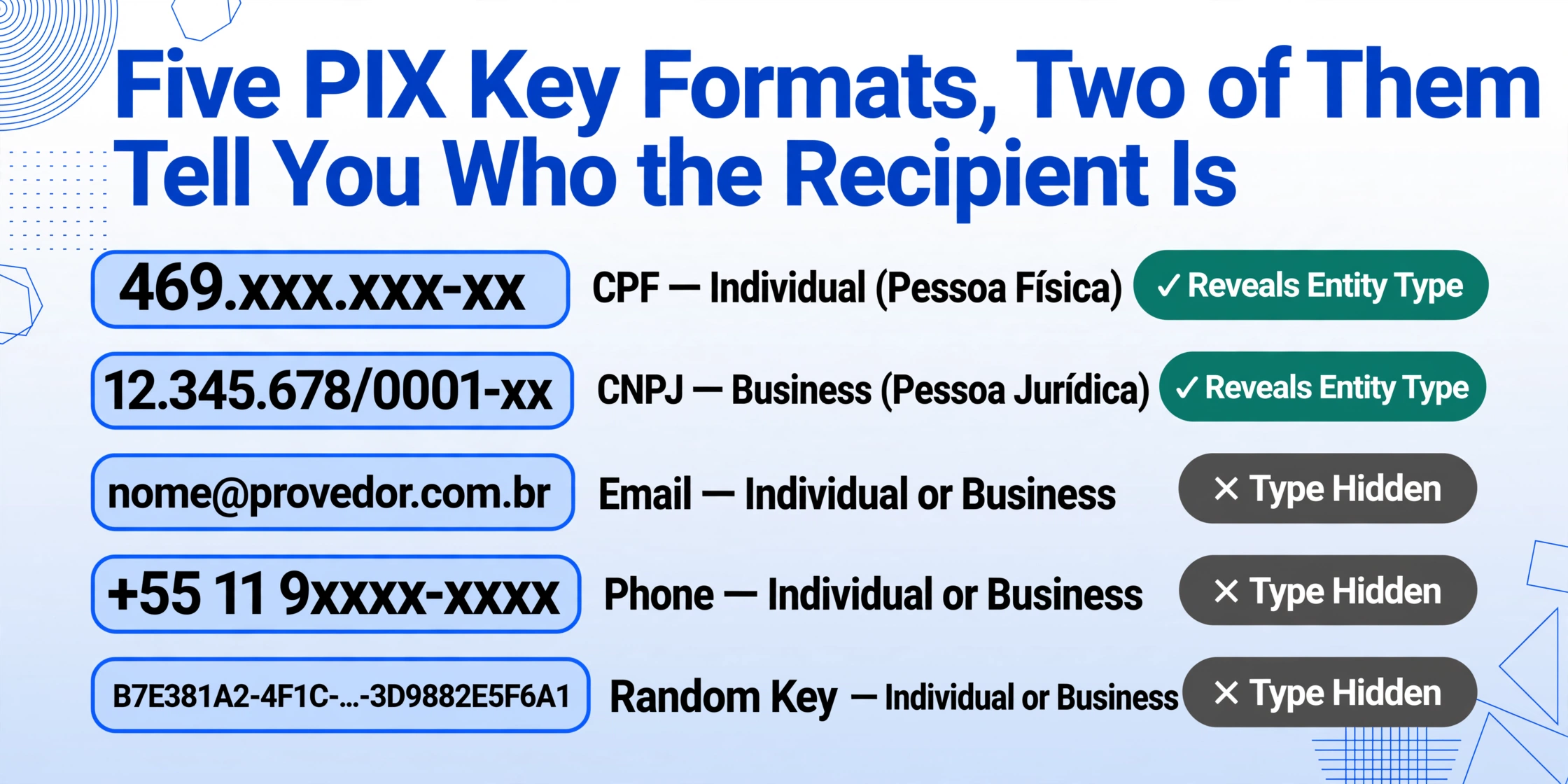
The five PIX Key types, as defined by the BCB and stored in the DICT (Diretório de Identificadores de Contas Transacionais) — the national PIX key registry:
| Key Type | Format Example | Who It Identifies | Tells You |
|---|---|---|---|
| CPF | 469.xxx.xxx-xx | Individual (Pessoa Física) | 11 digits, formatted as XXX.XXX.XXX-XX |
| CNPJ | 12.345.678/0001-xx | Business (Pessoa Jurídica) | 14 digits, formatted as XX.XXX.XXX/XXXX-XX |
[email protected] | Individual or business | Contains @ — format does not reveal entity type | |
| Phone | +55 11 9xxxx-xxxx | Individual or business | Starts with country code +55 — format does not reveal entity type |
| Random Key (Chave Aleatória) | B7E381A2-4F1C-...-3D9882E5F6A1 | Individual or business | UUID format — recommended by the BCB for businesses to prevent key portability |
The practical implication for anyone extracting data from a PIX screenshot: you are not looking for a single type of identifier like a username or an account number. You are looking at a categorical signal. A PIX key that reads 529.xxx.xxx-xx is a CPF — that recipient is an individual. A key that reads 28.141.932/0001-xx is a CNPJ — that recipient is a registered business with the Receita Federal. This classification is useful information in itself. If you are reconciling payments and need to separate personal from business transactions, the PIX key format is your first indicator — no need to cross-reference against a customer database.
How does this appear on the confirmation screenshot? Most Brazilian banking apps display the key used in the transaction alongside a label. Nubank shows "Chave PIX" followed by the key value on the transaction detail screen. Itaú labels it "PIX enviado para" ("PIX sent to") with the key. Bradesco's confirmation card shows the key type as an icon or abbreviation. The exact visual treatment varies by bank, but the key value itself is always present on the confirmation — because the sender typed or scanned that key to initiate the payment, and the confirmation screen is the receipt of that action.
Why this matters across your payment records. If you process payments from multiple PIX senders — clients paying invoices, customers sending deposits — the key format on each screenshot tells you something about the payer's relationship structure. A CPF key generally indicates a personal account (the individual's own tax ID). A CNPJ key means a business entity with its own tax registration. An email or phone key gives you less information about entity type, but the key itself is a searchable identifier you can use to match the transaction against your CRM or customer list. When you include a PIX Key Type column in extraction output — letting the AI classify the key as CPF, CNPJ, email, phone, or random based on format — you get a derived classification column without any manual lookup.
The Recipient Name — What the Bank's Lookup Returns
Every PIX confirmation screen also shows the recipient's registered name. When the sender enters or scans a PIX key, the sender's banking app queries the DICT — the BCB's centralized key registry — and retrieves the name associated with that key. This name appears on the sender's confirmation screen alongside the key, giving them one last chance to verify "this is the right person" before confirming the irreversible transfer.
The name shown is not a display name the recipient chose for social purposes. It is the name on file at the recipient's bank — typically the full legal name (for individuals with a CPF key) or the registered business name (for businesses with a CNPJ key). This means the recipient name on a PIX confirmation carries the same legal weight as the name on a bank account: it is the name the institution verified during account opening. For businesses registered as MEI (Microempreendedor Individual — "Micro-Individual Entrepreneur," pronounced MAY-ee), the name shown is the individual's name, not a trade name, because the MEI operates under the individual's CPF rather than a CNPJ.
On the screenshot, the recipient name typically appears next to the PIX key. Nubank displays it as a bold line above the key. Itaú places it in the "Recebedor" ("Recipient") field together with the bank name. Banco do Brasil shows it as part of the confirmation header. The name is almost always in plain, machine-readable text — it is not an image or a styled logo — which makes it a reliable extraction target.
The name combined with the PIX key gives you a dual check: the key tells you the recipient's identifier format, and the name tells you the legal entity behind it. A CNPJ key paired with "Padaria Oliveira Ltda." confirms a business payment. A CPF key paired with a personal name confirms an individual transfer. When both align, you have high confidence in the recipient identification.
What a PIX Screenshot Proves — and What It Doesn't
PIX is the dominant payment method in Brazil — an estimated 64 billion transactions in 2024 alone, with 160 million individuals and 19 million businesses registered, according to BCB data reported by Matera and PaymentsCMI. Over 76% of the adult population uses PIX. A screenshot of a PIX confirmation is the most common record a Brazilian freelancer or small business owner has of a completed payment. But that screenshot is not a formal receipt ("recibo" in Portuguese — pronounced hay-SEE-boo).
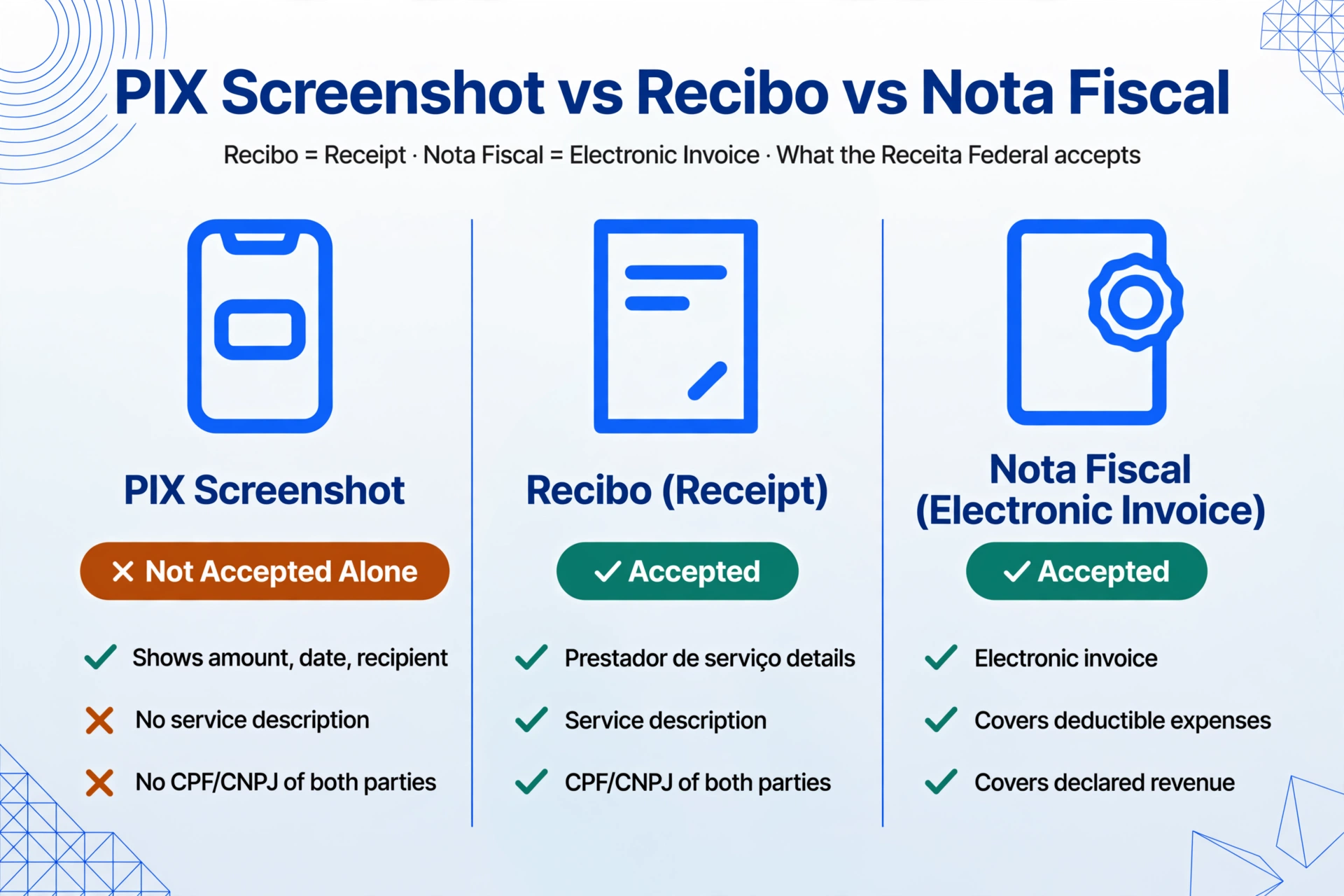
The Receita Federal does not accept a PIX screenshot alone as documentation for deductible expenses or declared revenue. For formal bookkeeping, Brazilian tax rules require a nota fiscal (electronic invoice) or a recibo with the prestador de serviço (service provider) details, service description, and CPF/CNPJ of both parties. This is especially relevant for the roughly 16 million MEI-registered micro-entrepreneurs in Brazil, who must file a monthly DAS (Documento de Arrecadação do Simples Nacional — "Simplified National Tax Collection Document") and an annual declaration of gross revenue. The MEI cannot deduct expenses against their fixed monthly contribution, but they still need to track revenue for the annual declaration — and the PIX screenshot is the primary trace of that revenue coming in.
Where the PIX screenshot does carry value: it is the bridge between a payment event and the formal documentation. The amount, date, PIX key, and recipient name extracted from a screenshot give you the structure to create your own records — a spreadsheet row, an entry in ContaAzul (Brazil's leading cloud ERP for small businesses, with roughly 25% of the SME cloud ERP market), Omie (a close competitor with similar PIX integration and NF-e/NFS-e support), or Nibo and Qipu (popular among freelancers and MEIs). These platforms can handle the compliance side — generating DAS payment slips and organizing revenue for annual filing — but they need the transaction data first. That data starts on the screenshot.
On r/brasil and r/investimentos, Brazilian users regularly discuss the tension between PIX convenience and recordkeeping: "I received 12 PIX payments this month from different clients — I have the screenshots but turning them into a spreadsheet for my accountant takes me an afternoon every month" is the recurring sentiment. The screenshot is the data source. The extraction step makes that data usable without retyping each amount and key by hand.
Processing PIX Screenshots from Different Banks in One Pass
The fragmentation across Brazilian bank apps creates a practical problem for template-based extraction. If you draw a rectangle around where the amount sits on a Nubank screenshot, that rectangle points to empty space on an Itaú screenshot — because Itaú places the amount in a green overlay at the top while Nubank puts it in a centered purple card. A Bradesco confirmation panel uses yet another layout, and Banco do Brasil's blue-and-white summary bar is different again. Maintaining a separate template for every bank is not scalable, especially when banks update their app UIs regularly — as Nubank, Itaú, and Bradesco all did in the past 18 months.
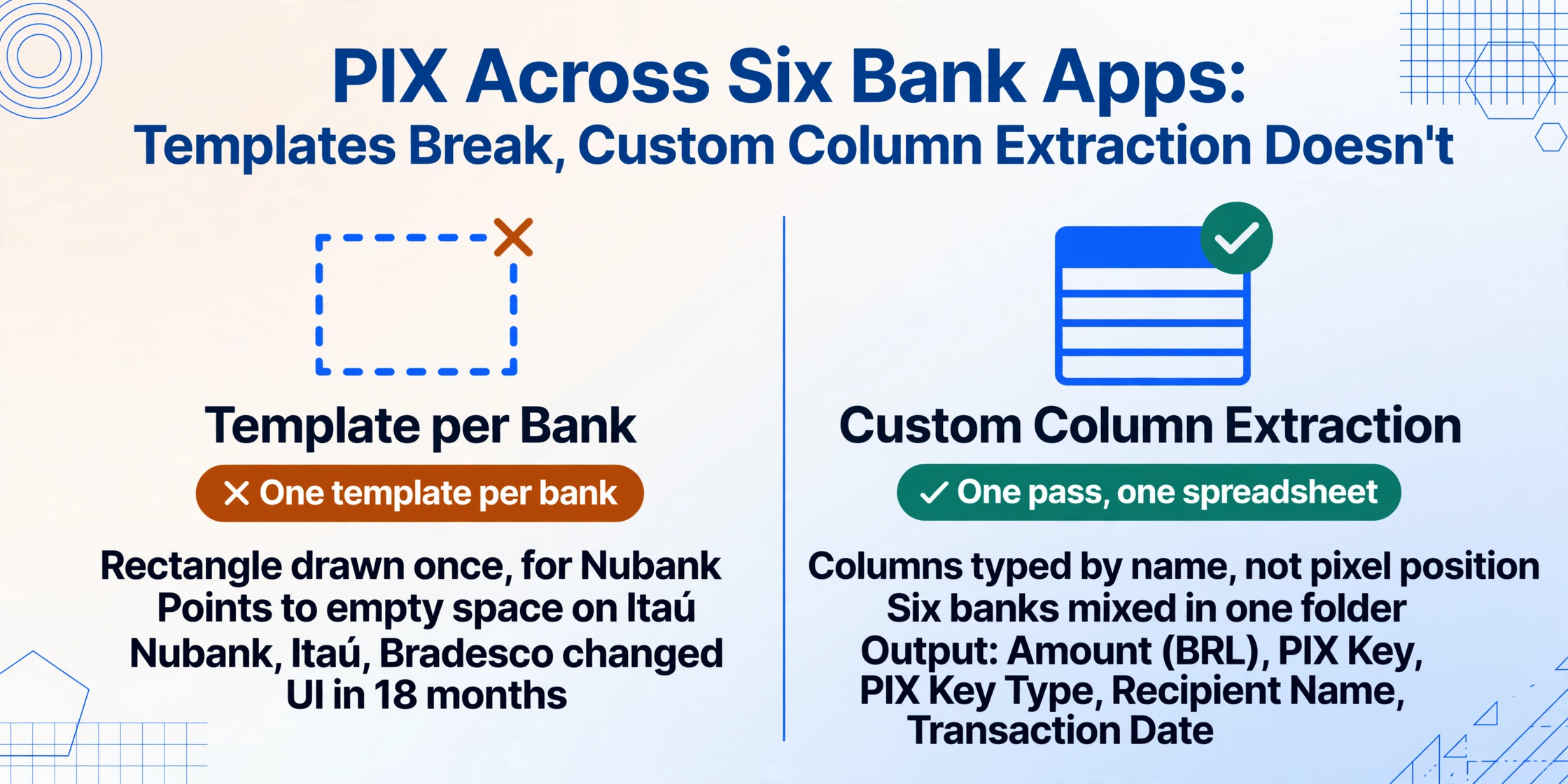
Custom Column Extraction — where you type the column names you want and the AI locates each value by understanding its semantic meaning rather than its pixel position — handles this fragmentation without per-bank configuration. You define output columns like Amount (BRL), PIX Key, PIX Key Type, Recipient Name, and Transaction Date. Upload a batch of screenshots from Nubank, Itaú, Bradesco, Banco do Brasil, Caixa, and Inter — mixed together in one folder — and the extraction engine reads each screenshot, identifies the amount as the largest currency value in the confirmation region, identifies the PIX key by its format and associated label, classifies the key type by its pattern, and outputs a unified spreadsheet with one row per transaction. No templates. No per-bank setup.
The PIX Key Type column is a particularly useful addition for Brazilian users reconciling mixed payments. When the AI classifies each key as CPF, CNPJ, email, phone, or random based on format, you can filter or pivot on this column to separate individual payments (CPF keys) from business payments (CNPJ keys) without manual review. This single derived field transforms a stack of screenshots into a categorized payment log.
The workflow mirrors what applies to other payment platforms in this series, and the payment screenshot reader sits behind all of them: payment screenshots share the same essential problem — the data is visible, but not structured for reuse. The difference with PIX is specifically the key format classification, which no other payment system provides as built-in metadata about the recipient. For comparison, PayNow's UEN system in Singapore similarly carries entity information through its identifier, but PayNow has exactly two identifier types (mobile number and UEN) while PIX operates with five — and the random key (chave aleatória) has no parallel in any other payment system covered in this series. The principle of extracting entity type from the identifier format applies to both, but PIX's five-type key system makes the classification question more central to extraction accuracy.
FAQ
Can I distinguish a CPF from a CNPJ on a PIX screenshot without looking up the number?
Yes — by the format. CPF is 11 digits formatted as XXX.XXX.XXX-XX. CNPJ is 14 digits formatted as XX.XXX.XXX/XXXX-XX, always with a slash after the first 8 digits and 4 digits after the dash. The slash is the visual differentiator: if the PIX key contains a "/", it is a CNPJ (business). If it follows the XXX.XXX.XXX-XX pattern, it is a CPF (individual). Email keys contain "@", phone keys start with "+55", and random keys are longer UUID-style strings with hyphens. When you add a PIX Key Type column to your extraction definitions, the AI makes this classification automatically based on the format patterns.
Does a PIX screenshot work as a receipt for the Receita Federal?
Not alone. The Receita Federal requires a formal recibo or nota fiscal for deductible expense documentation and declared revenue. A PIX screenshot confirms a transaction occurred — amount, timestamp, recipient — but does not include the service description, the purpose of payment, or both parties' full identification details that a proper recibo requires. The practical workflow: extract the amount, date, and recipient from each PIX screenshot into a spreadsheet; then issue or request a formal recibo for each transaction. The extracted spreadsheet serves as the index; the recibos are the supporting documentation. For MEI businesses filing the annual declaration, the DAS payment itself is also tracked separately.
Can I process PIX screenshots from multiple banks in a single batch?
Yes. Because extraction works by understanding field semantics rather than matching a pixel template, you can upload a folder containing screenshots from Nubank, Itaú, Bradesco, Banco do Brasil, Caixa, Inter, PicPay, and Mercado Pago — all in one batch — and the output merges every transaction into a single table with consistent columns. Each row carries the extracted values and a reference to the source file. This is the same screenshot-to-spreadsheet workflow that applies across payment screenshots in general, adapted for PIX's specific field structure and key type classification.
Every PIX screenshot — whether from Nubank, Itaú, Bradesco, or any of the 800+ Brazilian institutions — contains the same three data points: an amount in BRL, a PIX key that tells you who received the money and what type of entity they are, and a recipient name verified against the BCB's DICT registry. The only missing step is getting those three fields out of the image and into a row in your spreadsheet, alongside every other payment you need to track this month.
Try It on Your Own Screenshot