The Paper Passbook Problem
Costs Japanese SMEs More Than They Know
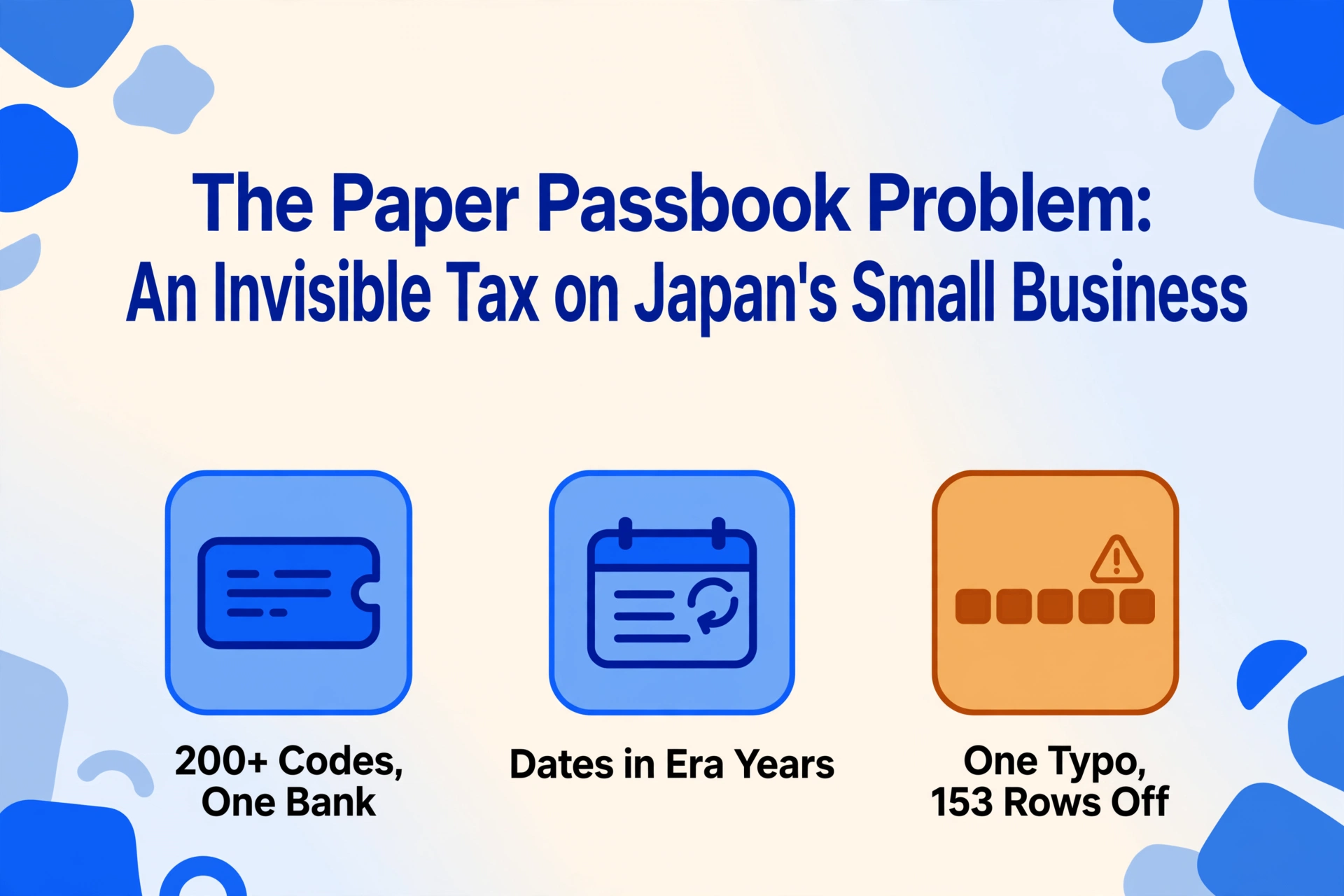
In 2024, 42.8% of consumer payments in Japan went cashless — a record high driven by PayPay, Suica, and government rebates. Walk into any Japanese bank, however, and the ATM still spits out a paper booklet. The bank passbook (通帳, tsūchō) — a printed ledger updated line-by-line at machines that date back to the 1970s — remains the primary record of financial activity for roughly 120 million Japan Post Bank accounts and tens of millions more across megabanks like MUFG and SMBC. For the small business owner who files a blue tax return (青色申告) requiring double-entry bookkeeping in Yayoi Accounting (弥生会計) or freee, every one of those printed lines must become a digital journal entry. The bridge between the two is a human being at a keyboard, staring at a 5 cm × 7 cm column of abbreviated Japanese codes and trying to decide what each one means.
Key Takeaways
- Every passbook line demands that you first decode an era year and a bank-specific abbreviation code before you can type a single digit — the typing was never the bottleneck, the hidden translation work was.
- Miss a regular ATM visit and 合計記帳 permanently erases individual transactions from your passbook — a space optimization that destroys your data exactly when quarterly financial statements depend on it.
- One misread digit on any passbook line silently corrupts every balance that follows across every subsequent page — and the error stays hidden until your accounting software refuses to reconcile.
The Passbook Paradox: A 1970s Document in a 2024 Accounting Workflow
Japan is the only developed economy where physical bank passbooks remain a mass-market financial instrument. Walk into an MUFG or SMBC branch and the ATM will print your latest transactions directly into a bound booklet — five columns across a dot-matrix print head: date (月日), description code (摘要), withdrawal amount (お支払金額), deposit amount (お預り金額), and running balance (差引残高). The format was designed in an era when bank tellers verified balances by hand and the concept of a CSV export did not exist. It has not changed meaningfully since.
Yet the accounting software that Japanese small businesses use — Yayoi Accounting (弥生会計), used by over 700,000 businesses; freee, the cloud accounting market leader with 450,000 paying customers; and MoneyForward Cloud, with 442,000 paying businesses — runs on a fundamentally different assumption. It assumes transaction data arrives digitally. CSV import, bank API feed, or automated bookkeeping rules. The passbook violates every one of those assumptions at once.
This isn't a "digital literacy" problem or a "Japan is behind" cliché. It's a document-format mismatch: the infrastructure that records financial activity and the infrastructure that books it were built 50 years apart by different industries that never had to talk to each other — and a person is left to bridge the gap by reading and retyping.
The Japan Post Bank alone holds approximately 120 million accounts — nearly one per citizen. MUFG, SMBC, and Mizuho collectively hold tens of millions more. Most of those accounts still issue a paper passbook by default. Even customers who have activated internet banking often hold both: the digital interface for daily checking, the passbook for the definitive record. For the sole proprietor (個人事業主) filing a blue return (青色申告) — which grants a ¥650,000 special deduction under Article 143 of the Income Tax Act in exchange for proper double-entry bookkeeping — every transaction on every passbook page must be traceable to a journal entry. The passbook is not optional. It is the audit trail.
The structural problem, put plainly: a document that was designed for a human teller to verify a balance by eye is being used as the primary data source for software that was designed for machine-readable transaction feeds. The mismatch is absolute, and the cost of it lands entirely on the person at the keyboard.
The Real Work Isn't Typing — It's Translating
The standard framing of the passbook data entry problem is "it takes too long to type." That framing is wrong, and it's wrong in a way that hides where the effort actually goes. Typing speed is not the bottleneck. The bottleneck is that every line on a passbook requires a series of cognitive translations before a single keystroke can be made.
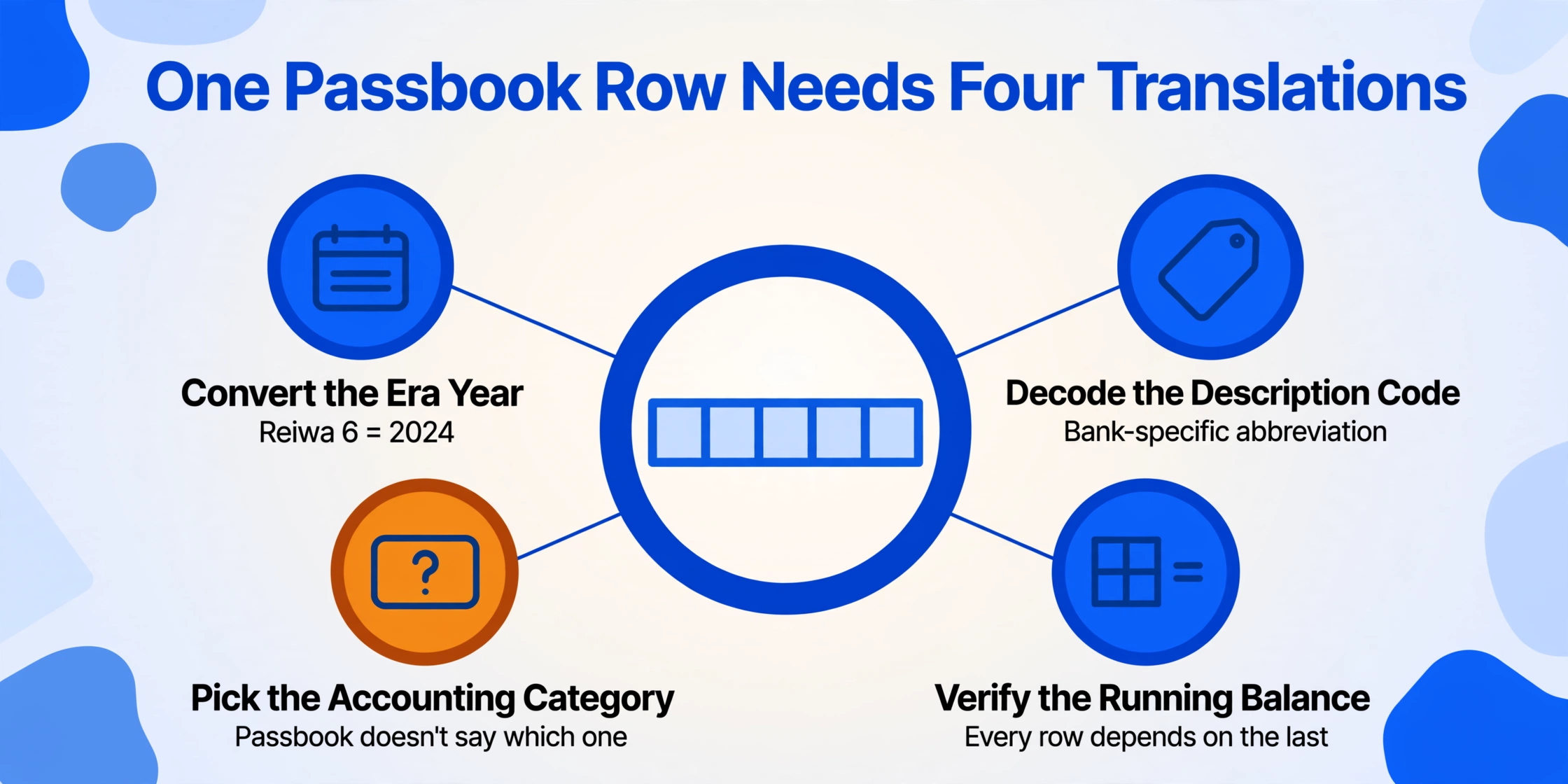
Read a single passbook row out loud to yourself and count the decisions:
Decode the era year. The passbook prints "R6.3.15" — Reiwa 6, March 15. Reiwa 6 is 2024 in the Gregorian calendar. But Reiwa began on May 1, 2019, so Reiwa 1 only has 8 months. And Heisei 31 (which ran January–April 2019) is also 2019. No calculator app does this conversion; you do it in your head.
Decode the description code. The 摘要 column reads "振込IB1". That's MUFG's internal abbreviation for an internet banking transfer into this account. But at Japan Post Bank (ゆうちょ銀行), a salary deposit shows as "振込" — or sometimes just "給与" if the employer sent it via a payroll-specific electronic message. The same economic event appears under different labels depending on which bank printed it.
Decide the accounting category. "カード" (card) on a passbook line could mean an ATM withdrawal with a cash card, a credit card payment deduction, or a debit card purchase — three different accounting treatments. The passbook doesn't tell you which one. You have to remember, or cross-reference a receipt.
Verify the running balance. The passbook's 差引残高 should equal the previous balance minus this row's withdrawal plus this row's deposit. One misread digit — a ¥8,000 withdrawal mistaken for ¥80,000 — and every subsequent balance on every subsequent page is mathematically wrong. This verification needs to happen on every single row.
Typing the five fields takes seconds. The four decisions above take the real time, and they're the same four decisions every single row demands, regardless of how fast you type. The person doing passbook data entry is not a data entry clerk. They are a real-time interpreter of banking code abbreviations, era-year mathematics, and accounting category logic — working from a document that was printed by a machine designed before any of those translation layers existed.
The same structural gap — where a document format and a destination system speak different languages, leaving a person to translate — shows up across national boundaries. UK freelancers face a nearly identical mismatch when they translate bank statements and invoices into SA100 form boxes, and Australian payroll teams encounter it when PAYG summaries arrive in formats no payroll software reads natively. The Japanese passbook just takes the same structural friction and multiplies it by a factor unique to Japan: a description code system that changes by bank.
Why Every Bank Speaks Its Own Language: The 摘要 Code Problem Nobody Talks About
The description column (摘要) on a Japanese passbook is the most information-dense field on the page — and also the most opaque. It's not a human-readable description of the transaction. It's a bank-specific abbreviation code, printed in a dense mix of kanji, katakana, half-width katakana, and alphanumeric characters, often truncated to fit within roughly 12–16 character positions on a narrow column printed by an ATM dot-matrix head.
MUFG Bank alone publishes a reference document listing over 200 distinct 摘要 codes — and those are just the most common ones. A sampling of what the same transaction type looks like across the main passbook-issuing institutions:
| Transaction Type | MUFG Passbook 摘要 | Japan Post Bank 摘要 | What It Actually Means |
|---|---|---|---|
| Salary deposit | 給料 | 振込 | Employer payroll transfer — but Japan Post Bank ATMs can't display the "salary" label because they don't process the payroll-specific electronic message format that MUFG's system does |
| Internet banking transfer (incoming) | 振込IB1 | 振込 | Same economic event, completely different abbreviation — MUFG encodes the channel (IB = internet banking), Japan Post Bank doesn't |
| ATM cash withdrawal | カード | 現金 | MUFG uses the method (card), Japan Post Bank uses the result (cash) — the passbook user has to know which convention each bank follows |
| Automatic utility payment | 口座振替 | 自動支払 | Same function, different terms — both mean "automatic account debit" but use different Japanese words |
| Aggregated recording (合計記帳) | 合計記帳 | (varies) | Multiple unprinted transactions collapsed into a single line — individual transaction details are permanently lost from the passbook |
This isn't just a minor inconvenience. A small business owner keeping three passbooks — MUFG for daily operations, Japan Post Bank (ゆうちょ銀行) for tax reserves, and a regional credit union (信用金庫) for payroll — faces three different description-code vocabularies. The same economic event appears under different names on each passbook, and no unified decoder exists. The business owner becomes a cryptographer as an unpaid side job.
On Yahoo 知恵袋, Japan's largest Q&A forum, one working accountant asked the question directly: "I have to manually enter all of our clients' passbook transaction history into Excel. Manual entry takes an enormous amount of time. Is there any method to convert passbook transaction history to Excel without using accounting software like MoneyForward or freee?" The top-voted answer was pragmatic: ask the client to sign up for online banking and download the data. The second answer was more honest about reality: "OCR exists, but you still need to check for reading errors. The checking alone takes considerable time."
Aggregate Entry (合計記帳): The Bank's Solution That Creates Your Problem
There is a feature built into the Japanese passbook system that turns an inconvenience into a structural penalty for anyone who falls behind on recording. It's called aggregated recording (合計記帳, gōkei kichō), and it rewards the diligent and punishes the busy with equal mechanical indifference.
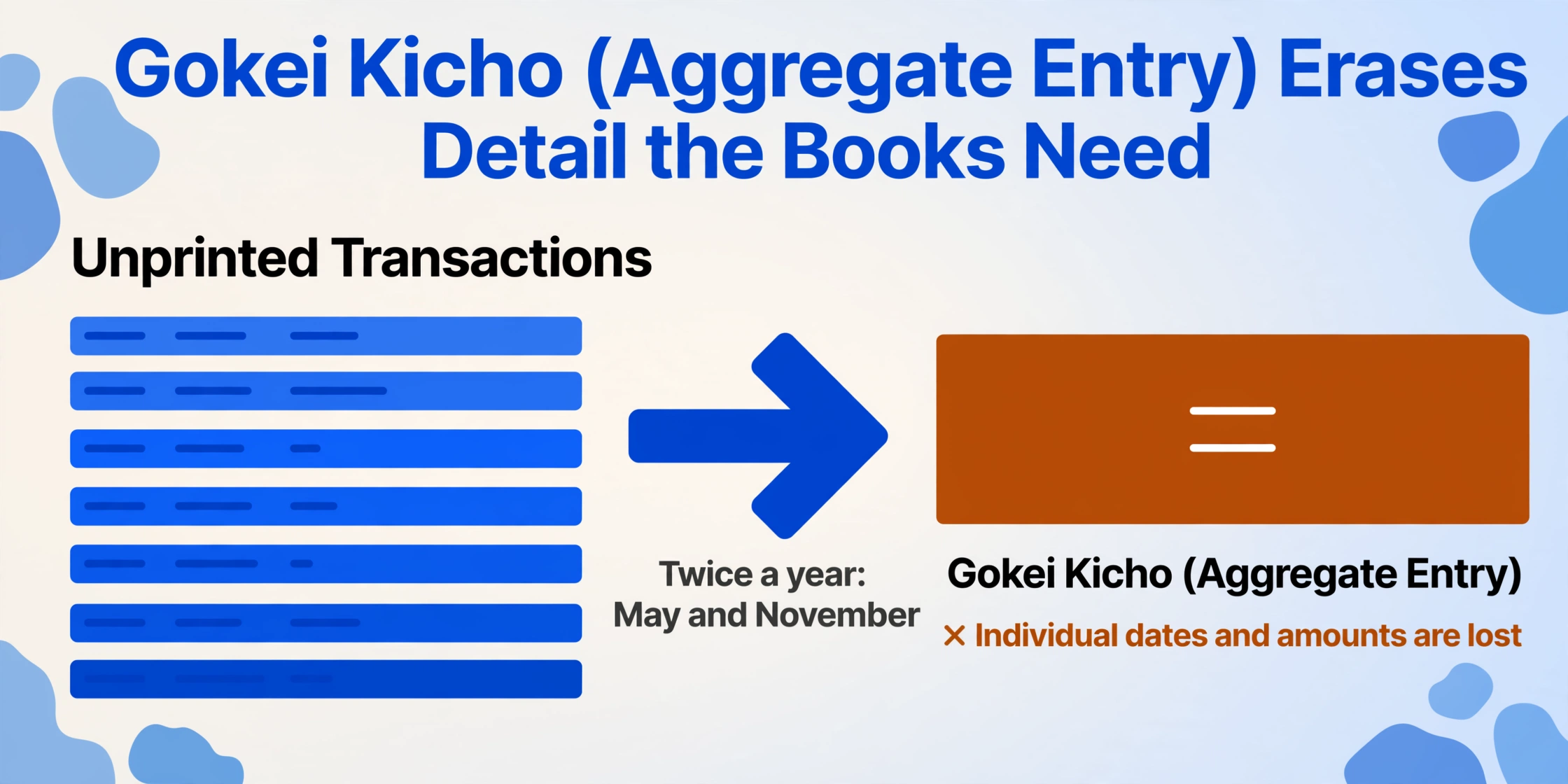
Here's how it works at MUFG, and most other Japanese banks operate a similar mechanism. If transactions accumulate in your account without being printed into the passbook — because you haven't visited an ATM to update it — the bank eventually consolidates them. Twice a year, on the third Saturday of May and November, MUFG scans all accounts. Any account with unprinted transactions exceeding a threshold count at the end of March or September gets those transactions collapsed into a single line: 合計記帳. One line showing the total number of transactions and their combined net amount. Every individual transaction — the dates, the amounts, the description codes — is permanently lost from the passbook.
The consequences for someone who relies on the passbook as their primary record:
- The lost transactions can't be reconstructed from the passbook. The individual lines never existed on paper. They existed only as unprinted electronic records that were overwritten by the aggregation process.
- March and September are precisely the months small businesses prepare quarterly or semi-annual financial statements. The aggregation trigger aligns with the exact moment a business owner needs disaggregated data most.
- Contesting a specific transaction becomes impossible. If ¥200,000 was withdrawn from the account across six transactions that got aggregated, you can't tell which withdrawal was which, or when each happened, or what the description codes were. In a tax audit, that's a documentation gap.
MUFG's own website mentions this system almost as an afterthought — buried in a footnote that says "please update your passbook regularly to avoid aggregated recording." The tone assumes a retiree visiting the bank every week to print the latest lines. For the small business owner running a restaurant, a workshop, or a consultancy who gets to the bank once a month at most, 合計記帳 is a tax on their time that compounds: miss a visit, lose data permanently, and face a gap in the books that can't be closed without requesting a transaction history printout from the bank — which, helpfully, takes about a week and arrives by regular mail.
Japan Post Bank processes this differently — not through the same fixed-date aggregation but through passbook page limits. A standard passbook booklet holds roughly 50 to 100 printed transaction lines depending on the bank. When the pages run out, the ATM automatically issues a new passbook. Transactions between the last printed line in the old passbook and the first printed line in the new one are summarized on the new passbook's opening page. The individual transactions in between? Gone from paper. The new passbook starts fresh with a carried-forward balance and no history.
The passbook was designed for a world where people visited the bank weekly and manually verified each new line. In that world, 合計記帳 is a reasonable space optimization. In the world where the passbook is the source document for a digital accounting workflow, it's a data-destruction mechanism — and you can't automate your way around data that no longer exists on the page.
Why Apps Alone Can't Bridge the Gap
Japanese personal finance and accounting apps — MoneyForward ME (17.8 million users), Zaim, Moneytree, and the business-grade freee and Yayoi — all offer bank account linking via API. For accounts where internet banking is activated, new transactions flow into the app automatically. For a household tracking monthly spending, this largely solves the going-forward problem.
For the small business owner preparing a tax return, it doesn't come close. Three reasons:
The pre-enrollment gap
API-linked apps pull transactions from the day of enrollment forward. They do not — and cannot — reach backward into the years of transaction history that exist only on passbook pages printed before internet banking was activated. A business owner who signed up for MUFJ internet banking in 2024 still has 2022 and 2023 sitting in a physical passbook in a drawer. Those years still need to be manually entered for a blue tax return, and the apps offer zero help for this.
The ecosystem lock-in problem
Even for transactions that do flow into apps, getting the data back out in a format another tool can use is not straightforward. MoneyForward exports CSV data, but the field mappings and category assignments are MoneyForward-specific. Moving from MoneyForward to freee means re-categorizing every transaction. Moving from a personal app like Zaim to an accounting platform like Yayoi means starting over entirely. The apps add convenience, but they also add a new layer of format dependency.
The handwritten-entry blind spot
Passbooks in Japan often contain handwritten additions — a note penciled next to a mysterious "振込" line identifying it as a specific client payment, or a correction written in when the balance doesn't match. Scanning apps like MoneyForward's receipt OCR are not designed to read handwriting layered on top of machine-printed passbook entries, especially when the handwriting crosses the narrow column boundaries.
The apps are good at what they do: showing you what happened recently and helping you categorize it. They were not designed to be the bridge between a 1970s-era printed document and an accounting system that expects structured data. That bridge is still a person — and the apps, for all their convenience, have only made the person more aware of how far the two ends of the bridge are from each other.
Where Errors Compound: The Running Balance Cascade
Among all the documents a small business owner handles — invoices, receipts, purchase orders, delivery notes — the passbook is unique in one critical dimension: its data rows are not independent. Every row's running balance (差引残高) depends on every previous row being correct. A wrong digit on line 47 of a 200-line passbook doesn't just affect line 47. It corrupts lines 48 through 200. Every balance printed after the error will disagree with reality.
This creates a verification burden that other document types don't impose. With a stack of invoices, you can process each one independently — an error on invoice 23 doesn't affect invoice 24. With a passbook, you either verify the balance on every single row (checking that Previous Balance + Deposit – Withdrawal = Current Balance) or you accept that any error in the batch silently cascades forward. Most small business owners, working late at night after the shop is closed, take the second option without realizing the risk.
This isn't a hypothetical. On Yahoo 知恵袋, a user described their workflow: manually typing passbook data into Excel and cross-checking totals against bank statements. The responders offered solutions ranging from CSV downloads to OCR, but the underlying problem — that a single mistake propagates undetectably until the final total doesn't match — was acknowledged as inherent to the format. One respondent noted that even with OCR, "you still need to check for reading errors, and the checking alone takes considerable time." For a passbook, "checking" doesn't mean spot-checking a few rows. It means verifying the balance cascade on every line.
The 和暦 Problem: When the Year Changes Every Time the Emperor Does
Japan uses two parallel calendar systems. The Gregorian calendar that the rest of the world uses, and the Japanese era calendar (和暦, wareki) that names years after the reigning emperor. A passbook prints dates in the era calendar format: 令和6年3月15日 (Reiwa 6, March 15). The accounting software — Yayoi, freee, MoneyForward — can accept either format, but it cannot convert between them without being told which era each date belongs to. And when the era changes, the year numbers reset to 1.
The practical difficulty is not the existence of the dual system. It's the boundary years — the years when an era changed mid-year and both the old and new era labels refer to the same Gregorian year:
| Gregorian Year | Era Year on Passbook | Conversion Challenge |
|---|---|---|
| 1989 | 昭和64年 (Jan 1–7) / 平成元年 (Jan 8–Dec 31) | Showa 64 lasted exactly 7 days; Heisei 1 started on January 8. A passbook line dated 昭和64.1.5 = 1989. A passbook line dated 平成1.12.20 = also 1989. Same calendar year, two different era labels. |
| 2019 | 平成31年 (Jan 1–Apr 30) / 令和元年 (May 1–Dec 31) | The current transition. A passbook page printed in April 2019 says 平成31年. A page printed in May 2019 says 令和元年. Both are 2019. Sorting transactions chronologically across the era boundary means the person entering data has to mentally map 平成31.4.30 → 令和1.5.1 as consecutive dates. |
| 2026 (current year) | 令和8年 | Simpler now, but the next transition — whenever it comes — will create the same boundary problem. A passbook spanning the transition will have two different era labels for the same tax year. |
For a business that keeps three passbooks and files a blue tax return, the era problem compounds with the description-code problem. You're not just converting Reiwa 6 to 2024. You're doing it while also decoding whether "振込TB1" on the MUFG passbook is the same deposit as "振込" on the Japan Post Bank passbook — during a month when the era label on one passbook might differ from the other if one was printed just before and one just after a passbook renewal.
The era calendar is not going anywhere. Government forms, tax documents, and bank statements all use it. The accounting software that a small business must feed accepts either format. But the conversion between them remains a human step — and each conversion is a chance for a year to be misaligned, creating transactions that appear in the wrong tax year.
The Way Across Isn't Faster Typing — It's Removing the Translation Layer
If the structural problem is a manual translation layer between passbook pages and accounting software, the solution cannot be "type faster" or "get a better app." It has to be a way to extract passbook data that bypasses the translation step — that reads the passbook's five-column format and produces structured data directly, without requiring the person to decode bank-specific description abbreviations, convert era years, or manually verify running balances.
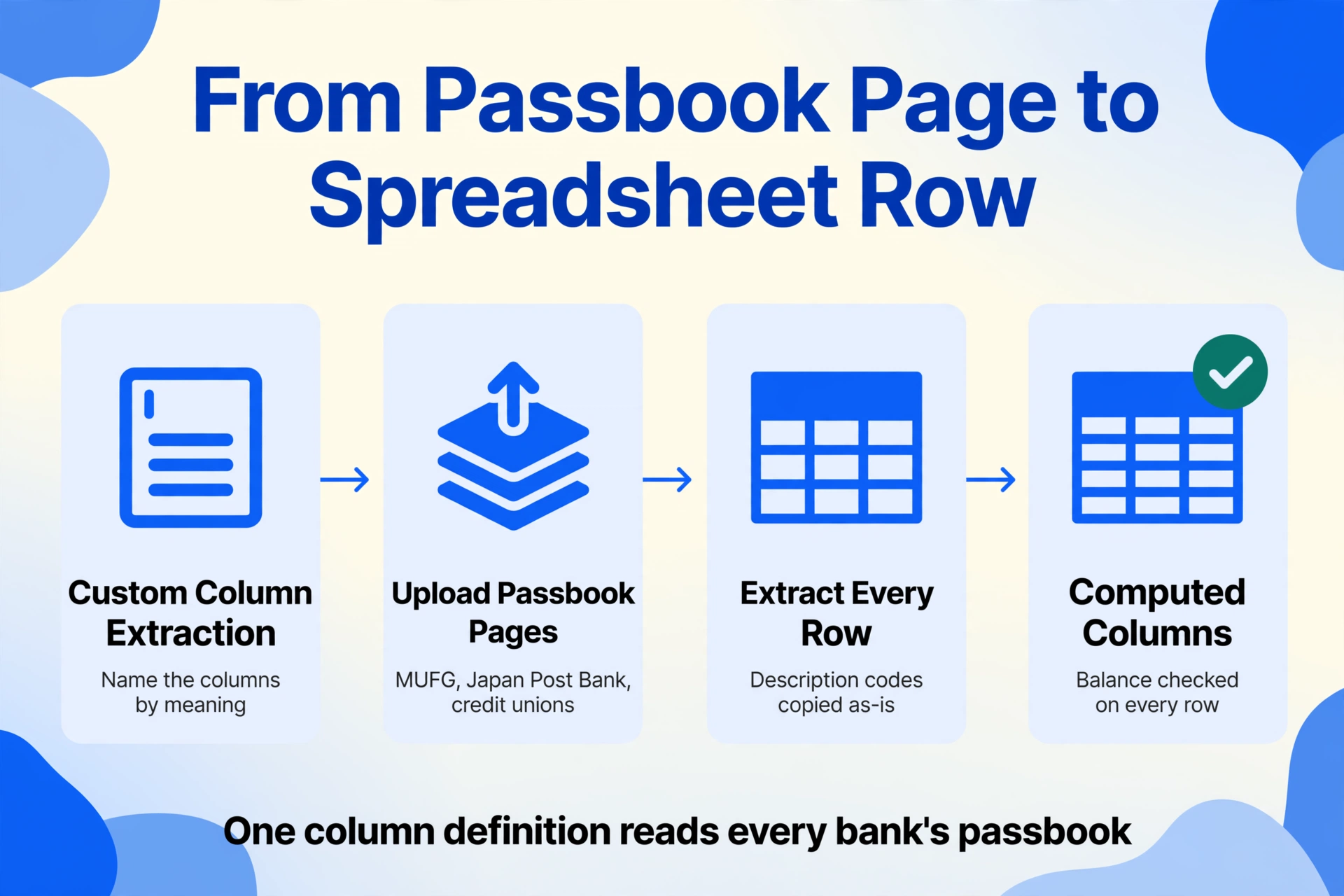
The approach that fits this problem is semantic extraction: you tell a tool what the columns are by meaning — "Date," "Description," "Withdrawal Amount," "Deposit Amount," "Balance" — and it reads the passbook page and finds each value by understanding the document layout, not by matching a fixed template. Because Japanese passbook formats are standardized across banks (five columns, same order, same general layout), a semantic model can read pages from MUFG, Japan Post Bank, and a regional credit union with the same column definition — the only thing that changes per bank is the description codes, and those are just text the tool extracts as-is for you to categorize later.
That's the core idea behind Custom Column Extraction. Instead of drawing boxes around fields or creating parsing rules per bank, you type the column names you want and upload the passbook pages. The AI reads each page, locates the five columns by understanding the tabular layout, and populates a spreadsheet row per transaction. Add a computed column — for example, "Balance Check (Previous Balance + Deposit – Withdrawal)" — and the tool flags every row where the running balance doesn't add up, so you know exactly where an error occurred before the data enters your accounting software.
Files are processed securely and not stored.
The full step-by-step extraction workflow — from uploading the first passbook page to getting a formatted spreadsheet — is documented in the Japanese passbook extraction guide. And for handling multiple passbooks across multiple years, the batch processing approach merges pages from different banks into a single spending ledger, with all era dates converted and all balances verified in one pass — which matters when three passbooks × three years means 280 transactions, 1,400 data points, and a manual merge step that single-page extraction leaves on your desk.
None of this makes the passbook go away. Japan's banking infrastructure will keep printing them for years to come. What changes is whether the person on the other end of the ATM has to become a translator of bank codes and an auditor of cascading balances every month — or whether the extraction happens in seconds and the human work moves to the part that actually requires human judgement: categorizing the transactions and filing the return.
Frequently Asked Questions
Why don't Japanese banks just stop issuing paper passbooks?
Several megabanks now offer digital-only alternatives — MUFG's Eco通帳 (internet passbook), for example, replaces the paper booklet with a browser or app interface and waives certain ATM fees as an incentive. But switching to it permanently disables the paper passbook, which many customers — particularly older account holders and small business owners who use the passbook as their definitive record — are reluctant to do. The passbook's legal status as a transaction record is deeply embedded in Japanese banking practice, and changing that requires regulatory and cultural shifts that don't move at software-release speed.
Can I just photograph my passbook with my phone and have an app read it?
Yes, with caveats. Some AI-OCR services (such as SmartOCR and Shuttle Smile, which are designed specifically for Japanese passbooks) can read photographed passbook pages with high accuracy for printed characters — SmartOCR claims 99.8% for machine-printed text. However, photographed pages introduce challenges that scans don't: perspective distortion (the passbook photographed at an angle makes columns appear trapezoidal), uneven lighting on the passbook spine, and reduced legibility of half-width katakana characters that are already compressed into narrow columns. Handwritten annotations on passbook pages further reduce accuracy. The technology exists and works, but it requires good input quality and — for accounting purposes — human verification of the output.
What happens to my passbook data if I switch to Eco通帳 (internet passbook)?
MUFG's Eco通帳 retains up to 10 years of transaction history in a digital format accessible via internet banking. Past transactions that were already aggregated (合計記帳) on your old paper passbook can be retrieved through a separate request for a transaction history printout — but only if you request it. The catch: once you switch to Eco通帳, your paper passbook is permanently deactivated. You can't switch back. If you later need a paper record for a tax audit or loan application, you'll need to download and print from the digital interface.
Does using accounting software like freee or Yayoi eliminate the need to extract passbook data?
For transactions that occur after you link your bank account via API, the apps pull transaction data automatically. For everything that happened before the link — which for most small businesses is years of history — the data still lives in passbook pages. The apps can't backfill history. And even for linked accounts, the auto-categorization is not perfect: a "振込" deposit from a client looks identical to a "振込" transfer from your own other account, and the app cannot distinguish them without manual rules or corrections. The apps reduce ongoing data entry but don't eliminate the need for passbook data extraction for historical records and accuracy verification.
Can the same extraction setup work across different bank passbooks — MUFG, Japan Post Bank, regional banks?
Yes. Despite the description-code differences between banks, the passbook's five-column layout (date, description, withdrawal, deposit, balance) is standardized across virtually all Japanese financial institutions. Semantic extraction reads the layout by understanding it as a table — it doesn't need per-bank templates because it identifies columns by content and position rather than by a fixed set of rules. Define the columns once, and the same definition works across MUFG, Japan Post Bank, SMBC, and regional credit union passbooks. The description codes will differ (as documented above), but they're extracted as text — you categorize them after extraction, not during it.
The next time the monthly passbook stack lands on the desk — three booklets, maybe 60 new lines between them, each line holding five fields and four decisions — it's worth naming what's actually happening. Not "data entry," not "bookkeeping," but a real-time translation exercise between a document format unchanged since the Showa era and accounting software that runs on a fundamentally different logic. The typing is the smallest part of the job. The meaning-decoding — what does this code say, what year is this, which bank's abbreviation system is this — is where the hours go and where the errors live. See what your own passbook pages look like when the extraction happens in seconds and the only decision left is what to do with the numbers.