Why GST/HST Return Data Entry Costs Canadian
Small Businesses More Than the CRA Form Shows
The GST/HST return every registered Canadian business files under Part IX of the Excise Tax Act has four arithmetic lines. Three of them — Line 103 (GST/HST collected on sales), Line 106 (input tax credits on purchases), and Line 109 (net tax) — are not numbers you can look up in a ledger. They are sums you derive from every sales invoice you issued and every purchase invoice you received during the reporting period, each carrying a different tax rate depending on whether the supplier operates in Ontario (13% HST), Nova Scotia (15% HST), British Columbia (5% GST only), or Quebec (5% GST plus 9.975% QST). A small business with 40 purchase invoices per quarter faces 40 individual ITC determinations — locating the GST/HST line on each supplier's invoice, verifying the rate matches the province, and typing the figure into a spreadsheet — before Line 106 can carry a number. The form takes 15 minutes to complete once the numbers are known. Finding those numbers, across 40 PDFs that each display the tax breakdown in a different layout, consumes the other three hours of a filing weekend. The CRA's quarterly deadline is the date you notice the gap — but the gap was there every quarter.
Key Takeaways
- Filing a quarterly GST/HST return takes 15 minutes when the numbers are known — finding them across 40 supplier PDFs from five provinces with five different tax rates consumes the other three hours every filing period.
- Not because the form is complex or your filing habits need improving. A PDF is a visual format designed for human eyes — the step between "supplier sends a PDF" and "accounting software calculates ITC" has no software-native bridge in any accounting platform on the market.
- Define six spreadsheet columns, upload the quarter's folder of supplier PDFs in one batch — the three hours of reading tax lines and verifying provincial rates becomes a few minutes of upload and a verification pass. The filing stays exactly the same; only the typing disappears.
The GST34-2 Asks Four Questions — Finding the Answers Consumes the Other Three Hours
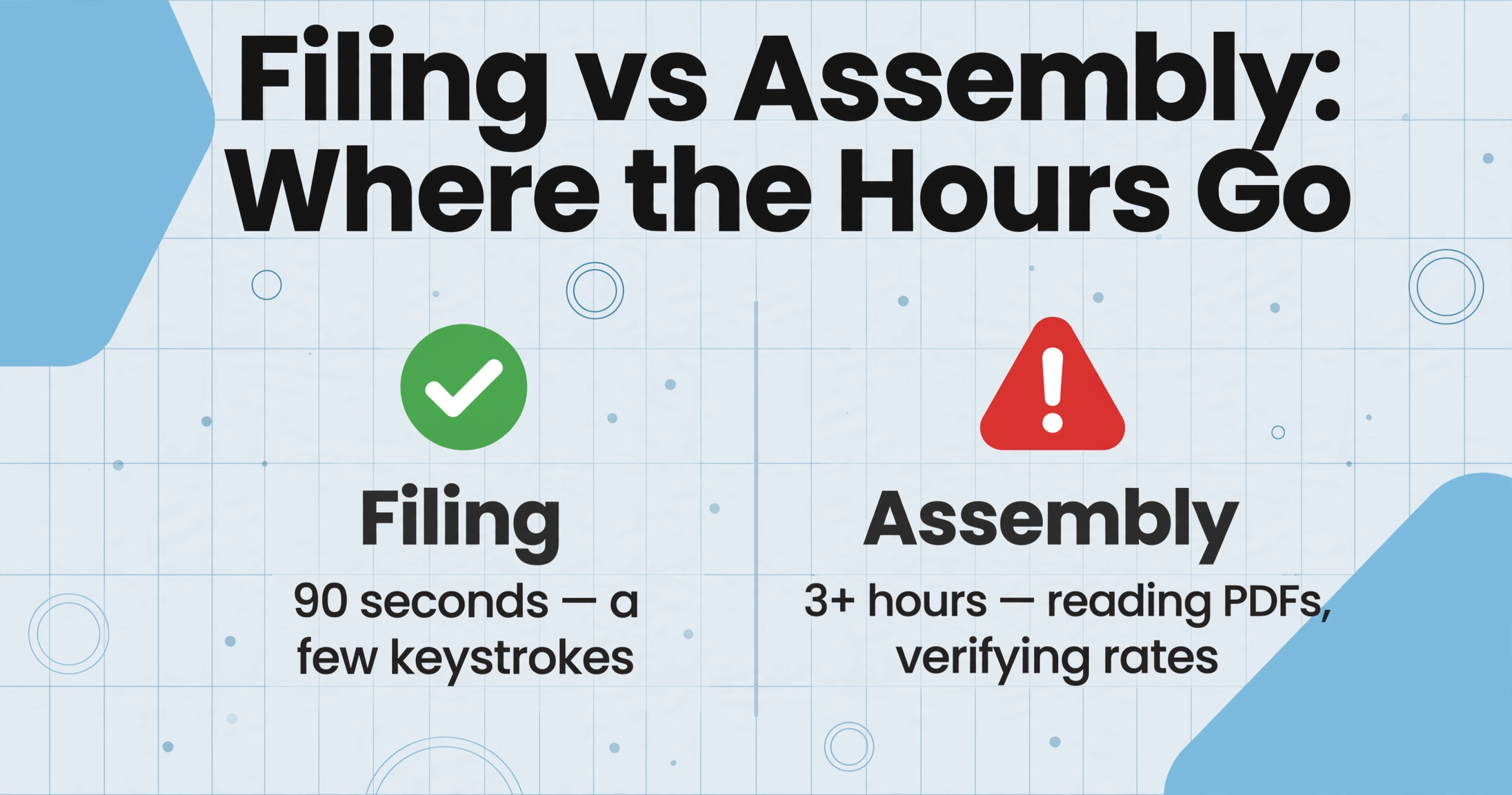
Clicking "File" in CRA's My Business Account takes about ninety seconds. That is the part of the return everyone can see, and it is the part that is genuinely quick. The work lives somewhere the calendar does not mark: the evening or weekend before the deadline — the 30th of the month following each reporting period for quarterly filers — spent opening supplier PDFs one by one, locating the tax line on each, confirming the rate makes sense for the supplier's province, and typing the figure into a spreadsheet that cannot read any of those PDFs for you.
For roughly 3.5 million GST/HST registrants in Canada, the return problem was never the form. It is everything that has to be true before the form can be filled in — and the gap between those two things is where the data entry cost lives.
The reframe that matters: Filing a GST/HST return is not a form-filling task with a data-gathering step attached. It is a data-assembly task with a form-filling step attached. The filing takes 90 seconds and a few keystrokes. The assembly — reading tax lines off supplier PDFs, verifying provincial rates, summing across five tax categories — takes hours. Every tool, shortcut, and complaint aimed at "making GST/HST easier" is really aimed at the assembly. And most of them stop short of the one part that stays manual.
What Actually Happens Between the Last Supplier PDF and Line 106
Walk through one quarter's data assembly for a typical small business — a Vancouver-based renovator with 40 supplier purchase invoices in a folder — and the shape of the problem becomes visible.
Locate the GST/HST line on each of 40 supplier invoices.
A Home Depot Canada PDF shows "HST (ON) 13%: $47.32" in the footer. A BC plumbing supplier's handwritten receipt says "GST $12.80" scrawled near the total. A Quebec lumber supplier's invoice splits "TPS 5%" and "TVQ 9.975%" onto two separate lines — and only the TPS portion is claimable as a federal ITC. A Nova Scotia hardware wholesaler's PDF buries "HST @ 15%" inside a multi-line tax summary on page two. Each invoice displays the tax breakdown in a different format, at a different position, with different labels. The renovator must open each PDF, scan for the tax line, and read the number. At roughly one minute per invoice for this visual scan — faster when the format is familiar, slower when the supplier redesigned their template — that is 40 minutes of reading before a single number has been typed.
Verify the tax rate against the supplier's province.
The renovation supplier list spans five provinces with five different federal tax rates. The Home Depot invoice from Ontario charges 13% HST — correct. The BC plumber charges 5% GST — correct, BC is not an HST participant. The Nova Scotia wholesaler charges 15% HST — correct. The Quebec lumber supplier charges 5% TPS (federal portion) — correct, but the 9.975% TVQ is provincial and must not enter the federal ITC total. This verification step — cross-referencing the tax rate printed on the invoice against the supplier's province — takes roughly 30 seconds per invoice when the bookkeeper is fresh. After 20 invoices, the verification becomes a pattern-matching check: "most of these say 13%, the rate looks fine." After 30 invoices, the BC supplier charging 5% GST gets mentally filed as "probably 13% like the rest." That is how a correct extraction can still produce an incorrect ITC figure — not because the number was typed wrong, but because the verification that was supposed to catch the provincial rate distinction fatigued before the last row.
Type 40 tax figures into a spreadsheet — then recheck the ones that look wrong.
After locating the tax line and verifying the rate, the renovator types each GST/HST amount into a spreadsheet column. At 30 seconds per entry with verification, that is roughly 20 minutes of typing for 40 invoices. Then comes the reconciliation: the sum of the GST/HST Paid column should approximate what the CRA return's Line 106 demands. If the sum is $2,340 and the previous quarter was $2,100, the renovator opens the top five supplier invoices by amount to confirm the figures are correct. If a Quebec supplier's QST was accidentally included in the GST/HST Paid column, the total is overstated — and the CRA may later deny the excess ITC claim with interest calculated back to the original filing date. The time to catch that error is not included in the 40 minutes or the 20 minutes. It is extra — and it is unpredictable.
The three steps together consume roughly two to three hours per quarter for a small business with a typical supplier base. At four quarters per year, that is eight to twelve hours of work that produces no revenue, no insight, no strategic value — it is pure data transfer from one format to another. And the transfer is fragile: a single supplier who changes their invoice layout between Q1 and Q3, or a single Quebec supplier whose QST line was mistaken for GST, is enough to make the Line 106 figure wrong — and wrong by enough to trigger a CRA review.
Why Accounting Software Cannot Read Your Supplier's PDF — and What Survives
The Canadian small business accounting market is well-served. QuickBooks Online Canada, Xero, Sage 50, and Wave all handle GST/HST coding, automate the net tax calculation, and can even file the return directly through the CRA's NETFILE service. From the outside, it looks like the problem has been solved: the accounting software knows the tax rates, maps transactions to the right lines on the GST34-2, and files the return. What it cannot do — and what no accounting software on the market can do — is read a supplier's PDF to find the GST/HST amount on the invoice.
This is the structural gap that keeps the manual step alive. A supplier emails a PDF invoice. The accounting software can record the payment when the bank feed matches the transaction. But the tax amount on that invoice — the number that determines how much ITC the business can claim — is a piece of data that exists on the PDF and nowhere else until a person reads it and types it into the software. Every SaaS subscription invoice, every wholesale supplier statement, every hardware store receipt — the tax line on each of these documents is invisible to the accounting system that needs it.
The gap is not a QuickBooks problem or a Xero problem. It is a document format problem. PDF is a visual medium designed for human reading, not machine extraction. The accounting software can calculate GST/HST once the numbers are in the system. Getting them into the system is the step that has no software-native bridge — and the bridge is a person opening PDFs and typing.
What most small business owners miss: the accounting software is not the bottleneck. The PDF is. The software does the arithmetic flawlessly — but only on data that has already been typed in. The person typing is the most expensive and most error-prone component of the workflow, and every improvement to the accounting software (better reports, faster reconciliation, automated filing) leaves that component untouched. You can upgrade QuickBooks every year. The typing step remains the same.
Five Provinces, Five Tax Rates — Why the Canadian GST/HST System Makes Manual ITC Calculation Uniquely Error-Prone
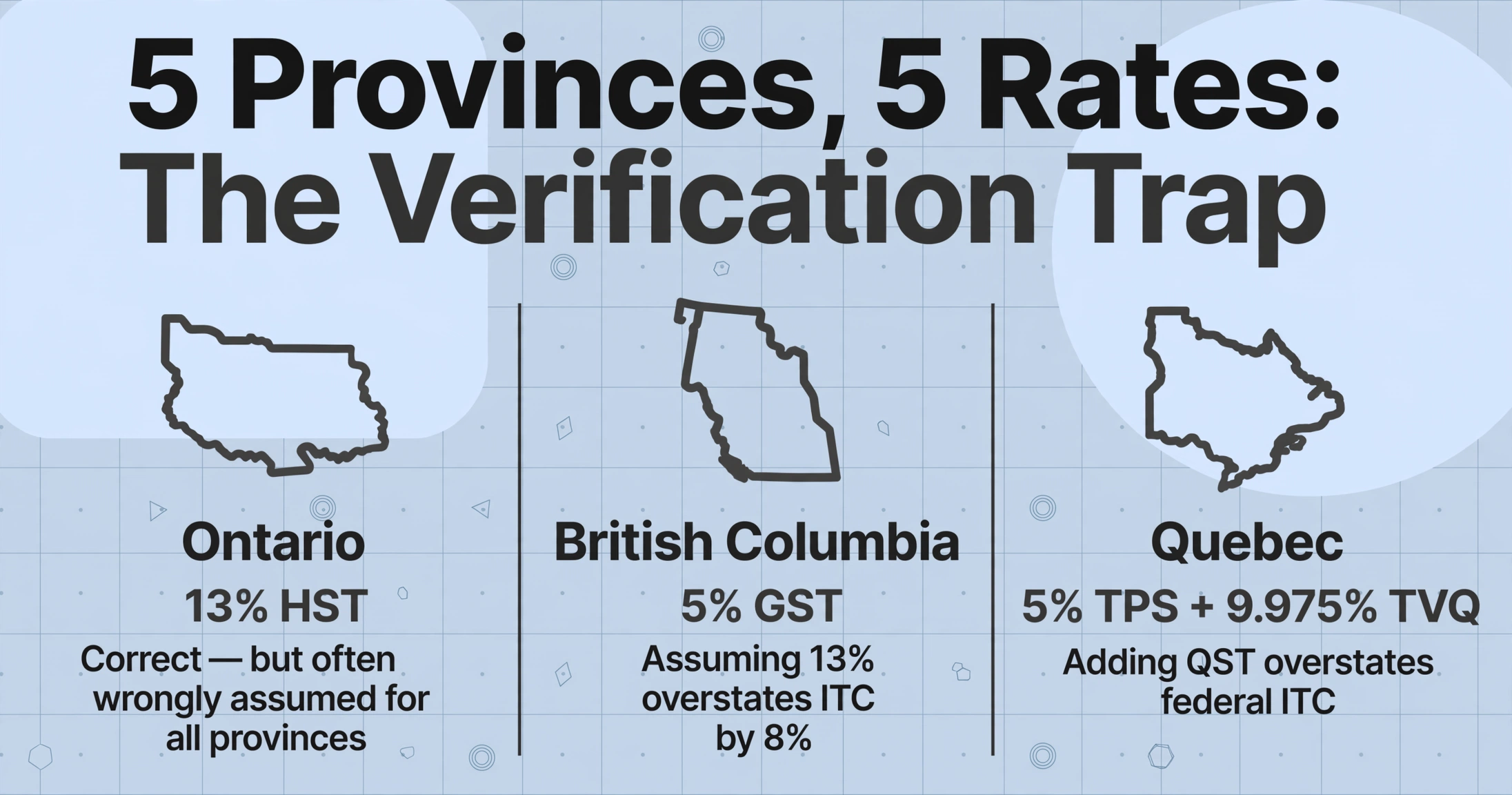
Most countries with a value-added tax have a single national rate. Canada does not — and that is what makes manual ITC calculation a qualitatively different problem from manual BAS lodgement in Australia or manual VAT return preparation in the UK. A Canadian small business with suppliers in five provinces is processing documents with five different federal tax rates, and the rate on each invoice must be verified against the supplier's location — not assumed, not inferred, verified.
| Supplier Province | Tax Type | Federal ITC Rate | Common Manual Entry Error |
|---|---|---|---|
| Ontario (ON) | HST | 13% | Assuming all suppliers charge 13% — the most common default, wrong for BC, AB, MB, SK, QC, and the territories |
| Nova Scotia (NS), New Brunswick (NB), Newfoundland & Labrador (NL), Prince Edward Island (PE) | HST | 15% | Entering the HST amount as 13% of the invoice total instead of 15% — understates ITC by roughly 2% of the invoice value |
| British Columbia (BC), Alberta (AB), Manitoba (MB), Saskatchewan (SK), Northwest Territories (NT), Nunavut (NU), Yukon (YT) | GST only | 5% | Assuming HST applies and entering 13% — overstates ITC by 8% of the invoice value, the error most likely to trigger a CRA review |
| Quebec (QC) | GST + QST (separate) | 5% (federal GST only) | Adding the QST (9.975%) to the federal ITC claim — overstates ITC and the CRA will deny the QST portion because QST is administered by Revenu Québec, not the CRA |
A business with suppliers in Ontario, BC, Quebec, and Nova Scotia — not an unusual mix for a company that buys materials nationally — processes invoices with four different federal rates in a single quarter. The verification step is not a single check. It is four separate checks, each applied to the subset of invoices from each province. And the same supplier who charged 13% HST in Q1 because they shipped from their Ontario warehouse might charge 5% GST in Q3 because they shipped from their BC warehouse — the tax rate follows the point of supply, not the supplier's head office province. The person typing the numbers must catch that change. After 30 invoices in a sitting, the odds of catching it approach the odds of missing it.
The quarterly batch processing workflow introduces a formula-based verification — =IF(AND(H2="BC", G2<>5%), "VERIFY", "") — that flags rate-province mismatches automatically. But that workflow assumes the data is already in the spreadsheet. The article you are reading is about the step before the spreadsheet exists: the step where the data moves from 40 PDFs into columns, and the only verification is a pair of human eyes that are the most expensive and least reliable component in the chain.
The Fix Is Not Faster Typing — It Is Removing the Typing Altogether
The GST/HST extraction workflow described in the single-quarter GST/HST extraction guide addresses exactly this gap — and it does so by changing the input step, not the filing step. You define six columns — Supplier Name, Invoice Date, Invoice Total, GST/HST Paid, Tax Rate Applied, Province of Supplier — upload all 40 supplier PDFs in one batch, and the AI reads each document by field meaning rather than field position. The output is a spreadsheet with every tax figure already in its column, every province already populated, and every rate ready for verification by formula rather than by eye.
The mechanism is the difference. Traditional OCR tools need to know where the tax line sits on each supplier's invoice — they read by position, and a supplier who moves the HST line from the footer to page two in a redesigned template breaks the extraction. AI semantic extraction reads by meaning: it looks for the field on the invoice that represents the GST/HST amount, wherever that field happens to be positioned. A Home Depot PDF, a BC plumber's handwritten receipt, and a Quebec lumber supplier's invoice with separate TPS and TVQ lines all feed into the same columns. The AI reads "TPS 5%" on the Quebec invoice and extracts the TPS amount into the GST/HST Paid column. It ignores the TVQ line because the column name — "GST/HST Paid" — tells it to extract the federal component only.
Files are processed securely and not stored.
What changes is not your filing workflow, your accounting software, or your relationship with the CRA. What changes is that the three-hour data assembly step — locating tax lines, verifying provincial rates, typing numbers — shrinks to a few minutes of upload and a review pass over the output. Your QuickBooks or Xero still handles the filing. Your accountant still reviews the return. The only thing that disappears is the part where you open 40 PDFs one at a time and type numbers your accounting software is perfectly capable of calculating — once it has the numbers.
The same structural problem exists in other tax jurisdictions with different regulatory flavours. The Australian BAS lodgement problem traces the same pattern — quarterly GST reconciliation across mixed-format supplier documents — with the simplification of a single national GST rate (10%) and the complication of GST-free versus taxable supply classification. The Australian PAYG summary problem maps the same data-assembly gap onto payroll reporting: STP eliminated most manual entry but left a tail of edge cases that consume 80% of the reconciliation time. In every case, the fix is not a faster typing process or a better-organized folder of PDFs. It is removing the typing step at the point where the PDF meets the spreadsheet — because that is the only step in the chain that a machine can do more accurately than a person.
FAQ: Manual GST/HST Return Data Entry
Can the extraction handle Quebec supplier invoices where TPS and QST appear separately?
Yes. The AI reads what the document shows. A Quebec supplier invoice typically labels TPS (the federal GST component) and TVQ (the provincial QST component) on separate lines. If your column is named "GST/HST Paid (federal only)," the AI extracts the TPS figure and ignores the TVQ line. If the column name is ambiguous — "Tax Paid" — the AI may combine both, overstating the federal ITC. The column name is the instruction. For Quebec suppliers, naming precision is the difference between a correct federal ITC claim and an overstated one that the CRA will eventually flag.
What if my supplier invoices are a mix of PDFs, phone photos, and email screenshots?
All three formats enter the same extraction pipeline. A Staples Canada PDF, a phone photo of a local hardware store receipt with "GST $14.50" handwritten, and a screenshot of an Amazon Business purchase confirmation all process in the same batch against the same column definitions. The AI reads each document by field meaning — it finds the GST/HST line on a clean PDF the same way it reads "GST $14.50" scribbled on a receipt. If a photo is poorly lit and the tax amount is partially illegible, the GST/HST Paid column will be blank for that row — flagging it for manual review rather than silently producing an incorrect ITC figure. The remaining rows in the batch process normally.
How does this differ from just using OCR to scan my invoices?
Traditional OCR converts an image of text into machine-readable characters — it can tell you the invoice says "HST 13% $47.32" but it cannot tell you that $47.32 is the figure that belongs in the GST/HST Paid column. Template-based OCR tools require you to draw a zone around the tax line on each supplier's invoice format — and when the supplier redesigns their template, the zone is empty and the extraction silently fails. Semantic AI extraction reads by field meaning: the column named "GST/HST Paid" tells the AI to find the tax amount on the document, regardless of where it sits or how the invoice is laid out. No template to create, no zone to redraw when a supplier changes their format.
I use the Quick Method — does this workflow still apply?
Under the Quick Method, you do not claim ITCs on individual purchases — instead, you remit a fixed percentage of your GST/HST-included sales, and the CRA builds an implicit ITC into that rate. The data assembly problem shifts from purchase-side to sales-side: you still need to total your GST/HST-included sales for Line 103, but you do not need to extract individual ITC amounts from supplier invoices. If you switch from the Quick Method to the Regular Method — which happens when your annual taxable supplies cross the $400,000 threshold or when you voluntarily elect out — you add the purchase-side columns to your extraction schema. The extraction workflow handles both methods; the column set changes depending on which method you are filing under.
How many supplier invoices can I process in one batch?
The extraction processes all files in a batch simultaneously against the same column schema. Upload 40 supplier PDFs from the quarter's folder, define your columns once, and the AI reads every document in parallel — producing one spreadsheet with one row per invoice. The batch size limit depends on your plan tier, not on the extraction engine. The same schema handles a 20-invoice quarter and a 60-invoice quarter without modification. What matters is not how many invoices you have but that the column definitions you used in Q1 are the same ones you load for Q2, Q3, and Q4 — structural consistency across periods is what makes the year-end merge a copy-paste operation instead of a reconstruction exercise.
The quarterly GST/HST return is not a complex form. It is a simple form fed by complex data — 40 PDFs, five provincial tax rates, and a spreadsheet that can read none of them. The three hours of data assembly per quarter are not a productivity problem to be optimized. They are a format translation problem to be eliminated — and the elimination happens the moment supplier PDFs move into spreadsheet columns without a person in between.