How to Extract Canadian GST/HST Return Data for
Quarterly CRA Filing
The GST/HST return every registered Canadian business files under Part IX of the Excise Tax Act asks four arithmetic questions. Three of them — Line 103 (GST/HST collected), Line 106 (input tax credits), and Line 109 (net tax) — depend on numbers that do not exist on any single document. They are sums: of every sales invoice you issued and every purchase invoice you received over a 90-day reporting period, each carrying a different tax rate depending on whether the supplier is in Ontario (13% HST), British Columbia (5% GST only), Nova Scotia (15% HST), or Saskatchewan (5% GST + 6% PST). The Form GST34-2 takes 15 minutes to complete once the numbers are known. Finding those numbers — across fifty supplier PDFs in a dozen different layouts, each burying the tax breakdown in a different corner of the invoice — consumes the other four hours of a filing weekend. The spreadsheet you use to prepare your return cannot read those PDFs. That gap — between the invoice that arrived in your inbox in January and the number that lands on Line 106 in April — is what this article closes.
Key Takeaways
- Your GST/HST return asks four arithmetic questions and takes 15 minutes to fill out — finding those four numbers inside 50 supplier PDFs every quarter consumes the other two hours of filing day.
- Manual tax transcription has an efficiency ceiling no amount of practice can push through and a retyped figure on the wrong line triggers compound penalties under the Excise Tax Act.
- Change only the input step — how tax data moves from supplier PDFs into your spreadsheet — and your filing workflow, accounting software, and CRA compliance remain untouched while the two hours of retyping disappear.
What the GST34-2 Actually Asks For — and Where the Numbers Come From
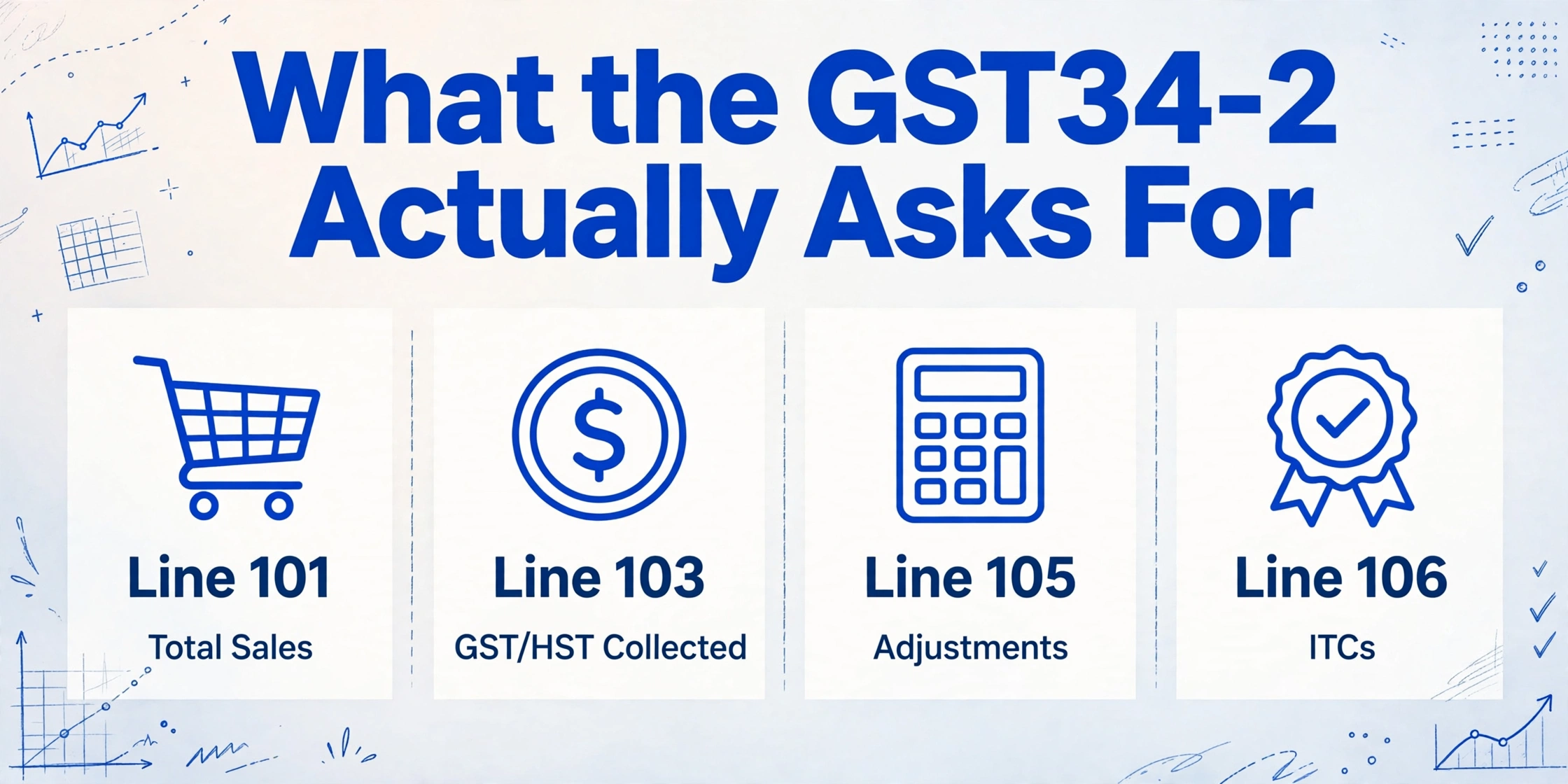
Before extracting anything, you need to know exactly what each line on the return demands. The GST34-2, governed by the CRA's General Information for GST/HST Registrants (Guide RC4022), collects four core figures and runs them through a single arithmetic chain. The form is deceptively clean. The data behind it is not.
| Line | What It Reports | Where the Number Actually Comes From |
|---|---|---|
| 101 | Total sales and other revenue — the enterprise value of all taxable and zero-rated supplies made in the period, excluding GST/HST | Sum of every sales invoice you issued during the quarter, net of GST/HST. If you are filing electronically through your accounting software, this line often auto-populates from your sales ledger. If you are preparing the return manually — common for businesses where the POS or e-commerce platform does not integrate with the CRA filing channel — you are summing this from exported sales reports or printed invoices. |
| 103 | GST/HST collected or collectible — the total tax you charged customers during the period, including any adjustments from prior periods | Sum of the tax line on every sales invoice, plus or minus adjustments: bad debt recoveries, returned goods where tax was previously collected, corrections to prior returns. If you operate in multiple provinces, this number compounds at different rates — a sale to a customer in Ontario collects 13% HST, while the same item sold to a customer in Alberta collects only 5% GST. |
| 105 | Total GST/HST collected plus adjustments — auto-calculated as Line 103 + Line 104 (adjustments). On most electronic returns, this line auto-computes from the inputs above. On paper filings, you do the addition. | Normally equals Line 103 unless there are adjustments. This is not a data entry line — it is the sum of what you already entered — but it anchors the arithmetic chain that leads to your remittance position. A data entry error on Line 103 compounds silently into Line 105 and beyond. |
| 106 | Input tax credits (ITCs) — the total GST/HST you paid on business purchases during the period, plus any ITC adjustments from prior periods | Sum of the GST/HST portion on every purchase invoice and expense receipt you received during the quarter. This is the most labor-intensive line on the return because unlike sales — which your own POS or invoicing system tracks — your purchases arrive in whatever format each supplier chooses. A Staples receipt charges 13% HST. A BC-based software subscription charges 5% GST only. A Quebec supplier invoice shows GST (5%) and QST (9.975%) on separate lines, and only the GST portion counts toward ITCs on the federal return. |
| 108 | Total ITCs plus adjustments — auto-calculated as Line 106 + Line 107 (ITC adjustments) | Normally equals Line 106. Same auto-calculation as Line 105, same risk of silent error propagation from the line above. |
| 109 | Net tax — the amount you remit or the refund you claim. A positive number means you owe the CRA. A negative number means the CRA owes you a refund. | Line 105 minus Line 108. This is the only number on the entire return that the CRA's data-matching system will compare against your remittance history for anomaly detection. Get Lines 103 or 106 wrong, and Line 109 will drift from the CRA's expected range — triggering a review letter that requests supporting documentation for every ITC in the period. |
The arithmetic is simple enough that a spreadsheet formula handles it in one cell. The bottleneck is purely upstream: the 50 supplier PDFs whose tax data never enters a structured format until a human retypes it. Every quarter, the same human retypes the same fields from the same suppliers into the same spreadsheet — and every quarter, a different supplier has changed their invoice layout and the tax amount is now on the second page instead of the first.
The Spreadsheet Trap: Why Your Accounting Software Cannot Read Your Supplier PDFs
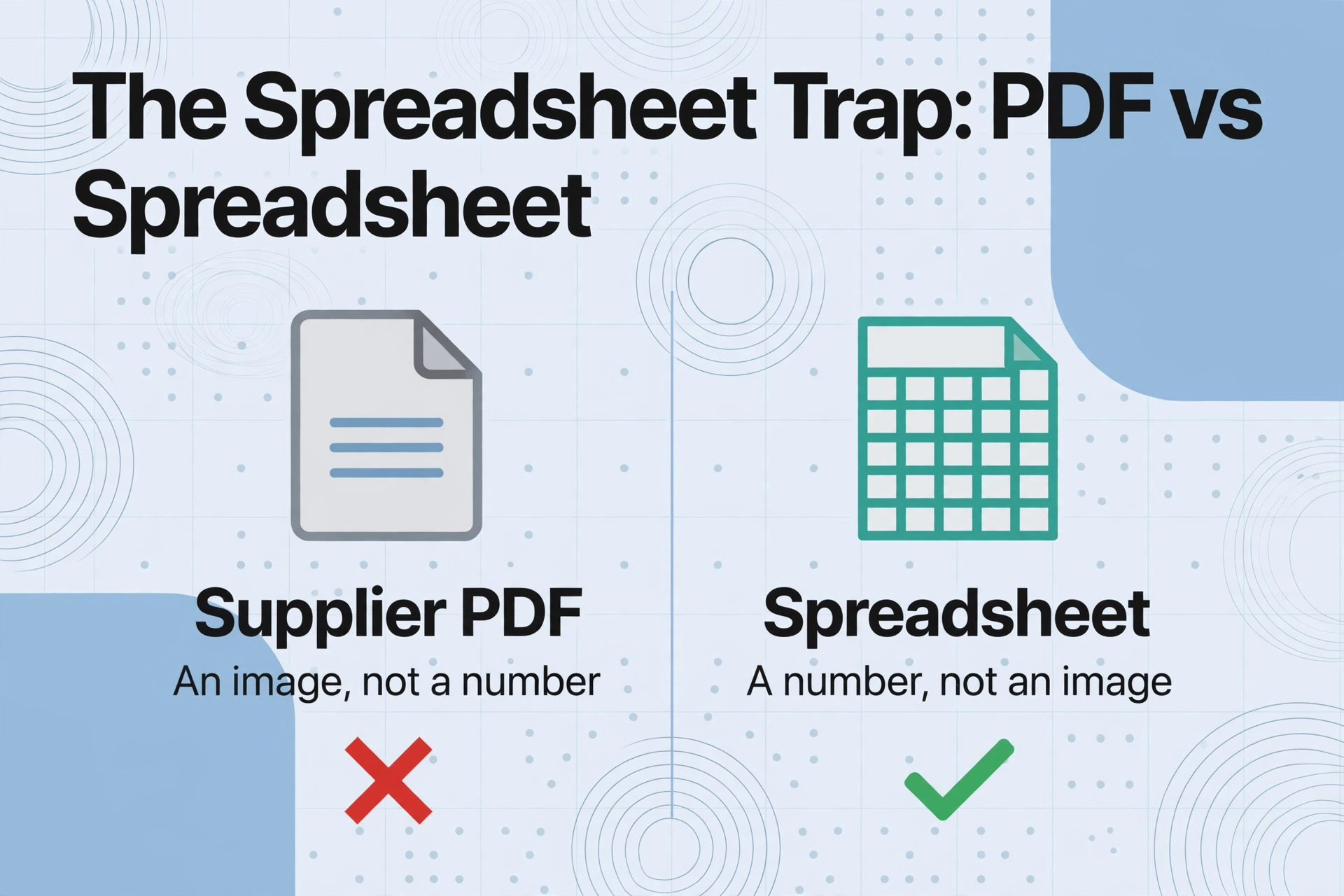
Accounting platforms like QuickBooks Canada, Xero Canada, and Sage Canada are built to manage ledgers — they populate the GST/HST calculation once a purchase total is entered. They cannot look at a supplier's PDF invoice and extract the tax amount themselves. The workflow that most small businesses land on is this: the bookkeeper opens each supplier invoice as a PDF, finds the GST/HST line, manually types that number into a spreadsheet row alongside the supplier name and invoice date, then imports or retypes that row into the accounting software. For a business receiving 40 to 60 supplier invoices per quarter, that is roughly two hours of pure transcription — locating the tax field on each invoice, confirming the rate matches the supplier's province, entering the figures — before the return itself can be opened.
This gap is structural, not a software deficiency. A PDF invoice is a rendered image of an accounting event. The accounting software needs a number, not an image. The only bridge between the two, in a manual workflow, is a human who reads one and types into the other. And that human is working against a quarterly deadline that the CRA enforces with interest charges on late remittances and penalties on late filings — under subsection 280(1) of the Excise Tax Act, the penalty for a late-filed return is 1% of the amount owing plus 25% of that 1% for each complete month the return is late, up to a maximum of 12 months.
The same structural problem exists in the Australian BAS system — a spreadsheet that can do every calculation on the form but cannot read the supplier documents that provide the inputs. The difference in Canada is the provincial rate complexity. An Australian BAS faces a single GST rate (10%). A Canadian GST/HST return faces five different tax rates within the same quarter, and each supplier invoice must be read individually to determine which rate applies to that specific purchase.
Setting Up Your Extraction Columns: From Invoice Fields to Spreadsheet Headers
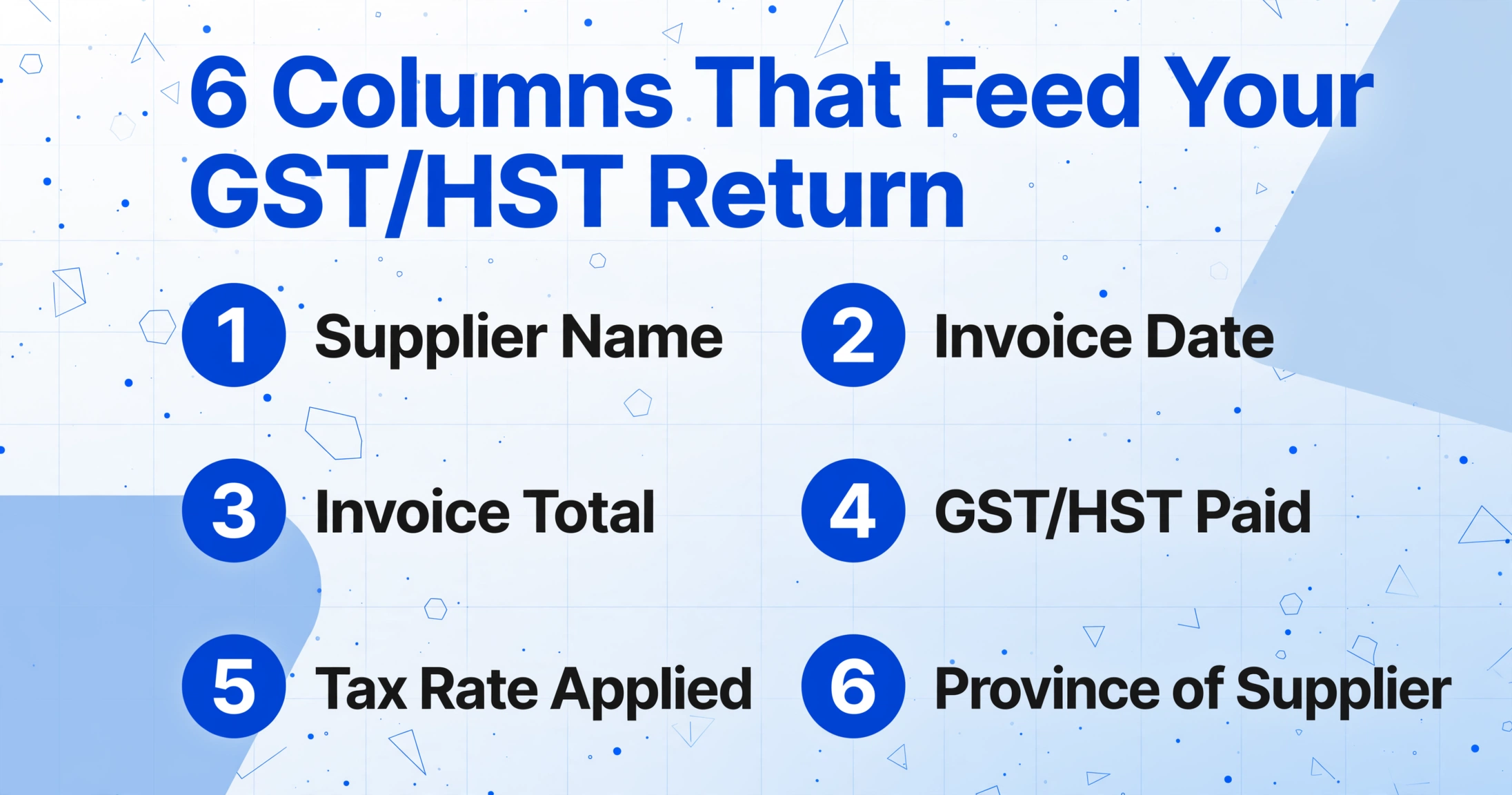
The extraction workflow replaces the manual retyping step with a single column schema that you define once and reuse every quarter. Custom Column Extraction — the core mechanism in ImageToTable.ai — works by semantic understanding: you name the columns you want, and the AI locates each value on any document by understanding what the field means, not where it sits on the page. For a GST/HST return preparation workflow, the column set maps directly to the data sources that feed each line on the GST34-2:
| Column Name You Define | Maps to Form Line | Source Document | What the AI Extracts |
|---|---|---|---|
| Supplier Name | Supporting record — not on the form, but required for audit trail | Any purchase invoice or receipt | The legal name of the supplier as it appears on the invoice header |
| Invoice Date | Determines which reporting period the ITC belongs to | Any purchase invoice | The invoice date — ITCs are generally claimable in the reporting period during which the GST/HST became payable |
| Invoice Total (tax-inclusive) | Supports Line 106 calculation | Any purchase invoice | The total amount paid — useful as a cross-check against the extracted tax amount |
| GST/HST Paid (ITC amount) | Feeds Line 106 directly | Any purchase invoice or expense receipt | The exact GST/HST amount charged by the supplier — this is your input tax credit for that purchase |
| Tax Rate Applied | Verification — confirms the ITC was calculated at the correct provincial rate | Any purchase invoice | The percentage shown on the tax line (5%, 13%, or 15%) — flags mismatches between the supplier's province and the charged rate |
| Province of Supplier | Verification — useful for place-of-supply compliance checks and for businesses claiming ITCs across multiple provincial rates | Any purchase invoice | The supplier's address province — determines which HST rate should apply |
This six-column schema — defined once, saved as a template — processes every purchase invoice from the quarter in one pass. The AI reads each supplier PDF, locates the GST/HST line regardless of whether it appears in the invoice footer, the line-item subtotal row, or a separate tax summary block, and populates the spreadsheet. A business with 50 quarterly supplier invoices that previously spent two hours retyping tax amounts per filing cycle now spends approximately five minutes reviewing the extracted spreadsheet for outliers — a supplier whose tax line is blank because the invoice is tax-exempt, or a GST amount that looks too high for the invoice total and warrants a second look.
Because the extraction is semantic rather than template-based, the column schema works across every supplier's format without modification. The Staples invoice that prints the HST amount in the bottom-right corner, the BC software subscription receipt that shows "GST (5%)" as a separate line in the transaction summary, the Quebec supplier invoice that splits the document into "TPS" (GST) and "TVQ" (QST) sections — the AI reads each by field meaning, not by pixel position. This format-independence is what makes the workflow sustainable across quarters: you do not rebuild the extraction rules when a supplier redesigns their invoice template, which every supplier does eventually.
ITC in Practice: Why the Simplest Line on the Return Is the Hardest to Fill
Line 106 on the GST34-2 — input tax credits — appears on the form as a single box. In practice, it is a composite of every purchase decision made over a 90-day period, each governed by different rules depending on what was bought, from whom, and for what purpose.
The core ITC rule is straightforward: you can claim back the GST/HST you paid on goods and services used in your commercial activities, provided you hold supporting documentation — typically the supplier's invoice showing their GST/HST registration number, the amount of tax charged, and a description of the supply. The complexity enters through three channels that converge on every quarterly filing:
Provincial rate fragmentation. A business in Ontario that buys from a supplier in British Columbia pays 5% GST, not 13% HST — because BC does not participate in the HST system. The same business buying from a supplier in Nova Scotia pays 15% HST. The same business buying from a Quebec supplier pays 5% GST on the federal portion and 9.975% QST on the provincial portion, with only the GST portion eligible as a federal ITC. If the bookkeeper simply sums every tax amount on a stack of invoices without checking the rate, a Nova Scotia supplier's 15% charge gets blended with a BC supplier's 5% charge and the ITC total is mechanically correct — but the business has no record of which purchases carried which rate, which matters if the CRA requests supporting documentation by supplier.
Mixed-use purchases. When a small business buys something used partly for commercial activity and partly for personal use — a home office internet bill, a vehicle used for both deliveries and personal errands, a mobile phone — the ITC must be prorated to the commercial-use percentage. The supplier's invoice shows the full GST/HST amount. The ITC claimable is a fraction of that amount. The extraction spreadsheet cannot determine the fraction, but it can output the full tax amount into a column that the bookkeeper then multiplies by the prorated percentage in the next column — turning a manual data-entry task into a formula operation on extracted data.
Recapture of ITCs. In Ontario and Prince Edward Island, large businesses (generally those with annual taxable supplies exceeding $10 million) are subject to ITC recapture rules for specified property and services — meaning a portion of the provincial component of the HST paid cannot be claimed as an ITC. For a small business under the threshold this does not apply, but for bookkeepers who file for multiple clients across different revenue bands, the distinction matters. The extraction workflow handles it the same way: extract the full tax amount, flag the supplier province, and let the spreadsheet formula apply the recapture adjustment if applicable.
Files are processed securely and not stored.
Quick Method vs Regular Method: How Your Filing Method Changes What You Extract
The GST/HST system offers two calculation paths for eligible small businesses, and your choice of method determines what data you need to extract from your documents. The distinction matters because switching methods mid-year — or extracting the wrong fields for the method you are using — can silently misalign your return with the CRA's expectations.
The Regular Method is the default. You report the actual GST/HST you collected on sales (Line 103) and the actual GST/HST you paid on eligible purchases (Line 106). The extraction columns described above are built for the Regular Method because they capture both the tax collected per sales invoice and the tax paid per purchase invoice at the document level.
The Quick Method, available to eligible businesses with annual worldwide taxable supplies of $400,000 or less, replaces actual ITCs with a simplified calculation. Instead of tracking GST/HST paid on every purchase invoice, you remit a fixed percentage of your total sales (including GST/HST) based on your business type and province. For example, a service business in Ontario remits 8.8% of GST/HST-inclusive sales, while a retail business in Ontario remits 4.4%. The Quick Method still requires you to report total sales (Line 101) and to track GST/HST collected (Line 103), but it eliminates the per-invoice ITC tracking that drives Line 106 under the Regular Method.
| Method | What You Must Track per Invoice | Extraction Complexity | Best For |
|---|---|---|---|
| Regular Method | GST/HST collected (from every sales invoice) + GST/HST paid (from every purchase invoice) | Higher — requires extraction of tax lines from both sales and purchase documents | Businesses with significant ITCs — retail, manufacturing, construction — where the ITC total meaningfully reduces net tax |
| Quick Method | Total sales including GST/HST (Line 101) + GST/HST collected on sales (Line 103), but not per-purchase ITCs | Lower — only sales-side data needs extraction. Purchase invoices still need to be kept for audit but are not used in the ITC calculation | Service businesses with low input costs — consultants, freelancers, professional services — where the Quick Method credit on the first $30,000 of eligible supplies often produces a better net position than tracking actual ITCs |
The extraction column schema adapts to either method. Under the Regular Method, you extract both sales-side and purchase-side tax data — the full six-column setup described above. Under the Quick Method, you reduce the extraction to sales-side data only: total sale amount (Line 101 input) and GST/HST collected (Line 103 input). The purchase invoices stay in a folder for the six-year CRA retention period but bypass the extraction queue. The column template you build once accommodates both scenarios — simply activate or deactivate the purchase-side columns depending on which method you use for a given filing period.
If your business transitions from the Quick Method to the Regular Method — common when crossing the $400,000 threshold or when ITCs begin exceeding the Quick Method credit — you add the purchase-side columns back to the template and your next quarterly extraction picks up the new fields without reconfiguration. The extraction engine does not care whether the column schema has four columns or six; it reads each document for whatever fields you ask for.
Quarterly Filing in One Pass: From a Quarter of Invoices to a CRA-Ready Spreadsheet
The extraction workflow for GST/HST filing compresses into three steps that replace the manual retyping stage entirely, leaving the bookkeeper to verify output rather than produce it:
Collect all supplier invoices for the quarter into a single batch.
This is the step every filing workflow already does — the PDFs and receipt images are sitting in a folder, an inbox, or a cloud drive. The difference is that instead of opening each one individually to find the tax line, you upload the entire batch at once. Supported formats include PDF, JPG, and PNG — a Staples PDF invoice, a photo of a handwritten supplier receipt, a screenshot of a Shopify purchase confirmation all enter the same queue.
Apply your GST/HST extraction template — the same columns, every quarter.
The column schema you defined during setup (Supplier Name, Invoice Date, Invoice Total, GST/HST Paid, Tax Rate Applied, Province of Supplier) is a saved template. Load it once and apply it to the current quarter's batch. If you switched from Quick Method to Regular Method this quarter, add the purchase-side columns. If you added a new reporting requirement — tracking ITC adjustments from a prior period, for instance — name a new column and add it to the template. The existing columns continue to extract as before because the AI reads each document fresh, not against a frozen layout.
Review the output spreadsheet and verify totals against your accounting software before entering Line 109.
The extracted spreadsheet contains one row per supplier invoice with every tax field populated. Sum the GST/HST Paid column to get your draft Line 106 figure. Compare it against the GST/HST paid total in your accounting software — the two should agree within rounding, and any discrepancy points to a missing invoice or a mis-entered tax amount in the ledger. Same process for the sales side: sum the GST/HST collected from your sales invoice batch to get your draft Line 103 figure. Once both totals are verified, enter them on the GST34-2 — Line 103 feeds Line 105, Line 106 feeds Line 108, and the form subtracts Line 108 from Line 105 to calculate Line 109. Every figure in that arithmetic chain was extracted, not retyped.
The time shift is not theoretical. For a business filing 50 purchase invoices and 30 sales invoices per quarter under the Regular Method, the manual workflow of retyping GST/HST figures from 80 documents with varying formats consumes roughly two and a half hours — finding the tax line on each document, verifying the rate, entering the figure, moving to the next. The extraction workflow reduces this to the time it takes to upload the batch plus approximately five minutes of spreadsheet review — scanning for empty cells that indicate a supplier issued a tax-exempt invoice, confirming that the Tax Rate Applied column values are consistent with the supplier's province, and summing the columns. The 40 to 50 supplier invoice batch that previously consumed a filing Saturday morning now processes during a coffee break, and the bookkeeper spends the remaining time on the work that actually requires judgment: reviewing a supplier invoice where the tax line looks disproportionately small for the total, or reconciling a discrepancy between the extracted ITC sum and the accounting software's GST/HST paid register.
For businesses filing quarterly across multiple entities — a small accounting practice managing GST/HST for five clients, each with their own supplier base and each filing under a different method — the template reuse compounds. The bookkeeper maintains one extraction template per client, retrieves the template at the start of each filing cycle, applies it to the client's quarterly document batch, and reviews the output. The Canadian accounting software ecosystem — QuickBooks Canada, Xero Canada, Sage Canada — integrates the final figures into the return but cannot bridge the document-to-data gap upstream. The extraction step fills that gap before the accounting software ever sees the numbers.
FAQ: GST/HST Return Data Extraction and CRA Filing
Can I use data extraction for my GST/HST return if my supplier invoices are a mix of PDFs and photos of paper receipts?
Yes. The AI reads both scanned PDF invoices and photographs of paper receipts — a supplier's emailed PDF and a photo of a physical receipt from an in-store Staples purchase enter the same extraction pipeline and produce the same columns. The quality of the extraction depends on image clarity rather than document type: a well-lit phone photo of a receipt with visible tax figures extracts as reliably as a clean PDF. If a paper receipt is creased, faded, or partially obscured, the extracted tax field may be blank — which is useful in itself because a blank cell in the GST/HST Paid column flags that receipt for manual review rather than silently producing an incorrect ITC figure.
How does extraction handle the different tax rates across provinces — can it tell whether a supplier should have charged 5% GST instead of 13% HST?
The extraction engine reads the tax amounts as printed on each document — it extracts what the supplier charged, not what they should have charged. Place-of-supply rules (which determine which province's rate applies to a given transaction) are a compliance judgment you make as the filer. What the extraction does is provide the Tax Rate Applied and Province of Supplier columns side by side, so you can scan for mismatches: a supplier with a Quebec address charging 13% HST instead of 5% GST + QST, or a supplier with a BC address showing a 13% tax rate when BC has no provincial HST. A mismatch does not mean the supplier made an error — it may mean the supply was deemed to occur in a different province under the place-of-supply rules — but it flags the transaction for a second look before the ITC enters Line 106.
Does the CRA accept extracted data as supporting documentation for ITC claims during an audit?
The CRA's documentation requirement for ITCs is the supplier's original invoice — the extracted spreadsheet is a working paper, not a replacement for the source document. During an audit, the CRA auditor may ask to see the original supplier invoices that support specific ITC claims. The extraction spreadsheet serves a different purpose: it is the bridge between the source documents and the numbers on your GST34-2. It shows your work — how the sum of individual ITCs on individual supplier invoices equals the Line 106 figure — and it ties each ITC claim to a specific supplier name, invoice date, and tax amount. This is the same spreadsheet a bookkeeper manually builds when retyping figures from invoices; the extraction workflow builds it without the retyping, and you retain the source PDFs for the six-year CRA record retention period as you always have.
How does the workflow compare to the T4 year-end extraction process for Canadian payroll?
The two workflows serve different compliance events but share the same extraction architecture. T4 extraction for year-end payroll processes employee slips — standardized numbered boxes (Box 14, Box 16, Box 18, Box 22) that appear on every T4 in the same positions regardless of payroll provider. GST/HST extraction processes supplier invoices — unstandardized documents from dozens of different suppliers, each with the tax information in a different location. The T4 workflow benefits from the standardization of the CRA's form design; the GST/HST workflow benefits from the AI's semantic reading capability, which locates a tax amount by meaning rather than position. A bookkeeper who handles both year-end T4s and quarterly GST/HST filings maintains two column templates — one for employee slips, one for supplier invoices — and the extraction engine handles both without cross-contamination.
What is the single most common ITC error that extraction can catch before a return is filed?
Claiming ITCs on the provincial portion of HST for purchases that are not eligible for the full provincial component. When a supplier in Ontario charges 13% HST on an invoice, 5% is the federal GST portion and 8% is the provincial Ontario portion. In most cases, both are fully claimable as ITCs. But for certain purchases — meals and entertainment expenses, for example — the ITC claim is limited to 50% of the GST/HST paid. A bookkeeper manually retyping the full 13% amount from the invoice into a spreadsheet with a single "GST/HST Paid" column may forget to apply the 50% limitation to the meal receipt and claim the full amount. An extraction spreadsheet that separates the tax amount into the GST/HST Paid column and the Tax Rate Applied column makes the rate visible — and a 13% rate on a restaurant receipt triggers the 50% limitation check before the figure enters the ITC sum. This is a flag the extraction spreadsheet provides that a single-column manual entry does not.
The quarterly GST/HST return is not difficult because the form is complex. It is difficult because the form's simplicity — four lines of arithmetic — hides the volume of source data behind each line. A business with 50 supplier invoices per quarter files four returns per year, and each one demands the same manual data retrieval from the same suppliers in slightly different formats. The extraction workflow replaces that retrieval with a single column schema that reads any supplier's format, any quarter, without retraining. The CRA deadline remains the same. The bookkeeper's role shifts from retyping tax amounts into a spreadsheet to verifying that the extracted spreadsheet is complete — and that shift, across four quarters and four years of retained records, is the difference between a filing process that drains a weekend and one that takes the time the form itself was designed to take.