How to Extract Canadian Bilingual Invoices
GST/HST/QST per Province
Under the Charter of the French Language (CQLR c C-11, s.51–52), every commercial document issued in Quebec must be written in French. Under federal official bilingualism policy, many suppliers outside Quebec print invoices in both English and French. The result: a Canadian business owner collecting supplier invoices routinely receives documents where the same field appears in two different languages — "Invoice No" on one page, "N° de facture" on the next, "Date" and "Date de facturation" side by side. Position-based extraction tools — the kind that draw boxes around field locations — break the moment you switch from a Vancouver supplier to a Montreal one. And when you also need to separate GST from HST from QST from PST by province for your GST34 return, the problem compounds into something no generic invoice tool was designed to handle.
Key Takeaways
- Position-based extraction treats Invoice # and N° de facture as two different fields requiring separate templates — even though they capture exactly the same data point.
- Canada runs four tax regimes across its provinces but most extraction tools collapse all tax amounts into one column — which means you cannot separate CRA-bound GST from Revenu Québec-bound QST without manually inspecting every invoice.
- Semantic extraction reads TPS as GST and TVQ as QST across both languages then an AI-inferred jurisdiction column classifies every invoice by filing destination — your spreadsheet arrives pre-sorted for two different government forms before you look at it.
Same Field, Two Languages — Why Canadian Invoices Break Generic Extraction
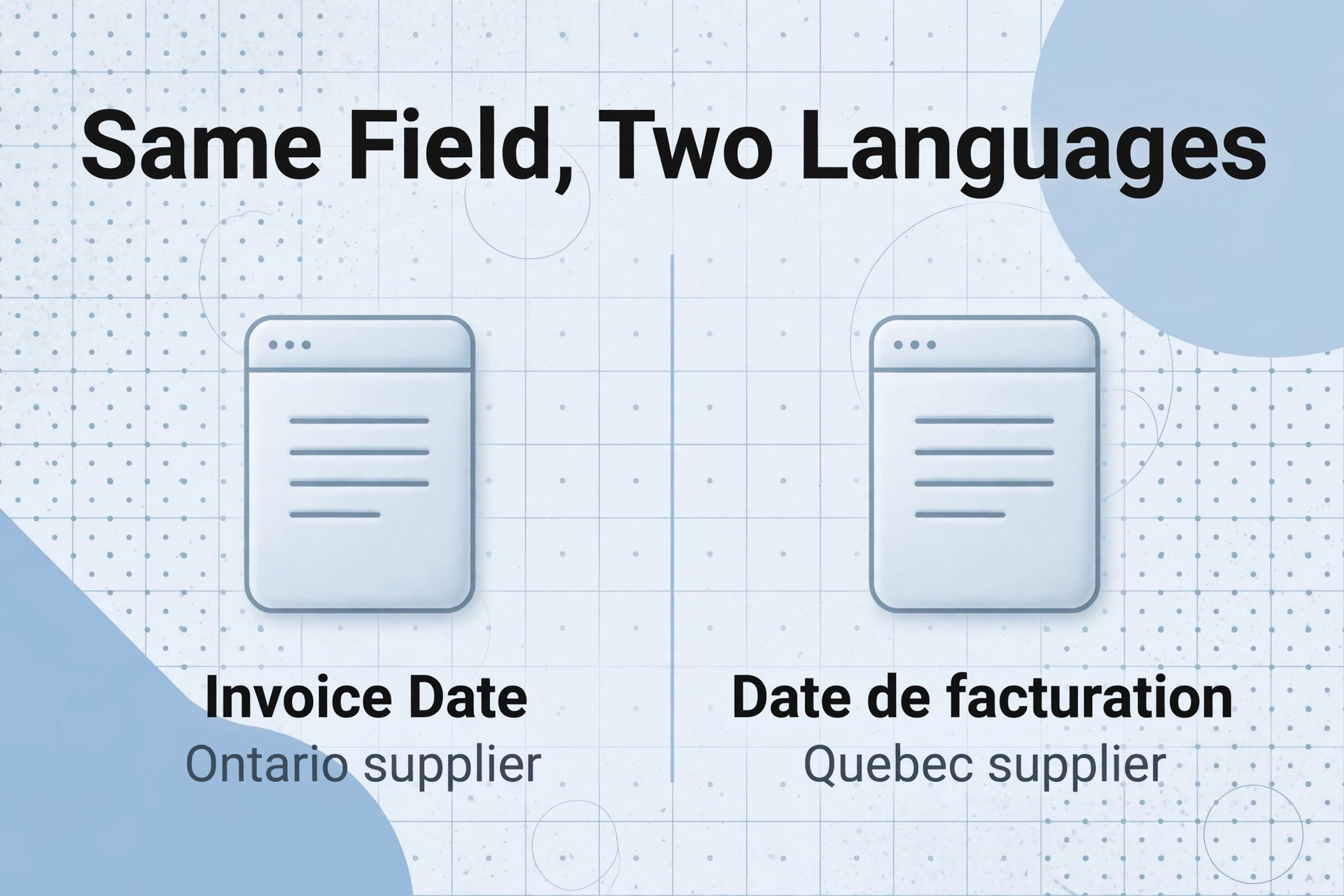
A position-based extraction tool that draws a rectangle around "Invoice Date" on a BC supplier layout will not find "Date de facturation" on a Quebec supplier's invoice — even though they represent exactly the same data point.
Generic invoice extraction tools work on a premise that holds true in most single-language markets: the field label that appears on one supplier's invoice will appear, with minor formatting variations, on every supplier's invoice. "Invoice Number" might become "Invoice #" or "Inv No." but it never becomes a completely different word in a different language. The tool can learn a set of label patterns and map them to extraction fields — a pattern-matching problem solvable with enough training data.
Canadian bilingual invoices break that premise at the root. A supplier in Quebec prints "N° de facture" where an Ontario supplier prints "Invoice #." A supplier in New Brunswick might print both: "Invoice No / N° de facture." A federally regulated supplier might alternate languages depending on the customer's province. To a position-based or label-matching extraction system, these are three entirely different inputs — three separate templates to build and maintain, for what is, semantically, a single data field.
This is not a localization feature. It's a legal requirement. Under the Quebec Charter of the French Language, all documents issued by Quebec businesses, including invoices and receipts, must be in French (CQLR c C-11, ss.51–52). The federal Official Languages Act (RSC 1985, c 31) requires federal institutions and Crown corporations to provide services in both official languages, which extends to their invoicing. Meanwhile, suppliers in Alberta or BC face no language mandate and issue documents in English only. The bilingualism isn't consistent across suppliers — it varies by province, by supplier policy, and sometimes by the document generation system they happen to use that month.
The extraction paradigm that handles this is semantic-based extraction rather than position-based or label-based extraction. In a semantic system, you define the column you want — "Invoice Number" — and the AI locates the corresponding value by understanding what the field represents, not where it sits or which label it carries. "N° de facture," "Invoice #," "Facture n°," and "Numéro de facture" all map to the same concept — a semantic extraction engine recognises them all as the same column without requiring separate templates per language or per supplier format. This is what allows a single set of column definitions to work across every bilingual invoice in your supplier stack, from a Vancouver-based English-only wholesaler to a Montreal-based French-first manufacturer.
This capability also solves the format-variation problem within a single language. A construction supplier might print invoice numbers as "INV-2026-0472" on one document and "472/2026" on the next after a system upgrade. Semantic extraction handles both — it's not matching a pattern, it's identifying "the field on this document that serves as the invoice identifier." For a deeper look at why format-independence matters across document types, see our guide to invoice extraction.
Canada Has Three Tax Systems on One Invoice Stack
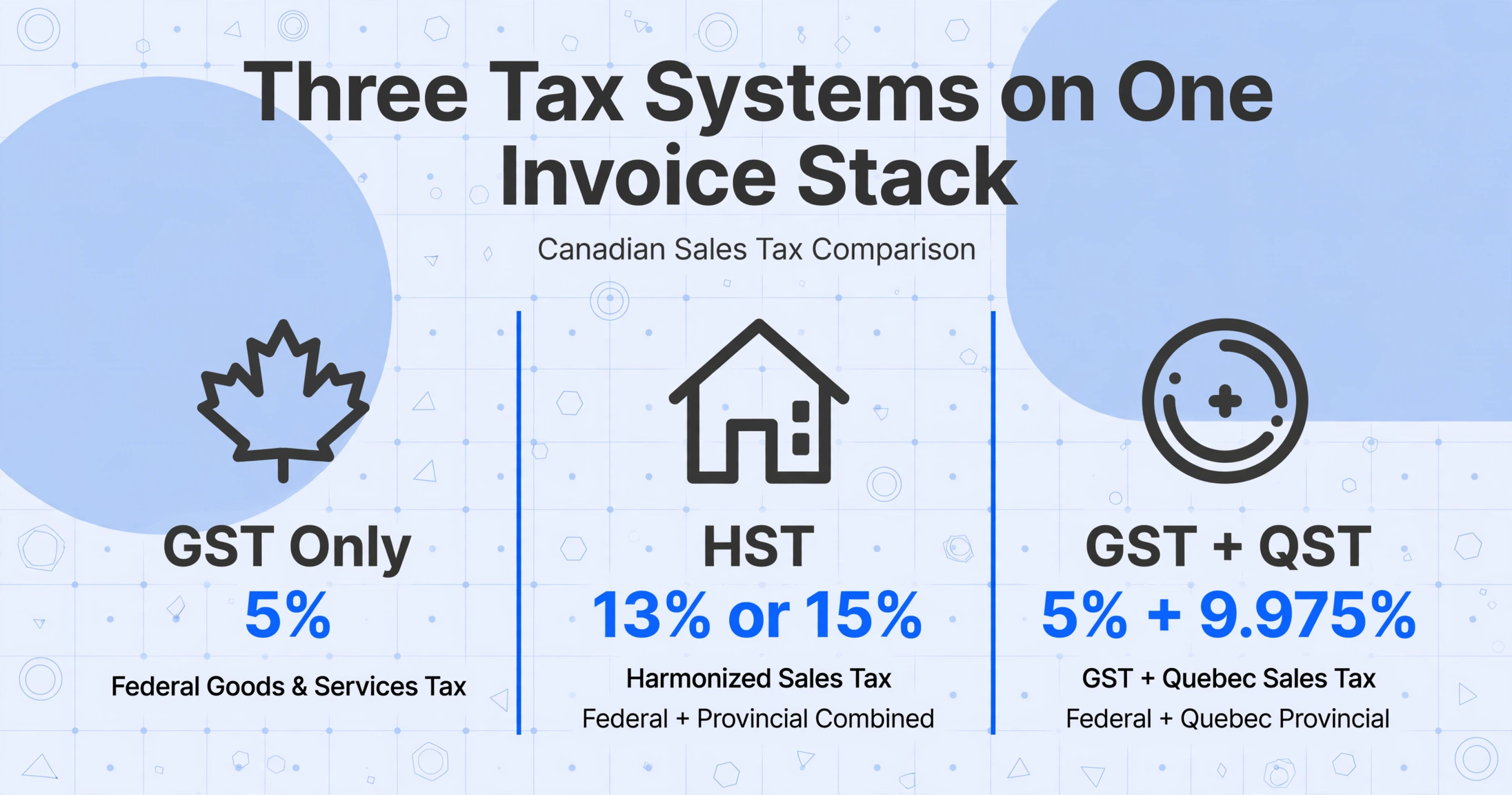
There is no single "Canadian tax rate." A supplier in Ontario charges 13% HST on one invoice. A supplier in Quebec charges 5% GST plus 9.975% QST on the next. A supplier in BC adds 5% GST plus 7% PST. Your extraction tool needs to handle all four regimes — and tell them apart — without manual sorting.
The GST/HST system in Canada is a federal value-added tax framework with four distinct operating modes, each producing a different set of tax fields on your supplier invoices:
| Regime | Provinces / Territories | Taxes on Invoice | Tax Field Labels You'll See | Total Rate |
|---|---|---|---|---|
| GST Only | AB, NT, NU, YT | Federal GST only | "GST" "GST 5%" "TPS" | 5% |
| HST | ON (13%), NB NL NS PEI (15%) | Single harmonised tax | "HST" "HST 13%" "TVH" | 13% or 15% |
| GST + PST | BC (7%), SK (6%), MB (7%) | Federal GST + provincial PST, separate | "GST" / "PST" — two distinct line items | 5% + 6–7% |
| GST + QST | QC only | Federal GST + Quebec QST, under separate legislation | "TPS" / "TVQ" — Revenu Québec jurisdiction | 5% + 9.975% |
The legal distinction between HST provinces and Quebec matters beyond the tax rate. HST is collected under Part IX of the Excise Tax Act (R.S.C., 1985, c. E-15) and administered by the CRA. QST is collected under An Act respecting the Québec sales tax (CQLR c T-0.1) and administered by Revenu Québec. When you file your GST34 return, HST amounts go into the same line as GST — it's the same tax base, harmonised. QST amounts go into a separate FPZ-500 return filed with Revenu Québec. If your extraction tool lumps all tax amounts into a single "Tax" column, you lose the jurisdiction distinction that determines which government gets which form.
On a real Quebec invoice, you'll typically see two tax line items: "TPS 5%" (which is GST, labelled in French) and "TVQ 9.975%" (QST). An Ontario invoice will show a single "HST 13%" line. A BC invoice will show "GST 5%" and "PST 7%" as separate amounts. A Saskatchewan supplier adds "GST 5%" and "PST 6%." The field labels, the number of tax lines, and the government authority behind each one all vary — even though every invoice is a "Canadian invoice."
Now consider the cross-province scenario. A small construction business in Ottawa (Ontario) buys lumber from a Gatineau supplier (Quebec) — the invoice arrives in French with TPS/TVQ line items. The same business buys hardware from a Toronto supplier (Ontario) — that invoice has a single HST line. And it rents equipment from a Calgary supplier (Alberta) — that invoice shows only GST. In one month, three suppliers, three provinces, four tax line configurations on the invoices, and all of them need to be filed correctly by jurisdiction. An extraction spreadsheet that captures each tax type in its own column — rather than a generic "Tax" catch-all — makes this manageable because you can filter, sum, and sort by tax jurisdiction after extraction, without manually inspecting each invoice to determine which tax regime it falls under.
Step by Step: Extracting Canadian Invoice Data with Tax Breakdown
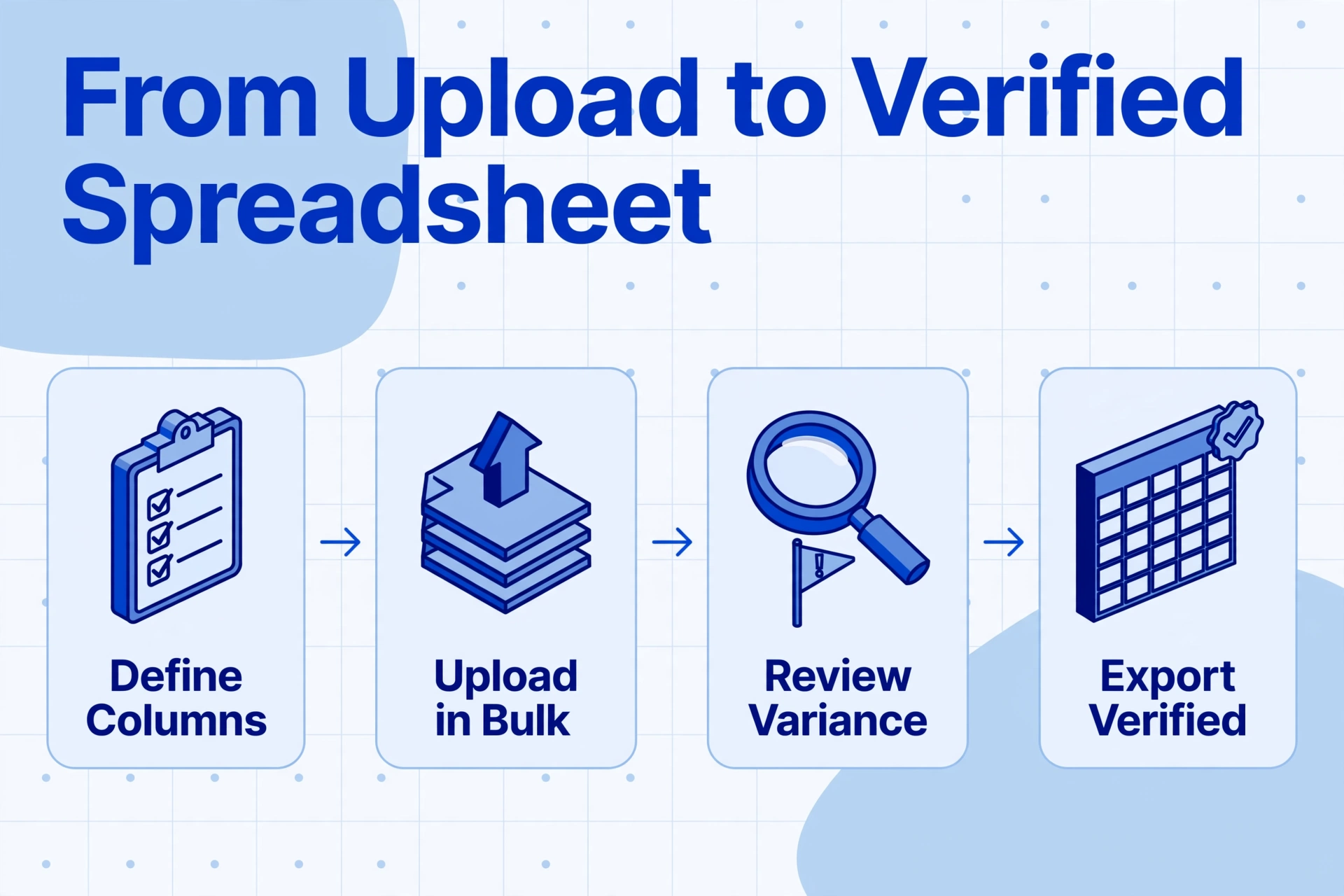
The extraction workflow for Canadian bilingual invoices follows the same pattern as any semantic extraction — the difference is in the column design and the inferred fields you add to handle the multi-tax-regime problem.
Upload your supplier invoices
Drag and drop photos, scans, or PDFs from your suppliers — a batch from a Quebec vendor, a batch from an Ontario vendor, and a batch from a BC vendor. The tool accepts JPG, PNG, WebP, and PDF. No pre-sorting by language or province required.
Define your extraction columns
Type the column names you want in your output spreadsheet. For Canadian bilingual invoices, the recommended set is:
| Column Name | Extraction Mode | What It Captures |
|---|---|---|
Invoice Number | Direct | "INV-2026-0472" or "Facture n° 0472" — AI recognises both as the same field |
Invoice Date | Direct | The issuance date, whether labelled "Date" "Date de facturation" or "Date de facture" |
Supplier Name | Direct | The supplier's legal or trading name as printed on the invoice header |
Supplier GST/HST Reg No | Direct | The supplier's 9-digit BN + suffix (e.g. "123456789 RT0001") or the QST registration number (10-digit NEQ + TQ suffix) |
Subtotal | Direct | Net amount before tax — whether labelled "Subtotal" "Sous-total" "Net" or "Montant avant taxes" |
GST Amount | Direct | The federal GST portion; on a Quebec invoice this is the "TPS" line |
HST Amount | Direct | The harmonised tax amount on ON/NB/NL/NS/PEI invoices; leave blank on GST+PST or GST+QST invoices |
QST Amount | Direct | The Quebec sales tax ("TVQ") amount; leave blank on non-Quebec invoices |
PST Amount | Direct | Provincial sales tax on BC/SK/MB invoices; leave blank on HST or GST-only invoices |
Total | Direct | The invoice total including all taxes — "Total" "Montant total" "Total TTC" |
Tax Jurisdiction | Inferred | AI determines the tax regime from the document's tax fields and supplier details: "HST Province" "Quebec (GST+QST)" "GST+PST Province" "GST Only" |
The GST Amount, HST Amount, QST Amount, and PST Amount columns are deliberately separate — every invoice will have a value in exactly one or two of them, depending on its province of origin. This separation is what lets you filter and sum by tax type after extraction, which is exactly what you need for preparing a GST34 or FPZ-500 return.
Add an inferred column for tax jurisdiction
The Tax Jurisdiction column above is an Inferred Column — a column where you give the AI a set of classification options and it reads the invoice to decide which one applies, even though no field on the document is explicitly labelled "Tax Jurisdiction." When you define Tax Jurisdiction (options: GST Only/HST Province/Quebec (GST+QST)/GST+PST Province), the AI examines the tax line items on each invoice — it sees "TVQ" and "TPS" labels and classifies the invoice as Quebec, sees a single "HST" line and classifies it as HST Province, and so on. This means you get a filterable column that tells you which government gets which tax from which invoice — without manually tagging a single one.
Process the batch and download your spreadsheet
Once you've confirmed the column definitions, the AI reads all uploaded invoices and fills each column. The result is a single spreadsheet where every invoice is a row, every tax type has its own column, and the Tax Jurisdiction column tells you at a glance which filing category each row belongs to. For a batch of 50 invoices from 5 provinces, this takes under a minute from upload to download — compared to the 2–3 hours of manual data entry it replaces.
Files are processed securely and not stored.
The semantic-extraction approach means you define the columns once and reuse them across every Canadian invoice batch — regardless of supplier language, invoice format, or whether the document is a crisp PDF from a modern accounting system or a phone photo of a thermal-printed hardware-store receipt. For a broader comparison of extraction tools and approaches, see our roundup of the best invoice extraction software in 2026.
Three Kinds of Compliance Proof Each Extraction Should Give You
CRA doesn't just want the tax amounts. Under ETA s.169(4) and s.169(5), an Input Tax Credit claim must be supported by three categories of evidence: supplier identity, tax charged, and business purpose. Your extraction spreadsheet should deliver all three without manual reconstruction.
Most discussions of Canadian invoice extraction focus on getting the tax numbers right — and that's the most visible requirement. But the Excise Tax Act's ITC rules (Part IX, Division I) require more than just correct dollar amounts. When a CRA auditor reviews your GST34 return, they check three things for each ITC claim:
1. Supplier identity — who charged the tax. The invoice must show the supplier's legal or trading name and their GST/HST registration number, which is the 9-digit Business Number plus the RT suffix (e.g. "123456789 RT0001"). For Quebec suppliers, you also need the QST registration number, which uses a 10-digit NEQ (Numéro d'entreprise du Québec) plus the TQ suffix (e.g. "1234567890 TQ0001"). Your extraction columns should capture both the supplier name and registration number as separate fields — this gives you a filterable, searchable record of every supplier you claimed ITC from, which is exactly what an auditor will ask for.
2. Tax charged — the amount and the rate. The invoice must show the total amount of tax charged, or the total consideration plus a statement that tax is included. But simply capturing "Tax = $47.32" is insufficient if you can't tell whether that $47.32 is GST (federal ITC), HST (federal ITC), QST (Quebec ITR), or PST (in most cases, not recoverable through the GST/HST mechanism). This is why the column design in Step 2 keeps GST, HST, QST, and PST in separate columns. When you filter your spreadsheet by Tax Jurisdiction = "HST Province," the sum of the HST Amount column is your federal ITC for that group of invoices. When you filter by "Quebec (GST+QST)," the GST Amount column feeds your GST34 and the QST Amount column feeds your FPZ-500. The separation is the compliance layer.
3. Business purpose — that the supply was for use in your commercial activity. This is the least automated but most consequential check. CRA requires that each ITC claim be for a supply acquired "for consumption, use, or supply in the course of a commercial activity" (ETA s.169(1)). The invoice itself doesn't prove business purpose — but your extraction workflow should capture enough data to support the connection: supplier name tells the auditor who the expense was with; invoice date ties it to a reporting period; and the extracted Subtotal tells the auditor the value of the supply. For multi-purpose expenses (e.g. a vehicle used 60% for business), you'll need to apply the apportionment manually — no extraction tool can determine your business-use percentage from invoice data alone.
GST ITC claims must be filed within 4 years of the invoice date under ETA s.225(4). QST ITR claims have a different deadline: December 31 of the 4th calendar year following the year the invoice was received (An Act respecting the Québec sales tax, s.206). A correctly extracted invoice date column lets you filter for near-expiry claims at filing time — without manually checking each invoice's date against the current filing year.
Beyond the CRA Minimum: A Well-Formatted Extraction Log
The extraction spreadsheet that satisfies CRA's minimum requirements is not the same as an extraction log you'd actually want to work with month after month. A few formatting additions — most of which happen automatically through the extraction tool's post-processing — turn a compliance checklist into a genuinely useful supplier-vendor database.
Date standardisation. Canadian invoices use multiple date formats: "2026-06-15" (ISO), "15/06/2026" (DD/MM/YYYY, common in Quebec and French-language documents), "06/15/2026" (MM/DD/YYYY, common on US-origin or bilingual invoices from English-first suppliers). The extraction tool's data post-processing normalises all date formats into a single format of your choice, so you can sort by date, filter by month, and identify near-expiry ITC claims without manually reformatting each row.
Supplier name normalisation. The same supplier often appears under slightly different names across invoices: "Matériaux Bouchard Ltée" on one, "Bouchard Materials" on another, "Matériaux Bouchard (2020) Inc." on a third. The extraction columns capture exactly what's printed, which preserves the audit trail. For your own working copy, you can add a computed column that maps supplier names to a canonical list — or do this in Excel after extraction, since maintaining a supplier master list is a one-time setup task, not a per-invoice operation.
Tax jurisdiction filtering. With the Tax Jurisdiction inferred column in place, your spreadsheet supports a simple workflow at filing time: filter by "HST Province" → sum the HST Amount column → that's your federal ITC from harmonised provinces. Filter by "GST Only" → sum the GST Amount column → that's your federal ITC from non-HST provinces. Filter by "Quebec (GST+QST)" → sum the GST Amount column for your GST34, and separately sum the QST Amount column for your FPZ-500. Filter by "GST+PST Province" → sum the GST Amount column for your GST34; the PST amount is provincial and follows provincial rules (BC PST is generally not recoverable as ITC but may be deductible as a business expense).
Cross-province reporting. If your business operates in multiple provinces — say, a construction company with projects in Ontario, Quebec, and New Brunswick — the province-specific tax columns let you build a per-province tax summary without cross-referencing supplier addresses or postal codes. Every row already has the right amount in the right tax column for the right jurisdiction.
None of this formatting requires manual work per invoice. The extraction happens once, the columns populate automatically, and the post-processing standardisation is built into the output. The spreadsheet you download is already structured for the filing workflow — not a raw data dump that requires a second round of manual cleanup.
Frequently Asked Questions
Can an AI extraction tool tell the difference between a French invoice and an English one?
It doesn't need to — and that's the point of semantic extraction. Rather than classifying invoices by language and applying language-specific rules, the AI reads the document and understands what each field represents regardless of which language it's written in. "N° de facture" and "Invoice #" both resolve to the same concept — an invoice identifier — so the extraction result is the same regardless of the label language. The AI treats bilingualism as a data-presentation detail, not an extraction challenge.
What if the QST amount isn't printed separately on a Quebec invoice?
Most Quebec supplier invoices show TPS (GST) and TVQ (QST) as separate line items — this is standard practice because each tax goes to a different government. If a Quebec invoice shows only a single tax-inclusive total, you can use a computed column to derive the QST amount. Define a column with a calculation such as "QST Amount = (Total − Subtotal) × (9.975 / 14.975)" which uses the known ratio of QST to total tax on Quebec invoices (9.975% QST ÷ 14.975% combined = 66.6%). The AI performs this calculation during extraction and outputs the derived value directly into your spreadsheet. Computed columns work on any measurable relationship — tax ratios, currency conversions, quantity × unit-price arithmetic — and execute during the extraction pass, so your output contains the answer, not just the raw inputs.
Does this work with scanned paper invoices, or only with digital PDFs?
It works with both. The AI reads the visual content of the document — it's processing what appears on the page, not extracting embedded text from a PDF layer. A photograph of a paper invoice taken with a phone, a scanned PDF from a desktop scanner, and a digitally generated invoice PDF are all processed through the same visual understanding engine. The quality of the scan matters — a blurry, low-resolution photo of a crumpled receipt will produce less accurate results than a clean 300 DPI scan — but the underlying extraction mechanism is the same across all input formats.
How do I know which tax column to file under — what if I get it wrong?
The separation of tax types into individual columns — GST Amount, HST Amount, QST Amount, PST Amount — plus the Tax Jurisdiction inferred column gives you a double-check system. The Tax Jurisdiction column tells you which regime the invoice belongs to. The individual tax amount columns show you the actual numbers. If the Tax Jurisdiction says "HST Province" and the HST Amount column has a value while the QST Amount column is blank, the filing path is clear: the HST amount goes on your GST34. If the Tax Jurisdiction says "Quebec (GST+QST)" and both GST Amount and QST Amount have values, you split them: GST goes to the GST34, QST goes to the FPZ-500. If you're uncertain about a specific invoice, the best practice is to flag it for your accountant rather than guessing — part of a clean extraction workflow is making the ambiguous cases easy to find, not eliminating them entirely.
Can I extract line-item details, or is this invoice-summary only?
Both. The column configuration shown in Step 2 captures invoice-level fields — total, tax amounts, supplier details. You can extend the column list to capture line-item details by adding columns such as Line Item Description, Line Item Quantity, Line Item Unit Price, and Line Item Total. Each extracted row will then represent one line item from one invoice, with the invoice-level fields (supplier, date, invoice number) repeated across the line items from that invoice. This is useful for inventory reconciliation, job-costing, or verifying that the tax amount on each line matches the rate for that supplier's province.
What about the PST on BC and Saskatchewan invoices — is it recoverable?
Provincial sales tax (PST) is generally not recoverable through the federal GST/HST ITC mechanism. BC PST (7%), Saskatchewan PST (6%), and Manitoba RST (7%) are provincial taxes with their own rules — and in most cases, businesses cannot claim them as input tax credits on the GST34. The PST amount is typically treated as part of the cost of the purchased goods or services. This is why keeping PST in its own column is important: you can isolate it from the federal GST amounts that are recoverable as ITCs. Some provinces offer limited PST exemptions for specific industries or equipment types — check with your accountant or the provincial tax authority for your situation. The extraction tool separates the numbers; your accountant advises on their treatment.
How does this compare to using QuickBooks Canada's built-in tax features?
QuickBooks Canada and Sage 50 Canada handle tax rate calculations on invoices you issue — they apply the correct GST, HST, or QST rates when you create an invoice for your customer. They do not extract data from supplier invoices you receive as PDFs, scans, or photos. For incoming supplier invoices, the workflow in most accounting software is manual: open the PDF, type the supplier name, date, net amount, and tax amounts into the purchase entry screen, field by field. Semantic extraction bridges that gap: it reads the supplier's invoice and outputs a structured row ready to import or enter, which eliminates the manual typing step. The two tools serve different functions — QuickBooks manages your books; semantic extraction converts paper and PDFs into data your books can use.
What if a supplier's GST/HST registration number is missing from the invoice?
Under CRA rules, a valid GST/HST registration number on the supplier's invoice is a requirement for claiming the ITC. If you receive an invoice without a registration number, contact the supplier and request a corrected invoice before filing. The extraction tool will capture whatever is present on the document — it can't fabricate a registration number that isn't there. If the registration number field comes back empty after extraction, that's your signal to follow up with the supplier. A clean extraction output makes missing fields immediately visible, which is a better position than discovering the omission during an audit.