How to Extract Australian Tax Receipts
ABN, GST & Excel
Xero's 2024 survey found that 71% of Australian small business owners consider the end of financial year stressful, with 28% specifically citing "staying on top of receipts" as a top source of overwhelm — ahead of cash flow management and BAS lodgement itself. That stat captures something every sole trader and small business owner in Australia already knows: the receipt problem isn't just about volume. It's about compliance risk hiding in every slip of thermal paper. Because in Australia, a receipt missing its ABN isn't just incomplete — under PAYG withholding rules, paying a supplier who hasn't quoted their ABN means you as the payer may be required to withhold 47% of the payment and remit it to the ATO. A faded Bunnings receipt isn't just illegible. It could be a tax liability.
Key Takeaways
- Australian receipt extraction isn't about moving numbers from paper to spreadsheet — it's about avoiding a 47% withholding liability that lands on you when a supplier's receipt is missing an ABN.
- Two receipts for the same dollar amount can have completely different GST eligibility depending on whether the document says "Tax Invoice" at the top — and the ÷ 11 shortcut that works for Officeworks fails at Bunnings because of GST-free line items.
- Column-name extraction reads fields by what they mean rather than where they sit on the page — so a Bunnings receipt, an Uber invoice, and a hand-written tradie docket all feed into the same unified spreadsheet for BAS lodgement.
Why Australian Receipts Are Different from Every Other Receipt Guide
If you search "how to extract receipt data to Excel," you'll find dozens of articles that walk through uploading an image, getting back vendor name, date, and total, and calling it done. For an Australian business, that's about 40% of the job.
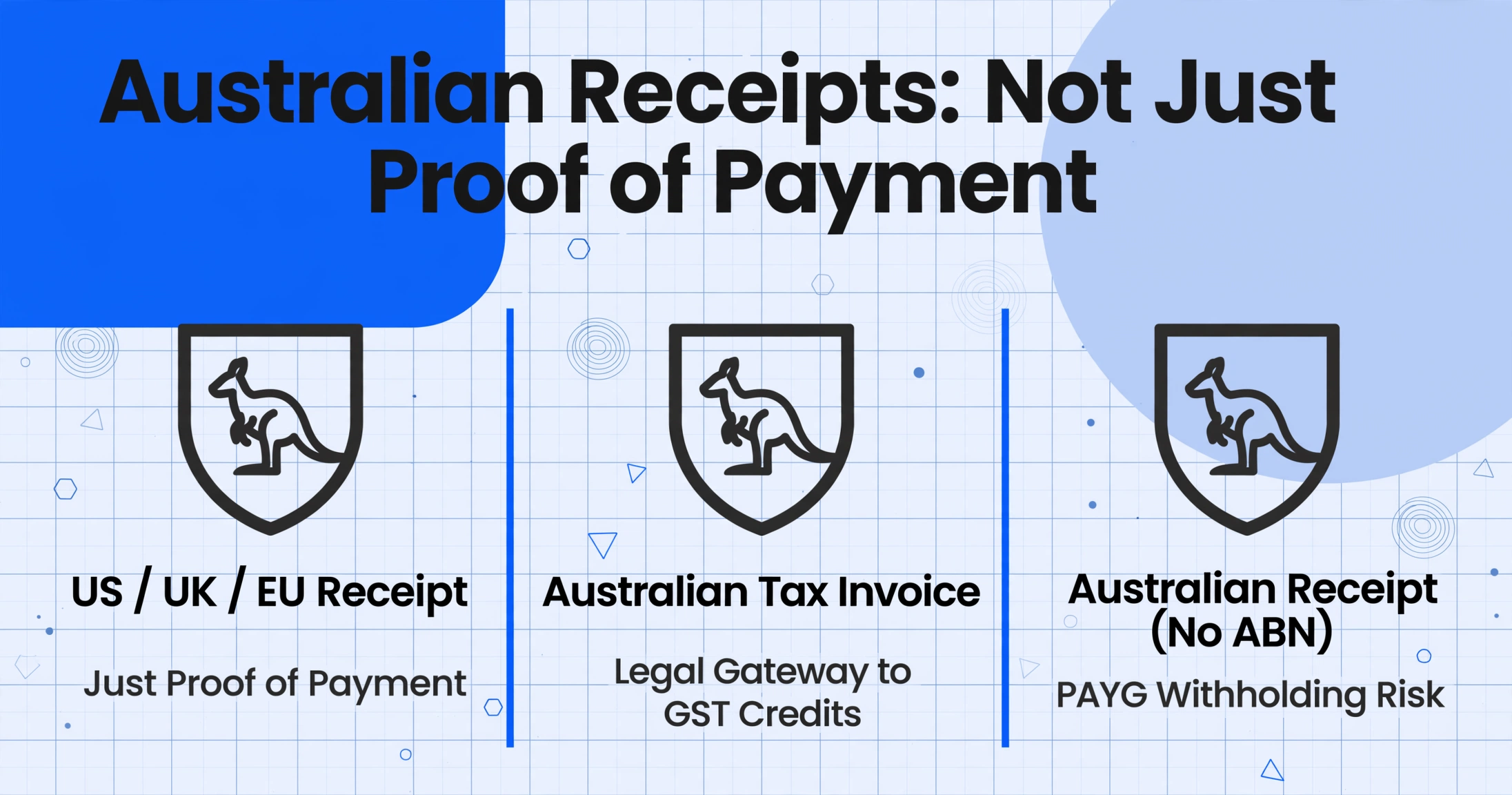
Australian receipts carry a unique legal weight that receipts from the US, UK, or EU don't. Under ATO tax invoice rules legislated through A New Tax System (Goods and Services Tax) Act 1999, a receipt isn't just proof of payment — it's the legal gateway to claiming GST input tax credits. And that gateway only opens if the receipt includes specific fields, including the supplier's 11-digit Australian Business Number (ABN).
Three things make Australian receipt extraction fundamentally different:
1. The ABN is non-negotiable. A supplier's ABN must appear on any document labelled a tax invoice. If you pay a supplier who hasn't provided an ABN on their invoice, and the total payment exceeds $75 (excluding GST), you as the payer are generally required to withhold 47% of that payment under PAYG no-ABN withholding rules. This isn't a fine — it's a withholding obligation that sits on your BAS at label W4.
2. GST must be separately identifiable. The 10% GST rate applies to most goods and services in Australia. To claim an input tax credit on a purchase, you need a valid tax invoice showing either the GST amount per line item or a statement that the total price includes GST — and the GST must be exactly one-eleventh of the total. A receipt that just shows a grand total with no GST breakdown is insufficient for claiming credits.
3. Not every receipt is a tax invoice. This is the distinction that trips up most newcomers. A receipt proves you paid. A tax invoice is a specific document that meets ATO requirements and entitles you to claim GST credits. For purchases under $82.50 (GST-inclusive), you don't need a tax invoice at all. For amounts between $82.50 and $1,000, you need the 7 standard tax invoice elements. Above $1,000, you also need the buyer's identity or ABN. The practical consequence: when you sit down with a pile of receipts at EOFY, some of them support GST credit claims, some don't — and you need to know which is which before a single cell hits your spreadsheet.
Australian receipt extraction is a compliance workflow, not just a data entry workflow. Every other jurisdiction lets you focus on "what's the amount and who's the vendor." In Australia, you also need to answer: "Is this receipt a valid tax invoice? Can I claim the GST on this? What if the ABN is missing?"
Step 1 — Check the ABN Before You Extract Anything
Before discussing extraction software, column names, or Excel formatting, there's a step that's uniquely Australian and non-optional: verifying whether each receipt carries a valid ABN.
The ABN is an 11-digit identifier issued by the Australian Business Register. Every business operating in Australia that issues tax invoices must display their ABN on those documents. For a sole trader or small business claiming deductions, the supplier's ABN on the receipt serves two purposes: it confirms the supplier is a legitimate registered business (not a hobbyist), and it's the key that links to GST credit eligibility.
Here's the practical workflow:
Look at each receipt. Find the ABN.
It's usually near the supplier's business name or at the bottom of the receipt. It's an 11-digit number, sometimes formatted as XX XXX XXX XXX. If the receipt is labelled "Tax Invoice," the ABN should be there by law.
Verify the ABN on the spot.
The ATO's free ABN Lookup tool lets you type in an ABN and instantly see the registered business name, GST registration status, and entity type. If the ABN on the receipt doesn't match the name, or if it's been cancelled, that's a red flag. The ATO app also has a built-in ABN Lookup function for mobile verification.
Sort receipts into two piles: ABN-present and ABN-missing.
This is the critical fork in the road. Receipts with a valid ABN can go straight to extraction. Receipts without an ABN require a decision: is the supplier a hobbyist or selling in a private capacity? Is the total under $75 (ex-GST)? If neither exception applies, you may need to withhold 47% — and that receipt moves to a separate workflow entirely (see the last section).
This sorting step takes roughly 15 seconds per receipt once you get into a rhythm. For a pile of 50 EOFY receipts, that's about 12 minutes. The payoff: you now know exactly which receipts are eligible for GST credit claims and which ones carry compliance risk — before you extract a single data point.
Step 2 — Separate Tax Invoices from Regular Receipts
Once you've confirmed which receipts have an ABN, the next layer of sorting determines what data you actually need to extract.
Under ATO rules, a valid tax invoice for sales between $82.50 and $1,000 (GST-inclusive) must contain seven elements:
- The words "Tax Invoice" — clearly visible on the document
- The seller's identity — business name or trading name
- The seller's ABN — 11 digits
- The date the invoice was issued
- A brief description of the goods or services sold
- The GST amount payable for each item, or a statement that the total price includes GST
- The total amount payable
For sales of $1,000 or more, an eighth requirement applies: the buyer's identity or ABN must also appear on the invoice.
Here's what this means in practice at your desk, sorting through a stack of receipts from the last quarter:
| Receipt Type | What to Look For | Can You Claim GST Credit? | Extraction Columns Needed |
|---|---|---|---|
| Tax Invoice (under $1,000) | Labelled "Tax Invoice," has ABN, GST shown | Yes | Supplier, ABN, Date, Description, GST Amount, Total |
| Tax Invoice ($1,000+) | Same as above + your name/ABN | Yes | All above + Buyer Identity |
| Receipt (not a tax invoice) | Shows total paid, no GST breakdown, may lack ABN | No | Supplier, Date, Description, Total |
| Receipt under $82.50 | Any receipt for a small purchase | No tax invoice required, but keep for audit | Supplier, Date, Total, Category |
The $82.50 threshold is where most confusion lives. Many small purchases — a $45 stationery run at Officeworks, a $32 team lunch receipt — don't need to be tax invoices at all. You can still claim these as business expenses, but you won't be claiming the GST component separately because the receipt doesn't qualify as a tax invoice. In practice, this means you extract a simpler set of columns for sub-$82.50 receipts and don't waste time hunting for GST breakdowns that don't exist.
Step 3 — Map ATO Tax Invoice Requirements to Your Extraction Columns
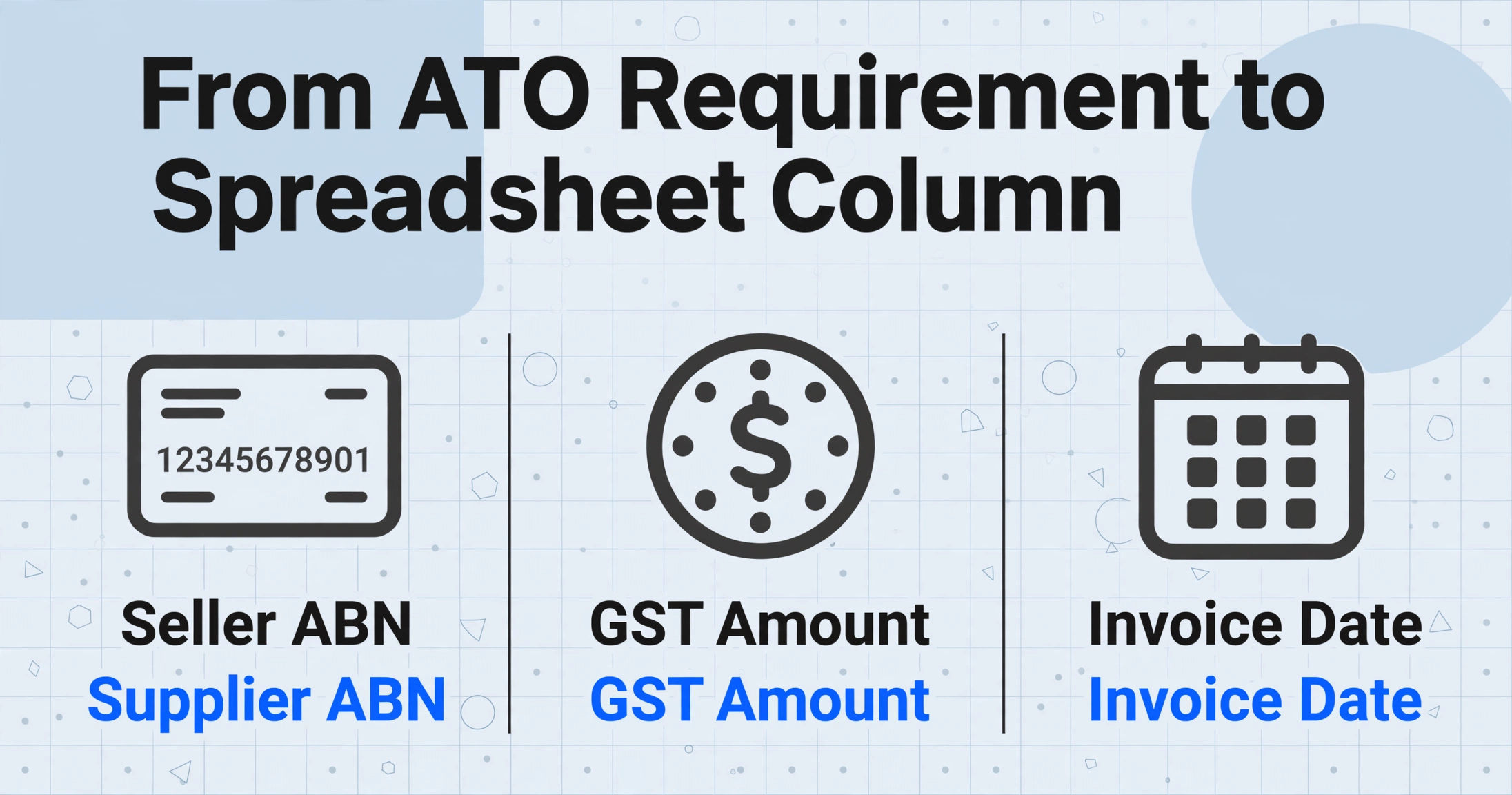
This is where the theory meets the spreadsheet. The ATO tells you what information a tax invoice must contain. Your job is to translate those requirements into column names that an AI extraction tool can understand and locate on each receipt — regardless of the receipt's layout.
Traditional receipt OCR tools work by template matching: you draw boxes around fields on one Officeworks receipt, and the tool expects every subsequent Officeworks receipt to have the date in the same position. That approach collapses the moment you add a Bunnings receipt (different POS system), an Uber receipt (email format, no POS at all), and a hand-written tradie receipt (no template on earth matches it) to the same batch.
What you need instead is column-name extraction: instead of telling the tool where to look, you tell it what you want — "Supplier ABN," "GST Amount," "Invoice Date" — and the AI locates those values by understanding what they mean, not where they sit on the page. A date is a date whether it's in the top-left corner of a Bunnings receipt or buried mid-page in a PDF invoice from a wholesale supplier. This format-independent approach is what makes batch processing across mixed receipt types actually work.
Here is the practical column mapping for Australian tax receipts:
| ATO Requirement | Your Column Name | Notes |
|---|---|---|
| Seller identity | Supplier Name | The trading name on the receipt — Bunnings, Officeworks, a local cafe's business name |
| Seller ABN | Supplier ABN | 11-digit number. Extract it as-is; verify later with ABN Lookup |
| Date of issue | Invoice Date | Standardised to DD/MM/YYYY format for BAS reporting |
| Description | Description | Brief description of what was purchased. Enough detail to satisfy ATO audit |
| GST amount | GST Amount | Extract as a separate column — do NOT derive from Total ÷ 11. Mixed GST-free and taxable line items make the ÷ 11 shortcut inaccurate |
| Total amount | Total (incl GST) | The full amount paid, GST-inclusive |
| Total excluding GST | Total (excl GST) | Total minus the GST amount. Useful for your P&L, where expenses are typically recorded GST-exclusive if you're GST-registered |
| (Optional) Category | Expense Category (options: Office Supplies/Travel/Meals/Equipment/Contractor/Other) | An inferred column — the AI reads the receipt content and assigns a category even though no "category" field exists on the receipt |
| (Optional) GST Status | GST Claimable (Yes/No) | Another inferred column: AI determines whether this receipt qualifies as a tax invoice with claimable GST |
If you're GST-registered and lodging quarterly BAS, those nine columns give you everything you need to populate the G10 (total purchases), G11 (GST-free purchases), and G2 (total GST credits) lines on your activity statement — without cracking open a calculator.
Files are processed securely and not stored.
The embedded demo above is pre-loaded with a receipt preset — try typing Supplier ABN, GST Amount, and Total (incl GST) as column names to see column-name extraction in action. The tool reads field meanings, not field positions, so it works on receipts from any store, in any layout. For a deeper walkthrough of receipt extraction fundamentals — including format handling, accuracy expectations, and what happens with multi-page PDFs — see the complete guide to receipt extraction.
Step 4 — Batch Processing: Handle EOFY Volume in One Pass
Australian small business owners don't process receipts one at a time for leisure. The trigger is almost always a deadline: quarterly BAS is due in two days, or EOFY (June 30) has passed and the accountant wants your records by mid-July.
The Xero survey found that 32% of SMB owners cite "gathering financial data" as a top EOFY stressor, and 56% admitted to making at least one mistake in past EOFY preparations — most commonly misplacing documents or receipts (32%) and forgetting to claim a significant deduction (31%). These aren't accounting errors. They're receipt management failures — specifically, the failure to connect a physical receipt to a row in a spreadsheet in a way that survives the 5-year ATO record retention window.
Batch processing changes the equation. Instead of opening each receipt, typing seven fields, closing it, and opening the next one (45 seconds per receipt in a best-case scenario), you upload a folder of receipt images, specify your column names once, and receive a single unified spreadsheet with every receipt as a row. For a sole trader with 80 receipts from the March quarter, that's the difference between an hour of focused spreadsheet assembly and a full afternoon of manual data entry with progressive accuracy decay.
Three practices make batch extraction specifically effective for EOFY:
Name your files before uploading, not after.
The filename is the bridge between a row in your spreadsheet and the original document in your records. Instead of IMG_4287.jpg, use a naming convention that includes the supplier name and date: Bunnings_2026-04-15.jpg. The extraction tool should include the filename as a column in the output spreadsheet, making audit trails trivial — click the filename, find the receipt.
Use inferred columns for automatic categorisation.
An inferred column like Expense Category (options: Office Supplies/Travel/Meals/Equipment/Contractor/Other) means the AI reads each receipt, determines the most likely category, and fills it in — before you touch the spreadsheet. For a sole trader with mixed personal and business expenses, this pre-sorting step alone saves the "wait, was that Bunnings trip for client materials or home renovation?" back-and-forth.
Export as a single spreadsheet, not one file per receipt.
The entire value proposition of batch extraction is the unified output: one spreadsheet where row 5 is your Bunnings receipt, row 6 is the Uber to the client meeting, row 7 is the monthly Xero subscription. Scroll, sort by Expense Category, filter by GST Claimable = Yes, and you have your BAS figures ready to transfer. For more on the batch workflow — including how to handle format fragmentation, naming conventions, and the 100-receipt efficiency cliff — see the guide to batch processing business receipts.
NFIB data: 42% of small business owners spend 4+ hours per month on tax compliance paperwork. For Australian sole traders, the same pattern holds — but with the additional friction of ABN verification and GST classification. Batch extraction eliminates the repetitive part of that compliance burden, freeing those hours for the part a human actually needs to do: the strategic decisions about what to claim, how to structure deductions, and when to consult a tax agent.
Step 5 — From Extracted Data to BAS and Accounting Software
A spreadsheet full of receipt data is only valuable if it connects to the systems that need it: your BAS lodgement, your accounting platform (Xero, MYOB, or QuickBooks Online), and your 5-year ATO record archive.
Here's how the extracted data maps to each destination:
BAS Lodgement
If you're GST-registered and lodging quarterly, your BAS asks for these key figures:
| BAS Label | What It Means | Derived From Your Extraction Spreadsheet |
|---|---|---|
| G1 — Total sales | Your total revenue for the period | From your invoicing system, not receipts |
| G2 — Export sales | GST-free export revenue | From your invoicing system |
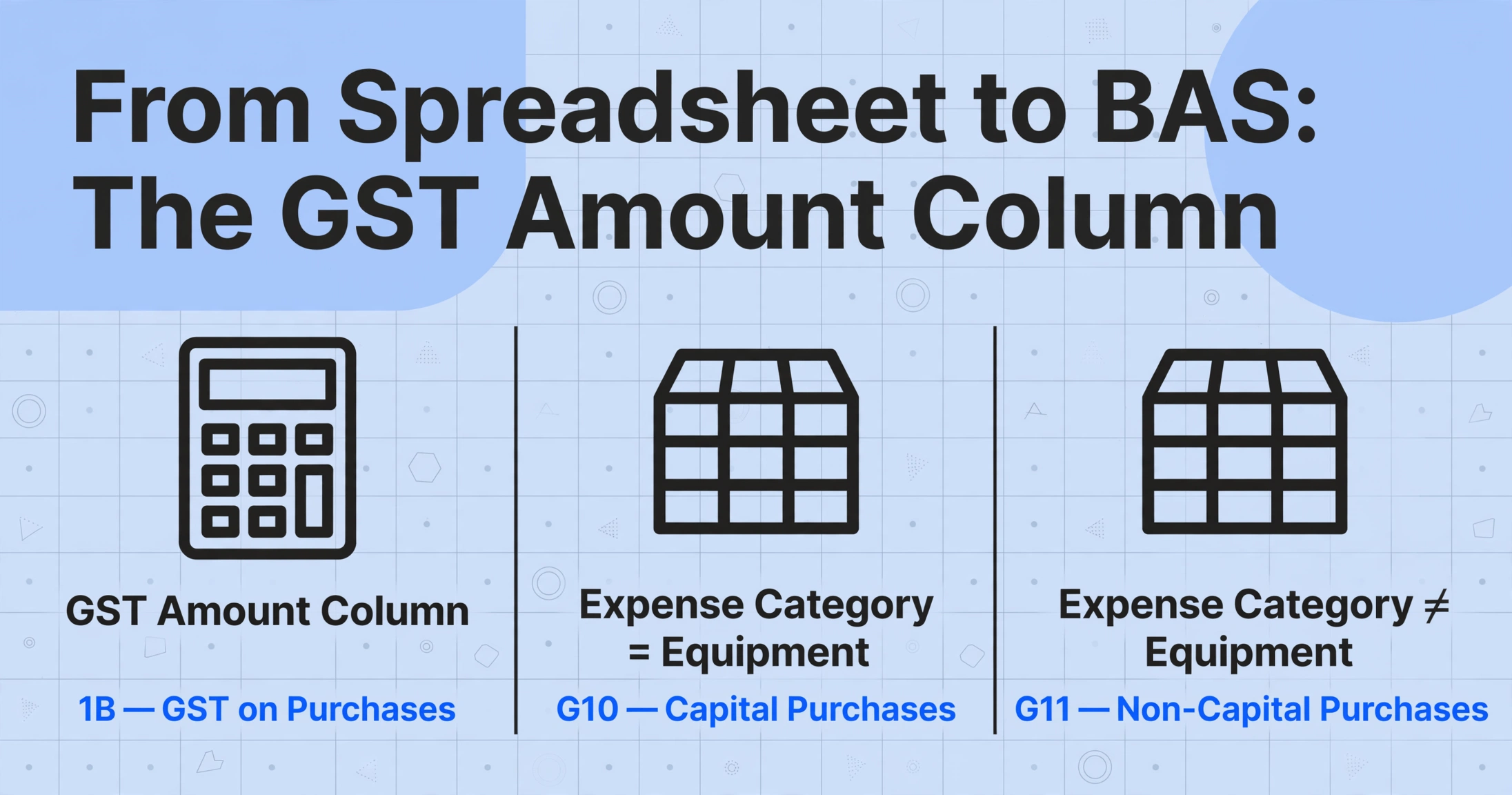
| G10 — Capital purchases | Purchases of business assets | Filter your receipt spreadsheet: Expense Category = Equipment, sum the Total (incl GST) |
| G11 — Non-capital purchases | All other business purchases | Filter: Expense Category ≠ Equipment, sum the Total (incl GST) |
| 1A — GST on sales | GST you collected | From your invoicing system |
| 1B — GST on purchases | GST credits you're claiming | Sum the GST Amount column from all receipts where GST Claimable = Yes |
The critical column here is GST Amount. If each receipt in your extraction output has a verified GST value in its own column, calculating 1B is a single SUM formula. If you didn't extract GST separately and are trying to work backwards from totals using the ÷ 11 shortcut, you'll get wrong answers every time a receipt includes both taxable and GST-free items.
Xero, MYOB, and QuickBooks Online
All three major Australian accounting platforms support CSV import of expense transactions. The column mapping from your extraction spreadsheet to each platform's import format is straightforward:
- Xero: Export your extraction result as CSV, then map columns to Xero's Spend Money or Bill fields (Date, Reference, Description, Amount, Tax Rate). Xero's Hubdoc add-on can auto-capture receipt images, but column-name extraction gives you structured data for all receipt types — not just the ones Hubdoc's template engine recognises.
- MYOB: MYOB Business supports CSV import via the Banking > Import Statements flow. Map your extracted columns to MYOB's transaction fields. MYOB's receipt capture app (MYOB Assist) handles basic receipt scanning, but batch extraction from mixed receipt formats requires format-independent AI extraction.
- QuickBooks Online: QBO's import tool accepts CSV with Date, Description, and Amount columns. Add the GST Amount as a separate column mapped to QBO's tax field for accurate GST tracking.
The myDeductions App: What It Does and Doesn't Do
The ATO's free myDeductions tool — built into the ATO app — is the most common "free alternative" mentioned in Australian receipt management discussions. It lets you snap a photo of a receipt, add a category and amount, and upload the records to your tax return or share them with your tax agent at lodgement time. For an employee with 15 work-related receipts per year, it's perfectly adequate.
For a small business owner processing 50+ receipts per quarter, myDeductions has three hard limits:
- No structured data export. Receipts are stored as photos with manually entered amounts — you can't export a spreadsheet with ABN, GST, date, and category as separate filterable columns.
- No batch processing. Each receipt is a manual entry: take photo, type amount, pick category, save. At 30 seconds per receipt, 80 receipts is a 40-minute phone session.
- No ABN extraction or verification. The app stores the photo — it doesn't read the ABN from it. You still need to manually check whether each receipt qualifies as a tax invoice.
myDeductions is a record-keeping tool. Column-name extraction is a data-processing tool. They're complementary — myDeductions stores the evidence for ATO audit, extraction produces the structured spreadsheet for BAS and accounting software. Using both means you have the audit trail and the usable data.
The 5-year rule means your extracted spreadsheet is evidence, not just a convenience. The ATO requires businesses to retain records for 5 years from lodgement. A well-structured extraction spreadsheet with filename references to original receipt images is exactly the kind of organised record that satisfies substantiation requirements under the Income Tax Assessment Act 1997.
What Happens When a Receipt Has No ABN
Not every receipt from a supplier carries an ABN. When it doesn't — and the total payment exceeds $75 (excluding GST) — the PAYG withholding system activates a specific obligation that most small business owners don't discover until an audit letter arrives.
Under ATO no-ABN withholding rules (Taxation Administration Act 1953, Schedule 1, Division 12), if you make a payment to a supplier who hasn't quoted their ABN — and the supplier is carrying on an enterprise, not engaging in a hobby or private transaction — you must:
- Withhold 47% of the payment amount (the top marginal tax rate plus Medicare levy) and remit it to the ATO
- Report the withholding on your BAS at label W4 — "Amounts withheld where no ABN quoted"
- Issue a PAYG payment summary (NAT 3283) to the supplier at the time of payment
- Lodge an annual PAYG withholding report (NAT 3448) after the end of the financial year
The worked example most relevant to a small business owner: you hire a freelance graphic designer for a $1,000 project. They send an invoice without an ABN. You pay the full $1,000. The ATO later determines you should have withheld $470. You now owe the ATO $470 — out of your own pocket — plus potential penalties and interest. The designer is under no obligation to reimburse you. The withholding obligation sits entirely with the payer.
There are three legitimate exceptions where you don't need to withhold, even without an ABN:
| Exception | When It Applies | Documentation Required |
|---|---|---|
| Hobby or private pursuit | The supplier is not running a business — e.g. a hobby artist selling a painting, or someone selling personal furniture | ATO "Statement by a Supplier" form (NAT 3346), signed by the supplier |
| Payment ≤ $75 (excluding GST) | The total payment amount before GST is $75 or less | Keep the receipt/invoice. No special form required |
| ABN applied for but not yet received | The supplier has applied for an ABN and it's pending | Offer to delay payment until ABN is received. If you pay before then, withholding still applies |
The No-ABN withholding obligation is the reason the ABN-check step (Step 1) isn't optional. In a single EOFY receipt-sorting session, identifying the one or two receipts without valid ABNs — and flagging them for the supplier before you make the payment — saves you from months of compliance cleanup.
The 47% withholding rule is not a penalty — it's a compliance mechanism designed to push suppliers to register for an ABN. But the financial consequence lands on the payer who failed to withhold, not the supplier who failed to provide the ABN.
FAQ
Do I need a tax invoice for every business purchase?
No. For purchases under $82.50 (GST-inclusive), a tax invoice isn't required to claim the GST credit, though you should still keep the receipt for your records. For purchases between $82.50 and $1,000, you need a tax invoice with the 7 standard elements. For purchases over $1,000, you also need the buyer's identity or ABN on the invoice.
Can the extraction tool automatically verify ABNs?
No. AI extraction tools can read the ABN text from the receipt image, but they cannot verify it against the Australian Business Register in real time. You should use the ATO's free ABN Lookup tool to cross-check extracted ABNs — especially for new suppliers. The extraction tool gives you the number; the verification is a separate manual step.
Can AI extract data from handwritten Australian receipts?
Yes. Modern AI extraction tools built on vision language models can read handwritten text on receipts — including tradie invoices written on carbon-copy receipt books, which are common in the Australian construction and trades sector. Accuracy depends on handwriting legibility: clearly printed block capitals extract reliably; rushed cursive on a dog-eared receipt book may require manual review.
Can I just divide the total by 11 to get the GST amount?
Only if the receipt contains exclusively taxable items with GST applied to every line. If the receipt includes any GST-free items (basic food, some health services, exports) — and many do — the ÷ 11 shortcut produces an incorrect GST figure. Always extract the GST amount as a separate column when it's shown on the receipt. If it's not shown, you may not be able to claim GST on that purchase at all, because the document doesn't meet the tax invoice requirement of showing GST separately or stating that the total includes GST.
What format should my extracted data be in for an ATO audit?
The ATO accepts both paper and electronic records, as long as they're a "true and clear" copy of the original. An Excel spreadsheet with extracted receipt data, plus a folder of original receipt images named to match spreadsheet rows, satisfies substantiation requirements. The key is traceability: an auditor should be able to go from any row in your spreadsheet to the corresponding receipt image without a treasure hunt.
How does this compare to dedicated receipt scanning apps?
Most dedicated receipt scanning apps use template-based OCR — they work well for standard-format receipts from major retailers but struggle with mixed-format batches, handwritten receipts, and PDF invoices from wholesale suppliers. The column-name extraction approach described here is format-independent: it locates field values by meaning rather than position. For a comparison of different receipt extraction approaches and tools, see our roundup of receipt scanning tools.
What if I'm not registered for GST?
If your annual turnover is under $75,000 and you haven't voluntarily registered for GST, you don't issue tax invoices and can't claim GST credits. Your receipt extraction workflow is simpler: you only need Supplier Name, Date, Description, Total, and Category. The ABN check is still worthwhile — it confirms your suppliers are legitimate businesses — but the GST column mapping doesn't apply to you.
Getting Your Receipts Ready for the Accountant
The Australian tax year runs July 1 to June 30, which means EOFY preparation is a winter activity — often done in the last two weeks of June, in a scramble that coincides with BAS lodgement for the April-June quarter. The 2024 Xero survey found that nearly half of SMBs believe "EOFY is just a one-day event" — a misconception that, in reality, leads to a compressed timeline where 12 months of receipts get processed in a single weekend.
The workflow laid out in this article — check the ABN, sort tax invoices from regular receipts, map ATO requirements to extraction columns, batch process, export to accounting software — turns that compressed timeline from a compliance gamble into a repeatable system. The first time through, it takes an afternoon. The second quarter, it takes an hour.
What changes isn't the effort you put in. It's what you know going in: which receipts have valid ABNs, which purchases are eligible for GST credits, and exactly how each row in your spreadsheet connects to a specific BAS label. That knowledge — not any individual tool or feature — is what makes the difference between EOFY anxiety and EOFY readiness.