How to Extract 1099-NEC and 1099-MISC Data
into Excel for Tax Season
The practical cost of manual 1099 data entry is not the hours spent typing — it is the errors that go undetected until a CP2100 notice arrives, months later, with a proposed penalty of $340 per mismatched form. A single transposed digit in a nine-digit TIN or a misread dollar amount on a handwritten 1099-NEC does not surface during data entry. It surfaces when the IRS matching system flags it, triggering a B Notice and backup withholding obligations at 24% of payments.
By that point, the time spent fixing the error — collecting a corrected W-9, filing an amended return, and responding to IRS correspondence — multiplies the original entry cost by an order of magnitude. The bottleneck in 1099 processing is not keystroke speed. It is the gap between entering data and knowing whether that data is correct.
Key Takeaways
- Typing 200 1099s burns 25 hours during tax season — and those hours are the cheap part of manual entry.
- The penalty clock on a mistyped TIN starts the moment you hit enter — not when the IRS notice arrives — and by then each uncorrected form carries a $340 cost plus mandatory backup withholding at 24%.
- Semantic AI that reads form fields by their meaning — not by their pixel position — processes QuickBooks, Drake Tax, and hand-filled 1099s in a single batch and flags only the three low-confidence cells worth auditing out of hundreds.
1099-NEC vs. 1099-MISC: Two Forms, One Data Problem
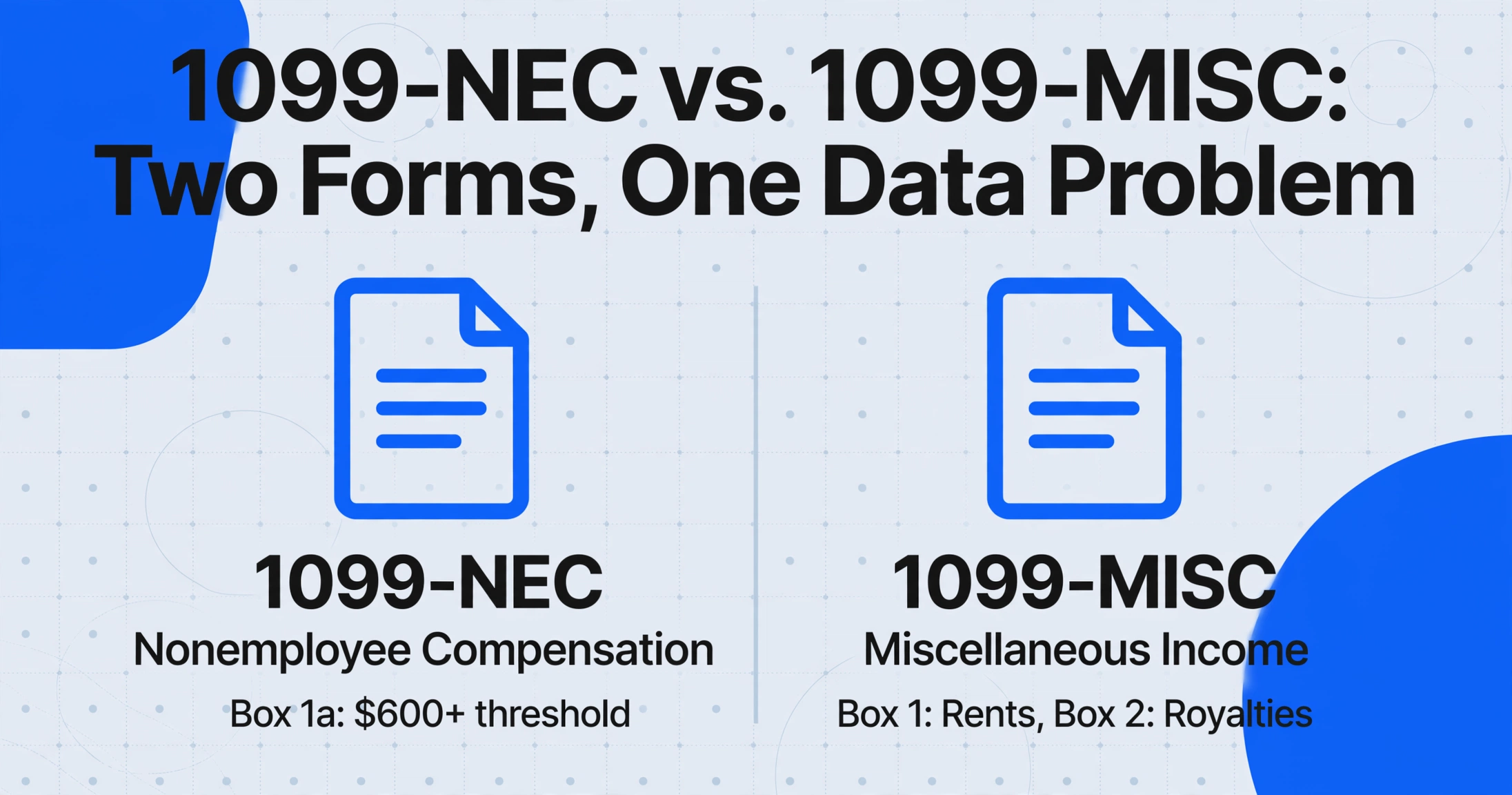
Before the 2020 tax year, both nonemployee compensation and miscellaneous income were reported on a single form — the 1099-MISC. The IRS reintroduced Form 1099-NEC (Nonemployee Compensation) starting with tax year 2020 to eliminate confusion between the two filing deadlines, which had tripped up payers for years. Today, the two forms serve distinct reporting purposes and carry separate box layouts, yet a typical small business or accounting firm receives both in the same tax season batch — often for the same vendor.
Form 1099-NEC reports payments of $600 or more made to nonemployees — independent contractors, freelancers, consultants, gig workers — for services performed in the course of a trade or business. It is the form most commonly encountered by small businesses and sole proprietors. Its layout is relatively compact: seven numbered boxes (the 2026 revision expanded it to include Box 1b for cash tips, Box 1c for the Treasury Tipped Occupation Code, and Box 1d for overtime compensation), with the primary field being Box 1a — Nonemployee Compensation. The reporting threshold increased from $600 to $2,000 starting with payments made in 2026, but the form retains the same structure with the new boxes added.
Form 1099-MISC (Miscellaneous Information) covers everything the NEC does not: rents (Box 1), royalties (Box 2), other income payments (Box 3), medical and health care payments (Box 6), crop insurance proceeds (Box 9), gross proceeds paid to attorneys (Box 10), and more — spanning eighteen numbered boxes with widely varying reporting thresholds and filing rules. Its official IRS instructions run over 30 pages detailing which payment types go into which box.
Both forms share the same physical format: Copy A is printed in OCR-readable red ink for IRS processing centers, while Copy B (the recipient copy) uses standard black ink and is what practitioners most often scan, photograph, or receive as a PDF. The red-ink Copy A is designed for high-speed production scanners at IRS service centers — not for a desktop scanner or phone camera. This distinction matters because generic OCR tools that attempt to read a scanned Copy A often return ghost text from the form's printed field labels mixed with the entered data, producing output that is noisier than if they had processed Copy B in the first place.
What Manual 1099 Data Entry Costs During Tax Season
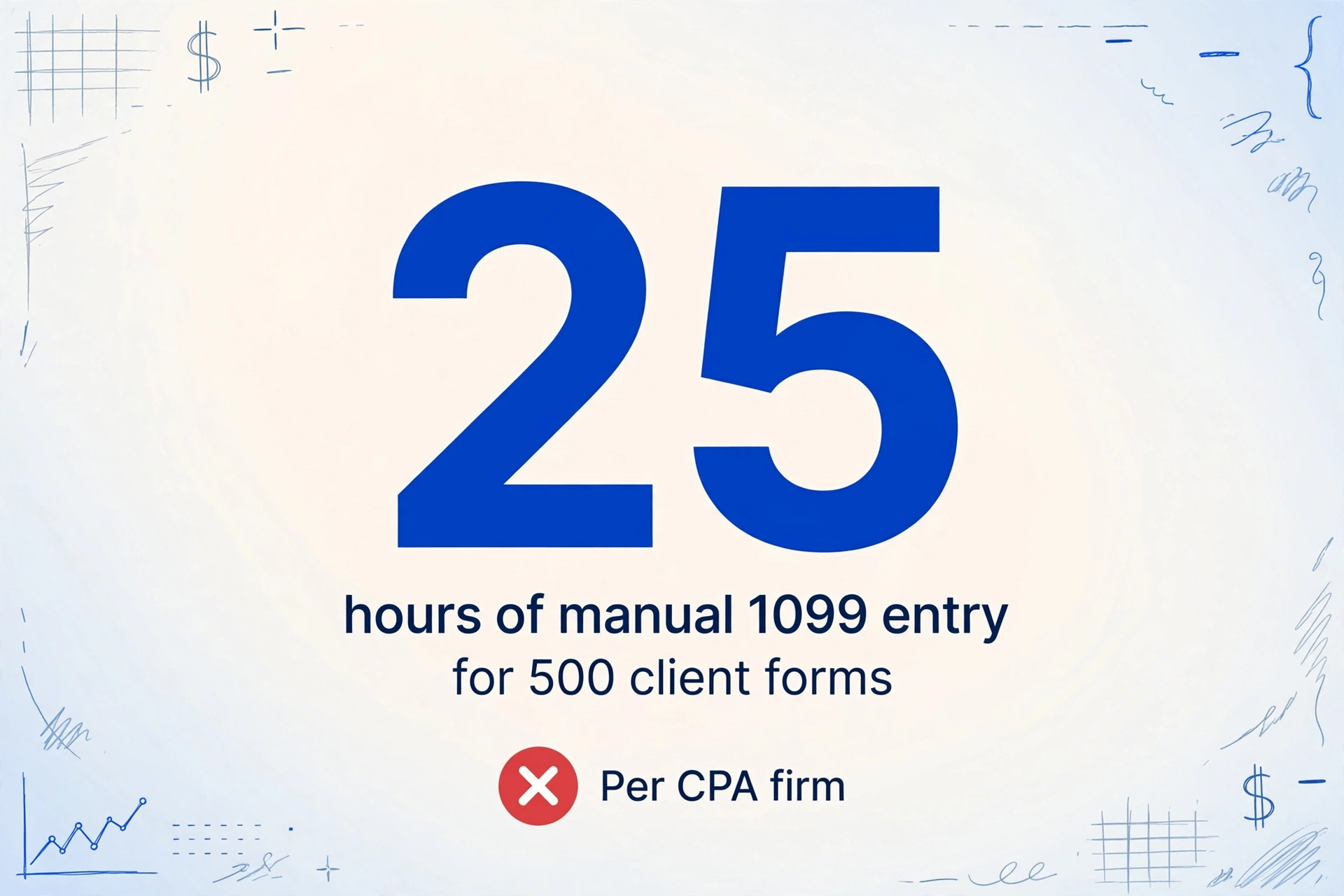
A single 1099 form contains between 12 and 25 data points depending on the variant: payer name and address, payer TIN, recipient name and address, recipient TIN, box-level income amounts, federal tax withheld, and state-level withholding details. At an average of three minutes per form for a competent data entry operator, a batch of 200 1099s represents ten hours of continuous typing. For a CPA firm processing 500 client 1099s during tax season, that is 25 hours — more than three full working days — dedicated exclusively to transcription.
But time is not the dominant cost. According to Xero's 2025 Accounting Report, 80% of routine bookkeeping tasks are automatable with current AI tools, yet 46% of accountants still report using AI tools daily — meaning the other 54% are spending the majority of their time on manual compliance work. A Thomson Reuters survey found that standard tax preparation time can be reduced by 50–70% with automation, but the industry also faces a talent shortage of 340,000 CPAs by 2030, per the AICPA. Every hour a CPA spends typing 1099 box values into a spreadsheet is an hour not spent on advisory work, client relationships, or complex tax strategy — the services that differentiate a firm and command premium fees.
The penalty exposure adds another layer of cost. Under IRC Section 6721, filing a 1099 with an incorrect TIN triggers penalties escalating from $60 per form (corrected within 30 days) to $340 per form (uncorrected after August 1), with intentional disregard penalties reaching $680 per form. A CP2100 notice — the B Notice — arrives when the IRS matching system flags a name/TIN mismatch. At that point, the payor must begin backup withholding at 24% on all future payments to that vendor, initiate a formal solicitation for a corrected W-9, and file an amended return. For a firm processing thousands of 1099s, a 2% error rate on TIN matching translates to thousands of dollars in potential penalty exposure, not counting the administrative cost of managing each correction.
As one tax professional posted on a practitioner forum: "I became a CPA to help businesses grow and make strategic decisions. Instead, I'm spending 80% of my time on data entry and basic compliance work." The pain point is not that data entry is difficult — it is that it consumes capacity that could be deployed on work that actually requires a CPA's expertise.
Three Reasons 1099 Data Extraction Is Tricky
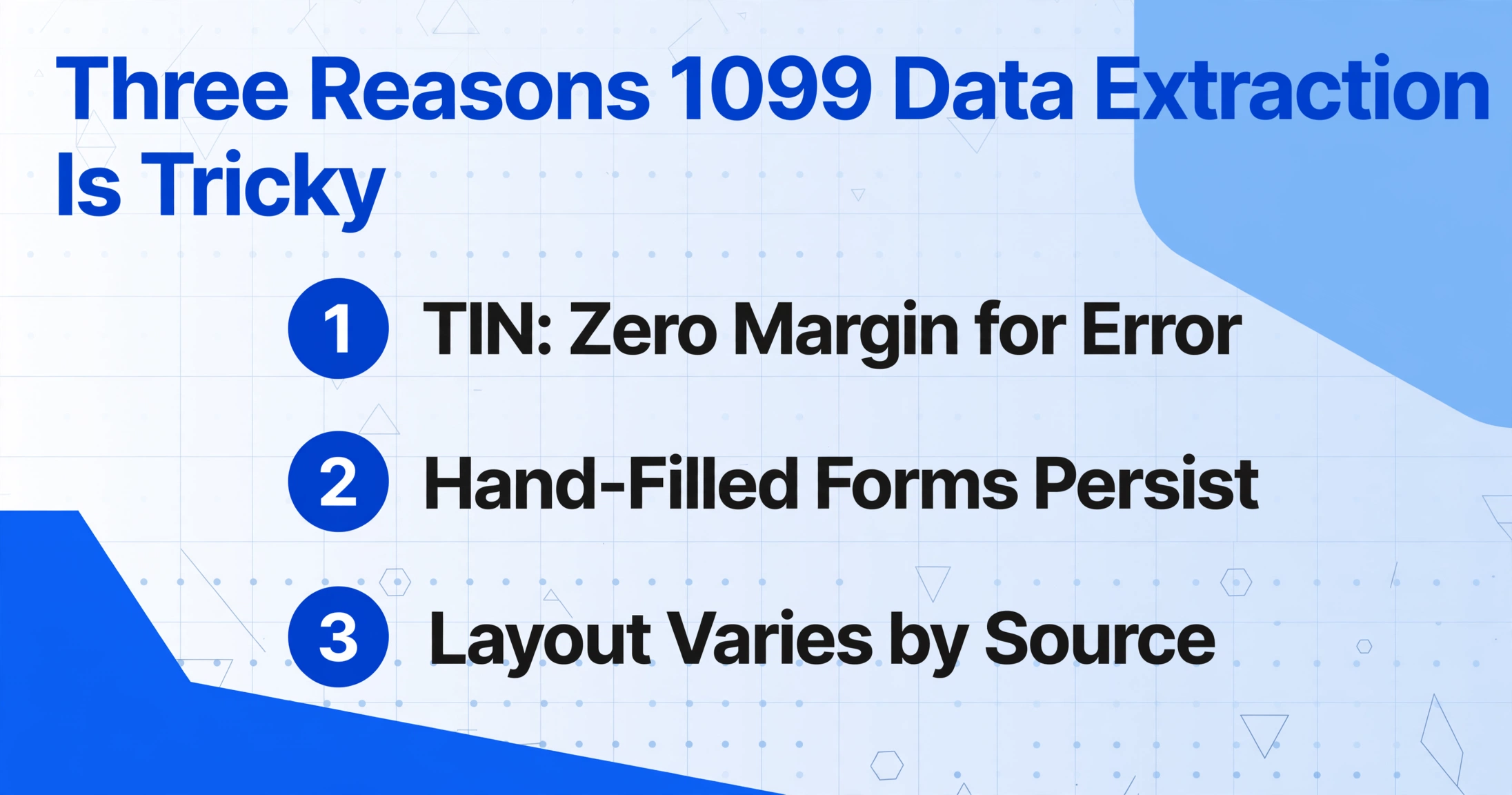
1099 extraction presents challenges that generic OCR tools — and even some form-specific extractors — handle poorly. Understanding these pain points matters because the right tool needs to address them specifically, not just claim "AI-powered extraction."
1. The 9-digit TIN has zero margin for error. Unlike a dollar amount where being off by a few cents rarely matters, a TIN is either exactly correct or functionally useless. A transposed digit in Box 4 of a 1099-NEC (Federal Income Tax Withheld) is a data error. A transposed digit in the Recipient's TIN field becomes a name/TIN mismatch that the IRS will flag. Human data entry operators working under tax-season pressure routinely misread handwritten 5s as S's, 0s as O's, and 2s as Z's — the classic character confusion pattern that nine-digit numeric fields amplify. Even software-generated 1099s (from QuickBooks, Drake Tax, UltraTax, or ProSeries) produce slightly different font rendering and spacing for the TIN field, making position-based OCR templates unreliable across sources.
2. Hand-filled 1099s remain common among small payors. The IRS accepts handwritten 1099 forms provided they are "completely legible and accurate to avoid processing errors," and many small businesses — particularly those that handle only a handful of contractor payments per year — still fill out forms by hand or typewriter. A handwritten 1099-NEC introduces recognition challenges that traditional OCR was not designed to handle: variable character spacing, inconsistent pressure (light vs. heavy ink), crossed-out entries, and entries that bleed slightly into adjacent boxes. The IRS itself warns that "handwritten forms often result in name/TIN mismatches." For extraction tools, the core issue is not character recognition failure at the individual letter level — it is that handwritten characters sit at unpredictable positions within each box, breaking the spatial assumptions that zone-based OCR relies on.
3. Form variants and layout differences across software sources. A 1099-NEC generated by QuickBooks layouts the payer and recipient blocks differently from one generated by Drake Tax or Lacerte. The TIN box width, the spacing between payer and payee sections, and the alignment of state withholding fields all vary subtly between software packages. Template-based extraction tools require separate zone definitions for each software variant — or at minimum, a pre-configured model per form type. When you process a mixed batch of 1099-NEC and 1099-MISC forms generated across five different software packages, a tool that relies on fixed-zone templates will miss fields on the forms it was not trained on.
For context, one practitioner on the r/taxpros subreddit noted that even a simple return with a single 1099 takes 1.5 to 2 hours "due to workpapers" — meaning the extraction itself takes minutes, but the surrounding verification, cross-referencing, and documentation workflow multiplies the total effort. The extraction accuracy of the data feed directly determines how much of that verification work can be automated versus done by hand.
How Template-Free AI Extraction Handles 1099 Forms
The approaches described above — TIN precision, handwriting tolerance, cross-variant layout adaptability — converge on a single requirement: the extraction tool must understand what it is reading, not just where text appears on the page. This is the difference between template-based OCR (also called zonal OCR) and semantic AI extraction.
Template-based tools approach a 1099-NEC by saying: "Look for text at approximately X pixels from the left margin and Y pixels from the top — whatever is there is the payer TIN." If the form was generated by a different software package, or was printed on a slightly shifted page, or came from a scanned copy with skew, that X/Y coordinate no longer points to the correct field. The output silently shifts — or the tool returns nothing for that field.
Custom Column Extraction — the core extraction paradigm of tools like ImageToTable.ai — reverses this logic. Instead of defining where data lives on the page, you define what data you want by naming the fields: "Payer Name," "Recipient TIN," "Box 1a — Nonemployee Compensation," "Box 4 — Federal Income Tax Withheld," "Box 6 — Medical Payments." The AI reads the document visually — understanding the form's structure, the relationship between labels and values, the box layouts — and locates each requested value by what it means, not where it sits. A "Recipient TIN" is identified because the AI recognizes the TIN label near a nine-digit numeric field, regardless of whether that label sits at the top-left of the form (as it does on a 1099-NEC) or in the middle section (as it does on some 1099-MISC variants).
This approach inherently handles the three challenges listed above:
- TIN precision: The AI reads characters in context — if the field is labeled "RECIPIENT'S TIN" and the value is a nine-digit number, the model validates that the output is exactly nine characters, reducing the chance of a dropped leading digit.
- Hand-filled forms: Vision-language models trained on handwriting recognize characters by shape and context, not by position within a fixed box — so a handwritten 5 that crosses a box boundary is still interpreted as a 5 rather than split across two fields.
- Multi-variant layouts: Because extraction is semantic (read the label, find the value), a 1099-NEC from QuickBooks and a 1099-MISC from Drake Tax can be processed in the same batch with the same column definitions, without per-template configuration.
Unlike traditional OCR — which converts images to text but does not organize that text into meaningful fields — semantic AI extraction produces structured output. Every value lands in the column you named it under, ready for Excel export, reconciliation, or import into tax preparation software.
From 500 Paper 1099s to One Spreadsheet: A Tax Season Workflow
Tax season 1099 processing follows a predictable pattern: forms arrive in batches — by mail, by email as PDF or image attachments, from client portals, or as phone-captured photos. The volume spikes in late January (when 1099-NEC forms must be furnished to recipients) and continues through March, as 1099-MISC forms arrive and clients forward their received forms to their tax preparer. The challenge is not extracting a single form accurately — it is maintaining that accuracy across hundreds of forms arriving in different formats, at different times, from different software sources.
A tool designed for this workflow processes forms batch-first: upload 20, 50, or 200 forms at once — scanned PDFs, emailed JPEGs, phone photos in a zip folder — and extract all of them against the same column definition in a single pass. The output is a consolidated Excel spreadsheet where each row represents one 1099 form, with columns for payer name, payer TIN, recipient TIN, box-level income amounts, federal tax withheld, and state withholding. Instead of opening each form individually and typing values into a spreadsheet template, you verify a single structured output file — spot-checking low-confidence values flagged by the tool rather than re-entering every field.
The practical difference for a small accounting firm: a batch of 150 1099-NEC and 1099-MISC forms that would take approximately 7.5 hours of manual data entry (at 3 minutes per form) can be uploaded, extracted, and exported to Excel in approximately 10–15 minutes of hands-on time — the remaining time being the AI processing, during which the practitioner can work on other tasks.
ImageToTable.ai already provides a 1099-to-Excel conversion page that handles all 1099 variants — NEC, MISC, INT, DIV, and others — consolidating multiple variants into a single structured spreadsheet. The underlying extraction is identical to what is described above: you name the columns you need, upload your batch, and the AI returns a structured table with one row per form.
Files are processed securely and not stored.
For firms that also process invoices, receipts, or other financial documents, the same batch processing workflow works without any code or integration setup — just upload, name your columns, and export. The template-free approach means that as new 1099 variants appear or as existing ones change their layout (as happened with the 2026 revisions), the AI adapts without requiring you to update templates.
Frequently Asked Questions
Can AI extract data from handwritten 1099 forms?
Yes, but with caveats. Vision-language models can read handwritten entries, including the character confusion patterns common in handwritten TINs (5 vs. S, 0 vs. O, 2 vs. Z). However, accuracy on handwritten 1099 forms is lower than on software-generated forms, particularly for recipient TINs where a single misread digit makes the entire field invalid. Most extraction tools return confidence scores per field, allowing you to prioritize review of low-confidence cells rather than re-entering every value. If a large portion of your incoming 1099s are hand-filled, budget extra verification time for TIN fields.
Does 1099 extraction work with all variants?
Yes. Semantic AI extraction handles all major 1099 variants — NEC, MISC, INT, DIV, B, R, K, G, S, and others — without per-form-type configuration. Because the AI identifies form fields by reading labels and understanding context, a "Box 1" on a 1099-NEC (Nonemployee Compensation) and a "Box 1" on a 1099-MISC (Rents) are automatically mapped to the correct columns based on the form type. Mixed batches containing multiple 1099 variants are processed together without requiring pre-sorting.
How accurate is AI 1099 extraction compared to manual entry?
Industry data shows automated extraction achieves 99.9%+ character-level accuracy on printed, software-generated forms, compared to 96–99% for manual entry (where the error rate compounds across dozens of fields per form). The more meaningful comparison is field-level accuracy: a single TIN error that passes human review has a penalty cost of $60–$340. Extraction tools with confidence scoring let you audit only the uncertain values rather than re-entering every field, which catches potential TIN errors before they trigger a penalty.
Can I process 1099s from different software sources in one batch?
Yes — and this is where template-free extraction has a clear advantage over template-based tools. A batch containing 1099-NEC forms from QuickBooks, Drake Tax, UltraTax, and hand-filled forms can be uploaded together and processed against the same column definitions. The AI recognizes each form variant independently and routes each field to the correct column, eliminating the need to sort forms by source before processing.
Is AI extraction compliant with IRS digital recordkeeping requirements?
AI extraction produces structured digital records (Excel, CSV, or JSON) that satisfy the IRS electronic record retention standards under Revenue Procedure 97-22 and the current IRS digital record requirements. The key requirement is that the digital records be accurate, complete, and reproducible on request — all of which are met by a well-structured export from an extraction tool. Keep the original scanned 1099 images alongside the extracted data as source documentation, consistent with standard US document retention guidelines applicable to tax records (typically 3–7 years depending on the type of return).