IRS Receipt Digital Record Requirements 2026:
What Counts as Valid Proof in an Audit
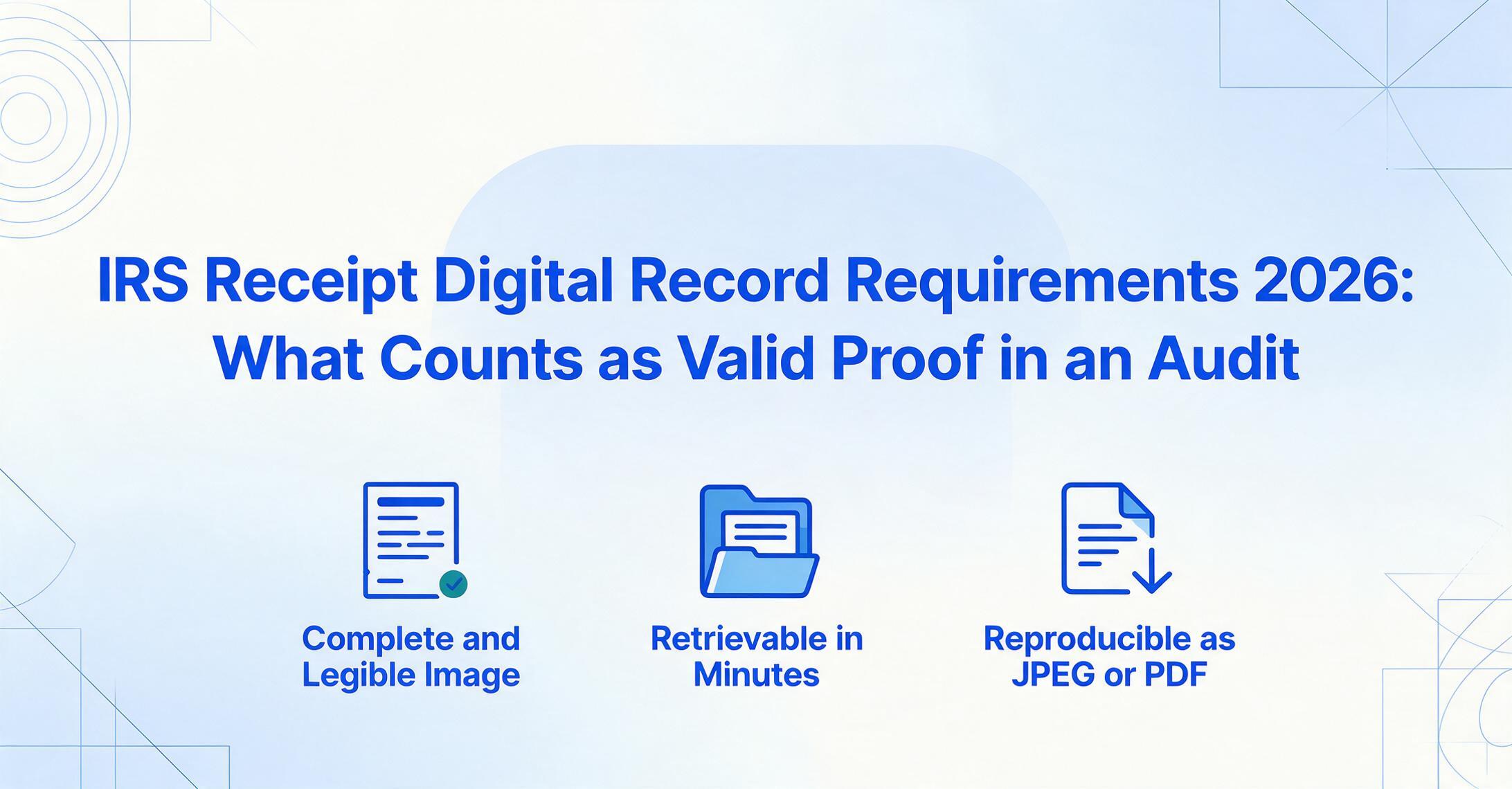
The IRS accepts digital receipt copies — including phone photos and scanned images — as valid tax records. But "accepts" comes with three specific conditions from Revenue Procedure 97-22, and failing any one of them means your digital receipts are legally worthless in an audit.
Key Takeaways
- Most freelancers photograph business receipts and assume they're covered — the IRS accepts digital copies, right?
- What Rev. Proc. 97-22 actually requires: legible reproduction, indexed retrieval, and standard-format output — and the element IRS examiners challenge most isn't the photo quality, it's the missing business purpose annotation that a receipt image can never capture on its own.
- One habit bridges the gap: after photographing a receipt, add a single sentence naming who you met and why — "Client dinner, discussed Q3 renewal with Sarah Chen." That annotation, made at the time of expense, turns a photo into audit-ready documentation.
The question comes up every tax season: "Can I just take a picture of my receipts and throw the paper away?" The short answer is yes — but only if your digital copy meets three specific conditions that the IRS laid out in Revenue Procedure 97-22. Most business owners and freelancers know they can digitize, but very few know exactly what the rules require. That gap between "I have a folder of photos" and "I have an audit-ready digital record" is where deductions get disallowed.
This guide walks through the exact regulatory framework — Rev. Proc. 97-22's three conditions, the $75 threshold from IRS Publication 463, the five substantiation elements under Treasury Regulation §1.274-5T, and where digital tools like AI extraction fit (and don't fit) into the compliance picture. For a broader view of how these rules interact with electronic invoicing and digital record mandates, see our e-invoicing compliance guide. The goal here is not to scare you into keeping every scrap of paper. It's to give you a framework you can actually use.
What Rev. Proc. 97-22 Actually Says
Revenue Procedure 97-22, published in 1997-1 C.B. 652, is the IRS ruling that allows taxpayers to maintain tax records in electronic format. Before this ruling, taxpayers were expected to retain original paper documents. Rev. Proc. 97-22 recognized that electronic storage had become practical and reliable, and it established the conditions under which digital records would be treated the same as paper originals for purposes of IRC §6001. The procedure applies to any electronic storage system that either images hardcopy documents or transfers computerized records to an electronic storage medium such as an optical disk.
The full text is available directly from the IRS as Rev. Proc. 97-22 PDF. The core of the ruling is three conditions that every digital record must satisfy.
1. Accurate Reproduction
The electronic image must be a complete and accurate reproduction of the original document. For receipts, this means your scan or photo must be legible enough that every field on the original can be read from the digital copy: vendor name, date, each line item (not just the total), tax amount, and payment method. A blurry photo where the total is unreadable does not meet this standard. A well-lit, in-focus photograph or a clean scan does.
The IRS examiner who reviews your records during an audit will compare the digital image against the paper original in terms of what information is available to be read. If the digital copy has cropped out the vendor's name or the date is too dark to read, the reproduction fails the accuracy test — and the expense may be disallowed even though the paper receipt existed at one point.
Practical tip: Before discarding a paper receipt, zoom in on your digital copy at 100% magnification. Can you read every field that matters? If not, re-capture it. Thermal paper receipts are especially risky — they fade within months, so photograph them the same day you receive them.
2. Accessible and Retrievable
The digital record must be retrievable in a reasonable time and manner during an IRS examination. This means you cannot simply store hundreds of random phone photos in your camera roll and expect that to count as a recordkeeping system. The IRS requires an indexing or organization method that allows you or an examiner to locate a specific receipt or group of receipts without scrolling through every image you have ever taken.
Rev. Proc. 97-22 requires that the electronic storage system maintain an indexing system that provides the location of each record. In practice, this means organizing receipts by tax year, expense category, or some other systematic method. A folder structure on your computer, a cloud storage system with dated subfolders, or a dedicated receipt management application all satisfy this requirement — as long as the organization is consistent and documented.
3. Reproducible in Legible Format
The system must be able to produce a legible, readable copy of any record upon request. This means the IRS examiner must be able to view, print, or export the digital receipt in a format they can read. Proprietary file formats that cannot be opened without specific software may not meet this requirement. Common image formats (JPEG, PNG, PDF) are fine. The key is that the format is standard and reproducible.
If your receipt management system stores images in a compressed or encrypted format that requires a specific subscription to view, you need to confirm that the system can export an unencrypted, standard-format copy on demand. The IRS Automated Records guidelines clarify that the burden is on the taxpayer to demonstrate the system meets these requirements.
The $75 Rule — and When You Always Need a Receipt
Not every expense requires a receipt — the IRS knows that requiring documentation for a $6 coffee receipt is not a productive use of anyone's time. But the threshold and exceptions are precise, and they come from the Code of Federal Regulations, not just IRS guidance.
Under 26 CFR §1.274-5T(c)(2)(iii), documentary evidence (a receipt, paid bill, or similar evidence) is required for:
- Any expenditure for lodging while traveling away from home — regardless of the amount. A $68 motel room requires a receipt. A $480 hotel requires a receipt. There is no threshold for lodging.
- Any other expenditure of $75 or more — except transportation charges where documentary evidence is not readily available.
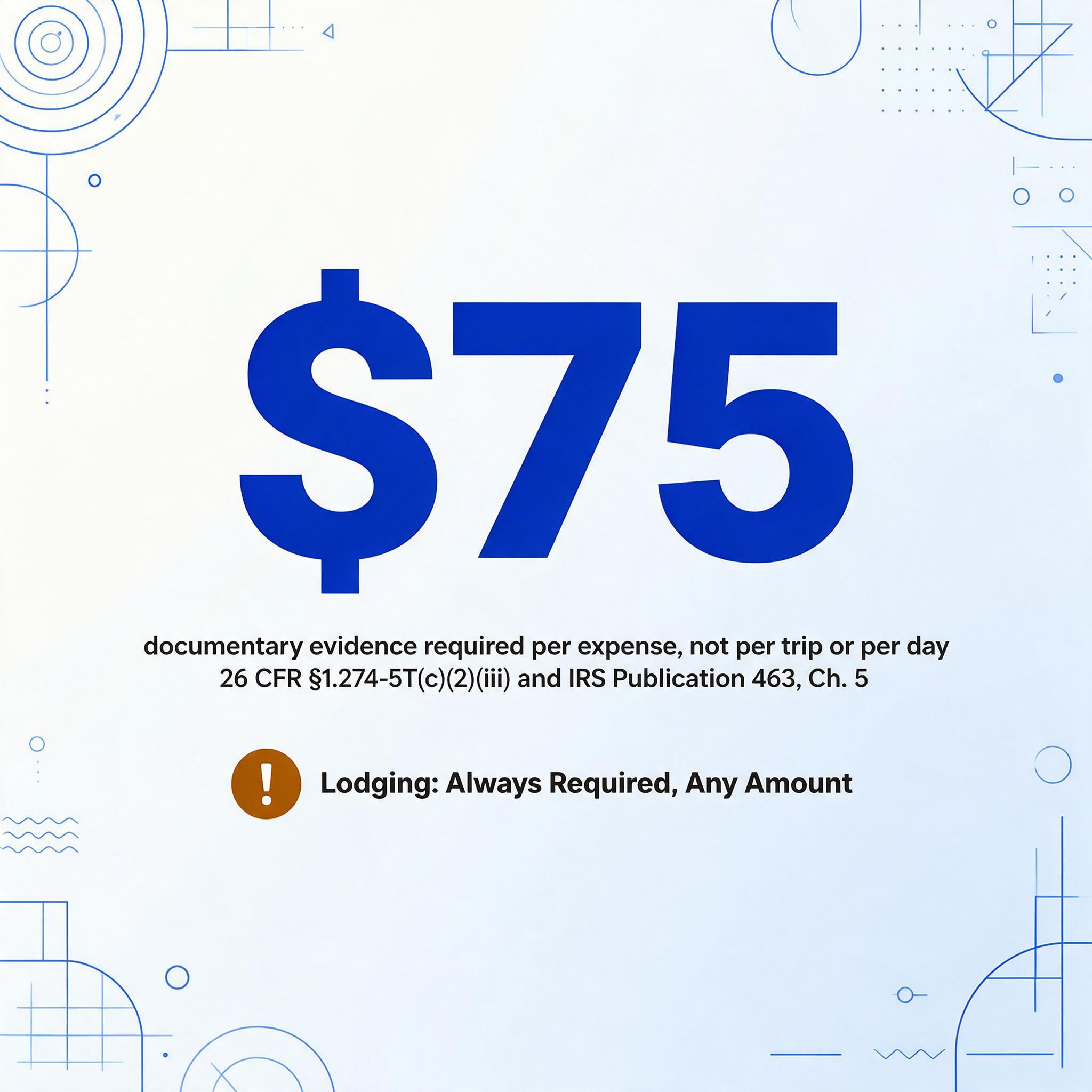
IRS Publication 463 (2025 edition) confirms this threshold throughout the recordkeeping chapter. The $75 figure applies per expense, not per trip or per day. A $12 parking charge and a $55 dinner are two separate expenses, each under $75, and technically do not require receipts — though keeping them anyway is always safer.
Receipt requirements at a glance:
| Expense type | Receipt needed? | Source |
|---|---|---|
| Lodging (any amount) | ✅ Always | §1.274-5T(c)(2)(iii)(A)(1) |
| Expense $75+ (non-lodging) | ✅ Yes | §1.274-5T(c)(2)(iii)(A)(2) |
| Expense under $75 | ❌ Not required, but recommended | Pub. 463 Ch. 5 |
| Transportation (receipt not readily available) | ❌ Exception applies | §1.274-5T(c)(2)(iii)(A)(2) |
| Lodging under $75 | ✅ Still required | §1.274-5T(c)(2)(iii)(A)(1) |
Even when a receipt is not required, the IRS still expects a record showing the amount, time, place, and business purpose of the expense. A credit card statement alone — without a notation of who was met and why — is not sufficient substantiation. The receipt threshold determines when you need documentary evidence, but the substantiation rules under §274(d) require you to prove the business purpose of every expense regardless of its size. That is a distinction many taxpayers miss.
The Five Elements the IRS Will Ask For
Section 274(d) of the Internal Revenue Code and the accompanying temporary regulations at §1.274-5T establish what you must prove for each deductible business expense. For travel expenses — the category that includes most receipt-dependent business spending — the regulation requires five specific elements.
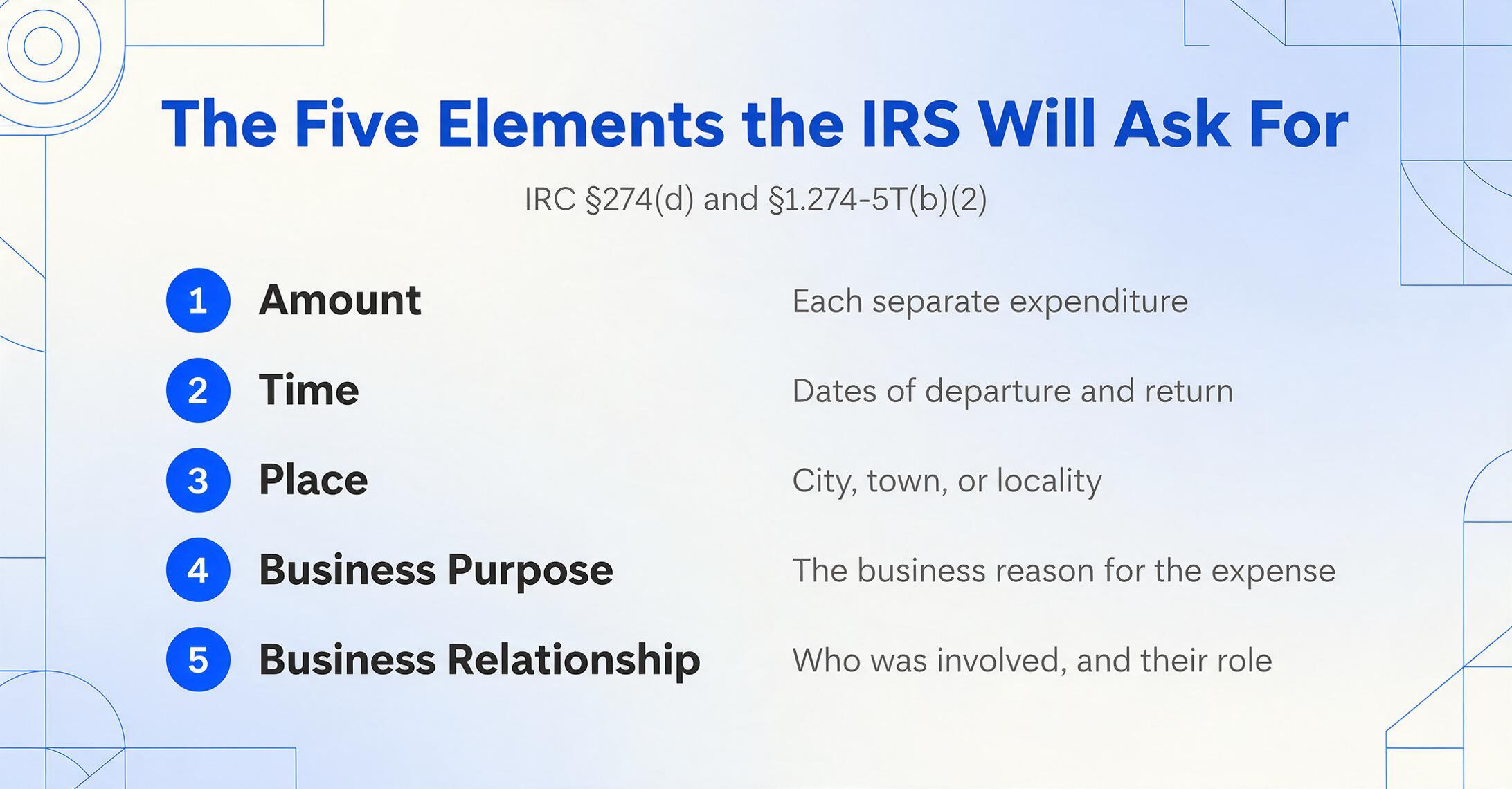
The exact language from §1.274-5T(b)(2) lists these elements for travel away from home:
- Amount — the cost of each separate expenditure for transportation, lodging, and other travel costs. Daily costs for meals and incidental items may be aggregated into reasonable categories (meals, gasoline, taxi fares).
- Time — dates of departure and return for each trip, plus the number of days spent on business.
- Place — the destination or locality of travel, described by city, town, or similar designation.
- Business purpose — the business reason for the travel, or the nature of the business benefit derived or expected.
- Business relationship — for entertainment and gifts, this includes the name, title, or other identification of the persons involved and their business relationship to the taxpayer.
The regulation states that a log maintained on a weekly basis which accounts for use during that week is considered a record made "at or near the time" of the expense — a standard many business owners find reassuring. You do not need to write down every expense the moment it happens. But a statement prepared months later, after the fact, carries significantly less probative value.
What this means for digital records: storing a photo of a restaurant receipt with the amount, date, and vendor name visible is a good start. But if the receipt is from a client dinner and you cannot explain — in writing — who attended and what business was discussed, the IRS may disallow the deduction even though you have the receipt. The "business purpose" element is the one most commonly missing in digital receipt systems. A photo captures the cost and date, but it does not automatically capture why you spent the money.
How Digital Receipts Hold Up in an Audit
An IRS examiner does not simply look at a receipt and accept the deduction. For digital receipts specifically, the examiner may ask three questions that go beyond the receipt photo itself:
Can you produce the record within a reasonable time? If you store receipts in a single folder called "receipts" with file names like IMG_0421.jpg, the examiner may ask you to locate a specific expense. If it takes more than a few minutes per receipt, the "retrievable in reasonable time" standard of Rev. Proc. 97-22 may not be met. A consistent naming convention (e.g., "2026-03-15_OfficeDepot_supplies.jpg") can make retrieval trivially fast.
Is the digital record legible? This is the most common failure point. Photos taken in dim lighting, at odd angles, or of thermal receipts that have faded over time often fail the legibility test. The IRS has the right to reject a digital record that cannot be read — and without a paper original to fall back on, the expense may be lost entirely.
Does the record tie to a business purpose? A receipt for a $200 dinner at a steakhouse shows the amount, date, and vendor. But unless the examiner can find a corresponding note — in a calendar entry, an expense report, a contemporaneous log — explaining that this was a meal with a client to discuss a contract, the deduction may be challenged. Document retention rules require you to keep not just the receipt but also the context.
The IRS also has the authority to test your electronic storage system under Rev. Proc. 97-22 — including examining the equipment, indexing methodology, software, and retrieval capabilities. This test is not an audit itself, but failure can trigger penalties. The key takeout: your system needs to survive not just your own use, but an outsider's ability to navigate it.
What AI Extraction Does (and Doesn't) Solve
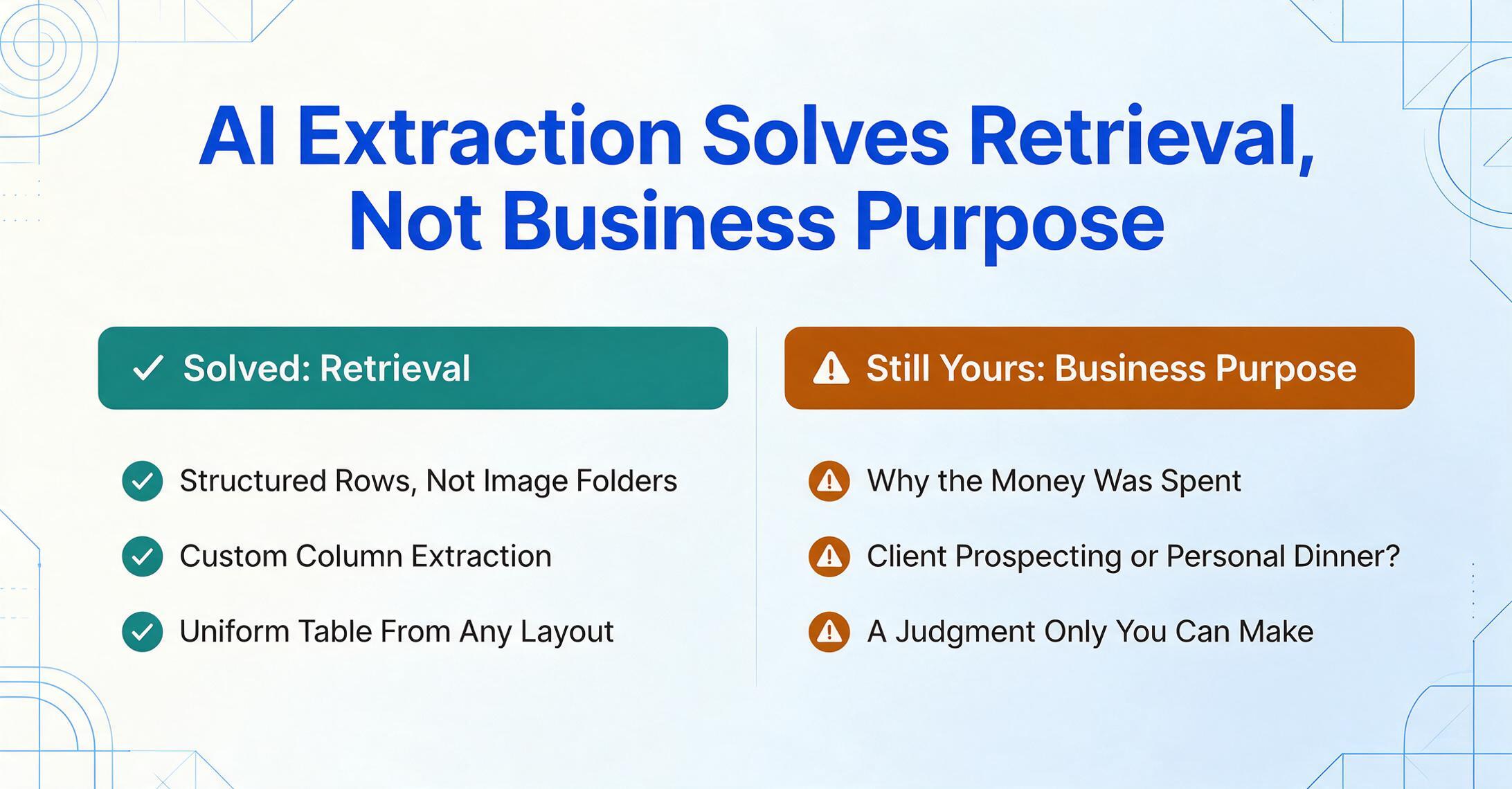
AI-powered document extraction tools — including ImageToTable.ai — can convert receipt images into structured data tables with field-level accuracy. You upload a photo of a receipt, specify the columns you want (vendor, date, total, category), and the AI returns a row in a spreadsheet. This directly addresses the accessibility and retrievability requirement of Rev. Proc. 97-22: structured data is inherently indexable and searchable in ways that raw image folders are not.
Tools like ImageToTable.ai use Custom Column Extraction — you define the data fields you want (e.g., "Vendor Name," "Date," "Total," "Category"), and the AI locates the corresponding values in each receipt by understanding what each field means semantically, not by matching a fixed template position. This means you get a uniform spreadsheet from receipts with wildly different layouts, which is precisely the kind of organized, retrievable record the IRS expects.
But an important clarification is in order: AI extraction produces structured records. It does not replace the human judgment of whether an expense serves a legitimate business purpose. The business purpose element under §1.274-5T(b)(2)(iv) is a subjective determination that requires knowing why the money was spent. No AI tool can look at a dinner receipt and determine "this was a client prospecting meeting" vs. "this was a personal dinner." That contextual annotation remains the responsibility of the taxpayer.
What AI extraction can do is make the administrative burden small enough that adding a business purpose note becomes trivial. When a receipt takes 10 seconds to process instead of 3 minutes to hand-type, you have room to add a short annotation: "Client dinner — discussed Q3 contract renewal with Sarah Chen, Acme Corp." That one sentence bridges the gap between having a structured record and having an audit-proof one.
For businesses managing high volumes of receipts across multiple expense categories, batch processing — extracting data from dozens or hundreds of receipts at once into a single spreadsheet — is a practical way to maintain the organized, retrievable record system that Rev. Proc. 97-22 requires. Combined with a consistent file-naming convention and periodic review, digital receipts managed through AI extraction meet a higher compliance standard than a camera roll of unstructured photos.
Bottom line: AI extraction solves the "accurate reproduction" and "retrievable" conditions of Rev. Proc. 97-22. It does not solve the "business purpose" element — that is still on you. Build your process around both pieces and your digital records will hold up in any audit.
Frequently Asked Questions
Does the IRS accept photos of receipts taken with a phone?
Yes — as long as the photo is a complete and accurate reproduction of the original receipt (all fields legible), indexed and retrievable within a reasonable time, and reproducible in a standard format like JPEG or PDF. A blurry or cropped photo fails the first condition of Rev. Proc. 97-22.
Can I throw away paper receipts after scanning or photographing them?
Yes, provided your digital storage system meets Rev. Proc. 97-22 requirements and you have tested it to confirm that your system is producing compliant reproductions. The IRS allows destruction of paper originals after the electronic storage system has been validated.
Is a credit card statement enough to prove a business expense?
No. A credit card statement shows the amount, date, and vendor, but it does not show what was purchased or the business purpose of the expense. You still need a receipt or other documentary evidence for expenses of $75 or more, and for all lodging expenses regardless of amount. The statement alone does not meet the substantiation requirements of §274(d).
What is the $75 threshold and where is it defined?
The $75 threshold appears in 26 CFR §1.274-5T(c)(2)(iii) and in IRS Publication 463, Chapter 5. It means you do not need a receipt for individual expenses under $75 — except lodging, which always requires a receipt. However, you still need to prove the business purpose of every expense regardless of amount.
How long should I keep digital receipts?
Generally, keep records supporting items on a tax return for at least three years from the date you filed the return, or two years from the date you paid the tax (whichever is later). For some situations — such as failing to report income that exceeds 25% of gross income shown on the return — the period extends to six years. There is no statute of limitations for fraudulent returns. These timeframes apply to both paper and digital records equally, as discussed in the document retention guide.
Does using AI to extract receipt data change my compliance obligations?
No. AI extraction is a tool for creating structured, searchable records from receipt images. It helps satisfy the accessibility and retrievability requirements of Rev. Proc. 97-22, but it does not change the underlying substantiation requirements of §274(d). You are still responsible for documenting the business purpose of each expense and retaining the original digital image as the underlying record.
Building a Compliant Digital Receipt System
A compliant digital receipt system does not need to be expensive or complex. What it needs is three things: a capture method that produces legible images, an organization system that makes retrieval straightforward, and a consistent annotation practice that documents business purpose. Here is a practical checklist:
Capture immediately
Photograph or scan receipts the same day you receive them. Thermal paper fades quickly. Smartphone cameras at close range with good lighting produce acceptable images for IRS purposes.
Verify legibility before discarding paper
Zoom in on your digital copy. Confirm you can read the vendor name, date, each line item, total, and payment method. If anything is unreadable, re-capture before the paper receipt leaves your possession.
Organize by tax year and category
Use a folder structure (e.g., "2026/Meals" or "2026/Travel") or a receipt management app that applies metadata automatically. The indexing requirement of Rev. Proc. 97-22 means you must be able to locate a receipt within a reasonable time.
Document business purpose at time of expense
Add a short note to each receipt or batch: who was involved, what business was discussed, which project or client the expense relates to. A calendar entry or expense report annotation made "at or near the time" carries significantly more weight than a reconstruction months later.
Export and back up annually
At year-end, export a structured summary of your receipts — either from your receipt management app or by extracting batch data with AI into a spreadsheet. Store this alongside your original image files. If the IRS asks for three years of records on day one of an audit, you want a single folder, not a scavenger hunt.
The regulations are not trying to make recordkeeping impossible. Rev. Proc. 97-22 was designed to enable digital recordkeeping, not restrict it. The conditions are guardrails — accurate capture, organized storage, retrievable format — and they are entirely achievable with the tools most business owners already have in their pockets. The difference between a compliant digital system and a non-compliant one is rarely the technology. It is knowing what the rules require and building a small, repeatable habit around them.