How to Extract Canadian ROE Data into Excel
for Service Canada EI Compliance (2026 Guide)
Every month, roughly 250,000 Canadian employees separate from their jobs — resignations, layoffs, dismissals, maternity leaves, retirements. Within five calendar days of each separation, the employer must issue a Record of Employment (ROE, form INS5153) to the departing employee and submit a copy to Service Canada. The ROE is not a tax slip filed with the Canada Revenue Agency. It is a standalone federal document governed by the Employment Insurance Regulations, and its sole purpose is to determine whether a departing employee qualifies for EI benefits, how much they receive, and for how long. An employer running payroll through Ceridian Dayforce or ADP Canada issues ROEs through the software. The system populates Block 10 (last day paid), Block 11 (last insurable day), Block 15A (total insurable hours), Block 15B (total insurable earnings), Block 15C (reason code: A through N), and Blocks 17A through 17D (up to 53 individual payment periods) from the payroll record. But when the time comes to compile the monthly EI summary for Service Canada or populate the internal HR separation report, the data in those 53 blocks does not automatically land in a spreadsheet. Someone retypes it. At three minutes per ROE — locating each block on each payroll provider's slightly different form layout, confirming the insurable hours total against the payroll register, verifying that the reason code letter matches the actual separation type — 27 separations a year consumes over an hour of pure transcription in a compliance window where every hour counts. For a breakdown of what that manual ROE processing actually costs Canadian companies per separation, see our analysis of manual ROE processing costs.
Key Takeaways
- The 53 blocks of EI-relevant data you retype every month already live in your payroll system — the only thing standing between them and your spreadsheet is the fact that Ceridian, ADP, and QuickBooks each render the same ROE structure in a completely different visual layout.
- A single wrong letter in Block 15C on a January ROE is not a spreadsheet typo — it is an EI benefit payment suspended since January that Service Canada will not release until you amend the form, and the employee has been living without that income through the entire 21-day investigation window.
- Define your column schema once — Block 15A Total Insurable Hours, Block 15B Total Insurable Earnings, Block 15C Reason Code — upload 25 ROEs as one batch, and the AI locates every value by reading the block label, not the pixel coordinates on whichever payroll provider's form it appears on.
What's on an ROE — the 53 Blocks That Determine an Employee's EI Future
The Record of Employment, designated as form INS5153 by Service Canada, is one of the most structured government forms in Canadian employment administration — 53 numbered blocks, each carrying a specific data point that feeds into Employment Insurance eligibility calculations. Unlike a T4 slip, which reports annual income and deductions to the CRA, an ROE reports the circumstances of a single employment separation to a different agency — Service Canada, under Employment and Social Development Canada (ESDC) — for a different purpose: determining EI benefit entitlement. Understanding what each block reports, and why it matters for the employee's EI claim, is what determines whether your extracted spreadsheet is accurate or whether a miscoded Block 15C sends an employee through a two-week EI reconsideration process.
The 53 blocks fall into four functional groups, and each group translates into a set of spreadsheet columns:
Employer & Employee Identity (Blocks 1–8)
- Block 1 — Employer Name & Address. Must match the legal entity on file with CRA. A name mismatch between the ROE and the employer's payroll account can delay EI processing.
- Block 3 — Employer Payroll Reference Number. The 15-character Business Number (9 digits + RP0001), the same identifier used on T4 filings. Anchors the ROE to the correct employer entity in the CRA's business registry.
- Block 4 — Employee Name & Address. Must match the employee's SIN record. Discrepancies here — a married name on the ROE versus a maiden name on the SIN card — are a common cause of EI processing delays.
- Block 5 — Employee SIN. Nine digits. The primary key that Service Canada uses to match the ROE to the employee's EI claim. A single transposed digit sends the ROE to the wrong person's file.
Employment Timing & Period (Blocks 9–14)
- Block 10 — First Day Worked. The first date of employment. Combined with Block 11, this determines total employment duration, which Service Canada uses to establish the qualifying period.
- Block 11 — Last Day for Which Paid. Not necessarily the last day the employee worked — it is the last day the employer paid the employee for. If an employer pays in lieu of notice, this date is later than the actual termination date. The distinction matters because the five-day ROE issuance clock starts from this date, not the last day worked.
- Block 12 — Final Pay Period Ending Date. The end date of the last complete pay period in which the employee received insurable earnings. Service Canada uses this to calculate the employee's benefit rate from the most recent weeks of insurable earnings.
Insurable Hours, Earnings & Reason (Blocks 15A–15C)
- Block 15A — Total Insurable Hours. The aggregate number of hours for which the employee received insurable earnings during the qualifying period (the shorter of the last 52 weeks or the total employment period). This is the single most important number on the ROE — it determines whether the employee meets the EI eligibility threshold, which ranges from 420 to 700 hours depending on the regional unemployment rate. An employee in a region with a 6% unemployment rate needs 700 insurable hours. An employee in a region with 13.1%+ needs only 420 hours. If Block 15A is underreported and drops below the threshold, the EI claim is denied — not delayed, denied — until corrected. For the 2025 calendar year, all regions require a minimum of 420 hours under the temporary uniform entrance requirement, but this reverted to variable thresholds in 2026.
- Block 15B — Total Insurable Earnings. The total amount of earnings on which EI premiums were paid during the qualifying period. This determines the employee's weekly EI benefit rate — 55% of average insurable weekly earnings, up to a maximum of $695 per week (based on the Maximum Insurable Earnings of $65,700 for 2026). An undercounted Block 15B costs the employee benefit dollars directly.
- Block 15C — Reason for Issuing This ROE. A single letter code. This is the field that cannot be wrong — and the one most frequently disputed. See the dedicated section below.
Payment Period Detail (Blocks 16–17D)
- Block 16 — Pay Period Type. Weekly, bi-weekly, semi-monthly, or monthly. Determines how Service Canada interprets the payment periods in Blocks 17A–17D. A mismatch between Block 16 and the actual pay frequency causes Service Canada to miscalculate the benefit rate.
- Blocks 17A–17D — Payment Period Details. Up to 53 rows, each row containing: the pay period start date (17A), pay period end date (17B), insurable hours for that period (17C), and insurable earnings for that period (17D). These are arranged chronologically with the most recent period (PP 1) first and the least recent (PP 53) last. Service Canada uses the last 14 to 22 weeks of insurable earnings — depending on the regional unemployment rate — to calculate the benefit rate, so these period-level details are not just an audit trail; they are the direct input to the EI benefit calculation.
- Special Payments (Blocks 17E–17J). Vacation pay, statutory holiday pay, severance pay, and other monies paid on separation. Each has its own allocation rules for EI purposes — vacation pay paid on separation, for example, is allocated starting from the week of separation and continuing forward, which can delay the start of the EI benefit period.
The practical consequence of this block structure for extraction is that a spreadsheet covering 25 separations produces 25 rows and roughly 15 to 20 columns of identity and summary fields — plus, if you need payment period detail, an additional 53 rows of period-level data per employee in a separate table. Manual entry across that grid — locating Block 15A's insurable hours on each payroll provider's ROE, typing it, verifying it against the payroll register's year-to-date hours total — is where the time goes. And it is time spent on data that the payroll system already possesses.
The core extraction principle: You name the columns your spreadsheet needs — "Block 10 First Day Worked," "Block 11 Last Day Paid," "Block 15A Total Insurable Hours," "Block 15B Total Insurable Earnings," "Block 15C Reason Code" — and the AI locates each value on each ROE by understanding what the block label means, not where it sits on the page. The same column definition works across Ceridian, ADP, QuickBooks, Wagepoint, and any other payroll software's ROE output because the AI reads the block semantics, not the form template.
Why the Same ROE Data Looks Different Across Canadian Payroll Software
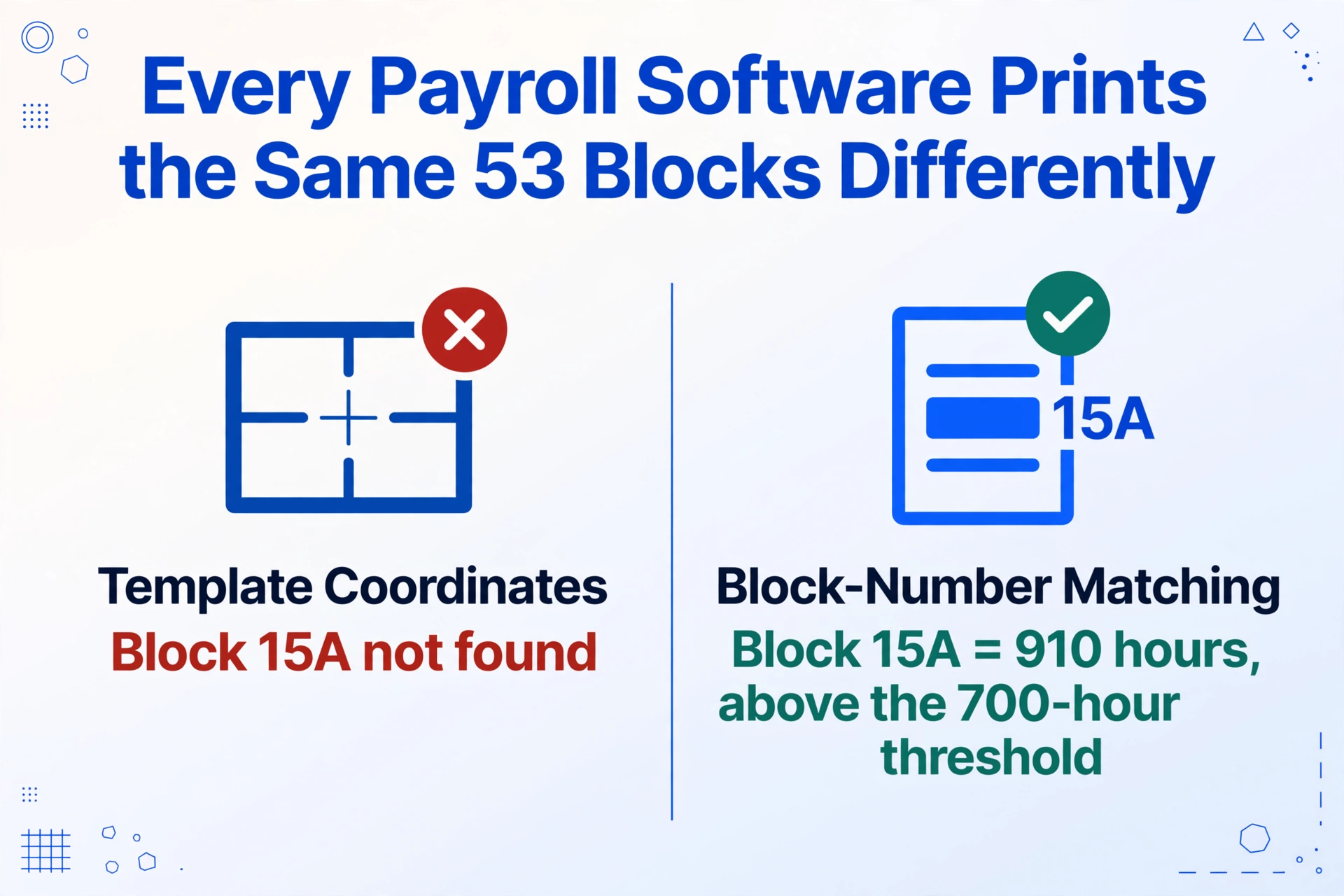
Service Canada's specification for the ROE mandates 53 blocks of data content. It does not mandate the page layout. The result is that every payroll software provider produces an ROE that carries identical block data — Block 10, Block 11, Block 15A, Block 15B, Block 15C, Blocks 17A–17D — in a visual arrangement entirely of its own design. This is the same design principle behind the UK P45, where HMRC mandates field content but not layout.
Ceridian Dayforce might print the identity blocks (1–8) at the top in a single table, with insurable hours and earnings (15A/15B) in a separate summary block and payment periods (17A–17D) on a second page in landscape orientation. ADP Canada's Workforce Now might flow the blocks sequentially in a two-column portrait layout. QuickBooks Canada Payroll might place the reason code block (15C) prominently in the top-right corner with the insurable hours and earnings below it. Wagepoint might use a simplified format with the payment periods in a compact grid. A template-based OCR tool configured for Ceridian's output will fail on ADP's because the coordinates of Block 15A are different on every layout.
The Block 15A insurable hours field makes this visible in a way that carries actual EI consequences. An employee who worked 910 hours in the qualifying period — above the 700-hour threshold for a low-unemployment region — has a valid EI claim. If the payroll system reports 910 and the extraction produces 910, the claim proceeds. But a template-based extraction that misreads Block 15A because it is positioned differently on the ADP layout than on the Ceridian layout — producing 91 instead of 910 — drops the employee below the eligibility threshold. Service Canada processes the ROE as received and sends a denial letter to a person who is legally entitled to benefits. The extraction error cascaded into a claim denial.
Template-free semantic extraction avoids this entire class of error. Instead of teaching the tool where Block 15A sits on each payroll provider's ROE, Custom Column Extraction defines the output column as "Block 15A Total Insurable Hours" and lets the AI find the value on each ROE by understanding what the block means. The same column definition handles a Ceridian ROE, an ADP ROE, a QuickBooks ROE, and a Wagepoint ROE in the same batch — because the AI reads block semantics, not form coordinates.
Files are processed securely and not stored.
Setting Up Your ROE Extraction Workflow
The workflow that replaces manual ROE transcription has three steps, and the configuration step — defining your columns — is what you do once and reuse for every separation, every payroll provider, and every month-end EI report.
Define your output columns — once, across every payroll provider
Type the field names exactly as you want them to appear as column headers. For a comprehensive separation compliance workbook, a practical starting set is: Employee Name, Employee SIN, Block 10 First Day Worked, Block 11 Last Day Paid, Block 12 Final Pay Period Ending, Block 14 Expected Date of Recall, Block 15A Total Insurable Hours, Block 15B Total Insurable Earnings, Block 15C Reason Code, Block 16 Pay Period Type, Block 17A Start Date (PP 1), Block 17B End Date (PP 1), Block 17C Insurable Hours (PP 1), Block 17D Insurable Earnings (PP 1), ... continuing through PP 53. This is Custom Column Extraction: you define the output schema, and the AI maps each ROE's blocks to your columns — matching by block number and semantic meaning across any payroll provider's format.
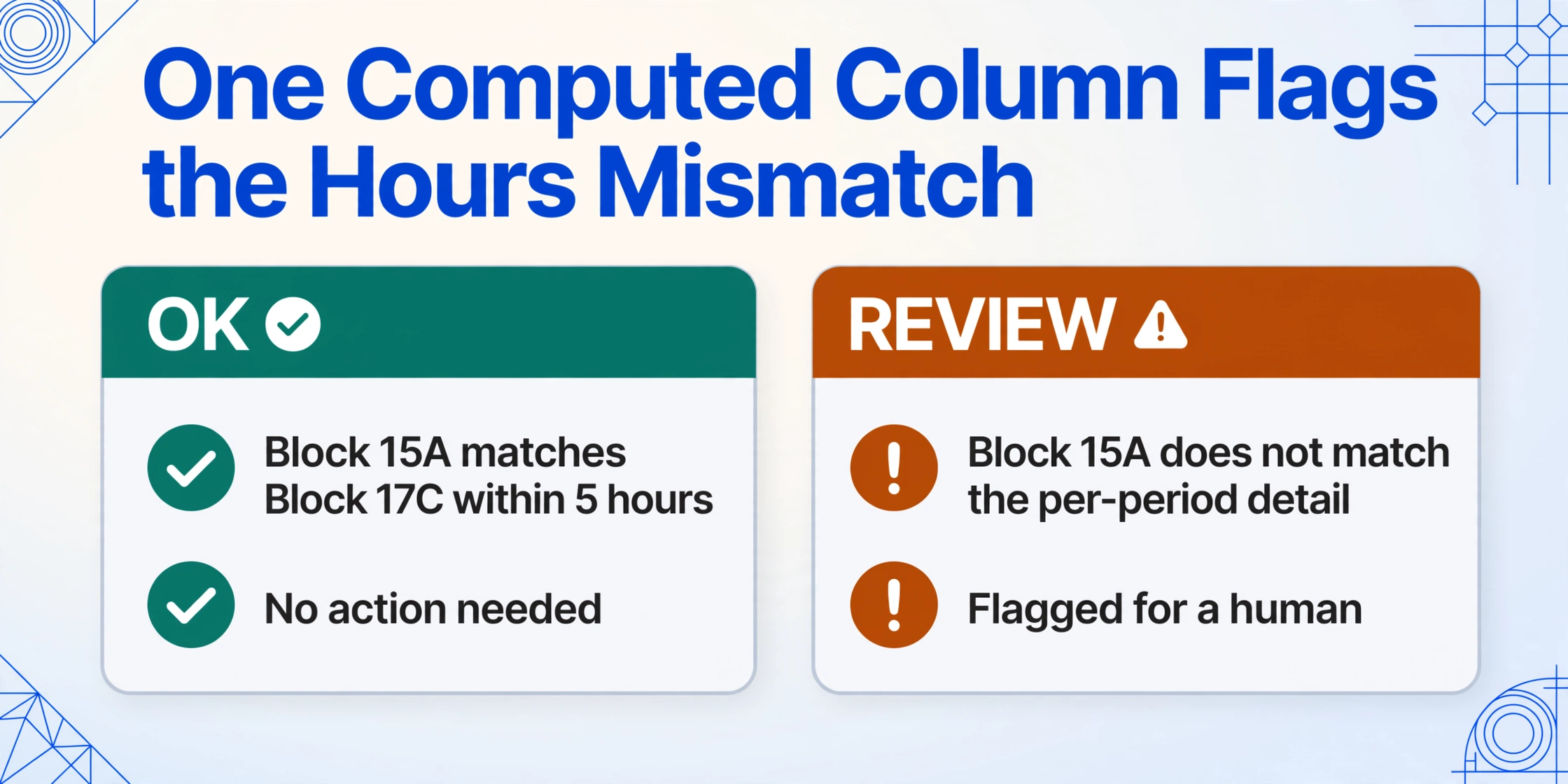
For immediate validation during extraction, add a Computed Column: define a column like "Hours Check (if Block 15A matches sum of all Block 17C values within 5 hours then 'OK' else 'REVIEW')" — the AI performs the cross-check as it extracts and flags rows where the insurable hours total does not align with the period-by-period detail. This catches the most common data integrity issue (a pay period with incorrect hours that creates a discrepancy between the summary and the detail) before you open the spreadsheet.
Upload all ROEs in one batch
Drop in the full month's ROEs — 15 PDFs from Ceridian, 8 from ADP, and 4 scanned paper ROEs from contractors who received physical forms from a previous employer that does not use ROE Web. Batch processing handles them all in a single job: each ROE is processed independently with your column schema applied, and all results are merged into one unified spreadsheet. The AI processes PDF exports from payroll software, scans of printed ROEs, and phone photos identically — it reads the content, not the medium.
Export, validate, and file with Service Canada
Download the Excel file — one row per ROE for summary fields, with payment period details in a separate tab if needed. Run the validation checks: do Block 15A totals across all employees align with payroll register year-to-date hours? Are all Block 15C reason codes within the valid set (A/E/M/N/K/P/J/Z)? Does Block 11 Last Day Paid fall within five calendar days of the current date to confirm timely issuance? Flag discrepancies for review, correct the source payroll records if needed, and submit the ROEs through ROE Web or provide paper copies to employees within the statutory deadline. The validation spreadsheet also serves as your permanent compliance record — the Employment Insurance Regulations require employers to retain ROE records for six years after the year to which they relate.
This workflow works for any number of separations and any mix of payroll providers. The column definition is reusable across months and years because the 53-block ROE format is prescribed by the Employment Insurance Regulations — Service Canada changes blocks only when Parliament amends the legislation. For the equivalent workflow applied to year-end payroll documentation in Australia and the UK, see our guides on Australian PAYG payment summary extraction and UK P45 leaver data extraction for new starter processing.
The National Payroll Institute (NPI) recommends a structured reconciliation before filing any ROE: verify that Block 15A total insurable hours equals the sum of all pay period hours (Blocks 17C across all periods), that Block 15B total insurable earnings equals the sum of all pay period earnings (Blocks 17D across all periods) plus special payments allocated to the qualifying period, and that Block 15C matches the actual circumstances of separation. If you skip this reconciliation and Service Canada detects a mismatch — either through automated validation or through the employee's own EI claim — the correction process involves an amended ROE, a revised EI benefit calculation, and potentially weeks of retroactive payment adjustments for the employee. The reconciliation pass takes minutes on an extracted spreadsheet. It takes hours on 25 manually typed ROEs where the summary-hour discrepancy is invisible to the eye.
The Reason Code Problem: Why Block 15C Is the Field That Cannot Be Wrong
Block 15C on the ROE is a single letter — one of eleven codes — that tells Service Canada why the employment ended. It is the most consequential field on the form because it determines whether the employee can receive EI at all, how long the waiting period is, and whether the benefits begin immediately or after a disqualification period. A reason code entered incorrectly at the payroll software screen — then transcribed incorrectly into the HR separation spreadsheet — cascades into a benefits decision that the employee must appeal.
Here are the most common reason codes and what each one means for the employee's EI claim:
| Code | Definition | EI Consequence | Most Common Context |
|---|---|---|---|
| A | Shortage of work (layoff) | EI payable — standard waiting period. The employee did not cause the separation. This is the most straightforward path to EI approval. | Seasonal layoffs, production slowdowns, contract completion with no new work. Construction and tourism industries use this code heavily in November–December. |
| E | Quit | EI payable only if the employee had "just cause" for leaving — which the employee must prove. Voluntary quit without just cause results in disqualification, not just delay. The burden of proof is on the departing employee. | Resignation for a new job, relocation, return to school. An employee who quits and then claims EI must demonstrate constructive dismissal, workplace harassment, or a significant unilateral change in employment terms. |
| M | Dismissal (termination with cause) | EI may be disqualified — depends on whether the dismissal was for misconduct under the EI Act. A dismissal for incompetence (not misconduct) does not automatically disqualify. A dismissal for theft or fraud does. | Termination for cause — performance, attendance, policy violations. The employer must document the misconduct to support the code, and Service Canada may contact the employer to verify the circumstances before deciding the EI claim. |
| N | Leave of absence | Generally does not trigger EI eligibility because the employment relationship is intact. The employee is not "unemployed" under the EI Act. Exceptions exist for illness, maternity, parental, and compassionate care leaves where the employee has left voluntarily to receive EI special benefits. | Unpaid personal leave, educational leave, sabbatical. An employee on leave who receives an N-code ROE but subsequently applies for EI may need a different ROE reflecting the actual benefit-eligible reason for separation. |
| K | Change of payroll service provider / Change of ownership | The employment relationship continues — this is an ROE issued for administrative reasons when the employer changes its payroll provider or corporate structure. No EI claim should arise from this ROE, and if Service Canada receives one, they will contact the employer to confirm the employment is ongoing. | Company acquisition, merger, or payroll system migration. Employees continue working for the successor employer. The new employer's payroll system continues accumulating insurable hours and earnings from the point of transfer. |
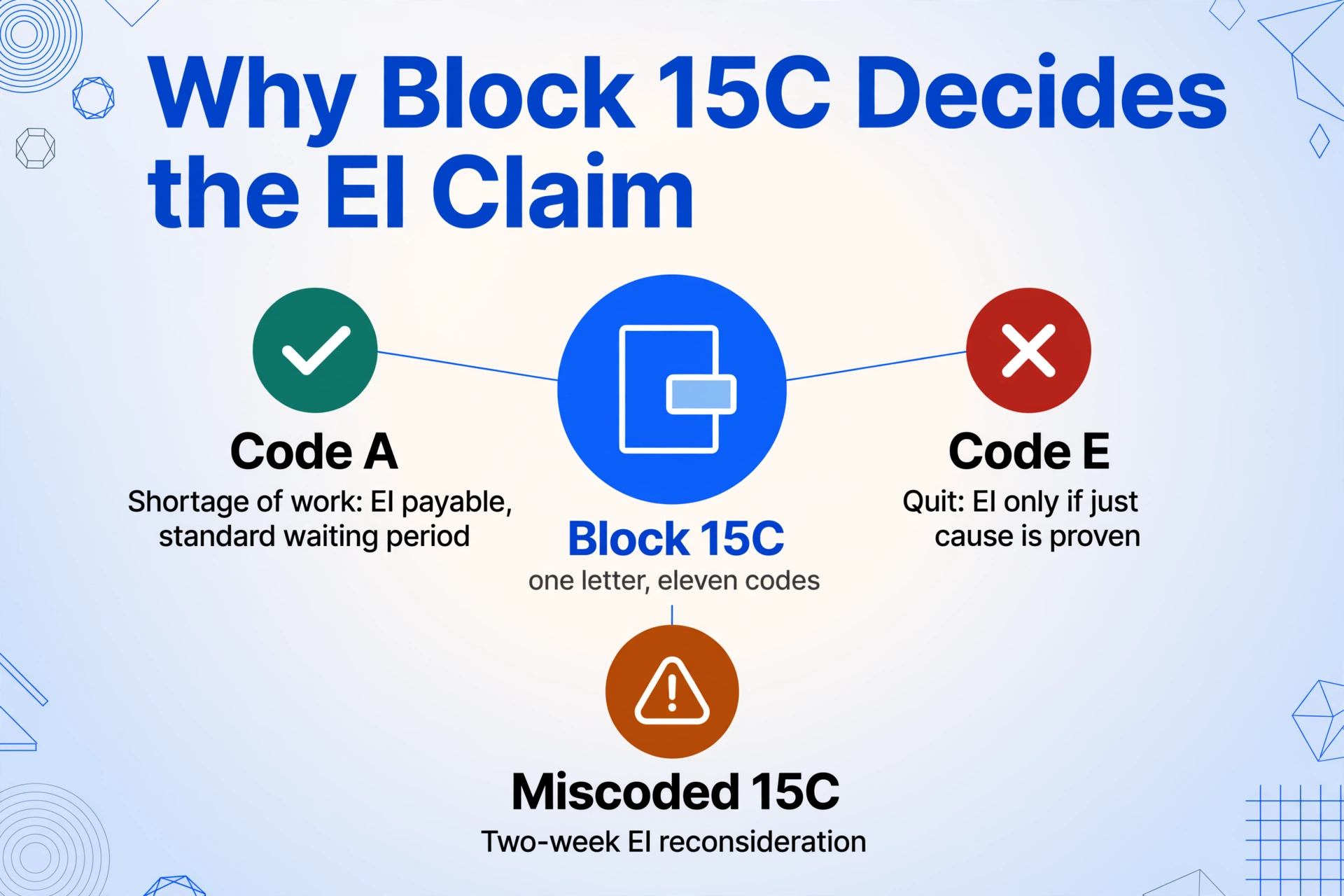
The remaining codes — B (strike/lockout), C (return to school), D (illness or injury), F (maternity), G (retirement), H (work sharing), J (apprentice training), P (parental), Z (compassionate care) — each carry their own EI eligibility rule. A Code A typed as Code M converts an eligible layoff into a potential disqualification. A Code E typed as Code A converts a voluntary resignation into an apparent layoff that, if the employee subsequently claims EI, triggers an investigation when Service Canada contacts the employer and the employer says, "the employee quit." The employee's benefit payments are suspended while the investigation runs — typically 21 to 28 days under Service Canada's service standards — and if the employer issued the wrong code, the employer is the party responsible for correcting it.
The extraction advantage for Block 15C: The reason code field on a CERB-printed ROE from Ceridian, an ADP-printed ROE, and a QuickBooks-printed ROE may appear in different positions — but the value being extracted ("A," "E," "M," or "K") is a single character in a labelled field. Semantic extraction reads "Reason for Issuing This ROE: A" on any layout and places "A" in the Block 15C column. The letter itself does not change from layout to layout. The extraction process does not introduce transcription errors — the AI reads the printed character and outputs what the form says — eliminating the scenario where an HR administrator reading a Ceridian ROE one minute and an ADP ROE the next minute transposes a code between the two layouts.
Edge Cases: When an ROE Is Not Standard
Multiple ROEs for the Same Employee (Change of Payroll Provider)
When an employer changes payroll software mid-year — migrating from ADP to Ceridian, for example — the new payroll system has no record of the employee's insurable hours and earnings accumulated under the old system. The standard procedure is to issue a Code K ROE from the old system covering the period up to the migration date, then start fresh in the new system. The employee receives two ROEs for what is effectively one continuous employment. For extraction purposes, the two ROEs must be processed together and the totals summed: Block 15A from ROE #1 + Block 15A from ROE #2 = total insurable hours for the employment period. A single Computed Column summing the two extracted rows makes this aggregation automatic.
Seasonal Industries: Construction and Tourism Layoff Cycles
Construction companies in Alberta and BC, fishing operations in the Atlantic provinces, and tourism businesses in Banff and Whistler follow predictable seasonal layoff cycles. After the season ends, the employer issues Code A ROEs to the entire crew. A roofing company with 40 seasonal workers in Calgary might issue 40 ROEs on the same day — November 30, for example — and the five-day deadline means all 40 must be submitted to Service Canada by December 5. The volume of ROEs issued simultaneously makes batch extraction particularly valuable: 40 ROEs from the same payroll provider, using identical fields, processed in one batch, producing one spreadsheet with 40 rows. A manual approach with two-minute data entry per ROE consumes 80 minutes of a December day on pure transcription. Service Canada's EI reporting requirements recommend that seasonal employers file ROEs electronically through ROE Web precisely to avoid holiday-period postal delays that can push a paper ROE past the five-day deadline.
Amended ROEs: When the Original Was Wrong
If Service Canada or the employee identifies an error on a filed ROE — a miscounted Block 15A total, a wrong Block 15C code, or an omitted Block 17 payment period — the employer must issue an amended ROE. The amended version carries the same block structure with corrected values. For extraction, an amended ROE reads identically to the original: the AI extracts whatever values are printed on the form. The difference is that the employer must flag the amended version in the compliance spreadsheet as a replacement for the original, ensuring the final data reflects the correction. A column labelled "ROE Version (Original / Amended)" — populated by reading whether the ROE carries the "Amended" box checked — keeps the audit trail clean.
Last Pay Period vs Last Day Paid: The Two-Week Notice Distinction
An employee gives two weeks' notice on June 1, with a last working day of June 15. The employer, instead of paying for June 1–15, pays the employee four weeks of salary in lieu of notice — covering the period up to June 29. Block 11 (Last Day for Which Paid) is June 29, not June 15. Block 12 (Final Pay Period Ending) is the pay period end date that includes June 29. The ROE is due to Service Canada within five calendar days of June 29 — meaning July 4, not June 20. An HR administrator who misreads the last day worked as the trigger date will file the ROE late. Extraction captures the printed dates exactly — June 29 in the Block 11 column, June 29+5 = July 4 as the calculated deadline — and a Computed Column checking whether the file date exceeds the deadline can flag late ROEs before they become a compliance issue.
ROE vs Other Separation Documents: Why Canada's Separation Form Is Unique
Every country with a social insurance system has a form for documenting employment separation, but the ROE's purpose, recipient, and data payload distinguish it from every other equivalent document. The UK P45 is a tax document — it goes to HMRC to correct the employee's tax code for the new employer, carrying year-to-date pay and tax figures. Australia does not have a standalone separation form equivalent to the ROE or P45 — employment separation is reported through Single Touch Payroll (STP) as a pay event, and the departing employee's final payslip serves as the separation record. The ROE, by contrast, is not a tax document, not a payslip, and not an employment reference. It is a 53-block statutory declaration of EI-relevant data submitted to a separate federal agency — Service Canada — that the employee relies on entirely, because without it, there is no EI claim file.
This makes the ROE extraction problem distinct from T4 extraction, which is a once-a-year annual reconciliation task. ROE extraction is monthly, event-triggered, deadline-pressured, and carries the additional risk that a wrong value — not just a missing one — causes an adverse benefits determination for a person who is legally entitled to receive EI. The 5-day statutory deadline (compared to the 28-day deadline for P45 issuance in the UK, or the 14-July STP finalisation deadline in Australia) makes it the shortest payroll-related government filing window in Canadian employment law. Extraction does not extend the deadline — but it removes the single largest time-consumer within it.
Frequently Asked Questions
Does ROE extraction work when ROEs come in as scans of paper forms?
Yes. The extraction engine reads Block 10, Block 11, Block 15A, Block 15B, Block 15C, and all payment period data from scanned paper ROEs, PDF exports from payroll software, and phone photos of printed forms identically — the AI identifies blocks by their numbers and labels, not by the input medium. A paper ROE form from a small employer who does not use ROE Web and mails physical copies to departing employees — a scenario still common in small retail, food service, and agricultural operations — is read the same way as a digitally generated PDF from Ceridian. The only requirement is that the scan or photo is legible, which is the same requirement as a human reading the form.
What is ROE Web and does it eliminate the need for extraction?
ROE Web is Service Canada's electronic filing portal — the recommended method for submitting ROEs. It does not eliminate the need for extraction. ROE Web simplifies filing: you enter the data into Service Canada's online form, and the ROE is submitted electronically. But ROE Web is a filing tool, not a reporting tool. After filing, the ROE data lives in Service Canada's system, not in your HR spreadsheet. If you need a monthly summary of all separations — insurable hours total, insurable earnings total, reason codes breakdown — for internal reporting, management review, or compliance audit, that summary still requires extracting the data from the filed ROEs into a spreadsheet. ROE Web handles the "getting the data to Service Canada" step. Extraction handles the "getting the data into your own records" step, and both steps are necessary.
How does the 5-day deadline interact with batch processing?
The 5-calendar-day deadline under the Employment Insurance Regulations starts from the interruption of earnings — the date the employee stops receiving insurable earnings — and runs for each employee independently. If three employees separate on three different dates, you have three independent deadlines. Batch processing does not change the deadlines. What it changes is how long it takes to prepare the ROEs once the payroll system generates them. A batch of 15 ROEs processed together may take a few minutes to extract — versus 45 minutes of manual data entry across three different payroll system outputs. The time saved is time the HR administrator can spend verifying the data for accuracy rather than retyping it for entry. The batch approach also produces a single spreadsheet that can be filtered by Block 11 date to surface any ROEs approaching their 5-day deadline — providing a compliance dashboard that manual processing cannot deliver without building one from scratch.
Can AI extraction handle ROEs from employees who worked in multiple provinces?
Yes. The ROE form includes Block 8 (province of employment), and the extraction reads it alongside the other blocks. For an employee who worked in Ontario for part of the qualifying period and Quebec for the remainder, the ROE should reflect the province of the final employment — which is the province whose regional unemployment rate determines the EI eligibility threshold and the benefit calculation. The extraction captures the province code as a column, and you can cross-reference it against the employee's work location records to confirm accuracy. Regional unemployment rate boundaries — known as EI economic regions — do not always align with provincial boundaries (e.g., Northern Ontario is a separate economic region from Southern Ontario), so confirming the correct province is a prerequisite to verifying the eligibility threshold.
What happens when an ROE contains errors I don't catch until after filing?
You must issue an amended ROE. The process is: identify the error (typically surfaced by the employee when Service Canada contacts them about a discrepancy in their EI claim), correct the block value in your payroll system, regenerate the ROE with the "Amended" box checked, and resubmit to Service Canada — electronically through ROE Web or on paper. The amended ROE carries the same 53-block format as the original. In your extraction spreadsheet, the amended row replaces the original row, and the compliance record should note the date and reason for the amendment. The most effective prevention is the reconciliation pass described in the workflow section above — verifying Block 15A against payroll register hours, Block 15B against payroll register earnings, and Block 15C against the separation documentation — before the ROE leaves your desk.
Can I extract ROE data for Service Canada while also keeping a copy for the employee's personnel file?
Yes. The same extraction produces one spreadsheet that serves both purposes. The rows destined for Service Canada — the data that goes into ROE Web or onto the paper form — are the same rows that go into the employee's digital personnel file as proof the ROE was issued, on what date, with what values. Maintaining this dual record is not discretionary: the Employment Insurance Regulations require the employer to retain a copy of every ROE issued for six years after the year to which it relates. An extracted spreadsheet with one row per ROE, timestamped and stored in your document management system, satisfies the retention requirement and makes retrieval during a Service Canada audit or a former employee's EI reconsideration a spreadsheet search rather than a filing cabinet excavation.
Does the extraction work if the ROE is a photocopy of a photocopy?
The extraction accuracy depends on legibility, not on generation count. A first-generation scan of a paper ROE extracts with high accuracy because the text is crisp and the block labels are distinct. A third-generation photocopy where the text has degraded — block numbers become faint, the insurable hours figure blurs into the adjacent column — may lose characters that the AI cannot reconstruct from degraded pixels. The extraction engine does not fabricate data; it outputs what it can read. If the document is too degraded for a person to read Block 15A's hour count, the AI will likely also struggle. The practical recommendation is to scan the original ROE — or the cleanest copy available — rather than accumulating generational loss through repeated photocopying. For employers transitioning away from paper ROEs to ROE Web, the extraction step can serve as the digital bridge during the transition: scan the last paper ROEs once, extract the data, and file through ROE Web going forward.