Complete Guide to
Insurance Claim Data Extraction (2026)
A single auto accident claim generates an ACORD 2 form from the claimant, a police report from the responding agency, a repair estimate from the body shop, medical intake forms if there are injuries, and photos from three smartphones. Each document arrives in a different format, from a different source, with a different layout — and the adjuster needs the structured data from all of them linked to the same claim record. That is the real challenge of insurance claim data extraction, and it is not a challenge that most extraction tools were designed to handle.
Key Takeaways
- A claims adjuster spends 17-25 hours per week on data entry — at $35-45 per hour — before touching the coverage analysis, settlement negotiation, or investigation that their expertise is paid for.
- The visible labor cost is only half the story: error correction, lost adjuster productivity, and delayed cycle time live in separate budgets where no single report reveals that manual claim processing costs roughly double what the payroll line shows.
- One reusable column definition per document type — ACORD forms, police reports, repair estimates — extracts structured fields from every document in the batch, and the adjuster reviews only the exceptions flagged by confidence scoring.
What Is Insurance Claim Data Extraction?
Insurance claim data extraction is the automated process of reading key fields from claim-related documents — ACORD loss notices, police reports, repair estimates, medical records, and other supporting attachments — and converting them into structured data that a spreadsheet, claims management system, or analytics platform can ingest. Unlike standard invoice or receipt extraction, which targets a single document type, claim extraction must handle a multi-document packet where each component has its own format, its own key fields, and its own extraction requirements.
The scope goes beyond the First Notice of Loss. A complete claim extraction strategy covers every document that enters the claim file from intake through settlement: the initial ACORD form (whether auto, property, general liability, or workers compensation), the supporting attachments that substantiate the loss, and the ongoing correspondence and billing documents that accumulate as the claim progresses. For a detailed field-level breakdown of what AI can and cannot extract from the initial ACORD forms specifically, see our companion article on Can AI Read Insurance Claim FNOL Forms?
What makes this category distinct from other document extraction tasks is the layered structure of a claim packet. The structured header fields on the ACORD form — policy number, date of loss, insured name, loss location — follow a predictable pattern and extract reliably. The free-text narrative in the Description of Loss section does not. The supporting documents — a police report from one jurisdiction, a repair estimate from a different software system, medical records from a third — each require a separate extraction strategy. A complete approach accounts for all three layers, not just the most convenient one.
Why Manual Claim Data Entry Costs More Than It Seems
The visible cost of manual claim data entry is straightforward: a data entry clerk or adjuster typing field values from each document into a claims system, one character at a time. McKinsey estimates that automation can reduce claims processing time by up to 50% and cut claim journey costs by as much as 30%. But those aggregate numbers undersell what manual processing actually costs an operation, because the real expense arrives through four distinct channels that most firms track in separate budgets.
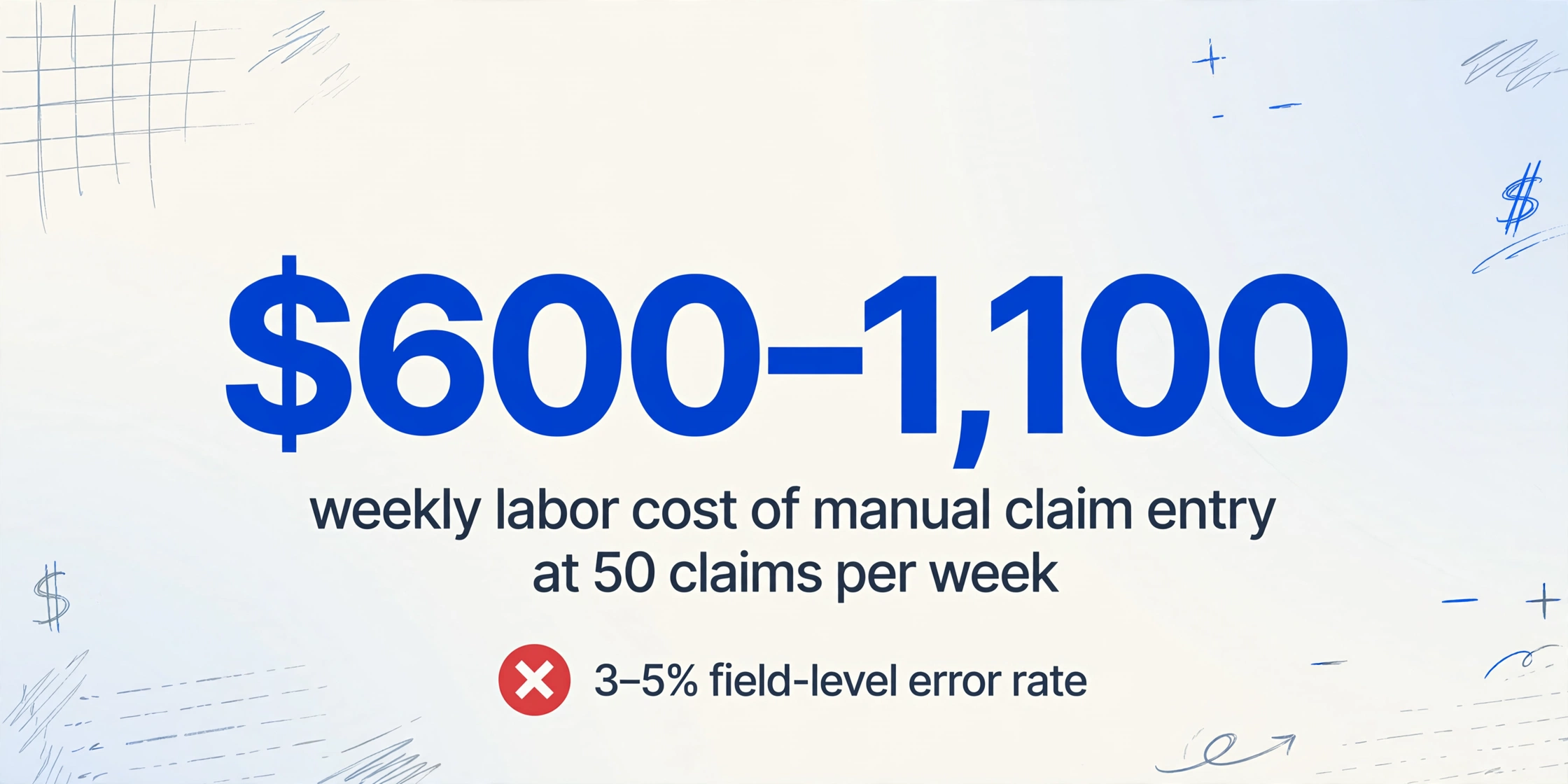
Direct transcription labor. An adjuster or claims clerk processing a single claim packet — ACORD form plus two or three supporting documents — spends roughly 20 to 30 minutes on data entry alone. At 50 claims per week, that is 17 to 25 hours of pure typing time. At a loaded cost of $35–45 per hour for an experienced claims handler, that translates to $600–1,100 per week in labor that adds zero judgment value to the claim.
The error tax. Manual data entry of insurance documents carries an estimated 3–5% field-level error rate. In a claim packet with 25–40 extractable fields across the ACORD form and attachments, that means one to two errors per claim. A mistyped policy number delays eligibility verification. A wrong date of loss triggers a follow-up call to the insured. A transposed amount in the repair estimate creates a reserve mismatch that takes time to reconcile. Industry benchmarks suggest each data entry error on a claim costs $15–30 to correct — and those costs compound when errors are discovered downstream rather than at intake.
The opportunity cost of adjuster time. McKinsey's research shows that underwriters and claims adjusters spend 30–40% of their time on administrative tasks, including data entry and document retrieval. For a senior adjuster handling 100–150 open claims, that means 12 to 20 hours per week spent typing instead of investigating coverage, negotiating settlements, or managing complex cases. The dollar cost of that time is the adjuster's full salary. The opportunity cost is the claims velocity — and customer satisfaction — that those hours could have produced if redirected to judgment work.
Delayed cycle time. Every manual step between document receipt and data availability adds hours to the claims lifecycle. In high-volume claims operations — TPAs processing 200+ claims per day, catastrophe response teams handling surge volumes — those hours accumulate into days. J.D. Power's claims satisfaction studies consistently show that FNOL processing speed is one of the strongest drivers of customer satisfaction. Each additional day of manual processing drags down the customer experience and increases the likelihood of litigation, regulatory complaints, and escalation.
The four costs are additive, not alternatives. An operation spending $2,500 per month on direct claim data entry labor is likely incurring an equivalent amount in error correction, lost adjuster productivity, and delayed cycle time. The real cost of manual claim data entry is roughly double the visible labor line item — and it is buried across budgets where no single report ever reveals the total.
What Makes Insurance Claim Extraction Different from Other Document Types
Insurance claim extraction shares technical DNA with invoice or receipt extraction — the same vision-language models, the same custom column approach — but three structural factors make it a fundamentally harder problem.
1. Carrier and line-of-business format variance. An ACORD 1 (Property Loss Notice) and an ACORD 2 (Automobile Loss Notice) look different because they collect different information. But the same ACORD 1 completed through an Applied Epic agency management system renders differently than one from Vertafore AMS360, which renders differently again from one filled out by hand on a paper form. ACORD maintains over 800 standardized form types. The roughly 39,000 independent P&C agencies in the United States each produce these forms with their own system configurations, print settings, and completion habits. Template-based extraction, which relies on fixed field coordinates, breaks the moment a layout shifts. Semantic extraction, which reads field labels to locate values, handles this variance without per-carrier configuration. We covered this difference in more depth in our explainer on traditional OCR versus AI-driven extraction.
2. The multi-document claim packet. An invoice extraction tool processes one invoice. A claim extraction workflow processes a folder: an ACORD form, a police report, a repair estimate, medical intake records, photos, and sometimes a tow slip or rental agreement. Each document type has its own standard fields, its own layout conventions, and its own extraction column definitions. The challenge is not extracting any single document — it is extracting all of them in a coherent workflow that keeps the outputs linked to the same claim record.
3. Structured fields + free-text narrative in one document. The ACORD form is unique in blending both modes in a single page. The header contains clearly labeled, short-value fields that AI extracts at high accuracy. The Description of Loss section is a blank box for narrative prose — 50 words or 500, handwritten or typed, focused or rambling. These two modes coexist within the same document, and they require fundamentally different treatment.
The Structured Fields: What You Can Extract Reliably
The structured header fields on ACORD forms are where AI extraction delivers the most value. These fields have printed labels, constrained value spaces, and consistent semantic patterns — the ideal conditions for a vision-language model. Below are the key fields broken out by the four major ACORD FNOL form types that cover the vast majority of P&C claims intake.
ACORD 1 — Property Loss Notice
| Field | Format | Realistic Accuracy |
|---|---|---|
| Policy Number | Alphanumeric, 8–15 chars | 95%+ |
| Insured Name & Contact | Name + address + phone | 95%+ |
| Date & Time of Loss | Date + time | 95%+ |
| Location of Loss | Address or intersection | 90%+ |
| Kind of Loss (checkboxes) | Checkbox: Fire/Wind/Hail/Water/Theft | 85–90% |
| NAIC Carrier Code | 5-digit numeric | 95%+ |
| Estimated Amount of Loss | Currency | 90%+ |
| Policy Deductible | Currency | 90%+ |
| Mortgagee / Lienholder | Name + address | 85%+ |
| Police Report Number | Alphanumeric | 80%+ (often blank) |
ACORD 2 — Automobile Loss Notice
| Field | Format | Realistic Accuracy |
|---|---|---|
| Policy Number | Alphanumeric | 95%+ |
| Insured Name & Contact | Name + address + phone | 95%+ |
| Driver / Claimant Info | Name + address + phone + DL# | 90%+ |
| Vehicle Information | VIN + year + make + model | 85–90% (handwritten VIN hardest) |
| Date, Time & Location of Loss | Date + time + address | 95%+ |
| Type of Accident | Checkbox: Collision/Theft/Vandalism | 85%+ |
| Damage Description | Checkbox area: Front/Rear/Side/Top | 85–90% |
| Estimated Damage Amount | Currency | 90%+ |
| Witness Information | Name + phone | 85%+ |
| Police Report Number & Agency | Alphanumeric + department name | 80%+ |
ACORD 3 — General Liability Loss Notice
| Field | Format | Realistic Accuracy |
|---|---|---|
| Policy Number | Alphanumeric | 95%+ |
| Insured Name & Contact | Name + address | 95%+ |
| Claimant Name & Contact | Name + address + phone | 90%+ |
| Date, Time & Location of Occurrence | Date + time + address | 95%+ |
| Type of Occurrence | Checkbox: Premises/Operations/Product | 85–90% |
| Injury Description | Checkbox + text (nature of injury) | 85%+ |
| Medical Payments Incurred | Currency | 90%+ |
| Witness Information | Name + phone | 85%+ |
The pattern across all three form types is consistent: labeled fields with short values extract at 85–95%+ whether typed or handwritten. The variance comes from handwriting legibility (a rushed "5" read as "S" on a VIN) and checkbox mark quality (a light pencil tick read as unchecked), not from the AI's inability to locate the field on the page. Because semantic extraction reads field labels rather than relying on fixed coordinates, the same column definition for "Policy Number" works on an ACORD 1 from a carrier's portal PDF and an ACORD 2 photographed at the roadside — no templates, no per-carrier configuration.
The Free-Text Narrative: A Different Strategy
The Description of Loss section is the part of an ACORD form where AI extraction hits a structural boundary. This section contains the claimant's own account of what happened, written in narrative prose — typically 200 to 500 words — and it follows no extractable pattern. An auto accident description might say: "I was stopped at the light on Main Street. A truck hit me from behind." A property loss description: "I noticed water on the kitchen floor around 3 PM. Went up to the attic and found a burst pipe." The same collision scenario can be written three different ways by three different claimants, each with different sentence structures, word choices, and levels of detail.
Modern vision AI can extract the text of this narrative at high accuracy — reading the handwritten or typed words off the page and rendering them as a block of text in a spreadsheet cell. That part works reliably. What does not work is the step most claims teams actually wish for: automatically categorizing that narrative into structured fields such as "Cause of Loss Category," "At-Fault Party," or "Injury Severity." Language models attempting this classification produce error rates of 25–30%, which is too high for any downstream process that depends on the result being correct.
The recommended approach for claims operations is to extract the narrative as raw text into a single field. The adjuster reads that field — exactly as they would read it from the paper form — while the structured fields (policy number, date of loss, amounts, vehicle details) are already populated in the spreadsheet. The time savings come from not having to retype those structured fields, not from trying to force the narrative into a classification it does not support.
Supporting Documents: One Claim, Multiple Extraction Strategies
A claim packet in practice is rarely just the ACORD form. Supporting documents typically outnumber the primary form two-to-one or three-to-one, and each type demands its own extraction profile. Here is how the most common attachments map to extraction strategy.
Police Reports
Police reports are the most frequently attached supporting document. They contain critical structured data — the investigating officer's name and badge number, the report number, the date and time the report was filed, the at-fault driver designation, citation information, weather and road condition notes, and a narrative section that often repeats or expands on what the claimant wrote on the ACORD form. The extraction challenge with police reports is not field complexity but format variance. There are roughly 18,000 law enforcement agencies in the United States, each using its own report layout. Some use the standard NHTSA model traffic crash report. Others use state-specific forms (the California CHP 555, the Texas CR-3). Many use custom report formats generated by their records management system. A template-based approach would require a separate template for every agency. Semantic extraction handles them all with one column definition because it reads the labels on the report — "Officer Name," "Report Number," "At Fault" — regardless of where they sit on the page.
Repair Estimates
Auto repair estimates from body shops and property repair estimates from contractors contain line-item detail that is essential for reserve setting and settlement negotiation. Key extractable fields include: shop or contractor name and contact, estimate date, vehicle or property identifier, labor hours and rate by line, parts costs (OEM vs aftermarket vs used), paint and materials, subtotal, tax, and total. Repair estimates are most valuable when extracted as a row-per-line table — so the total estimated damage can be calculated from the sum of all items rather than relying on a single handwritten total that may omit certain cost categories. The estimate also needs to be linked back to the claim record it supports, which means the extraction workflow must capture the claim or policy number that appears on the estimate, even if it is handwritten in a margin.
Medical Records & Intake Forms
In claims involving injuries — auto accidents, workers compensation, premises liability — medical documents enter the claim file quickly. Emergency room intake forms, ambulance run sheets, diagnostic imaging orders, and initial treatment notes all contain structured fields (patient name, date of service, provider NPI, diagnosis codes, billing codes) mixed with clinical notes. The extraction strategy mirrors the ACORD approach: extract the structured fields (dates, codes, provider identities, billed amounts) with column definitions, and keep clinical notes as free text for the adjuster or nurse case manager to review.
Photos
Photos of damage — vehicle collision photos, fire damage, water intrusion, broken equipment — cannot be extracted for structured data in the traditional sense. There is no "dollar amount" to read from a photo. However, computer vision models can identify and classify damage types (e.g., "front-end collision," "roof damage from hail," "water stain on ceiling") if the claims operation has a use case for automated damage coding. For most claims teams, the practical approach is to treat photos as supporting evidence that the claims intake system receives and links to the claim record, without attempting structured extraction.
The key operational insight across all supporting document types: each requires its own extraction column definition, and the workflow must keep outputs from all documents linked to the same claim record. This is not a single extraction problem. It is a family of extraction problems organized around one claim event.
Traditional Methods vs AI-Powered Extraction
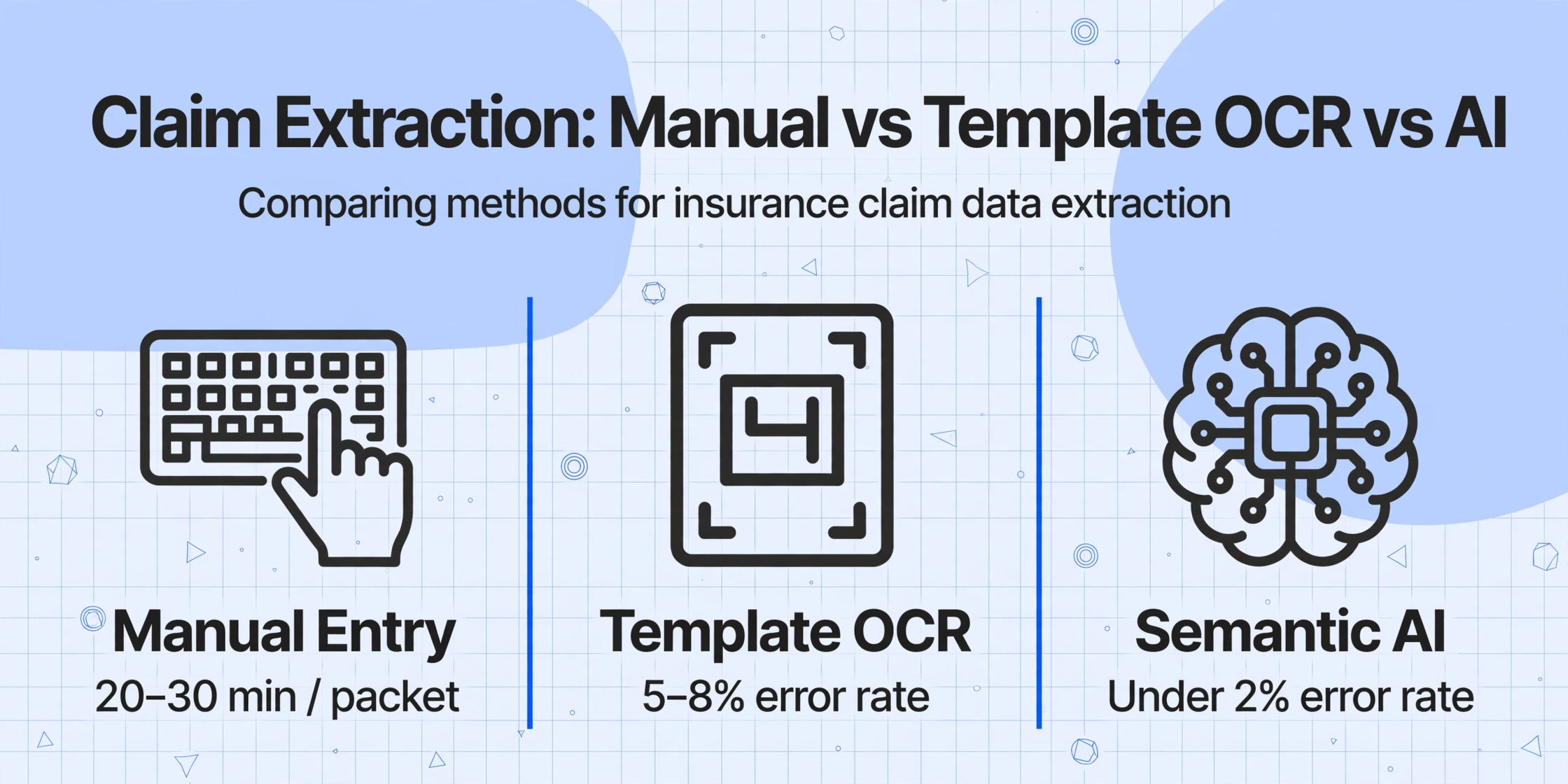
The conventional approach to insurance claim data entry has two variants: manual typing and template-based OCR. Both share the same fundamental limitation — they treat each claim document as if its layout were predictable, which it is not in real-world claims intake.
| Dimension | Manual Entry | Template OCR | Semantic AI Extraction |
|---|---|---|---|
| Setup per carrier form type | None (human adapts) | Template per form × agency system combo | Zero — one column definition per field |
| Mixed carrier batch | Sequential, one at a time | Only same-layout forms | Mixed carriers, mixed form types |
| Supporting documents | Reads each doc type separately | Template per doc type × layout | One column set per doc type |
| Handwriting on structured fields | Reads most handwriting | Fails on most handwriting | 85–95% on structured fields |
| Format change resilience | N/A — human adapts | Breaks until template is updated | Handles new layouts automatically |
| Time per claim packet | 20–30 min | 5–10 min (if templates exist) | 5–10 seconds |
| Field-level error rate (structured) | 3–5% | 5–8% on non-template formats | Under 2% on labeled fields |
The semantic AI approach — template-free document extraction — matters more for claims than for any other document category because of the sheer format variance in real-world claims intake. An ACORD 2 arriving as a clean PDF from a carrier portal and the same form arriving as a faxed copy with handwritten fields in the margins are the same document type requiring the same columns, but a template-based system would need two configurations. A semantic system handles both with one.
Batch Processing Mixed-Carrier Claim Forms
The practical workflow for claims teams processing 50–200 claims per day is batch processing — uploading a folder of claim packets, extracting the structured fields from every component document, and exporting everything into a unified spreadsheet with a claim-number key that links the rows from each document type.
A typical batch workflow looks like this:
Batch-first processing is not an afterthought for claims operations. It is the only workflow that scales when a TPA processes claims from 50 different carriers, each using a different ACORD rendering, and supporting documents arrive through a dozen different intake channels.
How to Choose a Claim Extraction Tool
Not every extraction tool is suited for insurance claims. The document mix — structured forms, free-text narratives, multi-source attachments — demands specific capabilities that general-purpose OCR tools may lack. Here are the criteria that matter for claims operations specifically.
Template-free or template-based. This is the single most consequential decision. If the tool requires creating and maintaining templates per carrier, per form type, and per intake channel, it will not survive the format variance of real-world claims intake. A template-free approach — where column definitions work across form types, carriers, and layouts — eliminates the configuration debt that causes claims automation pilots to stall after the proof-of-concept phase.
Multi-document type support. The tool must handle ACORD forms, police reports, repair estimates, and medical records as distinct document types with separate column definitions — not treat everything as "one document."
Handwriting capability. A significant percentage of claim forms are filled out by hand — at the roadside, in a hospital, on a clipboard. If the tool's handwriting accuracy on structured fields is below 85%, the structured field automation collapses because too many outputs need correction.
Batch export to spreadsheet or claims system. The output should be a structured file (Excel, CSV) that can be loaded into Guidewire ClaimCenter, Duck Creek Claims, or any claims management platform without manual reformatting.
No-training requirement. Claims teams do not have the volume to train custom models. A tool that requires 10–50 sample documents per form type to "learn" your claim formats is not a fit for the insurance intake use case, where new carrier formats and supporting document variations appear regularly.
Frequently Asked Questions
What document types are included in insurance claim data extraction?
Claim extraction covers the full claim packet: ACORD loss notice forms (ACORD 1 for property, ACORD 2 for auto, ACORD 3 for general liability, ACORD 4 for workers compensation), police reports, auto and property repair estimates, medical intake records and bills, and supporting correspondence. Each document type requires its own extraction column definition, but all outputs are linked by the claim or policy number for consolidated processing.
How accurate is AI extraction on insurance claim forms compared to manual entry?
On the structured header fields — policy number, insured name, date and location of loss, amounts — AI extraction achieves 90–95%+ accuracy, which is measurably better than the 3–5% field-level error rate of manual data entry. The remaining errors cluster on specific field types (handwritten VINs, partial checkbox marks) and are predictable enough to build a targeted spot-check workflow around. Manual errors, by contrast, are random — any field can be wrong for any reason — making them harder to catch without a full re-read of every document.
Can AI extract the narrative Description of Loss from a claim form?
It can extract the text of the narrative at high accuracy — reading handwritten or typed words and rendering them as a text block in a spreadsheet cell. It cannot reliably categorize that narrative into structured fields like "Cause of Loss" or "At-Fault Party." Language models attempting narrative classification produce a 25–30% error rate that makes the output untrustworthy for coverage or liability decisions. The recommended workflow is to extract the narrative as raw text and let the adjuster read it directly, while the structured fields — which represent most of the data entry burden — are automated.
Does AI extraction work on police reports from different jurisdictions?
Yes — and this is where template-free extraction has a decisive advantage over traditional OCR. There are roughly 18,000 law enforcement agencies in the United States, each using a different report layout. Template-based OCR would require a separate template per agency. Semantic extraction reads the field labels on each report — "Officer Name," "Report Number," "At-Fault Driver" — to locate values, so one column definition covers all agency formats. The same principle applies to repair estimates, which vary by estimating software system (CCC, Mitchell, Audatex).
How well does AI handle handwritten claim forms?
On structured fields with clear field labels, handwritten claim forms extract at 85–90% accuracy for most handwriting qualities. The primary failure mode is individual character misreads — a handwritten "5" read as "S," a "0" as "O" — rather than whole-field failures. Claim forms filled out under adverse conditions (roadside after an accident, in a dimly lit room) tend to have more rushed handwriting that pushes accuracy toward the lower end of that range. A practical claims workflow includes a 1–2 minute validation step to spot-check the 2–3 most critical fields on each claim form.
Can extracted claim data be exported directly into Guidewire or Duck Creek?
Yes. The extraction output is a structured file — Excel, CSV, or JSON — that can be imported into any claims management system that accepts batch data uploads. The column headers match the field names you defined during extraction setup, so the data lands in the correct system fields. For teams processing high volumes, the batch export can also be configured to produce separate sheets or files for each document type (ACORD fields, police report fields, estimate fields) linked by the claim or policy number.
Does this work for workers compensation claim forms too?
Yes. Workers compensation FNOL forms share the same structure as other ACORD-based claims: a set of labeled header fields (employer name, employee name, date of injury, nature of injury, body part, treating physician) plus a narrative description of the accident. The structured fields extract at the same accuracy ranges as property and auto claims. Workers comp claims also generate additional supporting documents — physician's first report, return-to-work forms, wage statements — each of which can be handled with its own extraction column set.
Can AI extract data from photos of vehicle damage?
Not structured data in the traditional sense. Computer vision models can classify damage types (front-end collision, hail damage, fire damage) and estimate severity ranges, but they cannot output a dollar value or parts list from a photo alone. Photos are best treated as supporting evidence linked to the claim record, while structured estimates from body shops or contractors provide the data that feeds into financial reserves and settlement calculations.
How many claim forms can be processed in a single batch?
There is no practical upper limit on batch size for AI extraction. Claims teams routinely process 100–200 claim packets in a single batch — mixing ACORD forms from multiple carriers, police reports from different agencies, and repair estimates from various shops. The processing time scales linearly with document count, averaging 5–10 seconds per document regardless of format or carrier. For higher volumes, the batch workflow supports concurrent processing through team plans.
How do I start testing AI extraction on my own claim forms?
Upload a scanned ACORD form — property, auto, or general liability — or a photo of a completed claim form. No registration is required for the first test. Define the columns your claims system needs: Policy Number, Date of Loss, Insured Name, Location of Loss, Estimated Amount, Kind of Loss. See extraction results in seconds. For a full walkthrough covering batch processing across multiple carrier forms and supporting documents, see our step-by-step guides for specific claim document types.
The advantage of semantic extraction for claims is that it adapts to the format variance you already manage manually — without asking you to create templates for each carrier, form type, or intake channel. The structured fields on ACORD forms, police reports, and repair estimates are the same fields whether the document arrives as a portal PDF, a faxed copy, or a smartphone photo. Define your columns once, and the AI finds the values wherever the labels appear.
Try It on Your Own Claim Documents