Can AI Read Insurance Claim (FNOL) Forms?
Yes — Field-by-Field Breakdown
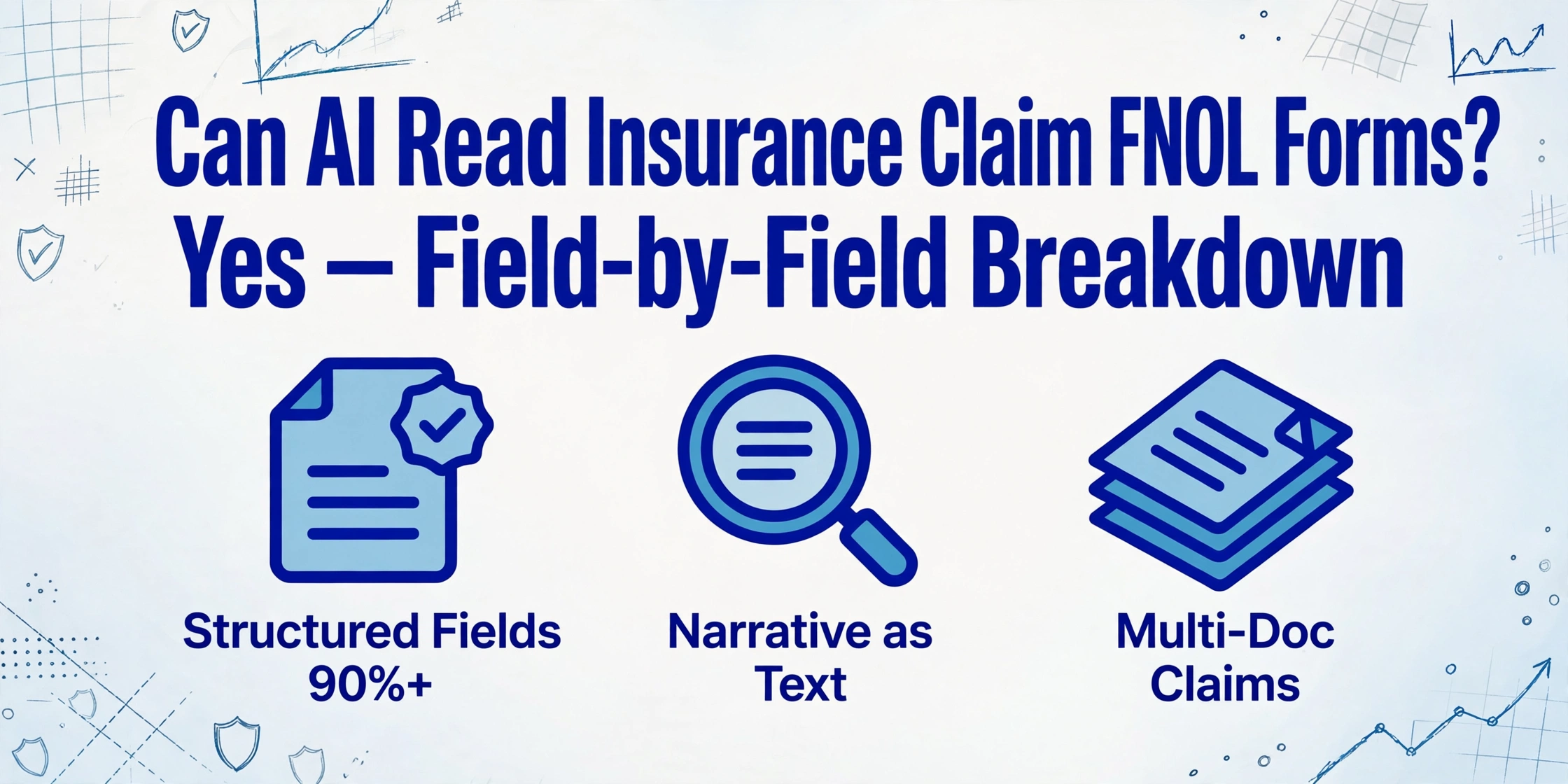
Yes — for the structured fields that make up roughly 80–85% of a First Notice of Loss form. Policy number, claim number, date of loss, insured name, loss location, and estimated amounts are all fields that modern vision AI extracts at 90–95%+ accuracy from most ACORD forms, including those filled with handwriting. But the remaining 15–20% — the free-text narrative description that a stressed claimant wrote at the scene — is a different story. Understanding which fields fall into which bucket is the difference between a realistic automation plan and a costly integration surprise.
Key Takeaways
- Policy numbers, dates, names, and loss locations on an ACORD form extract at 90-95%+ accuracy even when handwritten — covering 80-85% of the data entry burden per claim.
- AI cannot reliably categorize a 500-word accident narrative into fault type. The 25-30% error rate means adjusters must read every narrative anyway.
- Claims with clean structured intake close 30-50% faster. The win is automating header fields so adjusters spend their time evaluating coverage and liability, not retyping policy numbers.
What an FNOL Form Actually Contains
A First Notice of Loss is not a single kind of document. It is three layers of input bundled into one claim event, and each layer presents a different technical challenge for AI extraction.
Layer 1 — The structured header fields. Every ACORD FNOL form (ACORD 1 for property, ACORD 2 for auto, ACORD 3 for general liability) opens with a block of labeled fields: policy number, insured name, date and time of loss, location of loss, NAIC carrier code, police report number, and the "kind of loss" checkboxes. These fields have printed labels next to them. The data values are short — typically a few words, a number, or a date. Even when handwritten, the context is tightly constrained: the policy number field always contains a policy number. That constraint is what makes AI extraction reliable.
Layer 2 — The free-text narrative. The Description of Loss section on an ACORD form is a blank box spanning roughly half a page. The claimant writes what happened in their own words — 50 words or 500, focused on the facts or wandering through tangential details about the weather, the other driver's demeanor, and how long the tow truck took to arrive. This text contains information an adjuster needs to evaluate coverage and liability, but it is not structured data. No AI extraction tool today can reliably transform this kind of narrative into categorized fields without an error rate that would make downstream processing untrustworthy.
Layer 3 — Supporting attachments. An FNOL is rarely submitted alone. A police report arrives as a separate PDF from the law enforcement portal. A repair estimate comes from a body shop's estimating system. Photos of the damage are sent from a smartphone. Each document type lands in a different format, through a different channel, and each requires its own extraction approach.
The question "Can AI read insurance claim FNOL forms?" therefore has three different answers depending on which layer you are asking about. The practical answer for claims operations is: yes for layer 1, partially for layer 2 (extract as text, do not categorize), and yes for layer 3 — with the caveat that each attachment type needs its own extraction column definition.
The Structured Fields: Where AI Actually Excels
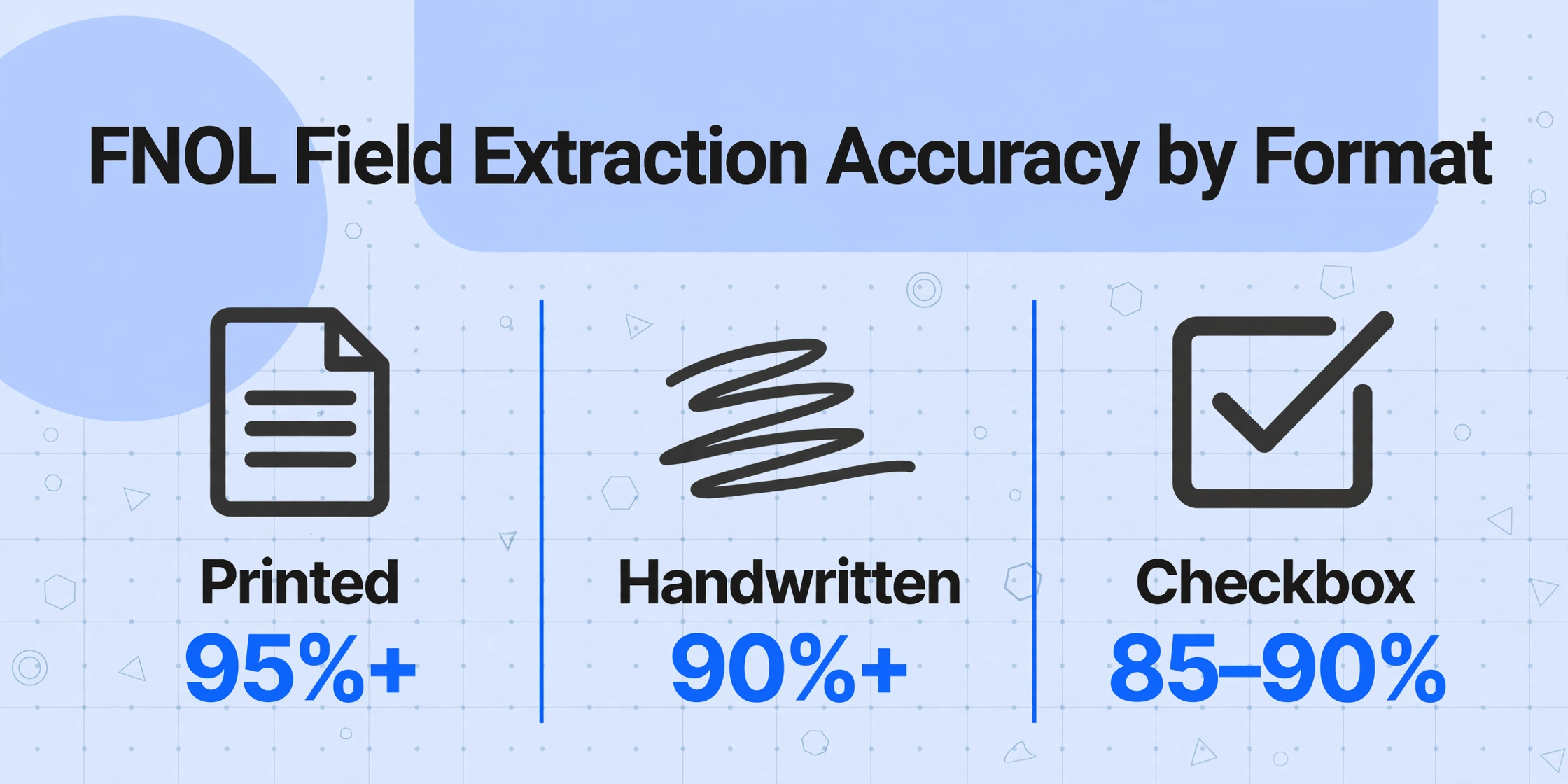
The header block of an ACORD 1, 2, or 3 form contains roughly 12–15 fields that follow predictable patterns. Each field has a printed label nearby, a limited value space, and a defined format — conditions under which modern vision AI performs at its best. The table below maps the most common fields, their format, and the realistic extraction accuracy you can expect using a semantic, template-free AI approach.
| Field | Format | Form Types | Realistic Accuracy |
|---|---|---|---|
| Policy Number | Alphanumeric, 8–15 chars | ACORD 1, 2, 3 | 95%+ (printed), 90%+ (handwritten) |
| Insured Name | Full name | ACORD 1, 2, 3 | 95%+ |
| Date & Time of Loss | Date + time field | ACORD 1, 2, 3 | 95%+ (with date format normalization) |
| Location of Loss | Address / text | ACORD 1, 2, 3 | 90%+ |
| NAIC Carrier Code | 5-digit numeric | ACORD 1, 2, 3 | 95%+ |
| Kind of Loss (checkbox) | Checkbox (Fire/Wind/Hail/Flood/Theft) | ACORD 1, 3 | 85–90% (varies by mark quality) |
| Probable Amount / Estimate | Currency value | ACORD 1, 2 | 90%+ |
| Driver / Claimant Info | Name + address + phone | ACORD 2 | 90%+ |
| Vehicle / Property Details | VIN, year, make, model | ACORD 2 | 85–90% (handwritten VIN is hardest) |
| Police Report Number | Alphanumeric | ACORD 1, 2, 3 | 80%+ (often blank or illegible) |
| Witness Information | Name + phone | ACORD 2, 3 | 85%+ |
The pattern is consistent: every field that appears in the labeled header block — where the AI can read the label to understand what the adjacent value represents — achieves high accuracy regardless of whether the input is typed or handwritten. The handwriting challenge is real, but it affects individual characters (a handwritten "5" read as "S", a "0" read as "O"), not the field's overall extraction viability. A handwritten policy number with a single misread digit is caught by a simple checksum validation when the number does not match any active policy on file. The error is detected before it enters the claims system.
Claims that arrive with clean structured intake data close 30–50% faster than claims where the adjuster must correct or re-enter the header fields. Every hour an adjuster spends fixing data entry mistakes is an hour they are not evaluating coverage, investigating liability, or managing settlements.
The Narrative: Where AI Hits Its Real Boundary
The Description of Loss field is the part of an FNOL form that AI extraction cannot solve the way most claims teams hope it can. This section typically contains 200–500 words of narrative prose — a claimant's own account of what happened, written in their own words, at a moment when they may be stressed, injured, or in a hurry. An auto accident FNOL might read: "I was stopped at the red light on Main Street heading northbound. The light turned green and I started moving. A white pickup truck ran the red light from the westbound direction and hit my driver's side door." A property loss FNOL might say: "I came home from work at 5:30 PM and noticed water stains on the ceiling in the living room. Went up to the attic and saw that a pipe had burst near the chimney. I turned off the water main and called a plumber."
Modern vision AI can extract the text of this narrative at high accuracy — reading the handwritten or typed words off the page and rendering them as a block of text in a spreadsheet cell. That part works. What does not work reliably is the step that most claims teams actually want: categorizing that narrative into structured fields like "Cause of Loss Category," "At-Fault Party," "Liability Indicator," or "Injury Severity Level."
The language in claimant narratives is too variable. The same auto accident — a left-turn collision at an intersection — can be written as "The other driver ran a red light and hit my passenger side," "I had the green light, she turned left right in front of me," or "I was going straight through the intersection when the other car came out of nowhere." All three describe essentially the same liability scenario with no extractable structure common across them. A language model may categorize the at-fault party correctly 70–75% of the time, but that accuracy means that for every four claims, one will receive a wrong liability classification. An adjuster cannot trust any field derived from the narrative, which means they must read every narrative anyway — and the time savings promised by automation evaporate.
The honest workflow: Extract the narrative as raw text into a single field. The adjuster reads it — exactly as they would read it from the paper form — but without having to retype the policy number, claim number, date of loss, and insured name from the structured fields. The real time savings come from the 80–85% of fields that can be automated, not from trying to force the remaining 15–20% into a structured output that cannot be trusted.
Supporting Documents Add Another Layer
An FNOL submission in practice is rarely just the ACORD form. A claim file quickly grows to include multiple supporting documents: a police report in PDF format, repair estimates from body shops or contractors, photos of the damage, medical intake forms if injuries were involved, and sometimes a tow slip or rental car agreement. Each document type has its own format, its own layout conventions, and its own key fields.
The practical question is not whether AI can extract data from these documents in isolation — it can, using the same Custom Column Extraction approach applied to each type. The challenge is the volume and variety: a single claim can generate 5–12 supporting documents, each requiring its own set of column definitions, and each needing to be linked back to the same claim record in the claims management system.
Police reports are the most common attachment. They contain critical structured data: the investigating officer's name and badge number, the report number, the date and time the report was filed, the at-fault driver designation, the citation information, and weather/road condition notes. Unlike the ACORD form, police reports come from hundreds of different law enforcement agencies, each using a unique layout — which makes position-based template extraction impossible. A semantic AI approach, which reads field labels to locate values, handles this variability naturally.
Repair estimates from body shops and contractors contain line-item detail that is useful for reserve setting: labor hours, parts costs, paint and materials, and the total estimated amount. These are most valuable when extracted as a row-per-line table — so the claim's total estimated damage can be calculated from the sum of all items, not from a single handwritten total that may be incomplete.
The multi-document nature of FNOL intake means a claims automation strategy needs to be document-type-aware, not just form-aware. One set of extraction columns for the ACORD form, another for the police report if one is attached, another for the repair estimate — and a workflow that keeps them all linked to the same claim file.
Why Semantic Extraction Fits FNOL Better Than Template OCR
The insurance industry standardized on ACORD forms precisely so that data would be consistent across carriers, agencies, and MGAs. But standardization of the form does not standardize how the form arrives. One ACORD 1 may arrive as a clean PDF exported from an agency portal. Another may arrive as a photo taken by a policyholder on their phone — rotated 15 degrees, shot at an angle, with a shadow cast across the policy number field. A third may be a faxed copy that has been through three rounds of compression, readable only as a grayscale image of a carbon copy.
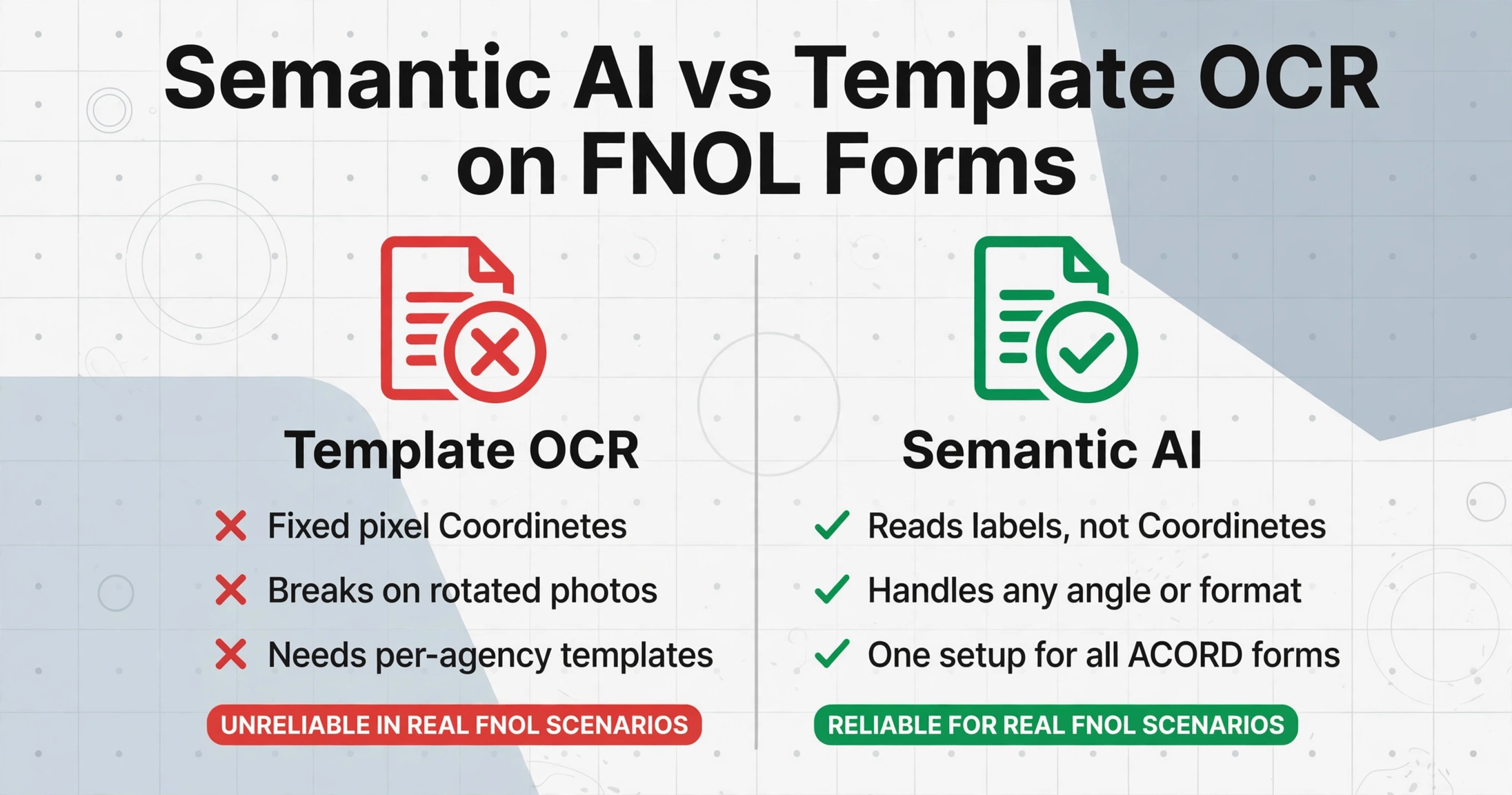
Template-based extraction (zone OCR) requires the tool to know where each field sits on the page. The template says: "The policy number is at pixel coordinates (200, 450) to (400, 470)." That works when every ACORD 1 arrives as a perfectly aligned, 300-DPI scanner PDF from the same agency. It breaks when the form arrives rotated, cropped, photographed at an angle, or printed on a slightly different paper size — all of which happen regularly in real-world FNOL intake.
This is where semantic extraction — the underlying approach behind Custom Column Extraction — diverges fundamentally from traditional OCR. Instead of searching for data at fixed page coordinates, the AI reads the document the way a human adjuster would: it finds the label "Policy Number" printed on the form, reads the value adjacent to it, and returns that value regardless of where on the page the label sits. The same column definition — "Policy Number" — works on an ACORD 1, an ACORD 2, a phone photo of an ACORD 3, and a faxed copy of any of them, because the AI is reading the form's own structural labels to locate the data, not relying on a pre-mapped coordinate grid.
Template-based OCR fails when the document's physical layout changes. Semantic extraction does not care about layout — it cares about meaning. For FNOL processing, where the same standardized form arrives through a dozen different channels in a dozen different visual conditions, this distinction is the difference between a tool that works on the first test file and a tool that works on the thousandth.
The downstream impact is operational. A claims team using template-based OCR must create and maintain separate templates for each form type (ACORD 1, 2, 3), each intake channel (portal PDF, phone photo, scan, fax), and each variation (new form edition dates, agency-specific customizations). That maintenance overhead is a primary reason claims automation pilots stall after the initial proof-of-concept: the templates work on the five test forms, then break on the fifty production forms that arrive in different visual conditions. Semantic extraction eliminates the template layer entirely. You define the fields once. The AI adapts to the document, every time.
Practical Takeaways for Claims Teams
If you are evaluating whether AI extraction makes sense for your FNOL intake process, here is a decision framework that maps directly to the three layers discussed above:
| Your Scenario | AI Extraction Fit | Expected Impact |
|---|---|---|
| High volume, standard ACORD forms, clean intake | Strong — 90%+ of header fields extractable | Reduce data entry from 6–8 min per claim to 2–3 min review |
| Mixed channels (portal PDFs + phone photos + fax) | Strong — semantic extraction handles all channels with one setup | No template maintenance across channels. One definition for ACORD 1/2/3 |
| Heavy handwriting on header fields | Moderate — 85–90% accuracy; budget for validation | Spot-check 15–20% of claims. Still faster than manual entry of all claims |
| Heavy reliance on narrative analysis | Low — extract as text only, do not categorize | No time savings on narrative. Significant time savings on every other field |
| Multi-document claims (form + police report + estimate) | Moderate-Strong — define per-doc-type columns | Extract headers from all docs. Link manually by claim number |
For most claims operations processing 50–200 FNOLs per day, the pragmatic starting point is to extract everything you can and leave the rest as text. The structured fields that AI handles well — policy numbers, dates, names, amounts, vehicle details — represent the bulk of the data entry burden. Automating them alone cuts per-claim processing time in half. The narrative section stays as a text paragraph for the adjuster to read. The supporting documents get extracted with their own column sets. The adjuster validates, links the records, and moves on to the work that actually requires their expertise.
For a detailed step-by-step walkthrough of how to implement this — from defining your ACORD extraction columns to exporting structured results into Guidewire, Duck Creek, or any claims management system — see How to Extract Insurance Claim (FNOL) Forms to Spreadsheets.
Frequently Asked Questions
How does AI extraction accuracy on FNOL forms compare to manual data entry?
Manual data entry of FNOL forms carries an estimated 3–5% field-level error rate — roughly one mistake every second or third claim. AI extraction on structured fields achieves 90–95%+ accuracy, with remaining errors concentrated on difficult handwriting or unusual field formats. The key operational difference: manual errors are random and unpredictable (any field can be wrong for any reason), while AI errors cluster on specific field types (handwritten VINs, partial checkbox marks) and are easier to anticipate and spot-check through a structured validation protocol. For a detailed comparison of validation approaches, see how to set up a spot-check protocol.
Can AI extract handwritten FNOL forms filled out at the scene of an accident?
Yes — with accuracy depending on handwriting quality. An ACORD 2 filled out at the roadside with the form resting on a clipboard or the hood of a car typically produces legible handwriting that AI reads at 85–90% accuracy on structured fields. The primary failure mode is individual character misreads (a "5" that looks like an "S") rather than whole-field failures. Any extraction workflow for field-filled FNOLs should include a short validation step — 1–2 minutes per claim to verify the 2–3 most critical fields such as policy number, date of loss, and estimated amount.
Can AI analyze the Description of Loss to determine fault or liability?
Not reliably enough for production use. AI can extract the full text of the narrative into a spreadsheet cell as raw text at high accuracy. But categorizing that text into structured fields like "at-fault party," "cause category," or "injury severity" produces an estimated 25–30% error rate that makes the output unusable for coverage decisions. The recommended approach is to keep the narrative as a text field the adjuster reads directly, while automating the structured header fields that represent the bulk of the clerical work.
Does AI extraction work on police reports and repair estimates attached to the claim?
Yes — but each document type requires its own extraction column definitions separate from the ACORD form. Police reports have different fields (officer name, report number, citation info, at-fault designation). Repair estimates contain line-item detail (labor hours, parts, totals). Each document type can have its own extraction profile defined once and reused across all claims. The key workflow requirement is linking the extracted data from each attachment back to the same claim record for consolidated processing. See the full insurance claim extraction guide for a comprehensive document-by-document breakdown.
Does AI extraction work across all three ACORD FNOL form types without separate setup?
Yes — this is where semantic extraction's advantage over template-based tools is most visible. Because the AI reads field labels rather than relying on fixed positions, the same extraction column definitions work across ACORD 1 (property), ACORD 2 (auto), and ACORD 3 (general liability) forms. A "Policy Number" column extracts from all three because the AI finds the "Policy Number" label on whichever form it is processing and reads the adjacent value. Template-based tools require separate setup for each form type and each layout variation — three forms minimum, more if agencies use different edition dates or custom layouts.
How do I start testing AI extraction on my team's FNOL forms?
Upload a scanned ACORD form or a photo of a completed claim form — no registration required. Define the columns your claims system needs (Policy Number, Date of Loss, Insured Name, Claimant Info, Kind of Loss, Estimated Amount) and see extraction results in seconds. For a full walkthrough covering batch processing, handwriting handling, and claims management system export, read the step-by-step FNOL extraction guide.