Can AI Extract Student
Enrollment Forms? Yes — Here's What Accuracy Looks Like by Field
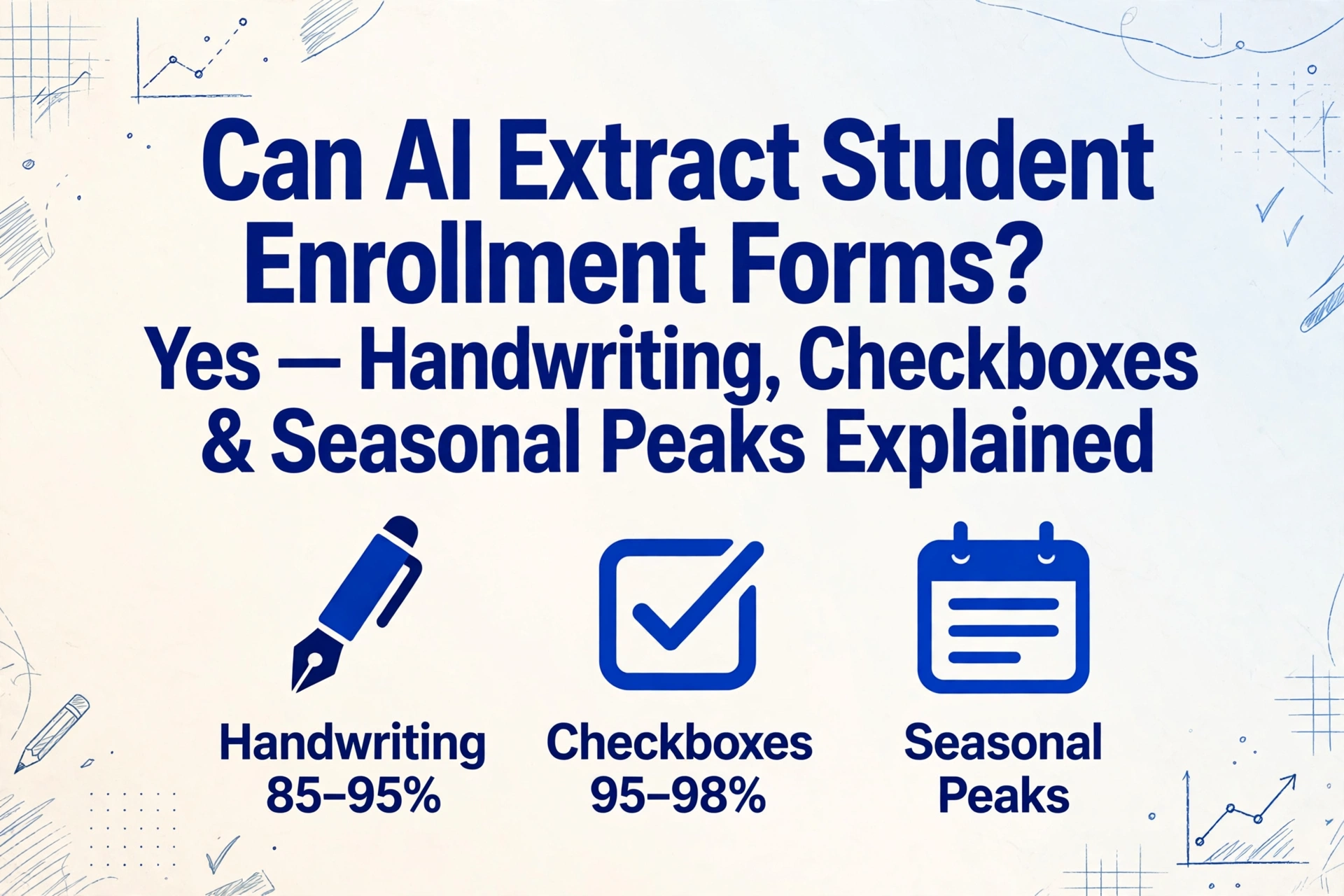
Yes — modern AI vision models can extract data from student enrollment forms at 95–99% accuracy on printed fields, 85–95% on handwritten entries, and 95%+ on checkbox selections, using semantic document extraction that does not require a template for each school's unique form layout. The accuracy varies significantly by field type — a parent's printed phone number is nearly guaranteed, while a free-text medical note written in cursive may need human review. Here is exactly where the technology stands today, where it still struggles, and what the August–September enrollment peak means for your processing workflow.
Key Takeaways
- The real question about enrollment form extraction is not can AI read handwriting — it is whether a school processing 400 packets in August can afford 20 hours of manual data entry when every day of delay pushes back class assignments, bus route planning, and lunch program enrollment.
- Handwritten phone numbers are the most fragile field on any enrollment form — unlike a name that surrounding letters can disambiguate, one misread digit out of ten makes the entire emergency contact unusable, and 400 forms means 400 different hands writing those ten digits with no autocorrect to fall back on.
- Batch processing is where the real efficiency lives — 400 packets that take a data entry team 20 hours complete in 30 minutes of AI extraction, because 85-90% of fields come through at 95-99% accuracy and only handwritten phone numbers and medical notes need a human look.
How Well It Works — Field-by-Field Accuracy on an Enrollment Form
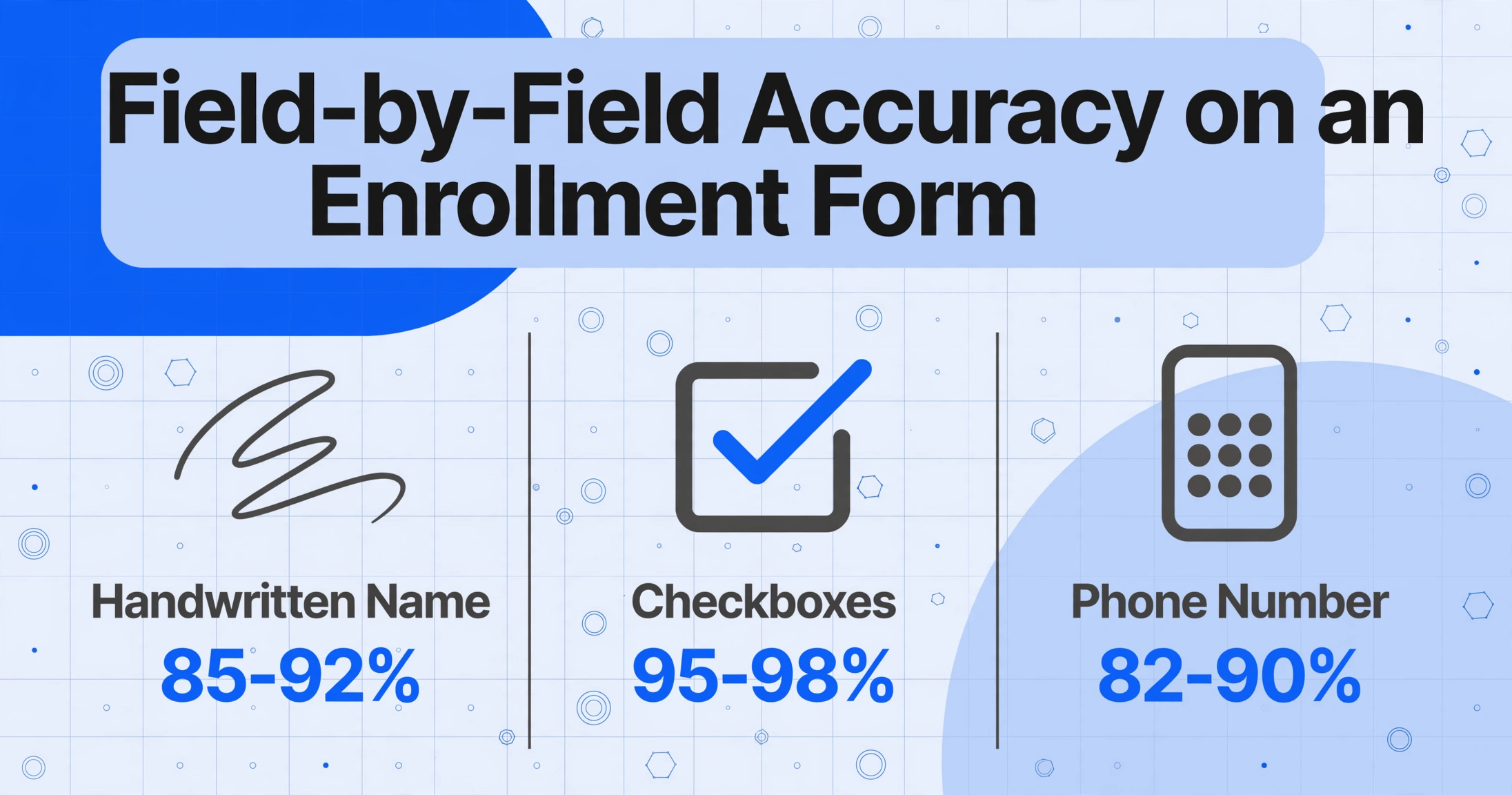
Enrollment forms are not a single extraction problem. A typical K-12 registration packet contains a mix of field types, each with a different accuracy profile. Below is what a modern AI extraction tool — one that uses vision-language models rather than traditional template OCR — delivers across the most common enrollment form fields.
| Field Type | Typical Content | Estimated AI Accuracy | Primary Challenge |
|---|---|---|---|
| Student name (printed) | Typed or neatly written | 97–99% | Rarely fails unless scan quality is poor |
| Student name (handwritten) | Cursive or print by child or parent | 85–92% | Children's handwriting varies widely; first-letter legibility is critical |
| Date of birth | MM/DD/YYYY or written out | 90–95% | Ambiguous date formats (MM/DD vs DD/MM) can be misread without context |
| Parent/guardian name | Handwritten by parent | 88–95% | Adult cursive is more consistent than children's, but uncommon names can trip inference |
| Parent phone number | Handwritten digits | 82–90% | A single misread digit makes the number unusable — phone numbers have no autocorrect |
| Home address | Handwritten street, city, ZIP | 85–92% | Street numbers and ZIP codes are digit-heavy; cross-referencing with address databases helps |
| Emergency contact info | Handwritten name + phone | 83–90% | Same phone-number fragility, compounded by less common surnames |
| Checkboxes (Yes/No) | ✓, ✗, filled circle, or scribble | 95–98% | Ambiguous marks (a stray pen dot, a half-filled oval) cause most errors |
| Medical info / allergies | Free-text handwritten paragraph | 75–85% | Cursive, abbreviations, and medical terminology create the hardest extraction scenario |
| Grade level (printed or circled) | Pre-printed options or handwritten | 93–97% | Circled selections can overlap with adjacent options |
| Printed form headers (school name, form title) | Pre-printed text | 99% | No accuracy concern — this is the easiest extraction target |
These figures assume the document is scanned or photographed at reasonable quality — 200 DPI minimum, good contrast, minimal crease or shadow interference. Drop to a smartphone photo taken in poor lighting, and every estimate shifts down 5–10 points. The FERPA compliance guide covers the regulatory considerations that apply the moment these documents enter a third-party extraction pipeline, but the operational question most enrollment offices ask first is the one above: field by field, what actually works?
The takeaway for enrollment offices: Printed fields and checkboxes are essentially solved — expect 95–99% straight-through accuracy. Handwritten phone numbers and free-text medical notes are the two field types that most commonly require a human review pass. Budget your verification effort around those specific fields, not the entire form.
Where AI Excels on Enrollment Forms
Standard printed text and form headers
School name, form title, grade-level options, pre-printed instructions — any text that came out of a printer or a school's SIS (PowerSchool, Infinite Campus, or Skyward) is the easiest extraction target. AI vision models handle these at near-perfect accuracy because the text is clean, the font is standard, and the contrast between ink and paper is typically high. This is the same capability that powers traditional OCR — but without requiring a template per school's layout, because semantic extraction finds the field by meaning rather than by pixel coordinate.
Checkboxes and selection marks
Enrollment forms are dense with checkboxes: "Is your child allergic to any medications? ☐ Yes ☐ No", "Please indicate grade: ☐ K ☐ 1 ☐ 2 ☐ 3". Modern AI models are trained to recognize a wide range of marking styles — a checkmark, an X, a filled circle, a scribble inside the box, or a box that was colored in with pencil. The accuracy is high (95–98%) because the decision is binary: the box is either marked or it is not, and the visual signal is relatively unambiguous compared to deciphering cursive letters.
The edge cases that cause errors are predictable: a stray pen dot in the box, a half-filled oval where the parent started marking and stopped, or a box that was marked and then crossed out. These are rare — perhaps 2–5% of checkbox fields — but when they occur, a confidence-score flag catches them for human review rather than silently outputting the wrong value.
Batch processing at enrollment season scale
This is where AI extraction separates itself from manual data entry in a way that is not about accuracy but about throughput. A school processing 400 enrollment packets at the start of the school year — each with 10–15 fields — faces roughly 4,000–6,000 individual data points to enter. At three minutes per form, that is 20 hours of data entry. An AI tool using batch-first processing — where all files upload simultaneously and the system extracts data from every form in parallel — completes the same work in 30–60 minutes of wall-clock time, with the output merged into a single spreadsheet.
The Epic Charter Schools case is instructive here. One of the largest virtual public charter schools in the US, Epic processed over 15,000 student records in a single enrollment period using an AI system that classified 65+ document types and achieved 95% accuracy in its first cycle. Manual processing dropped from hours per student to seconds. The system was designed for the enrollment peak — cloud-based, scalable to 1,000+ students per day, and built to handle the August-to-September surge without adding temporary data entry staff.
For a complete walkthrough of the enrollment form extraction workflow from start to finish — including how to set up custom columns, handle edge cases, and validate results — see the complete guide to student enrollment form extraction.
Where AI Still Struggles — The Honest Limitations
Handwritten phone numbers
Phone numbers are the most fragile field on an enrollment form for a simple reason: they have no semantic redundancy. A human reading "555-123-4567" can tell from the digit shapes that the "5" is a "5" — but if the handwriting is sloppy and the first digit could be a "5" or a "6," there is no word context to resolve the ambiguity. Names can be inferred from surrounding letters; phone numbers cannot. The same applies to ZIP codes, street numbers, and student ID numbers.
The practical mitigation is not to expect 99% on these fields. Budget for a verification pass on phone numbers and numeric identifiers — either a human skim of the extracted column or a rule-based validation (e.g., "does this phone number have exactly 10 digits?"). Most schools already verify phone numbers during manual entry anyway; the AI simply reduces the volume of fields that need that verification by 85–90%.
Low-contrast and photocopied forms
Enrollment forms are frequently photocopied — the school prints 300 copies, parents fill them out by hand, and the office scans the completed forms back. Each generation of photocopying degrades contrast. By the third or fourth generation, the gray-on-gray text of a pencil-filled checkbox can be nearly invisible to both the human eye and the AI model. The fix is straightforward — scan at 300 DPI in grayscale, not black-and-white — but in practice, many school offices scan in monochrome to save file size, losing the subtle contrast that separates a light pencil mark from the paper background.
Atypical checkbox marks
While standard checkmarks and X-marks are well handled, some marking styles remain challenging: a circle drawn around "Yes" instead of a mark in the box, a line struck through the entire row, or a checkmark that extends far beyond the checkbox boundary. These are edge cases, but they appear often enough in real enrollment packets that an extraction pipeline should flag them for review rather than guess.
Free-text medical notes and allergy descriptions
The "Medical Information" or "Allergies" section of an enrollment form is the hardest extraction target. Parents describe allergies in free text: "Penicillin — causes rash. Also allergic to cats." The handwriting can range from neat print to rushed cursive. Abbreviations are common ("PCN" for penicillin, "NKDA" for no known drug allergies). And the consequences of a misread are higher than for a misread address — a missed allergy could affect the child's safety.
For free-text medical fields, the recommended approach is AI extraction with human verification: let the AI produce a first pass, flag these fields for review, and have a school nurse or administrative staff member confirm the extracted text against the scan. This hybrid approach delivers 90%+ of the time savings while preserving 100% accuracy for safety-critical data.
Why Batch Processing Is the Real Game-Changer for Enrollment Season
Accuracy discussions tend to dominate the "can AI do this?" conversation, but for enrollment offices, the more impactful question is often about throughput. The August-to-September enrollment window is a fixed calendar constraint: new families register, returning families update emergency contacts, and the school needs clean data in the SIS before instruction starts. Every day of delay in data entry pushes back class assignments, bus route planning, and lunch program enrollment.
Batch-first extraction — where dozens or hundreds of enrollment forms are uploaded simultaneously and processed in parallel — addresses this constraint directly. Instead of a data entry team working through a stack one form at a time, the AI extracts every form concurrently and merges the results into a single spreadsheet. The spreadsheet then maps directly to SIS import formats (CSV for PowerSchool, Excel for Skyward, JSON for custom integrations), eliminating the need for per-form manual entry.
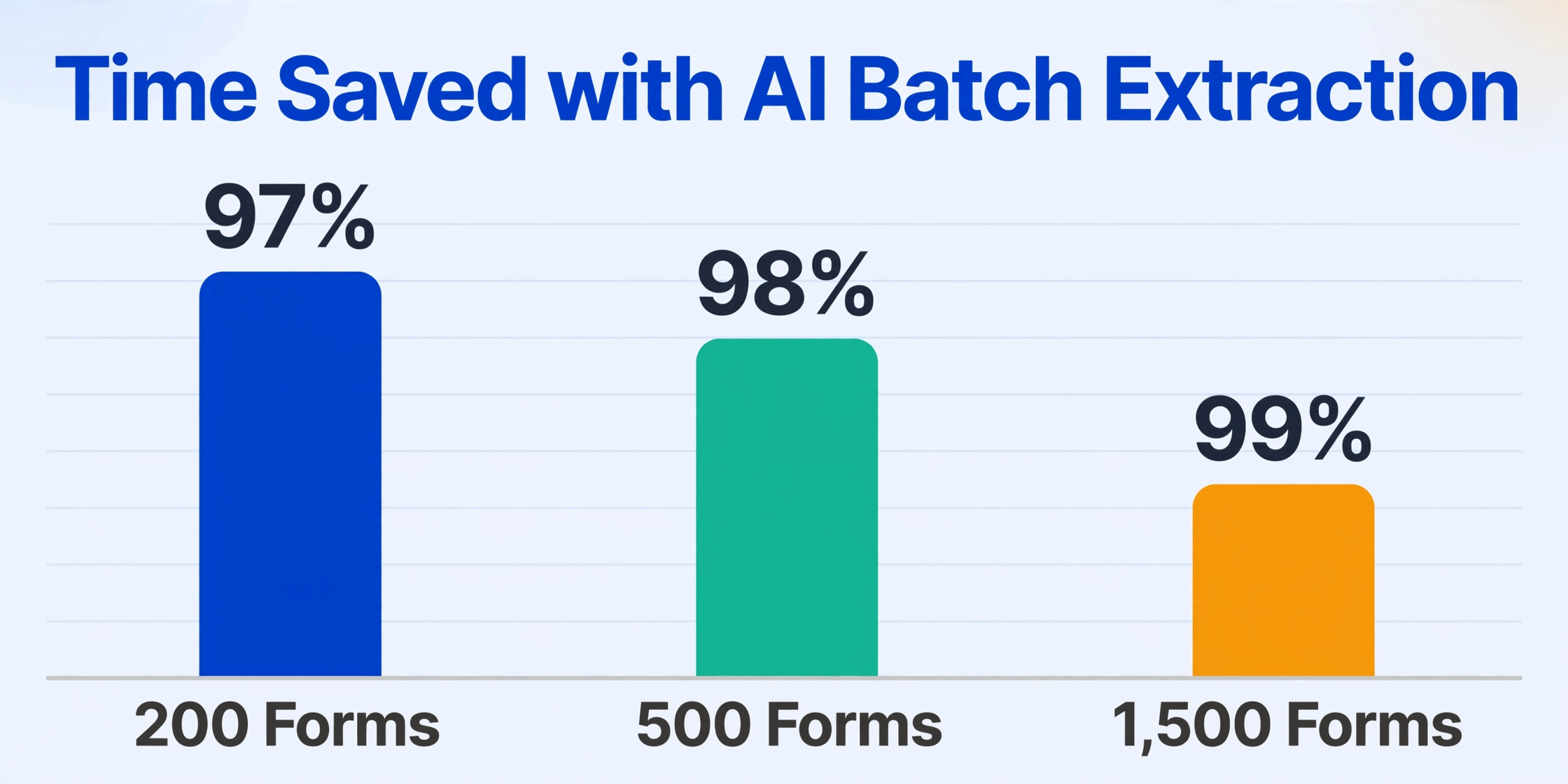
The table below illustrates the operational difference at three common enrollment volumes:
| Enrollment Volume | Manual Data Entry (3 min/form) | AI Batch Extraction | Time Saved |
|---|---|---|---|
| 200 forms (small elementary school) | 10 hours | ~15 minutes | 97% |
| 500 forms (mid-sized K-8) | 25 hours | ~30 minutes | 98% |
| 1,500 forms (large district or high school) | 75 hours | ~60 minutes | 99% |
These time savings assume a single verification pass on low-confidence fields — typically 10–15% of total fields — which adds roughly 10–20% back to the AI processing time. Even with that verification, the net time savings exceed 90% for any batch larger than 50 forms.
The structure that enables this is Custom Column Extraction: rather than configuring a template for each school's specific form layout — which is what traditional OCR tools require — you type the field names you want (Student Name, DOB, Parent Contact, Emergency Phone, Allergies, Grade) and the AI locates the corresponding data on each form by semantic understanding, regardless of where each field sits on the page. One configuration handles forms from different schools, different years, and different SIS exports because the AI reads content, not coordinates.
FERPA Compliance — What Changes When You Use AI for Enrollment Forms
An enrollment form containing a student's full legal name, date of birth, address, and parent contact information is an education record under 34 CFR § 99.3 of the Family Educational Rights and Privacy Act. The moment that form — whether scanned, photographed, or emailed as a PDF — is uploaded to a third-party AI extraction tool, the institution has made a disclosure under FERPA § 99.30. That disclosure requires a legal basis, and for most enrollment offices the applicable basis is the school official exception under § 99.31(a)(1)(i)(B).
The full regulatory framework is covered in the FERPA-compliant student data extraction guide, but three operational requirements apply directly to enrollment form processing:
- Written agreement. The extraction provider must operate under a signed contract that designates it as a school official, restricts data use to the extraction service only, and prohibits model training on student documents. Click-through terms of service do not satisfy this requirement — PTAC guidance specifically distinguishes between a negotiated contract and a provider's standard terms.
- Transient processing architecture. Documents should be retained only for the duration of extraction and deleted within a defined window. A provider that stores completed enrollment forms indefinitely — or uses them for AI model improvement — creates a compliance gap between the authorized processing purpose and the actual data retention.
- Disclosure logging. Under § 99.32(a), the institution must maintain a record of each disclosure of PII from education records. For batch extraction, this means logging which documents were processed, by which provider, on what date, and under which contractual authority. Most schools do not do this today — but a compliant workflow requires it.
The compliance question for enrollment form extraction is not theoretical. A school processing 200 enrollment packets through an AI tool without a signed institutional agreement is making 200 disclosures without a valid FERPA exception. The practical consequence is not likely an immediate investigation — but if a parent requests their child's disclosure history under § 99.32(a)(2), the school must produce it. A compliant setup removes that risk entirely.
Frequently Asked Questions
Can AI distinguish between handwritten and printed fields on the same enrollment form?
Yes. Modern vision-language models can identify whether a field contains printed or handwritten text and adjust extraction strategy accordingly. On forms where parents fill in some fields in handwriting and others in printed block letters, the AI treats each field independently. The accuracy difference between the two on the same form is consistent with the broader estimates above: printed fields run 95–99%, handwritten fields run 85–95% depending on legibility.
How do you measure the 95–99% accuracy numbers — character-level or field-level?
The numbers in this article are field-level accuracy — the percentage of fields where the extracted value is usable without correction. Field-level accuracy is a stricter measure than character-level accuracy, which counts individual characters. A phone number with one wrong digit fails field-level accuracy even if 9 of 10 digits are correct. For enrollment forms, field-level is the relevant metric because a wrong digit in a phone number or an address makes the whole field unreliable.
Does extraction work across different schools that use different enrollment form layouts?
Yes — this is where semantic extraction fundamentally differs from template OCR. A template-based tool needs a separate configuration for each school's form layout: School A places the "Parent Name" field in the top-right corner; School B puts it in the middle of page two. A semantic AI tool does not care about position — it reads the label "Parent/Guardian Name" (or "Parent Name," or "Guardian Information") and extracts the filled-in value next to it. One configuration handles 50 schools with 50 different form layouts.
Is there a limit to how many enrollment forms can be processed in one batch?
Practical batch size depends on the tool's architecture. Cloud-based extraction systems designed for batch processing handle hundreds of files per batch with no degradation in per-form accuracy. The throughput constraint is not the AI model's processing capacity but the upload bandwidth and the verification step after extraction. For most school offices, a batch of 200–500 forms completes extraction in 15–30 minutes, with an additional 30–60 minutes for reviewing low-confidence fields.
Can extracted enrollment data go directly into PowerSchool or our SIS?
AI extraction tools output structured data in standard formats — CSV, Excel (XLSX), and JSON — that can be imported into any SIS with a data import feature. PowerSchool, Infinite Campus, Skyward, and Ellucian Banner all support bulk CSV import for student demographic data. The extracted spreadsheet maps each column to the corresponding SIS field; after one initial mapping setup, subsequent batches follow the same template. This eliminates the step of manually typing each field from a paper form into the SIS interface.
What happens when the handwriting is completely illegible — even to a human?
If the handwriting is so poor that a school staff member cannot read it, an AI model will not be able to read it either. In these cases — which represent perhaps 1–3% of enrollment forms — the extraction tool should flag the field as low-confidence and present the original scan image for human review. The correct response is not to guess. A well-designed extraction workflow treats illegible fields as exceptions and routes them to a human decision, rather than silently outputting a low-confidence value that may be wrong.
How does the cost of AI extraction compare to manual data entry for enrollment forms?
Manual data entry for a typical 15-field enrollment form costs roughly $1.50–$3.00 in staff time, depending on hourly wage and processing speed. AI extraction typically costs $0.10–$0.25 per page, with no per-field overage. For a school processing 500 enrollment packets annually, the direct cost comparison is $750–$1,500 (manual) versus $50–$125 (AI), before accounting for the time savings during the August-to-September peak, reduced overtime, and the elimination of transcription errors that create downstream administrative work. The complete guide to student enrollment form extraction includes a detailed cost comparison across different enrollment volumes.
Does FERPA apply if we only extract non-identifying fields like grade level or allergies?
FERPA's trigger is the disclosure of the document itself, not the specific fields you extract from it. Uploading an enrollment form to a third-party tool — even if you only intend to extract "Grade Level" and "Allergies" — constitutes a disclosure of the entire education record. The document contains the student's name, DOB, and other identifiers; those are present in the file transmitted to the extraction provider regardless of which fields you output. The school official exception under § 99.31(a)(1) applies to the processing relationship, not to individual field selections. A compliant setup requires the same written agreement whether you extract one field or twenty.
Student enrollment forms are one of the few document types where printed text, handwriting, checkboxes, and free-text notes coexist on the same page — and the accuracy of AI extraction varies predictably by which of those formats each field uses.
The practical takeaway for enrollment offices: printed fields and checkboxes run at 95–99% and need minimal review; handwritten phone numbers and medical notes are the 10–15% of fields that merit a verification pass. The remaining value comes from batch processing — converting a 20-hour manual data entry week into a 30-minute AI extraction session with results that map directly to your SIS import format.
Test it on your own enrollment packet. See where the accuracy lands for your specific form layout, your parents' handwriting styles, and your enrollment season volume.
Free to try with no sign-up. Files are processed transiently and not retained. Ask about a FERPA-compliant institutional agreement for your district or university.