Can AI Extract Purchase Requisition Data?
PR Extraction Is Not PO Extraction
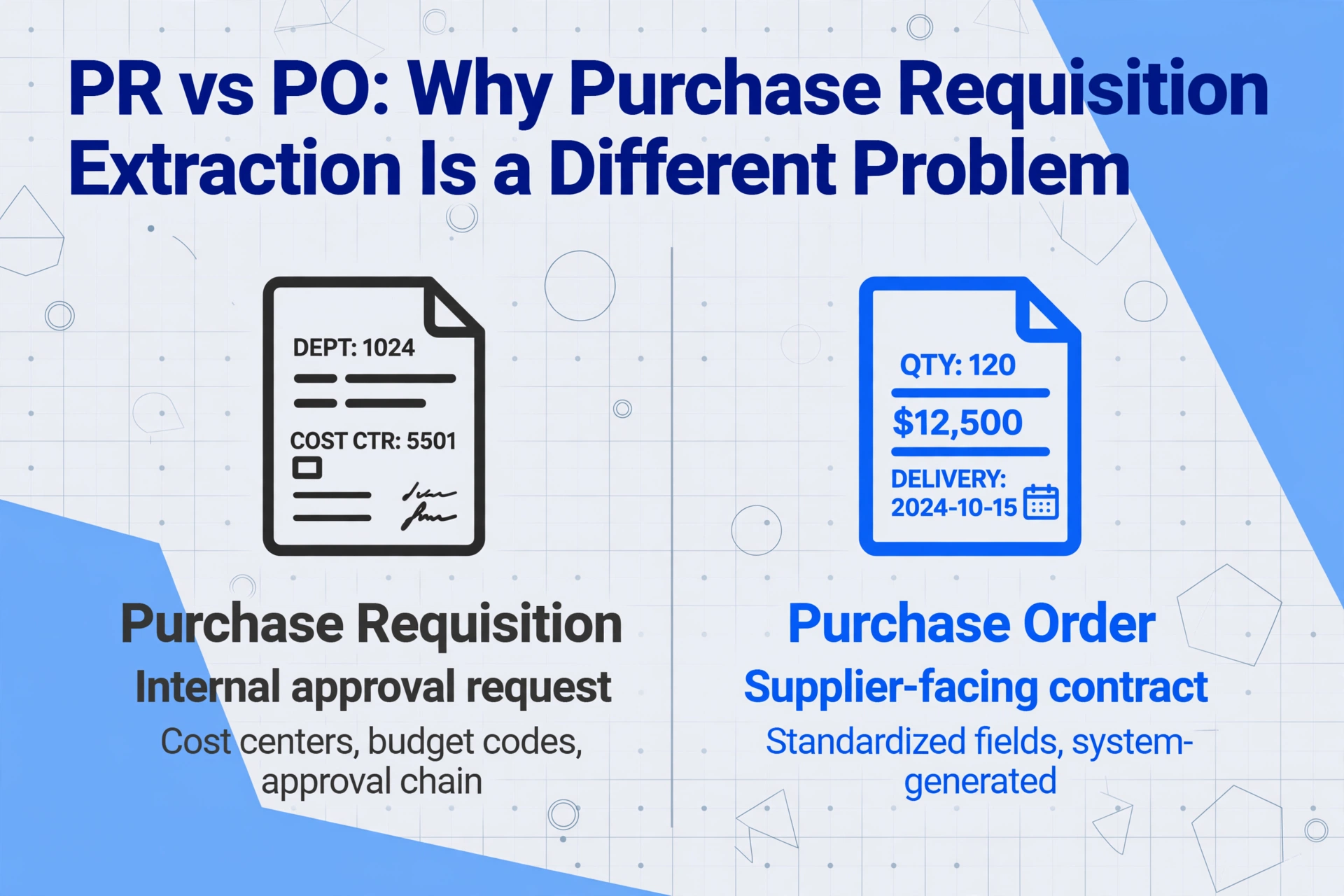
Yes. AI can extract purchase requisition data — but PR extraction is fundamentally different from PO extraction because the approval chain and department-specific item codes require field-level understanding, not just text scanning. A purchase requisition is an internal document: it requests approval to spend money. A purchase order is an external document: it tells a supplier to deliver goods. The extraction tool that handles both needs to understand which document it is reading, because the same field name means something different depending on context.
Key Takeaways
- A purchase requisition is an internal approval request, not a supplier contract. Using a PO extraction tool on PRs silently misses cost centers, budget codes, and approval signatures — every field that matters for the approval workflow.
- Internal forms have zero standardization across departments. Template-based OCR needs a separate template for every department's homegrown form while semantic extraction reads field meaning, not position, so one column definition covers them all.
- Approval signatures are data, not decoration. Capturing who approved, when, and at what level turns manual routing into analyzable data without a single keystroke.
What Makes a Purchase Requisition Different from a Purchase Order
The most common mistake in PR extraction is treating it like a PO extraction problem. They share similar field names — document number, date, requester, vendor, items, quantities, totals — but the purpose and structure are different enough that a PO-focused tool will silently misinterpret a requisition.
A purchase order is a supplier-facing contract. It communicates order quantities, agreed prices, delivery dates, and payment terms to a vendor. Its fields are relatively standardized because suppliers need to read and fulfill them. PO number formats may vary, but the concept of a PO number is universal across every supplier in every industry.
A purchase requisition is an internal approval request. It says "I need to buy this — please approve the spend." Its fields reflect internal business structure: department codes, cost centers, budget account numbers, approval hierarchies, justification notes, preferred vendor suggestions. None of these fields appear on a PO. And unlike POs, which are typically system-generated, PRs still arrive as hand-filled paper forms, Excel spreadsheets printed and signed, or free-form email attachments — formats with essentially no standardization. For a broader look at how different document types require different extraction approaches, see our guide on what PO data extraction actually is.
The practical consequence: if you deploy a PO extraction tool on purchase requisitions, it will reliably find the document number and date — then miss or misclassify every field that matters for the approval workflow. The department field becomes "Ship To," the budget code gets ignored, and the approval signatures are not captured because the tool wasn't looking for them.
Internal documents have less layout standardization than external ones. A supplier invoice follows enough conventions that a template-free tool can reliably find the total. An internal PR form from one department can look completely different from another department's form in the same company — because each department designed its own form in whatever software it had available.
Where PR Data Lives: Handwritten Forms, Excel Exports, and Scanned Paper
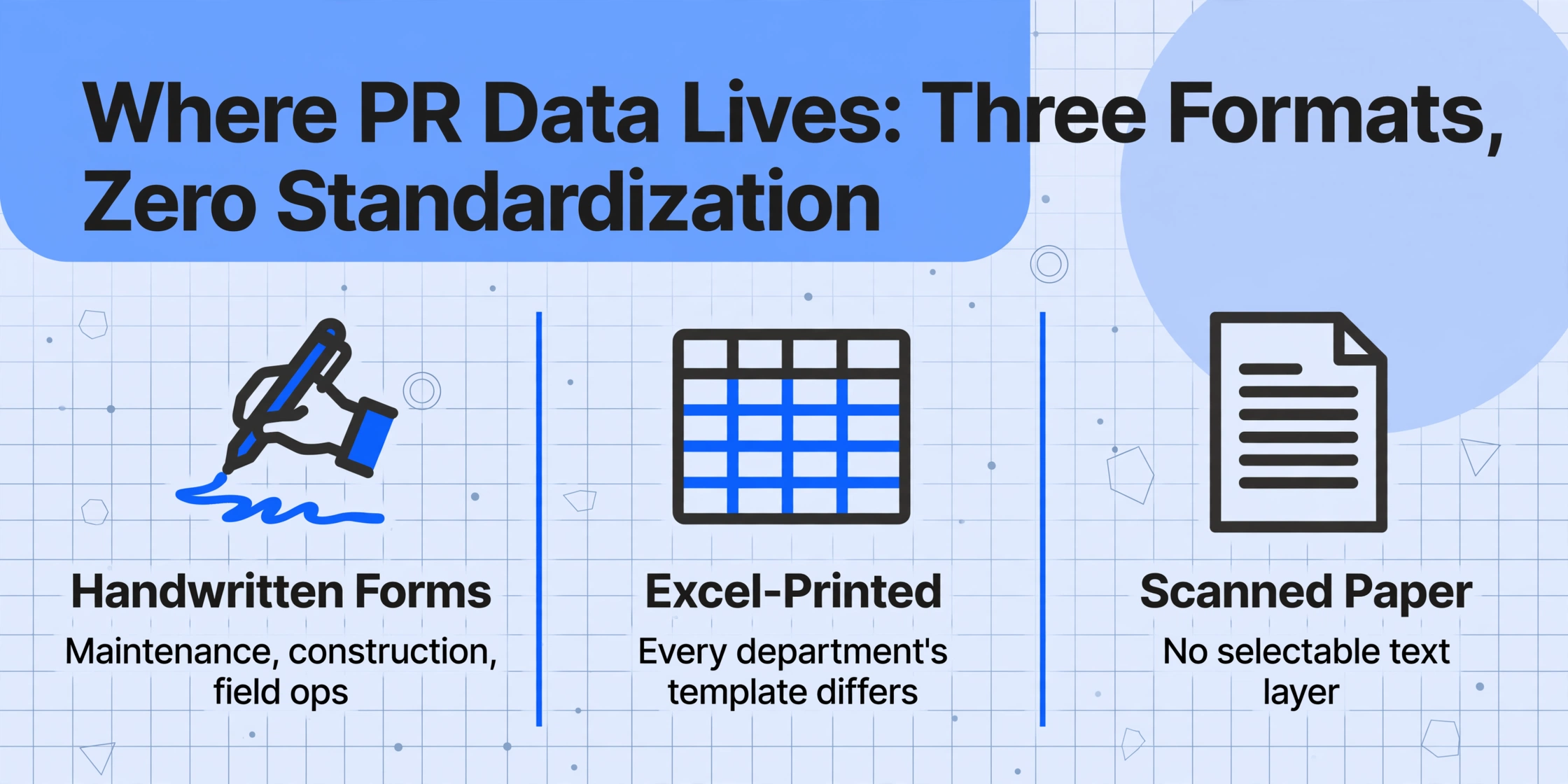
Unlike purchase orders, which most companies generate through their ERP, purchase requisitions still come from diverse sources — and many are not digital-native.
Handwritten PR forms. In manufacturing, construction, and field operations, requisitions are filled out by hand — a maintenance supervisor writes down part numbers, estimates costs from memory, and submits the paper form to purchasing. These handwritten PRs include abbreviations, part codes jotted from memory, and manual cost estimates. AI that relies on typed text returns nothing useful here. Vision-based extraction reads the handwriting as part of the document image, identifying "Qty: 5" by understanding field context even when the penmanship is rough.
Excel-printed and scanned PRs. Many departments use Excel templates as requisition forms — and every department's template is different. Column positions shift, merged headers appear in unexpected places, and the "Total" cell might be in row 25 on one form and row 40 on another. Template-based OCR fails because no two Excel-printed PRs share the same layout. Semantic extraction reads values by their column labels, not positions, so "Description" in column C of one form and column E of another is recognized as the same field. Even companies that generate PRs digitally often print them for signatures, then scan the signed copy — the resulting PDF is an image with no selectable text. For more on how AI handles documents where the text layer is missing, see our guide on whether AI can extract data from scanned PDFs.
The Approval Chain Problem: Signatures, Routing, and Status
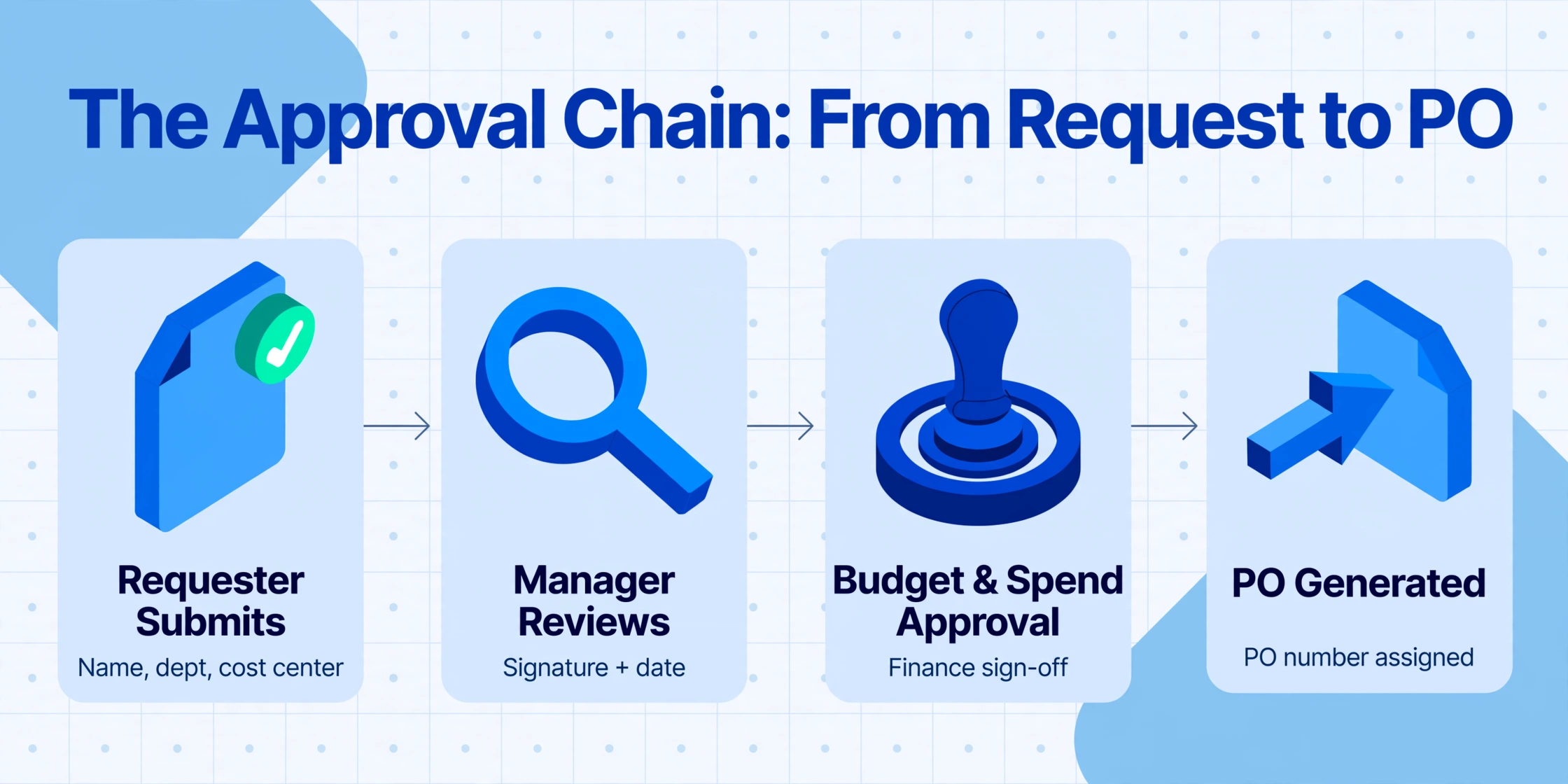
This is the extraction challenge that has no equivalent in PO processing. A purchase requisition isn't a single data record — it's a document with a lifecycle. Approval signatures, dates, and routing decisions are data points that PR extraction must capture for the document to be usable.
A typical approval chain on a requisition might look like:
Requestor Level
- Requester Name
- Department / Cost Center
- Date Requested
- Justification / Notes
Manager Approval
- Manager Signature
- Approval Date
- Budget Code Verification
- Spend Category Approval
Procurement / Finance
- Purchasing Approval
- PO Number Assigned
- Finance Code Sign-off
- Final Approval Date
Each of these signature blocks is a separate extraction target. The requester name appears at the top. The manager's sign-off appears in the middle — sometimes with a checkbox for "Approved" or "Denied." The purchasing agent's final approval appears at the bottom, often with the PO number that was generated from the approved PR. An extraction tool needs to distinguish between "date requested" and "date approved" — two different dates on the same page — and assign each to the correct column.
This is where position-based extraction falls apart most dramatically. On one department's form, the manager signature box sits at the bottom-right. On another department's form, it sits in a sidebar on the left. On a third, it's embedded in a table row next to line items. Semantic extraction handles this by looking for the combination of "Manager Approval" or "Approved By" labeling and a signature or date — it identifies the approval block by meaning, not by location.
What Fields Matter in Purchase Requisition Extraction
Purchase requisitions carry a specific set of fields that differ from POs. A complete PR extraction should capture both header-level request information and line-item details:
PR Header Fields
- PR Number / Requisition ID
- Request Date
- Requester Name & Department
- Cost Center / Budget Code
- Delivery Location / Department
- Requested Delivery Date
- Estimated Total (Budgetary)
- Justification / Business Need
- Approval Status (Pending/Approved/Denied)
- Approver Names & Approval Dates
- Converted PO Number (if approved)
PR Line Items
- Item Description
- Department Item Code / SKU
- Quantity Requested
- Unit of Measure
- Estimated Unit Cost
- Estimated Line Total
- Preferred Vendor (if specified)
- GL Account / Charge Code
- Project / Work Order Number
The "Department Item Code" field deserves special attention. Unlike POs, where item codes come from the supplier's catalog, internal PRs use department-specific numbering schemes — maintenance uses equipment codes, IT uses asset tags, engineering uses drawing numbers. AI extraction that reads these codes accurately, without requiring a lookup table for every department's system, prevents the output from needing manual correction at the PO creation step.
Similarly, the estimated cost on a PR is a budget check, not a committed price. The extraction tool must capture "Est. Cost" or "Estimated Unit Price" as an estimate, not confuse it with a confirmed price. Semantic extraction handles this because it reads the qualifying field label rather than just pulling the nearest number.
How AI Handles PR Extraction Differently
The core mechanism — semantic extraction powered by vision AI — is the same technology that handles invoices and POs, but PR documents push it in different directions.
Format diversity is wider. An invoice follows enough conventions that one setup covers most vendors. A purchase requisition has no conventions — every company, and often every department, designs its own form. Semantic extraction handles this because it reads field meaning rather than matching layouts. You define the columns once — "PR Number," "Department," "Item Description," "Estimated Cost," "Approved By" — and the AI locates these values anywhere on any department's form. This is Custom Column Extraction: you type the field names, and the AI finds matching data by understanding what each piece of text represents.
Handwriting is the norm, not the exception. In many procurement departments, more than half of incoming requisitions contain handwritten elements — quantities adjusted by hand, approval signatures, notes scribbled in margins. Vision-based AI reads these as part of the visual document. For handwritten item codes and quantities, accuracy depends on legibility, but semantic context helps: an AI looking for "Quantity" is more likely to correctly read a handwritten "5" near "pcs" than the same character in isolation. For more on this, see our guide on AI handwriting recognition.
Approval signatures are data, not decoration. In PO extraction, signatures are usually irrelevant. In PR extraction, they are critical: who approved, when, and at what level. AI that captures signatory name, date, and approval status turns manual routing tracking into analyzable data. For a practical walkthrough, see our guide on extracting data from purchase requisition PDFs.
Frequently Asked Questions
Can AI extract data from handwritten purchase requisitions?
Yes. Vision-based AI reads handwritten fields — quantities, part numbers, approver names — as part of the document image. Clean block-print handwriting on a well-lit scan extracts at 85–95% accuracy. Dense cursive or low-contrast scans (carbon copies) drop lower. The advantage over manual entry is catching the 80% of fields that are typed or clearly printed, then flagging uncertain handwriting for review rather than requiring a full manual rekey.
How is PR extraction different from PO extraction?
Three key differences. First, PRs carry fields POs don't: cost centers, budget codes, justification notes, approval routing data, and estimated prices. Second, PRs come in more varied formats — handwritten forms, Excel printouts, scanned paper — while POs are typically system-generated PDFs. Third, PR extraction must capture the approval chain: who signed, when, and at what level. A PO extraction tool that misses approval signatures and cost center codes will produce incomplete results on a PR. For more on this, see our guide to PO data extraction.
Can I extract both header fields and line items from a PR in one pass?
Yes. Define columns for header fields (PR Number, Department, Cost Center) and line-item fields (Description, Quantity, Estimated Unit Cost). The AI extracts header values once and repeats them on every line-item row. A requisition with 12 line items produces 12 output rows, each carrying the full header context — compatible with ERP import and Excel pivot tables.
Does the tool need a separate template for each department's PR form?
No. This is the central advantage of semantic extraction over template-based OCR. Define the column names once — "PR Number," "Item Description," "Estimated Cost" — and the AI locates matching data on any department's form by understanding what each field means. Engineering's SAP form, Marketing's Excel sheet, and a warehouse supervisor's handwritten request are processed with the same column definition. For a full explanation, see how AI extracts data without templates.
What file formats can I use for PR extraction?
Modern AI extraction tools accept PDF (digital and scanned), JPG, PNG, and WebP. Scanned PDF is the most common for PRs — documents printed, signed, and scanned. Phone photos of paper PRs work as long as the image is in focus. Excel-generated PDFs (printed from spreadsheet templates) also work. For batch processing, upload PRs from different departments in a single run and get a unified spreadsheet with all documents merged.
Can I export PR extraction results directly to my ERP or accounting software?
Most extraction tools output to Excel (XLSX), CSV, or JSON — formats every ERP can import. The standard workflow: extract PR data → review flagged handwriting or estimate fields → import into your procurement system (SAP, Oracle, Coupa, QuickBooks, NetSuite). Data arrives pre-structured with PR numbers as identifiers and line items in flat rows ready for budget reconciliation. For Google Sheets users, results can write directly into a spreadsheet via the Google Sheets add-on, eliminating the export-import step.
Start Extracting Purchase Requisition Data
Purchase requisition extraction sits at the intersection of two realities most procurement departments accept as unavoidable: internal forms have no standardization, and manual PR processing costs compound across every department and approval level. AI extraction changes that by treating each PR as a visual document it understands by reading, not by matching templates. The same column definition works across handwritten maintenance requests, Excel-printed engineering requisitions, and scanned warehouse supply orders.
The threshold question is not "can AI extract purchase requisitions" — the answer is yes. The question is whether the extraction tool understands the difference between an internal approval request and a supplier purchase order. That distinction determines whether your output is complete or missing half the fields that matter.
Upload a sample purchase requisition — any format, any department — and see how it handles your own documents.