Best Check OCR Software in 2026
Splits Into Two Markets
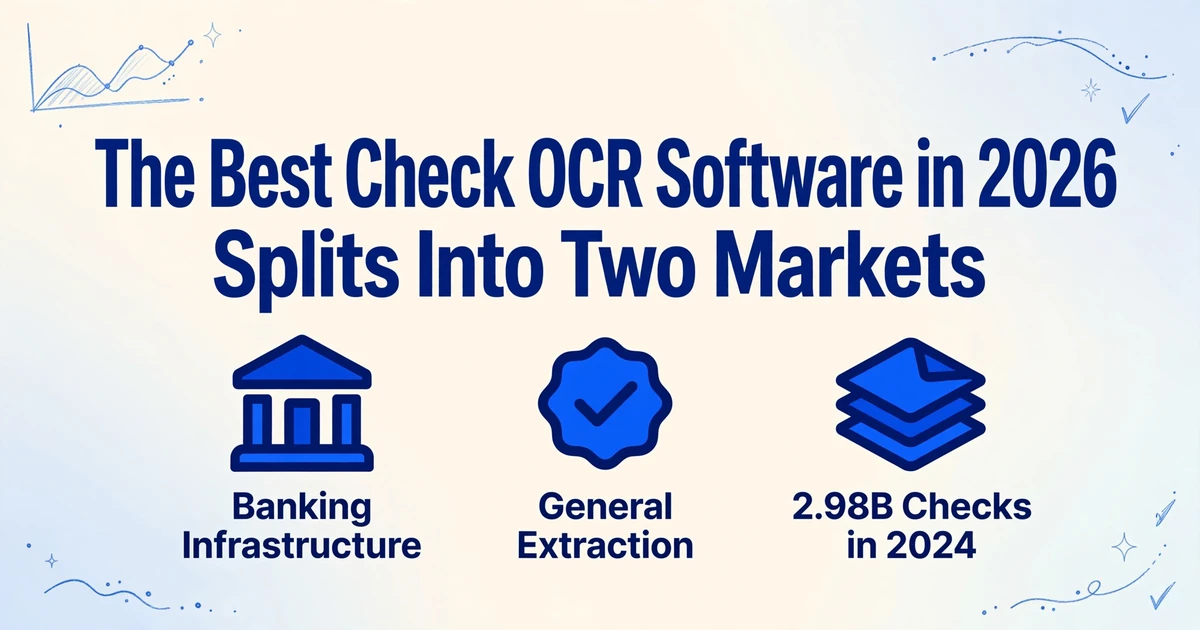
Search for the best check OCR software in 2026 and you get a single ranked list, as if every tool on it were competing for the same buyer. They are not. The Association for Financial Professionals found that 58% of organizations reported check fraud in 2025, making checks the most fraud-prone payment method, while 87% still used checks at all. That volume, and that risk, gets handled by two completely different kinds of software. One side reads a check inside a bank's clearing pipeline. The other reads the fields off a check image and puts them in a spreadsheet. Comparing them on one scorecard is why so many check OCR shortlists pick the wrong tool.
Key Takeaways
- Search for the best check OCR software and you get one ranked list, but those tools were never competing for the same buyer.
- Routing, account, and check numbers live in the machine-readable MICR line, while the date, payee, and both amounts are read optically, so accuracy on one task says little about the other.
- Before any demo, answer one question: are you clearing checks or recording them?
Why "Check OCR Software" Is Not One Market
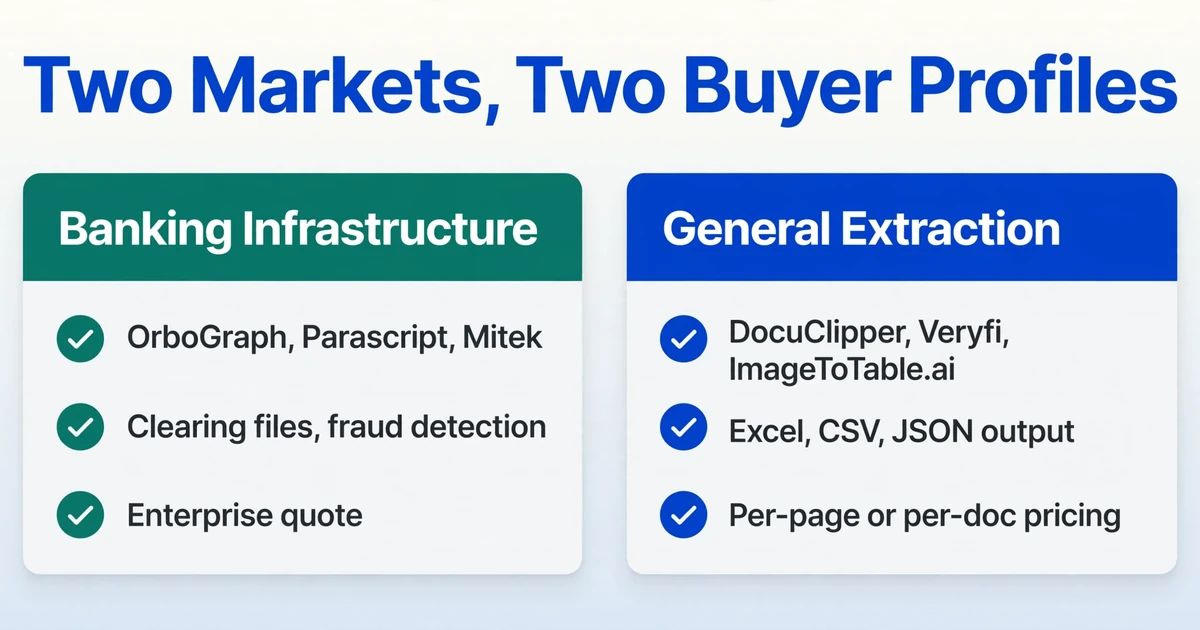
The check software market splits along a single line: what happens to the check after it is read. On one side sits banking infrastructure. OrboGraph, Parascript, and Mitek build the engines that banks, credit unions, lockbox processors, and remote deposit operations use to clear checks. Their job is to read the magnetic ink line at the bottom of the check, verify the amount, detect fraud, and emit a file the clearing system can consume. They are sold to institutions under enterprise contracts, usually after a sales process and an implementation project.
On the other side sits general document extraction. These tools take a check image, read the visible fields, and return a row in a spreadsheet or a JSON object. Their buyer is a finance, accounts receivable, or treasury team that received checks from customers or suppliers and needs those checks posted to a ledger. There is no clearing file, no fraud engine, and no requirement to be a bank.
The volume behind both halves is larger than the "checks are dying" headline suggests. The Federal Reserve processed 2.98 billion commercial checks in 2024, down 5.4% from the year before, and its payments study counted roughly 9.7 billion checks written that year. A shrinking share of a very large number is still a very large number, and most of those checks reach someone as an image that a person or a tool has to read.
The distinction matters because the evaluation criteria do not transfer. A bank choosing a clearing engine cares about read rates across millions of items, CAR/LAR verification, X9 image output, and fraud controls. A finance team choosing an extraction tool cares about whether the payee name and the amount land in the right columns, whether it works on a phone photo of a folded check, and whether the output opens in Excel. If you are a finance team and you shortlist a clearing platform, you will pay enterprise pricing for infrastructure you cannot use. If you are a clearing operation and you shortlist a spreadsheet tool, you will get field extraction without the validation, negotiability, and file-format guarantees your workflow depends on.
The first question in check OCR selection is not "which tool is most accurate." It is "am I reading checks to clear them, or reading checks to record them."
The Six Fields on a Check, and Which Ones Resist OCR
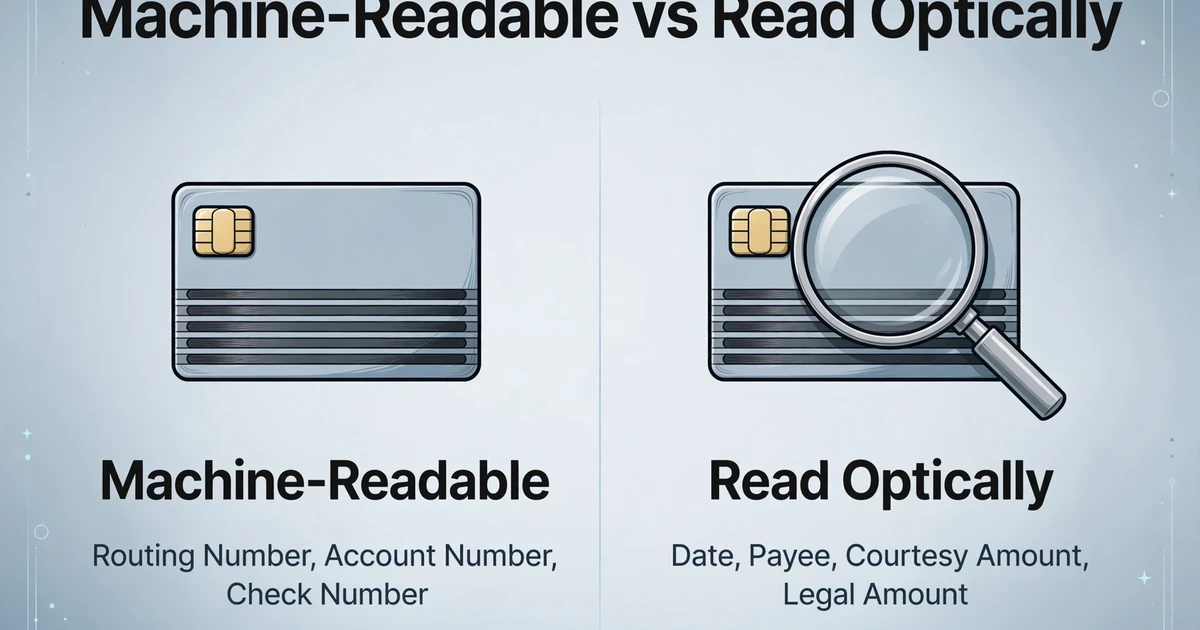
A check carries six fields, and only the routing number, account number, and check number are engineered for machines. The rest are read optically, and that split is the technical reason the two markets exist.
The MICR line (magnetic ink character recognition) runs along the bottom of the check and encodes three things: the routing number, the account number, and the check number. It is printed in one of two fonts. E-13B is standard in the United States, Canada, the United Kingdom, Australia, and much of Asia, later standardized as ANSI X9.27 and ISO 1004-1:2013. CMC-7 is used in much of Europe, including France and Italy, plus Mexico and South America, standardized as ISO 1004-2:2013. The characters are printed in magnetic ink specifically so a bank's high-speed sorter can read them by detecting a magnetic signal, even after the check has been stamped, folded, or written on. That is the part of a check engineered for machines.
The remaining four fields are the date, the payee, the courtesy amount, and the legal amount. None of them lives in the machine-readable line, and the two amount fields are where check processing gets subtle:
- Courtesy amount (often shortened to CAR): the amount written in numerals, usually inside the dollar-sign box.
- Legal amount (LAR): the amount written out in words, which is the legally controlling figure if the two ever disagree.
Banks compare the two. A courtesy-versus-legal mismatch is a recognized fraud and alteration signal, and banking recognition engines such as Parascript CheckUltra are built to read both figures and flag when they differ. That is CAR/LAR verification, and it belongs to the clearing side because its purpose is to catch counterfeit or altered items before they are paid.
For a finance team recording checks, the practical echo of CAR/LAR is simpler: you want both the numeric amount and the written amount extracted, so a person can glance at them side by side before posting. You are not running a fraud engine. You are making sure a $1,080 check did not become $1,800 in your ledger. Keep that in mind, because it separates the tools that will help you from the tools that will not.
How We Evaluated These Tools
We assessed each tool on six dimensions that matter once you know which side of the market you are on, rather than on a single accuracy percentage:
- Which market it serves. Banking infrastructure or general extraction. This filters the rest of the comparison.
- Field coverage. Does it return check number, date, courtesy amount, legal amount, payee, and MICR line, and does it separate the two amount fields?
- Input tolerance. Digital scans, phone photos, folded checks, and checks with dense security backgrounds.
- Handwriting handling. How it copes with a cursive payee name or a handwritten amount.
- Output destination. A clearing file, a spreadsheet (Excel, CSV, JSON), an accounting-system push, or a developer API.
- Setup and pricing model. Per-page subscription, per-document API pricing, or enterprise quote, and whether per-bank templates are required.
Pricing below was checked in October 2026. Where a vendor does not publish pricing, we say so rather than guess. ImageToTable.ai is one of the tools reviewed; the reviews are written to state each tool's limits, including our own.
Check OCR Tools Compared (2026)
| Tool | Market | What It Reads | Output | Pricing Model | Best Fit |
|---|---|---|---|---|---|
| OrboGraph | Banking infrastructure | MICR, CAR/LAR, payee, fraud signals | Clearing workflows, validation, compliance files | Enterprise quote | Banks, credit unions, lockbox operations |
| Parascript | Banking infrastructure | MICR, CAR/LAR mismatch, signature, image integrity | Proof-of-deposit and item-processing output, on-prem or OEM | Enterprise quote | Item processing and remote capture |
| Mitek | Banking infrastructure | Check capture and deposit data | Mobile capture SDK and deposit flow | Enterprise quote | Mobile remote deposit inside bank apps |
| DocuClipper | General extraction | Check number, date, payee, numeric and written amount, MICR routing/account, memo | Excel, CSV, QuickBooks, Xero | Per-page subscription, entry tier around $20 to $39/month, 14-day trial | Accounting firms and bookkeepers |
| Veryfi | General extraction | Checks among many document types, via API and SDKs | Structured JSON for your own app | Per-document API pricing, free tier up to 100 documents/month, paid Starter from about $500/month | Developers embedding check extraction |
| ImageToTable.ai | General extraction | Check number, date, amount fields, payee, MICR line as printed text | Excel, CSV, JSON | Free tier plus paid plans | Finance and AR teams reading checks into a spreadsheet |
Prices checked October 2026. Entry-tier figures shown; confirm current rates with each vendor. Tools with no published price are quoted directly by the vendor.
The Banking-Infrastructure Side: OrboGraph, Parascript, Mitek
These three tools exist to move checks through the payment system, not to hand a finance team a spreadsheet row. If any of them is a fit for you, the person evaluating it is probably in a bank's operations or IT group, and the purchase goes through a procurement process. For everyone else, they are useful context, not shortlist entries.
OrboGraph
OrboGraph's OrbAnywhere platform reads MICR and CAR/LAR and layers on fraud detection, negotiability validation, and compliance screening across teller, ATM, mobile remote deposit, and wholesale lockbox channels. Its public materials claim 99% or higher read rates and 99.5% or higher accuracy on CAR/LAR. The company reports use by thousands of financial institutions, service bureaus, and clearinghouses. This is an enterprise platform with sales-led pricing and a real implementation effort, which is appropriate for high-volume, high-risk check flows and excessive for a small finance team that simply needs the amounts off 200 checks a month. See OrboGraph.
Parascript
Parascript's CheckUltra and CheckPlus products are tuned for proof-of-deposit and remote capture environments. Beyond MICR and CAR/LAR, CheckUltra performs image-integrity analysis, signature verification, and CAR/LAR mismatch detection, and is available on-premises or as an OEM engine embedded in another vendor's product. Its datasheet describes the mismatch check as a way to detect counterfeits and alterations: when the numeric amount and the written amount disagree, the engine returns a mismatch result rather than silently choosing one. That is the capability a clearing operation needs and a bookkeeping workflow does not. See Parascript CheckUltra.
Mitek
Mitek's Mobile Deposit is the capture layer inside mobile remote deposit. Its MiSnap technology handles the camera side, framing the check and guiding the user, then packages the image for deposit. Banks license it as a mobile SDK or platform service. If a check is being deposited through an app, there is a good chance Mitek is somewhere in that flow. It is a deposit-capture product, not a tool you would use to read a stack of scanned checks into a ledger. See Mitek Mobile Deposit.
One pattern runs through all three: none of them sells a low-friction, self-serve tool priced for a small finance team. That is not a gap in their product. It reflects who they are built to serve.
The General-Extraction Side: DocuClipper, Veryfi, ImageToTable.ai
These tools handle check data extraction, reading the fields off a check image and delivering structured data. They target finance teams, accounting firms, and developers rather than bank operations. The pain they address is everyday work, not clearing theory. On r/AccountingDepartment, a finance professional asked for a way to track checks from receipt through deposit and posting while "minimizing manual entry." The differences among these tools come down to output destination, pricing model, and how much control you get over the field definitions.
DocuClipper
DocuClipper is a purpose-built financial document extractor with a dedicated check workflow. It reads payer, payee, date, the numeric and written amount, memo, check number, and MICR routing and account fields, then exports to Excel, CSV, QuickBooks, or Xero. It handles PDF, JPEG, PNG, and TIFF, including phone photos, and recommends scans of 300 DPI or higher. Its strength is the accounting handoff: if your end goal is a direct push into QuickBooks or Xero, DocuClipper removes the spreadsheet step. Pricing is a per-page subscription, with an entry tier in the range of $20 to $39 per month depending on billing, and a 14-day trial. It is the closest thing on this side to an off-the-shelf, accountant-first check tool. See DocuClipper check extraction.
Veryfi
Veryfi is an API-first platform. Checks are one of many document types it extracts, alongside receipts, invoices, bank statements, and tax forms, and it is aimed at engineering teams building extraction into their own product rather than at finance users clicking through a web app. Output is structured JSON. Its pricing is per document, with a free tier of up to 100 documents per month and a paid Starter plan from around $500 per month, which makes it a fit for production developers and a poor fit for a small team processing a few hundred checks. If you need check extraction inside your own software, Veryfi is worth evaluating. If you need a check posted to your ledger this afternoon, it is not. See Veryfi.
ImageToTable.ai
ImageToTable.ai takes a different approach. Instead of a fixed check template, it uses Custom Column Extraction: you type the column names you want, such as "Check Number," "Check Date," "Amount," "Payee," and "MICR Line," and the AI locates each value on the check image by understanding what it means rather than where it sits. That is useful for the messier side of check work, where a check arrives photographed at an angle or attached to a remittance stub from a customer whose format you have never seen.
For a check workflow, three capabilities do the heavy lifting. Batch processing lets you upload a stack of checks and merge every extracted row into one Excel or CSV file, rather than handling images one at a time. Computed Columns let you define a check that runs during extraction, for example a column that compares the extracted written amount against the numeric amount and outputs the difference. Review Mode with bounding-box verification highlights the exact spot on the original check image that a cell came from, so a reviewer can confirm an amount without re-reading the whole check. The tool processes a page in 5 to 10 seconds and reports up to 99% accuracy on printed text.
It also has clear limits, and they are the same limits that define this whole side of the market. ImageToTable.ai does not perform MICR clearing, CAR/LAR fraud verification, or any banking-transaction infrastructure work. It reads the check image and extracts fields; it does not clear the payment, validate negotiability, or emit a clearing file. It also has no native QuickBooks or Xero integration, so its output lands in a spreadsheet or JSON and is imported from there. If you are a bank, this is the wrong category. If you are a finance team that needs check fields and remittance detail in one spreadsheet, with a way to verify the amounts, this is the category, and you can see the check-and-remittance workflow on our check remittance to Excel page. For a deeper look at how MICR and check fraud fit into banking more broadly, our OCR for banking guide covers the check processing section.
How to Choose by the Job You Have
Pick the market first, then pick the tool. The right choice follows from who you are and where the check data has to go, not from a feature checklist.
- You are a bank, credit union, lockbox, or item-processing operation. You need banking infrastructure. Start with OrboGraph and Parascript, and evaluate Mitek if mobile deposit capture is part of the flow. Your criteria are read rate, CAR/LAR enforcement, fraud controls, and clearing-file compatibility.
- You are a finance, AR, or treasury team posting checks to a ledger. You need general extraction. Compare DocuClipper, Veryfi, and ImageToTable.ai on field control, scanning tolerance, and output format.
- Your destination is QuickBooks or Xero. DocuClipper's direct push is the shortest path. The other general tools stop at Excel, CSV, or JSON, so budget a manual import step.
- You are embedding extraction into your own software. Veryfi's API-first model or the bank statement extraction tools comparison is a better starting point than a click-through web tool.
- You process a check plus a remittance stub and want one row per check. You need a tool that reads both regions of one image and lets you define columns for each, which is where column-name extraction fits.
Whichever side you land on, when you extract check fields for a real workflow, test the tool on your own worst documents, not on a clean sample. Folded checks, faint handwriting, and dense security backgrounds are where the advertised accuracy number stops being useful and the real decision gets made.
Frequently Asked Questions
What is CAR/LAR, and do I need it?
CAR is courtesy amount recognition, the amount written in numerals; LAR is legal amount recognition, the amount written in words. Banks compare the two because a mismatch is a fraud or alteration signal. CAR/LAR verification belongs to banking clearing infrastructure. If you are recording checks rather than clearing them, you do not need a CAR/LAR engine, but you do want both amounts extracted so someone can confirm they agree before posting.
Can a general extraction tool read the MICR line?
Yes. E-13B and CMC-7 are visually distinguishable fonts, so a general extraction tool can read the routing number, account number, and check number from a clear image and return them as text. What it cannot do is replace the magnetic read in a clearing pipeline, where the line is verified by its magnetic signal and feeds a payment file. Reading the MICR characters as text is useful for reconciliation. It is not the same as clearing.
How accurate is check OCR on handwritten amounts?
Printed text and clean scans extract at high accuracy, frequently in the high 90s. Handwritten payee names and cursive amounts are harder and vary with legibility, writing style, and scan quality. This is why the verification step matters more than the headline accuracy figure: a tool that lets you check an extracted amount against its location on the original image catches the rare miss quickly, and a tool that does not forces you to re-read every check.
Do I need native QuickBooks or Xero integration?
Only if you want the data to post directly. DocuClipper offers direct QuickBooks and Xero export. Veryfi and ImageToTable.ai output Excel, CSV, or JSON, which you then import. A direct integration saves a step but narrows your tool choice, so decide whether the import step is worth the trade-off before ruling tools out.
Should a bank use a general extraction tool for checks?
Not for clearing, validation, or fraud detection. Those functions require banking infrastructure built for MICR verification, CAR/LAR enforcement, negotiability checks, and clearing-file output. A general extraction tool may still be useful inside a bank for non-clearing tasks such as digitizing historical check images into a spreadsheet, but it does not belong in the clearing path.
What is the most reliable way to test a check OCR tool?
Run your own worst batch, not a vendor demo. Include a folded check, a phone photo at an angle, a handwritten amount, and a check with a dense security background. Extract both amount fields and check that the numeric and written amounts agree. A tool that handles your messy documents and lets you verify the result is worth more than one with a higher advertised accuracy on clean samples.
The check OCR market only looks crowded until you separate it into its two halves. Once you know whether you are clearing checks or recording them, the shortlist shrinks to two or three tools, and the evaluation stops being about an accuracy number and starts being about whether the fields you need land where you need them. Some of the pain in this workflow is structural: checks carry a machine-readable line for routing and a human-readable amount for value, and the two have never fully agreed. Extract the fields you define, then verify the amount against the original before it posts. You can test that on your own checks in a few minutes.