Travel Expense Compliance Audit:
Sample, Flag, and Evidence the Violations
A hotel folio with a $14 minibar charge is exactly the kind of item a travel expense audit exists to catch, and exactly the kind that gets reimbursed without anyone noticing. The receipt is attached, the amount sits under every cap, and the category reads Lodging. Approval checks the claim, the receipt, and the arithmetic, then releases the payment. The one check that would stop this item is a sentence in the policy book, and no automated step executes it.
Key Takeaways
- A $14 minibar charge passes every check your approval flow runs because amount, receipt, and category checks never test the rule that bans it.
- 61% of travel managers say their policy works more as a guideline than a mandate, so rules that were never encoded as a check fire no signal at all.
- Define the policy as one review column with options like Over per-diem, Not allowed, or OK, then anchor each finding to the exact spot on the receipt image so it holds up under pushback.
The Violation That Passes Every Check You Built
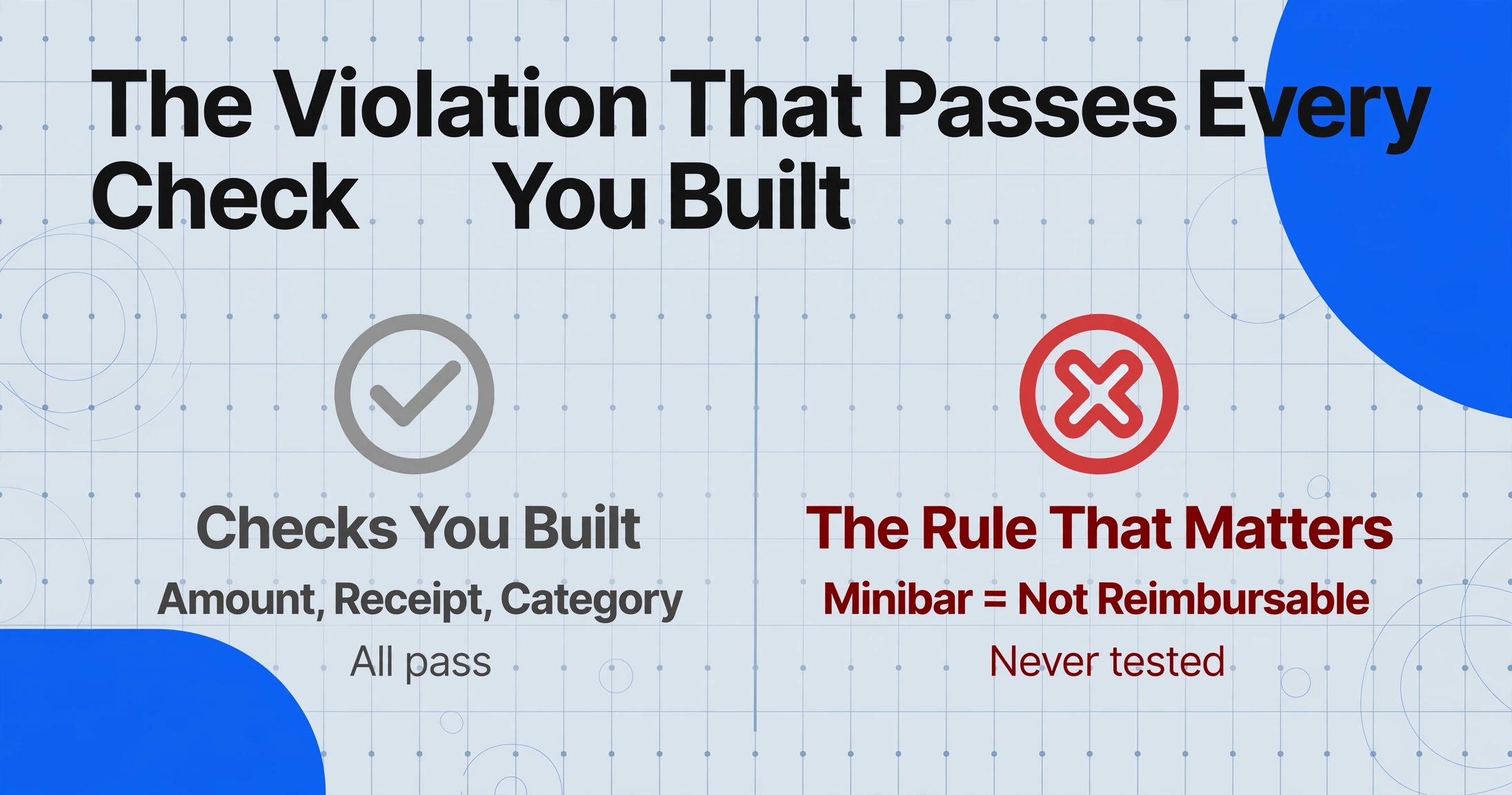
An unencoded check and no check at all behave the same way. Expense platforms and approval flows only test the rules someone turned into a configuration: amount below a cap, receipt file attached, category in the allowed list. The minibar line survives all three, because the policy rule that matters here is not about the amount. It is about the item: personal amenities are not reimbursable. That rule exists in the policy book and nowhere in the software, so no signal ever fires.
The scale of this gap has been measured. In the GBTA Foundation's corporate travel policy benchmark research, 61 percent of travel managers said their policy functioned more as a guideline than a mandate, and 72 percent said violations carried few or no consequences, with stricter enforcement estimated at nearly $30 billion in annual savings (GBTA Foundation, 2010-2011, the most recent published edition of this benchmark). A policy that is a guideline produces exactly this audit problem: everything that was not explicitly programmed into a rule sails through.
A rule that was never encoded as a check is indistinguishable to the process from a rule that was never written. The audit job is to find both.
That is why the post-payment audit matters even when the approval layer runs well. The claim was checked against the rules that were built; the audit checks the claim against the rules that were only written down. The two jobs sit side by side in the same policy: reconciling claims to receipts before payment handles the per-claim proof, and the audit after payment handles the rules nobody configured.
Who Runs the Audit, and What a Defensible Sample Looks Like
A defensible audit sample combines a random floor with risk-based over-sampling, and the selection method is written down before the first claim is pulled. Nobody audits every expense after the fact; the question is how the sample is chosen so that a pattern of violations has a real chance of being in it.
| Role | What they own in the audit | What they hand over |
|---|---|---|
| Compliance analyst or expense auditor | Pulls the sample, runs the checks, writes the findings | The sampling method and the workpaper |
| Employee | The disputed claim and any context that changes its meaning | Answer to the finding |
| Controller or finance manager | Owns the written policy and rules on exceptions | A disposition on every gray-area finding |
| External auditor | Tests whether the expense control operates at all | Their own test results, drawn from the same population |
The sampling standard auditors actually use, PCAOB AS 2315, says the same thing in formal language: items are selected so the sample can be expected to represent the population, every item has an opportunity to be selected, and items can be grouped into homogeneous strata on a characteristic related to the objective (PCAOB AS 2315, Audit Sampling). For an internal expense audit, the practical translation is three strata and one random floor:
One prerequisite usually surfaces during the first quarter: the policy has to contain checkable numbers. GBTA's 2026 corporate travel policy research found that only 30 percent of companies set a hotel per-diem or rate cap, while 46 percent tell employees to book reasonably priced hotels, and 28 percent of travel buyers name out-of-policy hotel stays as a major challenge (GBTA and ALTOUR, 2026). You cannot audit a cap that does not exist. The first audit product is often a corrected policy: a number for the hotel cap, a per-diem rate for meals, a list of non-reimbursable categories. Those numbers then feed every check in the next section.
Where the Manual Audit Actually Breaks Down
The audit breaks at the step where a judgment is attached to a document: evidencing a finding means reopening the receipt image and locating the exact value by eye, one image at a time. The reviewer reads the sheet and marks the minibar row; then opens the folio PDF; then finds the minibar line among forty line items; then captures it into the workpaper. The next finding repeats the loop.
That second pass is where the time goes and where the errors multiply. The reviewer who skips the re-open step writes findings from memory, and memory misplaces a decimal, swaps two dates, or credits a charge to the wrong traveler. The consequence of a sloppy finding is not a minor embarrassment: auditors at professional services firms reach years back. In a thread on r/Deloitte about partner expense audits, one commenter noted the review can go "back up to 3 years and then if they find things they look back to your start," and another described a partner who "had to repay hotel laundry fees... since they're out of policy" (r/Deloitte, 2026). A laundry charge and a minibar charge are the same audit object: out-of-policy line items that only a person reading the document can see.
The second failure is the pushback. Employees rarely dispute the number; they dispute the interpretation. Live chat on r/smallbusiness about a caught expense claim lands on the same answer every time: audit the rest of the reports and "make them prove flagged expenses are legit." A finding survives that exchange only if it carries the policy clause and the spot on the document where the value sits. Without the spot, the finding is an opinion. With it, the finding is inspectable, which is what makes the employee's answer about context rather than about the paperwork.
Where a real consequence exists, the loop closes. One r/Boeing thread describes a per-diem process tied to GSA rates where an overage "is deducted from your paycheck" (r/Boeing). Nobody argues with a finding that leads to a concrete recovery. The manual bottleneck sits further back: producing enough evidenced findings to make the control feel real.
Step 1: Encode the Policy as a Column, Not a Checklist
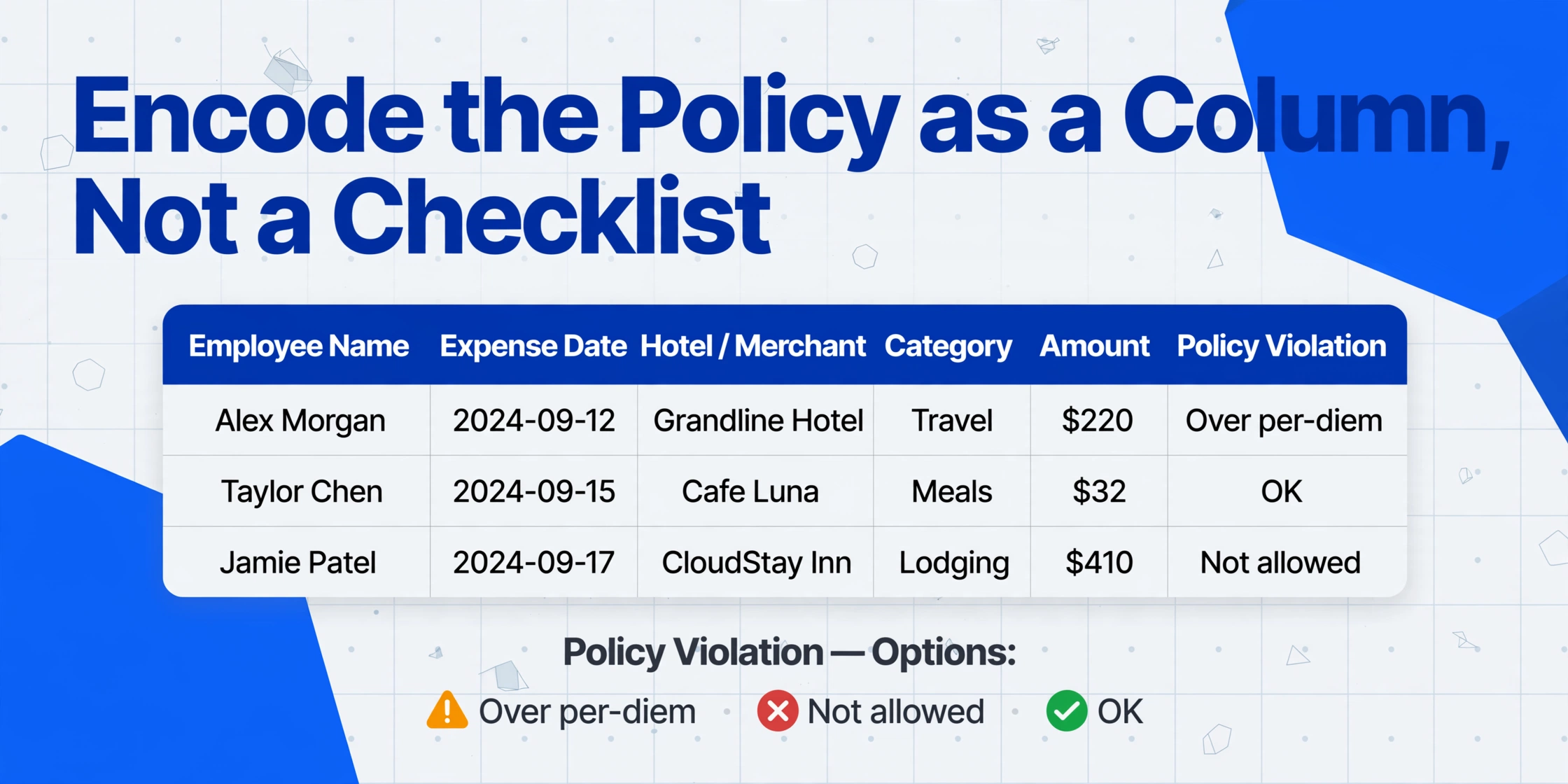
The check that never existed gets written down once, as a column definition, and the AI applies it to every sampled receipt in the same pass that reads the numbers. With inferred columns, you define a column and the AI fills values the document does not print: you name the output, the AI reads the document and decides. The column name becomes the header, and the options become the answer set.
One review column that encodes the written policy
Expense Date
Hotel / Merchant
Category
Amount
Policy Violation (options: Over per-diem / Not allowed / OK)
The Policy Violation column carries the judgment that used to live in the reviewer's head. Its instruction embeds the actual policy: minibar and laundry are personal items, so a folio line for them answers Not allowed; a meal that crosses the per-diem rate answers Over per-diem; everything else answers OK. The AI reads each receipt and places every sampled claim into one of the three buckets, so the workpaper arrives already filtered. When the hotel cap changes next quarter, one line of the column definition changes, not a stack of memos.
This is a deliberate step past the amount-threshold flags most teams already run. A computed column can flag amounts above a limit, which is the technique covered in the guide to extracting expense line items and flagging policy violations. The minibar defeats an amount rule because it carries no amount signal. The violation is a category judgment, and category judgment is what an inferred column is for. Run both columns over the same batch: the computed one catches the over-limit claims, the inferred one catches the claims that fit inside every cap and still violate the policy. For per-diem, honesty matters: the cap is per day, not per receipt, so after extraction sum the day's meals per employee and compare to the rate in the sheet. The inferred column classifies the items; the day-total comparison stays a two-minute sheet step.
The output sheet becomes the workpaper. Every sampled claim now has a row with a disposition, the sampling method on the cover sheet, and one column left to finish: evidence for the rows that are not OK.
Step 2: Evidence the Finding in the Review Screen
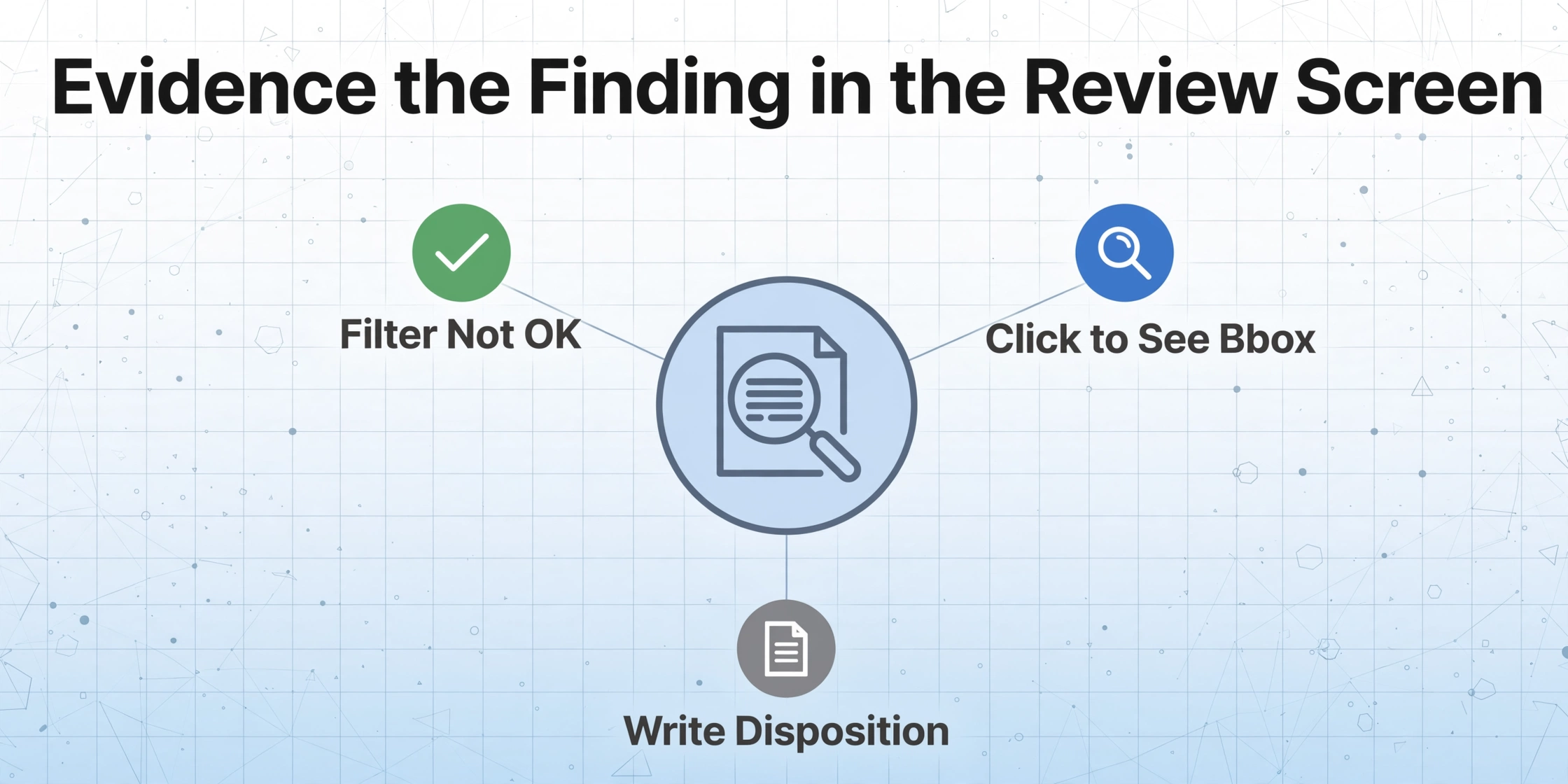
A finding stops being a memory the moment the extracted cell can show the spot on the image it came from. That is what Review Mode with Bbox verification adds: in the review screen, hover or click an extracted cell and the original image highlights the region the AI read, and clicking a region on the image jumps back to the matching cell. A field you edited can be restored to the AI's original value in one click.
Files are processed securely and not stored.
Two settings turn the review screen into the audit trail. Turn on "auto-annotate after processing" so the bounding boxes are generated while the batch runs, and every flagged row is already anchored by the time the auditor opens it. For a one-off re-check of a disputed claim, the on-demand per-file trigger works instead. Then the audit loop shrinks to three actions: filter the Policy Violation column to anything that is not OK, click each flagged cell to see the exact region the AI read, and write the disposition. The minibar finding becomes "clause 4.2 of the travel policy, the $14 line at the lower-left of the folio image, amount confirmed, recovery issued," and every part of that sentence is verifiable in the review screen rather than held in the reviewer's head.
For hotel line items specifically, the folio extraction path is covered in the guide to batch-processing hotel folios for business travel, and printed expense reports can go through the same columns via the expense report to Excel route. The archived image stays the source of truth: the exported sheet is the working copy, the stored receipt is the evidence, which is exactly how the IRS treats it. Under IRS Publication 463 and IRC §274(d), documentary evidence is required for lodging at any amount and for any other single expense of $75 or more, so dispose of the payment but keep the image.
What the Audit Still Cannot Automate
The column proposes and the anchor evidences, and the judgment stays with a person. The inferred column answers the questions the policy can be written as options; it cannot answer the questions the policy leaves open. Whether the dinner was for a client is not on the receipt. Whether an overage was a manager-approved exception is a policy call for the controller, not a document read. Whether the receipt itself is authentic is outside the extraction entirely: a bounding box shows where on the image a value came from, and it cannot show that the image was never altered.
The practical shape of the boundary is a review queue, not a rejection. Every Not allowed and Over per-diem row lands in front of the controller with its anchor and its disposition options, and the controller closes the loop. Claim audits that run this way for years still catch items, which is not a failure of the check column. Expense fraud and error exist at a stable rate, and the audit's value is that it converts a silent payment into a visible loop. Where the trade-off between doing this in-house and buying review capacity matters, the cost comparison is laid out in the guide to manual versus automated expense reconciliation. The wider extraction context these columns sit in is the complete guide to expense report extraction.
Travel Expense Compliance Audit: Frequently Asked Questions
Does this replace the audit features in Expensify or SAP Concur?
No, it complements them. Platforms audit the data that lives inside them: amounts, categories, receipt file presence, approval history. Reading the document and classifying what is on it, like the minibar line on a folio, is a different step, and that step is what an inferred check column plus the review screen covers. Teams already on a platform sample its export; teams without one sample their own spreadsheet.
What sample size should a travel expense audit use?
A common working range is 10 to 20 percent of claims per month, split into a risk stratum, a size stratum, and a random floor, with the method written down before selection. The number matters less than the strata: an expense audit sampling plan that over-samples cash claims and high-dollar items catches more than a bigger random draw that misses both.
Can the tool decide whether an expense is a legitimate exception?
No. The inferred Policy Violation column classifies each receipt against the options in its definition, and the review screen shows the evidence for that classification. Whether a manager-approved overage is accepted is a policy decision the controller makes with the finding in front of them.
Will the violation column work on receipts in any format?
Yes. The column is a semantic instruction, not a template: the AI reads each document and places the answer, so a paper folio, a mobile receipt screenshot, and an emailed confirmation all land in the same three buckets. What changes is input quality, so a dark photo should be checked in the review screen rather than trusted blind.
How do I write a finding that survives employee pushback?
A finding that survives has four parts: the policy clause it cites, the value, the spot on the document where the value sits, and the disposition. The check column produces the first two, the review screen's bbox anchor produces the third, and you write the fourth. Keep the original receipt image archived alongside the sheet, because the extracted table is the working copy and the stored image is what an external auditor or a disputed review asks to see.
A review reads what is in front of it; an audit defines the check, draws the sample, and proves each finding on the document. Encode the policy once as a column, leave a random floor in the sampling plan, and let the review screen supply the coordinate every finding needs. Run the sampled receipts through your own columns and see which rows come back as anything other than OK.