Reconcile Employee Expense Receipts
Before the Claim Gets Approved
Expense report reconciliation is a matching job before it is a math job. The reviewer is proving that each line an employee claimed has a receipt behind it, for the same amount, on the same date, from the same merchant. When that proof is missing, the report total still balances, which is exactly why the problem survives review.
Key Takeaways
- A report can add up perfectly and still fail an audit.
- That's because the total is the one line that reconciles whether or not the receipts do.
- Put claims and receipts in one sheet and a $54 claim sitting beside a $45 receipt stops hiding.
The Match Fails Before the Total Does
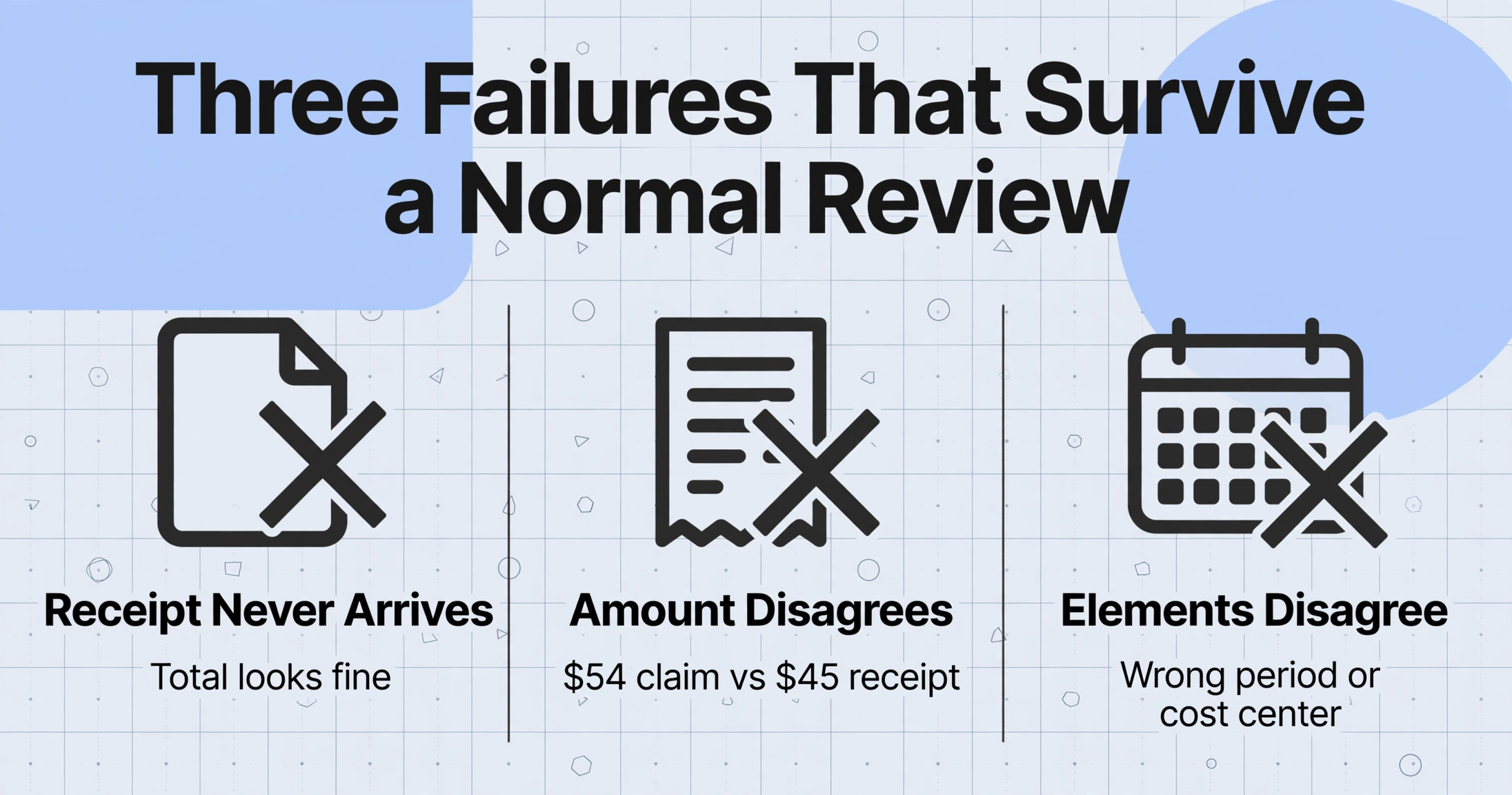
Three failures show up in reimbursement, and each is fixed by a different person. A receipt never arrives: the report lists the expense, the paper sits in a pocket, and nobody notices because the total looks fine. The amount disagrees: an employee claims $54 for a client lunch while the receipt says $45 before a tip. The elements disagree: the amount matches but the date, vendor, or account code does not, so the expense lands in the wrong period or cost center.
All three survive a normal review for one structural reason: a report gets checked against itself at the total line, and the total reconciles whether or not the receipts do. The cost is measured. The GBTA Foundation, in a study with HRS, found the average expense report costs $58 and 20 minutes to process, that 19% of reports contain errors or missing information taking another $52 and 18 minutes each to correct, and that companies processing 51,000 reports a year spend close to half a million dollars and 3,000 hours correcting them (GBTA Foundation, 2015, the most recent published version).
A report can add up perfectly and still fail an audit. The total is the one thing that reconciles whether or not the receipts do.
Which handoff you redesign depends on who does what. Most descriptions collapse the four roles below into "the finance team" and then wonder why the timeline slips.
Who Touches an Expense Report, and What a Clean Month Looks Like
| Role | What they actually decide | What they hand over |
|---|---|---|
| Employee | Whether this was a business purchase, and whether they kept the proof | The report lines plus the receipts |
| Manager | Whether the business purpose is legitimate, a judgment call | An approval, not an arithmetic check |
| AP or finance specialist | Whether each claim has a receipt that agrees with it | A verified total and the payment |
| Accountant or controller | Which period and account the amount belongs to | Posted entries and the audit file |
In a clean month, every line has a receipt that agrees with it, the listed total ties to the sum of the receipts, and the payment equals what was approved. Reaching that state depends on receipts arriving inside a window set by tax rules. Under Treas. Reg. §1.62-2(g)(2)(i), the fixed-date safe harbor for an accountable plan treats an expense as substantiated when the employee documents it within 60 days of paying it, and returns any excess advance within 120 days (26 CFR §1.62-2). Miss the window and the reimbursement can be reclassified as taxable wages and pushed into payroll.
What counts as documentation is specific: a receipt for all lodging regardless of cost, and for any other single expense of $75 or more, while smaller amounts still need amount, date, place, and business purpose recorded (IRS Publication 463, from Treas. Reg. §1.274-5(c)(2)(iii)). Collection is therefore a deadline problem, not a courtesy reminder.
Why Expense Report Handoffs Fail in Practice
The collection step fails because nobody owns it. The employee treats submission as a chore to do "when I get to it," and finance has learned that chasing receipts is a job in itself. A finance lead at a small nonprofit described the result recently: "a shared Google Sheet plus a form for receipts and it's held together with tape. People submit late and receipts go missing" (r/nonprofit, 2026). No owner, no deadline, and no way to see what is missing until the month closes.
The matching step fails because it is done by eye at month-end, with the report on a screen and the receipts in a pile. Software does not automatically remove it: a platform can enforce that a file was attached, and still leave a person to decide whether that file belongs to that claim.
The last failure is quieter: payment runs on trust, and under close pressure small differences get paid anyway. The Association of Certified Fraud Examiners measured the result in its 2024 Report to the Nations: expense reimbursement schemes accounted for 13% of 1,921 occupational fraud cases, median loss $50,000, typically running 18 months before detection (ACFE, Occupational Fraud 2024). An 18-month run is the mark of a process that never generates a signal.
Matching by eye fails quietly. A mismatch nobody is looking for does not become an exception, it becomes a payment.
Both break points share a shape: information lives on two documents that were never placed together. The next two sections fix that.
Fix the Collection Step With a Link, Not a Chase
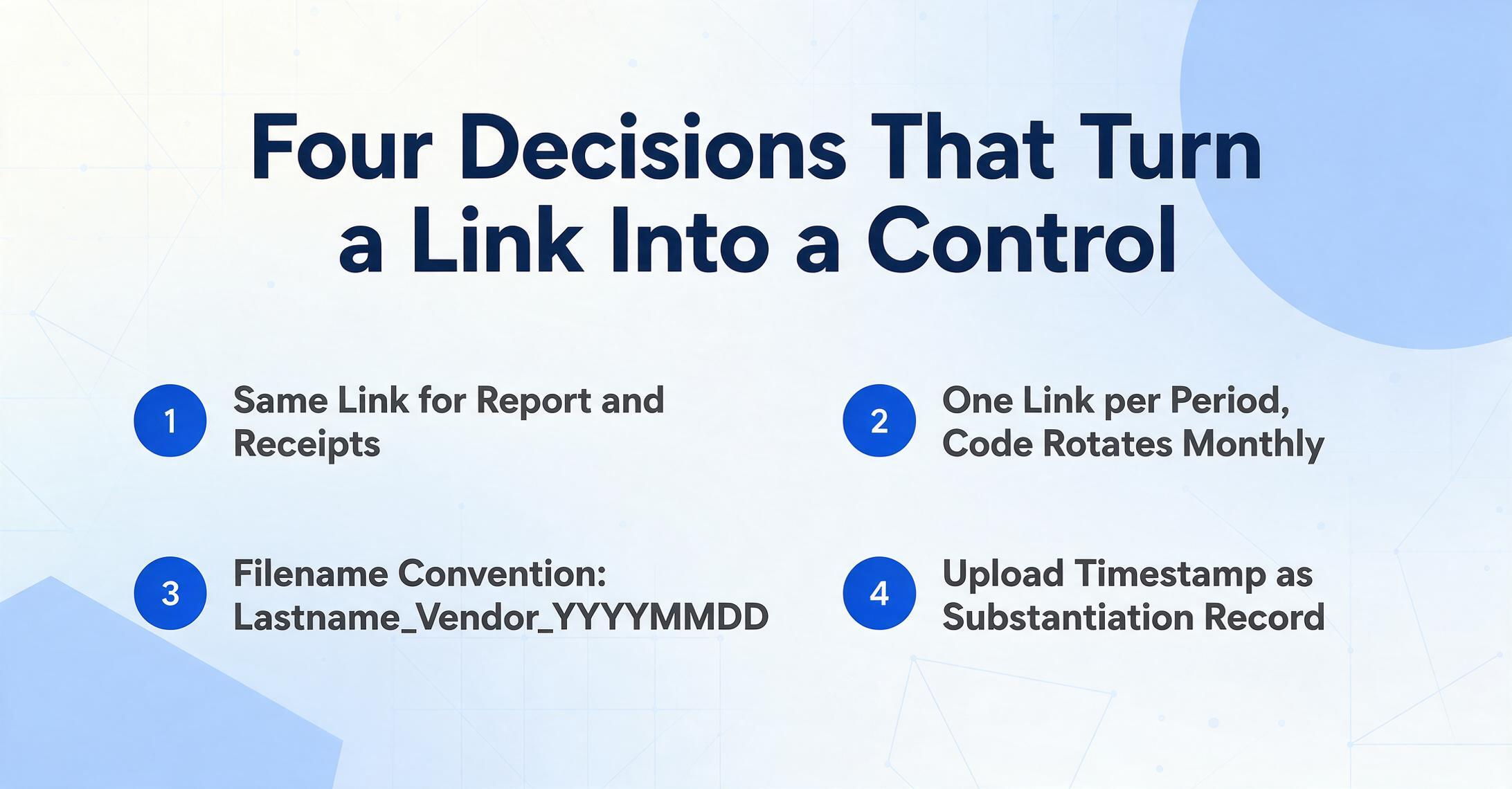
The receipt collection problem is really about whose hands the file passes through. A Collection Link is a shareable URL you generate once, shaped like /c/xxxx. Employees open it, enter a short verification code, and upload receipt photos or PDFs. No account, no login, and each file lands in your processing queue with a timestamp attached.
Four decisions turn that link into a control rather than a convenience:
Lastname_Vendor_YYYYMMDD. Uploaders never log in, so the filename is the attribution.The change in ownership is the point. In the manual flow the collector reminds, follows up, and re-types. With a shared link, the employee's obligation shrinks to "upload the receipt when the purchase happens," and finance gains a completeness view: five purchases with four receipts uploaded means four rows, and the missing one is visible as an absence rather than discovered in a scramble.
Fix the Match Step: Put Claims and Receipts in One Sheet and Sort
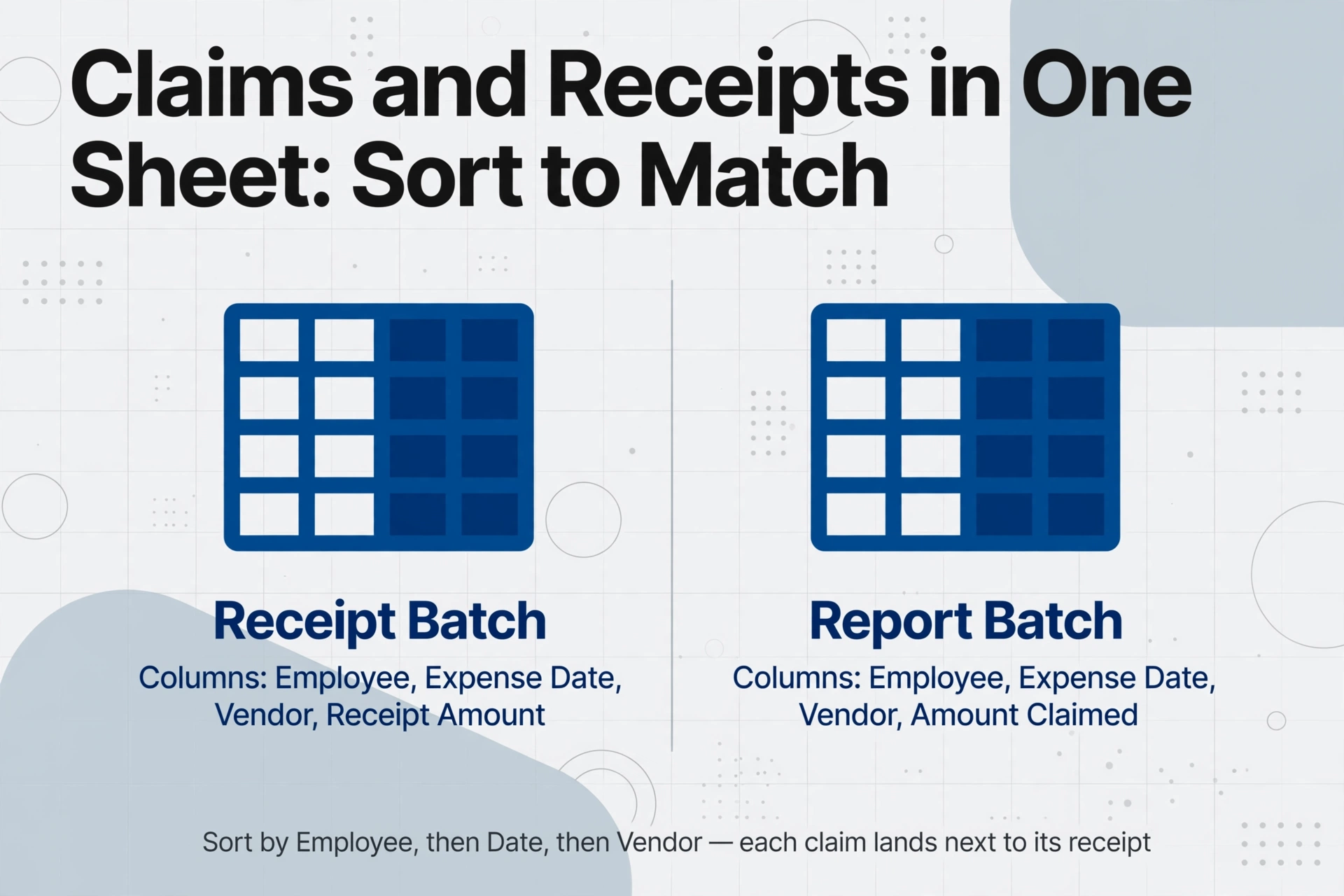
The second bottleneck is a view problem: the claim lives on the report, the evidence lives on the receipt, and they are never in the same place. Custom Column Extraction gives both documents the same shape. Instead of drawing boxes or building a template per vendor, you type the column names you want, and the AI reads each document and places a value under each column by understanding what the value means rather than where it sits. The column names you type become the headers of the output table.
The configuration that matters is the column set, identical on both sides with one deliberate difference:
| Shared columns (identical on both sides) | Receipt batch amount column | Report batch amount column |
|---|---|---|
| Employee, Expense Date, Vendor, Category | Receipt Amount | Amount Claimed |
The four shared columns let the rows sort into alignment, and the amount column is named differently on purpose. Append the two outputs into one spreadsheet, sort by Employee, then Expense Date, then Vendor, and each claim lands next to any receipt for the same purchase. A mismatch appears inside one row group, so a $54 claim beside a $45 receipt stops being a lucky catch and becomes the default thing you see when you scroll.
Two details keep this from becoming extra work. If employees submit reports as PDFs, scans, or photos of a form, run them through the same extraction; if the report is already a spreadsheet, keep its columns and rename only the amount header to Amount Claimed. Then add two columns that encode tax rules rather than preference: a conditional column such as Receipt Rule (yes if amount >= 75 or category = Lodging) writes the Publication 463 requirement onto every row, and an inferred column such as Category (options: Meals / Travel / Lodging / Office / Other) classifies each receipt even though receipts rarely print one.
Files are processed securely and not stored.
One honest boundary: the tool structures both sides, it does not decide that receipt number four belongs to claim number four. If two claims and two receipts share an amount and date, a person still confirms which is which. What changes is the cost of that confirmation.
The column set you build once is also the checklist you run at month-end. The logic for turning policy limits into columns is in the guide to flagging policy violations on expense line items, the fields a report can carry are in the complete guide to expense report extraction, and teams receiving scanned or photographed reports should start with processing employee expense screenshots into Excel. For the report alone, the expense report to Excel route handles it directly.
What This Workflow Still Cannot Do
This automates the paperwork half, and the other half does not shrink. It does not approve spending or judge whether a charge was for business. A claimed $54 with a real $45 receipt still reads as a claim; the contribution is that the two numbers sit beside each other. The manager's business-purpose call, and every policy exception, stays with a person.
Extraction quality follows input quality, so a dark photo leaves gaps and a review pass before payment still matters. It also does not replace retention: lodging and any single expense of $75 or more still require the original receipt, so archive the images next to the sheet.
For teams tired of small receipts, per diem shrinks the workload instead of automating it. Under the IRS deemed-substantiated rules, meals and incidentals reimbursed at the federal per diem rate need no receipts, only documentation of time, place, and business purpose. The 2025-2026 high-low rates are $319 per day for high-cost localities and $225 elsewhere, with $86 and $74 of those amounts treated as meals (IRS Notice 2025-54).
If your team already runs a platform, the work changes rather than disappears. Expensify starts at $5 per user per month, SAP Concur is quoted per organization, and Ramp is free but card-first, requiring its own card. Card-first tools capture at the point of sale, and one commenter in the nonprofit thread was direct about the limit: a card platform "won't solve the missing receipt issue for you... they can make a purchase without submitting a receipt." A card records that money moved. It does not record that documentation exists, and that gap is what this receipt collection workflow exists to close.
Expense Report Reconciliation: Frequently Asked Questions
Does this tool reconcile each expense report line with its receipt automatically?
No. It extracts receipts and report into one shared column set, so the comparison becomes a sort instead of a search through a pile, and a column like the $75 receipt rule surfaces thresholds without anyone counting. Deciding that a specific receipt proves a specific claim stays a human check.
Do employees need an account to upload receipts through the link?
No. They open the Collection Link, enter the verification code, and upload the file. The account, the queue, and any usage cost stay with the finance person, which makes the link workable for field staff, volunteers, and contractors.
Is a photo of a receipt enough for reimbursement?
For reimbursement, a photo is normally accepted subject to your written policy, the same way a mobile capture in Expensify or Concur is accepted. For tax substantiation, lodging always needs documentary evidence and so does any single expense of $75 or more, along with the business purpose. Keep the images, because the extracted sheet does not stand in for the original on those items.
What happens if an employee substantiates an expense after 60 days?
The company can still reimburse, but the accountable plan safe harbor may no longer apply, which can make that payment taxable wages and push it into payroll handling. Make the window visible before it closes: a link code that rotates each period, and a queue whose row count shows who has not uploaded yet.
We already use Expensify or Concur. Do we still need expense report reconciliation?
It can be complementary. A platform collects and stores receipts and often enforces that a file was attached, but a person still decides whether the right file belongs to the right claim, and cash or out-of-pocket spending frequently sits outside the card feed. Running the same column set across both sources gives that reviewer one sorted sheet.
Once the link and the shared column set are in place, you reconcile expense reports by scanning a sorted sheet for the rows that disagree, not by hunting for the receipt when a claim is due. It is a smaller, checkable job one person can run without chasing anyone. The wider rhythm of fitting that into a close is in the guide to closing the month without chasing receipts, and batch handling for a full team's submissions is in turning monthly employee expense reports into one summary sheet.