Match Each EOB to the Right Patient Record
Before It Posts to the Wrong Account
The AHIMA Journal reports that 35% of all denied claims result from inaccurate patient identification, costing the average hospital about $2.5 million a year to clean up (AHIMA, 2024). Most of that misidentification starts between two documents nobody compares side by side: the patient intake form written at the front desk, and the Explanation of Benefits the payer sends back weeks later. Each one names a patient, and the two names often do not line up.
Key Takeaways
- An EOB that lands on the wrong account is usually blamed on one bad read, but no step in the cycle ever sets the two names side by side.
- The patient's identity gets copied four times before it reaches you, and a mismatch in any copy stays invisible until the EOB posts.
- Use the same six identity columns on both batches, and your job becomes confirming a row pair instead of hunting a name.
Who Touches an Intake Form, and What a Clean Cycle Looks Like
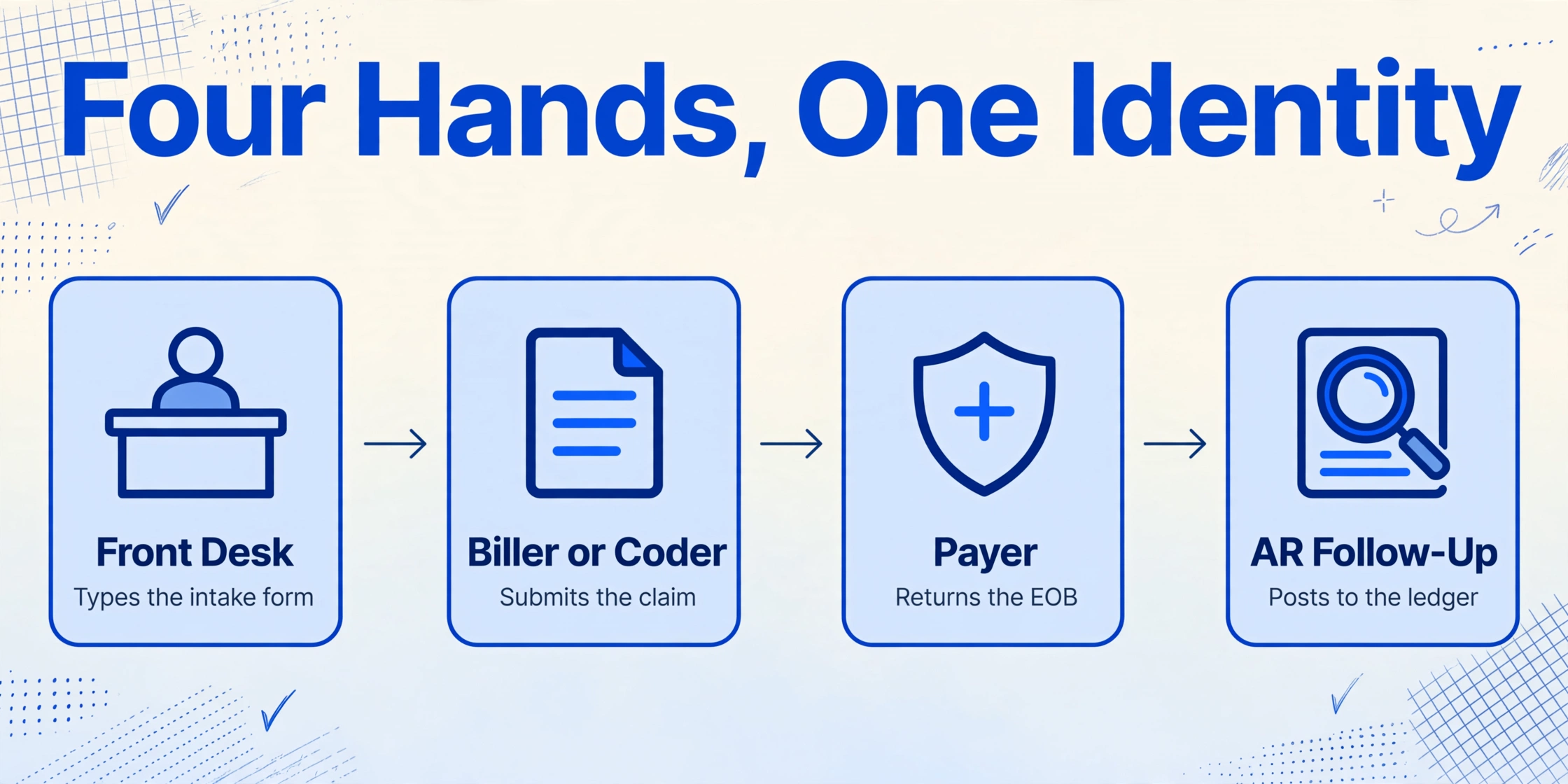
The workflow runs through four hands, and each one copies the patient's identity into a new place:
| Role | What they actually decide | Where the patient identity gets copied |
|---|---|---|
| Front desk staff | Whether they entered the paper or portal intake form into the practice management system without changing a digit | Intake form to the patient record in the PM system |
| Biller or coder | Whether the claim carries the subscriber name, DOB, and member ID the payer expects | PM patient record to the CMS-1500 or UB-04 claim |
| Payer | Whether name, date of birth, and member ID match their subscriber file, and what they paid | Claim to the EOB or electronic remittance advice |
| AR follow-up specialist | Which patient account the EOB posts to, and who owes the remaining balance | EOB to the patient ledger |
In a clean cycle, the name the patient wrote on the intake form is the name the front desk types, the name the biller submits, the name the payer returns on the EOB, and the name the AR specialist matches to an account. Four copies of one identity, and they are only useful if they all read the same. That is the entire job: the reconciliation that makes or breaks the claim is not about amounts, it is about whether these four copies describe the same person.
The EOB does not attach itself to a patient account. A person has to decide which record it belongs to, and that decision is only as good as the identity columns sitting on the documents they compare.
Three Places the Patient Match Breaks
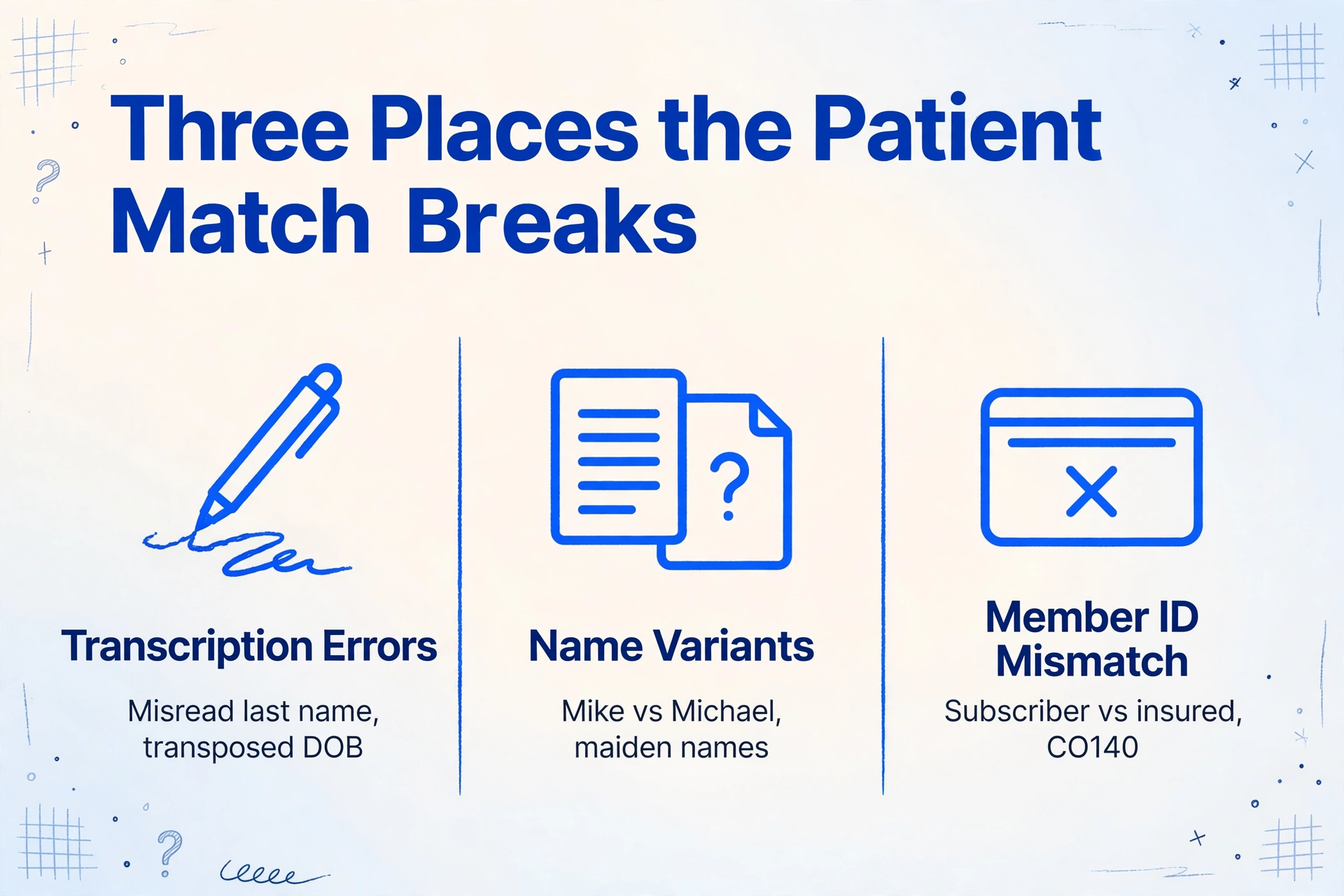
The first break is transcription at the front desk. Handwritten intake forms are read by eye and typed into the practice management system, and that is where a slightly misread last name, a transposed DOB, or a member ID digit swapped for another lands in the patient record. The mistake is invisible on the form itself, because the paper still says what the patient wrote. It only surfaces later, when a claim comes back. That particular failure chain, from one misread character on the page to a named denial code on the remittance, has its own mechanisms and is covered in how a single misread intake field becomes a denied claim.
The second break is name variants across documents. An ambulance biller described the daily version of this on r/CodingandBilling: "I entered in exactly what the HMO plan had meaning Medicare has a different name than the other insurance. This happens all the time and there's usually a maiden name for the ladies or a nickname used, but I can usually find it" (r/CodingandBilling, 2024). A third last name from a second marriage, a Mike on the intake form and a Michael on the insurance card, a middle name used as the first name, a Jr. or III the payer dropped on the EOB. Payers run exact name matching, and a mismatch on the insured name is a documented denial reason inside the claim adjustment codes, code CO140: "Patient/Insured health identification number and name do not match" (AAPC Knowledge Center).
The third break is the member ID field itself. The intake form often records the subscriber as the policy holder, while the claim needs the patient as the insured plus the subscriber ID separately. Front desk staff who copy the subscriber's name into the patient slot, or who treat the group number as the member ID, send a claim whose identity block the payer cannot match. It comes back rejected or denied, and the EOB that eventually arrives carries a corrected or truncated version of the name that no longer matches the account the staff expected.
Why a Mismatch Survives Until the EOB Posts
None of these breaks announce themselves at intake. The front desk sees a form, not an error report. The biller sees a submitted claim, not a future denial. The number that does surface later is sobering: the HFMA reports that 85% of denials are avoidable and the majority originate in the patient access process, where registration and eligibility errors sit on top of the list of front-end denial causes (HFMA). In other words, the denials that trace back to patient identity are usually payment for a transcription or matching error that happened weeks earlier.
The mismatch survives to the posting step because the AR specialist is handed two documents and asked to compare identities by eye. The EOB names the patient as the payer has them on file. The account in the practice management system names the patient as the front desk typed them. When those disagree, someone has to decide which is the intended patient, and that decision is usually made quietly under time pressure. The wrong choice posts the EOB to the wrong account, the patient receives a statement for the wrong balance, and the correction work lands back on the same specialist. This is why manual EOB processing persists across practices: the reading step is a human comparison, not a lookup.
The comparison is harder than it looks because the identity sits in different places on each document. The intake form spreads name, DOB, and insurance details across multiple pages, sometimes handwritten. The EOB condenses them into a payer layout that changes per insurer. Comparing them means flipping pages and scanning for the same five values in two different structures. The fix is not a faster eye. It is putting the same identity columns on both documents so the comparison becomes a sort instead of a search.
Build the Same Identity Columns on Both Documents
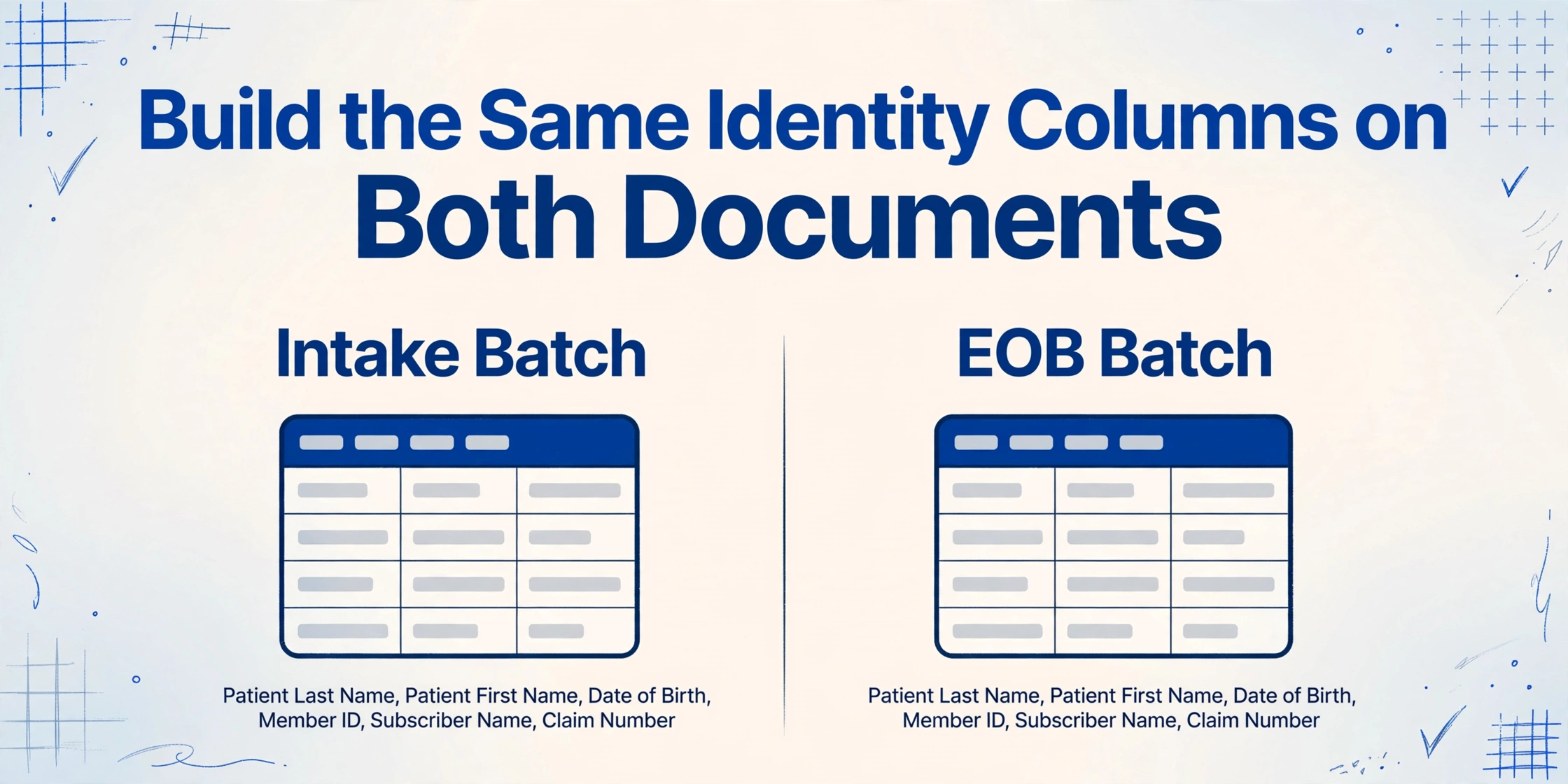
ImageToTable.ai uses Custom Column Extraction: you type the column names you want, and the AI reads each document and fills a value under each column by understanding what the field label means rather than where it sits on the page. The column names you type become the headers of the output spreadsheet. Because the AI reads by meaning, the same column definition works across handwriting, different clinic form layouts, and different payer EOB layouts.
The configuration that matters here is the column set, and it must be identical on both sides of the reconciliation:
| Identity columns on the intake batch | Identity columns on the EOB batch |
|---|---|
| Patient Last Name | Patient Last Name |
| Patient First Name | Patient First Name |
| Date of Birth | Date of Birth |
| Member ID | Member ID |
| Subscriber Name | Subscriber Name |
| Claim Number | Claim Number |
Extract a batch of intake forms with these columns, extract the matching batch of EOBs with the same columns, and put both spreadsheets in one sheet. Sort by Member ID, then by Date of Birth, and each EOB row lands beside its intake row. A DOB that reads 07/14 instead of 07/04, or a last name the payer truncated, stops being a hunt through paper and becomes a row pair you can see on one screen. Two honest notes: the tool does not decide that EOB row four belongs to intake row four. It puts the two rows beside each other so the AR specialist confirms the match cheaply. And if you still need to get the fields out of a payer EOB in the first place, the complete guide to EOB extraction covers that step, with batch handling for high EOB volumes handled separately.
Two product settings make this workflow hold up on real intake packets. The first is the processing tier. A patient intake packet is often handwritten, and handwriting is exactly what the standard tier is not tuned for. Model Tier is the account setting that selects the processing quality: Standard covers most printed tabular documents, while Advanced and Premium use a stronger vision model aimed at dense handwriting, cursive, and layouts where a misread field is expensive. For a batch of paper intake forms, set the tier to Advanced or Premium before submitting. The tier active when a batch is submitted is what that batch is billed and refunded against, so the setting is decided per batch, not per account.
The second setting is Multi-Page Merge, which handles the fact that an intake packet is rarely one page. Demographics sit on page one, medical history checkboxes on pages two and three, insurance and consent on later pages. Without merge rules, the AI would read three pages and produce three rows for one patient, scattering the identity it needs to match. In template settings, turn on Multi-Page Merge and pick a grouping rule: match by a shared reference value across the batch if your forms carry an account or member number, or start a new group whenever a tracked column's value changes, with the tracked columns set to the patient name fields. The pages of one packet then fold into one row, with the patient name carried onto every line and the identity columns populated from whichever page holds them. One patient, one row, ready to sort against the EOB side.
Files are processed securely and not stored.
The same identity-column workflow fits the broader medical billing document set. Practices reconciling across many payers and patients can extend the column set to cover the rest of the medical billing documents in one patient view, and clinics that already digitize the intake side should start from the patient intake form to Excel extraction route.
What Still Needs a Person
This workflow automates the structuring on both sides, and the judgment in the middle does not shrink to zero. It does not decide that a specific EOB belongs to a specific patient record. Two patients with the same name and the same DOB, or an EOB where the payer dropped the suffix, still require a person to confirm which row is which, ideally by pulling the chart once before the balance posts. What changes is the cost of that confirmation. The tool makes the comparison the default view instead of something someone has to remember to do.
Two boundaries are worth stating plainly. The tool extracts and structures documents; it does not post to your practice management system or EHR, does not submit claims, and does not push data into Epic, athenahealth, or any other platform. The spreadsheet it produces is what you import or review by hand, which keeps the workflow inside your existing PM and clearinghouse stack. And it does not attest to eligibility or adjudicate benefits, so a matching EOB from an expired policy is still an eligibility problem for the front desk to resolve.
The last boundary is the compliance one. Patient intake forms and EOBs contain protected health information, and HIPAA's Privacy and Security Rules govern how that PHI is used and disclosed under 45 CFR Part 164. ImageToTable.ai is not a HIPAA compliance solution and does not offer a Business Associate Agreement. Practices subject to HIPAA should evaluate any third-party service that touches PHI against their own compliance requirements, have a conversation with the vendor about retention and processing, and test the workflow on de-identified sample forms before processing live patient-identifiable documents.
Patient Intake and EOB Reconciliation: Frequently Asked Questions
Does this match each EOB to a patient record automatically?
No. It extracts the intake packet and the EOB into the same identity columns, so the two sides sort into alignment and a mismatch becomes visible as rows sitting beside each other. Deciding that a specific EOB belongs to a specific patient account stays a human check, because same-name and same-DOB cases need a person to pull the chart.
Which Model Tier should I use for handwritten intake forms?
Use Advanced or Premium for batches of paper intake forms filled out by hand, because those tiers run a stronger vision model suited to dense handwriting and cursive. Standard covers most printed tabular documents well. The tier active when you submit the batch is what that batch is billed against, so you can keep Standard for clean digital EOBs and switch the tier for handwriting-heavy intake batches.
How do I keep a multi-page intake packet as one patient record?
Turn on Multi-Page Merge in template settings and choose a grouping rule. If the form carries an account or member number, use match-by-shared-reference; otherwise track the patient name columns and start a new group when they change. The pages fold into one row with the identity populated from whichever page holds each field.
Can this handle EOBs that arrive as scanned paper or portal PDFs?
Yes. The tool accepts PDF, JPG, PNG, and scanned images on both sides of the workflow. A degraded fax or a faint scan will drop the confidence on some fields, so the review pass before posting matters for those documents, and the bbox visual check in the review screen can show where each extracted value came from on the original image.
The point of this workflow is that the intake form and the EOB do not have to be reconciled from memory. Once both sides carry the same identity columns, you match an EOB to the right patient by sorting a sheet and looking at the rows that disagree, instead of opening a stack of payer documents and comparing names by eye. It restructures the comparison so the mismatches that caused 35% of denials stop hiding inside the handoff between the front desk, the biller, and the AR desk.