How Medical Billing Teams
Batch-Extract Data from Hundreds of EOBs
Most document extraction tools make the same assumption about Explanation of Benefits forms: that they are standardized documents. They are not. A Blue Cross EOB from Florida looks nothing like a Blue Cross EOB from Illinois. An Aetna EOB uses different column headers than a Medicare remittance advice. Multiply that across 15 or 20 payers, and the bottleneck in EOB processing is not typing speed—it is format variation. For billing teams processing hundreds of these documents per month, the question is not whether AI can read an EOB. It is whether one extraction configuration can handle all of them in a single batch.
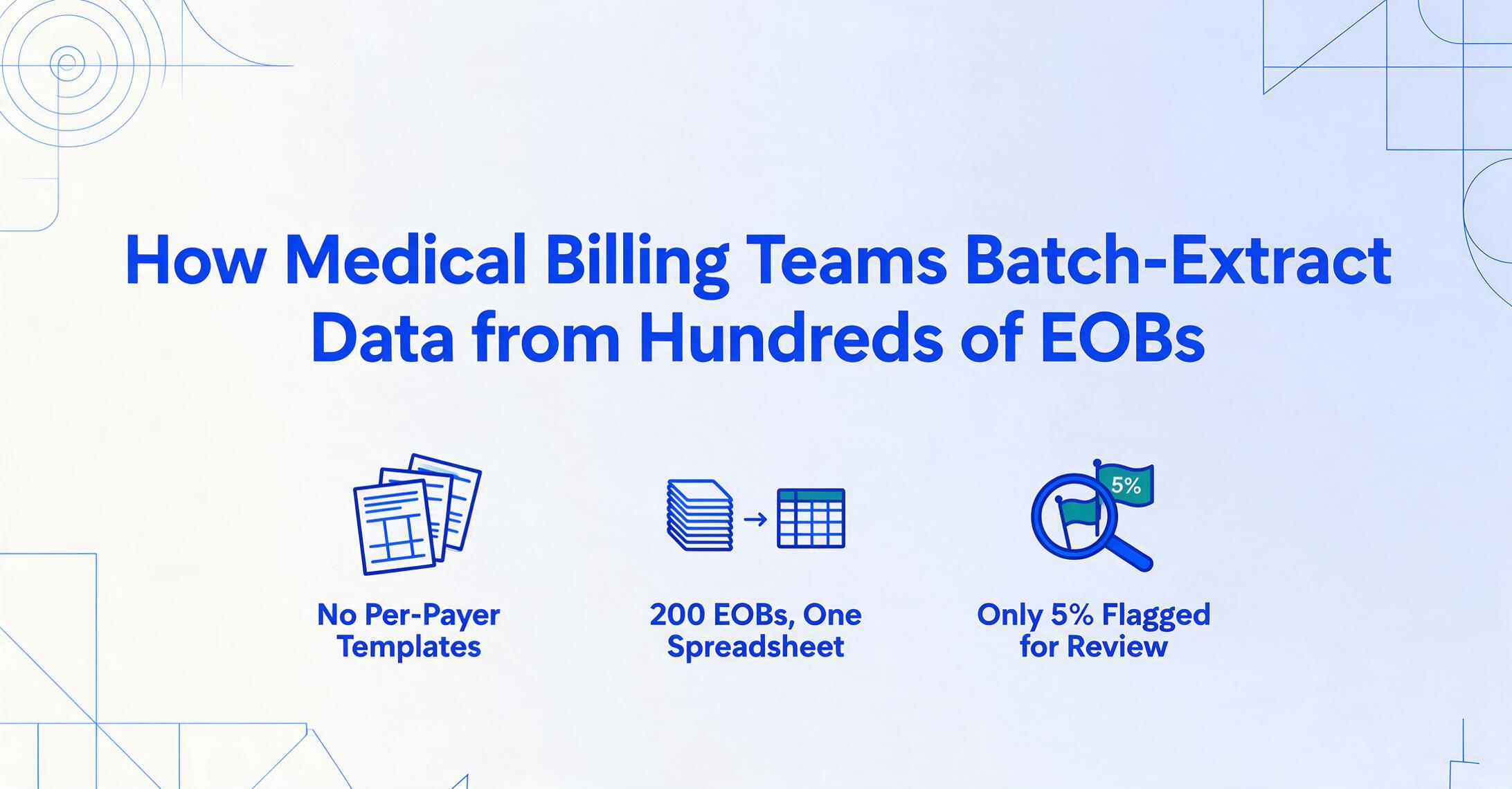
Why EOBs Resist Automation That Works for Standard Forms
The reason most document extraction tools fail on Explanation of Benefits forms is not accuracy—it is format fragmentation. There are over 6,000 distinct EOB layouts across payers in the United States. Every insurer—UnitedHealthcare, Aetna, Cigna, Humana, Medicare, Medicaid, workers' compensation carriers—organizes the same data points differently. Some use horizontal tables, others use vertical sections. Some break patient responsibility into four sub-columns; others condense it into one line. Some payers even change layouts within a single EOB, using one format for paid claims and another for denied ones on the same PDF.
This matters because template-based extraction tools—tools that require you to define a fixed layout for each document type—demand a separate template for every payer format. When a payer updates its layout, which happens more often than you might expect, the template breaks. Billing teams end up maintaining extraction templates instead of posting payments.
An EOB, short for Explanation of Benefits, is the document an insurance company sends after processing a healthcare claim. It breaks down what was billed, what the plan covered, what the insurer paid, and what the patient owes. For providers who have not enrolled in electronic remittance advice (ERA) with every payer—or who receive paper EOBs from certain carriers regardless—each EOB must be manually reviewed, data entered into the practice management system, and reconciled against claim records. The ERA is the electronic version of an EOB, transmitted as an ASC X12 835 transaction under HIPAA standards. When it works, it automates posting. But many payers still send paper or PDF EOBs, and even providers enrolled in ERA for major carriers often receive PDF EOBs from secondary payers, workers' comp, or state-specific Medicaid programs.
Key insight: The bottleneck in EOB processing is not data entry speed. It is the fact that no two payers use the same format—and billing teams still need every data point from every format to post payments correctly.
The Real Labor Cost of Manual EOB Posting
Manual EOB data entry consumes 5 to 8 minutes per document, according to data from billing operations that have measured it. At 500 EOBs per month—a typical volume for a mid-size practice or small billing company—that is 40 to 65 hours of staff labor. At $25 per hour for billing staff, the annual labor cost is approximately $12,000 to $19,500, just for EOB data entry alone.
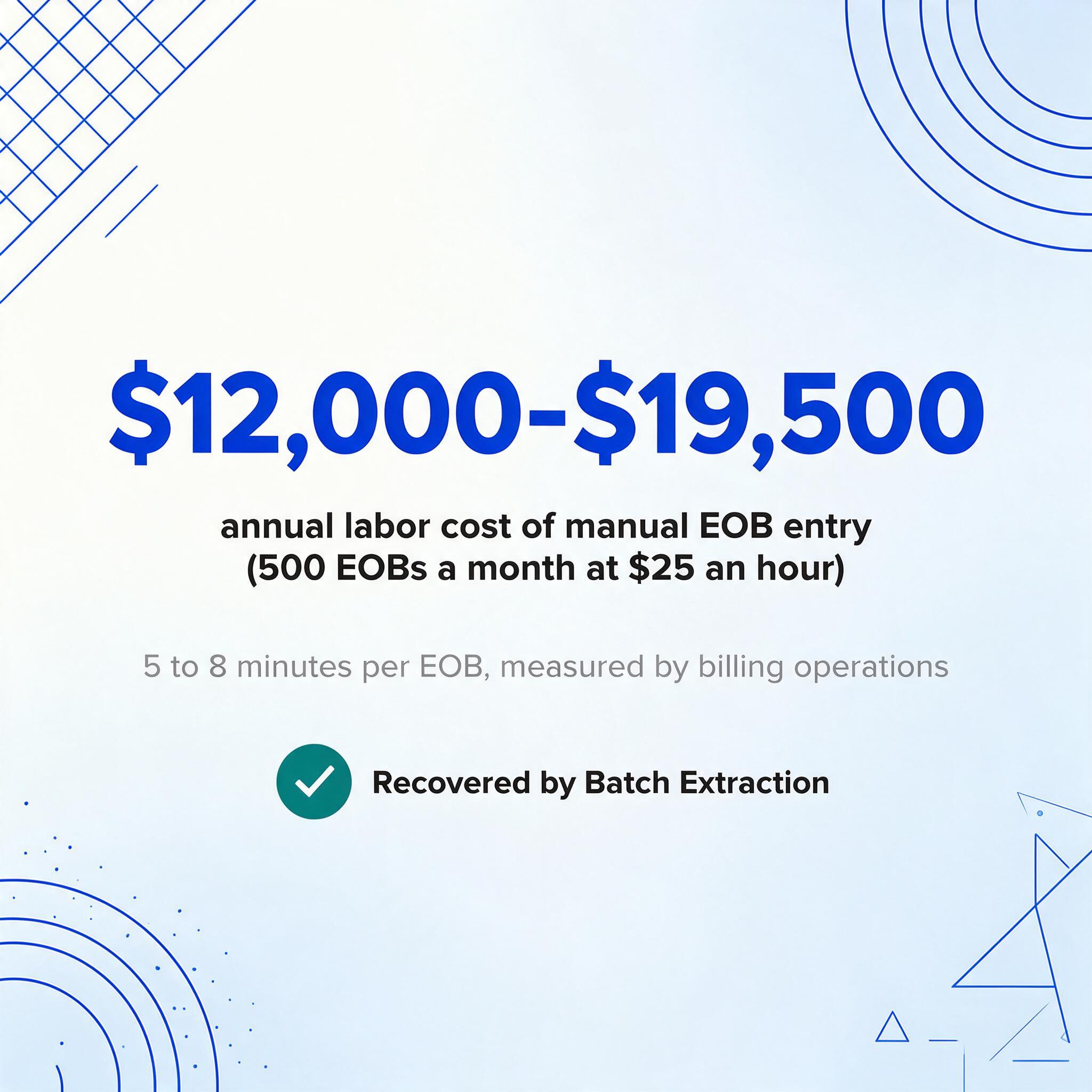
That number does not include the downstream costs. The CAQH Index, the industry's authoritative benchmark on administrative transaction costs, pegs the cost of reworking a single denied claim at approximately $25 for straightforward corrections. Complex appeals requiring clinical documentation can run $100 or more. And denial rates are rising: the 2025 national average crossed 12.4%, a ten-year high according to industry data. MGMA's 2023 DataDive found that single-specialty practices had an 8% denial rate on first submission, and a March 2024 MGMA poll reported that 60% of medical groups saw higher denials compared to the prior year.
When EOB data is entered manually, mistyped CPT codes (Current Procedural Terminology codes maintained by the American Medical Association, used to describe medical services on claims), incorrect adjustment amounts, or misread CARC codes (Claim Adjustment Reason Codes—standardized codes that explain why a claim was paid differently than billed) create downstream reconciliation work. A CO-45 adjustment (charge exceeds fee schedule) miskeyed as a CO-97 (service included in another payment) sends the billing team down the wrong resolution path. These are not theoretical edge cases—they are daily occurrences in manual workflows.
According to the Council for Affordable Quality Healthcare (CAQH), 24 cents of every healthcare dollar is spent on administrative and billing costs. The industry could save an estimated $9.4 billion annually by converting manual transactions to electronic ones. The 2025 CAQH Index found that U.S. healthcare avoided $258 billion in administrative costs in 2024 through electronic transactions—meaning there is still significant room for improvement in the parts of the revenue cycle that remain manual, like PDF EOB processing.
What Single-EOB Extraction Tools Miss About Batch Workflows
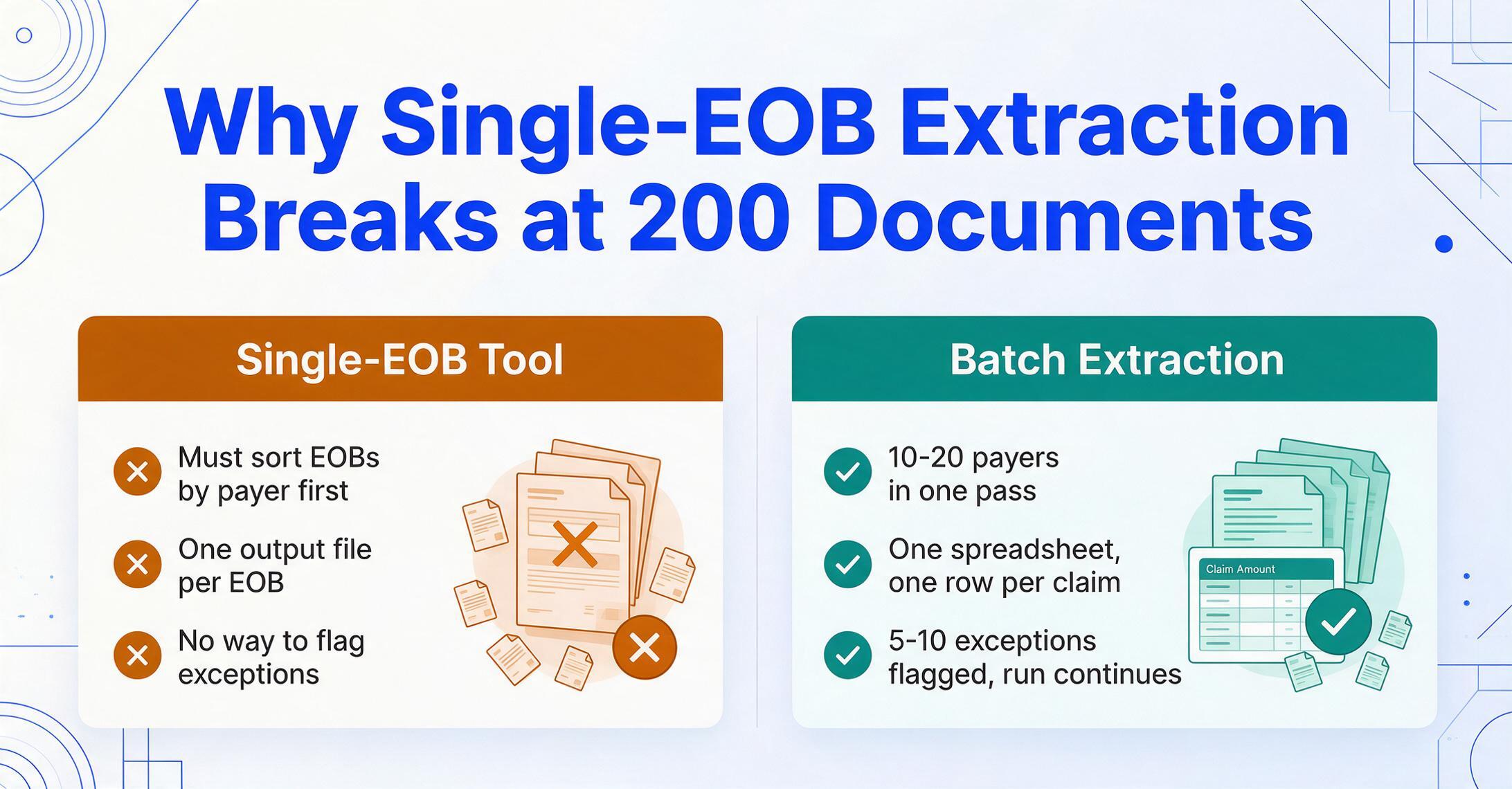
Processing one EOB is a fundamentally different problem from processing 200 at once. The single-EOB workflow—open a PDF, extract data, copy to system, repeat—breaks at volume in ways that have nothing to do with extraction accuracy.
Mixed-payer stacks. A batch of 200 EOBs typically contains documents from 10 to 20 different payers. Medicare EOBs use CARC/RARC code pairs in a specific remittance advice format. UnitedHealthcare EOBs structure patient responsibility differently from Aetna EOBs. A batch extraction tool must handle all of them in one pass without requiring the user to sort EOBs by payer first. If you have to separate them before uploading, you have only moved the manual work one step upstream.
Output merging. When a tool processes EOBs one at a time, the output is one file per EOB. Batch extraction means all 200 results arrive in a single spreadsheet—one row per claim, all columns aligned. This is the format billing managers need for bulk import into their practice management system or for month-end reconciliation.
Exception handling. In a batch of 200 EOBs, 5 to 10 will have something unusual: a handwritten adjustment note in the margin, a two-page EOB with continuation data, a patient name that is a near-match but not an exact match to your records. A batch workflow needs to flag these exceptions for human review without stopping the entire processing run. Tools that treat one-EOB-at-a-time extraction as the default offer no mechanism for this.
File sources. Billing teams pull EOBs from multiple channels: payer portals (Availity, UnitedHealthcare Provider Portal, individual carrier sites), emailed PDFs, faxed copies, and scanned paper originals. A batch workflow must accept any combination of these without separate preprocessing steps for each source.
If you're new to what an EOB actually is and which fields matter for reconciliation, our overview of EOB data extraction covers the field-level breakdown, and our complete guide to EOB data extraction walks through selection criteria and export options end to end. And for a side-by-side comparison of tools that can handle this kind of mixed-payer batch workflow, see our healthcare document extraction tools roundup, which tests seven tools on 40 real EOBs, claim forms, and patient documents.
How AI Reads EOB Layouts Without Per-Payer Templates
The technical approach that handles payer format variation is fundamentally different from template-based extraction. Template tools use fixed coordinates—"the allowed amount is at position X, Y on the page." When a payer changes its layout, the coordinate is wrong. When a new payer sends its first EOB, there is no template at all.
AI-based extraction using vision language models works differently. Instead of matching page coordinates, it reads the document semantically—understanding what each section means, not just where it sits. You define the columns you need: Patient Name, Date of Service, CPT Code, Billed Amount, Allowed Amount, Deductible, Coinsurance, Patient Responsibility, Adjustment Code (CARC), Adjustment Amount, Denial Reason. The AI locates each value anywhere on the page by understanding the document's structure—the same way a human biller scans an unfamiliar EOB layout, finds the patient name near the top, and traces across column headers to find the allowed amount.
This approach, which ImageToTable.ai calls column-name extraction, means you type the field names you want and the AI maps them to values regardless of where each payer places those fields. One configuration processes a UnitedHealthcare EOB and an Aetna EOB in the same batch without modification. The output is a unified spreadsheet where every row has the same columns, regardless of which payer generated the original PDF.
Files are processed securely and not stored.
This is the difference between building and maintaining 20 extraction templates—one per payer—and defining your output columns once. For a billing team processing EOBs from 15 or more payers, the maintenance burden of the template approach is not a one-time cost. It is an ongoing operational tax.
A Batch EOB Extraction Workflow, Step by Step
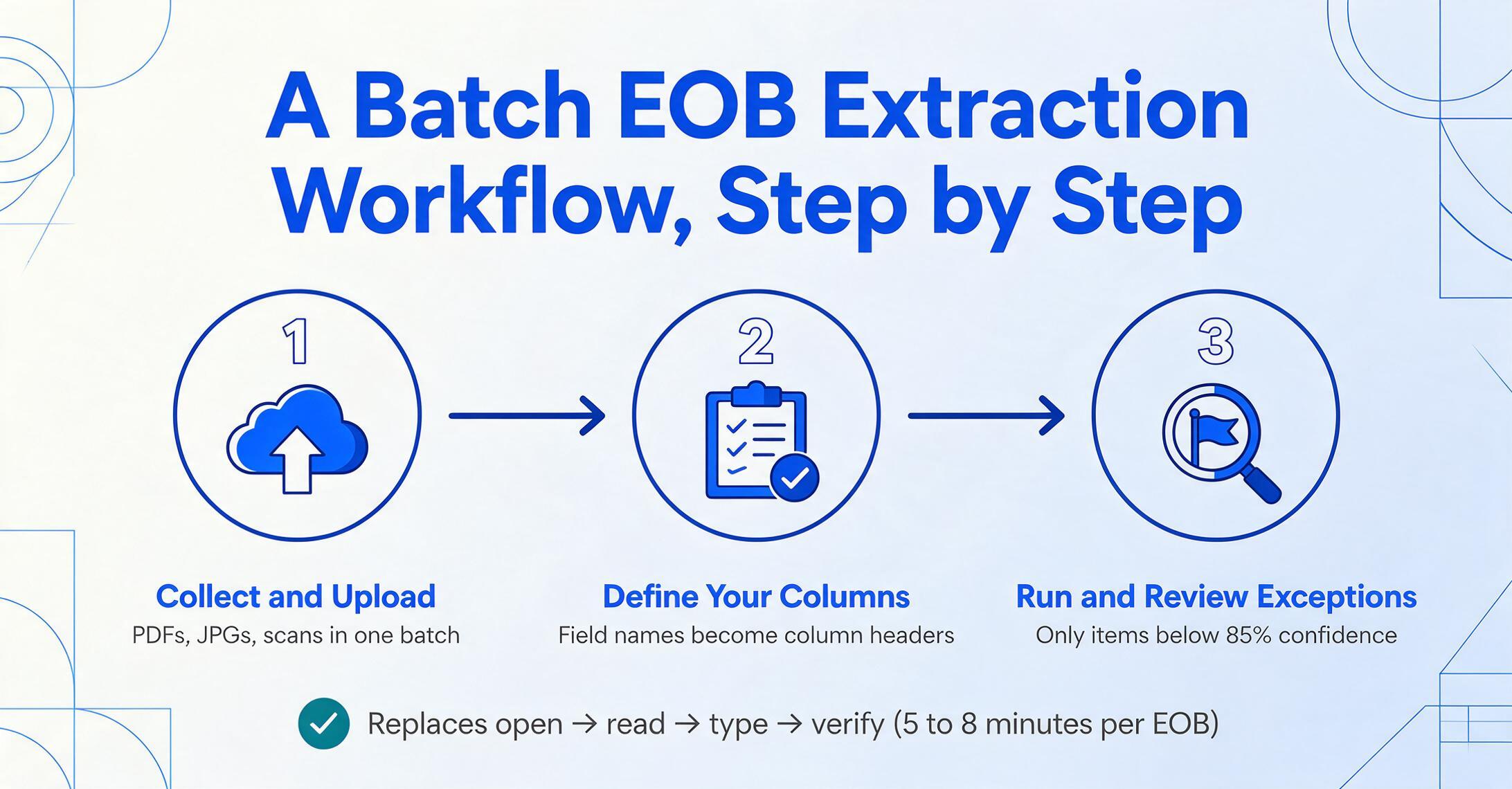
A batch EOB extraction workflow differs from a single-document workflow in three stages: preparation, processing, and exception review. Here is how each works in practice.
Collect and upload.
Gather EOBs from payer portals, email, and scanned paper copies into a single folder. Upload the full batch—no need to sort by payer or separate PDFs from scans. ImageToTable.ai accepts PDFs, JPG, and PNG files in a single upload.
Define your columns.
Enter the field names you need: Patient Name, Date of Service, CPT Code(s), Billed Amount, Allowed Amount, Deductible, Coinsurance, Copay, Patient Responsibility, Paid Amount, Adjustment Code, Adjustment Reason, Check/EFT Number, Check Date. These become the column headers in your output spreadsheet.
Run and review exceptions.
The AI processes all documents in one pass. Each extracted value carries a confidence score. Set a threshold (e.g., below 85%) to flag items for human review. A billing staff member checks only the flagged items—perhaps 5% of the total data—instead of verifying every field on every EOB.
This three-step workflow replaces the per-EOB cycle of open → read → type → verify that occupies 5 to 8 minutes per document. The difference at 500 EOBs per month is roughly 40 hours of staff time recovered—time that shifts from data entry to denial analysis, appeal preparation, and payer follow-up. For a hands-on walkthrough of this batch workflow from upload to spreadsheet output, see our guide on converting EOBs to Excel.
From Extracted Data to Billing System: The Missing Step
The most common question billing managers ask after seeing an extraction demo is: "How does this get into my system?" The answer depends on the practice management software in use, but the pattern is consistent: the batch extraction output—typically an Excel spreadsheet or CSV file—maps to the import interface of the billing platform.
Kareo supports ERA auto-posting for enrolled payers and manual payment entry for non-ERA EOBs. Batch-extracted EOB data can be reviewed and entered during the payment posting workflow, or imported if the practice uses Kareo's batch import tools. AdvancedMD provides eRemittance review screens where extracted payment data can be reconciled against claims. CollaborateMD routes claims through its Claim Control Center; extracted adjustment data feeds into the denial management queue.
The columns you define during extraction should match the fields your billing system expects. If your system needs patient account numbers, include that as a column. If you track CARC and RARC codes (Remittance Advice Remark Codes—supplemental codes providing additional context to CARCs, such as "N130: Additional documentation required for claim processing"), include those as separate columns. The extraction output becomes a structured dataset that feeds directly into the revenue cycle workflow. For teams that want to go a step further, ImageToTable.ai supports inferred columns: you can define a column like "Denial Category (options: Coding Error / Eligibility / Authorization / Medical Necessity / Timely Filing / Other)" and the AI classifies each denial into a bucket based on the CARC code and remark text—classification and extraction in a single pass.
This is where batch extraction creates compounding value. A single-EOB tool saves 5 minutes on one document. A batch tool that also classifies denials and maps to billing import fields saves 5 minutes per EOB and eliminates the 15-20 minutes per batch that staff spend on post-extraction sorting and categorization.
Batch EOB Processing and HIPAA Compliance
Any tool that handles EOB data processes protected health information (PHI). HIPAA compliance is not a box to check at the end of a vendor evaluation—it is the first filter. The core requirements for a batch EOB extraction tool are: encryption in transit and at rest, no persistent storage of uploaded documents unless explicitly configured, and a Business Associate Agreement (BAA) available for covered entities.
ImageToTable.ai processes files during extraction and does not retain them afterward. For healthcare organizations, the practical workflow implication is straightforward: upload EOB PDFs from a secure environment, extract data, download the structured output, and delete the source files from the upload queue. The data leaves the extraction environment and enters your practice management system under your existing compliance controls.
That said, billing teams should verify any extraction tool's specific compliance certifications (SOC 2, HIPAA attestation) against their organization's requirements. No tool removes the obligation to conduct vendor due diligence, and this article is not a substitute for that process.
Practical advice: Before batch-processing EOBs through any extraction tool, confirm the vendor provides a BAA, verify data handling and retention policies, and test on de-identified sample EOBs first to ensure the workflow meets your compliance requirements.
Frequently Asked Questions
Can batch EOB extraction handle Electronic Remittance Advice (ERA) files?
ERA files (ASC X12 835 format) are already structured data—they do not need extraction. If you receive both ERA files and PDF EOBs, batch extraction handles the PDF/paper portion of your EOB intake. The extracted data can be formatted to match your ERA posting workflow so all payments, regardless of source format, feed into the same reconciliation process.
Does batch extraction preserve leading zeros on CPT codes and NPI numbers?
Yes. Preserving leading zeros is a formatting concern at the output stage. ImageToTable.ai column-name extraction preserves the original data as it appears on the document. When exporting to Excel, you can specify text formatting for CPT code, NPI, and account number columns to prevent spreadsheet software from stripping leading zeros.
What accuracy rate should I expect on mixed-payer EOB batches?
Printed text on clean EOB PDFs typically extracts at 95-99% field-level accuracy. Accuracy drops on heavily scanned or faxed documents, handwritten margin notes, and unusual payer formats that deviate significantly from standard EOB layouts. The batch workflow is designed around this reality: confidence scoring flags the uncertain extractions for human review, so 100% of the data that posts to your billing system has been verified, either by AI confidence or by staff check.
How long does it take to set up for a new payer's EOB format?
With column-name extraction, zero setup time. The same column definitions you created for UnitedHealthcare EOBs work on a new payer's format immediately—the AI reads the document contextually rather than matching a stored template. If a new payer's EOB uses an unfamiliar term for a standard data point (e.g., "Plan Paid" instead of "Allowed Amount"), the first batch may require a column name adjustment, but there is no template to build or train.
Can batch extraction handle handwritten notes on EOBs?
Partially. AI-based extraction can read clear handwriting on documents, but accuracy is lower than for printed text. Handwritten adjustments in margins—common on EOBs where an insurer manually annotates a denial reason—will likely be flagged by the confidence scoring system for human review. For teams that receive a high percentage of annotated EOBs, batch extraction still saves time on the 90% of printed data while routing handwritten content to staff for verification.
What happens if a batch contains both single-page and multi-page EOBs?
Each page of a multi-page EOB is processed as part of the same document. If you upload a 3-page Aetna EOB as three separate files, they will appear as three rows in the output. For batch workflows where multi-page EOBs are split across files, it is better to combine them into a single PDF per EOB before uploading, or to include a Claim Number column in your extraction definition so you can group related rows during reconciliation.
Testing Batch Extraction on Your Own EOBs
The argument for batch EOB extraction is ultimately not about accuracy percentages or industry benchmarks—it is about what changes when your billing team opens their queue on Monday morning and sees a completed spreadsheet instead of a stack of PDFs. The 5 to 8 minutes per EOB is not a theoretical estimate; it is a number billing managers can validate by timing their own staff on a typical batch. The question is what those recovered hours enable: more denials appealed, faster patient billing, shorter days in A/R, or simply a team that finishes payment posting before Wednesday instead of Friday.
Test on a batch of your own EOBs. Define the columns your billing system needs. See if the workflow from upload to structured spreadsheet fits your monthly cycle. The only way to evaluate whether column-name extraction handles your specific payer mix is to run it on your actual documents.