70 Patient Superbills,
One Spreadsheet
A clearinghouse validates CPT codes and transmits claims to payers. What it does not do, and what no clearinghouse does, is extract the CPT codes, ICD-10 diagnoses, modifier flags, and charge amounts from the superbill in the first place. Someone still has to type each field into the system before Availity or Change Healthcare ever sees it. For a two-physician practice seeing 70 patients a day, that someone spends three hours just on data entry before any claim ever leaves the building. The bottleneck is not the clearinghouse. It is the step everyone skips over.
Key Takeaways
- Seventy patient superbills hit the billing desk every evening and each one needs eleven fields transcribed before the clearinghouse sees a single claim.
- Availity processes 13 billion transactions a year but was designed as a toll booth, not a loading dock: it validates the codes it receives and does not extract them from paper.
- Upload the full day's seventy superbills with your column names set once, and a single spreadsheet with every code aligned across all patients arrives in minutes, each value click-checkable against the original document.
The Clearinghouse Gap That Keeps Your Biller Typing All Day
Clearinghouses such as Availity, Change Healthcare (now Optum), Office Ally, and Waystar occupy a specific place in the medical billing stack. They receive structured claim data in standard formats (ASC X12 837 for professional claims, for example), run validation rules against payer requirements, and route the cleaned claims to the correct payers. Availity processes over 13 billion transactions annually. Change Healthcare handles 15 billion, representing more than $1.5 trillion in claims. These are the industry's digital highways.
But clearinghouses are toll booths, not loading docks. They check that a claim's CPT code matches the ICD-10 diagnosis code. They flag a missing modifier. They verify patient eligibility in real time. What they cannot do, and were never designed to do, is read an unstructured superbill or patient invoice and populate those fields into the claim form.
A superbill is the encounter-level document that captures everything a provider did during a visit: the CPT procedure codes for services rendered, the ICD-10-CM diagnosis codes, the place-of-service (POS) code, any applicable modifiers, the rendering and referring NPI numbers, and the charge amounts. Some practices generate superbills inside their EHR and print them. Others fill them out on paper encounter forms (carbon-copy sheets with checkboxes for common codes) and hand them to the biller. In both cases, the biller still has to transcribe every field from the superbill into the practice management or billing system, one encounter at a time.
That transcription step is what sits between your clinical day and your clearinghouse. And it is the step that nobody in the billing software industry seems to talk about.
Key insight: A clearinghouse accelerates what happens after codes are entered. It does nothing to accelerate the entering. For a small practice without a revenue cycle management (RCM) platform with built-in charge capture, the gap between the superbill on the desk and the claim in the queue is entirely manual.
What a Daily Superbill Stack Actually Costs Your Practice
A two-physician primary care practice sees 60 to 80 patient encounters per day. At the conservative end of 70 encounters, each producing one superbill or patient invoice, that is 70 documents entering the billing queue every evening. Each one needs: patient name spelled correctly, account number, date of service, CPT code(s), ICD-10 code(s) linking diagnosis to procedure, place of service, any applicable modifier (25, 59, LT/RT), charge per line item, rendering provider NPI, and for consultations or shared visits, the referring provider NPI.
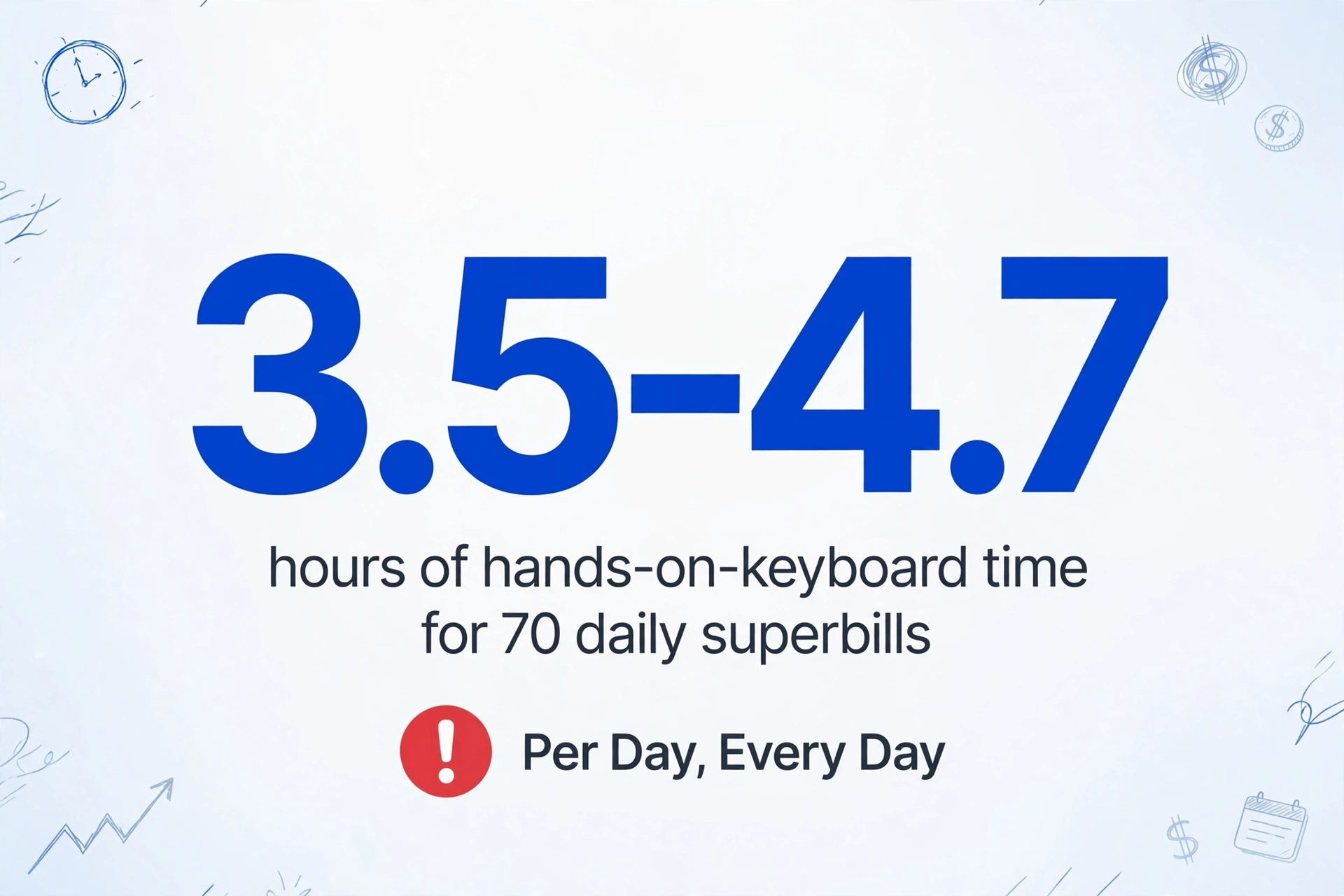
At 3 to 4 minutes per superbill, a realistic pace for a biller who knows the codes cold and types fast, 70 encounters consume 3.5 to 4.7 hours of hands-on-keyboard time. That is half a working day, every day, devoted purely to transcribing numbers from one format to another.
At a median billing staff wage of $22 to $24 per hour for small practices, based on AAPC 2025 salary survey data showing solo and small group practice billing staff earning $53,000 to $58,000 annually, the math is straightforward:
| Cost Factor | Daily | Monthly (22 days) | Annual (264 days) |
|---|---|---|---|
| Labor cost @ $22/hr | $77 – $103 | $1,694 – $2,266 | $20,328 – $27,192 |
| Superbills processed | 70 | 1,540 | 18,480 |
| Billable hours consumed | 3.5 – 4.7 | 77 – 103 | 924 – 1,232 |
And this is only the data entry cost. It does not include the downstream impact of transcription errors. A mistyped CPT code, say 99213 instead of 99214, or a modifier 25 omitted from a same-day procedure visit, either undercodes the claim and leaves revenue on the table, or triggers a clearinghouse rejection that sends the biller back to the superbill for correction. CPT coding error rates are documented and substantial: a 2025 review published in Cureus found coding inaccuracies of 38% in anesthesia, 46% in general surgery, and 41% in orthopedic surgery billing. Each corrected error costs the practice additional biller time, and each uncorrected undercode is direct revenue loss.
How Batch Extraction Works for Medical Billing: One Day, One Pass
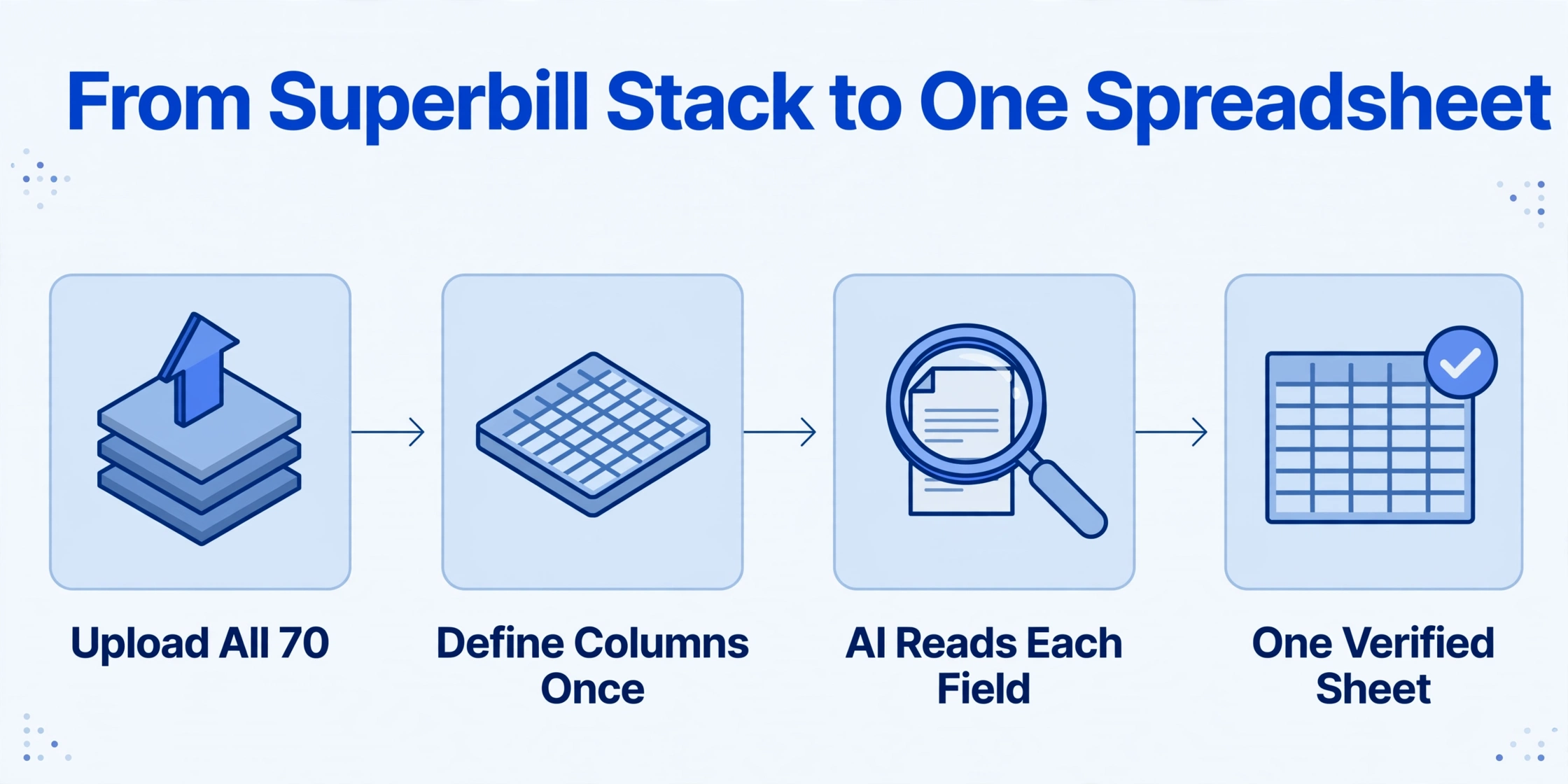
The alternative to processing 70 superbills one at a time is a batch extraction workflow: upload all of the day's documents at once, define the columns you need once, and receive a single spreadsheet containing every data point from every encounter. Here is what that looks like in practice.
Instead of typing patient names, CPT codes, and charge amounts into a system or spreadsheet row by row, you upload the entire day's worth of superbills (PDF prints from the EHR, scanned paper encounter forms, or even photos of completed superbills taken with a phone) as a single batch upload. You define the output columns: Patient Name, Account Number, Date of Service, CPT, ICD-10, POS, Modifier, Charges, Rendering NPI, Referring NPI. The AI reads each document, locates each field by understanding what it means rather than where it sits on the page, and populates the spreadsheet.
This approach, column-name extraction, is different from template-based tools that require you to draw boxes around fields on a reference document. Template tools assume every superbill follows the same layout. They do not. An EHR-printed superbill from eClinicalWorks formats charge lines differently from one printed by Athenahealth. A paper encounter form with handwritten checkmarks is an entirely different visual document than a PDF-generated superbill from Practice Fusion. Column-name extraction handles all three formats in the same batch because it reads semantically, the same way a human biller scans an unfamiliar form and finds the CPT code, regardless of whether it appears in a table, a margin, or a handwritten note.
At the end of the batch run, which takes seconds per document, you have one spreadsheet where Row 1 is Mrs. Chen's 99213 with J20.9, Row 37 is Mr. Patel's 99214-25 with I10 and E11.9, and Row 70 is the last encounter of the day. Every row has the same columns, every column is aligned, and the data is ready for charge entry into your billing system or for direct import if your PM supports it.
Files are processed securely and not stored.
A batch workflow also eliminates the context-switching cost that single-entry workflows impose. A biller typing CPT codes one at a time alternates between looking at a superbill, typing into a system, checking the next superbill, typing again, a cognitive toggle that accumulates fatigue and errors across a 4-hour session. Processing the entire day's stack in one pass means the biller uploads, defines columns once, and reviews the output as a unified spreadsheet, catching outliers and mismatches in a single review sweep rather than discovering them one encounter at a time.
That last step, the review sweep, now has visual backup built in. In ImageToTable.ai's review mode, hover or click any extracted cell, such as an ICD-10 code or a charge amount, and the original superbill highlights the exact spot that value came from, so you can confirm the AI read Mr. Patel's 99214-25 and not a neighboring line. Click a region on the image and it jumps back to the matching cell; edit a value and the AI's original reading stays one click away if you want to revert. Turn on auto-annotation after processing and this location overlay is already generated for every document when you open the batch, so verifying seventy rows against their originals takes clicks, not a paper trail of superbills shuffled across the desk.
Same-Day Claim Submission and What It Does to Your A/R
The most immediate operational impact of batch extraction is not the hours saved. It is the compression of the time between the patient walking out the door and the claim landing in the payer's system.
In a manual workflow, the sequence is: clinical day ends (5 PM) → biller starts data entry (next morning, because 4 hours of typing cannot happen at 5:15 PM) → data entry completes (noon) → claim scrubbing and submission (afternoon) → claims reach payer (end of day 2 after service). In a batch extraction workflow: clinical day ends → all superbills uploaded and processed (10 minutes) → output reviewed (15 minutes) → charge entry complete (still day of service) → claims submitted to clearinghouse (same day). The entire timeline compresses from 24-48 hours post-service to same-day.
This compression matters because days in accounts receivable (A/R days), the average number of days between service date and payment receipt, is the single most sensitive lever in a small practice's cash flow. Industry benchmarks suggest well-run practices target 30 to 45 days in A/R for insurance claims. Every day trimmed from the front end of that clock is a day subtracted from the back end.
Quantifying the impact is difficult without a controlled study in a specific practice, but the clinical literature offers a directional benchmark. Reich et al. (2022) implemented an automated point-of-care electronic charge voucher system in an academic anesthesiology practice and documented two outcomes: a 10-day reduction in accounts receivable and a 3% increase in annual revenue. The mechanism was straightforward: faster charge capture meant faster claim submission, which meant faster payment. The same logic applies to a small practice moving from manual superbill transcription to batch extraction: the revenue cycle does not get smarter, it gets shorter.
There is also the matter of billing staff capacity. If a biller currently spends 3.5 hours per day on data entry and that drops to 30 minutes of review, they reclaim 3 hours daily for higher-value revenue cycle tasks: denial follow-up, payer phone calls, patient balance resolution, and, most importantly, appealing the claims that were incorrectly denied. The CAQH 2025 Index found that U.S. healthcare avoided an estimated $258 billion in administrative costs in 2024 through electronic transaction adoption, yet the parts of the revenue cycle that remain manual, such as charge entry from paper or PDF superbills, still have the most room to improve.
Finding Denial Patterns in Your Batch Output Before Claims Go Out
One underused capability of a unified batch spreadsheet is pre-submission denial analysis. When charge data from 70 daily encounters sits in a single Excel file with aligned columns for CPT, ICD-10, modifier, POS, and charges, you can filter and sort to spot combinations that specific payers consistently reject.
Consider two patterns that a biller would rarely catch when processing superbills one at a time:
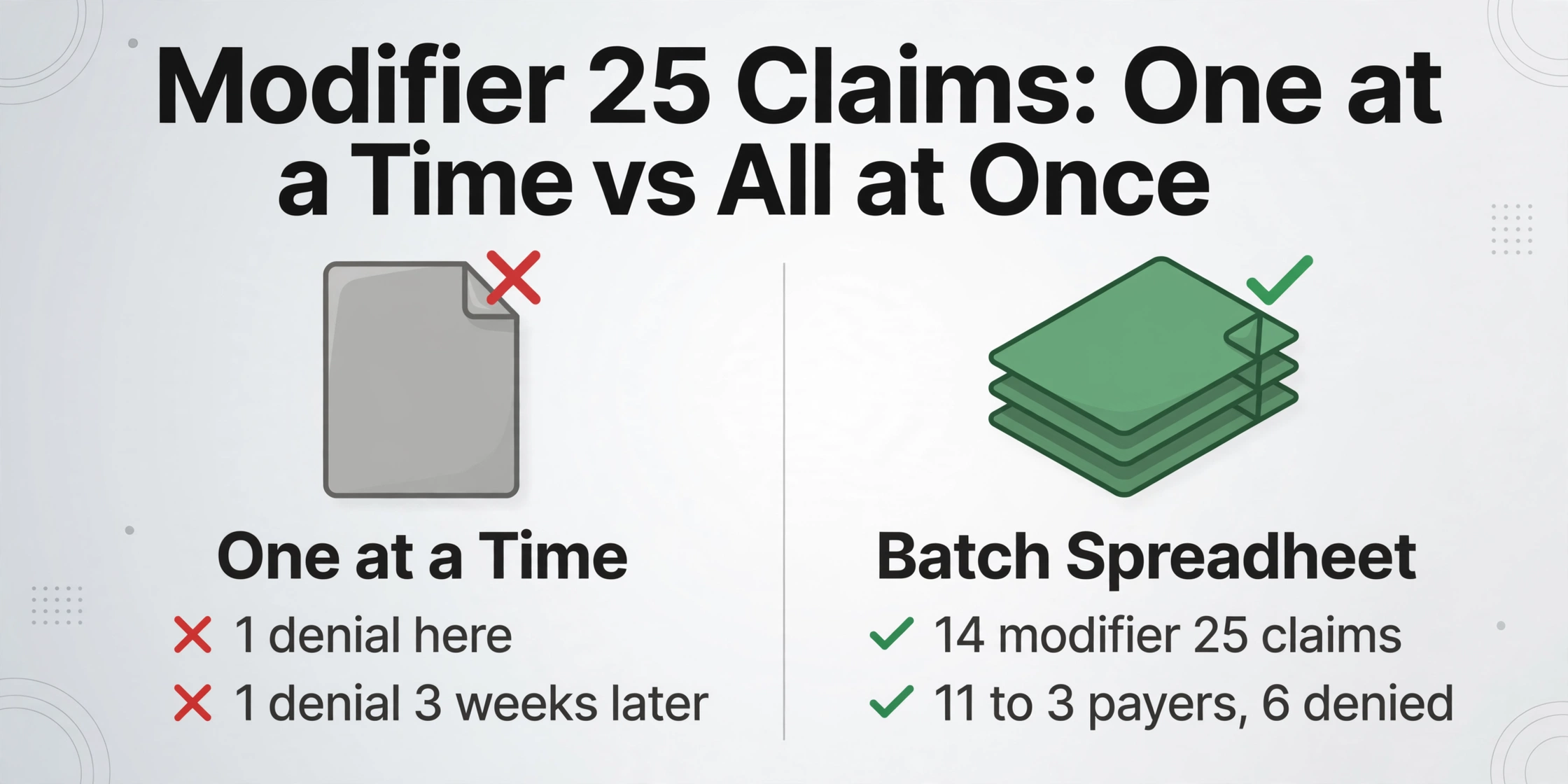
Modifier 25 with certain payers. Modifier 25 indicates a significant, separately identifiable evaluation and management (E/M) service on the same day as a minor procedure. Some commercial payers, particularly certain regional Blue Cross plans, have been tightening modifier 25 scrutiny, requesting documentation for any claim that pairs 99214-25 with a procedure code. A biller processing 70 superbills individually might notice one denial and fix it, then see another one three weeks later and fix it again without ever connecting them. A batch spreadsheet filtered by payer and modifier 25 shows all occurrences at once, making the pattern visible: out of 14 modifier 25 claims this week, 11 went to three payers, and 6 of those were denied on first pass. That is not a coding problem. It is a payer behavior pattern that the practice can preempt by attaching supporting documentation to those claims before submission.
CPT and ICD-10 mismatch for specific combinations. Medicare's National Correct Coding Initiative (NCCI) edits define pairs of CPT codes that should not be billed together and pairs of CPT and ICD-10 codes that lack medical necessity linkage. A biller who enters codes one encounter at a time might not notice that CPT 99213 + ICD-10 Z00.00 (general adult exam without abnormal findings) is being submitted across encounters where the actual visit notes support a higher-acuity diagnosis. The batch spreadsheet, filtered by CPT code and sorted by ICD-10, reveals this pattern in seconds: the practice is consistently undercoding because the default encounter form lists Z00.00 as a convenience checkbox, and the biller is not cross-referencing the clinical notes. Correcting that across all affected claims before submission recovers revenue that was being left on the table.
Why this matters differently at scale: A practice submitting 1,500 claims per month with a 8-10% denial rate (the national average for physician practices according to MGMA data) is generating 120 to 150 denied claims monthly. At an average cost of $25 to $43 per denial for rework and resubmission, that is $3,000 to $6,450 per month in avoidable rework cost. Batch analysis does not eliminate denials, but it surfaces the patterns that let the biller address root causes instead of treating symptoms one claim at a time.
When denied or adjudicated claims come back as paper or PDF EOBs (explanations of benefits), the same batch discipline applies on the receiving end: batch EOB extraction turns a stack of remittance documents into the same kind of sortable spreadsheet, so claim submission and denial review both run on unified data instead of one document at a time.
What Batch Extraction Does and Does Not Replace
It is worth being precise about what this workflow changes and what it does not.
What it replaces: Manual transcription of superbill data into a spreadsheet, billing system, or practice management platform. Column-name extraction reads CPT codes, ICD-10 codes, patient names, dates, modifiers, NPI numbers, and charge amounts from any format of superbill, whether PDF, scanned paper, or photo, and delivers them in a unified spreadsheet. It also replaces the need to sort superbills by format or source before processing, since the AI reads each document independently of its layout.
What it does not replace: An EHR, a practice management system, a clearinghouse, or a certified professional coder's clinical judgment. The AI extracts what is written on the superbill. If the provider circles the wrong CPT code on a paper encounter form, say 99213 when the documentation supports 99214, the tool extracts 99213. It does not audit clinical documentation for appropriate coding levels. It does not submit claims to payers. It does not manage denials or appeals. What it does is eliminate the step where a trained biller spends 3.5 hours a day typing numbers from one document into another. That frees the biller for the work that actually requires human judgment: verifying code accuracy against documentation, appealing denials, and chasing unpaid claims.
For a small practice without an RCM platform, the kind of practice where the biller uses a spreadsheet as the daily charge log, or where the practice management system's charge entry interface is a clunky data-entry screen with no import capability, the spreadsheet output from batch extraction is the charge log. It can be reviewed, corrected if needed, and used as the source document for data entry into the PM or clearinghouse portal. For practices using a PM with spreadsheet import support, the output can flow directly into the system with minimal manipulation. The same column-name workflow applies beyond superbills: if part of your stack is patient bills and clinic invoices, the dedicated guide to medical invoice to Excel extraction covers that document type.
FAQ
Can this extract CPT codes from handwritten superbills?
Yes, with the caveat that handwriting legibility matters. AI-based extraction can read handwritten CPT codes, checkmarks, and circled codes on paper encounter forms, but severely illegible handwriting will produce errors, just as it would for a human biller. The output should always be reviewed, especially for handwritten documents.
Does batch processing work across different EHR superbill formats?
Yes. Because the extraction is semantic rather than template-based, the AI locates fields by understanding what they mean rather than where they are positioned on the page. A superbill printed from eClinicalWorks, one printed from Athenahealth, and a paper encounter form can be uploaded in the same batch and processed together. You define the columns once, and the AI maps values from each document independently.
Is patient data secure? What about HIPAA?
HIPAA compliance is a legitimate concern for any tool that processes protected health information (PHI). HIPAA's Security Rule (45 CFR Part 164, Subpart C) requires administrative, physical, and technical safeguards for electronic PHI. Before uploading any patient data, verify that the tool you use meets HIPAA compliance requirements for data transmission and storage. ImageToTable.ai processes files through encrypted connections and does not store uploaded documents, but any cloud-based tool should be evaluated against your practice's specific HIPAA compliance obligations and a Business Associate Agreement (BAA) may be required.
What if the superbill has multiple CPT codes for one encounter?
Many encounters generate more than one procedure code, for example an E/M visit (99214) plus a minor procedure with modifier 25. The batch output handles this by producing one row per charge line, not one row per encounter. So an encounter with two CPT codes generates two rows in the spreadsheet, both linked to the same patient, DOS, and encounter data. This is typically preferable for charge entry because most billing systems require one charge line per CPT code.
How does this compare to RCM software with built-in charge capture?
Full RCM platforms (Athenahealth, Kareo/Tebra, AdvancedMD) include charge capture features that pull data directly from the EHR encounter note into the billing system, bypassing the superbill entirely. If your practice already uses one of these platforms and your EHR and RCM are integrated, you may not need batch extraction. This workflow is designed for practices that use standalone billing, a basic PM without charge capture, or a spreadsheet-based charge entry process, which describes a large share of small independent practices in the U.S.
Reducing the Gap Between Service and Settlement
Medical billing has two gaps. The first, between claim submission and payment, gets all the attention. RCM consultants, clearinghouses, denial management services, and revenue cycle analytics all focus on compressing this gap. The second, between the clinical encounter and the claim existing at all, is quieter. It lives in the 3.5 hours a day that a biller spends typing CPT codes from superbills into a system, and in the 24 to 48 hours of delay that manual data entry adds to every claim before it reaches the clearinghouse.
Compressing the first gap without addressing the second is like optimizing the second half of a relay race while the first runner is still walking to the track. Batch extraction shortens the first leg. The clearinghouse still validates the codes. The payer still adjudicates the claim. But the data that feeds both of them arrives the same day it was generated.