Manual Expense Reconciliation,
Priced Against the Automated Version
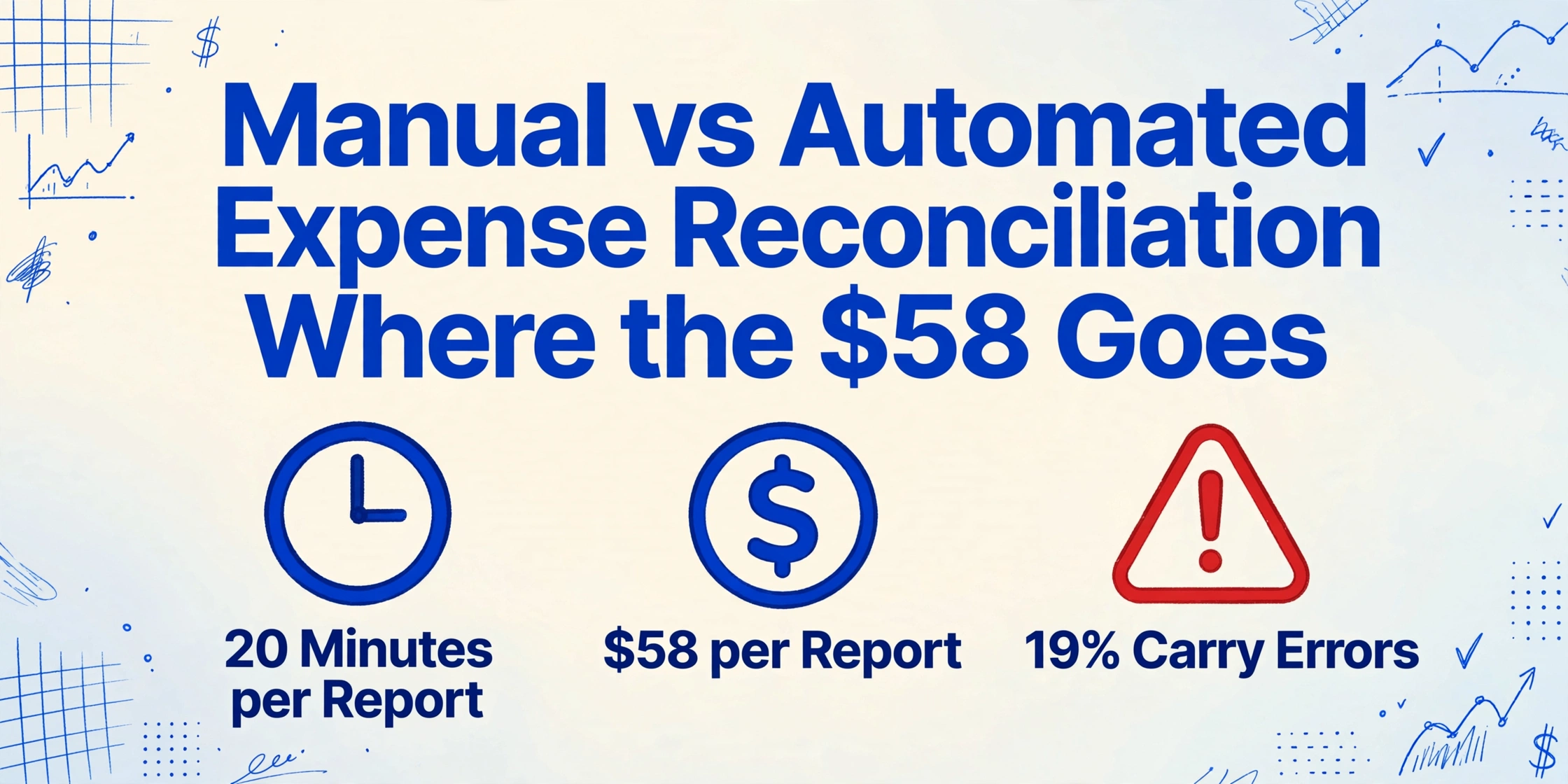
The GBTA Foundation put a single expense report at $58 and 20 minutes to process, with one in five reports carrying an error that costs another $58 and 18 minutes to fix (2015, still the most recent published benchmark). What that number means for a company depends on how many reports it runs, which is why the manual-versus-automated question is a volume question before it is a software question.
The per-report cost does not shrink as you get better at the manual process: the twentieth report takes the same 20 minutes as the first, and so does the two-hundredth. That constant makes automation look like a poor trade at low volume and an obvious one at high volume. Every number below uses that benchmark, so you can run your own volume through the same math.
Key Takeaways
- $58 and 20 minutes is the published cost of one expense report, and the two-hundredth costs exactly the same.
- Practice does not lower the cost: the same numbers get typed twice and matched by eye once.
- Automation deletes that re-typing and re-matching without touching the manager's approval or the reviewer's judgment.
Where Those 20 Minutes Actually Go
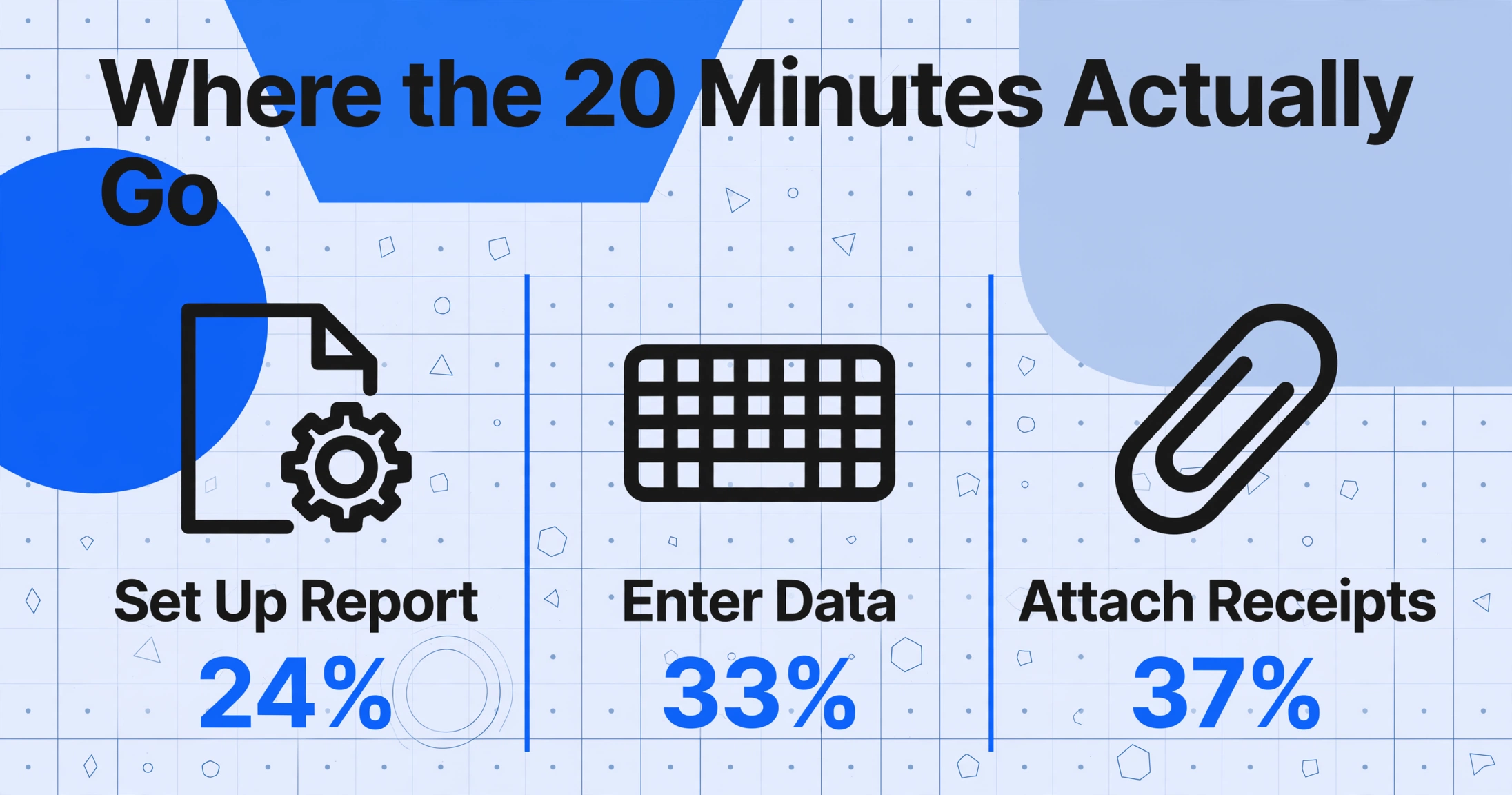
The GBTA study asked travel buyers which steps of preparing a report were most troublesome, and the front half won: setting up the report (24 percent), entering the data (33 percent), and attaching receipts (37 percent) (GBTA Foundation). The finance review most discussions center on scored lower than all three. Among companies that process reports internally with no third-party software, the pain rises to 49, 54, and 55 percent for those same steps.
Assembling, typing, and attaching are the most painful steps, and they are the ones nobody thinks of as accounting. They are where the 20 minutes sit.
The Manual Process, Priced Step by Step
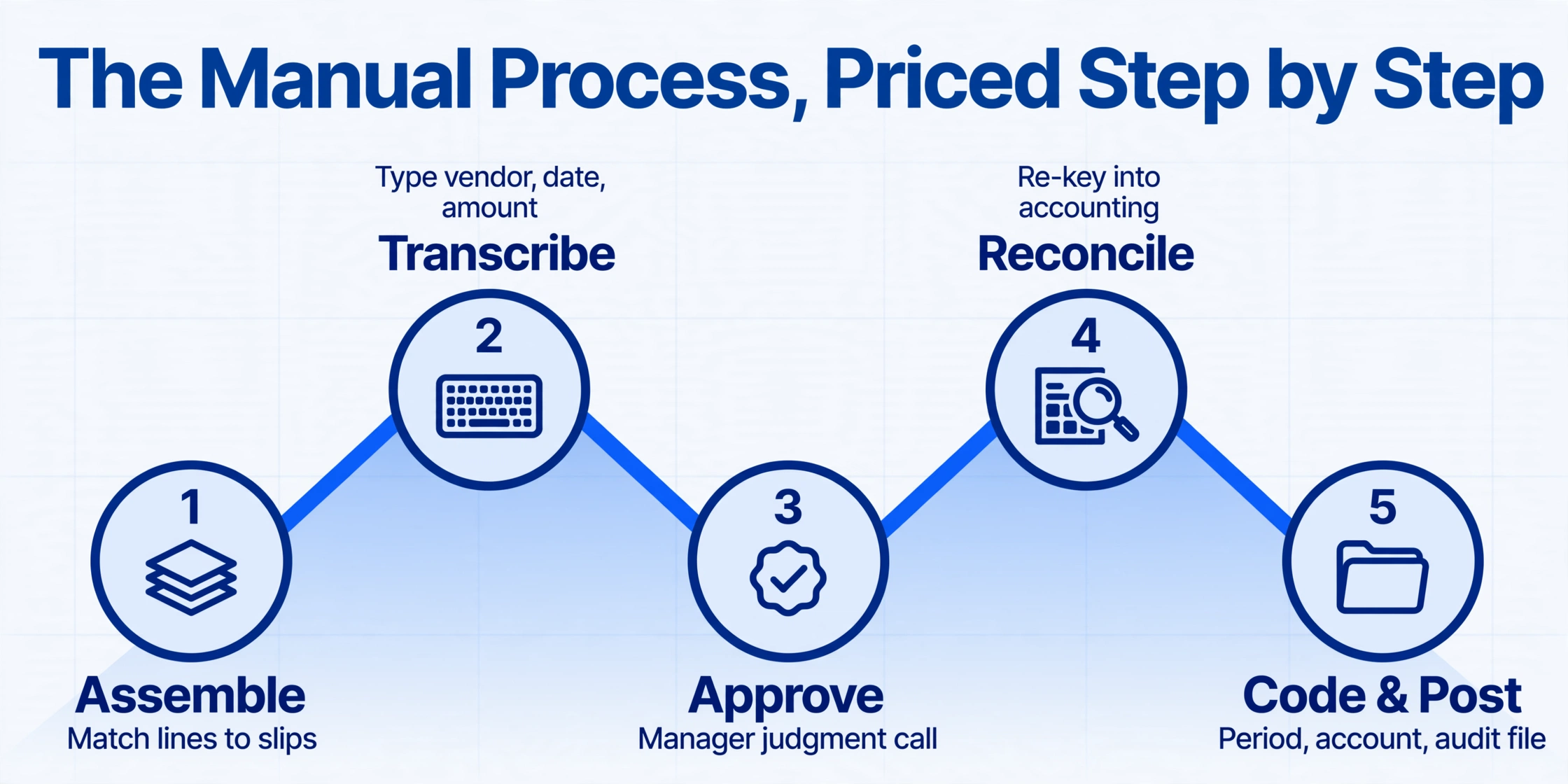
A manual report passes through five hands, and the same numbers get typed more than once. The employee assembles the report, the manager approves business purpose, the finance team checks every line against its receipt and re-keys the data into the accounting system, and the accountant or controller picks the period and account. Each handover is a chance for claim and receipt to drift apart.
Price that with the GBTA benchmark and the annual cost is arithmetic: 20 minutes and $58 per report, plus 18 minutes and $58 for each of the 19 percent of reports that need correction.
| Reports per month | Processing hours per year | Correction hours per year | Annual admin cost |
|---|---|---|---|
| 10 | 40 hours | ~7 hours | $8,294 |
| 50 | 200 hours | ~34 hours | $41,412 |
| 200 | 800 hours | ~137 hours | $165,648 |
Arithmetic on the GBTA benchmark at $58 and 20 minutes per report, a 19 percent error rate, and $58 and 18 minutes per correction. Loaded salaries and tax exposure excluded.
A 50-report month is about 234 hours a year, or six working weeks, spent moving existing data from paper into the books. The same volume with every step automated is not zero, but it loses the two transcription passes and the matching pass, which is where the hours sit. The full per-employee model of the same benchmark is in the companion piece on what manual expense reports cost per employee.
Why the Correction Loop Costs More Than $58
A correction is not an event but a round trip: finance flags the line, the employee answers, finance re-reads it. The 18-minute benchmark assumes a single exchange, yet a returned report often comes back without the missing amount or the readable receipt, and the loop restarts.
The second hidden cost is attention: after one flawed report in a batch, a reviewer slows down and re-checks the next several, adding minutes to fine reports. Neither effect appears in the benchmark, and both peak at month-end and year-end.
The third cost lands in payroll rather than the reconciliation queue, so the manual process never sees it. Under an accountable plan, reimbursement is not wages only while the expense is substantiated within a reasonable period; when substantiation fails, the payment can be treated as made under a nonaccountable plan and becomes wages subject to withholding and employment taxes (Treas. Reg. §1.62-2(h)). In Rev. Rul. 2006-56, the IRS applied exactly that logic to expense allowance arrangements: where an employer paid allowances without working substantiation or repayment of excess amounts, every payment under the arrangement was treated as made under a nonaccountable plan, meaning W-2 wages and employment taxes.
The receipt rule gives the same drift a price tag. Under IRC §274(d) and IRS Publication 463, documentary evidence is required for lodging at any amount and for any other single expense of $75 or more, and smaller items still need amount, date, place, and business purpose recorded. A reconciliation done by eye is exactly what lets a $54 claim sit beside a $45 receipt until an audit asks.
The Automated Counterpart, Step by Step
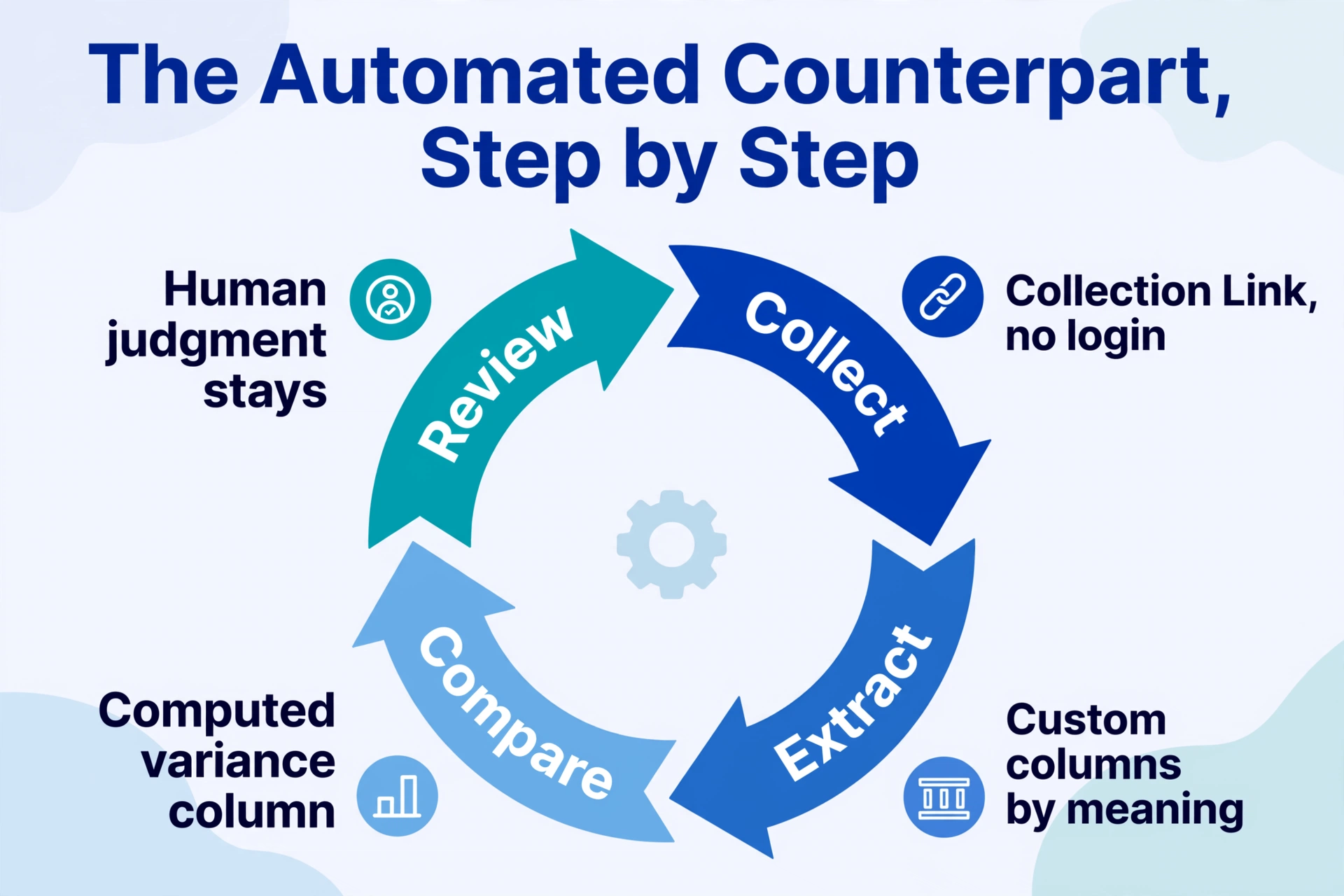
Automation removes the replication steps rather than replacing the reviewer. Where the manual process transcribes a receipt once and then again at review, the automated process reads the document once and keeps both sets of numbers. Two capabilities cover the two sides of the bottleneck: collecting evidence, and comparing numbers.
A Collection Link replaces the chasing half. It is a shareable URL shaped like /c/xxxx. Employees open it, enter a short verification code, and upload receipt photos or PDFs straight into your processing queue, with no account and no login. The settings that matter: one link per reporting period with a rotating code, and a queue timestamp on every upload, so an expense documented inside the 60-day window is provable rather than asserted. The employee's obligation shrinks to uploading the receipt when the purchase happens, and finance sees what is missing before the month closes.
Computed Columns replace the eyeball-subtraction half. Under the hood, receipts and claims are read with custom column extraction, where you type the column names you want and the AI finds each value by meaning rather than by position. On top of that, a computed column performs a calculation you describe in the column name during extraction. Name a column Variance (Receipt Amount - Amount Claimed) and the output table contains the difference on every row, so the reviewer stops subtracting two columns by eye and starts scanning a single column for anything that is not zero.
| Manual step | Automated counterpart | What is left for a person |
|---|---|---|
| Assemble receipts and report | Collection Link uploads both through one link | Confirming an upload belongs to the right person |
| Transcribe each line | Custom columns read each document once | Reviewing extracted fields when a value looks off |
| Match claim to receipt by eye | Variance (Receipt Amount - Amount Claimed) computed at extraction | Investigating why a variance is not zero |
| Re-key approved data into accounting | Spreadsheet export feeds the existing system | Confirming coding and posting decisions |
The failure modes swap, and the swap is the honest part. The manual process fails when a mismatch is never noticed, silently, until audit. The automated process fails when a poorly lit receipt photo is read wrong, and the variance column then flags a row that is not actually a claim error. That failure is visible the moment the row is read: the reviewer decides why a row disagrees instead of hunting for the rows that disagree. Teams receiving printed reports can route them through the same columns via the expense report to Excel path, and the fields a report can carry are in the complete guide to expense report extraction.
Files are processed securely and not stored.
What Automation Still Leaves to a Person
The judgment calls stay put, and the honest way to scope an automated reconciliation is to name them in advance. Whether a charge was for business is a manager's call. Which receipt proves which claim, when two receipts share an amount and a date, is a matching decision on top of the math. Exceptions to policy and pushback on a flagged line land on the reviewer. Under IRS Publication 463, lodging and any single expense of $75 or more still require the original receipt, so the extracted sheet is the working copy and the stored image is the evidence. Extraction quality also follows input quality, so a dark photo leaves gaps that a review pass must catch.
Existing platforms automate pieces of the pipe and each leaves a different step manual. Expensify reads receipts with SmartScan but centers on the report workflow. SAP Concur adds policy checks and enterprise approval routing. Ramp and Brex are card-first: purchases on their cards carry transaction data automatically, but cash spent outside the card still needs a receipt attached, and a card feed records that money moved, not that documentation exists. Zoho Expense and QuickBooks cover smaller teams with the same boundary. The mechanics of the full loop, including who owns each handoff, are in the companion guide to reconciling expense reports with a link and a shared column set.
When Automation Pays for Itself
The decision rule is volume. At 10 reports a month the setup saves a few hours, so the honest conclusion is to keep the manual process and revisit it as volume grows. At 50 reports a month, the same setup saves the better part of a working week every month, and at 200 reports, closer to two weeks. The setup cost does not move with volume, so the question is where your monthly count sits.
Below roughly 10 reports a month, the manual process is cheaper than the time it takes to change it. Above roughly 50, the same setup pays for itself within the first month. In between, measure your own months before deciding.
That is arithmetic on a 2015 benchmark, not a promise about your team, so treat the numbers as a floor and the rule as the takeaway. The comparison's direction is stable: automation removes the transcription and matching passes, leaves the manager, the reviewer, and the tax retention decisions intact, and makes a mismatch visible when it happens instead of at audit. The end-to-end workflow is covered in the reconciliation workflow guide, and fitting the cycle into a close is in the month-end guide.
Manual vs Automated Expense Reconciliation: Frequently Asked Questions
What does manual expense reconciliation actually cost?
The GBTA benchmark, still the most cited published figure, is $58 and 20 minutes per report, with 19 percent of reports carrying errors that add another $58 and 18 minutes to correct. For your own number: processing hours equal reports times 20 minutes, correction hours equal 19 percent of reports times 18 minutes, and the cost is $58 times both totals.
Does automated reconciliation mean nobody reviews anything?
No. It removes the transcription and matching passes, where the 20 minutes sit, and turns the comparison into a single computed variance column. The reviewer still decides whether a flagged row is an error or an exception, and the manager still approves business purpose.
Does the tool match my receipts to my claims for me?
It computes the difference between receipt amount and claimed amount on every row during extraction, so the table already shows which rows disagree. It does not decide that one receipt proves one claim, which is a matching decision that stays with a person.
Can I keep my existing spreadsheet and accounting software?
Yes. The output lands as a spreadsheet, so it feeds Excel, Google Sheets, QuickBooks, Xero, or an ERP through import. Nothing here requires replacing the accounting system or the approval workflow; it removes the replication steps around the systems you already use.
The $58 figure is from 2015. Is it still meaningful?
It is the most recent published benchmark of its kind, it is what the expense software industry cites, and wage inflation since then means the real number is likely higher. Treat it as a conservative floor rather than a ceiling.
The manual process is not expensive because the people are slow. It is expensive because the same data is typed twice, matched by eye once, and corrected on a loop, and none of that scales. Automation removes the replication and leaves the judgments, which is why above a certain volume the comparison stops being close.