More Stores, More Formats, More Copies of the Same Numbers
Here's What Manual Multi-Store Consolidation Costs
The expensive part of multi-store reporting is not the close. It is the chase: the emails asking where tonight's report is, the phone photos nobody can read, the controller who spends a morning rekeying twelve layouts into one workbook. That work has a price per location, and it grows on every store the group adds.
Key Takeaways
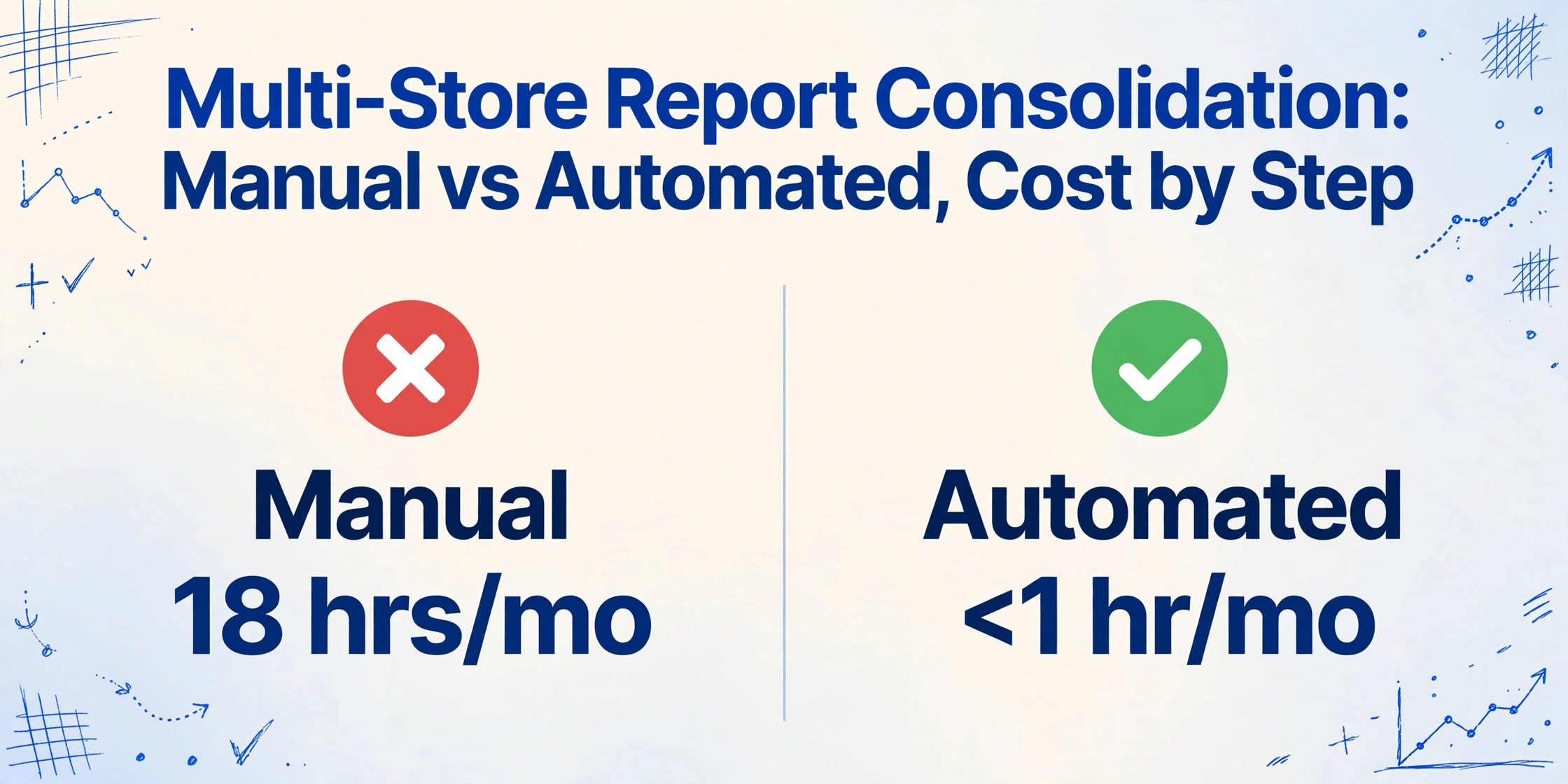
- 18 hours of copying a month can still leave the group sheet wrong, because the real error is a line meaning someone had to guess, not a lack of care.
- A "Total" that means net of tax at one store and cash only at another can be copied correctly and still be the wrong number.
- Define the columns once by meaning and the copy step disappears, leaving one reviewer to verify a single table against the original reports instead of rekeying twelve layouts.
The Step That Breaks First: Picking the Right "Total" to Copy
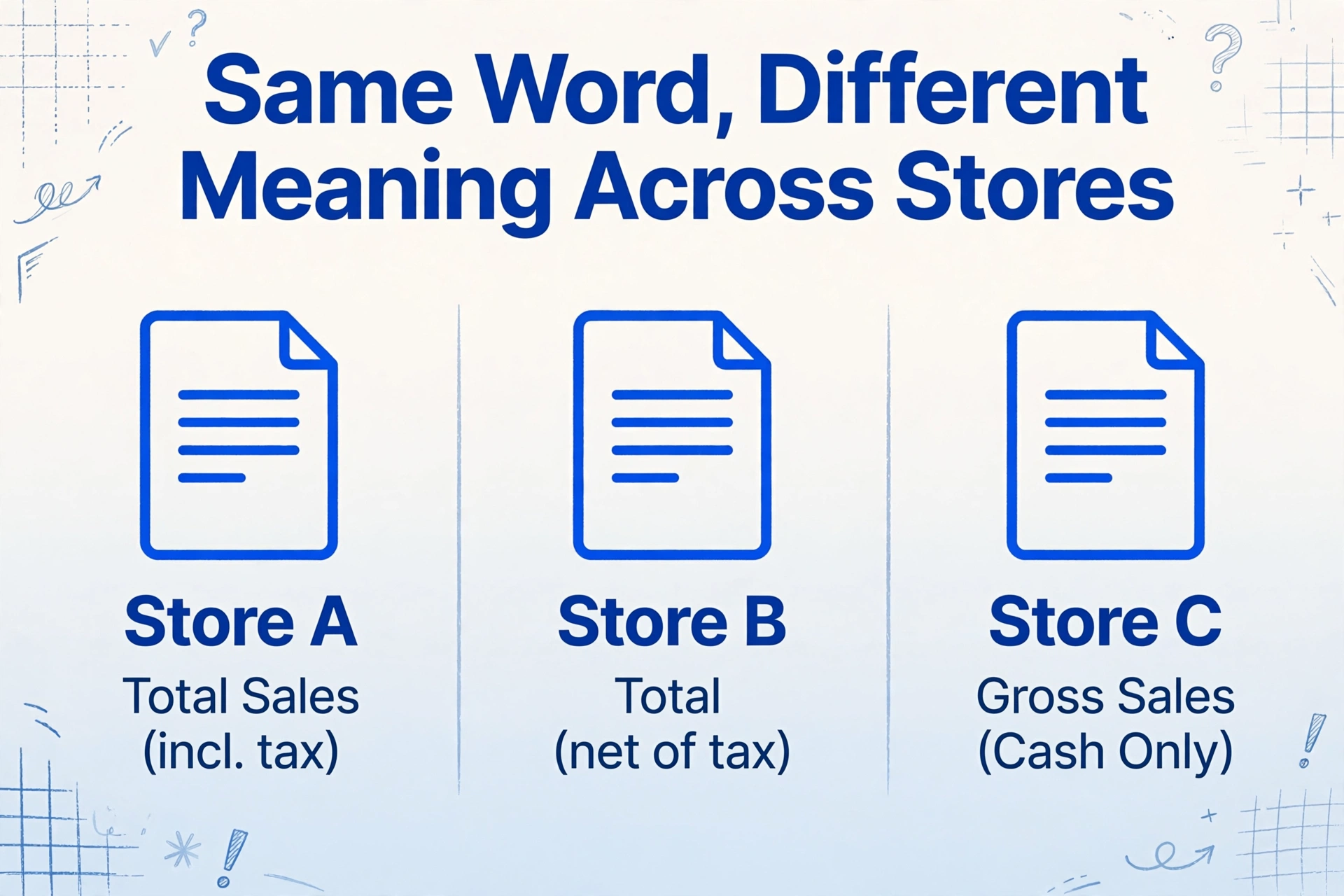
The single step that fails in a manual multi-store cycle is the decision about which number on each store's report is the number the master sheet means. The same word means different things at different locations. One report calls its top line "Total Sales" and includes tax. A second store's "Total" is net of tax because the local sales tax line sits below it. A third prints "Gross Sales (Cash Only)" for the drawer count and a separate all-payment total lower down. The person copying has to answer "which line do I take" a dozen times a night, and every wrong answer lands in the group sheet as a number that compares against nothing.
This is where the double-counting starts, and it is old enough to have its own bookkeeping folklore. A bookkeeper on r/Bookkeeping describing a gas station's reports put it plainly: the daily store close report's total sales came out higher than the total revenue, and nobody at the station could say why (r/Bookkeeping, 2020). Was one figure pre-tax and the other post-tax? Did one count gift card loads? The report did not say, and the person transcribing it into the master workbook guessed. A transcription error is a small error. A line-identity guess is an error that repeats for every store with that layout, every single day, until someone at head office notices the group total does not smell right.
The Manual Cycle, Step by Step
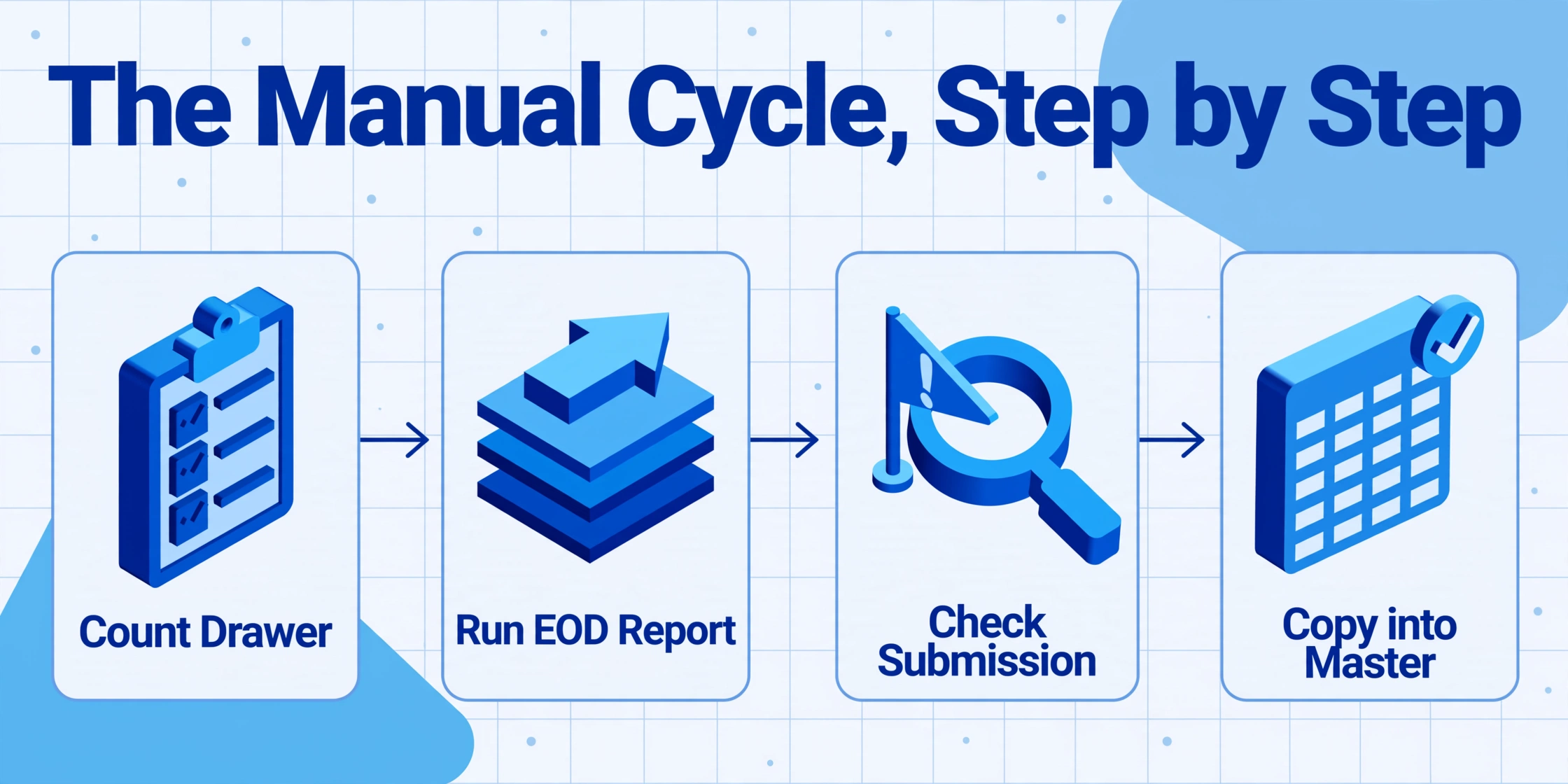
A working manual cycle does not look chaotic. It looks like a rhythm with too many hands in it. Each night, the store manager counts the drawer, runs the end-of-day report, and notes anything unusual. That report, output by systems like Toast, Square, Lightspeed, or Clover, carries the useful daily facts: net sales by category, payment details for cash and cards, voids, discounts, and the declared cash count (Toast support documentation on the end-of-day report). The district manager checks that every store submitted and follows up on the ones that did not. The person at head office opens each delivery, finds the right lines, and copies them into one workbook.
Count the steps per location and the arithmetic gets uncomfortable fast. At a twelve-store group, a manager's photo of the close sheet has to be opened, decoded, and rekeyed. Using the extraction tool's own baseline for manual entry, about three minutes per page of transcription, twelve stores sending thirty daily closes a month means 360 reports and roughly eighteen hours of copying alone before anyone checks a number. Intuit's 2024 Business Solutions Survey puts the whole-business version of the same problem at 25 hours a week of manual data entry and reconciliation across applications (Intuit, 2024). Then add the chase cycle on top: the follow-up messages, the resends, the "can you read this printout" photos. Eighteen hours of typing becomes a full working week before the numbers are even trusted.
What normal looks like is a group that hits its deadline because enough people remember to keep it moving. The store manager remembers to send, the district manager remembers which stores are usually slow, the controller remembers which reports need double-checking. None of that is written down, which is why it is the first thing to break.
Where It Breaks, and the Human Reason It Keeps Breaking
The first break is format divergence, and it is structural rather than careless. A group that opened stores in different years runs different generations of point-of-sale hardware. An acquired store keeps the system it came with. In a franchise structure the operator is a separate business and often runs whatever software they chose. Local sales tax lines differ by city. The result is twelve reports with the same core daily facts arranged twelve different ways, and each way questions the line-identity decision from the opening section again.
The second break is that collection runs on memory and permission. There is no job called "collect the store reports," so the funnel is a pile of default channels: email replies, texted photos, a shared drive nobody checks. People in the industry build workarounds that prove the problem is real. A multi-location restaurant owner on r/restaurantowners described replacing the late-night text chain with a Google form that pushes the daily report to everyone (r/restaurantowners, 2021). It works, and it is still a manual pipeline with a volunteer owner holding it together. On the accounting side, the discipline is real but the tooling is not: an accountant on r/Accounting describing multi-location cash handling was explicit about the ritual, every store reports gross cash sales from the POS Z-report, full stop, one named person counts and photographs the count sheet (r/Accounting, 2025). The ritual is sound. The trek from photographed count sheet to master workbook is where it degrades.
The third break is turnover. The district manager leaves and the list of who sends what comes with them. A new manager inherits a checklist that says "send tonight's report" with no address on it. Each location is one person's memory, and the group's monthly close waits on the slowest memory. That is why the close-length benchmarks behave the way they do. APQC's close-cycle data shows top-performing finance teams completing the annual close in 10 days or fewer, the median group taking 18, and slower performers running to 35, with most of the gap made up of gathering and rechecking numbers that upstream systems should have delivered (APQC, annual close benchmark). For a multi-store group, "upstream systems" is a polite way of saying "twelve stores and one controller."
The Same Steps, Automated: What Each One Becomes
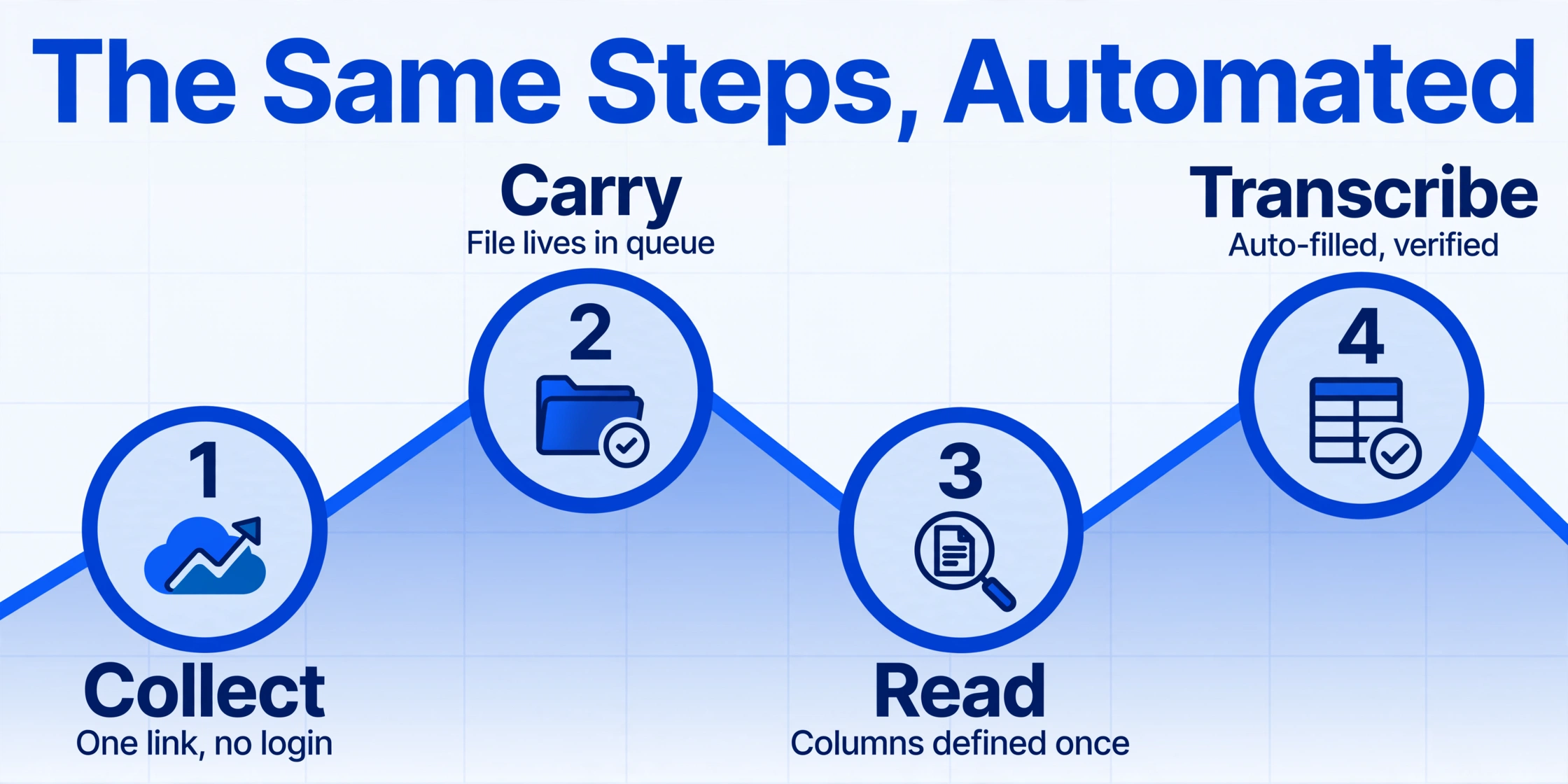
Automation does not change the goal of the cycle. It changes which step requires a person. The capability that removes the chase is the Collection Link, a shareable URL shaped like your account's /c/xxxx page. A store manager opens it, enters a short verification code, and uploads the close report straight into your processing queue. No account, no login, no app install, nothing for a new location to be trained on. The link sits on the closing checklist that already exists by the register, so finishing the close and uploading is one action instead of a decision about which channel to use.
| Step | By hand, this is... | Automated, this becomes... | What is still manual |
|---|---|---|---|
| 1. Collect | A memory task: who emails, who texts, who forgets | One link and code, already on the closing checklist; the upload lands in the queue | Turning the link on and sharing it once with each location |
| 2. Carry the file | Survives email threads, text chains, and a shared drive nobody opens | Nothing to carry; the file lives in the processing queue from the second it uploads | The store has to run the report at close, however it is delivered |
| 3. Read each format | Recognize the layout, find the right line, repeat for every store | You define the columns once (Location, Business Date, Net Sales, Sales Tax, Cash Declared, Voids), and the extractor finds each value by what it means rather than where it sits on the page | Agreeing once on what each column should mean |
| 4. Transcribe | Rekey every Total into the master workbook, about 3 minutes a page | Batch processing turns all uploads into one spreadsheet, with each store as a row; extraction runs in seconds per page | Reviewing the batch, which is one table instead of twelve attachments |
| 5. Reconcile and verify | Compare the roster against the submitted pile; chase what is missing | Sort the one table by location and the gaps are visible in one pass | Deciding what a persistent shortfall means is a management call, and bank-level deposit matching is a separate job |
That table is the whole difference, stated bluntly: the person who used to be the collector and the transcriber becomes the reviewer. The chase step is removed by the link because the link is a destination, not a reminder; the copy step is removed because the column definitions do the reading. There has to be a moment of honesty about what this is not, which is a point-of-sale dashboard. A typical POS vendor's multi-location reporting is genuinely automatic, but only across the stores that run that same vendor, and an acquired store or independent franchisee breaks the family. Meaning-based columns do not care which system printed the report, which is why the pipeline survives a group that runs Toast in two stores, Square in three, and a photographed close sheet in the newest location.
Store report consolidation then becomes a single review pass instead of a nightly relay of attachments. The merged table comes with its own verification layer: open any cell in the review screen and the original store report is highlighted at the exact spot that value came from, and clicking a region on the photo jumps back to the matching cell. Turn on auto-annotation and those highlights are generated right after processing, so they are waiting when you open the batch. Checking twelve stores becomes scanning one table and spot-checking the numbers that look wrong, rather than opening twelve photos to hunt for the same line in each.
If you want to actually set this pipeline up, the full configuration belongs to the companion guide Consolidate Daily Reports From Every Store Into One Spreadsheet. This article is the arithmetic behind that setup: what the manual cycle costs per store, what changes at each step, and where a person still has to show up.
Files are processed securely and not stored.
The same mechanics apply one level down and one level sideways. A group that batches its POS receipts into a consolidated sales summary is running half this pipeline already, and pulling POS receipt data into a spreadsheet is the single-document version. What the collection link adds is the front door that makes the pipeline work across people who will never log into your systems. For teams already doing the transcription by hand, the cost side is spelled out in what manual POS reconciliation costs retail, and the broader extraction framework lives in the complete guide to document data extraction.
What This Setup Still Cannot Automate
The honest boundary is that it automates collection and transcription, not memory, judgment, or the final audit. There is no reminder engine, so a location that never uploads stays silent until someone compares the location list against the rows in the table. That comparison takes a minute once the batch runs, but someone has to run it. And the tool transcribes what the report says. If the drawer was miscounted and the close sheet says the register total was five hundred dollars, the extracted row says five hundred dollars. The merged table makes a persistent over or short easy to spot across stores, but deciding whether it looks like training, theft, or a counting habit is a human call.
The other boundaries are scope, and they matter for the budget conversation. This does not reconcile the store totals against bank deposits; that is bank statement reconciliation with its own moving parts. It does not post journal entries or run a multi-entity close. The consolidated table feeds QuickBooks, Xero, or Restaurant365, and those systems still do the posting. And in a franchise structure the link collects each store's report while the franchisee's entire books stay outside your view, so local financials remain local. You still keep the originals: the store's printed or photographed close report remains the substantiation behind the spreadsheet row, which is the same recordkeeping rule your accountant applies to any digital working paper (IRS Publication 583). The same batching idea applied to a different funnel shows where else it ports: a group already merging monthly expense reports into one sheet can recognize the column-contract pattern, and restaurant groups scaling across multiple locations and suppliers meet the same format-divergence wall one invoice layer up.
Multi-Store Report Automation: Frequently Asked Questions
Do store managers need an account or training to send their report?
No. A Collection Link exists precisely to remove that requirement. The manager opens the link, enters the short verification code, and uploads. The file lands in your account's processing queue, and the manager never creates an account or learns a new piece of software.
Our stores run different POS systems. Does that break the automation?
It is the case this setup is built for. Because extraction finds values by meaning rather than by position, the same column definitions read a Toast Z-report, a Square daily summary, a Lightspeed export, and a photographed close sheet. A POS vendor's own multi-location dashboard only works when every store runs that vendor's system, which is exactly the constraint this approach removes.
Can the tool tell us which locations have not submitted?
No. It has no reminder engine, so a store that never uploads produces no signal by itself. The practical check is to sort the merged table by location and compare against your roster. The difference is that this is now a one-column review instead of a round of phone calls.
Will this stop my group sheet from double-counting sales?
It fixes the transcription half of the problem. Because you define the columns once, the same definition reads every store, so "Net Sales" means the same thing on every row instead of whatever each report's layout suggests. It does not audit the store's own numbers: if a report itself counts a category twice, the tool transcribes what the document says.
Does this replace our accounting software?
No. The consolidated spreadsheet is the input to QuickBooks, Xero, or Restaurant365, not a substitute for them. The tool gets the store reports into one clean table; the accounting package receives that table and posts it.
We are a franchise with independent owners. Does this still work?
Yes, and it is the design case. Each franchisee opens the same link and uploads their own store's report, so you get the daily close data you need for royalties and reporting without reaching into their full books. Their local financials stay local, and your consolidated view stays yours.
How do we know the extracted numbers are right?
By looking at where each one came from. Hovering or clicking a cell in the review screen highlights the exact spot on the original store report that produced it, and clicking that spot jumps back to the cell. The checking is the same review you would do by hand, except it runs against one merged table instead of twelve separate reports.
The arithmetic decides the argument: 360 reports a month is eighteen hours of transcription before a single number is checked, and the chase adds a working week on top. That is the number multi store reporting has to be judged against. Automation moves the human from the copy step, where errors are invisible, to the review step, where the group's attention should have been all along. That is the only real change this stack makes, and it is the change worth pricing. Run your own close reports through the flow, and see whether the chase is smaller than you assumed.