Every Store's Daily Close Arrives in a Different Shape
Here's How HQ Turns Them Into One Table
A daily close report is rarely the weak link in a multi-location business. By the time the store manager locks the drawer, the numbers on the report are right: the cash was counted, the end-of-day tape printed, the note about the broken card reader added at the bottom. What breaks is everything that happens between that report existing on the manager's phone and it becoming one clean row in headquarters' spreadsheet, and that in-between stretch is where most of the real cost of multi-site reporting lives. Multi location consolidation is decided there, and the format of the report has almost nothing to do with it.
Key Takeaways
- Twelve handoffs sit between a store's daily close and one spreadsheet row, and not one of them belongs to a named process.
- You cannot standardize your way out of it, because a new point-of-sale system or an acquired store breaks the layout no matter what template you send.
- Give collection a home (a link, or the inbox the store already emails) and the merge one set of column meanings, and every store's layout lands as the same row in one table.
The Actual Failure: A Chain of Small Handoffs, Not One Big Problem
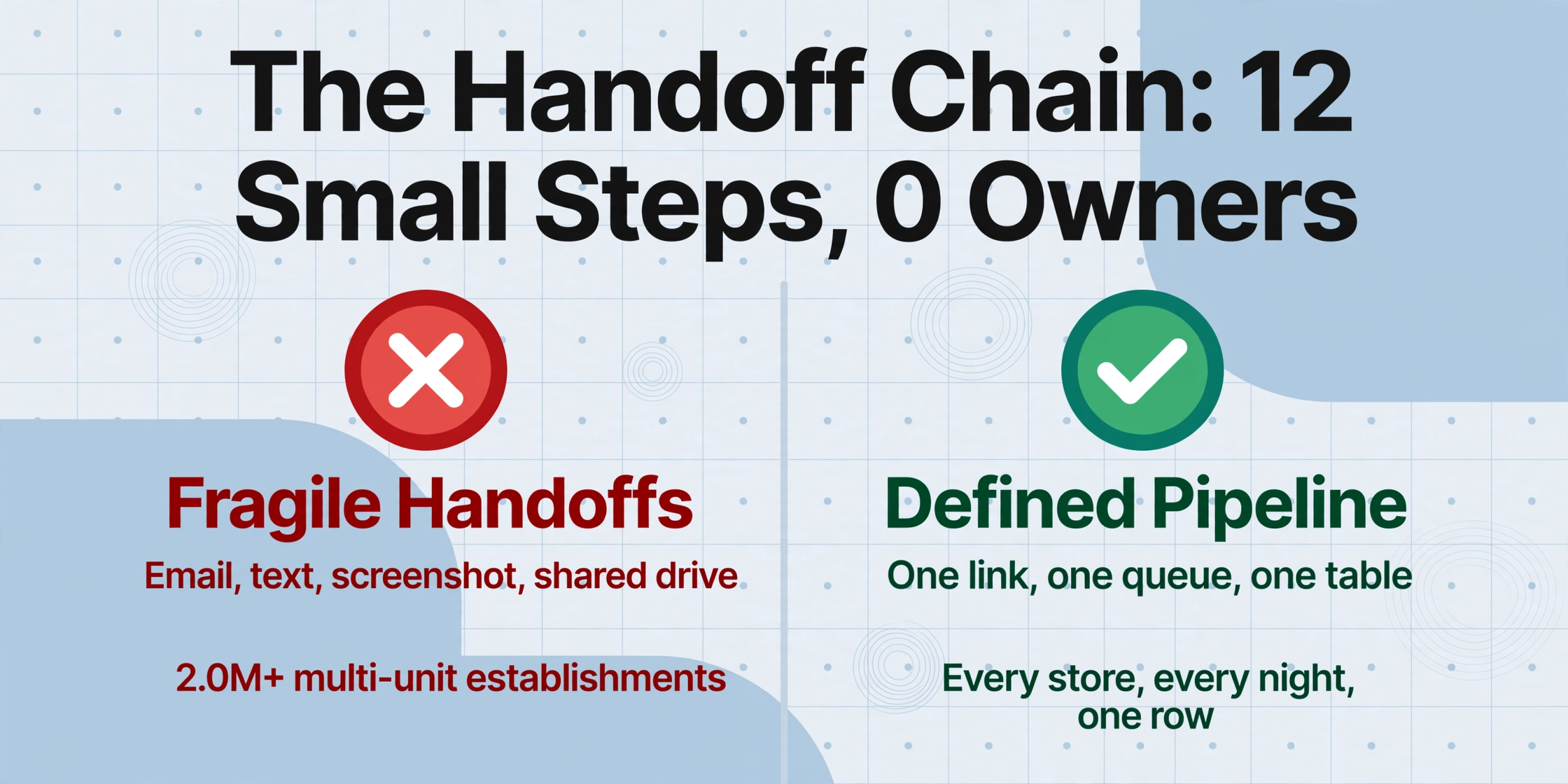
Multi-location consolidation fails one report at a time. Every night, each store produces a finished document, and then a dozen small handoffs have to happen before that document is anywhere useful: the manager remembers to send it, the file survives email or a text thread, the regional manager notices when it does not arrive, someone at headquarters opens it and retypes the numbers into a master sheet. Each handoff is individually trivial. None of them is owned by a named process, which is why all of them fail on a rotating schedule.
The people living inside that cycle describe it in the same flat language regardless of industry. A retail operations person on r/excel explained the weekly rhythm of their multi-store reporting:
"Each store has an excel spreadsheet sales tracker which has each sales category by day with a sum total for the day... This is emailed each Sunday night and each morning this has to be copy and pasted to a giant central document." (r/excel, 2022)
The scale involved is not small. The U.S. Census Bureau's Statistics of U.S. Businesses counts more than 2.0 million multi-unit establishments, businesses with two or more physical locations, against roughly six million single-unit ones (U.S. Census Bureau, 2022 SUSB). Every one of them closes a business day and produces a record, and most of those records still travel through the handoff chain instead of a defined pipeline.
Who Touches a Store Report Before It Reaches HQ
Before designing a fix you have to name the roles, because collapsing everyone into "the store" is how reports go missing in the first place. Three different people touch a daily close report, and each one has a different incentive.
| Role | What they actually do | What they hand over |
|---|---|---|
| Store manager | Runs the end-of-day close, counts the drawer, fills out the daily sales sheet or prints the POS report | The finished report, on whatever media is at hand: printed sheet, PDF, screenshot, or phone photo |
| District or regional manager | Checks that every store in the group submitted, chases the ones that did not, eyeballs numbers before they go up | Confirmation that the batch is complete, usually held in memory or a text chain |
| HQ finance or controller | Opens each report, copies the totals into a master workbook, reconciles deposits, posts the month | The consolidated table that leadership and the accounting system see |
A working rhythm looks like this: every location closes by a named deadline, the regional manager checks the list of twelve stores against the list of twelve reports, and by midweek the controller has one workbook where each row is one store for one day. The daily close itself rarely surprises anyone. It shows the business date, gross and net sales, the sales tax collected, how much came in as cash versus cards, gift cards, and delivery apps, the drawer count versus the register total, voids and comps, and guest or transaction counts. A manager who bothers to fill it in produces the same information whether the store runs Toast, Square, Lightspeed, or a handwritten close sheet, which matters later.
Where It Breaks, and the Human Reason It Keeps Breaking
The first breakage is channel sprawl, and it is a collection problem, not an analysis problem. One store manager sticks the Z-report PDF in an email reply, another texts a photo of the printed close sheet to the regional manager at 11 p.m., a third uploads a screenshot of the Square dashboard to a shared drive nobody checks, and a fourth forgets until Wednesday. The r/googlesheets post from someone at a multi-location food and beverage company describes the upside-down incentive this creates at headquarters: they were building their own reporting sheet because they wanted something better than "the crappy generic reporting options that eat up everyone's time in the company when they have to pull multiple reports" (r/googlesheets, 2024). Chasing the data had become a weekly job with no owner.
The second breakage is format divergence, and its causes are structural rather than lazy. A group that opened locations in different years runs different POS generations; an acquired store keeps the system it came with; in a franchise system the operator is a separate business and often runs whatever software they chose. Local sales tax lines differ by city, so a taxable-line structure that works in one jurisdiction is wrong in another. The result is twelve reports containing the same core data arranged twelve different ways, and headquarters pays for that variety by hand.
The ongoing cost is transcription plus chasing. Using the tool's published baseline for manual entry, about three minutes per page, a ten-store group filing thirty daily closes a month produces 300 reports, which is fifteen hours a month of pure copy-and-paste before anyone checks a single number. Add the chase cycle, and the real reason this persists becomes visible: keeping the pipeline alive is a memory task and a permission task. Nobody's job description says "collect and merge the store reports," so the funnel exists as a pile of default channels that work exactly as well as whoever remembers them today. Evidence that this is where operators feel the pain comes from the National Restaurant Association's technology research, which found 52% of restaurant operators planned to invest in back-office technology covering payroll, finance, and tax and food-safety compliance in 2024 (National Restaurant Association, 2024). The back office is the squeeze, and the store report funnel sits inside it.
The Fix: Move Collection and Merging Into the Tool, Out of the Org Chart
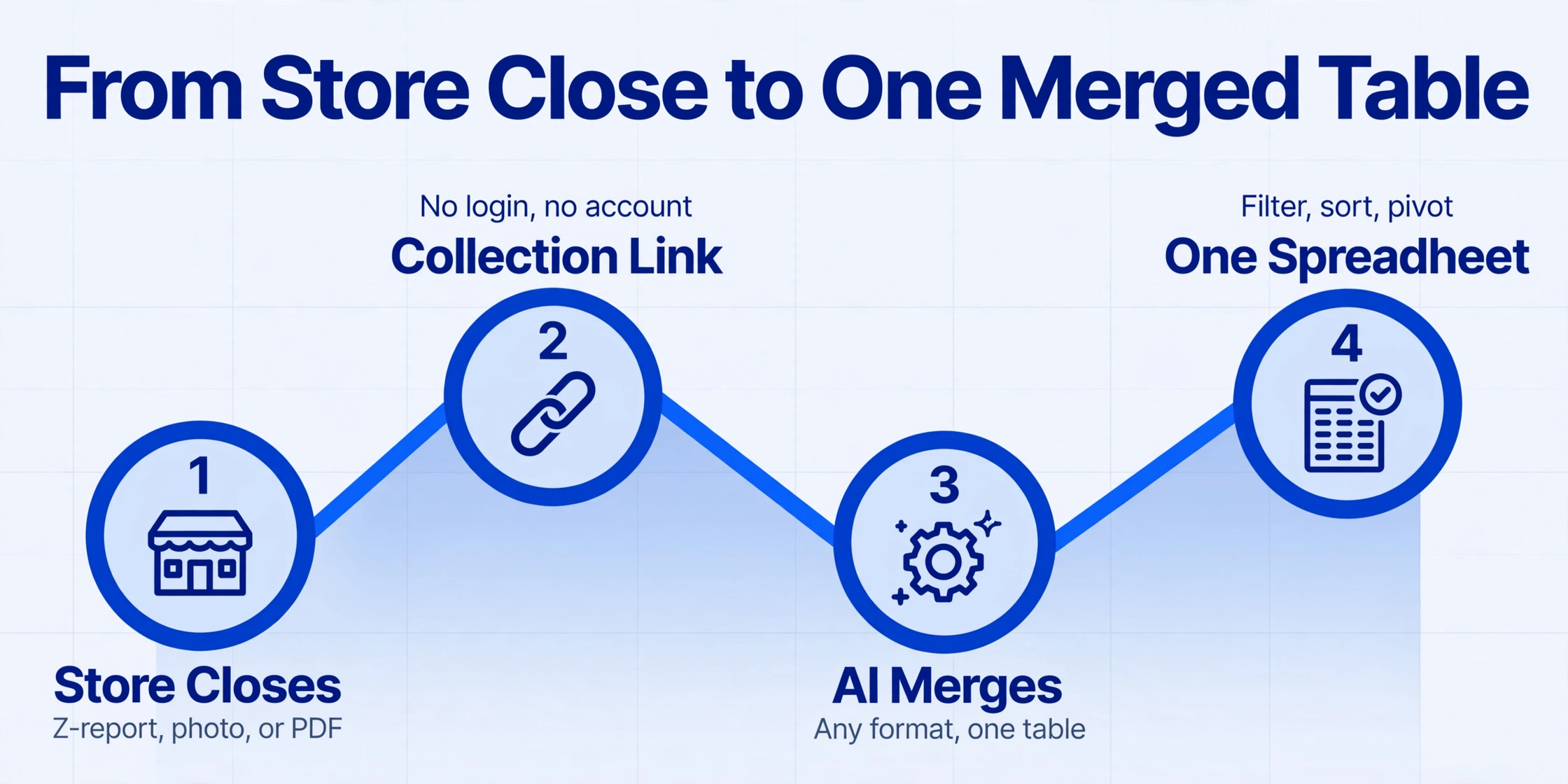
The fix is to give the two fragile handoffs, collection and merging, a defined home instead of a better template. Document consolidation then reduces to those two moves, and the extraction tool maps onto exactly those two steps, each with a specific setting that does the work.
The first handoff, collecting the report from the manager, is what Collection Link is built for. A Collection Link is a shareable URL, shaped like your account's /c/xxxx page, that lets someone upload a file into your processing queue without having an account or logging in. The recipient opens the link, enters a short verification code, and uploads; the file lands directly in your queue. The setup for a multi-location group is: turn on the collection link, send the link and code to each store manager once, and put the URL and code on the closing checklist that already sits by the register. From then on, finishing the close and tapping the link replaces "email it somewhere, if you remember." A printed Z-report gets photographed, a PDF gets attached, a handwritten close sheet gets a photo, and each lands in the same queue with no login and no new account for the store to maintain.
For the stores that already email their close to a regional manager, collection does not have to mean a new habit. Email Inbox gives every account a dedicated inbox address, so when a manager forwards the close email there, the attachment lands in the same processing queue as the link uploads, with no login and no upload page. A sender whitelist limits the inbox to the addresses you approve, so only stores on your roster can add to a batch. Between the link and the inbox, each location keeps whichever habit it already has, and headquarters still collects into one queue.
The second handoff, merging twelve formats into one table, is handled by the way the tool processes a batch. In this tool, the column names you type become the headers of the final spreadsheet, and the AI locates each value by what it means rather than where it sits on the page. That is what makes formatting irrelevant: the same column definition reads a Toast Z-report, a Square daily summary, and a phone photo of a handwritten close sheet, because the tool is finding "Net Sales" by meaning, not by template position. Define the columns once before the batch runs, for example Location, Business Date, Net Sales, Sales Tax, Card Payments, Cash Declared, Voids, and Over/Short, then process the whole week's uploads as one batch. Batch processing means many files are handled together and merged into one Excel table, so the consolidation happens in the tool rather than in a controller's copy-and-paste session afterward.
Over/Short (Cash Declared − Register Total) makes the AI calculate the difference during extraction. The tool computes the number; judging whether a persistent shortfall needs training or investigation stays a human call.Files are processed securely and not stored.
What the controller gets is a table, not twelve attachments. Each row is one store for one day, and the standard spreadsheet moves all work: sort by Over/Short to see which location's drawer does not balance, filter by location to review one store's week, sort by Net Sales to see which stores carried the group. Groups that already batch POS receipts into a sales summary will recognize the mechanics one level down (batching POS receipts into a consolidated sales summary), and the direct route for a single receipt set is pulling POS receipt data into a spreadsheet. The difference here is that the collection layer is a URL the store already knows, so the pipeline survives manager turnover and franchisee independence.
What This Setup Still Cannot Automate
The honest boundary is that it automates the paperwork, not the judgment, and not the chasing. The tool has no reminder engine, so a location that never uploads stays silent until you compare your list of locations against the rows in the table. That comparison is a one-minute sort, but it is still a human doing it.
It also transcribes what the report says rather than auditing it. If the drawer was miscounted and the close sheet says the register total was five hundred dollars, the extracted row says five hundred dollars. The clever part is that the variance column surfaces the problem in the same table, and the judgment about what to do with a persistent shortfall is yours. The same applies at the bank layer: matching daily closes against actual cash deposits is bank statement reconciliation, a separate job with its own moving parts. And none of this posts journal entries or runs a multi-entity close; the consolidated table is the raw material that feeds the accounting system, not a replacement for it. In a franchise structure, the link collects each store's report, not the franchisee's entire books, so local financials stay local.
One more thing survives the automation: the originals. For tax purposes, the IRS requires keeping records that support items on a return, generally for three years, and that obligation applies to electronic records (IRS Publication 583). The merged sheet is your working view; the store's original close report is the substantiation. Keep both, and treat the sheet as the pointer back to the source. Readers working on the broader extraction setup will find the complete guide to document data extraction useful, and the same batching pattern applied to expense submissions is covered in merging monthly expense reports into one sheet.
Multi-Location Report Consolidation: Frequently Asked Questions
Do store managers need a user account to upload their report?
No. A Collection Link exists precisely to remove that requirement. The manager opens the link, enters the short verification code you shared, and uploads. The file lands in your account's processing queue, and the manager never creates an account or sees anything beyond the upload page.
Can a store keep emailing its report instead of using the link?
Yes. Email Inbox gives your account a dedicated address, so a store that already emails its close can forward it there and the attachment joins the same queue the link feeds. Add that store's address to the sender whitelist and nothing else can enter the batch. The link still covers anyone who would rather tap a URL, and a text message is the one channel neither route reads.
Our locations run different POS systems. Does that break the merge?
It is the case this approach is built for. Because extraction finds values by meaning rather than by position, the same column definitions read a Toast Z-report, a Square daily summary, a Lightspeed export, and a photographed close sheet. The columns you define are the contract, and each system's report is just another layout that satisfies it.
Do we get one sheet per store or one sheet for the whole group?
One merged table for the batch. Every uploaded report becomes a row sharing the same column structure, with Location as one of the columns. From that single table you can filter by store, sort by any metric, or pivot by location, which is not possible when each store lives in its own workbook.
How does headquarters know which store a report came from?
The report itself carries the store identity, so ask each location to keep its name on the document and in the file name. The extractor reads Location into its own column. Adding the store name at upload time is a habit to set once, not a per-week task.
Can the tool tell us which locations have not submitted yet?
No. It has no reminder or notification engine, so a store that never uploads produces no signal by itself. The practical check is to sort the merged table by location and compare against your roster, which takes under a minute once the batch runs; the difference is that the chase is now a one-column review instead of twelve phone calls.
What if a store sends a handwritten close sheet or a photo of the screen?
Photos, screenshots, and PDFs are all supported inputs, and the format does not need to change your setup. A photographed close sheet is extracted into the same columns as a printed one. Keep in mind that handwriting is harder for any OCR-based tool than printed text, so printed or PDF reports will extract with the highest reliability.
The shift is a change of job description. Headquarters stops being the twelve-channel collector that retypes numbers and starts being the reviewer of one table, and the store manager's job shrinks to closing the day and tapping a link that is already on the checklist. That smaller, checkable loop is the entire difference between consolidating reports and chasing them. Try the flow with your own close reports, and see whether the Monday-morning pack can be a Friday-afternoon table instead.