The P11D Paperwork Burden
Why Employee Benefits Reporting Remains HR's Least-Loved July Task
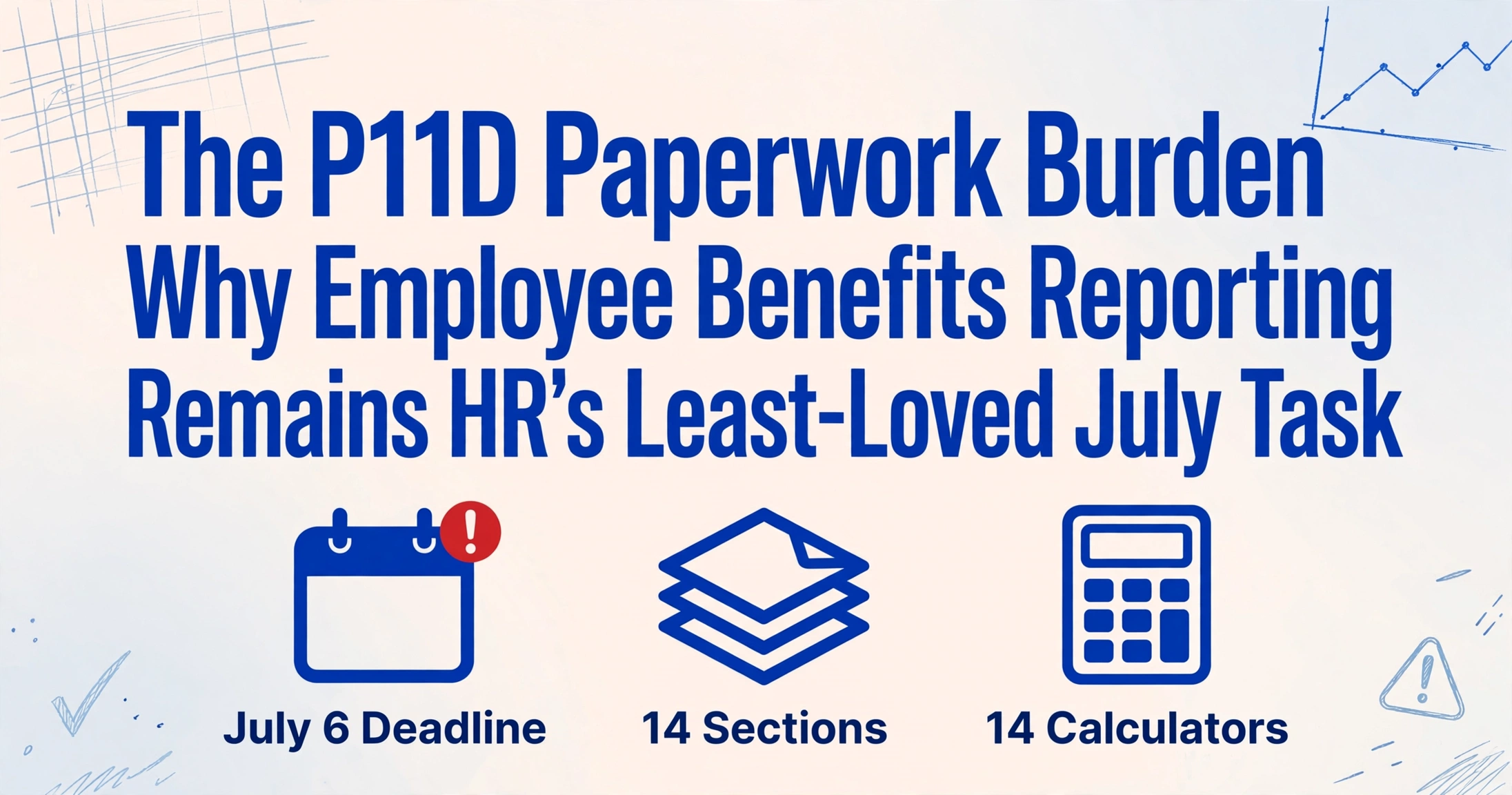
July is already the payroll department's least forgiving month. Month-end salary runs don't pause for summer. Half the team is on annual leave. Q3 budgeting starts in earnest. And on top of all of it, the 6 July P11D filing deadline arrives — the moment when every company car, every private medical insurance policy, every low-interest loan, and every gym membership the business provided across the last tax year must be calculated to HMRC's exact valuation rules, assembled into individual employee returns, and aggregated into a single Class 1A National Insurance bill. The payroll software that handled May's P60s so cleanly cannot help you here — because the data that feeds a P11D was never in the payroll system to begin with. The P60 season exposes the same structural gap between what payroll software generates and what downstream reporting actually needs — except the P11D gap is wider, because the source data isn't in the payroll system at all.
Key Takeaways
- The CIPP asked payroll professionals why they chose voluntary payrolling — the top answer was not "make P11Ds faster" but "remove the burden of P11Ds entirely."
- The data you need for a P11D was never inside your payroll software — it lives in HR records, leasing agreements, and insurer invoices, and the industry spent two decades automating the filing button while the extraction step still has no tool.
- Extracting benefit values into a spreadsheet before they enter the payroll module creates the auditable intermediate layer that currently does not exist — and turns your June task from triangulating three incompatible systems into verifying one structured table.
July Was Already Full Before P11D Got Added to It
Start with the calendar reality that creates the underlying friction. By mid-June, a UK payroll department has just finished issuing P60s — the 31 May statutory deadline for end-of-year certificates to 30.2 million PAYE employees. The year-end reconciliation run (final Full Payment Submission, final Employer Payment Summary, P32 balancing) is barely cold. June brings month-end payroll for the current tax year. July brings it again — plus summer leave coverage, when at least one payroll administrator is on holiday and the person covering their desk has never run the deductions module unsupervised.
And then there is the P11D.
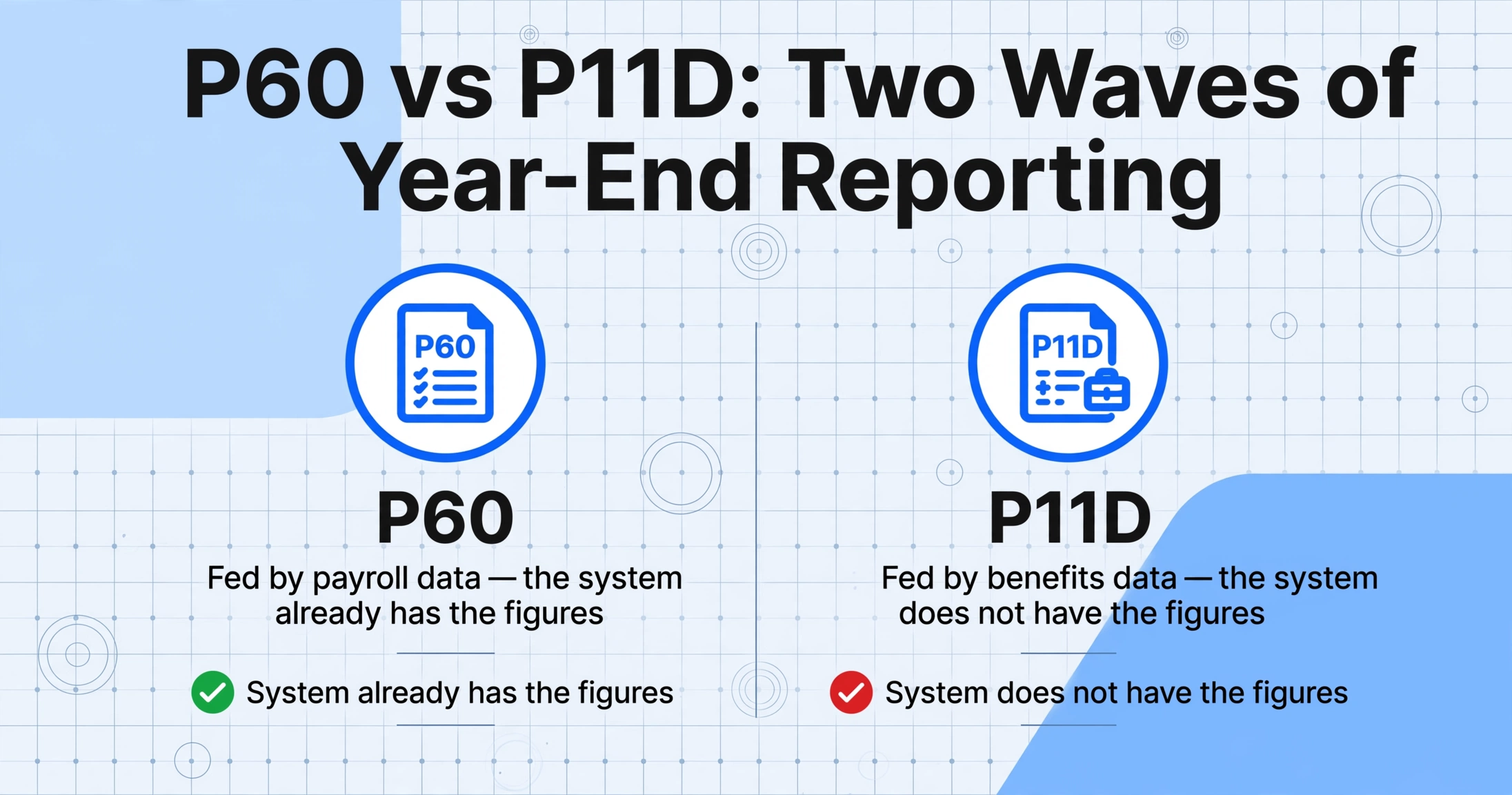
The 6 July deadline is not an isolated event. It is a second wave of year-end reporting that hits the same team that just finished the first wave, in the same compressed window, with a fundamentally different data problem. P60s are fed by payroll data — the system already has the figures. P11Ds are fed by benefits data — the system does not have the figures, or at least not in the form HMRC requires. That distinction turns July from a filing exercise into an assembly exercise, and the assembly has to happen in the margins of a month that was already overcommitted.
A 2019 survey by the Chartered Institute of Payroll Professionals (CIPP) — the UK's chartered body for payroll professionals — asked employers why they chose to begin payrolling benefits voluntarily. The top answer: "removing the need and burden of completing P11Ds." Not reducing it. Removing it. The language is telling. Among payroll practitioners who had lived through multiple P11D seasons, the form was not described as a compliance task — it was described as a burden.
The structural problem: P60 season runs on payroll data that the payroll system already holds. P11D season runs on benefits data that originated somewhere else — HR systems, leasing contracts, insurer invoices, email approvals — and must be translated into taxable values by rules that belong to HMRC, not to any internal system. The gap between where the data lives and what the form demands is where every July gets consumed.
14 Sections, 14 Different Calculators
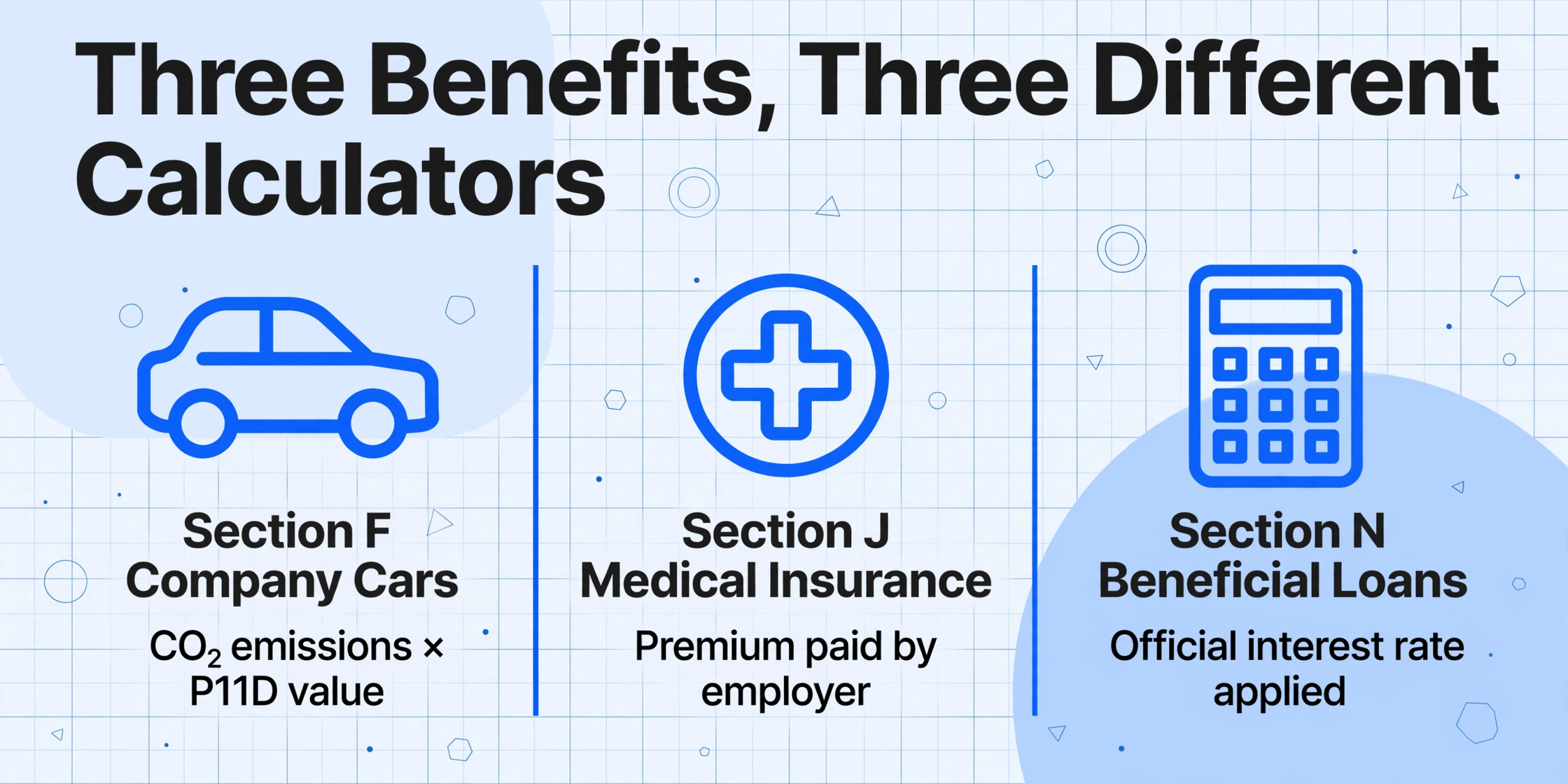
If the P11D were one form with one set of calculation rules, it would be unremarkable. It is not. The current P11D — filed online via HMRC's PAYE Online service or through commercial payroll software — is structured across 14 lettered sections, A through N, each with its own valuation methodology. The HMRC 480 tax guide — the official reference for valuing benefits — runs to hundreds of pages across multiple chapters, and covers valuation rules that differ not just in what they count but in how they count it.
Consider what a payroll administrator actually has to do for three of the most common benefit categories — and why each one requires a different kind of thinking.
Section F — Company cars. The taxable benefit is not the lease cost the company pays. It is the car's P11D value (list price including VAT, delivery, and all optional extras, minus any employee capital contribution up to £5,000) multiplied by the appropriate percentage. That percentage is determined by the car's CO₂ emissions as measured under WLTP, cross-referenced against HMRC's annual BIK rate tables. For 2025/26, a petrol car emitting 121 g/km of CO₂ carries a 30% BIK rate. An electric car emitting zero carries 3%. Both go on the same Section F. The fuel type key letter — F for diesel meeting Euro 6d, D for diesel, A for all others — must be correctly entered. For plug-in hybrids, the zero-emission electric range determines a separate rate band. And if the car was only made available from, say, October — not the full tax year — the benefit must be time-apportioned. Get the CO₂ percentage wrong by one band, and the cash equivalent shifts for the employee, the employee's tax code shifts, and the employer's Class 1A NIC liability shifts.
Section I — Private medical insurance. The valuation rule here is completely different: the taxable benefit is the cost to the employer of providing the cover — the insurer's premium. If the policy covers an employee's spouse or dependants, their portion is included. If the employee pays part of the premium through payroll, that "amount made good" is deducted. The logic is simple. The challenge is that the premium figure lives in a spreadsheet from the insurer or broker — not in the payroll software — and must be correctly allocated per employee across a group policy where the insurer's invoice lists total headcount, not individual names.
Section H — Beneficial loans. Different again. If an employer provides an interest-free or low-interest loan exceeding £10,000 at any point in the tax year, the benefit is the difference between the interest the employee actually paid and the interest that would have been due at HMRC's official rate. For 2025/26, that official rate is 3.75% — but since April 2025, HMRC reviews the rate quarterly rather than annually, so the calculation may involve multiple different rates across the same tax year. The loan balance, the dates of advance and repayment, the actual interest paid — all of this lives in the finance system, not the payroll system.
That is three sections out of fourteen. Each arrived at the payroll administrator's desk from a different source system, carrying a different valuation logic, and none of the three can be calculated by looking at the employee's payslip. The sections that are more straightforward — like Section K (services supplied) or Section M (professional subscriptions) — still require someone to know that the benefit existed in the first place. That knowledge sits in the HR department's records of what was approved, not in the payroll system's record of what was paid.
The Reconciliation Three-Cornered Problem
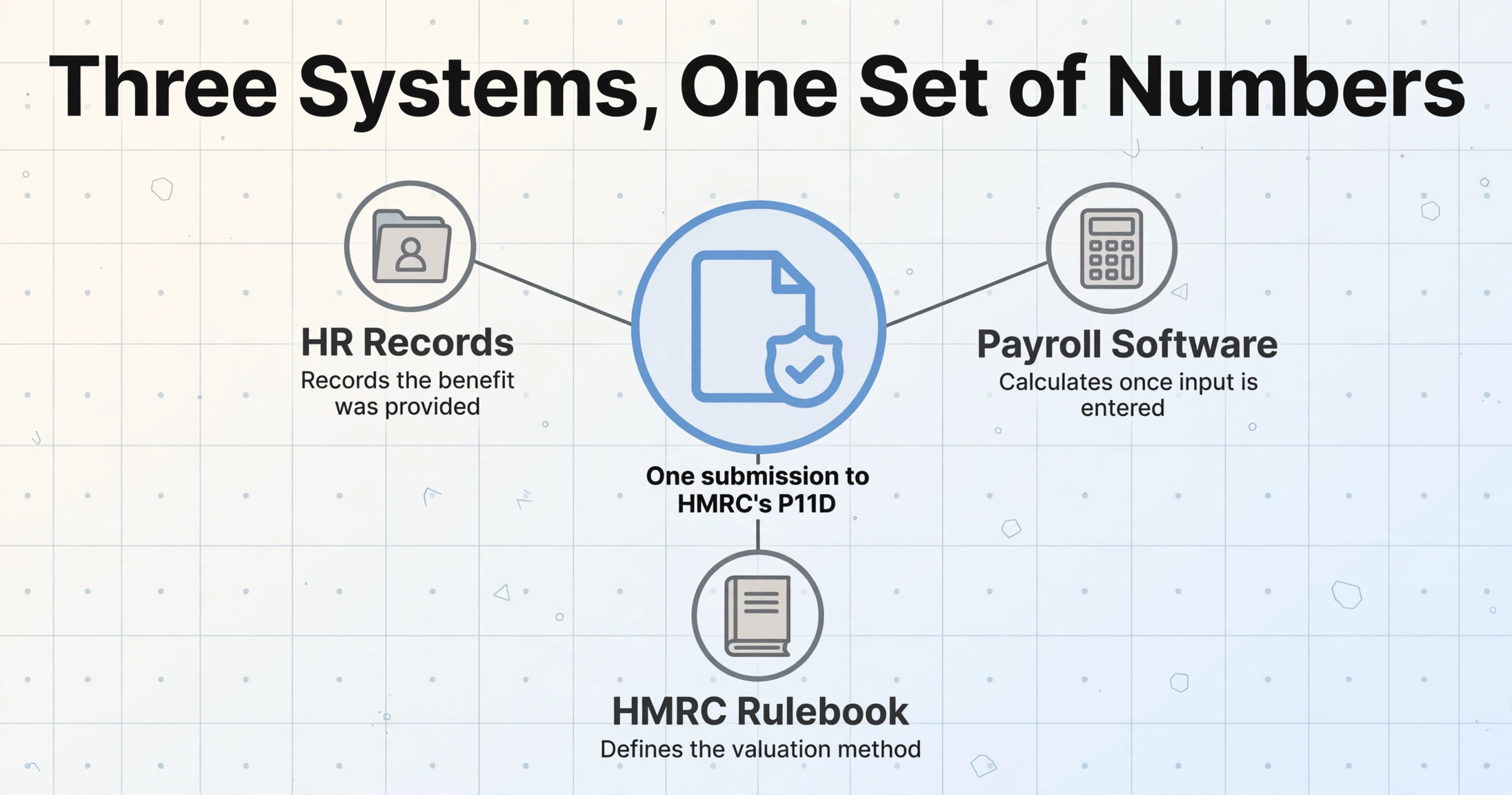
The deep structural problem of P11D is not the form itself. It is that three information systems — each operating on a different logic — have to agree on a single set of numbers by the first week of July, and none of them were built to talk to each other.
The first system is HR records. This is where benefits originate: the car lease agreement signed during onboarding, the private medical insurance enrolment form, the gym membership approval email from the line manager. HR systems — whether a dedicated HRIS like PeopleHR, a spreadsheet, or the mental model of a part-time office manager — record that a benefit was provided. They do not, with rare exceptions, calculate its taxable value. Getting the elections out of those forms is its own step, and converting benefits enrollment to Excel turns checkbox selections, coverage tiers, and dependent names into columns the payroll team can reconcile. Where the election record is a self-service portal capture rather than a signed form — the norm for employers running ADP, Gusto, or BambooHR — extracting benefits enrollment screenshots recovers the same plan names, coverage tiers, and per-paycheck premiums.
The second system is payroll software. This is where the P11D is ultimately filed. Sage 50 Payroll, Xero Payroll, BrightPay, ADP — they all have P11D modules. But those modules are data-entry interfaces; they calculate the cash equivalent once they have the raw input (the car's list price, the CO₂ figure, the insurance premium, the loan balance), but they cannot source that raw input. The payroll system knows what it paid the employee. It does not know what the leasing company charged the business for the car. That information has to be brought in from outside.
The third system is HMRC's rulebook. The Employment Income Manual, the 480 tax guide, the annual BIK rate tables, the quarterly official interest rate, the OpRA (Optional Remuneration Arrangement) rules that kick in when a benefit was chosen in place of salary — all of it defines what counts as the "cash equivalent" for each benefit category, and that figure is frequently not the same as either what the company paid or what the employee received. A car lease might cost the company £350 a month; the P11D taxable value is based on the list price and CO₂ emissions, producing an entirely different number. An employee might perceive their private medical cover as "free"; HMRC sees the premium as taxable income.
The payroll administrator's job in June and early July is to sit at the intersection of these three systems and translate. Open the HR file for the car details. Open the insurer's invoice for the premium. Open HMRC's BIK rate table for the appropriate percentage. Type the result into the payroll software's P11D module. Repeat for every benefit-bearing employee. Repeat for every benefit category each employee holds. This pattern — collating data from disconnected source documents into a structured format — is not unique to P11Ds; P45 processing and P60 compilation share the same reconciliation structure, but the P11D adds a layer of HMRC-specific valuation logic that makes each field a calculation exercise rather than a transcription.
This is not data entry. It is triangulation. And the official assessment of the process — from the Office of Tax Simplification's interim report on employee benefits and expenses — described the P11D process as "resource intensive both for employers and HMRC" and "a major source of concern amongst employers." The report, delivered to the Chancellor, explicitly identified P11D administration as a "key priority for further work."
One Wrong CO₂ Percentage — and What Follows
Errors on a P11D are not like errors on a P60. A mistyped P60 total pay figure travels forward to the employee's tax code and, if caught, gets corrected. A mistyped P11D benefit cascades sideways — into the employee's tax liability, into the employer's Class 1A NIC calculation, into the P11D(b) aggregate, and into every compliance record the company holds for that tax year.
Take the most common high-value error scenario: a company car CO₂ percentage that is off by one band. HMRC's BIK rate tables for 2025/26 range from 2% (for sub-50g/km ultra-low-emission vehicles) to 37% (for cars over 155g/km, or pre-1998 vehicles over 2000cc). A single band shift — from 30% to 31% — on a car with a P11D value of £40,000 changes the annual cash equivalent from £12,000 to £12,400. That £400 difference flows into:
- The employee's income tax liability at 20% or 40% (an extra £80 or £160 of tax)
- The employee's tax code adjustment for the following year — which will be wrong until corrected
- The employer's Class 1A NIC at 15% (an extra £60)
- The P11D(b) aggregate total, which must match the sum of all individual P11Ds
- If the car is diesel and fails to meet RDE2 standards: an additional 4% supplement applies, compounding the error further
Now multiply that single car by a fleet of 80 company cars, across multiple emission bands, across a mix of petrol, diesel, plug-in hybrid, and fully electric vehicles — each with a different BIK rate, each potentially available for only part of the tax year, some with employee capital contributions reducing the P11D value, some with fuel benefit charges on top (at the £28,200 multiplier multiplied by the CO₂ percentage). A single fleet's P11D package is not a form; it is a 80-row spreadsheet of interdependent calculations, and a single inaccurate CO₂ figure shifts not just that row but the entire P11D(b) Class 1A total.
HMRC's penalty structure for incorrect P11Ds is layered: up to £3,000 per incorrect individual form, plus inaccuracy penalties on the P11D(b) calculated as a percentage of the "potential lost revenue" — 0% to 30% for careless errors, up to 70% for deliberate, and up to 100% for deliberate and concealed. The CIPP's step-by-step guide from 2017/18 noted that the financial exposure from inaccuracy penalties "can far exceed the cost of the benefits themselves."
But the cost that never appears on a penalty notice is the time consumed in correction. HMRC's correction process requires re-filing both the P11D and P11D(b) in full — not just the changed figure, but the entire form, including fields that were correct the first time. The employer must identify the error, recalculate, re-file, issue corrected statements to affected employees, and if the employee had already filed a self-assessment return based on the wrong P11D, coordinate an SA100 amendment — the same kind of SA100 document churn that makes the self-assessment paper trail uniquely painful for freelancers and small business owners. None of that correction work is billable to anyone. It is absorbed into the payroll department's July — the month that was already over capacity.
The real-world consequences are not theoretical. On r/UKPersonalFinance, an employee posted about discovering a £4,200 discrepancy on their P11D that came from their employer's incorrect reporting — a miscategorised benefit that created a tax underpayment HMRC would pursue the employee for, not the employer. The post's anxiety was not about the money; it was about having to spend weeks getting the error corrected across two organisations that communicate at the speed of compliance paperwork.
The 2027 Squeeze That Makes This Year's P11D Pain Worth Understanding
Mandatory payrolling of benefits in kind takes effect from April 2027 — delayed by twelve months from the originally announced April 2026 deadline to give employers and software providers more preparation time. From that date, most benefits (company cars, medical insurance, gym memberships, and others) must be taxed through the payroll in real time, each pay period, rather than reported annually on a P11D. The P11D form as it has existed for decades will be retired for those categories.
If this sounds like the end of the P11D problem, it is not. It is a transition into a different problem — and the transition year itself creates a unique financial pressure point that few employers are modelling yet.
Here is what happens in July 2027. For the 2026/27 tax year — the final full year of P11D reporting — employers will owe a full twelve months of Class 1A NIC, payable as a lump sum by 22 July 2027. At the same time, from April 2027 onward, the same employers will be paying Class 1A NIC each month through real-time payroll submissions for their newly payrolled benefits. That means July 2027 is uniquely painful: the employer must pay the 12-month Class 1A lump sum for 2026/27 plus the real-time Class 1A monthly payment for June 2027. In effect, July 2027 carries thirteen months of Class 1A NIC in a single cash-flow month — at the new 15% rate, up from the 13.8% that applied before the Autumn Budget 2024.
For an employer with a company car fleet, medical insurance cover, and a few other taxable perks covering 150 benefit-receiving employees, the Class 1A lump sum alone could easily reach tens of thousands of pounds. Stacking a month of real-time NIC on top is not a bookkeeping detail — it is a liquidity event that payroll and finance teams need to isolate and reserve for now, not discover during the payroll run.
And the benefits data quality issue does not disappear under payrolling. Under the current system, if a benefit valuation is wrong, it gets caught when the P11D is compiled — a once-a-year check that, painful as it is, gives the employer a natural review point. Under payrolling, the wrong valuation feeds directly into every monthly payslip from the first month it is entered. If the CO₂ percentage for a new fleet car is loaded incorrectly in April, the employee pays the wrong tax every month until someone notices — which might be the following April when the employee's tax code adjustment looks wrong, or never, until an HMRC compliance check. The annual P11D review, for all its flaws, was a circuit breaker. Payrolling removes it. The accuracy of the data loaded in has to be right from day one — and the data still has to come from the same three systems that never talked to each other.
What the Tools Handle — and What They Don't
The payroll software industry has spent two decades automating the downstream end of the benefits reporting pipeline: the calculation of cash equivalents once the input data is entered, the online submission to HMRC, the generation of employee copies. Sage, Xero, BrightPay, ADP, PayFit — they all handle the filing. None of them handle the extraction.
The distinction matters because it is the extraction that consumes the time. When a payroll administrator sits down in June to prepare P11Ds, they are not starting from a clean data feed. They are starting from a collection of documents — the car leasing company's fleet schedule showing list prices and CO₂ figures per vehicle; the insurer's annual premium breakdown per employee; the finance department's record of beneficial loans and repayments; the HR department's log of new hires, leavers, and benefit changes during the year. Each of these documents exists in a different format, from a different source, structured for a different purpose. The act of getting the right numbers from those documents into the P11D module — the extraction — is the bottleneck. The filing is a button press. For a full walkthrough of how to structure this extraction and export the data into a spreadsheet your payroll software can consume, see our step-by-step guide to extracting P11D benefits data into Excel.
This is where template-free AI extraction changes the workflow in a way that a better payroll module cannot. Instead of reading a fleet schedule PDF and manually typing each car's P11D value and CO₂ figure into the payroll system, the extraction reads the document directly — locates the vehicle details, identifies the relevant figures, and outputs them as structured columns in a spreadsheet. The same process applies to an insurer's premium breakdown, a loan statement, or a gym membership provider's annual usage report. The output is not a completed P11D — that remains the payroll software's responsibility — but a structured dataset that can be validated once and then uploaded, rather than typed field by field from a source document that was never designed to feed a tax return.
Files are processed securely and not stored.
The structural benefit is not speed alone — it is that the extraction produces an auditable intermediate step. The spreadsheet of extracted benefit values can be reviewed and signed off before it enters the payroll system. If an error is caught, it is corrected in the spreadsheet, not in a re-filed P11D. If HMRC asks how a figure was arrived at, the source document and the extraction output sit side by side. This is the part of the workflow that currently has no tool at all — and it is the part that consumes the majority of the time between the end of the tax year and the 6 July deadline.
For payroll bureaus and accountancy practices that manage P11D filing for multiple clients, the extraction step is where volume compounds the pain. A single bureau processing P11Ds for twenty SME clients does not have the luxury of a dedicated benefits data administrator. The person running the P11D season is also the person handling client payroll queries, chasing missing information, and correcting the figures a client's office manager estimated by memory rather than from the insurer's actual invoice. An extraction approach that turns each client's source documents into a standardised data table — regardless of whether the car details arrived as a PDF, a scanned lease agreement, or a screenshot from a fleet management portal — cuts the per-client processing time by collapsing the most manual part of the workflow.
A single employer sees the saving on a smaller scale: one P11D to Excel pass over the year's drafts replaces the manual collation just as completely as it does across a bureau's client list.
Frequently Asked Questions
Do I still need to file P11D forms if I already payroll benefits?
You may not need individual P11D forms for payrolled benefits, but you must still submit a P11D(b) by 6 July to declare and pay Class 1A National Insurance on the total value of all benefits — both payrolled and non-payrolled. The P11D(b) obligation does not go away under voluntary payrolling, and it will remain even after mandatory payrolling begins in April 2027.
What happens if I miss the 6 July P11D deadline?
Late individual P11Ds can attract a penalty of up to £300 per form, plus £60 per day until submitted — though this requires HMRC to seek a First-tier Tax Tribunal order. The more immediate financial risk is the P11D(b): an automatic penalty of £100 for every 50 employees (or part thereof) for each month the return is late. For 105 employees, that is £300 per month — and the penalty meter starts from the 6 July due date. Separately, late payment of Class 1A NIC attracts interest from 22 July (or 19 July for cheque payments), plus escalating percentage penalties: 5% after 30 days, a further 5% at six months, and a further 5% at twelve months.
Can I correct a P11D after submitting it?
Yes, but the correction process is not a simple amendment to the wrong field. You must re-submit the complete P11D (and if the aggregate changes, the P11D(b) as well) through HMRC's online correction forms. The re-submission must show the full corrected figure for every benefit — not just the difference from the previous version. If the correction reveals additional Class 1A NIC due, interest and potential inaccuracy penalties apply from the original due date, not the correction date.
What cannot be payrolled even after April 2027?
Two categories remain outside mandatory payrolling: living accommodation provided by the employer, and beneficial (low-interest or interest-free) loans. These will continue to be reportable via P11D — or voluntarily payrolled if the employer registers before the tax year begins. For loans, the quarterly review of the official interest rate (introduced April 2025) adds a further complication: the taxable benefit calculation may involve multiple different rates within a single tax year.
How does OpRA (Optional Remuneration Arrangement) affect P11D valuations?
When an employee gives up salary in exchange for a benefit — a salary sacrifice car scheme, for example — the OpRA rules require the taxable value to be the higher of the salary foregone and the standard benefit-in-kind valuation. If an employee sacrificed £5,000 of salary for a company car whose standard BIK value is £3,600, the P11D figure is £5,000. Low-emission vehicles (75g/km CO₂ or below) are exempt from this rule and use the standard BIK calculation. Ultra-low-emission vehicles are also exempt from the OpRA comparison, making electric salary sacrifice schemes one of the few areas where the standard valuation still applies.
How long does P11D preparation actually take?
There is no published benchmark for P11D preparation time per employee — and that absence of data itself tells part of the story. A UK payroll department does not have a P11D budget line on its timesheet. The work is absorbed into June and early July alongside month-end payroll, P60 queries, and summer leave coverage. When the CIPP surveyed its members and found that "removing the burden of P11Ds" was the primary motivation for adopting payrolling, it confirmed empirically what payroll professionals already knew: the time cost is real, it is recurring, and it is significant enough to motivate a voluntary system migration. The practical reality for a 100-employee company is one to two weeks of fragmented work — not full-time, but always present, filling the gaps between the tasks that actually have deadlines attached.