Where No-Code Data Cleaning Stops
and Python Begins
Every document extraction project hides a second job behind the one you plan for. The upload runs, the table appears, and then someone still has to fix the date column, strip the currency symbols, decide whether two supplier names are the same vendor, and confirm the line items add up to the printed total. That second job is where the hours go. In Anaconda's State of Data Science survey of 2,360 data professionals, respondents reported spending 45% of their time on loading and cleansing data, more than on modeling or visualization combined 1.
The reflex, once the cleanup repeats, is to write a Python script. It is not a foolish reflex. A script can express any rule you can think of, and it runs the same way every time. But most post-extraction cleanup is not an anything problem. It is a small, repeated set of field-level transformations, and treating all of it as a scripting problem is how teams end up maintaining code they never needed to write. The question worth answering is not Python or no-code. It is which layer each transformation belongs to.
Key Takeaways
- Messy documents are why most teams reach for Python, but messiness is not the signal that actually matters.
- The real test is not how messy the data looks, but whether the rule describes a single field or a relationship between systems.
- Field-level cleanup can happen where the field is read, which leaves Python for the joins and reconciliations that earn their keep.
What Post-Extraction Data Cleaning Actually Includes
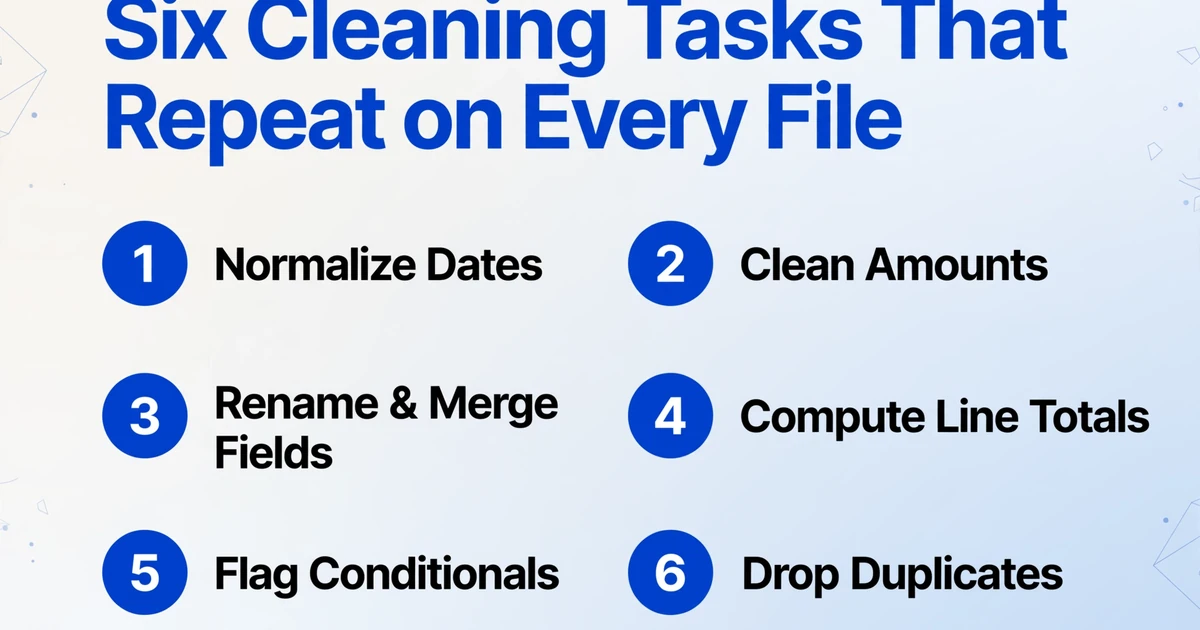
Post-extraction data cleaning is the work of turning raw field values into values a downstream system will accept. The tasks repeat across teams because documents vary and systems do not. Six families cover most of it.
- Date and time normalization. Documents mix
04/05/2026,5 Apr 2026,2026.04.05, and "the 5th of April". Sorting, aging, and matching all break until the column carries one format. - Amount and number cleanup. Currency symbols, thousands separators, European decimal commas, and parentheses for negatives all sit inside what should be a number.
$1.2Band($47.99)stay text until something converts them. - Field rename and merge. The document says "You Owe" and your system wants "Patient Responsibility". The document splits an address across three lines and your system wants one column.
- Line-item rollups. Multiply quantity by unit price, sum every line in a section, derive a subtotal that was never printed on the page.
- Conditional flags. Mark a row when the total does not equal the sum of its parts, or when an invoice crosses a budget threshold.
- Duplicate detection. A table that crosses a page break can extract the same line twice, inflating a subtotal before anyone notices.
These are the exact tasks a Python post-processing sandbox is built to handle. They are also the exact tasks a declarative extraction rule can handle without a script. The variance is what practitioners describe when they ask how to get PDF data into Excel cleanly across files: some sources import fine, others arrive as jumbled text with no consistent structure, and neither manual copying nor a general model scales, as one r/excel thread on inconsistent PDFs puts it. The difference is where the rule lives and who can maintain it six months later.
The test for whether a transformation belongs in a script is not how messy the input looks. It is whether the rule talks about one field, or about the relationship between documents and systems.
Why a Python Script Feels Like the Honest Answer
Dismissing scripts would be dishonest, because some transformations genuinely are script-shaped. If the rule has to compare this document to another one, join data from several systems, call an external service, or keep state across a run, no column rule expresses it, and a script is the right instrument.
Cross-document matching. Your invoice references PO-4471. Whether that purchase order exists, whether the amounts agree, and whether the goods were already paid live in a different file or a different system.
Multi-source joins and reconciliation. Statement against ledger, invoice against purchase order and goods receipt, three exports from three clients merged into one clean table.
External lookups. A live exchange rate, a current tax table, or a master vendor list you maintain in a database.
Stateful orchestration. Retries, branching on partial failure, queues, and records of what already ran.
Scripts carry real strengths on these jobs. They are reusable, they can be version-controlled, they can be tested, and they can run on a schedule. When a task is genuinely script-shaped, rebuilding it as a visual workflow often produces a worse version of the same script.
The automation community draws the line in roughly the same place. One r/automation thread on Python versus Make and n8n describes the visual tools as abstraction layers that are excellent for orchestration and control, while agreeing that going fully no-code is a step backward for anyone who can already write code. Code for logic, the thread argues, and visual tools for the wiring between steps.
Where the Script Quietly Costs More Than It Saves
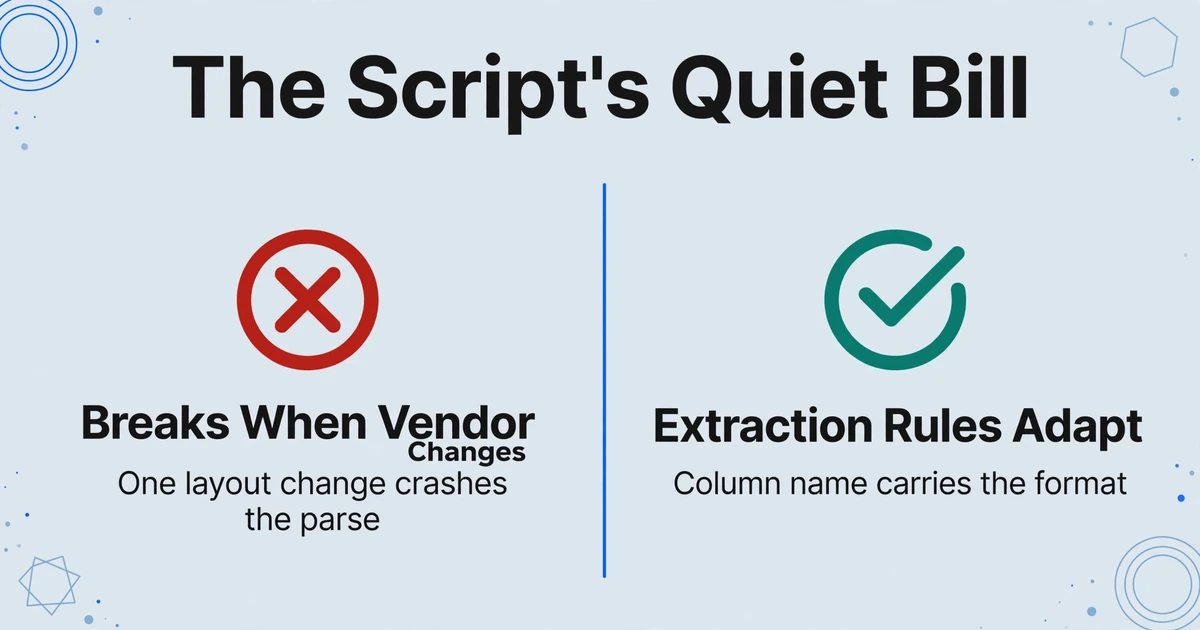
Scripts pay for their flexibility in maintenance, and the bill arrives in a form that never shows up on a project plan.
Version changes break the parse. A data professional described exactly this on r/TrueOffMyChest: a Python script handled daily invoice processing for six months, then one vendor slightly changed an invoice layout, the script crashed on an error it had never handled, and the author had forgotten the manual process entirely. The script did not fail because it was badly written. It failed because the document it was written against changed.
The author becomes the only person who can fix it. Undocumented parsing logic is a single point of failure. When that person is on leave, the process waits.
Dependencies drift. Library versions change, environments differ between machines, and a pipeline that worked last quarter stops working after an upgrade nobody tracked.
Silent failure is the expensive kind. A script that crashes is visible. A script that runs successfully and writes the wrong values into the column is not, and that is the outcome that reaches a ledger before anyone questions it.
Every format wants its own script. Regex tuned to one supplier's invoice does not transfer to the next supplier. You end up maintaining a script per source, and the count only grows.
A script that has to be edited whenever a supplier redesigns an invoice is not a one-time setup. It is a subscription with a variable bill.
What a Declarative Route Covers Before You Open an Editor
A declarative route moves the transformation into the extraction step, so a value arrives in the shape you want by the time the table appears. ImageToTable.ai, an AI data entry tool, does this in three ways, and together they cover the six task families above.
Custom Column Extraction is the first. You type the names of the columns you want, and the AI locates each value by understanding what it means rather than by where it sits on the page. Because the column name is also the instruction, a format request can live inside it. Name a column "Invoice Date (YYYY-MM-DD)" and the output carries the normalized date, whichever convention the document used. Name one "Total Amount (decimal)" and the currency symbol and locale separators are resolved before the value reaches your spreadsheet.
Computed columns are the second. A computed column is a column whose value is calculated during extraction from other fields in the same document. Row-level arithmetic, a sum across every line in a section, a conditional result, a fixed parameter, or a derived value the document never printed can all be defined this way. Simple rules go directly into the column name, for example Line Total (Qty × Unit Price). A multi-step derivation can be written into a JSON Rule Format instead, which keeps the column name clean while the logic stays precise.
Intelligent data post-processing is the third. The tool standardizes dates, amounts, and serial numbers into the format you specify during the same extraction pass, so the exported Excel, CSV, or JSON is ready to use instead of needing a second cleanup round.
Mapped to the six families, the declarative version is concrete. A date or amount is normalized by the format inside the column name. A rename or merge is a naming decision, because the AI maps each document field to your output name by meaning. A line rollup or a derived subtotal is a computed column. A conditional flag is a computed column too, for instance one that outputs the difference whenever the extracted total does not equal the amount the document billed. A fixed parameter such as a tax rate is embedded in the rule without the document ever containing it. Duplicate lines that come from a page break are handled by Multi-Page Merge, which folds split pages back into one row and resolves conflicting values by rule.
This is the same idea that the guide to moving calculation into extraction develops for invoice totals, and the verification workflow picks up the checks that still belong to a human.
Files are processed securely and not stored.
The value is not that the tool does the thinking for you. It is that the rote arithmetic and formatting happen where the field is read, so your review starts from answers instead of raw strings.
The Boundary: When You Genuinely Need Code
Honesty about the boundary matters more here than a clean pitch, because a workflow built on an overstated claim fails the way the script did. ImageToTable.ai does not run arbitrary Python, does not offer a scripting sandbox, and does not perform cross-document field-to-field matching. Its rules are field-level: normalize this value, compute this from these fields, infer this category, fold these pages into one row. Anything that needs one document compared against another, or against a system, stays outside the extraction step.
That leaves a short, honest list of jobs that belong in code: comparing an invoice to its purchase order and receipt, reconciling a bank statement against a ledger, calling a live exchange rate or a master vendor list, resolving a vendor name to one canonical record, and orchestrating multi-step work with retries and state. None of these get easier by forcing them into a column rule, and pretending otherwise would only recreate the brittleness this article is arguing against.
Where the tool does meet code is the handoff. The v1 API returns clean, structured JSON, so you can extract and standardize in the tool and then run your own script over values that are already consistent. If you are specifically weighing a built-in sandbox against this split approach, our comparison with Airparser covers the trade-off. Choosing extraction-time rules for the field-level work does not remove Python from a data team. It reserves Python for the work that actually needs it.
A Decision Rule You Can Apply Today
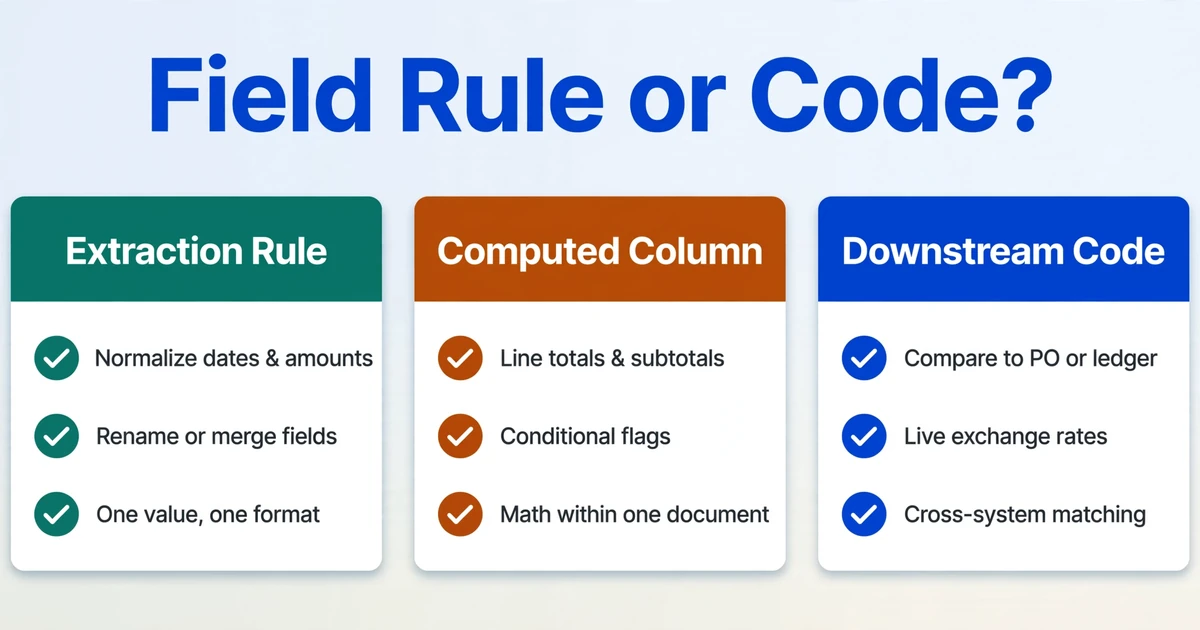
Read each transformation and ask one question: does the rule describe a field, or a relationship between documents and systems? Field rules belong at extraction. System logic belongs in code.
| Transformation | Where it belongs | Why |
|---|---|---|
| Normalize dates, amounts, identifiers | Extraction rule | One value, one deterministic format |
| Rename, merge, or split fields | Extraction rule | The output column name is the mapping |
| Row arithmetic and line totals | Computed column | Within-row math on extracted fields |
| Section subtotal or derived total | Computed column | Sum across rows inside one document |
| Conditional flag (total does not match billed amount) | Computed column | A condition on values already extracted |
| Duplicate row from a page break | Multi-Page Merge | Groups pages of one logical document |
| Compare this invoice to its purchase order | Downstream code | Needs a second document |
| Reconcile statement against ledger | Downstream code | Needs another system, state, and matching |
| Live exchange rate or master-data lookup | Downstream code | Needs an external service |
| Resolve a vendor name to one master record | Code or a data tool | Needs a maintained canonical list |
If you can write the transformation as a sentence about a field, it belongs at extraction. If the sentence needs the words "another document" or "the system", it belongs in code.
Frequently Asked Questions
Can ImageToTable.ai run a Python script on my extracted data?
No. The tool standardizes formats and computes values during extraction through column rules. It does not execute arbitrary code or provide a scripting sandbox. If a transformation genuinely needs Python, the v1 API returns structured JSON that you can process in your own environment.
Is a computed column the same as Python post-processing?
No. A computed column is scoped to arithmetic and logic over the fields in a document: row-level math, sums within a section, conditional outputs, fixed parameters, and derived values. It does not import libraries, call external services, or keep state across documents. That narrower scope is the point, because it is what a column rule can guarantee to do reliably.
When is writing a script the right choice?
When the rule has to touch something outside the single document: comparing an invoice to a purchase order, reconciling a bank statement against a ledger, pulling a live exchange rate, matching a vendor name to a master record, or orchestrating multi-step work with retries and branching. Those jobs are genuinely script-shaped, and extraction rules should not pretend to cover them.
Does built-in standardization handle dates from different countries?
It can emit the canonical format you specify, so a column that mixes conventions comes out consistent. It cannot resolve a genuinely ambiguous value such as 04/05/2026 without context. When the document offers no locale signal, the safe output is a flag for review rather than a silent guess, and that boundary is worth remembering before you trust a normalized date column.
Can it merge or rename columns after extraction instead of using a script?
You define the output columns before extraction, and the AI maps each document field to your name by meaning rather than by position, so a rename or merge is a naming decision rather than post-hoc code. Matching a value in one document to a value in another document is outside its scope and stays in code.
None of this makes Python optional for a data team. It makes Python selective. When the field-level cleaning happens where the field is read, the code that remains is the code that earns its keep: the joins, the reconciliations, and the system logic no column rule can express. The second job after extraction does not disappear. It gets smaller, and the part that stays is the part worth writing.