PAYG Summary July 14 Deadline
A Payroll Data Preparation Checklist for 2026
The 2025-26 financial year closes on 30 June. The morning of 1 July, two clocks start ticking. The first — visible on every payroll manager's calendar — counts down to 14 July, when STP finalisation must be complete and PAYG payment summaries must reach employees not reported through STP. The second clock, less visible but equally relentless, is powered by 14 million Australian employees who can lodge their tax returns from 1 July. Every employee who logs into myGov between the 1st and the 14th expects their income statement to be marked "Tax ready." Every employee who cannot see their finalised data calls payroll. This is the July crunch — and the only reliable defence against it is a checklist executed before the clock runs down.
Key Takeaways
- On 1 July, two clocks start ticking: the visible 14 July deadline on your calendar, and the invisible clock powered by 14 million employees logging into myGov the same morning expecting "Tax ready" income statements.
- The 14 July deadline gives you roughly three actual working days to reconcile every employee's data after the final June pay run closes — and the Payday Super compliance window (effective 1 July 2026) consumes two of those days with SG contribution processing.
- Redefine "ready" from output to input: by 10 July, one machine-extracted spreadsheet must exist where every row is verified, every Computed Column flag reviewed, and every stakeholder — finance, auditor, tax agent — sourcing from the same reconciled data.
The July-August PAYG Timeline: Four Dates That Define Your Payroll Month
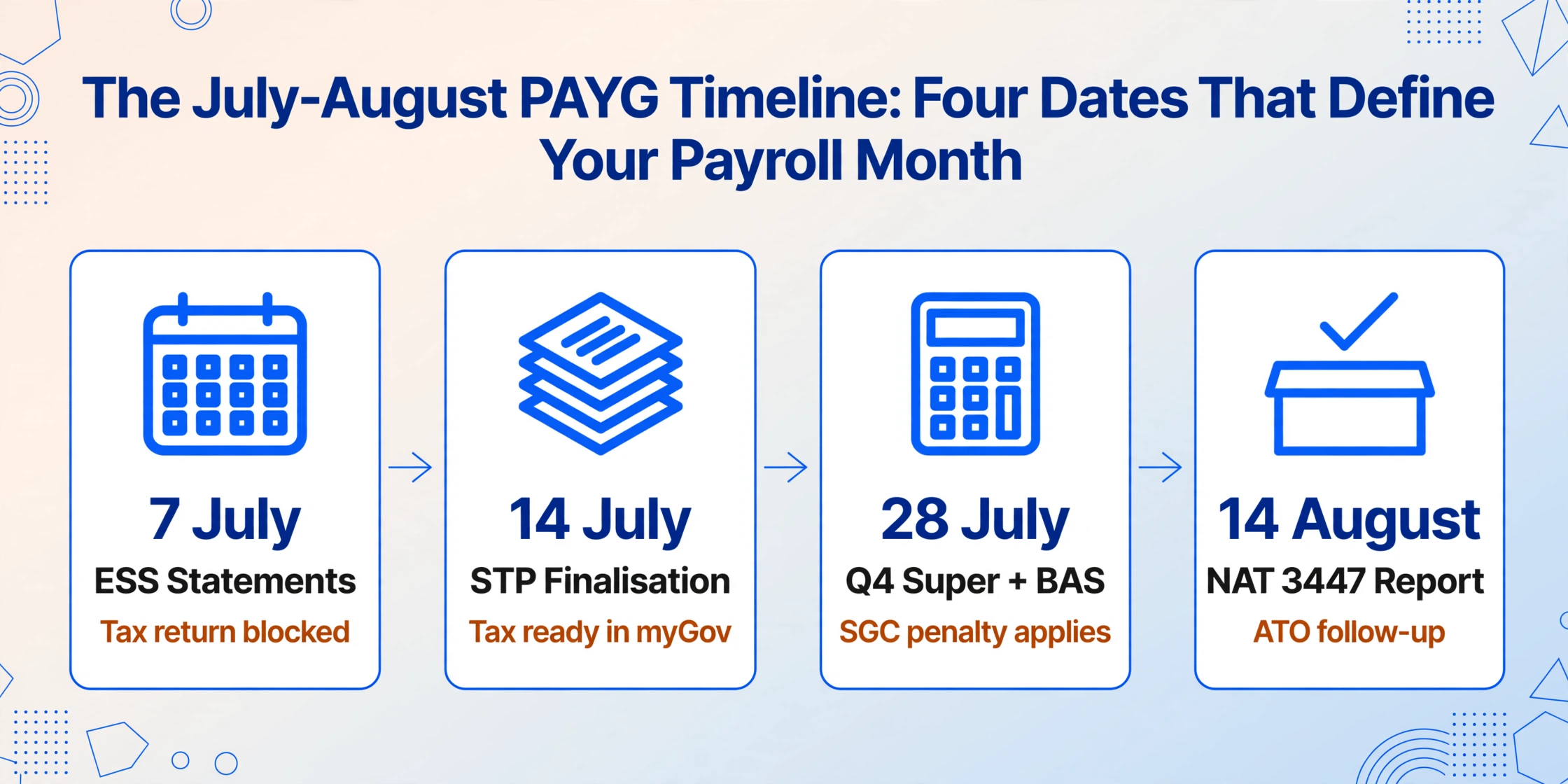
Before breaking down the checklist, understand the sequence. Each date triggers a cascade into the next — and missing one compresses the time available for the one that follows.
| Date | Requirement | Who It Affects | Consequence of Missing It |
|---|---|---|---|
| 7 July | Employee share scheme (ESS) statements issued to employees | Employers with ESS arrangements | Employee cannot complete tax return; ATO compliance follow-up |
| 14 July | STP finalisation declaration + PAYG payment summaries issued to employees not reported through STP | All STP-reporting employers; employers with STP-exempt or deferred payees | Employees cannot see Tax Ready income statements in myGov; late summary issuance may attract ATO penalties |
| 28 July | Q4 (April-June) super guarantee contributions due + Q4 BAS lodgment and payment | All employers | Super guarantee charge (penalty) applies; BAS late lodgment penalty |
| 14 August | PAYG payment summary annual report (NAT 3447) lodgment | Employers who issued traditional PAYG summaries | ATO non-lodgment follow-up; data-matching gaps between reported withholding and BAS totals |
Two additional dates exist outside the main sequence but affect specific employer categories. 30 September — STP finalisation for closely held payees (directors, family members of a family business, trust beneficiaries). 31 October — PAYG withholding where ABN not quoted annual report (NAT 3448) for payments to suppliers who did not provide an ABN.
The checklist that follows covers the 14 July deadline — the most resource-intensive date — with preparation for the 14 August annual report built into the same workflow. Execute in order: each section depends on the previous one being complete.
Phase 1: Pre-30 June — Data Readiness (Complete Before EOFY)
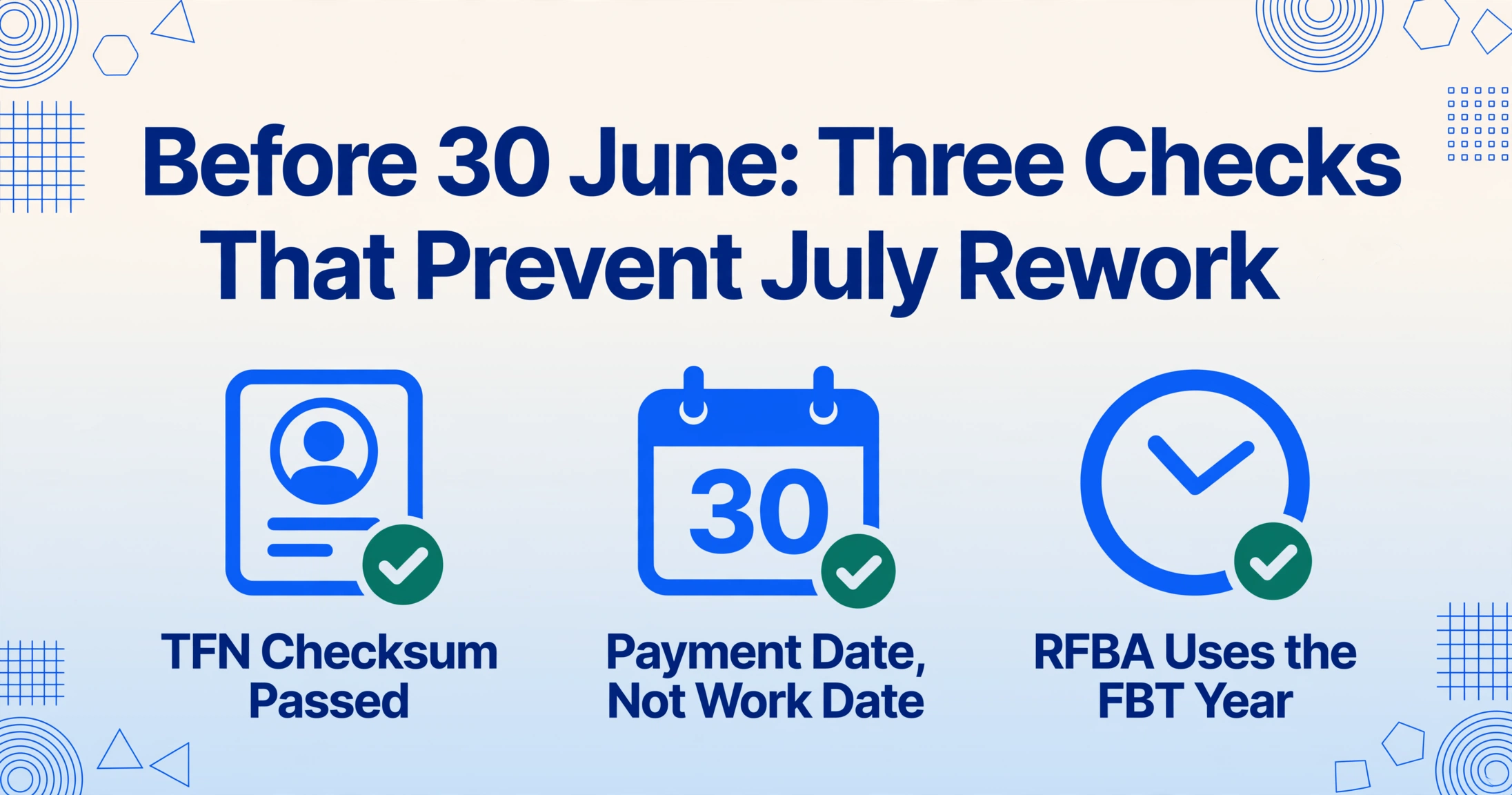
Verify employee details in payroll system
Confirm every employee's TFN, name spelling, date of birth, and address match the ATO's records. A mismatched TFN is the single most common trigger for STP data rejection and PAYG summary errors. Run a TFN validation report from your payroll software — most platforms flag TFNs that do not pass the ATO's checksum algorithm. Correct any mismatches before the final June pay run. Deadline sensitivity: after 30 June, correcting an employee detail requires an update event in STP, which adds a step to finalisation.
Reconcile the last pay run of the financial year
The final pay run before 30 June determines which financial year the payments fall into — payment date, not work date, is what the ATO uses. If the pay period straddles 30 June (e.g., 23 June to 6 July) and the payment date is on or after 1 July, the entire payment belongs to the 2026-27 financial year. Confirm with your payroll software how it handles the straddle — Xero, MYOB, and Employment Hero each handle financial-year-boundary pay runs differently. A mismatch between your assumption and the software's treatment is the most common cause of a gross payment discrepancy that surfaces during July reconciliation.
Review reportable fringe benefits for the FBT year
The FBT year runs 1 April to 31 March — not the financial year. Reportable fringe benefits amounts (RFBA) for the 2025-26 PAYG summaries are based on FBT returns for the period 1 April 2025 to 31 March 2026. Confirm that the RFBA amounts in your payroll system match the figures from your FBT return. An RFBA that was correctly reported for FBT purposes but not updated in the payroll system before 30 June will appear incorrectly on employee summaries — and an employee whose RFBA is understated may face an unexpected Medicare levy surcharge or HELP repayment obligation when the ATO cross-references the correct figure.
Identify and classify all termination payments from the year
For every employee who left during the financial year, confirm: Was an ETP payment summary (NAT 70868) issued within 14 days of payment? Were the lump sum components correctly classified (A for unused annual leave, B for unused long service leave, D for tax-free redundancy, E for back pay)? A misclassified lump sum — Type A entered where Type D should be — means the employee's income statement reports taxable income where a tax-free amount should appear. The employee discovers this when they lodge their tax return, and the correction requires reissuing the summary, lodging an amended STP report, and fielding the employee's complaint.
Phase 1 goal: by 30 June, every employee record in your payroll system is correct, every payment is assigned to the right financial year, and every termination payment is classified. Phase 2 — the extraction and reconciliation — is only as clean as Phase 1's data.
Phase 2: 1-10 July — Extraction and Reconciliation
Generate and collect all PAYG payment summaries — digital and paper
For STP-reported employees: your payroll software has already reported the data. You do not need to generate paper summaries — STP finalisation replaces them. For STP-exempt or deferred employees: generate the payment summaries from your payroll software and save as PDFs. For closely held payees receiving interim summaries while STP finalisation extends to 30 September: generate the interim summaries now — they will be reconciled again in September but must be distributed by 14 July. For third-party certificates (labour-hire providers, related entities): collect all PDFs that have arrived from external sources. Create a single folder — digital or physical — containing every summary that needs to be processed. If paper summaries from third-party providers have not arrived by 5 July, follow up immediately.
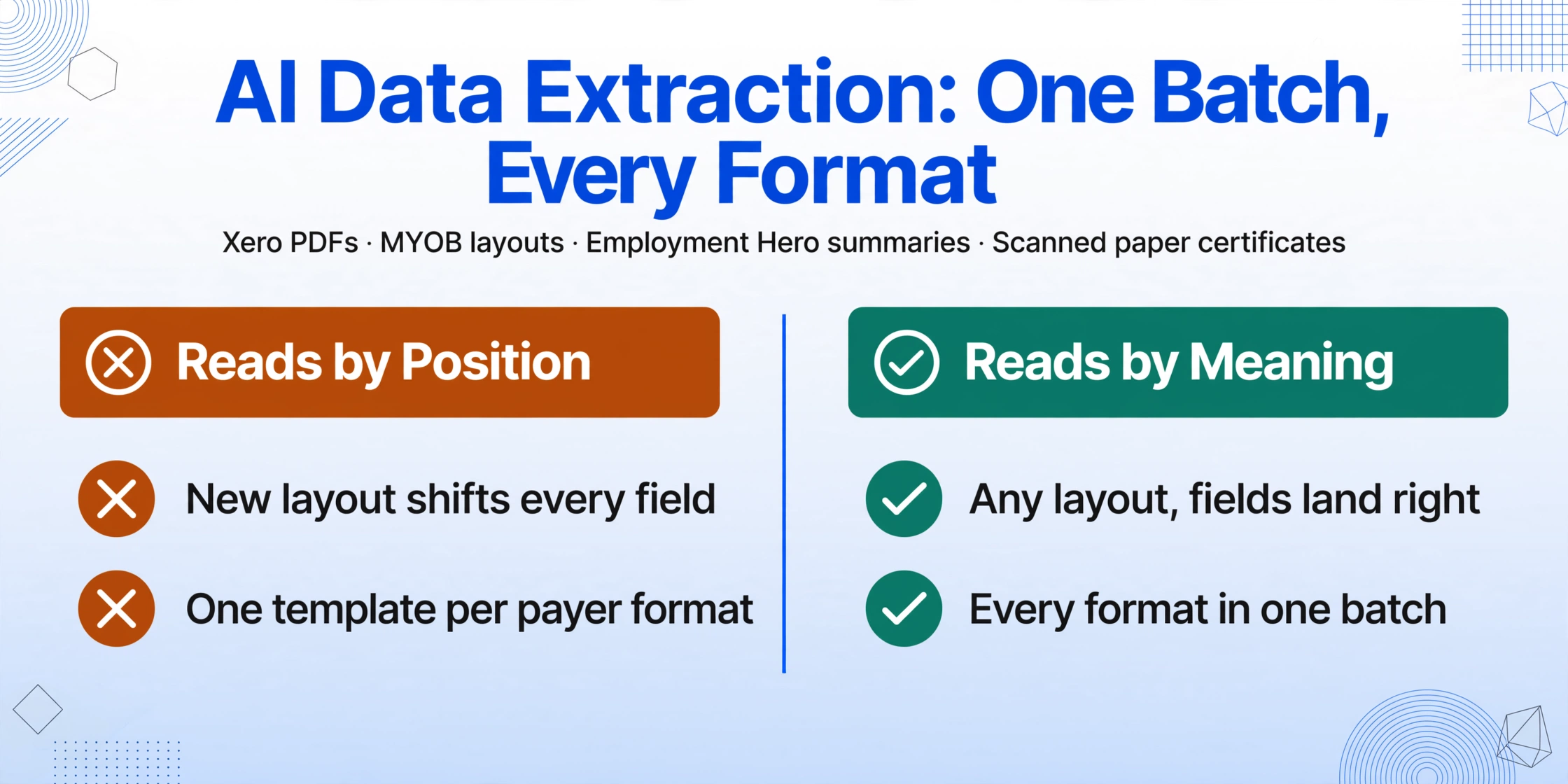
Extract all summaries into one reconciliation spreadsheet
This is the step that determines whether the rest of the checklist takes hours or days. Define your column schema — Employee Name, TFN, Payer ABN, Gross Payments, Total Tax Withheld, RFBA, RESC, Allowances, Lump Sum A-E, Period Start, Period End — and upload every summary in a single batch. The extraction engine processes all formats — Xero PDFs, MYOB layouts, Employment Hero summaries, scanned paper certificates from third-party providers — in the same batch because it reads each field by its semantic meaning, not by its position on the page. The output is one spreadsheet with one row per employee per summary type. For PAYG summary extraction, the key design choice is whether to use Computed Columns during extraction — embedding validation rules (SG compliance check, effective tax rate outlier detection) that flag discrepancies before the spreadsheet opens.
Reconcile extracted data against payroll system
With the extraction spreadsheet and the payroll system's year-to-date report side by side, verify: (a) total gross payments across all summaries match the payroll year-to-date earnings report, (b) total tax withheld across all summaries matches the sum of PAYG withholding on the four quarterly BAS (labels W1 for salary and wages, W2 for withholding), (c) the number of employees in the extraction equals the number of employees who received a payment summary (count includes full-time, part-time, casual employees with tax withheld, and former employees — excludes contractors on ABN unless voluntary withholding applied, and employees with zero tax withheld who are below the tax-free threshold), (d) for any employee with a non-zero RFBA, confirm the amount matches the FBT return and that the employee actually received a reportable fringe benefit.
Investigate and resolve all reconciliation discrepancies
Any employee whose gross payment or tax withheld differs between the extracted summary and the payroll system requires investigation. Common causes resolved in under 10 minutes: (a) a manual pay adjustment entered in the payroll system after the summary was generated, (b) a bonus paid in June but processed in the July pay run (belongs to next financial year under ATO payment-date rules), (c) a salary sacrifice arrangement coded as standard SG rather than RESC — the gross payment is correct but the RESC field is wrong. Less common but more time-consuming: (d) an employee paid from two different entities within the same corporate group — each entity issued its own summary and the payroll system report only covers one entity, (e) a worker classified as an employee in one reporting period and a contractor in another — the summary covers the employee period only but the payroll register may include both. Escalate any discrepancy you cannot explain to the payroll software provider or tax agent before 10 July — the remaining four days are for distribution and finalisation, not investigation.
Phase 2 goal: by 10 July, every summary has been extracted, reconciled, and any discrepancies resolved. The extraction spreadsheet is the source of truth for all three stakeholder groups (finance, auditor, tax agent). Phase 3 — finalisation and distribution — is a confirmation step, not a data-fixing step.
Phase 3: 11-14 July — Finalisation and Distribution
Submit STP finalisation declaration
Through your STP-enabled payroll software, submit the finalisation declaration for all arm's-length employees. This marks their income statements as "Tax ready" in myGov. Before submitting, preview the STP finalisation report — most payroll platforms provide a preview function — and confirm the totals match your reconciled extraction spreadsheet. For employees who left during the year, confirm their termination date is correct and their finalisation includes all payments up to that date. For closely held payees, if you are issuing interim traditional summaries while deferring STP finalisation to 30 September, do not finalise them now — but ensure their interim summaries are distributed by 14 July. Note: from 1 July 2026, Payday Super requires SG contributions to reach employee funds within seven business days of each pay date. The first pay runs after 1 July fall under this rule — confirm your payroll software and super clearing house are configured for the new timing.
Distribute PAYG payment summaries to non-STP employees
For employees not reported through STP — STP-exempt payees, pre-transition period employees, closely held payees receiving interim summaries, and third-party certificate recipients — distribute their PAYG payment summaries by 14 July. Each summary must be a complete and accurate record of payments made and tax withheld. Distribution methods: email (PDF attachment), physical mail (printed certificate), or hand delivery. Keep a record of distribution — date issued, method, and recipient — for your own compliance records. Employees who do not receive their summary by 14 July cannot complete their tax return accurately, and the ATO holds the employer responsible for the delay.
Communicate with employees about their income statements
Send a brief email to all employees (or post on your intranet) explaining: (a) STP-reported employees can access their income statement through myGov — it should be marked "Tax ready" after the employer's finalisation, (b) employees who received a traditional PAYG payment summary should use the figures on that summary for their tax return, (c) if any figure on the income statement or payment summary does not match the employee's expectation, they should contact payroll — not the ATO — first. This last point is critical: an employee who queries a figure with the ATO directly triggers a data-matching inquiry that takes longer and involves more parties than an internal payroll correction. Proactive communication reduces the volume of July-August employee inquiries by directing them to the right channel.
Phase 3 goal: by 14 July, STP finalisation is complete, every employee has their end-of-year summary (digital income statement or traditional PAYG summary), and employees know who to contact if they have questions. The July crunch is managed. Phase 4 — the ATO annual report — has a full month to prepare.
Phase 4: 15 July – 14 August — ATO Annual Report and Audit Preparation
Prepare the PAYG payment summary annual report (NAT 3447)
If you issued any traditional PAYG payment summaries (non-STP employees, closely held payee interim summaries, third-party certificates), you must lodge a PAYG payment summary statement (NAT 3447) with the ATO by 14 August. This form summarises all payment summaries issued — total gross payments, total tax withheld, and the number of summaries for each PAYG summary type. Your reconciled extraction spreadsheet from Phase 2 provides the figures — the SUM of the Gross Payments and Total Tax Withheld columns, filtered by summary type if you issued multiple types. Cross-reference these totals against your quarterly BAS withholding figures (labels W1 and W2). Any discrepancy between the annual report total and the BAS sum triggers an ATO inquiry.
Archive everything for the five-year record retention requirement
The ATO requires employers to retain payroll records — including PAYG payment summaries — for five years from the date they were prepared or obtained. Save in a structured, searchable location: (a) the reconciled extraction spreadsheet (Excel format, one file per tax year) — this is your searchable index for any future ATO review or employee query, (b) all original payment summary PDFs and scans organised by tax year and employee, (c) the STP finalisation confirmation from your payroll software, (d) the lodged NAT 3447 annual report and confirmation of lodgment. A spreadsheet with all fields machine-extracted is a searchable archive; a folder of unextracted PDFs sorted by employee name is a filing cabinet. The difference becomes apparent the first time you need to answer an ATO query about a specific employee from three tax years ago. The UK P60 May deadline and P11D July deadline follow the same preparation sequence under different tax calendars — the document types differ, but the checklist structure (verify → extract → reconcile → distribute → lodge → archive) is universal.
Frequently Asked Questions
What happens if I miss the 14 July deadline?
For STP finalisation: there is no direct financial penalty for missing 14 July, but employees cannot complete their tax returns until their income statement is marked "Tax ready." The ATO may follow up for an explanation if you are significantly late, and consistent lateness across multiple years may attract compliance attention. You can apply to the ATO for a deferral if you cannot meet the deadline — requests are assessed case by case. For traditional PAYG payment summaries: late issuance may attract penalties under the ATO's failure-to-lodge framework. The practical cost is often higher than the penalty: employees who cannot lodge their tax return because they are missing a summary will escalate their complaints, consuming payroll team time during a period when the team is already handling BAS lodgment and Q4 super payments.
How does Payday Super (from 1 July 2026) affect the July deadline workload?
Payday Super requires SG contributions to reach the employee's super fund within seven business days of each pay date — replacing the current quarterly contribution deadline. For the July 2026 payroll cycle, this means the first pay runs processed on or after 1 July must have super contributions paid by approximately 10-12 July (depending on the exact pay date and the seven-business-day window). This overlaps with the STP finalisation and PAYG summary distribution window. Payroll teams processing both the year-end finalisation and the first Payday Super-compliant contribution run simultaneously are capacity-constrained — the checklist above front-loads reconciliation work into the 1-10 July window to free up the 11-14 July window for finalisation and super processing.
Do I need to issue PAYG summaries to employees who never had tax withheld?
Under the ATO's rules, you must give each worker a payment summary by 14 July "even if the withheld amount is nil." This applies to employees who earned below the tax-free threshold ($18,200 for 2025-26) or who claimed the tax-free threshold and had no tax withheld on their earnings. The summary still serves a record-keeping function: it confirms the employee's gross earnings for the year, which may be relevant for government benefits, child support assessments, or loan applications. In practice, many employers generate these nil-withholding summaries through their payroll software and distribute them alongside the standard summaries — the extraction and reconciliation process handles them identically because the fields are the same; only the tax withheld value is zero.
Can I finalise STP early — before 14 July — for employees who left mid-year?
Yes. You can finalise an individual employee's STP data at any point after their employment ends — you do not need to wait until the end of the financial year. This is particularly useful for employees who left in, say, March and want to lodge their tax return before July. Finalise their data through your STP-enabled software as soon as their final pay is processed and all figures (including any ETP, unused leave payments, and the final super contribution) are final. The employee's income statement will appear as "Tax ready" in myGov, and they can lodge their return without waiting for the July finalisation cycle. Keep a record of which employees were finalised early — their year-to-date figures at the time of finalisation should be confirmed as complete and should not change after finalisation.
How do I handle an employee who queries their PAYG summary figure after I have already lodged the annual report?
Investigate the query against your reconciled extraction spreadsheet and the original summary PDF. If the query reveals a genuine error: (a) issue a corrected PAYG payment summary to the employee, (b) submit an amended STP report (update event) if the employee was reported through STP, (c) amend your PAYG payment summary annual report (NAT 3447) if the correction changes the totals reported, and (d) notify the employee in writing that the correction has been made and provide a copy of the amended summary. If the ATO has already used the incorrect figure in the employee's tax assessment, the employee may need to request an amendment to their tax return. The cost of this correction process — in payroll officer time, tax agent time, and employee frustration — is the hidden cost of the original error. This is why Phase 2 (reconciliation) is the most important phase in the checklist: errors caught and corrected before finalisation cost minutes; errors caught after lodgment cost hours.