7 Korean Simplified Tax Invoice
Rate Mistakes That Cost Your Filing
You open a Korean simplified taxpayer (간이과세자) invoice. The supply value (공급가액) is ₩5,000,000. The VAT amount (부가세액) is ₩500,000 — a clean 10%. You enter ₩500,000 into your filing spreadsheet, confident the number is correct. But if you are a simplified taxpayer, the ₩500,000 printed on that invoice has almost nothing to do with what you actually owe. Your real liability on that transaction, depending on your industry, is somewhere between ₩75,000 and ₩200,000. The ₩500,000 figure is not a typo — it is the correct 10% face-value VAT. But using it as your liability number is the first and most consequential rate error that simplified taxpayers make. This article maps the seven most common rate mistakes on Korean 간이과세자 invoices — what each one costs, why it happens, and how to stop making it before your annual January 25 filing deadline.
Key Takeaways
- The printed 10% VAT on your Korean 간이과세자 invoice is legally required yet overstates your real liability by up to 6.7 times — the system, not your attention, is the problem.
- Confusing 공급가액 with 공급대가 or mixing industry ratios silently costs millions of won across 200 annual invoices.
- Building the correct industry ratio into your extraction columns means every invoice in your batch comes out with the right liability figure — no more manual adjustment per invoice.
Mistake #1: Treating the Printed VAT Amount (부가세액, 10%) as Your Actual Liability
This is the most fundamental rate error in the Korean simplified taxpayer system — and it is also the most common. Every tax invoice in Korea, whether issued by a general taxpayer (일반과세자) or a simplified taxpayer (간이과세자), prints the VAT amount at the standard 10% rate. That is required by law under the Value-Added Tax Act (부가가치세법). The ₩500,000 printed in the 부가세액 field is not wrong — it is the legally correct face-value VAT for that transaction. But for a simplified taxpayer, your actual VAT liability is calculated differently.
Under Articles 32–36 of the Value-Added Tax Act (부가가치세법), a simplified taxpayer's VAT payable is: (supply consideration × industry value-added ratio × 10%) − limited input tax credit. The industry-specific value-added ratio (업종별 부가가치율) ranges from 15% to 40% depending on your business type, as published by the NTS under the amended schedule effective from July 2021. Your effective VAT rate lands between 1.5% and 4% — not 10%.
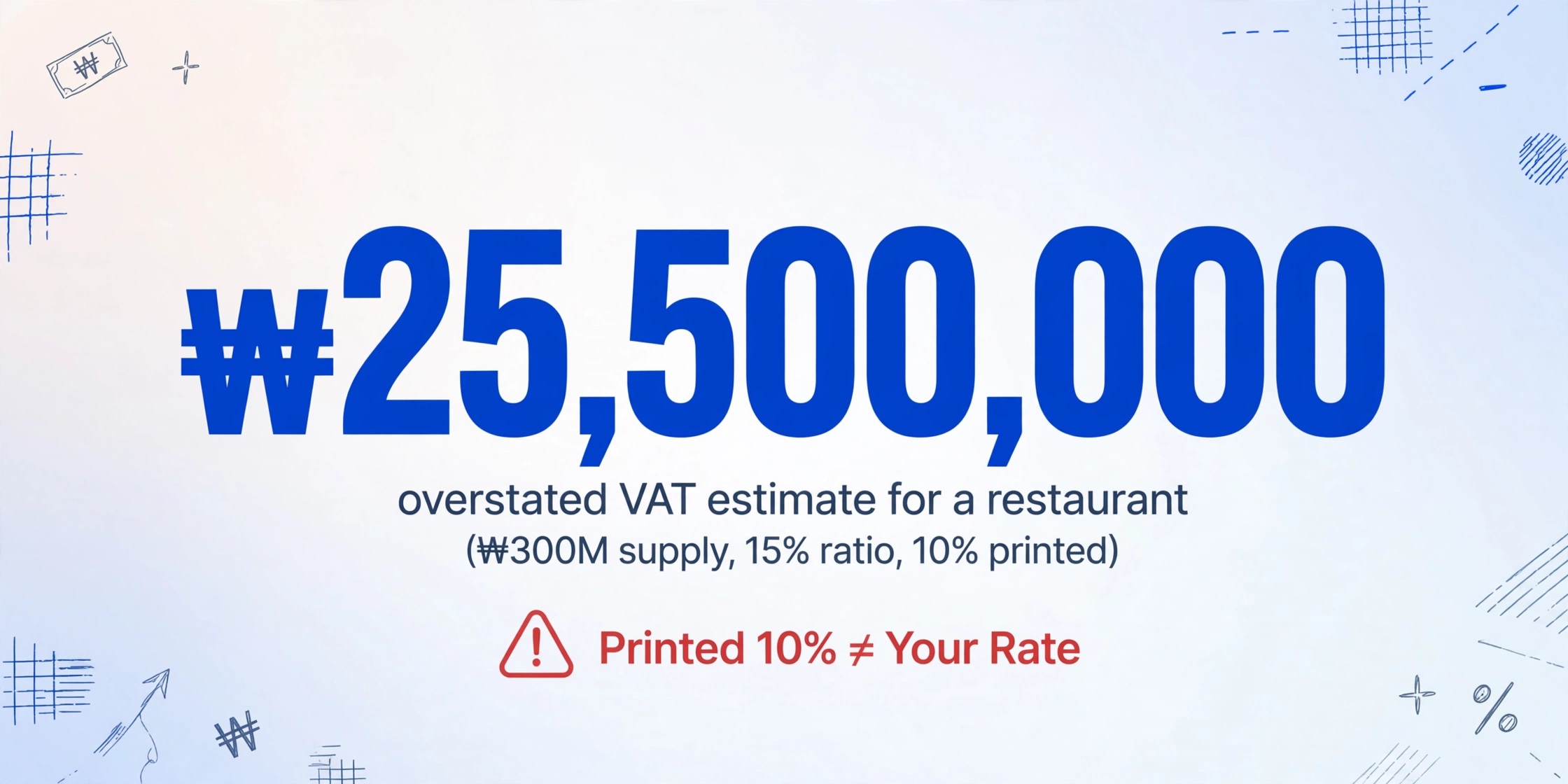
What it costs you: If you sum the printed 부가세액 column from your annual invoices and use that total to estimate your VAT bill, you overstate your liability by a factor of 2.5 to 6.7 times. A restaurant owner (15% ratio) with ₩300,000,000 in annual supply consideration would estimate their VAT bill at ₩30,000,000 based on the printed amounts — but their actual liability is approximately ₩4,500,000. That ₩25,500,000 gap is not a tax saving you can spend — but miscalculating it affects cash flow planning, reserve allocation, and the accuracy of the data you hand to your tax accountant (세무사).
How to avoid it: Never use the printed 부가세액 from a 간이과세자 invoice as your liability input. Instead, extract the supply value (공급가액) and apply your industry ratio separately. For a complete walkthrough of the extraction workflow, see our guide to extracting 간이과세자 세금계산서 data for annual VAT filing.
Mistake #2: Applying the Wrong Industry Value-Added Ratio (업종별 부가가치율)
Once you understand that the printed 10% is not your rate, the next question is: which ratio do you use? The answer depends on your industry classification, and getting it wrong is the second most common 간이과세자 rate error.
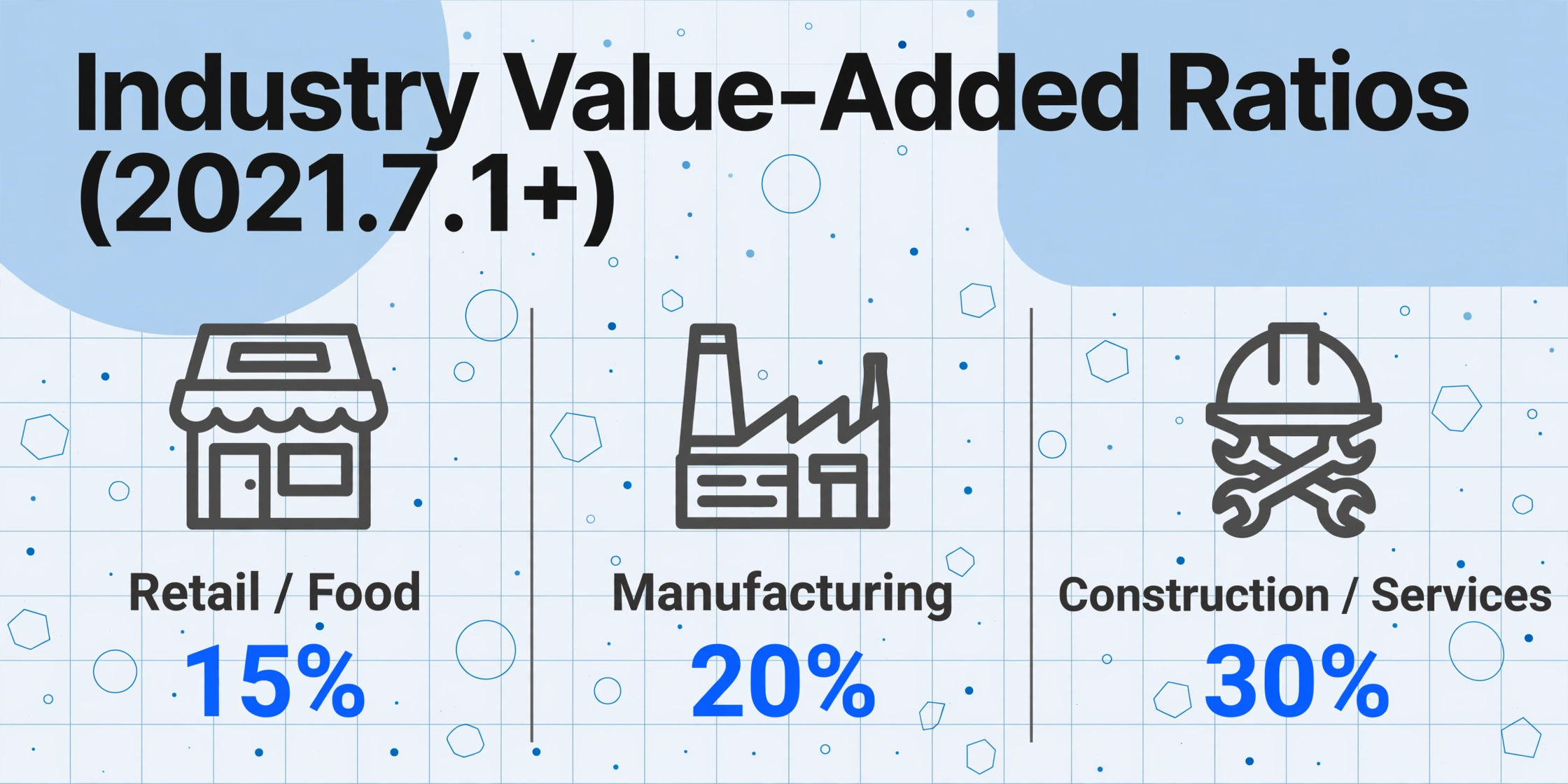
The NTS assigns different value-added ratios to different industry categories. The current schedule (2021.7.1 onward) is:
| Industry Category | Value-Add Ratio | Effective VAT Rate | Examples |
|---|---|---|---|
| Retail, Food service, Scrap collection | 15% | 1.5% | Convenience stores, restaurants, recyclers |
| Manufacturing, Agriculture, Fisheries, Parcel delivery | 20% | 2.0% | Small factories, farms, courier services |
| Accommodation | 25% | 2.5% | Hotels, motels, guesthouses |
| Construction, Transport (excl. parcel), IT/Telecom, Other services | 30% | 3.0% | Contractors, logistics firms, developers, hair salons |
| Finance/Insurance, Professional services, Facilities management, Real estate rental | 40% | 4.0% | Accountants, consultants, property lessors, cleaning services |
The most common version of this mistake happens when a business owner assumes their ratio matches a similar business they know. A freelance graphic designer (professional services, 40%) who assumes their rate is the same as their friend's convenience store (retail, 15%) underestimates their liability by 2.7 times. A restaurant owner who hears "simplified taxpayer rate is about 2%" and applies that to all their invoices will be correct for food supply invoices but wrong for professional service invoices they receive.
What it costs you: The difference between applying a 15% ratio and a 40% ratio on a ₩10,000,000 transaction is ₩250,000 in estimated VAT (₩150,000 vs ₩400,000). Applied across 200 invoices a year, the cumulative error from consistently using the wrong ratio can exceed millions of won. If the error goes the other direction — using too high a ratio on most invoices — you are setting aside more cash than you owe, which is safe but inefficient. If you use too low a ratio, you risk underpaying at filing time.
How to avoid it: Check your 업종코드 (industry code) on your business registration certificate (사업자등록증) or through HomeTax (홈택스). If you receive invoices from suppliers in different industries, create a lookup table that maps each supplier's business registration number to their industry ratio. This is especially important if you aggregate invoices from multiple 업종 categories into the same batch.
Mistake #3: Using Supply Value (공급가액) Instead of Supply Amount (공급대가) in the Ratio Calculation
This is a subtle error that even experienced small business owners make. The simplified taxpayer VAT formula uses supply consideration (공급대가) as its base, not supply value (공급가액). These are two different numbers on every invoice, and confusing them produces a systematically wrong calculation.
공급가액 (supply value) is the net transaction amount before VAT. 공급대가 (supply consideration) is the total including VAT — the amount the buyer actually pays. On an invoice with 공급가액 ₩5,000,000 and 부가세액 ₩500,000, the 공급대가 is ₩5,500,000. The 간이과세자 calculation uses the 공급대가, not the 공급가액.
This distinction matters because the 공급대가 is always larger than the 공급가액. Using 공급가액 instead of 공급대가 in your calculation underestimates your liability by approximately 10% — consistently, on every invoice. For a retail business with 15% ratio and ₩200,000,000 in annual purchases, using 공급가액 instead of 공급대가 produces an error of roughly ₩300,000 per year in the wrong direction.
What it costs you: If you consistently use 공급가액 instead of 공급대가, you understate your VAT liability by 9.1% on every calculation (because ₩5,000,000 ÷ ₩5,500,000 ≈ 0.909). Over a year with a tax bill of ₩5,000,000, that is ₩455,000 in understated liability — which you will discover at filing time, along with any penalties for late payment.
How to avoid it: When setting up your extraction columns, include both 공급가액 and 합계금액. If your tool supports computed columns, define one that calculates the ratio-adjusted VAT as Estimated VAT (합계금액 × 업종별 부가가치율 × 10%) — using the total amount, not the supply value. This ensures the calculation uses the correct base automatically.
Mistake #4: Mixing General Taxpayer (일반과세자) and Simplified Taxpayer (간이과세자) Invoices Without Separation
Most small businesses in Korea receive invoices from a mix of general taxpayer (일반과세자) and simplified taxpayer (간이과세자) suppliers. A convenience store buys snacks from a large distributor (일반과세자, 10% VAT, fully deductible) and fresh produce from a local farmer (간이과세자, industry ratio applies). These two invoices look structurally similar — both have 공급가액, 부가세액, and 합계금액 printed at 10%. But the tax treatment is fundamentally different.
A 일반과세자 invoice carries VAT that the supplier will remit at the full 10% rate. As the buyer, you can claim the full 10% input VAT deduction (매입세액공제) under the standard rules. A 간이과세자 invoice also shows 10% VAT on its face, but the supplier's actual tax remittance is calculated using their industry ratio, and your input tax credit as a 간이과세자 buyer is limited to 0.5% of the purchase amount.
When you process 50 invoices from mixed suppliers in the same batch and apply the same rate logic to all of them, you are wrong in one of two directions: you either overestimate the deductible input VAT on 간이과세자 invoices (by assuming the full 10% applies), or you underestimate it on 일반과세자 invoices (by applying the industry ratio when it does not belong).
What it costs you: If you have 30 일반과세자 invoices and 20 간이과세자 invoices in your annual batch, and you incorrectly apply the 간이과세자 industry ratio to all 50, you under-claim input VAT on the 30 일반과세자 invoices by approximately ₩1,500,000 (assuming average ₩500,000 VAT per invoice). If you apply the standard 10% to all 50, you over-claim input VAT on the 20 간이과세자 invoices — which the NTS system will flag during processing, potentially triggering a review.
How to avoid it: Maintain a supplier classification list that records each vendor's tax status (일반과세자 or 간이과세자). Before extraction, sort your invoices by supplier type or add a column that flags the classification. For a detailed batch workflow that handles mixed invoice types, see our guide to batch-processing Korean simplified taxpayer invoices.
Mistake #5: Using the Pre-July 2021 Ratio Schedule
The industry value-added ratio schedule changed significantly on July 1, 2021. Before that date, ratios ranged from 5% to 30%. After July 1, 2021, the range shifted to 15% to 40%. If you are still using the old schedule — whether because you learned the system before 2021, because an outdated template guides your calculation, or because your accounting software has not been updated — every single VAT estimate you produce is wrong.
The old schedule had a 5% ratio for utilities, 10% for retail and food service, 20% for manufacturing, and 30% for construction and services. The current schedule starts at 15% (retail/food service), goes to 20% (manufacturing), 25% (accommodation), 30% (construction), and 40% (professional services). A restaurant owner who learned their ratio as 10% (old schedule) and continues using it is understating their liability by 50% — their actual ratio is 15%, not 10%.
What it costs you: Using the old 10% retail ratio instead of the current 15% ratio on ₩200,000,000 in annual supply consideration produces an estimated VAT of ₩2,000,000 (old) versus ₩3,000,000 (current) — a ₩1,000,000 understatement. The NTS system calculates your liability using the current schedule, so if your own estimate is based on outdated rates, you will face a cash shortfall come filing time.
How to avoid it: Verify your ratio against the NTS's current schedule once per tax year. The NTS publishes the updated rates on their official VAT rate page. If you use an extraction tool or accounting software, check that the ratio values in your configuration match the post-July 2021 schedule. Any computed column that references a ratio should use the current values — and should be updated if the NTS revises the schedule again.
Mistake #6: Ignoring the 0.5% Input Tax Credit Ceiling in Your Net Rate
The headline "1.5% to 4% effective VAT rate" for 간이과세자 is misleading on its own. That rate only covers the output side of the calculation. The input side — what you can deduct from your VAT bill — is dramatically different from the general taxpayer system and changes the net rate you actually pay.
A general taxpayer (일반과세자) deducts the full 10% input VAT on every purchase with a valid tax invoice. A simplified taxpayer (간이과세자) deducts only 0.5% of purchase amounts (매입액의 0.5%) as input tax credit (공제세액), governed by Article 64 of the Value-Added Tax Act (부가가치세법). This means a business with significant purchases — a restaurant buying ingredients, a manufacturer buying raw materials — carries a much higher net tax burden than the headline effective rate would suggest.
Consider a restaurant with ₩300,000,000 in annual supply consideration and ₩200,000,000 in purchases. The output VAT calculation: ₩300,000,000 × 15% (retail ratio) × 10% = ₩4,500,000. The input tax credit: ₩200,000,000 × 0.5% = ₩1,000,000. Net VAT payable: ₩3,500,000 — an effective net rate of 1.17% on revenue. But a consultant with the same ₩300,000,000 revenue and only ₩30,000,000 in purchases (mostly software and office expenses) calculates: ₩300,000,000 × 40% × 10% = ₩12,000,000 output, minus ₩30,000,000 × 0.5% = ₩150,000 credit = ₩11,850,000 net — an effective net rate of 3.95%. The consultant's net rate is 3.4 times higher than the restaurant's, even though both are "simplified taxpayers."
What it costs you: If you estimate your VAT bill using only the output-side rate and ignore the input credit limitation, you will overstate your liability if you are purchase-heavy (assuming a bigger credit than you get) or understate it if you are purchase-light (ignoring that your credit is minimal). The error is most severe in the first year of operation, when purchases typically exceed revenue and the difference between the general taxpayer's full credit and the 간이과세자's 0.5% credit can mean paying VAT on money you have not yet earned.
How to avoid it: When you extract invoice data for filing preparation, include a column for purchase amounts and add a computed column for the input tax credit: Input credit (공급대가 × 0.5%). Subtract this from your output VAT estimate to get your net payable amount. This turns the net rate calculation into an automatic step rather than a manual afterthought.
Mistake #7: Operating Across Multiple 업종 Without Separate Calculations
Many Korean small business owners operate in more than one business category. A retail shop owner also provides consulting services to other retailers. A restaurant also runs a small catering service. A construction contractor also does property management. Under Article 63 of the Value-Added Tax Act, a simplified taxpayer who operates in two or more 업종 categories must calculate VAT separately for each category and sum the results. A single blended calculation using one ratio for all revenue is incorrect.
The NTS provides clear guidance: "In cases where a simplified taxpayer operates two or more business categories, the tax payable shall be calculated separately for each category" (부가가치세법 제63조 제2항). Your business registration certificate (사업자등록증) lists your 업종코드. If you have more than one code, you must track revenue and apply the correct ratio to each stream.
This creates a data problem that compounds the rate error. If you use the retail ratio (15%) for all your revenue, the consulting portion (40%) is under-taxed. If you use the services ratio (40%) for everything, the retail portion is over-taxed. The NTS expects you to allocate actual revenue to each category and apply the corresponding ratio.
What it costs you: A retailer-consultant with ₩200,000,000 in retail revenue (15% ratio) and ₩100,000,000 in consulting revenue (40% ratio) who applies a blended 25% ratio to all ₩300,000,000 calculates: ₩300,000,000 × 25% × 10% = ₩7,500,000. The correct calculation: (₩200,000,000 × 15% × 10%) + (₩100,000,000 × 40% × 10%) = ₩3,000,000 + ₩4,000,000 = ₩7,000,000. The blended approach overstates liability by ₩500,000. If the blend weights are different, the error direction reverses. Without separate tracking, you cannot know whether you are over- or under-paying until filing time.
How to avoid it: Tag each invoice with its corresponding 업종 category during extraction. Add an inferred column: 업종 (options: 소매/서비스/제조/건설) so the AI classifies each invoice by business type. Then use a lookup table to apply the correct ratio per category. The batch output should group invoices by category so you can verify the allocation before submitting to your accountant or to HomeTax.
The seven rate errors share one root cause: they all happen because the data on the invoice and the data you need for filing are different numbers that look the same. Separating them is what correct extraction does.
How to Prevent All Seven Rate Errors in One Workflow
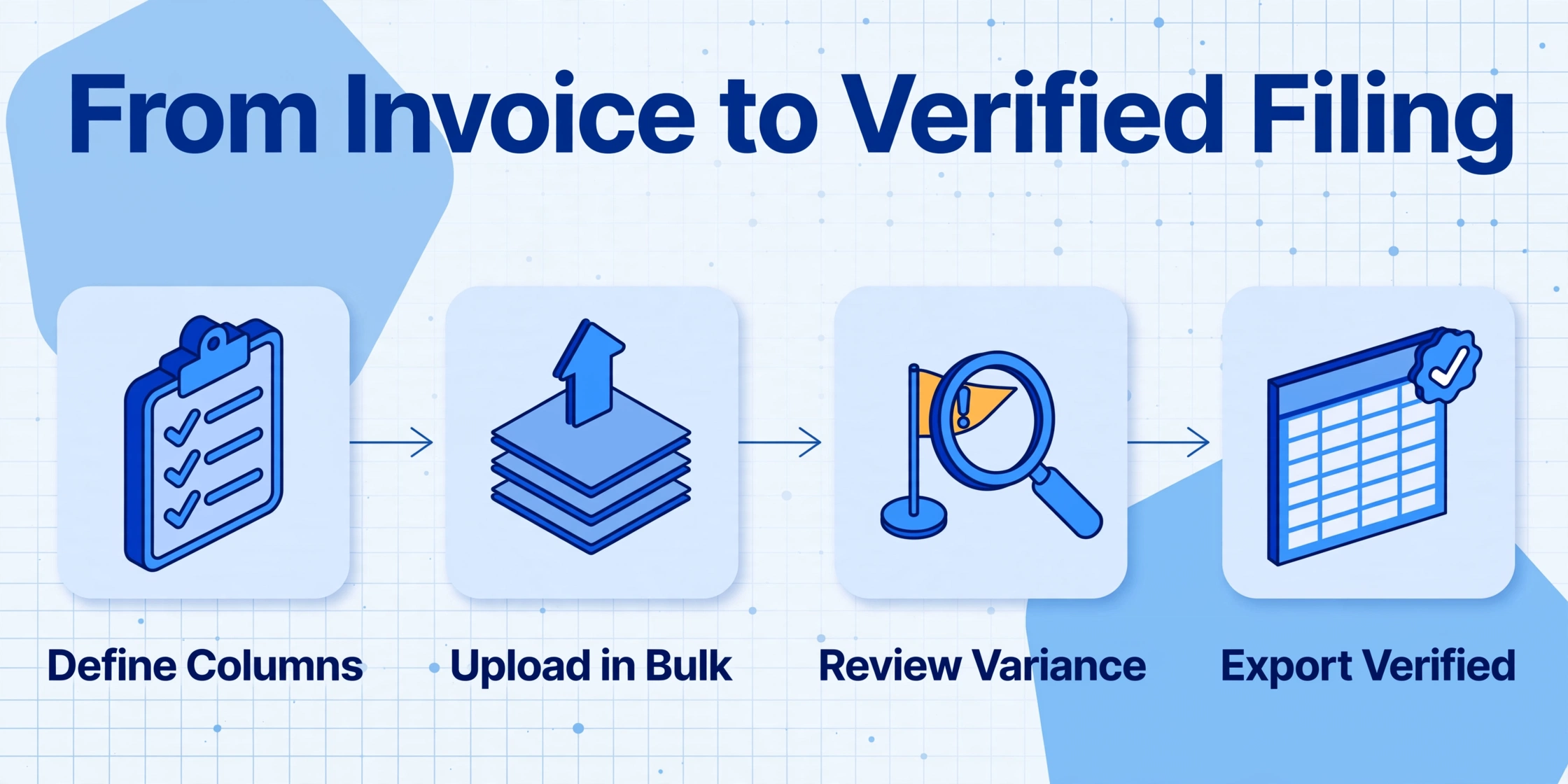
Each of the seven mistakes above requires a correction step. But the underlying pattern is the same across all of them: you are looking at invoice data that was calculated at 10% and trying to convert it — manually or mentally — into the correct ratio-adjusted figure. Every manual conversion is a point where an error can enter the process.
Custom Column Extraction — the core mechanism of ImageToTable.ai — changes this by doing the conversion during extraction rather than after it. Instead of extracting the raw 공급가액 and 부가세액 and then manually applying the industry ratio in a separate step, you define a computed column that outputs the correct liability figure directly. The column names you enter become the exact headers of your final table.
For a 간이과세자 invoice batch, set up these extraction columns:
작성일자— Issue date (groups invoices into the correct tax year)공급자 사업자등록번호— Supplier registration number (matches to your supplier classification table)공급자 상호— Supplier name공급대가— Supply consideration (the correct base for the ratio calculation — use 합계금액 field)공급가액— Supply value (for reference and reconciliation)업종 (inferred, options: 소매/제조/숙박/건설/서비스)— Industry classification (AI reads the context to assign a category)Estimated VAT (공급대가 × 업종별 부가가치율 × 10%)— Computed column that applies the correct ratio based on the 업종 classificationInput tax credit (공급대가 × 0.5%)— Computed column for the limited input creditNet VAT payable (Estimated VAT − Input tax credit)— Computed column that gives you the final figure
With this column setup, every invoice in your batch produces a net VAT payable figure that accounts for the correct industry ratio, uses 공급대가 as the base, separates supplier types, and includes the input tax credit limitation — all in one pass. The seven rate errors are resolved at the extraction stage rather than corrected after the fact.
Try it on one of your own invoices below — no login required:
Files are processed securely and not stored.
For a complete end-to-end walkthrough of the extraction workflow — from gathering invoices to delivering a ratio-adjusted spreadsheet to your tax accountant — see our step-by-step guide to extracting 간이과세자 세금계산서 data. If you already understand the basic extraction and need to handle the annual consolidation, the batch processing guide covers how to turn 200+ invoices into a single filed-ready report. For the broader picture of why the industry ratio system creates such persistent confusion, our analysis of the 간이과세자 VAT gap examines the structural reasons behind these rate errors.
Frequently Asked Questions
If the printed VAT is always 10%, how do I know which invoices need ratio adjustment?
Every invoice you receive as a simplified taxpayer needs the same ratio treatment on the input side — regardless of whether the supplier is a 일반과세자 or 간이과세자. The printed VAT is always 10%. Your liability as a 간이과세자 is calculated using your own industry ratio. This means every purchase invoice in your dataset needs the same adjustment: extract the 공급대가, apply your industry ratio, and calculate your estimated liability.
What happens if I file using the printed 부가세액 instead of the ratio-adjusted amount?
HomeTax (홈택스) calculates your VAT using the industry ratio on its side — it does not accept the printed 10% 부가세액 as your liability. If you enter inflated numbers based on the 10% face value, the system will flag a discrepancy between your reported data and the calculated liability. Most small business owners who make this error are caught during the filing process by their tax accountant (세무사) or by the NTS system itself, but the correction wastes time and may trigger a review if the discrepancy is large enough.
Can an extraction tool apply different industry ratios to different invoices in the same batch?
Yes. If you add a column for 업종 (industry type) using the inferred column feature — where the AI reads the document context and assigns a category — and then reference that column in a computed column that applies the corresponding ratio, each invoice in the batch receives the correct ratio automatically. The inferred column approach works best when the invoice explicitly mentions the business type. For invoices where the 업종 is not printed, you can manually assign the ratio in a post-processing step using a supplier lookup table.
Does the 0.5% input tax credit apply to all purchases or only to purchases with tax invoices?
The 0.5% input tax credit (공제세액) applies only to purchases with proper supporting documents: valid tax invoices (세금계산서), credit card sales slips (신용카드 매출전표), and cash receipts (현금영수증). Purchases without these documents do not qualify for the credit. This makes it especially important to collect and preserve valid tax documents from every supplier, even for small purchases — the 0.5% deduction is small per transaction but meaningful across a year of purchases. For a complete map of these Korean tax document types and the column sets that extract them, see our Korean tax invoice processing guide.
My business has one industry code (업종코드) but I receive invoices from suppliers in different industries — whose ratio applies?
Your own 업종코드 determines the ratio you use for your VAT calculation — not the supplier's. The industry ratio in the 간이과세자 formula applies to your own business category, regardless of what type of supplier issued the invoice. The only exception is if you operate multiple 업종 categories yourself (Mistake #7), in which case you calculate separately for each category.
If my annual revenue is under ₩48 million, do I still need to worry about these rate errors?
Simplified taxpayers with annual supply consideration below ₩48 million are exempt from VAT payment but must still file a return. While the rate errors above primarily affect the payment calculation, the record-keeping and extraction practices described in this article remain valuable. Having organized invoice data makes future tax years easier — especially if your revenue grows above the ₩48M threshold and you begin calculating VAT liability for the first time. It also helps you verify that the input tax credit you could claim (if your situation changes) is properly documented.
One Pass Through Your Invoices Catches All Seven Errors
The seven rate errors in this article share a common structure: each one is a disconnect between what the invoice displays and what the tax system requires. The invoice prints 10% VAT; your liability uses 1.5–4%. The invoice prints 공급가액; the formula uses 공급대가. The invoice does not print your industry ratio; you must know it and apply it. Every disconnect is a point where manual processing introduces error — not because the person entering the data is careless, but because the system was designed to show one number when the calculation needs a different one.
The fix is not to become more careful. It is to build the conversion into the data extraction step so that the number you extract from the invoice is already the number you need for filing. Upload one of your invoices and see whether the columns you need land in the right places on the first pass.