How to Extract Handwritten
Weighbridge Tickets to a Digital Log
Weighbridge tickets are one of the few business documents where handwriting is still the default method of record-keeping. At grain elevators, quarries, scrap yards, and mine sites, the weighmaster writes the ticket by hand — driver name, vehicle plate, material, gross weight — while the truck sits on the scale. The carbon copy gets handed through the window, and the data eventually reaches a spreadsheet through someone’s ability to read a colleague’s handwriting.
Key Takeaways
- Two hours a day typing handwritten weighbridge tickets into a spreadsheet — and during harvest, five hours, because every truck that crosses the scale produces a carbon copy someone has to squint at and retype.
- Traditional OCR reads character shapes, not handwriting — your weighmaster’s “6” that looks like an “8” changes a payload by 2,000 kg, and the third carbon copy is faint enough that no OCR engine will produce usable output from it.
- AI extraction reads by meaning, not by shape — it knows the number in a Gross box is a gross weight, locates values regardless of handwriting quality, and calculates net weight on the fly, turning a two-hour daily chore into five minutes of upload.
The Weighbridge Ticket Problem
Unlike invoices or purchase orders — which are generated by accounting or procurement software — a weighbridge ticket usually starts life on a paper pad beside the scale indicator. The weighmaster records the weigh-in, the truck drives to the dump site or loading area, returns for weigh-out, and the operator calculates the net load by hand before handing the ticket to the driver.
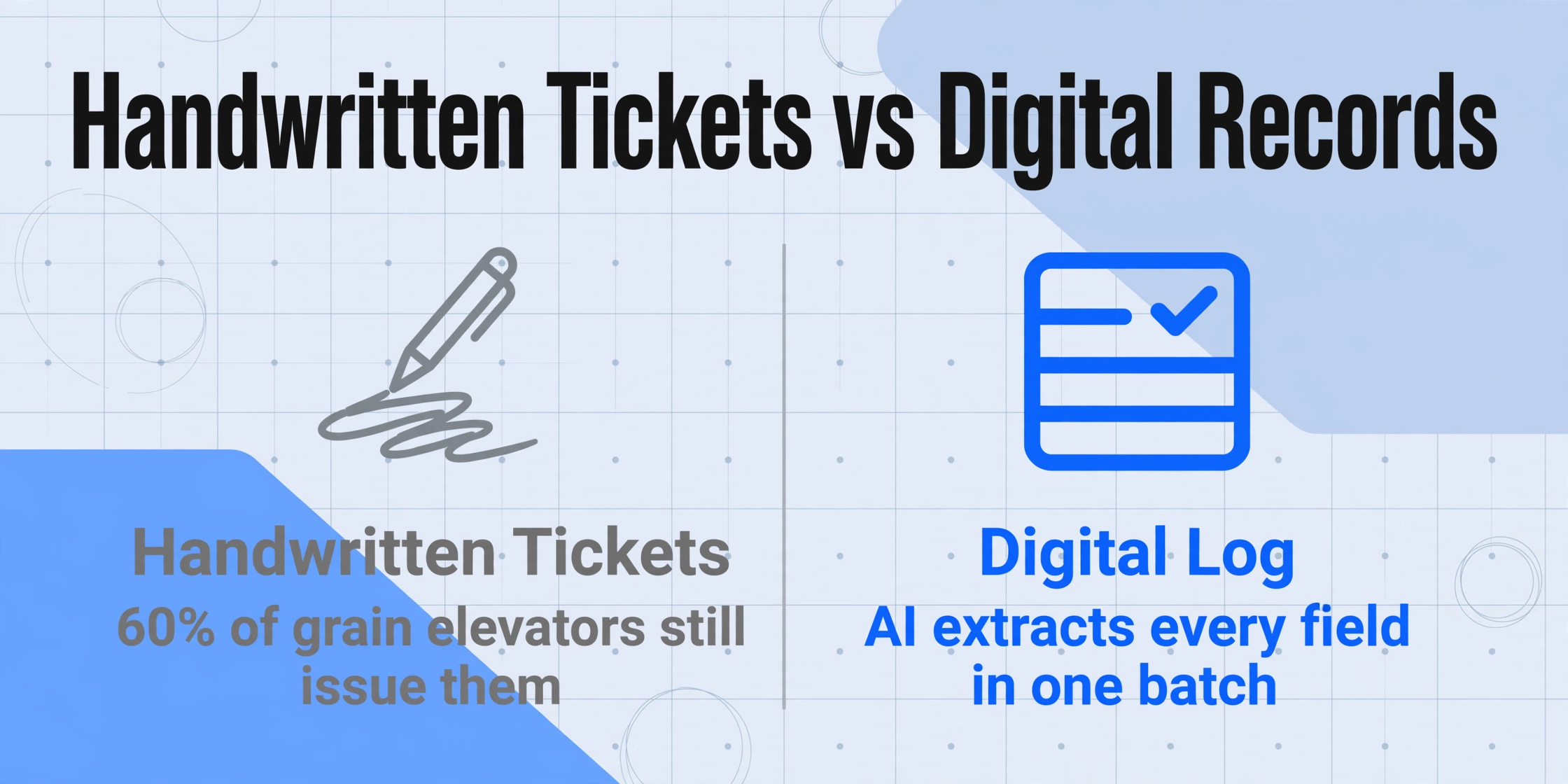
The handwriting rate on weighbridge tickets is extremely high compared to most other business documents. A 2025 survey by Scale Manufacturers Association found that roughly 60% of independent grain elevators and 45% of aggregate quarries in the US still issue handwritten scale tickets as their primary weighment record. The reasons are practical: the weigh station is often a small booth exposed to dust and weather, digital ticketing systems require investment in printers, networking, and software that smaller operations delay year after year.
This creates a downstream problem that most weighbridge software vendors don’t talk about: the paper tickets accumulate. A grain elevator processing 50 trucks per day generates 50 handwritten weighbridge tickets. Someone has to read each one and enter the data — ticket number, date, driver, customer, product, gross weight, tare weight, net weight — into a spreadsheet or accounting system. And that someone has to deal with handwriting that ranges from legible to barely decipherable, especially on the carbon-copy customer copy.
The carbon copy problem: Handwritten weighbridge tickets are typically three-part carbonless forms. The top sheet (scale copy) has the clearest impression. The second sheet (driver copy) is fainter. The third sheet (office copy or customer copy) is often barely readable — yet this is frequently the copy that gets transcribed into the digital log.
If you’re managing a weighbridge operation that still works with handwritten tickets — or has years of paper records waiting to be digitized — the question isn’t whether to switch to digital ticketing. That decision may come later. The question is what to do with the tickets you already have, right now.
What a Weighbridge Ticket Records
Before looking at extraction, it’s worth understanding what’s on a typical weighbridge ticket and why the field structure matters more than it might seem.
A standard weighbridge ticket contains these fields, grouped by function:
| Field Group | Fields | Why It Matters |
|---|---|---|
| Header | Ticket number, Date, Time (weigh-in & weigh-out) | Each ticket has a unique pre-printed number. Weigh-in and weigh-out are two separate timestamps, not one. |
| Vehicle & Driver | Vehicle plate number, Driver name (sometimes signature), Carrier company | Plate number links the load to a vehicle. In mining operations, the vehicle ID is used for payload tracking per truck. |
| Material & Customer | Customer/supplier name, Product/material description, Commodity code (if applicable) | In agriculture, this includes grain type (corn, wheat, soybeans) and grade. In scrap, material category. |
| Weights | Gross weight (weigh-in), Tare weight (weigh-out or known tare), Net weight (gross − tare) | This is the core data. The weighmaster writes gross when the truck enters loaded and tare when it exits empty — or vice versa for loading operations. |
| Authentication | Weighbridge operator signature or initials, Scale certification info | Legal for Trade weighments require the operator to sign or initial the ticket as the official record. |
The net weight is the critical number, and it’s usually hand-calculated by the weighmaster at the time the ticket is written. Inaccurate net weights don’t just mean bad data — in grain and aggregate sales, they mean incorrect payments, billing disputes, and reconciliation headaches at month-end.
The Manual Workflow (and Where It Breaks)
Take a real scenario: a medium-sized grain elevator in the Midwest receiving 50 trucks per day during harvest season. The weighmaster writes each ticket by hand — weigh-in on arrival, weigh-out on departure — and hands the driver the second copy. At the end of the day, a stack of 50 carbon-copy tickets sits on the office desk.
The daily close-out routine goes like this:
- Someone — maybe the office manager, maybe a part-time data entry person — picks up the stack of tickets.
- For each ticket, they read the handwritten fields and type them into an Excel spreadsheet or accounting system.
- They manually compute running totals for each customer, each grain type, each day’s receival.
- If a number doesn’t look right — a net weight that doesn’t match the truck’s typical capacity, a ticket number skipped — they have to find the physical ticket and check.
At 50 tickets per day and roughly 2-3 minutes per ticket (reading, typing, checking), that’s about two hours of data entry every day. During harvest, when truck volume peaks at 120+ per day, data entry can take four to five hours — or tickets pile up and get entered days late, creating a lag in inventory and payment tracking.
Three things go wrong consistently in this workflow:
1. Illegible handwriting. A weighmaster writes 50+ tickets per shift in a dusty, noisy booth. Handwriting degrades by the end of the day. The third copy of a carbon form is noticeably fainter than the first. When the office copy is the third copy — which it often is — the person doing data entry is working with the poorest-quality version of the handwriting.
2. Transcription errors on weight values. A “6” that looks like an “8” changes a payload from 26,000 kg to 28,000 kg. On a single ticket this might go unnoticed. Aggregated across a month, these errors create inventory discrepancies that take hours to trace.
3. Delayed reconciliation. Because data entry is a batch-at-end-of-day activity, tickets don’t get verified against deliveries until the next day at the earliest. Discrepancies that could have been caught at the scale — a driver questioning a tare weight — become paperwork investigations days later.
The scale ticketing software sold by Mettler Toledo, Rice Lake, and Avery Weigh-Tronix solves the forward problem: new weighments generated on their hardware produce digital records. But none of those systems help with the tickets already sitting in a box, or with operations that don’t have the budget for a full digital ticketing retrofit.
How to Digitize Handwritten Weighbridge Tickets with AI
This is where AI-based document extraction enters the picture — and specifically, why it works for weighbridge tickets where traditional OCR falls short.
Traditional OCR reads characters by recognizing the shapes of printed letters. When a “5” is written with the top stroke not fully closed, OCR sees a “6.” When handwritten text runs together, OCR produces gibberish. Handwritten weighbridge tickets, especially on carbon copy paper with uneven pressure, are exactly the kind of input that confuses traditional OCR. (For a deeper look at why handwriting breaks traditional OCR, see this breakdown of OCR handwriting failure causes.)
AI-based extraction — specifically, visual large language models — works differently. It reads the document the way a human does: understanding the layout, the relationship between fields and values, and the semantics of what each number represents. It doesn’t try to match character shapes against a font database. It interprets the document as a whole.
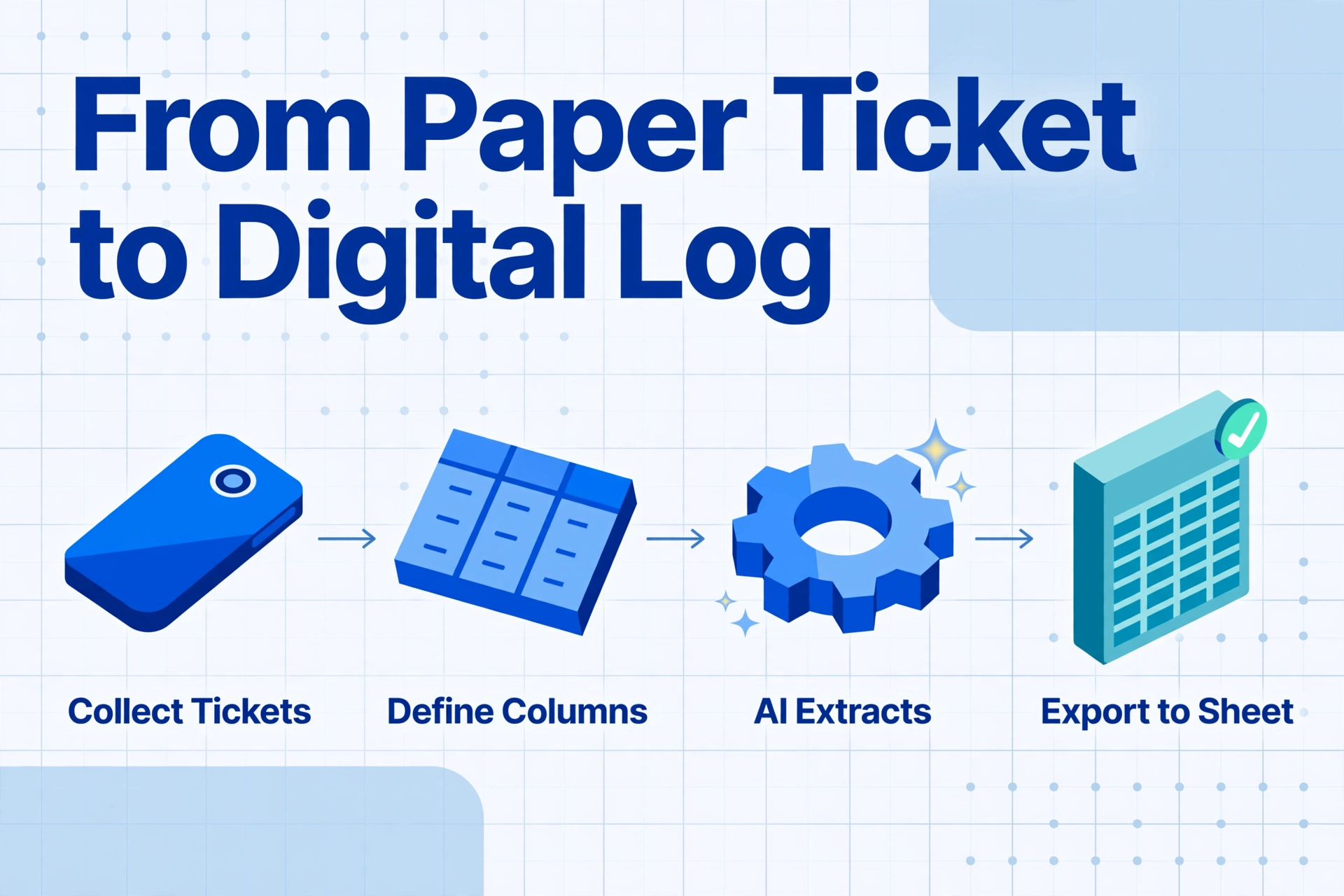
Here’s how to apply it to a stack of weighbridge tickets using ImageToTable.ai:
Step 1: Collect your tickets
Take photos of each weighbridge ticket with your phone, or scan them to PDF or JPG. The AI accepts all common formats — PDF, JPG, PNG, WebP. For best results on carbon copy tickets, photograph them under even lighting to maximize contrast on the faint impression.
Step 2: Define your columns
Instead of drawing boxes around fields or training a model, you type the column names you want in the output. For a weighbridge ticket, the columns might be:
- Ticket Number
- Date
- Weigh-In Time
- Weigh-Out Time
- Vehicle Plate
- Driver Name
- Customer
- Material
- Gross Weight (kg)
- Tare Weight (kg)
- Net Weight (kg)
- Operator
This is what ImageToTable.ai calls Custom Column Extraction: you define the output structure, and the AI locates each value anywhere on the document by understanding what it means — not where it sits.
Files are processed securely and not stored.
Step 3: Batch process all tickets
Upload all photos or scans at once. ImageToTable.ai processes them simultaneously — your entire day’s worth of tickets in a single batch. The results merge into one table with a row per ticket. No need to process files one by one.
Step 4: Export to Excel or Google Sheets
The output is a structured table with your defined columns. Export to Excel (XLSX), CSV, or — if you use the Google Sheets add-on — write the results directly into the active spreadsheet without downloading anything.
The time difference matters: what took two hours of manual data entry per day becomes about five minutes of uploading and exporting. The accuracy improvement is equally significant. Unlike a tired data entry operator at 4:30 PM, the AI doesn’t transpose digits or skip fields because it can’t read the carbon copy. This same batch-to-Excel workflow works across document types — the principle is the same whether the document is a weighbridge ticket or an invoice.
Honest note on carbon copy accuracy: The third copy of a three-part carbonless form is genuinely harder to read — for both humans and AI. If you have access to the top copy (scale copy) alongside the office copy, scanning the clearer version yields significantly better extraction results. When only the faint third copy is available, accuracy drops but typically remains higher than manual transcription from the same source, because the AI doesn’t get fatigued.
Automating Net Weight Calculation During Extraction
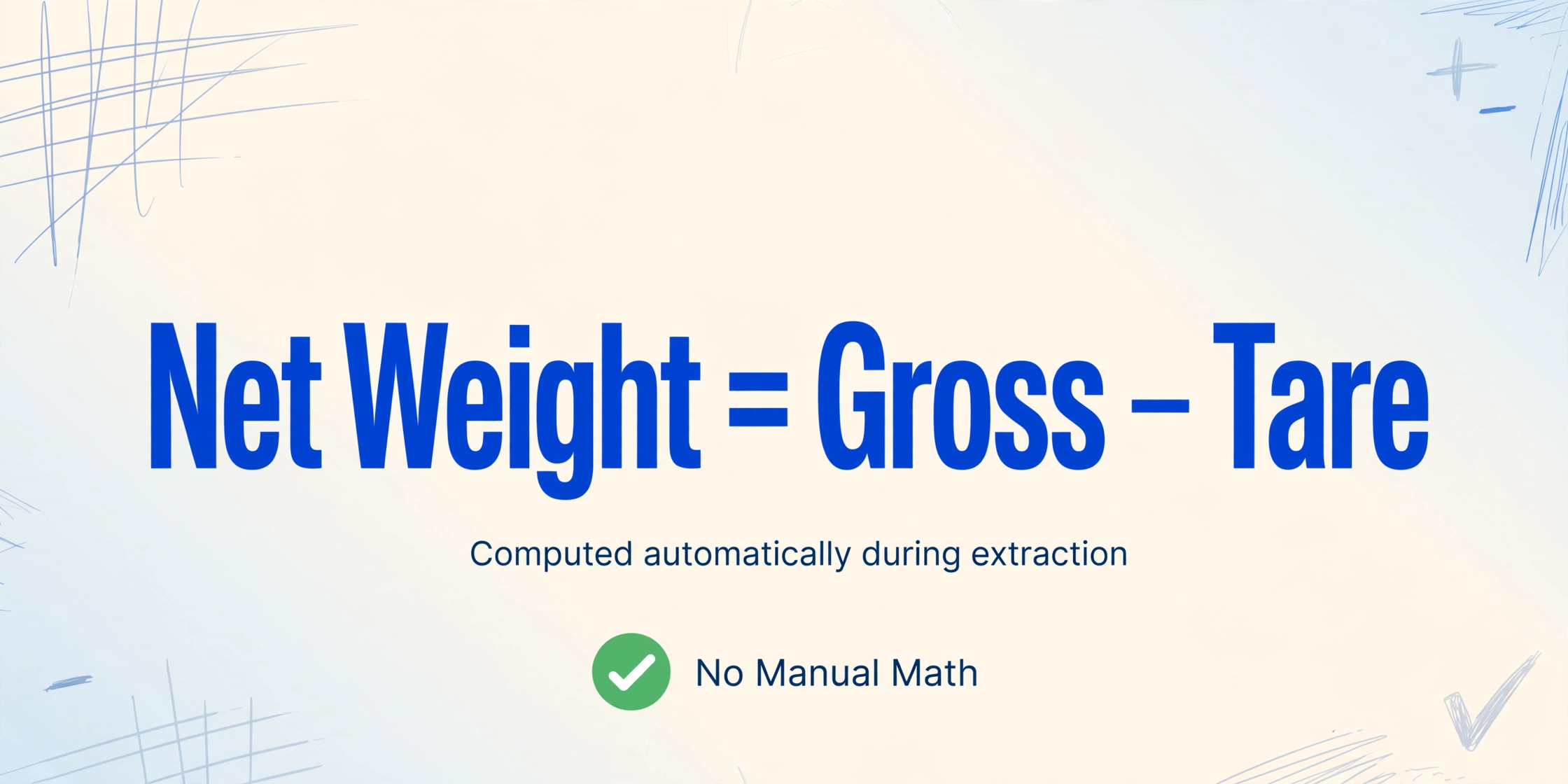
One of the most useful capabilities for weighbridge ticket extraction is computed columns — having the AI calculate the net weight during extraction rather than simply reading it off the ticket.
Here’s why this matters: some weighbridge tickets have the net weight pre-calculated and written by the weighmaster. Others only have gross and tare, and the net has to be calculated later. Still others have the weights recorded in different units — a truck might be weighed in pounds at a US quarry but the billing system expects metric tons.
With ImageToTable.ai’s computed columns, you define the calculation in your column name. For example:
Net Weight (kg) = Gross - Tare— subtracts the tare from the gross automatically for each ticket.Net Weight (tons) = (Gross - Tare) / 2000— does the unit conversion during extraction, giving you short tons instead of pounds.Gross Weight Check (Gross ≠ Tare + Written Net)— flags tickets where the arithmetic doesn’t add up, which is a rapid way to catch transcription errors in the original handwriting.
This feature changes the extraction workflow: instead of extracting raw numbers and then doing the math in Excel, you get a ready-to-use table where the net weight column already contains the correct value. If your weighbridge ticket has a gross of 52,000 lb and a tare of 28,000 lb, the computed column outputs 24,000 lb (or 12 short tons, depending on your definition).
Weighbridge Ticket Digitization Across Industries
Weighbridge tickets look different depending on the industry, but the core extraction workflow remains the same:
Agriculture — Grain Elevators
Grain elevators process thousands of trucks during harvest. Tickets record grain type (corn, wheat, soybeans), moisture content, and sometimes grade factors. Many elevators also apply moisture adjustments to net weight — deducting the weight of excess moisture from the payment weight. A computed column can handle this automatically: Payment Weight (bu) = Net Weight × (1 - Moisture Adjustment). The primary grain handling companies — ADM, Cargill, CHS, Bunge — all operate networks of elevators, many of which still rely on handwritten tickets at smaller receiving points.
Mining and Quarrying
In quarries and open-pit mines, weighbridge tickets record ore or aggregate payloads per truck. A dump truck at a granite quarry might carry 25 short tons per load, with 40 loads per day. The ticket includes the pit or bench origin, material type (“Grade 2 crushed stone” or “blasted overburden”), and the destination stockpile. Mining operations often use different unit systems depending on the region — metric tons in most of the world, short tons in the US, long tons in some Commonwealth contexts. The AI handles mixed units at extraction time, producing a consistent output regardless of what the weighmaster wrote.
Construction and Aggregates
Construction aggregate suppliers (Vulcan Materials, Martin Marietta, LafargeHolcim, Cemex) operate weighbridges at each plant. Trucks delivering sand, gravel, or asphalt to a job site get a weighbridge ticket as the delivery receipt. The customer name on the ticket links to a construction project, and the material code determines pricing. Digitizing these tickets enables project-level material tracking — knowing exactly how many tons of “¼-inch washed gravel” went to the “I-94 expansion project” versus the “Oak Street bridge” — without manual cross-referencing.
Waste Management and Scrap
Landfills and transfer stations weigh every incoming and outgoing vehicle. Scrap yards weigh each load of ferrous and non-ferrous material. These weighbridge tickets are often the sole record of transaction volume at smaller facilities. WM and Republic Services have largely digitized their weigh stations, but independent scrap yards and municipal transfer stations frequently still write tickets by hand. Extracting this data creates the daily throughput report that would otherwise require end-of-day manual tallying.
If you’ve digitized other document types — such as invoices without an ERP system or documents without scanning hardware — the same template-free approach applies to weighbridge tickets. The AI doesn’t need a template per ticket format because it reads by meaning, not by position.
FAQ
Can AI extract data from carbon copy weighbridge tickets?
Yes, with better results from the original top copy than from the third carbon copy. The AI uses visual context — the layout of the ticket, the relationship between labels and values — to interpret faint impressions that a human might struggle with. For best results, scan or photograph tickets under even lighting rather than in direct sunlight or deep shadow.
Does the AI handle both weigh-in and weigh-out on the same ticket?
Yes. Many weighbridge tickets have two sections: one for the initial weigh-in (loaded) and one for the weigh-out (empty) — or vice versa. The AI reads both sections and can extract both sets of values, including the separate timestamps. If the two sections are on different tickets but share a ticket number, the extraction captures the number as a linking identifier.
What if my weighbridge tickets use different units (lb vs kg vs metric tons)?
The AI reads the unit as written on the ticket and includes it in the extracted value. You can also use computed columns to convert units during extraction — for example, defining a column as Net Weight (metric tons) = (Gross - Tare) / 2204.62 to convert pounds to metric tons automatically.
Can I process a whole month of weighbridge tickets at once?
Yes. ImageToTable.ai processes multiple files simultaneously in a single batch. All tickets in the batch merge into one output table with one row per ticket, regardless of how many files you upload. This is the same batch processing approach used for invoices and other volume documents.
Is the extraction result accurate enough for billing?
We recommend verifying results before using them directly for billing, especially for handwritten documents. Use the spot-check workflow outlined in this guide on verifying extraction accuracy. For operations processing high volumes, a quick scan of extracted totals against a sample of physical tickets provides confidence without checking every row.
What if my weighbridge tickets are in poor condition — torn, stained, faded?
The AI handles stained or torn tickets better than traditional OCR because it reads the document holistically — it uses surrounding context to infer damaged text. For example, if the gross weight area is smudged but the tare and pre-calculated net are legible, the AI can cross-reference them. For extremely damaged tickets, manually checking the extracted values is recommended.
Start Digitizing Your Weighbridge Tickets
The weighbridge ticket has been a handwritten document for as long as trucks have driven onto scales. That doesn’t have to mean manual data entry for as long as the paper tickets keep coming.
AI extraction treats each ticket the way an experienced weighmaster reads it — understanding that the number in the “Gross” box is a gross weight, the number next to the driver’s name is a plate number, and the relationship between them produces a net payload. The extraction happens in one batch, the output lands in a spreadsheet, and the person who used to spend two hours typing ticket data gets that time back.
If you’re already digitizing other field documents — like meter readings through the Google Sheets add-on — the same workflow extends to weighbridge tickets. The AI doesn’t distinguish between an old document type and a new one. It reads what’s on the page.
Upload a handwritten weighbridge ticket and see what comes out. The first ticket takes ten seconds.