Your Payment Screenshot
Is a Financial Record
Sixty-four million Americans freelanced in 2024 — and a large share of them track income through a patchwork of Venmo, PayPal, Zelle, and Cash App confirmation screenshots. For a freelancer handling 60 client payments a month across three or four platforms, that means roughly 90 minutes every month spent on one task: opening each screenshot and manually typing the payer name, amount, date, and memo into a spreadsheet. Over a year, that's 18 hours — two full working days — lost to retyping data that's already sitting in the image. The platforms don't offer a better way. But your screenshots already contain everything you need — if you know how to extract it.
Why Payment Apps Keep Your Data Locked in Screenshots
Here's a scenario anyone receiving 30+ payments a month knows: you have payment confirmations scattered across Venmo, PayPal, Zelle, and Cash App. You need them in one spreadsheet for tax prep or client reconciliation. So you open each app, find the transaction, and… discover there's no export button.
This isn't an oversight. It's a structural feature of how consumer payment platforms are built.
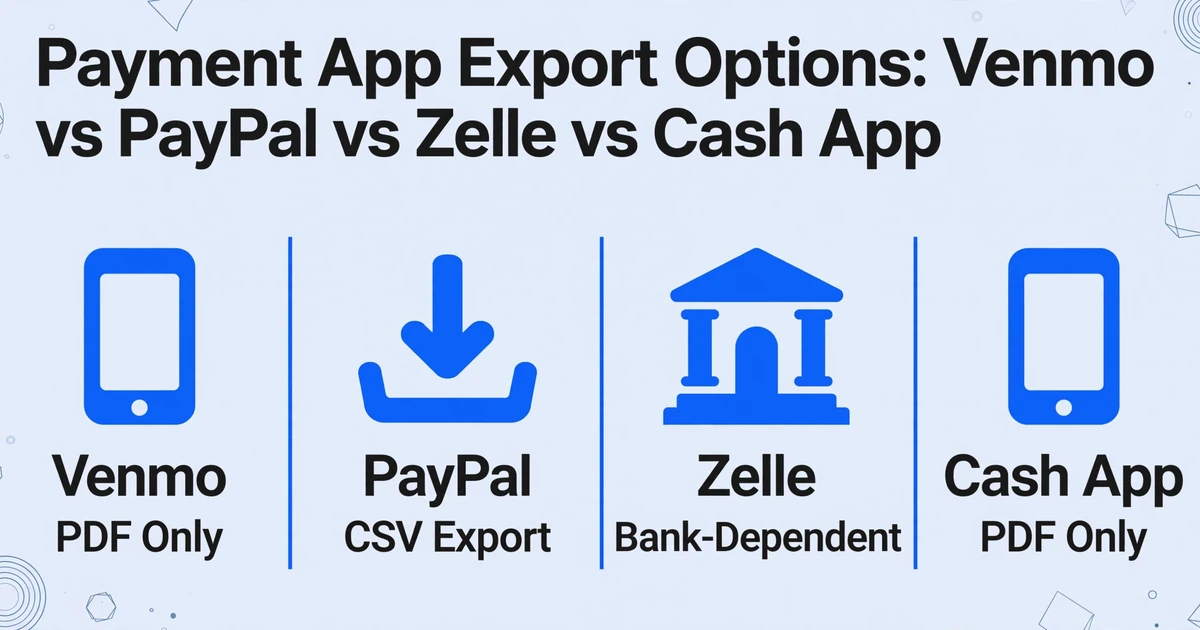
Venmo does not offer CSV export for personal accounts. The only downloadable record is a monthly PDF statement — a document designed for human reading, not data processing. If a freelancer wants a list of all payer names, amounts, and dates for the month, they have two options: pay for a third-party integration service, or open the app line by line. PayPal is the most export-friendly of the group, offering CSV downloads of transaction history. But the data lives only in PayPal's ecosystem: if you also receive money through Zelle (processed by your bank) and Venmo (owned by PayPal but data-isolated), your payment data is split across three unconnected silos.
Zelle, unlike Venmo and PayPal, doesn't even have its own standalone transaction history page. All Zelle records are embedded in your bank's mobile app or online portal. Export availability depends entirely on which bank you use — some let you download CSV, some give you nothing but an on-screen list. Cash App provides monthly statements in PDF format only, with no CSV option. Square's seller dashboard offers robust exports for merchants, but the consumer-facing Cash App side keeps transaction data tightly gated.
This fragmentation is not accidental. Consumer payment apps are optimized for sending and receiving money, not for financial recordkeeping. They want you inside their ecosystem, not pulling data into a neutral spreadsheet. The IRS, however, takes a different view. Under IRS recordkeeping requirements, businesses must maintain records that clearly show income and expenses. Publication 583 states that you must keep supporting documents for all transactions reported on your tax return. A payment screenshot — timestamped, showing amount, payer, and platform — is a supporting document. The question isn't whether screenshots count. It's how to turn them from a gallery of images into a usable financial ledger.
What Manual Payment Logging Actually Costs You
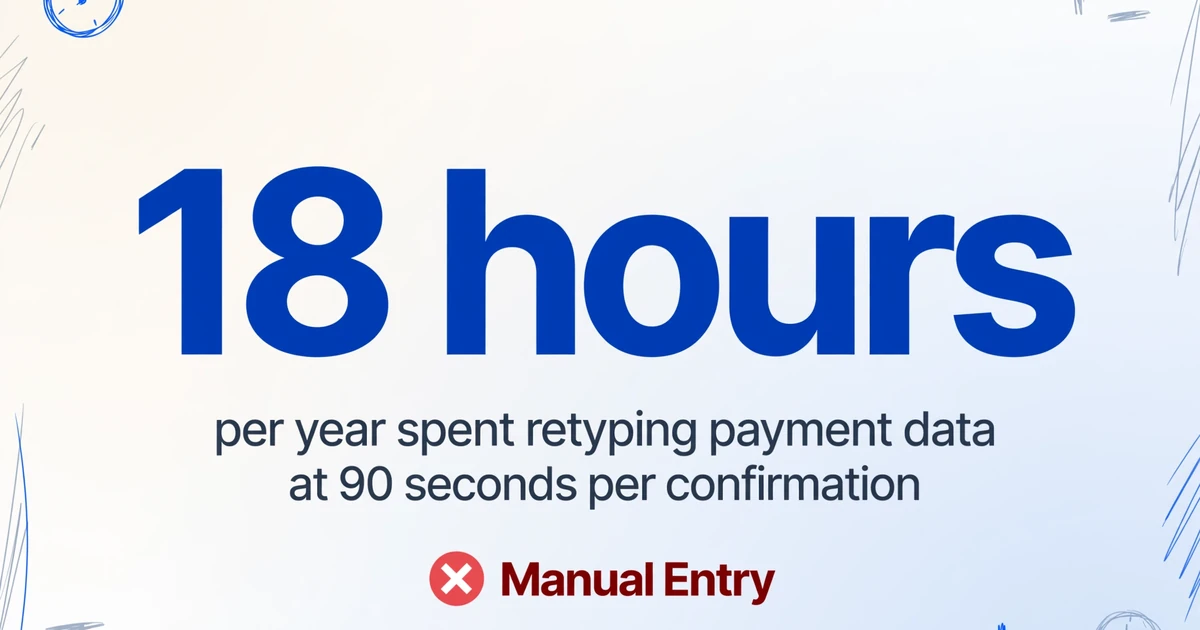
The scale isn't abstract. Someone handling 60 payment confirmations a month across four platforms — a typical volume for a part-time freelancer with a few recurring clients and occasional one-off projects — might spend 90 seconds per confirmation: open the screenshot, read the payer name, type it into the spreadsheet, type the amount, type the date, type any memo, switch to the next screenshot. That's 90 minutes a month. 18 hours a year. Just for typing data that already exists in the image.
The pain is compounded by how these platforms actually work. Venmo's interface displays payment amounts prominently but hides the full transaction memo behind a tap. Zelle's bank interfaces often truncate payment notes. Cash App shows recent transactions in a scrolling feed that doesn't support copy-paste — you literally cannot select and copy the text from a Cash App payment detail screen. The platform that was supposed to make receiving money easy makes recording that money tedious.
On r/Bookkeeping, a user described their monthly ritual: "I get about 40 Venmo payments a month for my side business. I screenshot every confirmation, then on the last day of the month I sit down with my phone and laptop and retype every single one into a Google Sheet. It takes two hours and I dread it every month." Another freelancer on r/smallbusiness posted: "Does anyone have a better way to track PayPal + Zelle payments? I'm manually entering 70-80 transactions a month and I know I'm going to miss something come tax time."
The IRS doesn't care which payment app your client used. They care whether you reported the income. Every screenshot you skip logging is a potential audit exposure — and every screenshot you manually type is unbillable time.
What AI Extraction Gets Right That Manual Typing Never Will
If you've tried using a traditional OCR tool on a payment screenshot, you know the result: a wall of extracted text with the payer name, amount, date, and memo all jumbled together. OCR reads characters — it doesn't understand that "$125.00" next to "Maria Gonzalez" on a Venmo screen is a payment from Maria, not a balance or a fee.
What makes payment screenshots uniquely suited to AI extraction is something most people miss: payment apps show structured data. Every Venmo, PayPal, Zelle, or Cash App confirmation screen follows a repeatable layout pattern. The amount is always prominent. The payer name is always somewhere near the top. The date and transaction ID are always on the screen. An AI vision model doesn't need to be told where these fields are — it understands what they mean by reading the screen the way a person would.
This is the difference between position-based extraction (draw boxes around fields on a template) and semantic extraction (tell the AI what you're looking for, and it finds it by understanding the content). When you use Custom Column Extraction, you simply name the columns you want — Payer, Amount, Date, Memo, Platform — and the AI locates the matching data on each screenshot. You're not telling it where the data lives on the screen. You're telling it what data matters to you. The format of the Venmo screen versus the PayPal screen versus the Zelle screen stops being a problem, because the AI adapts to each one on sight.
This is what "template-free" extraction really means: you don't create a parsing rule for each payment app. You don't train a model with labeled examples. You upload a folder of mixed-platform payment screenshots and get one spreadsheet back, with the same columns populated regardless of which app each screenshot came from. The AI reads Venmo's green header and PayPal's blue interface as two presentations of the same underlying data.
How to Extract Payment Screenshots to a Spreadsheet in Three Steps
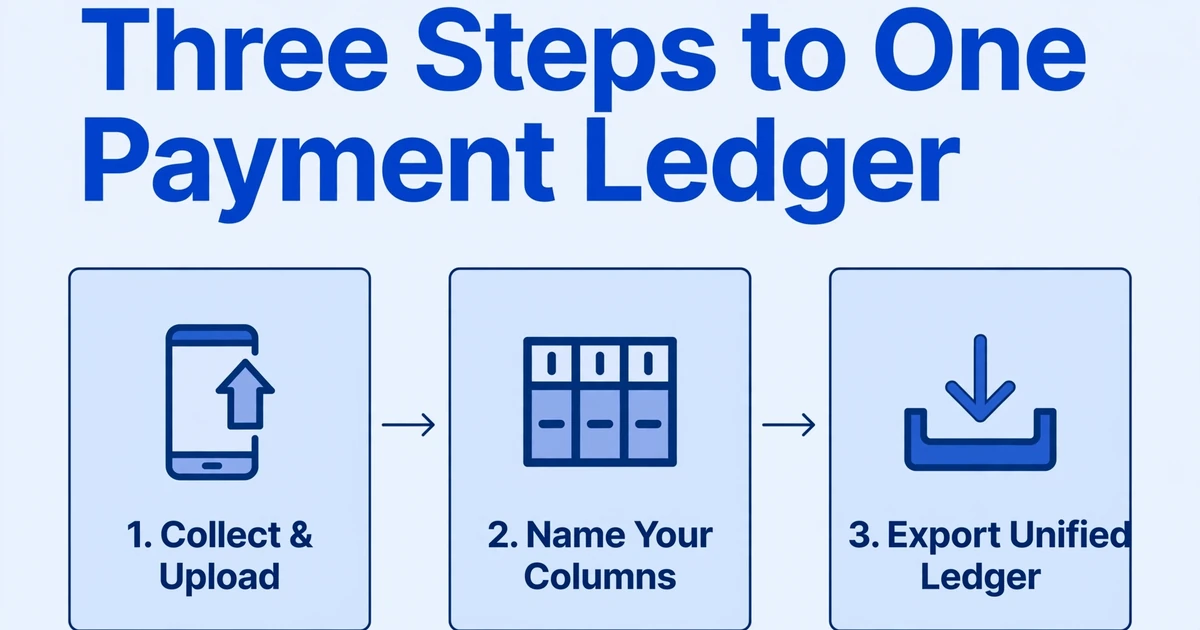
The process of turning payment screenshots into a spreadsheet doesn't require technical setup or integration with each payment platform's API. Here's how it works.
Collect and upload your payment screenshots
Gather screenshots from Venmo, PayPal, Zelle, Cash App, or any other payment platform. They can be mixed formats — PNG, JPG, or even webpage screenshots. Upload them all at once. No need to sort or label them beforehand; the extraction works across all platforms in a single batch.
Name the columns you need
Type the column headers that match the data you want: "Payer Name," "Amount," "Date," "Payment Method," "Memo/Note." The AI reads each screenshot and populates the matching value for each column. You define the output structure — the AI handles finding the data across different payment app layouts.
Export your unified payment ledger
Download the result as an Excel spreadsheet or CSV. Every row is one payment, every column is a field you defined. Review for accuracy, and your payment log for the month — or the quarter — is done. Export directly to your accounting software or share with your bookkeeper.
Files are processed securely and not stored.
The demo above lets you try this with any payment screenshot — no preset needed because the tool isn't matching your file against a template. It's reading what's on the screen and extracting what you asked for.
Why One Spreadsheet for All Payment Platforms Changes Everything
The single biggest advantage of template-free extraction across payment platforms is what happens at month-end reconciliation. Instead of logging into Venmo to download a PDF statement, then PayPal for a CSV, then your bank for Zelle records, then Cash App for yet another PDF — and then spending an hour merging four files with different column headers into one usable spreadsheet — you process all screenshots together, once. The output is a single table where Venmo payments sit in the same columns as PayPal and Zelle and Cash App payments. One row per transaction, regardless of source.
If you want to go platform by platform first — where each field sits on the screen and which values to trust — start with the PayPal screenshot field guide or the Venmo field guide. To process a mixed batch of screenshots from every payment app in one pass, the payment screenshot extraction tool is the direct entry point.
This batch-first approach solves the fragmentation problem at the data layer. Your bookkeeper doesn't need to know which platform a client used. Your accountant doesn't need to reconcile four separate payment feeds. The extraction step normalizes everything before it reaches downstream tools like QuickBooks, Xero, or your tax preparer's spreadsheet.
For freelancers tracking client payments: you can filter the unified table by payer name to see every payment a specific client has made, regardless of which platform they used. For anyone preparing for taxes: the full list of income received across all platforms is in one file, with amounts already extracted and categorized. No platform-switching, no manual merging, no "I think I missed a Zelle payment" anxiety in April.
The workflow scales with you. When you go from 40 payments a month to 150, the extraction step doesn't get harder — the same batch processes 10 screenshots or 200. The platform diversity of your payment mix becomes irrelevant because the extraction doesn't depend on any platform's export feature. As long as you have the screenshot, you have the data.
FAQ
Does AI extraction work if the payment screenshot is in dark mode?
Yes. AI vision models process the visual content of the screenshot — text, numbers, layout — regardless of whether the background is white (light mode) or black (dark mode). The semantic relationships between "Payer Name" and "Maria Gonzalez" don't change when the color scheme changes. This is one of the underappreciated advantages of vision-based extraction over older OCR tools that depend on high contrast between text and background.
Can the tool extract handwritten notes written on a screenshot?
If someone scribbled a note over the payment confirmation (for example, "Client #47" or "Q2 project"), AI can extract that handwriting along with the printed text. The model reads both types of content as visual information. However, handwriting that overlaps with printed text may reduce accuracy for both.
What if different payment platforms show different field names?
That's exactly what template-free extraction handles. Venmo might call it "From" and PayPal might call it "Sender." You define your column as "Payer Name," and the AI maps both platform-specific labels to your column — because it understands that "From" and "Sender" both refer to the person who sent the payment. You don't need to create rules for each app's naming convention.
Is there a limit to how many screenshots I can process at once?
Batch processing supports multiple files simultaneously. The practical limit depends on your plan tier, but the extraction engine processes files concurrently — not one at a time. For most freelancers and small businesses, one batch covers a full month of payment confirmations.
Does this replace my accounting software?
No — it fills the gap between receiving a payment and that payment appearing in your books. Instead of manually typing payment data into QuickBooks, Xero, or Wave, you import the extracted spreadsheet. The extraction step handles what accounting software can't: turning a Venmo screenshot into a row of structured data, without a paid integration or manual entry.
What about payment platforms that do offer CSV export? Why not just use that?
CSV export from a single platform (like PayPal) solves one part of the problem but leaves the others. If 40% of your payments come through PayPal CSV, 30% through Venmo PDF, 20% through Zelle with no export, and 10% through Cash App PDF, you're still stitching together fragments. Extraction from screenshots gives you a single source method that works across every platform — and you're not dependent on whether any given platform decides to change or remove its export feature tomorrow.