The Complete Guide to UK P45
Data Extraction for Payroll Teams (2026)
Every time an employee leaves a UK business, the payroll system generates a P45 — a four-part form that carries the employee's tax code, year-to-date pay, tax deducted, and National Insurance number from one employer to the next. Roughly 2.5 million P45s are generated each year across the UK labour market. At the receiving end, someone in the new employer's payroll team opens that PDF or paper copy, reads each of the 13 data fields, and types them into the payroll software's new starter screen. One mistyped tax code — 1257L entered as 1275L — and the employee spends weeks on an emergency tax code, overpaying hundreds of pounds before HMRC issues a correction. The problem is not that P45s are complicated. It is that a legally mandated data-transfer mechanism designed to eliminate manual transcription errors has been, for decades, bottlenecked by manual transcription as the final step in the chain.
Key Takeaways
- The UK P45 exists to replace manual data entry between employers — yet at its final destination someone retypes all 15 fields by hand, 2.5 million times a year.
- With no verification layer between the P45 and the payroll database, simple math guarantees one in thirty new starters enters a job on wrong tax data — and the error hides for up to eleven months.
- Stop retyping and start reviewing — extract all thirteen P45 fields in ten seconds, then verify only the one tax code that governs every payslip until April.
What a P45 Actually Is — and Why It Exists
A P45 — formally titled "Details of Employee Leaving Work" — is not an employee payslip summary. It is a tax-continuity mechanism: the legal instrument that transfers an individual's cumulative PAYE record from a previous employer to a new one within a single tax year (6 April to 5 April). Without it, the new employer has no way to calculate where the employee sits in their personal allowance, and HMRC loses the thread of cumulative earnings.
The statutory obligation sits in Regulation 36 of the Income Tax (Pay As You Earn) Regulations 2003, which states: "On ceasing to employ an employee in respect of whom a code has been issued, the employer must complete Form P45." The regulation specifies that the form must be completed on the day employment ceases or, if not practicable, without unreasonable delay. Regulation 36 applies to all employees for whom HMRC has issued a tax code — including those with zero earnings — and covers every type of employment cessation: resignation, redundancy, dismissal, retirement, or expiry of a fixed-term contract.
This is why, at its core, the P45 is not just a form. It is the data-carrying link in a chain that connects employer A's final payroll run to employer B's first payroll run — and it does so within HMRC's Real Time Information (RTI) reporting framework, where every payday requires an electronic Full Payment Submission (FPS) that references the employee's current tax code and YTD figures. Break the chain with inaccurate P45 data, and the entire PAYE calculation for that employee for the remainder of the tax year runs on corrupted inputs.
What most payroll guides skip: the P45 exists because the UK tax system is cumulative, not transactional. Unlike some jurisdictions where each month's tax is calculated in isolation, the UK PAYE system tracks how much of the £12,570 personal allowance has been used across all employments in a single tax year. A new employer cannot simply start from zero — it must know what happened before. The P45 is the only official mechanism for that handover.
The Four Parts of a P45 — and Where Each One Goes
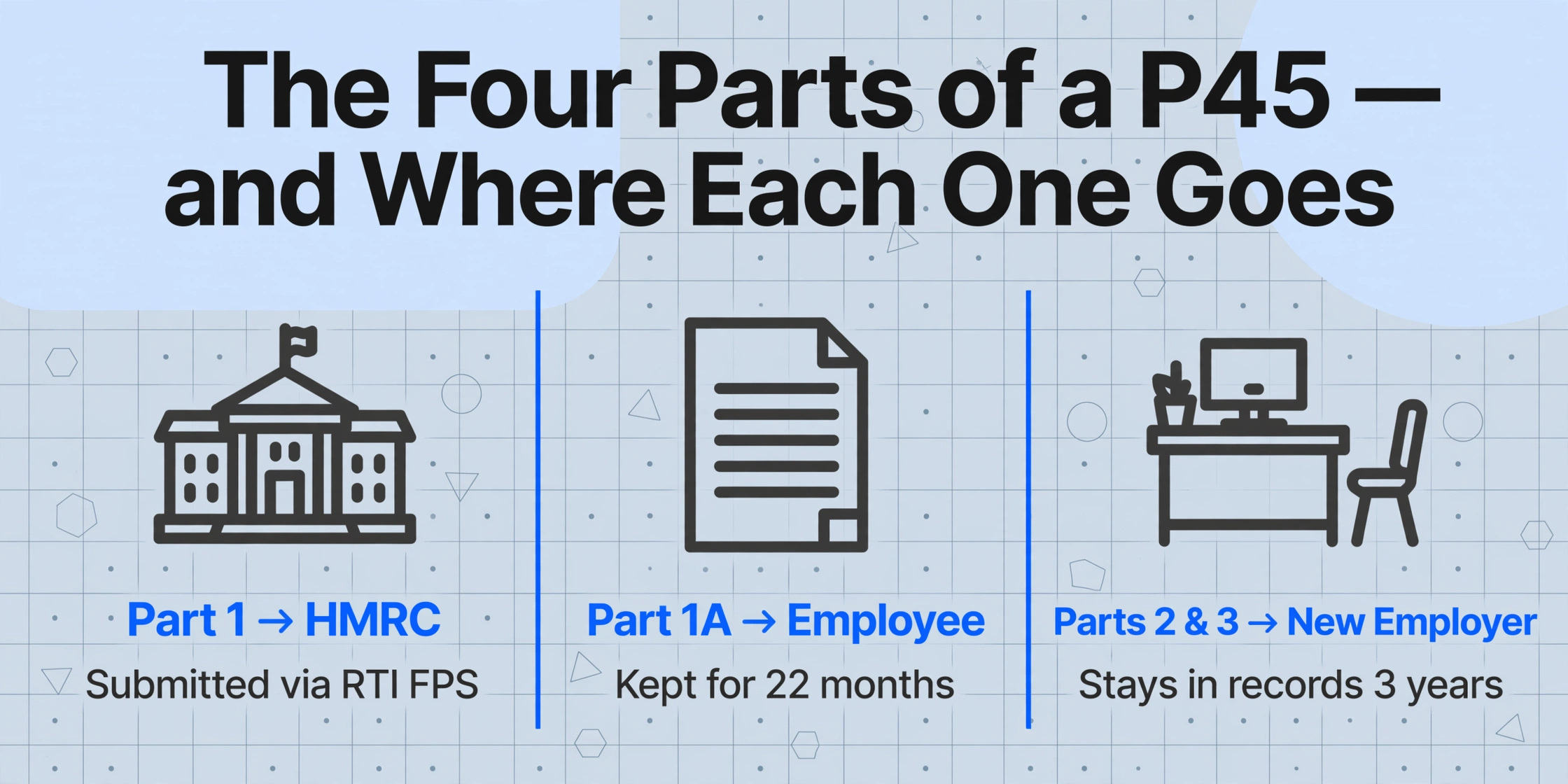
A P45 is not one document given to one person. It is a four-part instrument designed to distribute the same core tax data to three different parties — HMRC, the departing employee, and the new employer — each of whom has a distinct legal need for the information.
| Part | Recipient | What It Contains | What Happens to It |
|---|---|---|---|
| Part 1 | HMRC | Employer PAYE reference, employee NI number, leaving date, tax code, YTD pay and tax | Submitted electronically via RTI Full Payment Submission. Under RTI, Part 1 is no longer a physical submission — the leaving data is embedded in the final FPS for that employee. The HMRC PAYE Manual (PAYE5025) confirms: "When an employee leaves an RTI employment, leaving details will be included on the FPS instead of submitting a form P45 to HMRC." |
| Part 1A | Employee (keep for records) | Full copy of Part 1 data plus employee address, birth date, gender | Kept by the employee as their personal tax record. May be needed for Self Assessment tax returns, tax credit claims, or Universal Credit applications. Cannot be reissued — if lost, the employee must use an HMRC Starter Checklist at their next employer. HMRC recommends retaining for at least 22 months. |
| Part 2 | New employer | Tax code at leaving, YTD pay, YTD tax, NI number, student loan indicator, Week 1/Month 1 flag | Used by the new employer's payroll software to calculate the correct tax deductions from day one. The employer does not forward this to HMRC — it stays in their records for compliance (minimum 3 years from the end of the tax year). |
| Part 3 | New employer (for HMRC registration) | Duplicate of Part 2, plus new employer fields (PAYE reference, start date, works number) | Historically forwarded to HMRC by the new employer to register the new employment. Under RTI, the new employer instead reports starter details via their own FPS — Part 3 serves as the internal data source for that submission. The CIPP advises: "Employers who are filing RTI should no longer send forms P45 (Part 3) or P46 to HMRC." |
The practical workflow for the departing employer: after processing the final payroll run — which marks the employee as a leaver and triggers the final FPS carrying all P45 data to HMRC — the employer prints or emails the P45 and hands Parts 1A, 2, and 3 to the employee. If the P45 is generated electronically, Parts 2 and 3 are typically combined into a single PDF. The employee keeps Part 1A and passes Parts 2 and 3 to the new employer before or on their first day.
One detail that causes confusion even among experienced payroll administrators: when the P45 is generated from payroll software that prints on plain A4 paper (rather than pre-printed HMRC stationery), the form may not be visually divided into four clearly marked sections. In these cases, knowing which data goes where depends entirely on the box numbering — not the page layout. Box 1 (Employer PAYE reference) through Box 13 (employer declaration) form the complete P45 dataset regardless of which part you are looking at.
Every Field on a P45, Explained by Box Number
Understanding what each field means — not just what label it carries — is the difference between mechanically copying numbers and actually verifying that the P45 is correctly completed before entering its data into payroll. The official HMRC P45 template (version 12/15) maps 13 numbered boxes across all four parts:
| Box | Field Name | What It Means for Payroll |
|---|---|---|
| 1 | Employer PAYE Reference | Unique identifier for the employer's PAYE scheme — format: Office Number / Reference Number (e.g. 123/AB45678). This is different from the company's Accounts Office Reference used for PAYE payments. An incorrect PAYE reference means HMRC cannot match the leaving data to the correct employer record. |
| 2 | Employee's National Insurance Number | Format: QQ 12 34 56 C. The NI number is the primary key that links an individual across all HMRC systems. If the leaving employer recorded it incorrectly, the new employer's FPS will create a mismatch that HMRC may flag as a duplicate or unknown employment. |
| 3 | Employee Name (Title, Surname, First Name) | Must match HMRC records exactly. A mismatch between the name on the P45 and the name in the new employer's payroll system — even a middle initial difference — can cause HMRC's automatic matching to fail, delaying tax code updates. |
| 4 | Leaving Date | The date employment ceased, in DD/MM/YYYY format. This date determines which tax month and week the final payroll entry falls into. A leaving date entered as 15/04/2026 when the employee actually left on 15/03/2026 shifts an entire month's earnings into the wrong tax period. |
| 5 | Tax Code at Leaving Date | The tax code in operation at the point of departure — e.g. 1257L, K475, BR, D0, NT. The suffix matters: L = standard personal allowance, M = Marriage Allowance recipient, N = Marriage Allowance transferor, T = HMRC-reviewed, K = negative allowance, BR = basic rate on full income, D0 = higher rate, NT = no tax. For Scottish taxpayers, the prefix S (e.g. S1257L) indicates Scottish Income Tax rates apply. Welsh taxpayers use C prefix. |
| 6 | Week 1 / Month 1 Indicator | An "X" in this box means the tax code is operated on a non-cumulative (Week 1 / Month 1) basis — each pay period is calculated in isolation, ignoring all prior earnings and tax paid. This is the single most common cause of emergency tax deductions at a new employer, because the employee's prior YTD tax paid is disregarded in the calculation. |
| 7 | Total Pay to Date / Total Tax to Date | The employee's cumulative pay and income tax deducted across all employments in the current tax year up to the leaving date. These figures come from the P11 Deductions Working Sheet — not from the final payslip. Critical distinction: Box 7 shows the full cumulative record including any prior employments earlier in the same tax year. Box 8 shows this employment's portion only. If Box 7 and Box 8 show identical amounts, it means this was the employee's only employment in the current tax year. |
| 8 | Total Pay in This Employment / Total Tax in This Employment | Pay and tax attributable solely to this employment. Left blank if the tax code is cumulative and the amounts equal Box 7. This field becomes important when an employee has held multiple jobs in one tax year — the new employer needs to understand how much of the YTD totals came from the immediately prior role. |
| 9 | Works Number / Payroll Number | The departing employer's internal employee identifier and department/branch reference. Used by the new employer primarily for record-keeping, not for tax calculation. |
| 10 | Gender and Date of Birth | Present only on Part 1 and Part 1A. Used by HMRC for identity verification. The new employer does not need this data for PAYE calculation. |
| 11 | Employee's Private Address and Postcode | The employee's home address at the time of leaving. The CIPP emphasises that HMRC uses the postcode to verify identity — an incorrect postcode can trigger address changes on the employee's HMRC record, potentially redirecting all future correspondence to the wrong address. |
| 12 | Employer Name, Address, and Postcode | The departing employer's details. On Part 3, there is an additional "P" box: enter "P" if the employee will not receive any pay from the new employer between their start date and the following 5 April — used for pension recipients and dormant employments. |
| N/A | Student Loan Deductions Indicator | Enter "Y" if student loan deductions are continuing. This box has no official number on the template but sits between Box 4 (Leaving Date) and Box 5 (Tax Code). The CIPP notes that if a P45 arrives late and HMRC has already issued a new tax code, the employer should still update student loan details from the P45 — because student loan deduction status is not carried in the standard HMRC tax code notice. |
The most consequential field on this entire form, for the employee, is Box 5 — the tax code. An incorrect tax code at a new employer cascades into every subsequent payslip. If the leaving employer issued a P45 showing code 1257L W1 (non-cumulative), the new employer will apply W1 throughout — meaning the employee does not benefit from their unused personal allowance accumulated since April. The result: each month's tax is calculated as if the month stands alone, ignoring that the employee may have had little or no income in prior months. A Reddit user describes this experience as opening their first payslip at a new job and finding "a massive chunk had vanished to emergency tax" — a frustration echoed across hundreds of similar threads on r/UKPersonalFinance every year, overwhelmingly traced to a missing or incorrectly processed P45.
The P45 in Context: How It Fits Into the UK Payroll Ecosystem
The P45 does not exist in isolation. Its function — and the consequences of getting it wrong — only become clear when you map its position within the larger framework of statutory payroll reporting. Three relationships matter most:
P45 vs P60: Not Interchangeable
The P45 and P60 are the two most commonly confused PAYE forms, but they serve opposite functions. A P60 is an annual summary — it shows total pay and total tax deducted for the full tax year (6 April to 5 April) for employees still on payroll on 5 April. A P45 is a mid-year snapshot — it covers from 6 April to the specific leaving date, and it is only generated when employment ends. The practical implication: you never give a P60 to a new employer. Only a P45 carries the tax code in a format that a payroll system can ingest to continue cumulative calculations. Giving a new employer a P60 as a substitute for a P45 simply doesn't work — the payroll software has no mechanism to extract a tax code from a P60, because the P60 was never designed for that purpose.
P45 vs Starter Checklist: The Fallback, Not the Equivalent
When an employee starts a new job without a P45 — either because the previous employer hasn't issued it yet, or because the employee lost it (remember: P45s cannot be reissued) — the new employer uses an HMRC Starter Checklist (formerly known as P46). The checklist asks three questions:
- Is this the employee's first job since last 6 April?
- Since 6 April, has the employee received payments from a job, Jobseeker's Allowance, or a pension?
- Is the employee currently receiving payments from another job or pension?
Based on the answers, HMRC assigns an initial tax code — typically 1257L on a cumulative basis for Statement A (first job), or 1257L W1/M1 for Statement B (had another job but it has ended). The critical difference from a P45: the Starter Checklist provides no YTD pay or tax figures at all, forcing the new payroll system to estimate the employee's position within their personal allowance. A Starter Checklist is better than nothing, but it is not a data-equivalent replacement. It lacks the precise cumulative figures that only a P45 can carry. This is why the employee's first payslip under a Starter Checklist-based code is frequently wrong, and why HMRC recommends requesting a P45 even after initially using a checklist — because once the P45 data arrives, the payroll record can be corrected retrospectively.
How RTI Replaced Paper P45 Submissions to HMRC
Since April 2013, the UK has operated under Real Time Information (RTI) reporting. Under RTI, the departing employer does not physically send Part 1 of the P45 to HMRC. Instead, the leaving information — including the leaving date, final tax code, and cumulative pay/tax figures — is embedded directly in the Full Payment Submission (FPS) for the final pay period. The FPS must be submitted on or before the payday itself. HMRC's internal systems use this FPS data to close the employment record and prepare for the incoming FPS from the next employer.
The timing constraint is tight: the final FPS must carry an accurate leaving date and all cumulative figures. If the payroll is processed before the leaving date is confirmed — a common scenario when an employee resigns with immediate effect — the employer may need to submit a corrected FPS. Failing to do so leaves the employee's HMRC record showing an ongoing employment, which can delay the new employer's ability to register the starter and apply the correct tax code.
Late FPS penalties range from £100 to £400 per month per PAYE scheme, depending on employee headcount (1–9: £100; 10–49: £200; 50–249: £300; 250+: £400). HMRC operates a 3-day grace period in practice — an FPS received within 3 days of payday will not trigger a penalty provided there is no pattern of persistent late filing — but this is a concession, not a statutory extension.
The Real Cost of Manual P45 Data Entry
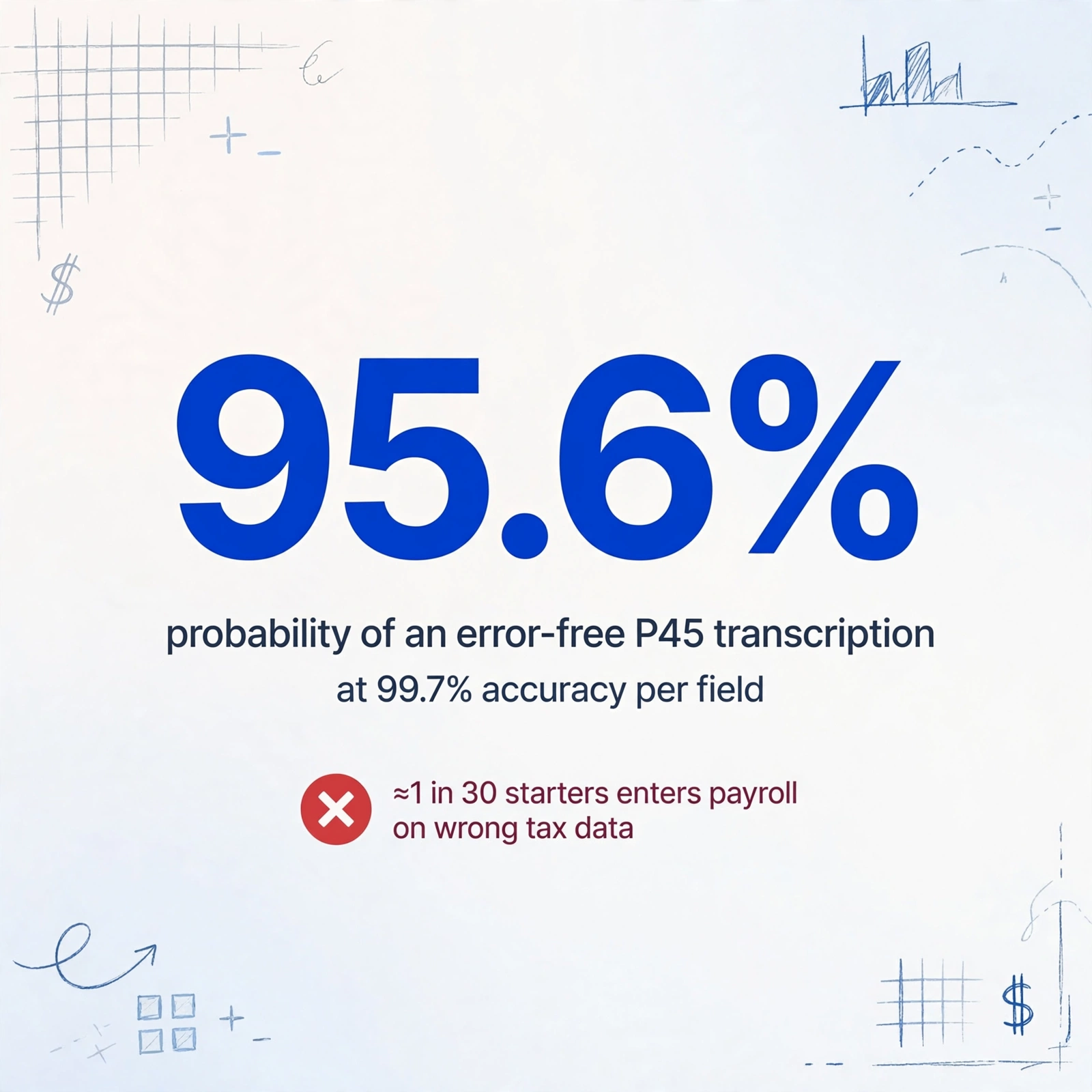
The cost of manual P45 processing is not primarily about time — though at two minutes per P45, a payroll department processing 30 new starters a month spends an hour retyping data that someone else's payroll system has already calculated and printed. The real cost is in error cascades. Each P45 carries approximately 15 discrete data points that need to be transcribed into the new employer's payroll software. If each field has a 99.7% accuracy rate — optimistic for manual entry — the probability of an error-free P45 transcription is 0.997^15, or roughly 95.6%. For 30 P45s a month, that means at least one new starter per month, on average, enters the payroll on incorrect tax data.
We have examined this cost in detail in our analysis of manual P45 processing costs for UK employers, which breaks down the per-leaver and annual cost structure. The framework covers direct labour costs, error-correction time (including HMRC PAYE helpline wait times to resolve tax code errors), and the downstream cost of delayed tax code corrections on employee retention.
But there is a deeper structural problem that goes beyond per-unit error rates. When a payroll administrator retypes P45 data, the system has no error-detection layer between the source document and the payroll database. In most business processes — accounting double-entry, inventory barcode scanning, payment reconciliation — there is a verification step: a checksum, a match against a known record, or a second pair of eyes. Manual P45 transcription operates with none of these. The administrator types "1257L" into the new starter form, and the payroll software accepts it. There is no cross-check against the P45 image. There is no validation against typical tax code formats for that postcode or salary band. The error survives undetected until either the employee notices their payslip is wrong, or HMRC's end-of-year reconciliation flags the discrepancy — by which point 4 to 11 months of incorrect deductions have already occurred.
For a deeper look at why this systemic gap exists and persists across UK payroll teams, see our analysis of why UK payroll teams still manually process 4-part paper P45 forms — which traces the structural, regulatory, and technological reasons behind the manual-transcription bottleneck.
How Payroll Software Handles P45s — and What It Doesn't Do
Modern UK payroll software does an excellent job of generating P45s. When you mark an employee as a leaver in Sage Payroll, BrightPay, or Xero, the software automatically calculates final YTD figures, populates all 13 boxes, generates the four-part PDF, and embeds the leaving data in the FPS submission to HMRC. Sage's process, for example, involves selecting the employee, navigating to the Employment tab, choosing "Leaver," entering the leaving date, and printing the P45 on plain A4 paper — the software handles everything else including the RTI submission.
What payroll software does not do: read an incoming P45 from a previous employer and extract its data fields into the new starter record. The software provides a new starter form with empty fields. The payroll administrator fills them in. The data pathway looks like this:
This gap — between the P45's structured output and the payroll software's structured input — is where the manual transcription bottleneck lives. The UK payroll software market is mature and competitive, with products spanning from HMRC's free Basic PAYE Tools (for businesses with fewer than 10 employees) to enterprise platforms like IRIS (which holds CIPP Gold accreditation). But across the entire spectrum, the new-starter data ingestion process remains fundamentally keyboard-dependent.
This is not a failure of payroll software. It reflects a genuine technical challenge: incoming P45s arrive in any format — scanned paper copies from a previous employer that still uses printed forms, emailed PDFs generated by the previous employer's payroll system, smartphone photos of Part 2 that the new employee snapped before starting. The payroll software cannot assume a standard digital input format because there isn't one.
How AI Data Extraction Changes the P45 Workflow
The manual-transcription bottleneck exists because traditional OCR (Optical Character Recognition) has a fundamental limitation when applied to forms like the P45: it can read characters, but it cannot understand which box each value belongs to. A traditional OCR tool pointed at a scanned P45 will produce a flat text output — a stream of words like "1257L £2,450.00 QQ123456C 15/03/2026" — and the payroll administrator still has to manually map each value to the correct field in the new starter form. The reading step is automated. The understanding step is not.
What changes this equation is semantic data extraction — an approach where the AI is not told "look at coordinates (x, y) for the tax code," but instead is asked "find the tax code on this document." The AI reads the form holistically, identifies the label "Tax code at leaving date," and extracts the value next to it — regardless of whether the form is a clean PDF, a creased scan, or a photo taken at an angle. This is the paradigm shift from position-based extraction (where the document layout determines success) to semantic-based extraction (where the AI understands what each field means, not just where it sits).
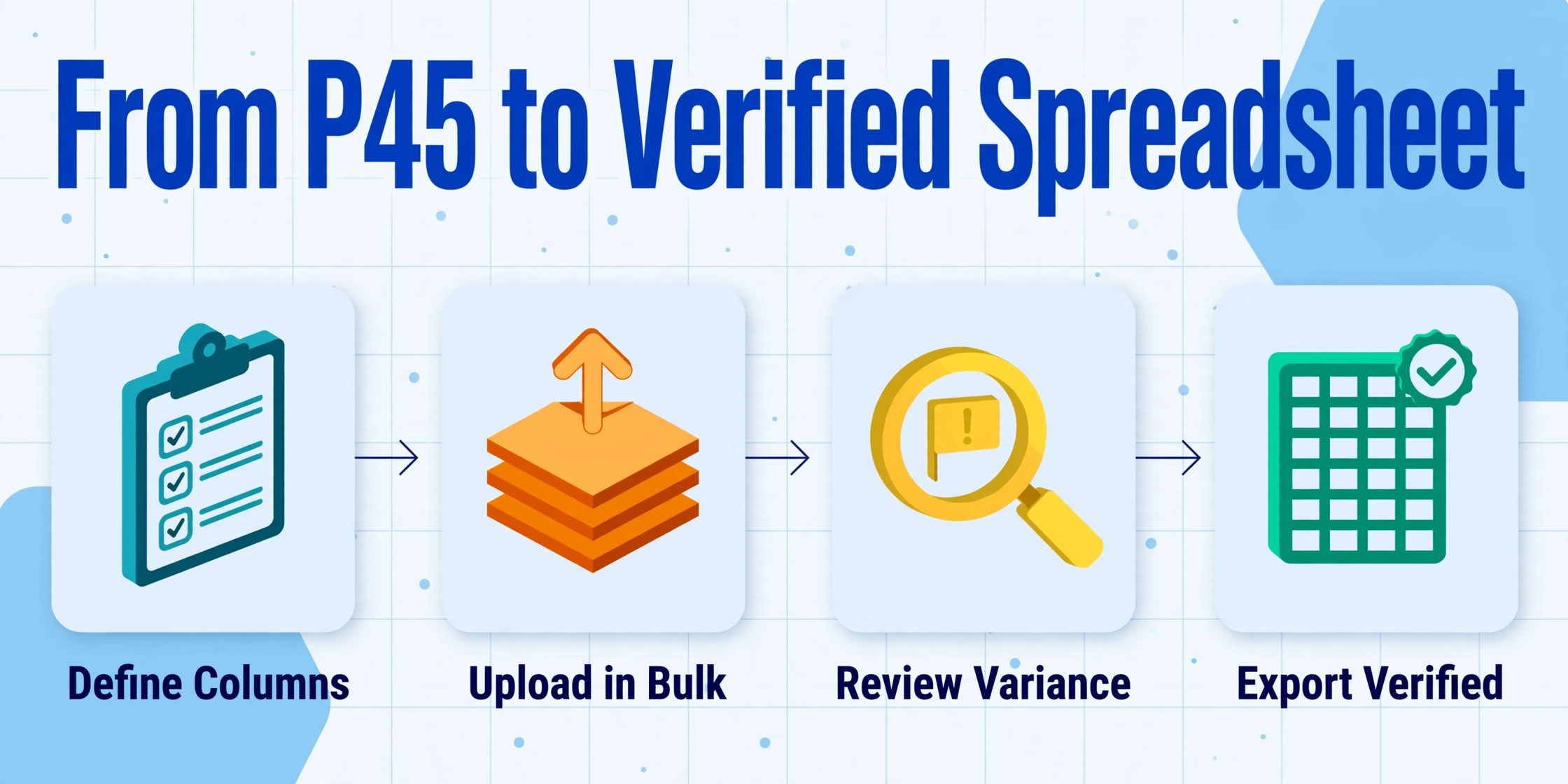
The term for this approach in the AI data extraction space is Custom Column Extraction: you define the output columns you want — "Tax Code," "NI Number," "Total Pay to Date," "Leaving Date," "Student Loan Indicator" — and the AI locates each field anywhere on the P45 by understanding what the field means, not what coordinates it occupies. This matters specifically for P45s because:
- P45 layouts are standardised, but their digital representations are not. A P45 generated by BrightPay, printed, signed, scanned, and emailed looks different (in terms of pixel coordinates) from one generated by Sage and rendered as a native PDF. Semantic extraction handles both identically because it reads meaning, not position.
- Handwritten annotations break template-based OCR. If a previous employer writes "corrected code 1257L" by hand next to Box 5 on a printed P45, a template OCR tool will either miss it entirely or produce garbled output. Semantic AI can distinguish between printed form content and handwritten marginalia.
- Multi-page P45s have different field positions on different parts. Part 1A, Part 2, and Part 3 share the same box numbers but are laid out on different pages with different formatting. Template OCR requires a separate template for each part. Semantic extraction works across all three with no additional configuration.
Files are processed securely and not stored.
A Step-by-Step P45 Data Extraction Workflow
Here is what the full P45 processing chain looks like when data extraction replaces manual transcription. The workflow is built around a single principle: the payroll administrator's role shifts from data entry operator to data reviewer. They verify extracted fields rather than creating them from scratch.
For payroll teams processing leavers in batches — for example, a payroll bureau that handles 50 client companies and processes leavers across all of them at month-end — this workflow scales linearly with document count rather than with administrator headcount. Our guide to batch-processing monthly P45 leaver forms into an employee exit database walks through the multi-file processing configuration that merges all P45s for a given period into a single database table.
Common P45 Processing Pitfalls — and How to Avoid Them
The CIPP's advisory service handled over 13,000 payroll queries in a single year. P45-related issues consistently rank among the most common. These are the scenarios that catch even experienced payroll administrators:
Late P45: Received After the First Pay Run
An employee starts on a Starter Checklist-based tax code (say, 1257L W1). Two weeks later, they produce their P45 from the previous employer. The CIPP's guidance is clear: if HMRC has already issued a new tax code notice (P6) based on the Starter Checklist data, you should use the HMRC-issued code, not the P45 code. Update only the student loan deduction status from the P45 — because student loan indicators are not carried in standard P6 notices. If HMRC has not yet issued a code, use the P45's tax code and YTD figures to update the payroll record, then submit a corrected FPS for the earlier pay period(s).
Multiple P45s in One Tax Year
An employee who has held three jobs since April will have three P45s. The CIPP rule: use the P45 with the latest leaving date. If two P45s share the same leaving date, use the one with the higher tax-free allowance (or, for K codes, the smaller additional pay amount). Do not attempt to aggregate figures across multiple P45s — the HMRC system expects a single set of cumulative figures from the most recent employment. The underlying logic: each P45 supersedes the previous one, because the most recent employer should have incorporated all prior-year data into their cumulative calculations.
P45 From a Previous Tax Year
A P45 issued in tax year 2025/26 (before 6 April 2026) is not valid for an employment starting in 2026/27. The cumulative figures on it cover a closed tax year — they are irrelevant to the current year's PAYE calculation. In this case, use the HMRC Starter Checklist. The tax code on the old P45 is still informative (it tells you the employee's most recent code from the prior year), but the YTD figures must not be entered into the new year's payroll record.
Zero-Earnings P45
If an employee was on payroll but received no pay — common for dormant directors or employees on long-term unpaid leave — the P45 shows £0.00 in both Box 7 and Box 8. This is a valid P45, and the employer must still issue it under Regulation 36. The new employer uses the tax code from Box 5 but enters zero for YTD pay and tax. The "P" marker on Part 3 (Box 12) should be used if the employee will not receive pay from the new employer before the next 5 April.
Seasonal Peaks: The January P45 Rush
January is the most common month for job changes in the UK — notice periods expiring after the Christmas break, new-year career moves, and Q4 bonus payouts triggering departures. Payroll teams face a compressed window: final December payroll runs, RTI year-end preparation (deadline 19 April), and a surge of new-starter P45 processing all overlap. This is precisely when manual errors peak, because the same administrator who normally processes 5 P45s a week is suddenly processing 20 in the same timeframe. Our January P45 rush survival guide for UK payroll teams covers strategies for managing this seasonal spike without sacrificing accuracy.
From P45 to P60: The Year-End Handover
The P45 is a mid-year document. The P60 is its year-end counterpart. For employees who left during the tax year, the P45 is their P60 equivalent — it serves the same function (proof of earnings and tax paid) for the portion of the year they were employed. The departing employer does not issue a P60 to former employees. For the new employer receiving a P45, the data chain continues: the P45's YTD figures become the starting point for the employee's cumulative record in the new payroll system, which will ultimately produce the next P60 at year-end — provided the employee is still on payroll on 5 April.
For payroll teams that handle both P45s (from leavers) and P60s (for current employees), the data extraction workflow is structurally similar: both forms carry fixed-field tax data in a standardised layout, and both require the same transcription step into payroll or reporting systems. Our guide to extracting UK P60 year-end certificate data into Excel covers the P60-specific field mapping, and our analysis of what manual P60 data entry costs UK employers per tax year extends the cost framework from P45 to the year-end cycle.
Frequently Asked Questions
Can I download a blank P45 form from HMRC?
No. HMRC does not provide blank P45 forms for download to employers who file online. If you use payroll software, the P45 is generated automatically when you process the final payroll run for a leaver. If you are one of the very small number of employers exempt from online filing, you can order pre-printed P45 stationery from the HMRC Employer Orderline. Most payroll software — including HMRC's free Basic PAYE Tools — generates P45s on plain A4 paper, so no special stationery is required.
What happens if a previous employer refuses to issue a P45?
Under Regulation 36 of the Income Tax (PAYE) Regulations 2003, issuing a P45 is a legal obligation, not optional. If a former employer refuses or delays, the employee should make a formal written request specifying a reasonable deadline for delivery. If the employer still does not comply, the employee can report the issue to HMRC, which can open a compliance investigation. In the meantime, the new employer should use the HMRC Starter Checklist. The employee should also check their Personal Tax Account online — HMRC may have already received the leaving data via the employer's final FPS, even if the physical P45 was never provided.
Does a P45 show National Insurance contributions paid?
No. A P45 shows Income Tax deducted under PAYE — not National Insurance contributions. NI is calculated on a per-pay-period basis (not cumulatively like Income Tax), so there are no YTD NI figures on a P45. The employer's final FPS to HMRC does report NI data, but this does not appear on the employee's copy of the P45. Employees who need a record of NI contributions paid should check their Personal Tax Account or request a National Insurance statement from HMRC.
Can AI extraction handle handwritten P45s?
Yes — with a caveat. AI semantic extraction can read handwriting on a P45 (for example, a manually written correction to a tax code next to Box 5, or a handwritten leaving date). The extraction accuracy for printed text on standard P45 forms is up to 99%. Handwriting accuracy depends on legibility: clear block capitals are extracted reliably; rushed cursive with ambiguous character shapes may require manual review. The key advantage over traditional OCR is that the AI understands the form's context — it knows that a number next to "Leaving Date" is a date, not a random numeric string, which reduces misclassification even when character-level recognition is imperfect.
What's the difference between a P45 and a P46?
The P46 no longer exists — it was replaced by the HMRC Starter Checklist in 2013 with the introduction of RTI. The Starter Checklist serves the same function (collecting new employee information when no P45 is available) but is not sent to HMRC. Instead, the employer keeps the completed checklist on file and reports the relevant starter declaration statement (A, B, or C) through the first FPS.
Is a P45 required for a director of a limited company?
It depends. If the director receives a salary through PAYE and that salary ceases (e.g., the company switches to dividend-only remuneration), the company must issue a P45 — because a tax code has been issued and employment for PAYE purposes has ended. If the director remains on payroll but at a reduced salary, no P45 is required. For sole traders and self-employed individuals, P45s are not issued at all, because they are not employees — the P45 is exclusively a PAYE instrument for employed earners.