The Complete Guide to
Lab Report Data Extraction (2026)
A potassium result of 6.2 mmol/L triggers a critical-value call to the attending physician. A result of 5.2 mmol/L does not. The difference is one decimal place — a single digit that a manual transcription error or a poorly configured OCR pipeline can shift without anyone noticing. Laboratory results drive an estimated 70% of medical decisions, yet the workflow that moves those results from a printed page into an EHR or spreadsheet still relies, at thousands of clinics, on human fingers typing digits from paper into a screen.
Key Takeaways
- 70% of medical decisions are driven by lab results — and one misplaced decimal point, a single digit that manual transcription or poor OCR can shift without anyone noticing, determines whether a physician receives an emergency call.
- After 90 minutes of sustained data entry, the human error rate climbs for everyone — not because of inadequate training, but because the task demands a level of sustained visual precision the brain was never designed to deliver.
- Extract each result as one whole clinical unit — test name, numeric value, unit, reference range, abnormal flag — so the structured data carries the full context clinicians need, and your work shifts from retyping digits to verifying exceptions.
What Is Lab Report Data Extraction?
Lab report data extraction is the automated process of identifying, capturing, and structuring clinical laboratory test results — along with every element that gives those results meaning — from a printed or PDF lab report into a structured format such as a spreadsheet, a database, or a direct feed into an electronic health record (EHR) or laboratory information system (LIS).
The scope includes the major categories of clinical laboratory testing:
- Clinical pathology / chemistry — complete blood count (CBC), comprehensive metabolic panel (CMP), lipid panel, thyroid function tests, coagulation studies, cardiac biomarkers, therapeutic drug monitoring
- Immunology and serology — infectious disease serologies (HIV, hepatitis, Lyme), autoantibody panels, allergy testing, tumor markers
- Microbiology and molecular diagnostics — culture and sensitivity results, PCR-based pathogen detection, viral load quantification, genotyping
- Urinalysis and body fluid analysis — routine urinalysis with microscopic examination, CSF analysis, pleural and peritoneal fluid studies
- Anatomic pathology — surgical pathology reports, biopsy results, cytology (Pap smears, fine-needle aspirates), flow cytometry immunophenotyping
What unites these different report types is not their layout — which varies enormously between laboratories and even between departments within the same hospital — but their structure: each individual test result is a bundle of interdependent pieces of information. The test name, the numeric or qualitative result, the unit of measure, the reference range, and the abnormal flag (if any) form a single logical unit. If any of those five elements is separated from the others during extraction, the structured data loses its most clinically important property — the ability to tell at a glance whether a value is normal, borderline, or critical.
For a broader introduction to AI-based document extraction as a concept — how vision models differ from traditional OCR and when extraction makes sense — start with our hub article on OCR and AI document extraction.
Core insight: Lab report extraction is the only document-processing domain where a single-digit error in the second decimal place can change a clinical decision. Most extraction tools optimize for speed. Lab reports demand extraction that optimizes for fidelity — preserving every digit, unit, flag, and reference boundary exactly as the originating instrument recorded them.
The Quantified Cost of Manual Lab Data Entry
Manual transcription of lab results into EHRs and spreadsheets is a workflow that predates the internet, and its costs are well documented — though rarely summed up in a single line item on a clinic's budget.
What the Research Says About Error Rates
Studies consistently find that manual transcription of laboratory results introduces errors at rates that would be unacceptable in any other clinical process. A study of outpatient point-of-care glucose testing published in the Journal of the American Medical Informatics Association found that 3.7% of manually entered results contained discrepancies, and of those, 14.2% were clinically significant — meaning they differed from the actual value by more than 20% (PMC). In an intensive care setting, a separate study found an 8.8% rate of transcription error in laboratory results (JAMIA).
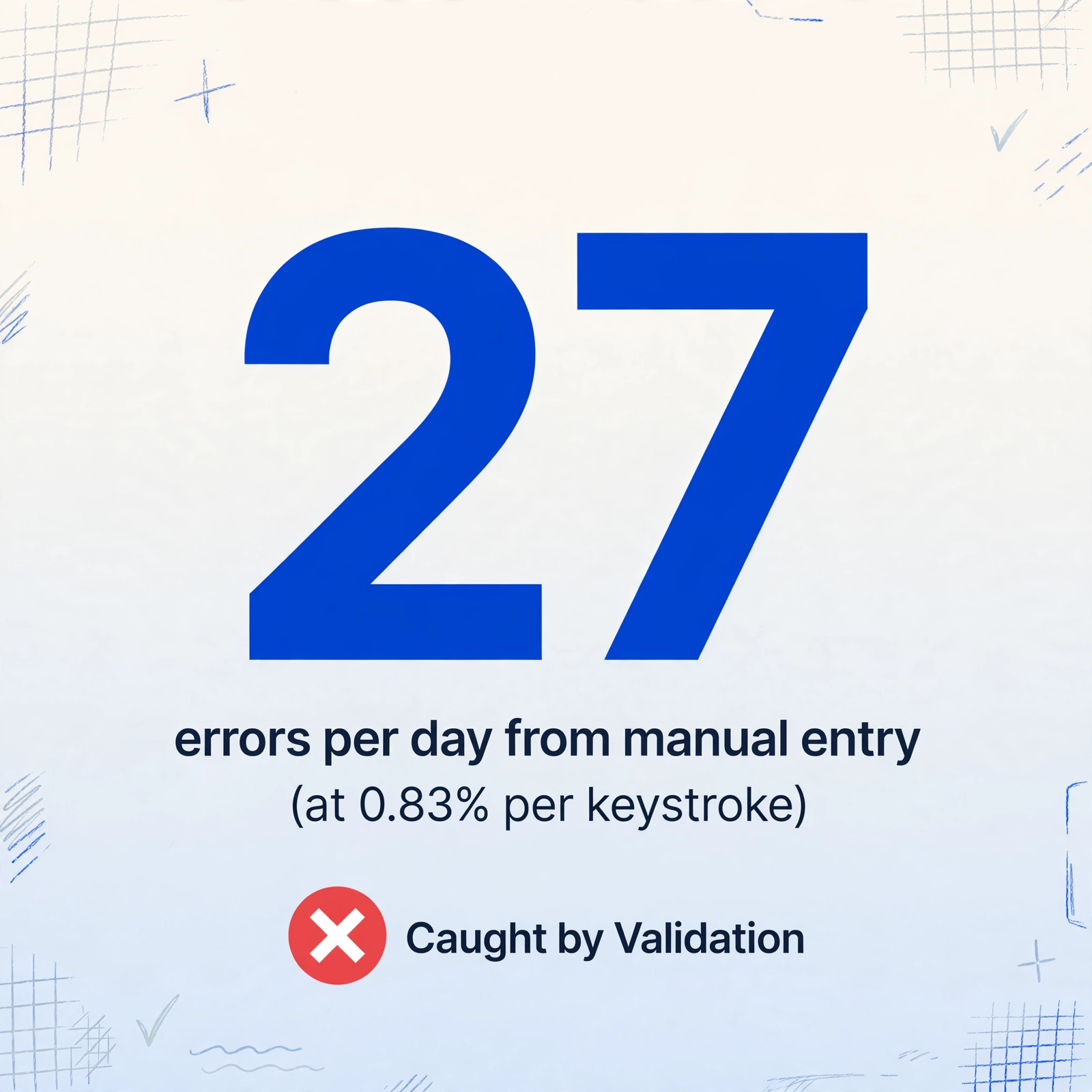
In a clinical microbiology lab — where results include antibiotic sensitivity patterns that directly determine treatment — the measured error rate was 0.83% per keystroke (PMC). That sounds negligible until you multiply: a lab processing 200 patients per day, with 20 data fields per result, generates approximately 3,320 keystrokes. At 0.83% per keystroke, that is 27 errors per day — more than 500 errors per month, concentrated on the numbers that clinicians use to diagnose, medicate, and monitor.
What an Error Actually Costs
The 1-10-100 rule for data quality applies directly to lab results (LabLynx):
- An error caught at the data entry stage costs roughly $1 to fix — the operator re-checks the result and corrects it before saving
- An error caught after the result reaches the clinician costs about $10 — the clinician flags an unexpected value, the lab investigates, the corrected result is re-faxed or re-uploaded
- An error that causes a wrong clinical decision — an unnecessary medication adjustment, a missed critical value, a misdirected diagnostic workup — costs $100 or more, and the cost is often borne by the patient
The real-world impact is not hypothetical. Manual transcription errors in laboratory medicine have been directly linked to delayed treatment, unnecessary interventions, and in documented cases from the UK's Serious Hazards of Transfusion scheme, incorrect clinical decisions that affected patient safety (SHOT UK).
The Throughput Ceiling
A clinic receiving 150 daily lab results needs 3 to 5 hours of uninterrupted transcription per day. Error rates climb sharply after the first 90 minutes of sustained focus — a human cognitive limitation that no amount of training eliminates.
For a deeper dive into the accuracy question across different document conditions — printed reports, faxed copies, handwritten annotations — see our companion article on whether AI can extract medical lab reports reliably.
The Extraction Challenges Unique to Lab Reports
Lab reports present a set of structural challenges that make them fundamentally different from invoices, receipts, or forms. Understanding these challenges is the prerequisite to choosing — or configuring — an extraction approach that can handle them.
1. Small Font and Dense Numerical Data
A typical lab report packs 20 to 60 test results into a single page, each result consisting of a test name, a numeric value (often with decimal places), a unit (sometimes abbreviated), and a reference range. The font size for the data rows is frequently 8 to 10 points — smaller than most document-processing tools are optimized for. At this size, a decimal point occupies roughly 2 by 2 pixels. If the scan or fax quality drops, that decimal point disappears, turning "4.2" into "42" — a tenfold error that no downstream system catches unless it implements range-based validation.
A thyroid-stimulating hormone (TSH) result of 1.234 µIU/mL carries four significant figures. Extracting it as 1.23 µIU/mL loses clinical information that could affect trend analysis over serial measurements.
2. Tabular Results with Reference Ranges
The most common layout groups test name, result, unit, reference range, and flag into a table — but the column order, headers, and visual grouping vary dramatically. Quest uses a three-column grid with ranges in a separate area. Epic Beaker outputs a vertical listing with parenthetical ranges. A pathology report may embed results in running text. The challenge is associating each result with its correct reference range: "95" for glucose is meaningless without knowing whether the range is 70–99 mg/dL or 65–100 mg/dL.
3. Abnormal Flags: H, L, Critical, and Color Coding
Labs flag results that fall outside the reference range using standard annotations. The most common are "H" (high), "L" (low), "A" (abnormal), and "C" (critical / panic). But flags are not always printed as letters. Many lab reports use visual cues: bold text for abnormal results, red or blue font for critical values, asterisks next to out-of-range values. ARUP Laboratories, one of the largest reference labs in the United States, uses a flag system where "H" appears for high results, "L" for low, and "C" for critical, alongside color coding and interpretive comments (ARUP Laboratories).
The extraction requirement is straightforward in principle and difficult in practice: the flag must be captured alongside the result and exported as its own field. A row in the export spreadsheet that reads "Potassium — 6.2 mmol/L" without a "Critical High" flag looks like a routine result. The same row with the flag attached is an alert that triggers immediate clinical action. Losing the flag in extraction effectively converts a critical result into a normal one as far as the downstream workflow is concerned.
Labcorp maintains a published list of critical thresholds that require immediate notification of the responsible physician (Labcorp). An extraction system that cannot capture a "Critical High" flag alongside the result cannot support a clinical workflow that relies on flag-based alerts.
4. Multi-Page Reports with Cumulative Results
A single patient encounter often generates multiple pages of lab results: page 1 for the comprehensive metabolic panel, page 2 for the complete blood count with differential, page 3 for coagulation studies, and page 4 for urinalysis. Some labs print cumulative reports that show the current result alongside previous results from the same patient, creating a multi-page document where each page has a different layout but shares a common patient identifier.
The extraction challenge is cross-page entity resolution: the system must recognize that all four pages belong to the same patient and that the collection date and patient MRN on page 1 apply to every result on pages 2 through 4. Without this, a multi-page report generates duplicate patient entries or assigns results from different encounters to the same row.
5. Faxed Copies and Degraded Documents
A significant volume of lab results still arrives by fax at roughly 200 DPI — half the resolution of a minimum-quality document scanner. Horizontal striping, contrast loss, and dropped fine characters are common. For a report already printed in 8-point font, fax transmission can obliterate decimal points and merge adjacent characters. A study of OCR on lab reports found character-level accuracy of 0.95 on clean scans, meaning 5% of characters were misread (PMC). On faxed documents, that error rate increases substantially.
6. Handwritten Physician Annotations
Physicians frequently annotate printed reports by hand: circling critical values, writing interpretive comments in margins. Clear block-print annotations are typically captured by vision AI; cursive notes and rushed marginalia are not. The practical approach is to extract the machine-printed results (the authoritative clinical data) and route handwritten annotations to a separate manual review workflow.
For a broader view of AI extraction across the healthcare document spectrum — including EOBs, CMS-1500 forms, and clinical intake forms — see our guide to OCR for healthcare documents.
Traditional Methods vs Modern AI Extraction
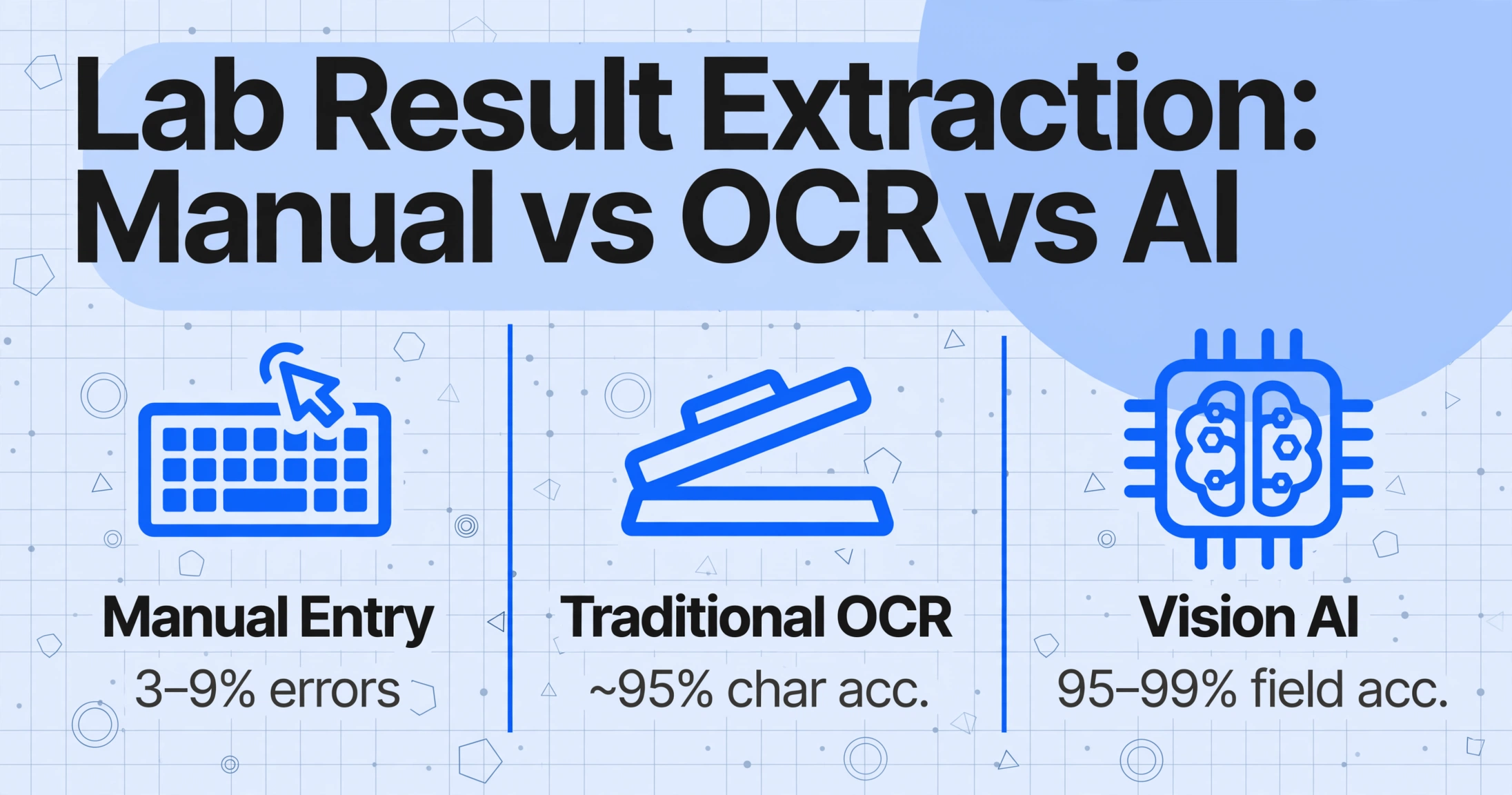
Three approaches exist for getting lab results from a printed page into structured data. Understanding their differences is the basis for choosing the right one.
Manual Transcription
A staff member reads each result and types it into the EHR or a spreadsheet. The costs are measured in time (30–50 reports per hour), error rate (3–9% of results contain a transcription error), and opportunity cost — the same person could be reconciling discrepancies or analyzing trends. Above 50 reports per day, the throughput ceiling makes manual entry the most expensive option once error correction is factored in.
Traditional OCR
OCR has been used for decades to digitize documents, but its limitations for lab reports are significant: character-level accuracy of roughly 95% means 1 in 20 characters is misread on a clean document; numerical misreads (5 vs 6, 0 vs 8) are common because OCR does not understand clinical context; and the output is a flat list of text fragments with no semantic structure. Two adjacent text objects — "115" and "mg/dL" — can merge into a single detection box, making it impossible to separate the value from its unit.
Vision AI and Custom Column Extraction
Modern vision-language models (VLMs) read documents differently from traditional OCR. Instead of recognizing individual characters and then trying to reconstruct the document structure, they understand the page holistically — reading the layout, the table structure, the visual hierarchy, and the semantic relationships between elements in a single pass.
This is the technology that powers what ImageToTable.ai calls Custom Column Extraction: you define the fields you want — "Test Name," "Result," "Unit," "Reference Range," "Flag" — and the AI locates the corresponding data by understanding what each field name means, not by searching for a fixed screen position. A Quest metabolic panel that lists tests in a three-column grid and a hospital's Epic Beaker output that uses a vertical listing with parenthetical ranges both work with the same column definitions, because the AI reads the relationship between the text elements rather than their coordinates on the page.
The key capabilities that matter for lab reports:
- Value + context together — the AI reads "Glucose 95 mg/dL (70–99)" as a single semantic unit, not four disconnected text fragments
- Format independence — the same model reads a columnar chemistry panel, a paragraph-format pathology report, and a tabular microbiology sensitivity panel without per-format configuration
- Flag and range preservation — abnormal flags (H, L, Critical) and reference ranges are captured alongside each result and exported in adjacent columns, so the structured data retains the clinical alert signal
- Numerical fidelity — leading operators (<, >), decimal places, and trailing significant digits are preserved exactly as the lab instrument reported them
Key Lab Report Fields: What to Extract and Why
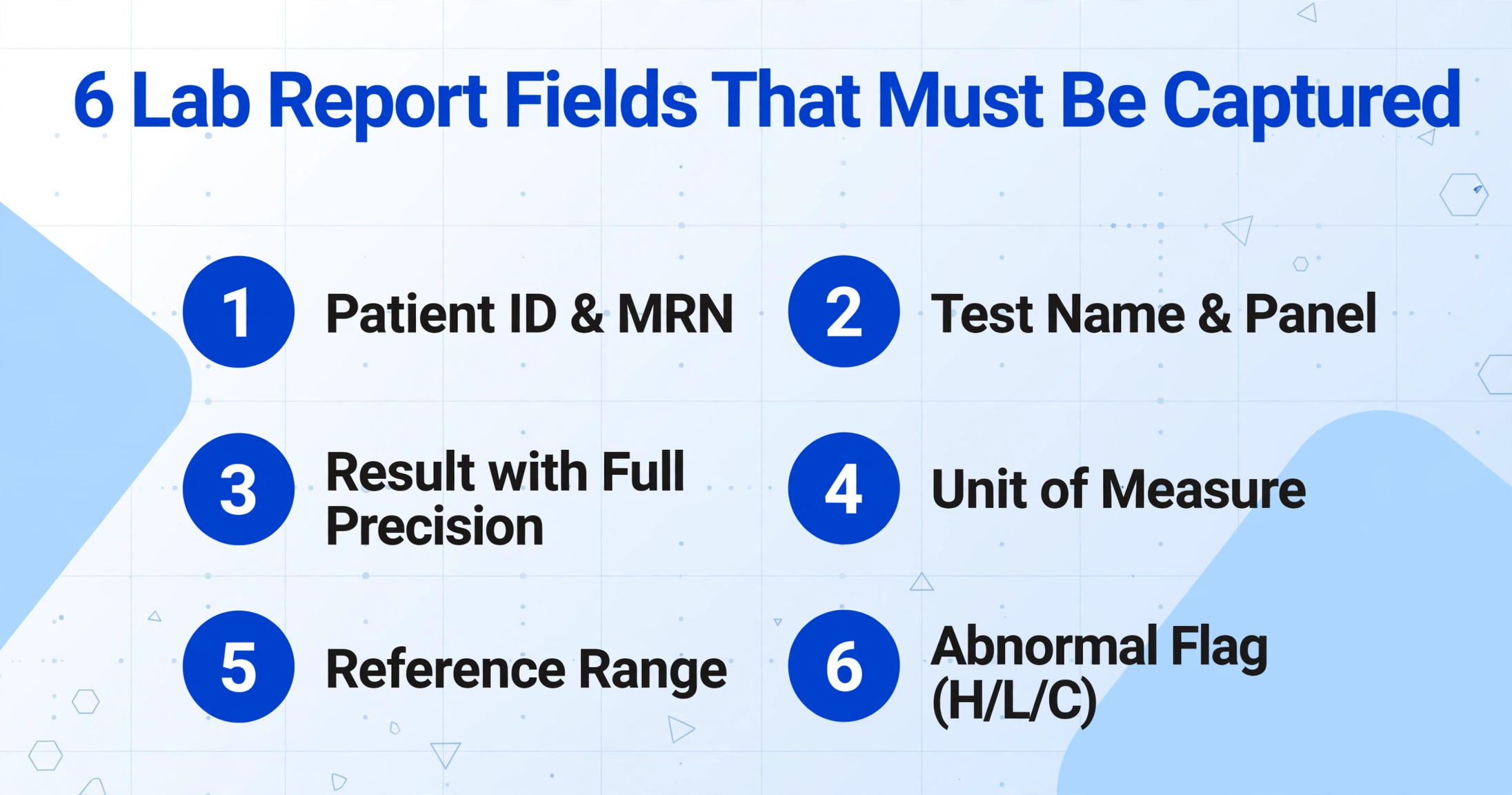
Every lab report extraction task requires a defined set of output fields. While the exact list depends on the clinical use case, the following fields cover 95% of medical lab extraction scenarios:
| Category | Field | Extraction Requirement |
|---|---|---|
| Patient Identity | Patient Name / MRN | Primary key linking all results to the correct patient. Must be captured from the header and applied to every result row on every page. |
| DOB / Age / Sex | Required for reference range interpretation — pediatric ranges differ from adult, and some analytes (e.g., creatinine) vary by sex. | |
| Ordering Context | Ordering Physician / Provider | Identifies who receives the results and who is responsible for follow-up. Critical for routing in multi-provider practices. |
| Timing | Collection Date & Time | Establishes the clinical context — fasting vs non-fasting, trough vs peak for drug levels, serial comparison. Enables delta checks across visits. |
| Report Date | Document version control. Critical for audit trails and regulatory compliance (CLIA, CAP, ISO 15189). | |
| Test Data | Test Name / Component | The identity of what was measured — "Glucose," "Hemoglobin A1c," "TSH." May include the panel name (e.g., "Comprehensive Metabolic Panel") as a group header. |
| Result (Numeric / Qualitative) | The measurement itself. Must preserve full precision including leading operators (<, >). Qualitative results ("Positive," "Reactive," "Not Detected") must be extracted as literal text. | |
| Unit of Measure | Must be extracted as a separate field alongside each result. mg/dL vs mmol/L for glucose, cells/µL vs 10⁹/L for CBC — the same number in different units means different things. | |
| Reference Range | Defines whether the result is normal or abnormal. Must travel with the result — extracting "95" without "70–99" produces data that cannot be interpreted without the original document. | |
| Abnormal Flag | H / L / A / C (Critical) — the clinical alert signal. Losing the flag in extraction defeats the purpose of moving from paper to structured data. | |
| Accountability | Lab Name / Performing Facility | Needed when aggregating results from multiple labs — reference ranges and methods vary between facilities. The same patient may have results from Quest, the hospital lab, and a reference pathology lab. |
| Interpretation | Comments / Interpretation | Pathologist comments, footnotes, and interpretive text. Free-text field — not always present but clinically important when it is. |
With ImageToTable.ai, you define these fields through Custom Column Extraction: enter the column names you want — "Patient Name," "Test Name," "Result," "Unit," "Reference Range," "Flag" — and the AI locates and extracts the corresponding data from each report. If a specific lab report includes fields like "Instrument ID" or "Methodology," add them to the column list and the AI reads them from the document.
Batch Processing: From Individual Reports to Population Insights
The most valuable application of lab report extraction is aggregation. When a practice processes daily lab results into a structured dataset, the combined information enables analyses that individual paper reports cannot support.
Population health monitoring. With each lab report extracted into a spreadsheet row containing patient ID, test name, result, and date, a clinic can answer: what percentage of diabetic patients have HbA1c above 7.0%? How does that vary by provider or by month?
Delta check automation. A creatinine rising from 0.9 to 1.8 mg/dL in 30 days signals potential acute kidney injury — but only if both values are in structured form. Automated delta checking against a structured dataset takes milliseconds per patient.
Critical value tracking. CLIA and CAP standards require documenting every critical result with date, time, and notification details. An extraction pipeline that captures critical flags alongside patient identifiers produces an audit-ready log with no additional data entry.
ImageToTable.ai's batch-first processing model is designed for this: upload multiple files, process them in parallel, and export all results into a single spreadsheet with consistent column headers. A batch of 100 lab reports becomes a structured dataset in minutes. For a hands-on walkthrough of how small clinics batch-organize patient lab reports into a single spreadsheet, see our guide on batch-organizing patient lab results for clinics. For a similar workflow in healthcare billing, see our complete guide to EOB extraction.
Export and Integration Options
Extracted lab data is useful only when it reaches the system where analysis, charting, or reporting happens.
Excel and CSV
The most common output format. A single spreadsheet with one row per test result and columns matching the defined field set. For a clinic processing 150 daily lab results, the export feeds directly into the EHR import, the population health dashboard, or the monthly quality report. Key requirements: numeric precision preservation, column consistency across batches, and inclusion of all contextual fields so a pivot table can filter by date, provider, or test type. If you're building a personal tracking spreadsheet from individual lab PDFs rather than a clinic-wide pipeline, see how to extract lab test results from PDF reports into Excel.
EHR and LIS Integration
Common LIS and EHR platforms include Epic Beaker, Cerner PathNet, Sunquest (Clinisys), Meditech, and Soft Computer (NovoPath). Integration works through structured export (CSV/JSON) via bulk upload or API. The extraction tool's role is to produce data that is clean enough that the import step does not fail on format mismatches.
Google Sheets
The ImageToTable.ai Google Sheets add-on enables upload and extraction without leaving the spreadsheet environment — ideal for clinical research coordinators, quality managers, and practice administrators. Upload lab PDFs, define your column set, and append results directly to the active sheet.
How to Evaluate a Lab Report Extraction Tool
Not every document extraction tool is suitable for lab reports. The following criteria separate tools that can handle clinical lab data from those that cannot:
| Criterion | What to Look For |
|---|---|
| Numerical precision | The tool must preserve full decimal precision — no rounding, no truncation of trailing digits. Test with a TSH value of 1.234 to confirm 1.234 is extracted, not 1.23. Leading operators (<, >) must be preserved as part of the result. |
| Unit handling | Units must be extracted as a separate, nullable field alongside each result. A tool that concatenates "115 mg/dL" into a single text field has failed — the unit must be in its own column for downstream analysis. |
| Reference range capture | The tool should extract reference ranges as data paired with each result. The range and result should appear in adjacent columns in the export, not scrambled into a free-text notes field. |
| Flag detection | Abnormal flags (H, L, Critical) and their visual indicators (bold text, color, asterisks) must be captured in a dedicated column. A tool that loses the flag produces data that looks normal when the result was flagged critical. |
| Format flexibility | Can it read a Quest panel, a LabCorp lipid profile, and a hospital's Epic Beaker CBC with the same configuration? Template-based tools require separate setups. Semantic extraction adapts to the document. |
| Batch processing | Single-report tools are impractical at clinic scale. The tool should support batch upload, parallel processing, and aggregate export — all with consistent column structure across files. |
| Template-free operation | When every lab uses a different report layout, template creation becomes a bottleneck that limits the tool to the formats you had time to configure. A template-free approach works on any lab's format from the first upload. |
Frequently Asked Questions
How precise is AI lab report extraction?
On clean printed reports from major labs (Quest, LabCorp, hospital LIS printouts), field-level accuracy ranges from 95 to 99%. The AI preserves full decimal precision, including leading operators and trailing significant digits. Accuracy decreases on faxed copies (85–95%) and handwritten annotations (70–85%). Best practice is to spot-check the first batch from each new lab format and implement range-based validation for numeric results.
Is AI lab report extraction HIPAA compliant?
HIPAA compliance depends on the tool's data handling practices, not its extraction capability. Requirements include encrypted transmission (TLS 1.2+), encrypted storage at rest, access controls, audit logging, and a Business Associate Agreement (BAA) where applicable. Verify that any platform you consider meets these obligations before processing patient-identifiable lab reports.
Does the same extraction setup work for Quest, LabCorp, and hospital reports?
Yes — that is the advantage of template-free semantic extraction. You define a single set of column names — "Test Name," "Result," "Unit," "Reference Range," "Flag" — and the AI finds the corresponding data on any lab format by understanding what the fields mean. Different layouts, column orders, and visual groupings do not require separate configurations.
Does the AI capture H, L, and Critical flags?
Yes, when the column definition includes a Flag field. The AI captures H (high), L (low), A (abnormal), C (critical), and color-based or asterisk-based visual indicators, and exports them alongside each result. Including a dedicated Flag column and verifying it on the first batch from each lab ensures the clinical alert signal is preserved in the structured output.
Can the tool handle multi-page lab reports?
Yes. Multi-page PDFs are processed as a single document. The patient identifier (name, MRN) is captured from the first page and applied to all result rows, so the exported data preserves the relationship between the patient and every test across all pages.
What about handwritten values or pathologist notes?
Machine-printed values — which constitute the authoritative clinical data on any lab report — are extracted with high accuracy. Handwritten annotations depend on legibility: clear block print is typically captured; cursive or rapid handwriting is not reliably read. The recommended approach is to extract printed results through the AI pipeline and route handwritten content to a separate manual review step.
How does batch processing work for daily lab volumes?
Upload all reports from a day's run as a single batch. The AI processes files in parallel and exports one aggregate spreadsheet with consistent column headers. A clinic processing 150 daily lab reports can run the entire day's batch in under 10 minutes — compared to 3 to 5 hours of manual transcription. Each row includes the file name as a reference, so every result can be traced back to its source document.
Does the tool convert units automatically?
ImageToTable.ai extracts units as a separate field adjacent to each result. Unit normalization — converting all glucose results to mmol/L regardless of source — is best handled in the downstream system where the conversion logic can be verified and audited. The extraction tool's job is to deliver the value and its unit.
Do I need a template for each lab's format?
No. ImageToTable.ai uses template-free extraction: define your output columns, and the AI locates corresponding data by reading document semantics. A vertical test listing and a horizontal table work with the same column definitions.
From Printed Result to Structured Data — The Workflow That Works Today
Lab report extraction sits at a specific intersection in healthcare data management: the data matters more than the document, and the data loses its meaning if any part of the clinical context — the unit, the range, the flag — is detached from the number. A decimal point on a glucose result is not a formatting choice; it determines whether the value is 95 or 9.5. An "H" flag on a potassium result is not an annotation; it is the clinical alert that triggers the response protocol.
The technology to extract this data with the precision it requires exists today. It does not require templates for each lab format. It does not require training a model on your specific reports. It does what the best data processing tools do: remove the bottleneck of manual transcription and leave the clinical judgment where it belongs — with the clinician.
Define your columns. Upload a batch. Spot-check the output. That is the workflow that works today — not in a future AI upgrade, but with the vision models available right now. For the accuracy ranges and edge cases that define how reliable this workflow is for your specific input quality, read our detailed accuracy analysis for medical lab report extraction.