The Complete Guide to
Meter Reading Data Extraction (2026)
The utility industry reads roughly 500 million meters per month in the United States alone. An estimated 64% of those meters are still mechanical — analog dials, rolling counters, and LCD displays with no wireless transmitter. Every one of those readings must be transcribed from a visual display into a billing system by hand. This guide walks through every option for turning that process from manual to automated, without assuming you have the budget to replace every meter.
Key Takeaways
- Reading 5,000 manual meters by hand costs a utility up to $1.5 million per year before a single transcription error is counted.
- Behind that labor bill, manual entry errors contaminate 5–10% of bills and estimated reads quietly leak 1–3% of annual revenue every cycle.
- A smartphone photo of the same analog dial, read by vision AI with zero per‑meter setup, eliminates 80% of data‑entry costs without replacing a single gauge.
What Is Meter Reading Data Extraction?
Meter reading data extraction is the automated process of converting the visual display of a utility meter or industrial gauge — whether an analog dial with a physical needle, a digital LCD, a rolling mechanical counter, or a multi-gauge panel — into structured numeric data that can be stored in a spreadsheet, billing system, or database. It replaces the manual sequence of: walk to meter, read the display, write it on a clipboard, return to office, type it into a system.
The term covers a spectrum of approaches, from walk-by radio reading (AMR) to fully automated smart meter infrastructure (AMI) to the emerging middle ground: photo-based extraction using vision AI that reads any gauge type from a smartphone picture. That last approach is what this guide focuses on, because it applies to meters that the other two methods cannot reach — specifically the 64% of installed meters that have no digital communication capability.
If you are entirely new to the concept, our what is meter reading extraction article covers the basics in more depth. This guide takes the wider view: the full landscape of methods, challenges, fields, and tooling decisions.
Core insight: Meter reading extraction is not a technology problem — it is a gauge diversity problem. A utility fleet may contain 10 different meter brands across 4 meter types (analog, digital, circular, rolling counter), each with its own reading conventions. The question is not "can AI read meters" but "can one system read all of them without per-model configuration."
Why Manual Meter Reading Is Costly
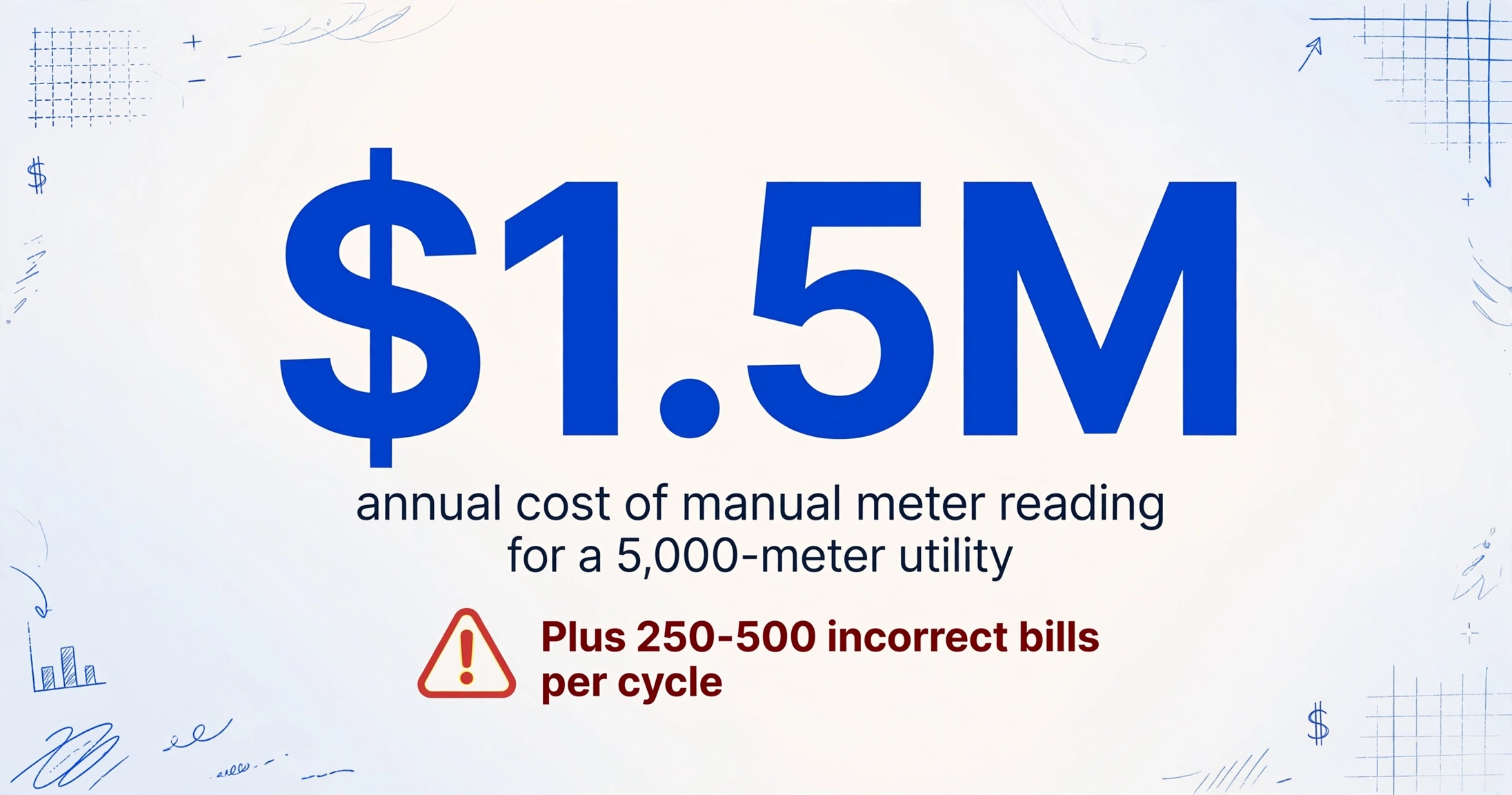
The most straightforward argument for automation is arithmetic. A utility with 5,000 manual-read meters and a monthly billing cycle performs 60,000 reads per year. Each read, from truck roll to data entry, costs between $15 and $25 when you account for labor, vehicle costs, and administrative overhead. That is $900,000 to $1.5 million per year — just to read meters that do not transmit data.
But the labor line item is only half the cost. The other half comes from errors.
Manual meter reading error rates range from 1% to 10% depending on meter accessibility and gauge type. A study of water utilities found that 5-10% of manually submitted meter readings contained errors significant enough to affect billing. For a utility billing 5,000 accounts, that is 250 to 500 incorrect bills per cycle — each generating customer service calls, re-read requests, and billing adjustments that cost $25-$50 per incident to resolve.
Then there are the hidden costs. Meters in flooded pits, behind locked gates, or under overgrown vegetation produce estimated reads — calculated from historical averages rather than actual consumption. Industry research shows that estimated billing leads to systematic revenue leakage of 1-3% annually because the estimates lag behind real consumption changes. When a customer disputes a bill, the utility rarely has photo evidence of what the meter actually showed — the clipboard entry is the only record.
These costs compound. The utility that could reduce its manual read rate from 100% to 20% — by using camera AI for the hard-to-read meters while keeping physical reads for the rest — saves 80% of the error-related costs without eliminating a single field position. The crew stops typing and starts photographing, which is faster, leaves a visual audit trail, and feeds data directly into the billing queue.
Key Challenges in Meter Reading Extraction
Automating meter reading is harder than automating invoice processing, for several reasons that anyone who has tried both will recognize immediately.
1. Gauge Type Diversity
A single utility fleet might include:
- Analog dial meters — multiple circular dials with physical needles, each representing a digit (ten-thousands, thousands, hundreds, tens, ones). The reader mentally interpolates where each needle sits between two numbers and concatenates the digits. A needle resting between 4 and 5 on the hundreds dial means "4-something hundred."
- Digital LCD displays — numeric readouts, sometimes with decimal places, sometimes with unit indicators. Appears straightforward, but field photos of LCD screens easily wash out from glare or become unreadable at slight angles.
- Circular gauges with a single needle — pressure gauges, temperature gauges, flow meters with a dial face and a needle rotating across a scale. The value depends on where the needle points relative to the printed scale, not on a digit reading.
- Multi-gauge panels — a single photo of a boiler or compressor panel containing 6-12 individual gauges. Each gauge must be located, isolated, and read independently.
- Rolling counter / odometer-style meters — mechanical number wheels that advance like a car odometer. The challenge is reading partially-visible digits where the wheel is mid-roll between two numbers.
A system that reads the digital LCD perfectly may fail entirely on the analog dial — and most field routes contain a mix. The extraction method must handle all of them without per-meter configuration or it saves no time.
2. Smartphone Photo Quality in Field Conditions
Meter photos are not taken in a studio. They are taken in meter pits with debris on the glass, in direct sunlight that creates glare across the LCD, in basements with insufficient lighting, and at angles that introduce parallax error. A meter photographed from a 30-degree angle rather than straight-on can produce a reading that differs from the true value by enough to affect billing.
The most common field photography issues are listed in our meter reading photo failure guide. Briefly: direct flash on a reflective dial face washes out the reading entirely; shade across an analog dial makes the needle position ambiguous; and water on the glass distorts the numbers underneath.
3. Analog Needle Interpretation (No Characters to OCR)
This is the hardest technical challenge. Traditional OCR looks for characters — letter shapes, digits — and converts them to text. An analog dial has no characters. It has a needle. The reading is not printed anywhere on the gauge; it is determined by the spatial relationship between the needle tip and the scale markings.
Template-based OCR tools cannot read analog meters for this reason. They require text regions to extract. The needle position is not text. It is geometry. This is why many extraction systems simply skip analog meters and only handle digital displays — but that leaves half the fleet unread.
4. Multi-Gauge Panel Separation
A single photo of a compressor room panel may contain 8-12 gauges arranged in rows. The extraction system must first detect that the image contains multiple meters, then isolate each gauge face, read each one, and associate the reading with the correct gauge label or tag. Panel photos are common in industrial facilities but they defeat single-meter extraction approaches entirely.
5. Batch Route Processing
A meter reader returns from a route with 200 photos of 200 different meters — some analog, some digital, some panel shots. The extraction must process them as a batch and output one row per meter, not one file per photo. If the system requires manual cropping or per-photo configuration, the time savings vanish.
Traditional Methods vs AI Extraction
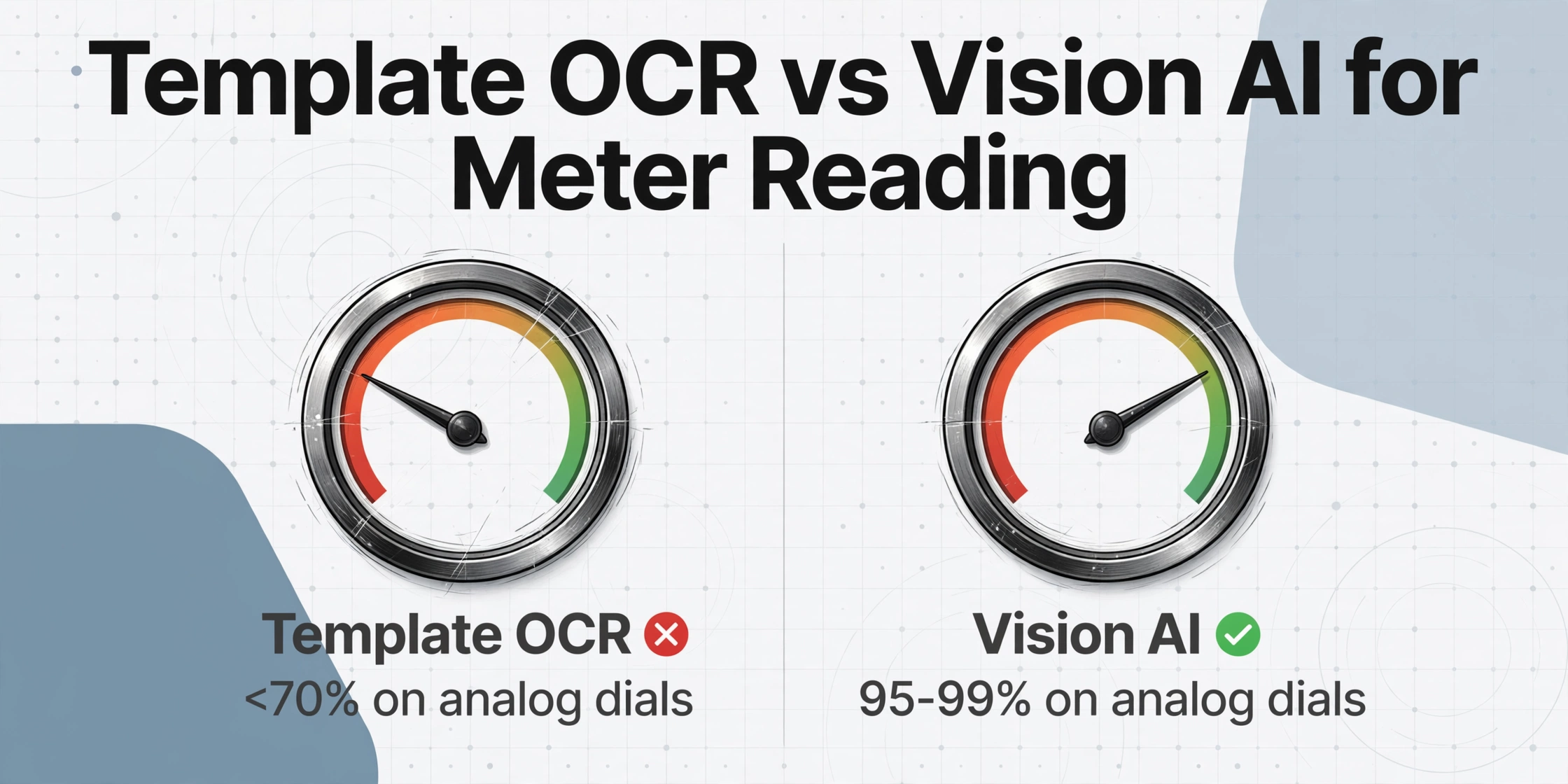
Understanding why vision AI changes meter reading requires understanding what makes the older methods hit their limits. Let's compare the approaches directly.
To see the difference in practice, try it yourself — upload a photo of any meter or gauge below and watch the AI read it in real time.
Files are processed securely and not stored.
Why Template OCR Fails on Meter Gauges
Template-based OCR and zonal OCR tools (Docparser, Parseur, ABBYY) extract data by matching character patterns at fixed coordinates on a page. They work well for invoices, purchase orders, and other text-heavy documents where the target data is printed in predictable locations. They fail on meters for three reasons:
- No characters on analog dials. There is no text reading "1234" on the gauge face. The reading is a needle position. OCR has nothing to recognize.
- No fixed coordinates. Even on digital meters, the reading position shifts depending on the photo angle, the meter housing, and whether the field worker stood to the left or right. Template zones that work on one photo miss on the next.
- No format consistency across brands. A Neptune water meter and a Badger meter display the reading in different layouts, with different font sizes, different unit labels, and different decimal conventions. Template OCR requires a separate template for each.
How Vision AI Reads Gauges Without Templates
Vision AI — specifically the vision large model (VLM) class of AI that understands images holistically — reads meters differently. Instead of searching for characters at pixel coordinates, it interprets the gauge face the same way a human does: it sees that there is a dial, a needle, a scale, and reading, and it understands what each part means in context.
When the AI sees an analog dial with a needle between 4 and 5 on a dial marked 0-9, it does not calculate the needle angle with geometry and interpolate. It simply recognizes: "the needle is pointing to approximately 4.3." When it sees a digital LCD showing 0554876, it reads the digit sequence even if the photo is taken at a slight angle in low light. When it sees a multi-gauge panel, it identifies each gauge face as a separate meter, reads each one, and returns a row per gauge.
This is the difference between character recognition and visual understanding. It is also why a single column template — "Meter ID," "Current Reading," "Unit," "Date" — works for a water meter with rolling digits, a gas meter with four analog dials, and a pressure gauge with a single needle, all from the same upload page.
For a deeper breakdown of accuracy by gauge type, see our can AI read meters from photos article and the field accuracy guide.
Direct Comparison: Methods at a Glance
| Method | Reads Analog Dials | Reads Digital LCD | Setup Per Meter Type | Hardware Cost | Best For |
|---|---|---|---|---|---|
| Manual clipboard | ✓ | ✓ | None | None | Very small fleets (<100 meters) |
| AMR / Drive-by radio | ✗ (requires transmitter) | ✓ (with module) | Hardware install per meter | $50-150/meter | Residential high-density routes |
| AMI / Smart meters | ✗ (replace meter) | ✓ | Full meter replacement | $150-400/meter + network | New builds, full capital replacement |
| Template OCR | ✗ (no characters) | Partial (format-dependent) | Per meter model | Software subscription | Uniform digital-only fleets |
| Vision AI photo extraction | ✓ | ✓ | None (zero setup) | Software subscription | Mixed fleets, analog gauges, multi-gauge panels |
The key takeaway: Vision AI photo extraction is the only method that reads analog dials without replacing them. Every other automated approach either requires a hardware upgrade to the meter itself or cannot handle needle-based gauges at all. For a fleet with even a single analog meter, photo extraction is the only non-replacement option.
Critical Fields to Extract from a Meter
Meter reading extraction is not just about capturing a number. A complete reading record includes the context that makes the number useful for billing, tracking, and verification. The following fields form a standard template that applies across water, gas, electric, and industrial meter reading:
| Field | Description | Format | Source on Meter |
|---|---|---|---|
| Meter ID | Unique identifier for the meter — serial number, asset tag, or barcode | String (alphanumeric) | Nameplate, label, or stamped metal tag on the meter body |
| Reading Value | The current display reading — dial positions, LCD digits, or counter value | Number (with decimal places) | Main display area (dial face, LCD screen, or odometer wheels) |
| Unit | Measurement unit (gallons, cubic feet, kWh, therms, PSI, etc.) | String | Label near the display or implied by meter type |
| Timestamp | Date and time the photo was taken — used as the reading date | YYYY-MM-DD HH:MM | Generated from photo metadata or manual entry |
| Location / Asset ID | Physical location or route stop — address, pit number, or equipment tag | String | External — from route schedule, GPS, or barcode on meter box |
| Previous Reading | The last recorded reading for this meter — used to compute consumption | Number | Prior billing data (not printed on the meter) |
| Consumption Delta | Current Reading − Previous Reading — the actual usage for the period | Number (computed) | Calculated field — not printed on meter |
| Inspector | Name or ID of the person who took the photo | String | External — from route assignment or login |
Most extraction tools let you define these column names and the AI populates them from each photo. The approach is known as Custom Column Extraction: you type the field names you want — "Meter ID," "Current Reading," "Unit," "Reading Date" — and the AI locates each value on the meter image by understanding what it means, not by matching pixel coordinates. It works on analog dials, digital displays, and circular gauges alike because the AI understands what a meter reading is, regardless of how it is displayed.
The Consumption Delta field is an example of a computed column — a field that does not exist on the meter itself but is derived from extracted data. In a tool that supports computed columns, you define the column as "Consumption Delta = Current Reading − Previous Reading" and the AI calculates it automatically for every row in the batch, eliminating the spreadsheet formula step after extraction.
For industrial facilities tracking asset health rather than billing, the same template applies with different priorities. A maintenance technician reading 50 pressure gauges on a compressor line cares about the current value, the deviation from the rated operating range, and the asset tag — but less about the unit label (all gauges on that line measure PSI). The column template adapts to the use case without changing the extraction mechanism.
Batch Processing Meter Readings
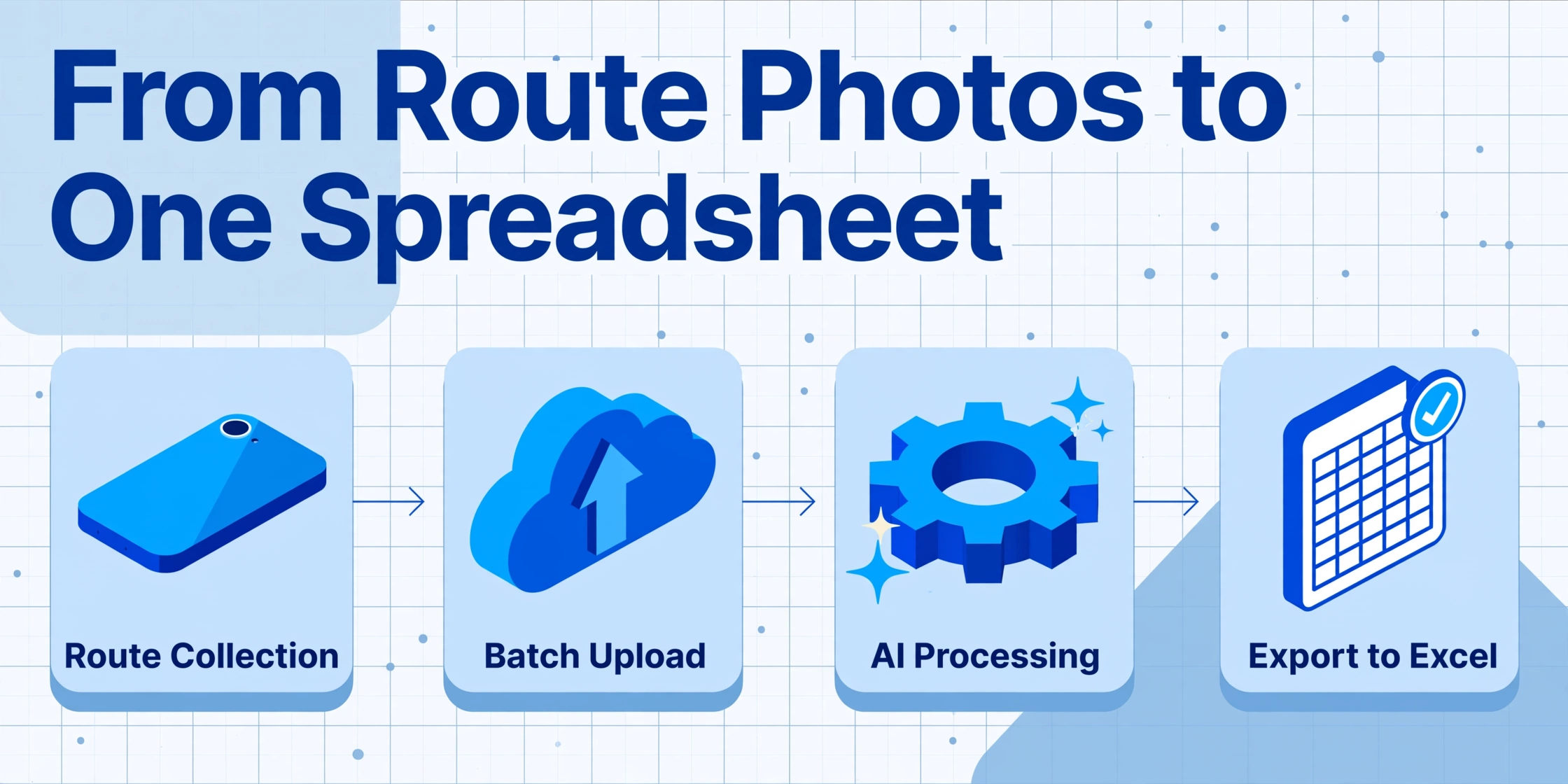
The difference between a demo and a production workflow is batch processing. Reading one meter from a photo is interesting. Reading 200 meters from a single route upload — and getting one Excel file with 200 rows — is what saves the labor cost.
Batch meter reading extraction works as follows:
- Route collection. Field workers photograph each meter during their route, in any order. The photos accumulate on the phone throughout the day. It does not matter if the route mixes analog and digital meters, or if photos are taken with different phones at different angles.
- Batch upload. All photos are uploaded together — typically 50-500 files in a single upload using drag-and-drop or a folder selection. The system groups them into a batch with a single batch name or route ID.
- Bulk AI processing. The vision model processes every photo in the batch using the same column template. Each photo is analyzed independently: the AI identifies what type of gauge is in the image, locates the reading value, and maps it to the specified columns. An analog dial gets the same treatment as a digital LCD. Each file produces one row of extracted data.
- Consumption calculation via computed columns. If the template includes previous readings (imported from the billing system or carried forward from the last cycle), the Consumption Delta is calculated automatically during extraction. The output row for each meter includes both the current reading and the computed usage.
- Export to one file. The entire batch is exported as a single Excel or CSV file, with one row per meter and one column per field. No manual merging, no copy-paste between files.
For utilities with seasonal consumption patterns, batch processing also supports route-level validation. If the total consumption for a route appears abnormally high or low compared to the same cycle last year, the batch can be flagged for review before the data enters billing — catching leaks, erroneous readings, or data entry errors before they affect customer bills.
A detailed step-by-step tutorial is available in our automate meter reading to Excel article, which walks through the full process from upload to export.
Export & Integration Options
Extracted meter readings are useful only when they reach the system that needs them. The integration path depends on the volume and the target system.
Excel and CSV Export
For most small to mid-size utilities and industrial facilities, the output lands in Excel or CSV and is imported into the billing system or maintenance log manually. This is the lowest-integration-cost option and works for fleets up to about 10,000 meters per month. The batch export produces one file per route or billing cycle, with column headers that match the billing file format — so the import step is a direct mapping with no reformatting needed. If you want to run this photo-to-spreadsheet pipeline directly, the meter reading to Excel converter handles analog dials, digital displays, and mixed-meter fleets in a single batch run.
Google Sheets Add-on
ImageToTable.ai offers a Google Sheets sidebar add-on that lets field workers upload meter photos directly from within a spreadsheet and append the extracted results to the active sheet. This eliminates the export-import step entirely: the readings land in the same sheet that feeds the billing import or maintenance dashboard.
Utility Billing System Integration
Larger utilities typically run SAP IS-U (SAP's industry solution for utilities) or Oracle Utilities Meter Data Management (MDM) as their system of record for meter-to-cash operations. These systems ingest meter readings through standardized interfaces:
- SAP IS-U manages device installations, meter reading orders, billing determinants, and consumption calculations. It accepts reading data through meter reading results upload (transaction
EL30or MDUS interface) and performs its own validation, estimation, and editing (VEE) before passing data to billing. - Oracle Utilities MDM provides configurable edit logic, audit trails, and controlled publication for meter data across ingestion, adjustments, and billing handoff. It integrates with SAP IS-U via the Meter Data Unification and Synchronization (MDUS) enterprise service bundle.
- Itron and RouteSmart provide mobile workforce management for meter readers, including route optimization, GPS verification, and digital reading capture. Photo-based extraction complements these platforms by replacing manual keying at the capture step.
- Schleupen (Germany) and similar regional utility platforms support standard CSV/XML meter reading imports from third-party systems.
For utilities that run these enterprise platforms, the practical integration path is often: extract via AI → export to CSV in the platform's import format → schedule the upload via the platform's batch import utility. This avoids API development while still eliminating manual typing.
SCADA and Plant Monitoring Systems
Industrial facilities that monitor equipment through SCADA systems typically have pressure, temperature, and flow data coming in automatically from digital sensors. Photo-based extraction fills the gap for the equipment that is not connected — legacy gauges, analog meters, and portable test equipment that produces a visual reading but no digital output. The extracted readings from a maintenance round can be appended to the SCADA historian as offline data points, providing complete coverage without wiring every gauge.
What to Look For in a Meter Reading Extraction Tool
Not all extraction tools handle meters the same way. Here are the specific criteria that matter for meter reading (as opposed to general document extraction):
For a comprehensive comparison of available tools, our best meter reading extraction tools 2026 article evaluates options across these criteria with real-world test results.
Meter Reading Data Extraction FAQ
Can AI read an analog dial meter as accurately as a digital display?
Under good field conditions (straight-on photo, even lighting, clean dial face), AI reads analog and digital meters at comparable accuracy — around 95% for analog and up to 99% for digital. The gap widens in poor conditions: a glare-struck digital LCD can be harder to read than a shaded analog dial. The practical workaround is photo quantity: taking two photos per meter (one angle-check) and letting the AI process both eliminates most single-photo errors.
Does photo-based extraction work with smart meters that already have digital outputs?
It can, but it is redundant for the smart meters themselves. Photo extraction is most useful for the meters in your fleet that do not transmit data — the analog dials, the mechanical registers, the LCD meters without AMI modules. If a meter already sends readings wirelessly to your billing system, photographing it adds no value. If it does not, photo extraction is the bridge.
How many meter photos can be processed in one batch?
Practical batch sizes depend on the tool. ImageToTable.ai supports batches of 50-500 photos per upload with no degradation in processing speed per file. Larger batches are handled by splitting the route into multiple uploads and merging the exports. The per-photo processing time is approximately 5-10 seconds, so a 200-photo route completes in 15-30 minutes.
What happens if the photo is blurry or the meter face is dirty?
The AI will flag the extraction as low-confidence rather than returning an incorrect value. Most tools provide a confidence score per field and a "requires review" filter. Blurry photos typically produce a confidence reading below the acceptable threshold, triggering a re-photo request before the data enters billing. Dirty meter faces that obscure the reading entirely will fail extraction — cleaning the meter face during the route is the only fix.
Is photo-based extraction compliant with utility revenue metering standards?
Revenue metering accuracy — governed by ANSI C12.1 (electric) and AWWA M6 (water) — applies to the meter itself, not to the method of recording its reading. Photo extraction does not affect the meter's accuracy class. What it does provide is a verifiable audit trail: if a customer disputes a bill, the timestamped photo proves what the display showed, which is stronger evidence than a handwritten clipboard number. For regulatory purposes, the photo IS the reading record.
Does it matter what kind of phone the field worker uses?
Not significantly. Any modern smartphone with a camera of 8 megapixels or higher produces sufficient image quality for AI extraction. The camera quality matters less than the photography technique: straight-on framing, no direct flash, and a clear view of the gauge face. A $200 Android phone with good technique produces better results than a $1,000 iPhone with glare and angle issues.
How does this compare to using a mobile meter reading app like RouteSmart or MeterMate?
Mobile meter reading apps optimize the field side — route planning, GPS verification, digital reading capture. A meter reader types the reading into the app instead of writing on paper. What they do not eliminate is the typing. Photo extraction combined with an app means the reader photographs the meter, the app records the GPS location and timestamp, and the AI reads the meter from the photo — no manual keying in the field. The two approaches complement each other rather than competing.
Can the same tool extract readings from water, gas, and electric meters?
Yes, if the tool uses vision AI (not template OCR). Water meters typically have rolling counters or digital LCDs measuring in gallons or cubic feet. Gas meters use multiple analog dials measuring in hundreds of cubic feet. Electric meters have digital displays or spinning disc meters with kWh readings. A template-free vision model handles all three because it reads each gauge face independently — it does not care what type of utility the meter serves. You define the columns once and they apply across the entire fleet.
What is the per-meter cost of photo-based extraction vs manual reading?
Manual reading costs $15-25 per meter per month when fully loaded (labor, vehicle, admin, error resolution). Photo-based AI extraction — assuming a route of 200 meters and a subscription at $20-40/month — brings the marginal cost per meter to pennies. The field labor cost of walking the route remains, but the data entry labor and error resolution costs drop by 80-90%. For a small utility with 1,000 meters, the annual saving is in the range of $50,000-$100,000 versus full manual processing.
Can AI read pressure gauges and temperature gauges, or only utility meters?
Yes. The vision model reads any gauge that has a numeric display or a needle on a scale — pressure gauges (PSI/bar), temperature gauges (°F/°C), flow meters (GPM), vacuum gauges, and level indicators. The same column template approach works: define "Asset Tag," "Current Reading," "Unit" and the AI locates each value on the gauge face. Industrial maintenance teams use this for equipment rounds where 50-200 gauges across a plant floor must be read and logged daily.
Your next meter reading route does not need a capital budget approval.
A smartphone, an AI column template, and one upload produce the same Excel file that used to take a day of typing. Upload a meter photo and see the reading extracted in real time — no account, no training, no meter replacement.