Why Meter Reading Photos
Fail AI Extraction: 7 Causes and Fixes
If you've tried AI photo-based meter reading and gotten back "unrecognized" or a value you know is wrong, the problem is rarely the AI. Dutch water utility Brabant Water found that 5-10% of all submitted meter reading data contained errors — before any AI was involved. Photographs just changed where the errors originated, not whether they existed. The photos themselves were the bottleneck. Here's exactly what goes wrong when a meter photo fails extraction, why each failure happens at the level of physics and field conditions, and what to change so it doesn't happen again.
Key Takeaways
- 5–10% of meter data at Dutch utility Brabant Water already contained errors before anyone photographed a meter — meaning the transcription mistakes you assumed were AI failures were never new at all.
- Dirt and internal condensation on the meter cover cause more extraction failures than glare, parallax, and motion blur combined, and no AI model upgrade will ever read digits behind glass that is opaque with fog.
- Photographing the meter’s serial number in the same frame as the reading turns every photo into a self-verifying measurement — ImageToTable.ai reads both values from a single image by letting you name the data fields you want and the AI finds each one anywhere in the photo, eliminating wrong-meter billing disputes with no extra step and no separate photo.
The Photo Problem No Utility Vendor Talks About
AI meter reading from photos sounds like a solved problem in 2026. The pitch is clean: take a picture of the meter face, the AI reads the digits, and a structured value lands in your spreadsheet. No smart meter hardware. No radio endpoints. No decade-long rollout plan. The technology to do this exists, and it works — under controlled conditions.
But field conditions are not controlled. A meter reader covering 700 to 900 meters per day — the quota one Reddit user in the r/Wastewater community reported as standard for a water utility — is not composing studio photographs. They're working fast, in variable weather, on meters that may be in basements, behind bushes, under direct sun, or behind glass covers fogged with fifteen years of condensation. The gap between "AI can read meters from photos" and "AI reliably reads the photos our field team actually takes" is where the failures live. Every failure mode below is a field photography problem, not an AI problem. Fix the photo, and extraction accuracy follows.
Blicker, a Dutch AI photo-reading provider, reports that at Brabant Water — a major water utility — 5-10% of all manually submitted meter data contained errors before AI was introduced. These weren't AI mistakes. They were human ones: misread dials, transposed digits, estimated values passed off as actual reads. When those same humans switched to taking photos instead of reading and typing, the errors changed — but they didn't disappear. New failure modes replaced old ones.
1. Glare and Reflection: The Glass Barrier
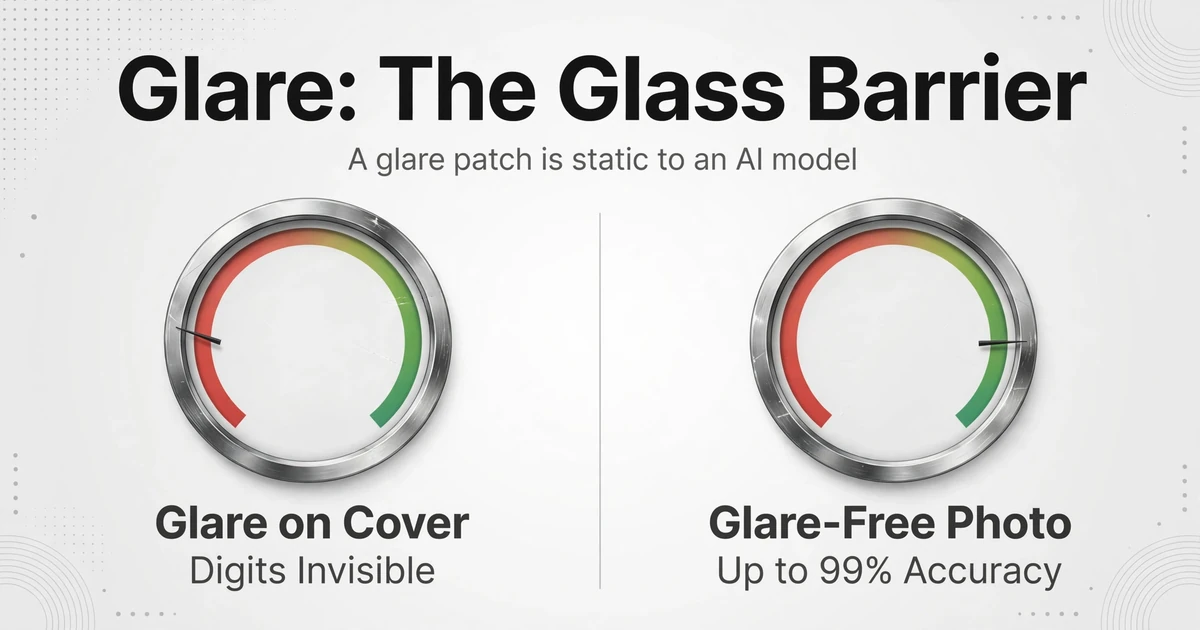
Most utility meters have a glass or clear plastic cover over the dial face. This cover is the single biggest cause of AI extraction failure — not because the AI can't read through glass, but because the glass creates a mirror in the wrong light.
Here's the physics. When light hits the meter cover at a shallow angle, a significant portion reflects off the glass surface rather than passing through to the dial beneath. This is the same reason you see your own reflection in a window when you're outside during the day. On a meter, the reflection layer sits on top of the digits the AI needs to read. To an AI model, a glare patch is a white or bright artifact pattern — the visual equivalent of static. Digits partially or fully obscured by glare become invisible to extraction.
The meter cover material makes this worse. Most utility meters use polycarbonate or tempered glass covers that degrade over years of sun exposure, developing micro-scratches and haze. A ten-year-old meter cover scatters light differently than a new one, producing diffuse glare across the entire dial face instead of a single specular reflection spot. Both types cause extraction failures, but diffuse glare is harder to diagnose because the field technician can still read the digits with their eyes — their brain compensates. AI doesn't compensate.
What to change: The fix isn't better AI. It's understanding that almost every glare problem is an angle problem. Moving the camera 6 inches to the left or right changes the reflection angle and moves the glare spot off the digits. The simplest field rule: if you can see your own phone's reflection in the meter cover, the AI can't read the digits behind it. Step sideways until the reflection disappears, then shoot. For meters in direct sun, have the meter reader use their body to cast a shadow over the meter face — it costs one extra second and eliminates the glare variable entirely.
2. Parallax on Analog Gauges: When the Needle Lies
Parallax error is the most under-discussed failure mode in AI gauge reading — and it's the one where the photo can be technically perfect and still produce a wrong reading.
On an analog pressure gauge, temperature gauge, or any dial instrument with a needle floating above the scale, the needle's apparent position changes depending on the camera angle. Stand too far left, and the needle appears to point to a higher value than the true reading. Too far right, lower. This isn't a digital problem — it's pure geometry: the needle sits a few millimeters above the dial face, and if the camera lens is not perpendicular to the gauge face, that gap creates an angular displacement. At a 15° off-axis angle, the apparent needle position can shift by one full tick mark. On a 0-100 PSI gauge with 2 PSI tick marks, that's a 2% error from camera position alone.
Gauge manufacturers have known about parallax for decades. High-end analog meters include a mirror strip behind the needle — the operator aligns the needle with its own reflection to confirm they're viewing straight-on. But field technicians photographing plant gauges don't have time for precise alignment. They're taking photos from wherever they can reach — sometimes through guard rails, around pipe obstructions, or from a ladder. The resulting off-axis shots feed the AI a needle position that was never the true reading.
What to change: For analog gauges, the photography rule is stricter than for digital meters: the camera must be centered on the gauge face and perpendicular to it. This means being at eye-level with the gauge or using a selfie-stick or monopod to position the phone directly in front of a difficult-to-reach gauge. If you can't get straight-on, take two photos — one from left, one from right — and use the average as a sanity check. Better yet: for gauges that are permanently difficult to photograph, install a mirror strip (the same solution gauge manufacturers use) to give field technicians a visual alignment target. WIKA, a major industrial gauge manufacturer, identifies mechanical vibration and off-axis mounting as the top two causes of gauge reading error in manufacturing environments — the same physics applies to photo-based reading.
On a direct sun day with the meter at waist height, a typical field tech's phone camera sits 18 inches above and 6 inches to the right of the meter center. That off-axis angle means the photo the AI receives has between 11-17° of parallax error baked into it. The AI reads the photo correctly. The photo is wrong.
3. Lighting Extremes: Too Bright, Too Dark, or Both
Meter reading photos fail from lighting problems at both ends of the spectrum, and the middle ground is narrower than most people expect.
Too dark. Residential water meters in northern climates spend half the year in basements lit by a single 40-watt bulb. Gas meters in apartment building utility closets have zero natural light. In these conditions, the phone's camera compensates by raising ISO sensitivity and lengthening exposure time, which introduces noise grain and motion blur simultaneously. The AI receives a photo where digit edges are fuzzy, contrast is low, and the background noise pattern competes with the actual meter markings. The fix is obvious but rarely done: carry a small LED flashlight or use the phone's flash. A $20 keychain light solves this problem for every basement meter on a route.
Too bright. Outdoor meters in direct midday sun produce the opposite problem: the dynamic range between the sunlit meter cover and the shadowed dial beneath exceeds what a smartphone sensor can capture in a single exposure. The result is either a washed-out dial with no visible markings or a correctly exposed dial with a completely blown-out background — which is fine for extraction. The trick is forcing the phone to expose for the meter face, not the scene. On most smartphones, tapping the meter face on the screen before shooting sets the exposure point. Field technicians need to be trained to do this — it's not instinctive.
Mixed lighting. The hardest failure to catch: a meter in partial shade — half in sun, half in shadow. The phone's automatic HDR processing tries to merge exposures and can produce unnatural contrast that turns digit edges into unreadable mush. There's no phone-setting fix for this. The field fix is to cast a full shadow over the entire meter (using your body or a clipboard) to eliminate the mixed lighting, then shoot. Consistent lighting beats brighter lighting every time.
4. Dirt, Condensation, and the Meter Cover That Hasn't Been Cleaned Since 2011
This failure category is boring, unglamorous, and probably responsible for more extraction failures than all the others combined.
Meter covers accumulate dirt, dust, cobwebs, mineral deposits from water splashes, and — in humid climates — internal condensation that fogs the inside of the glass. External dirt can be wiped. Internal condensation cannot. A water meter in a Florida or Louisiana basement will develop a permanent fog layer inside the cover within a few years of installation. The meter still works mechanically, but the digits are behind frosted glass. A field technician reading with their eyes can move around, squint, and mentally interpolate the digits. AI receives a photo where the digits are obscured by a diffuse white haze — and returns nothing.
In Fort Smith, Arkansas, the water utility tested 1,400 meters over ten years old and found that 72% failed at least one accuracy benchmark set by the American Water Works Association (AWWA). The worst-performing flow rate — low flow — averaged just 61.5% accuracy. These weren't photo extraction failures. These were the meters themselves recording wrong values. But the same age-related degradation that causes mechanical inaccuracy — wear, sediment, corrosion — also degrades the visual clarity of the dial face. An old meter is both mechanically suspect and photographically difficult. The photo problem and the accuracy problem converge on the same meters.
What to change: Add a 5-second wipe to the photo routine. A dry microfiber cloth in the meter reader's pocket costs nothing. For internally fogged covers, there's no field fix — flag those meters for replacement and escalate. If the AWWA standard says a meter must read within 98.5%-101.5% of true consumption to be considered accurate, a meter whose digits can't be photographed clearly is functionally equivalent to a meter that's out of spec. Both produce bad data.
5. Photographing the Wrong Meter
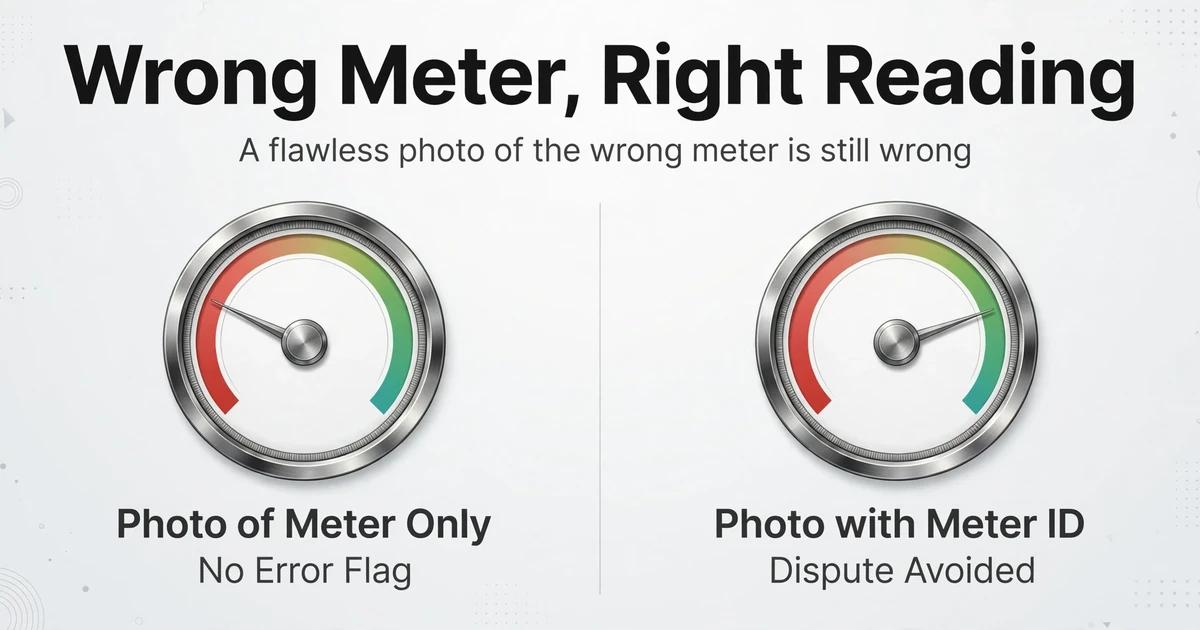
In a single-occupancy suburban house with a meter on the side wall, this isn't a problem. In a commercial complex with twelve units, a multi-tenant apartment building with a meter bank in the basement, or an industrial facility with rows of identical-looking gauges, it's a daily occurrence.
The error is simple: the technician photographs Meter B-7 when the work order said B-8. The AI extracts a perfectly valid reading — from the wrong meter. No error flag. No validation failure. The reading looks reasonable, enters the billing system, and generates a bill that the customer disputes three weeks later. By the time the discrepancy is caught, the utility has spent time on customer service, investigation, re-reading, and bill correction — all from a photo that was technically flawless.
Grid, an AI OCR provider for utilities, calls this "wrong-premise reads" and identifies it as one of the three core risks that basic OCR can't catch. Their solution is app-level workflow enforcement: the app verifies the meter's serial number or barcode against the work order before accepting the photo. For teams using general-purpose AI tools like AI meter reading with custom column extraction, there's no app-level guard — the discipline has to come from the field process.
What to change: The single most effective field procedure is simple: include the meter's serial number or asset tag in the same photo as the reading. Take a wide shot that captures both. AI extraction tools like ImageToTable.ai use column-name extraction — you type the data fields you want (like "Meter Serial Number" and "Reading Value"), and the AI locates each one anywhere in the image. When both fields come from the same photo, the serial number becomes a built-in verification that the right meter was photographed. No separate step. No extra photo. Just one frame with everything in it.
6. Motion Blur and Low-Resolution Shortcuts
Of all the failure modes, this one is the most self-inflicted — and the most stubborn because it's driven by quota pressure.
A meter reader processing 800 meters per day has roughly 36 seconds per meter (assuming an 8-hour day with zero breaks and zero travel time). In reality, with drive time between locations, it's more like 15-20 seconds. At that pace, the natural instinct is to shoot while still moving — the phone is already heading back to the pocket before the shutter closes. Slight camera movement during exposure produces motion blur that smears digit edges. The AI receives a photo where the "3" and "8" are indistinguishable.
The second half of this problem is digital zoom. Meters mounted high on walls or behind obstacles invite the technician to stand back and zoom in rather than get closer. Smartphone digital zoom is not optical zoom — it's cropping and upscaling. A 3x digital zoom means the AI is trying to read digits from one-ninth of the original sensor pixels, interpolated by software. The information simply isn't there. Clappia, a no-code platform for meter reading apps, specifically warns field workers to "use digital zoom sparingly; prefer moving closer physically" — and they're right. A photo taken from 6 inches away with no zoom contains more usable digit data than one taken from 3 feet away with 4x digital zoom.
What to change: Two rules that cost no time: (1) pause for one full second after the shutter click before moving — most smartphones need that time to finish the exposure and processing; (2) feet beat zoom — walk closer. If the meter is physically inaccessible (locked gate, high wall), digital zoom is the only option, but the technician needs to know that the failure rate will be higher and those reads should be flagged for manual verification rather than trusted automatically.
7. Analog Gauges vs. Digital Displays: Different Meters, Different Failures
One of the most common workflow mistakes is treating all meters as one category. An analog pressure gauge on a manufacturing line and a digital LCD water meter in a residential basement have almost nothing in common from a photo extraction perspective. The failure modes are different, and so are the fixes.
Digital/LCD meters are dominated by glare and reflection problems. The LCD display itself is a glossy surface, and the digits are backlit or reflective. Shooting straight-on eliminates glare but creates a reflection of the phone itself. The solution is a slight off-angle — 5-10° — enough to move the phone reflection off the digit area but not enough to distort the displayed numbers. For mechanical counter wheels (odometer-style meters), partial digit transitions are the unique challenge: when a digit wheel is mid-roll between, say, 4 and 5, the AI may read 4.5 or interpret the split digit as two separate values. The fix is an instruction-level change: tell the AI engine that the reading value is always an integer from a mechanical counter, not a decimal.
Analog gauges are dominated by parallax and needle position problems, as covered above, plus a gauge-specific issue: range misinterpretation. A pressure gauge marked 0-160 PSI with the needle at 9 o'clock is not at zero — it's at approximately 80 PSI, because the scale wraps around. AI models without gauge-specific training may read the angular position rather than the scale value. For critical gauges, including the gauge's maximum range value in the photo metadata or column instruction solves this: the AI can use it to calculate the reading from the needle angle.
For industrial environments with mixed meter types on the same route — common in plants that have both digital and analog gauge inspection points — the workflow should separate the two types rather than running them through the same extraction pipeline with the same expectations.
| Meter Type | Dominant Failure | Root Cause | Primary Fix |
|---|---|---|---|
| Digital LCD | Glare / reflection | Glossy LCD surface mirrors light source | Slight off-angle shot (5-10°) |
| Mechanical counter (odometer) | Partial digit transition | Wheel mid-roll between two values | Set AI to expect integers; flag borderline reads |
| Analog dial gauge | Parallax error | Needle height gap + off-axis camera angle | Straight-on shot, centered on gauge face |
| All types | Dirty/fogged cover | External dirt or internal condensation | 5-second wipe; escalate fogged meters |
| All types | Motion blur | Quota pressure → phone movement during exposure | Pause 1 second after shutter click |
A Field-Ready Photo Checklist
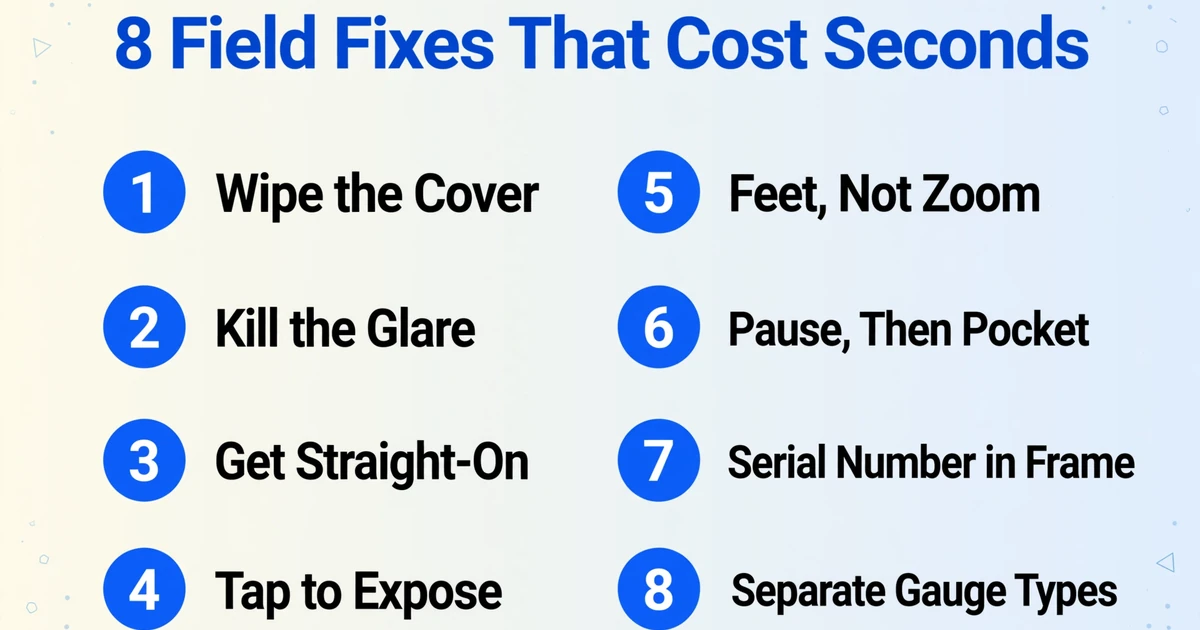
Print this. Tape it to the meter reading team's dashboard. Every point addresses a specific physics problem, and none requires equipment beyond what the technician already carries.
- Wipe the cover. Five seconds. Dry microfiber. If the fog is inside the glass, flag the meter for replacement — don't waste time on it.
- Kill the glare. If you see your reflection in the glass, move until you don't. Cast a shadow over the meter with your body in direct sun.
- Get straight-on. For analog gauges, center the phone on the gauge face. If the gauge has a mirror strip behind the needle, align the needle with its reflection before shooting.
- Tap to expose. On the phone screen, tap the meter face before shooting. This sets exposure for the dial, not the background sky.
- Feet, not zoom. Walk to the meter. If you physically can't, flag the read as estimated and note why.
- Pause, then pocket. One second stationary after the shutter click. The phone needs it.
- Get the serial number in frame. One photo, both the reading and the meter ID. Saves the investigation when someone disputes the bill.
- Separate gauge types. Don't batch analog pressure gauges with digital water meters in the same extraction run. Different failure profiles, different tolerance thresholds.
Bottom line: AI meter reading accuracy isn't limited by the AI. It's limited by the worst photo in the batch. Every failed extraction traces back to a specific photography mistake — and every one of those mistakes is fixable with a field procedure change that costs seconds, not dollars.
What Happens When the Photos Are Good
When field photography discipline is in place, the extraction pipeline becomes straightforward. A tool like ImageToTable.ai works by column-name extraction: you define the columns you want — "Meter Serial Number," "Reading Date," "Current Reading," "Meter Type" — and the AI reads each photo, finds the corresponding information, and populates a structured table. There's no template to configure for each meter model. There's no training set to build. The AI's visual language model understands what a meter reading looks like because it's been trained on millions of document types, including numeric displays, analog dials, and mechanical counters.
The entire process is: upload the photo batch → the AI extracts readings into the columns you specified → download the Excel file. Single-page processing takes 5-10 seconds per photo — compared to the 3 minutes average for manual data entry. At 800 meters per day, that's the difference between a technician spending 4 hours on data entry versus 40 hours. And more importantly: with good photos, the printed table data recognition accuracy reaches up to 99%.
For teams collecting meter photos from multiple people — field crews, tenants submitting self-reads, maintenance staff doing rounds — a Collection Link workflow eliminates the photo handoff bottleneck. Each person uploads to a shared link, and all photos land in the same processing queue. No email attachments. No USB drives. No "I sent you those photos last week."
Files are processed securely and not stored.
Frequently Asked Questions
Can AI read a meter through a fogged or dirty glass cover?
Partially. Light haze or surface dust can often be penetrated by the AI's visual model if the digits are still faintly visible. But dense internal condensation — the kind that turns the inside of a meter cover opaque white — will block extraction entirely. The AI can't read what it can't see. There is no software fix for a physical barrier. Those meters need cover replacement or a whole-meter swap.
Does the AI need to be trained on my specific meter model?
No. Unlike template-based OCR systems that require per-model configuration, ImageToTable.ai uses a visual language model that understands the concept of a meter reading — digits on a display, needle on a dial, counter wheels — regardless of the specific manufacturer or format. You type the column names you want (e.g., "Current Reading," "Serial Number"), and the AI locates and extracts the matching values from any meter photo. No training set. No model fine-tuning.
What's the minimum photo resolution needed for reliable extraction?
As a practical field rule: if you can read the digits with your own eyes when viewing the photo on your phone screen at normal viewing distance, the AI can too. The failure threshold is typically reached when digital zoom beyond 3x is used or when the photo was taken in near-darkness with aggressive noise reduction. Standard smartphone cameras at 12MP or higher, shooting from 12-18 inches away, produce more than enough detail for extraction. Clappia, a meter reading app platform, recommends 12-18 inches as the optimal shooting distance.
Will the AI flag an obviously wrong reading?
ImageToTable.ai extracts the value that appears in the photo — it does not independently verify whether that value is plausible. This is why the serial-number-in-frame practice matters: it creates an audit trail that ties the reading to the specific meter. For validation, you can add a computed column that compares the current reading against a previous month's value and flags increases above a threshold. But the AI itself doesn't know your meter's expected consumption pattern — it knows what's in the photo. If the photo shows the wrong meter, the AI extracts the wrong value, correctly.
Does this work for meters without internet — remote sites, basements, underground vaults?
Yes. The photo is taken on the phone and uploaded later when connectivity is available. The extraction happens server-side, so the field device only needs a camera and the ability to queue photos for later upload. This is fundamentally different from AMI smart meters, which require constant network connectivity at the meter location. For analog display digitization without IoT infrastructure, the photo-then-extract model is the only approach that doesn't require running power or data cables to the meter site.
How does the cost of AI photo reading compare to manual reading or smart meter deployment?
The three approaches occupy completely different cost tiers. Smart meter deployment costs $150-$400 per meter in hardware and installation and takes years to complete across a full service territory. Manual reading carries ongoing labor costs (meter reader salary, vehicle, training, error correction) and generates billing disputes from misreads. AI photo reading requires zero hardware investment and minimal process change — the field worker trades a clipboard for a phone, and each reading costs a fraction of a cent in AI processing. For an operations-level cost breakdown with specific dollar figures, see the manual vs. AI meter inspection cost analysis and the full tool comparison across all four approaches.