Can AI Extract EOB Data Accurately?
Yes — A Field-Level Breakdown
Yes — modern AI vision models extract EOB data at 95-99% field-level accuracy on critical fields like CPT codes, allowed amounts, and claim identifiers, cutting the industry-standard manual error rate from 8-12% down to under 2%. But that headline number hides a more useful truth: some EOB fields are nearly perfect out of the box, while others — patient responsibility, denial reason codes, and deductible allocations — require field-specific verification because each payer defines and positions them differently, even when the labels sound the same.
Key Takeaways
- 95-99% accuracy on EOB extraction sounds like a solved problem — but the headline number conceals a 17-point gap between CPT codes at 99% and denial reason codes at 82% on the same document.
- The single biggest accuracy ceiling for EOB extraction is not the AI model — it is the 6-point font that government payers print their line-item tables in, where a 6 and an 8 differ by a single pixel at 200 DPI and the information is physically absent from the image for any model to read.
- You do not need a separate template for every payer — define your columns as Patient Responsibility once and the AI finds the value whether BCBS calls it Member Liability, UnitedHealthcare prints Amount You Owe, or Cigna writes Patient Due.
How Well It Actually Works — by the Numbers
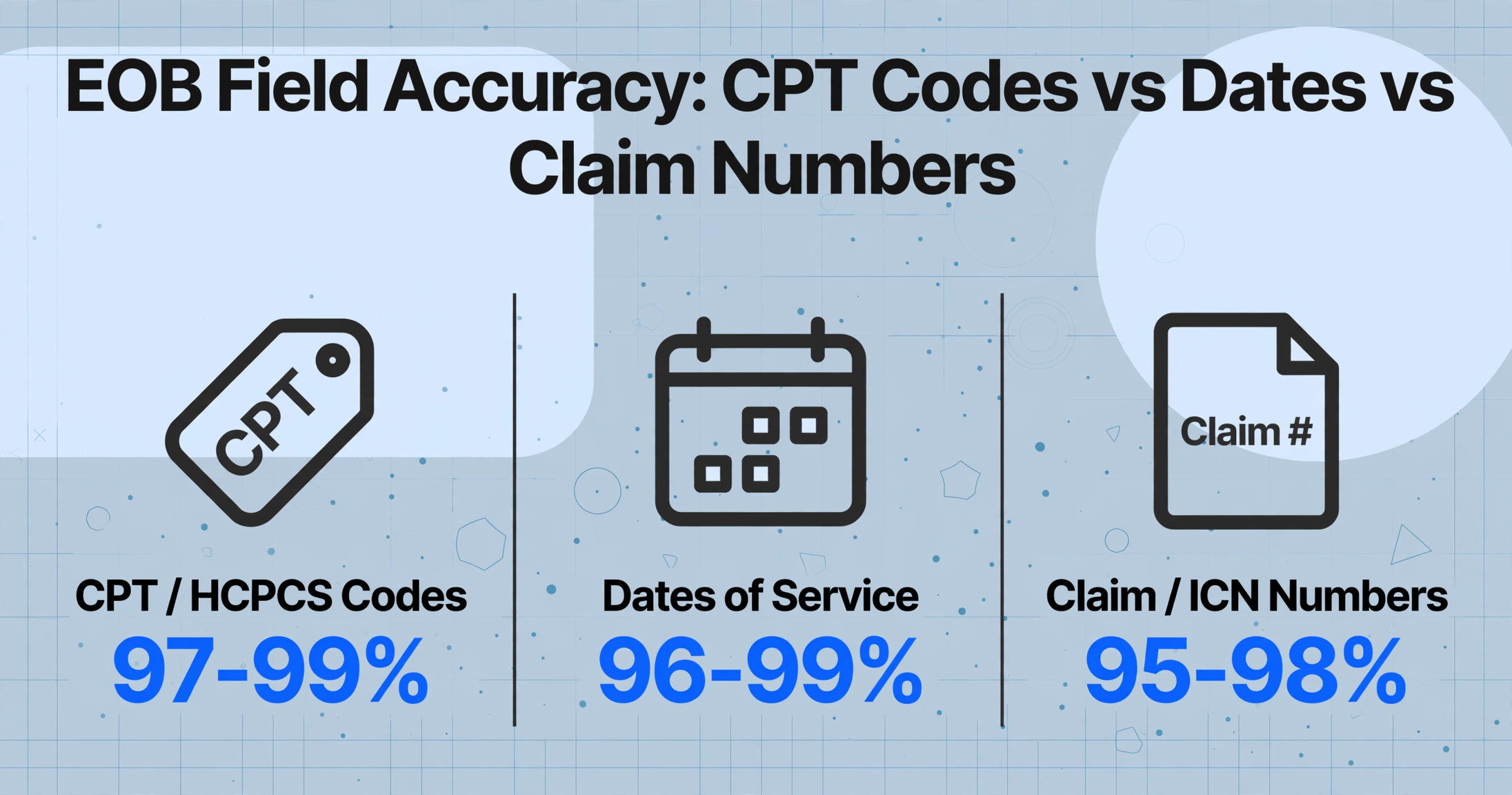
The overall accuracy story for EOB extraction is strong — stronger than most healthcare billing professionals expect before they test it. The data from modern AI-powered extraction deployments shows that field-level accuracy for structured financial fields — billed amount, allowed amount, plan paid, deductible, co-pay — consistently lands between 95% and 99% when documents are scanned at reasonable quality and column names are defined semantically. The same systems cut total error rates from the 8-12% baseline that is normal in manual EOB data entry down to under 2%, according to benchmarks reported across multiple healthcare automation deployments in 2025-2026.
But the "95-99%" range is an average across all fields. It conceals a meaningful spread between field types. To understand where AI actually delivers and where it still needs support, you need to look at accuracy by field category, not as a single number.
| Field Category | Typical Accuracy | Why It Works or Doesn't |
|---|---|---|
| CPT / HCPCS procedure codes | 97-99% | Highly standardized format — 5-digit alphanumeric with optional 2-digit modifier. AI trained on medical documents recognizes the pattern even in dense tables. |
| Dates of service | 96-99% | Unambiguous format (MM/DD/YYYY or MM/DD/YY). Position within the EOB line-item structure is consistent relative to procedure codes. |
| Claim / ICN numbers | 95-98% | Usually in a prominent header position with a clear label. But the label varies — "Claim #", "ICN", "Control Number" — which trips template OCR and requires semantic understanding. |
| Dollar amounts (billed/allowed/paid) | 94-98% | Semantic extraction identifies amounts by context ("Allowed" column vs "Billed" column). Accuracy drops when dollar columns are tightly packed without visible cell borders. |
| Patient responsibility | 88-95% | Each payer positions it differently and labels it differently — "Patient Responsibility", "Amount You Owe", "Member Liability", "Patient Due". The concept is the same; the label and location are not. |
| Deductible / co-pay / co-insurance split | 85-93% | The hardest financial fields. Some EOBs show deductible as a line item; others embed it in a summary box; others calculate it implicitly in the paid amount. Requires cross-referencing that not all EOB formats provide. |
| Denial / adjustment reason codes | 82-92% | Often in separate remark sections at the bottom of the EOB, linked to line items by reference codes that must be cross-matched. The text is frequently the smallest font on the page. |
For context on what EOB extraction is and why it matters for billing workflows, see what EOB data extraction is and how it works.
What AI Gets Right on EOBs — and Why
The fields that AI handles most reliably share a common trait: they are semantically unambiguous. A CPT code is always a CPT code. A date of service is always a date. An allowed amount is the figure the payer agreed to reimburse. Even when these values move to different positions across the 1,500+ known EOB formats — and they do, frequently — the AI finds them by what they mean, not by a pre-configured coordinate. This is the fundamental difference between template-based OCR and vision AI extraction.
Four field categories consistently perform well:
CPT and HCPCS procedure codes
These are the most standardized data across all EOB formats. A CPT code is always 5 digits, always printed near its service description, and almost always paired with a modifier. The alphanumeric pattern is so distinctive that vision models trained on medical documents identify and extract it with near-perfect reliability — even when the surrounding table cells are crowded.
Columnar dollar amounts
EOBs almost always present billed, allowed, paid, and adjustment amounts in a multi-column table. AI vision models parse these tables by reading the column header to understand which column is "billed" and which is "paid," then extracting each row's dollar value accordingly. This works well when the columns have clear headers. Where it gets harder — and where accuracy drops — is when headers are rotated, abbreviated, or missing entirely, a common occurrence on paper-sent EOBs from smaller insurers.
Dates of service and claim dates
Dates follow a narrow set of format conventions, and they almost always appear adjacent to the procedure code or service description in the line-item table. The combination of format consistency and positional context makes date extraction one of the most reliable EOB fields.
Provider name and NPI
Rendering provider information typically appears in a consistent header block. The provider's name, National Provider Identifier (NPI), and tax ID are printed in a structured section near the top of the EOB, with clear labels. For healthcare organizations that need to reconcile EOBs against their provider roster, this field group is extracted at consistent 95%+ accuracy.
Where AI Still Trips Up on EOBs
The honest answer is that three structural features of EOBs create recurring accuracy challenges that no current AI system fully eliminates.
Tiny font sizes in dense column tables
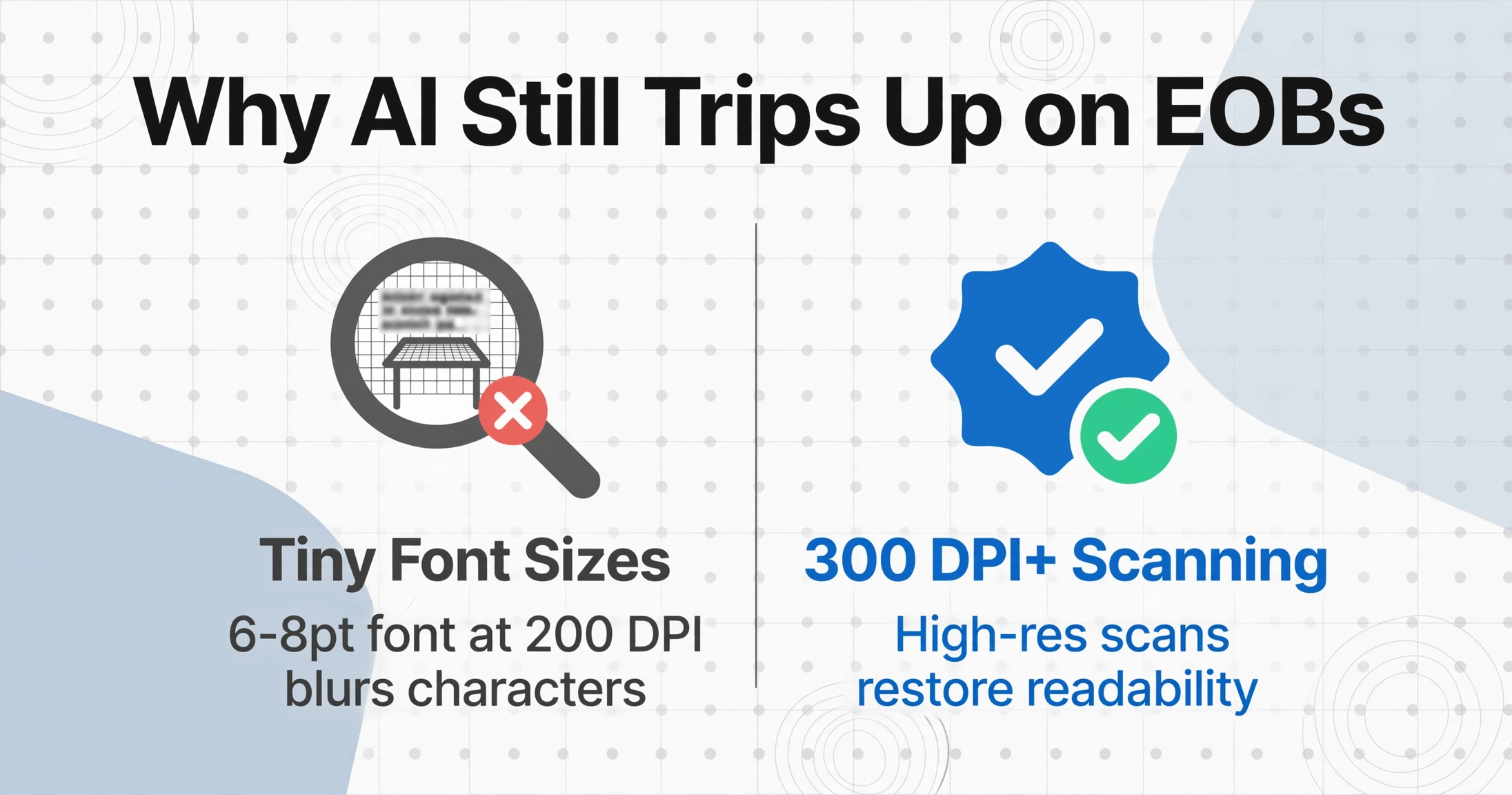
Many paper-sent EOBs — particularly from government payers and regional insurers — print the line-item table at 6-8 point font. This is physically small enough that character boundaries blur even for high-resolution scans. When a "6" and an "8" differ by a single pixel at 200 DPI, the AI reads the surrounding context to guess which one it is, and context is not always decisive. The fix is straightforward — scan at 300 DPI or higher — but this is a physical constraint that AI model improvements alone cannot solve.
This is a genuinely different challenge from the format-variability problem that most vendors discuss. Format variability is an engineering problem: train on more formats. Font size is a physics problem: at small enough resolution, the information is not present in the image for any model to read. It is the single most under-discussed limitation in the EOB extraction category.
Denial reason codes in detached remark sections
Denial codes (such as CO-4, PR-16, OA-23 from the HIPAA standard claim adjustment reason codes) are typically printed in a separate remark section at the bottom or back of the EOB, linked to line items by reference line numbers. Extracting the code itself is easy. Mapping it to the correct service line — and interpreting what it means alongside the adjustment amount — requires cross-referencing between two separate table structures on the same page. AI can do this, but accuracy drops because the visual connection between the line item and its corresponding denial remark is often an implicit column alignment rather than an explicit cross-reference.
Patient responsibility label inconsistency
One concept, twelve labels. BCBS of Texas calls it "Patient Responsibility." Aetna uses "Member Liability." UnitedHealthcare prints "Amount You Owe." Cigna writes "Patient Due." Medicare Advantage plans frequently use "Patient Pay Amount." Each of these means the same thing for reconciliation purposes — the amount the patient must pay the provider — but a template-based OCR system would require a separate configuration for every label variant. A semantic AI system handles this variation by understanding the concept, but the accuracy is not as high as for fixed-format fields because the model must infer intent from context rather than matching a known pattern. This is where Custom Column Extraction — defining your column as "Patient Responsibility" and letting the AI find the semantically matching value, whatever the payer calls it — makes the difference between a system that requires constant configuration and one that adapts.
For a deeper look at how EOBs vary across payers and why that challenges extraction systems, see our complete guide to EOB data extraction.
How to Get the Best Extraction Accuracy from Your EOBs
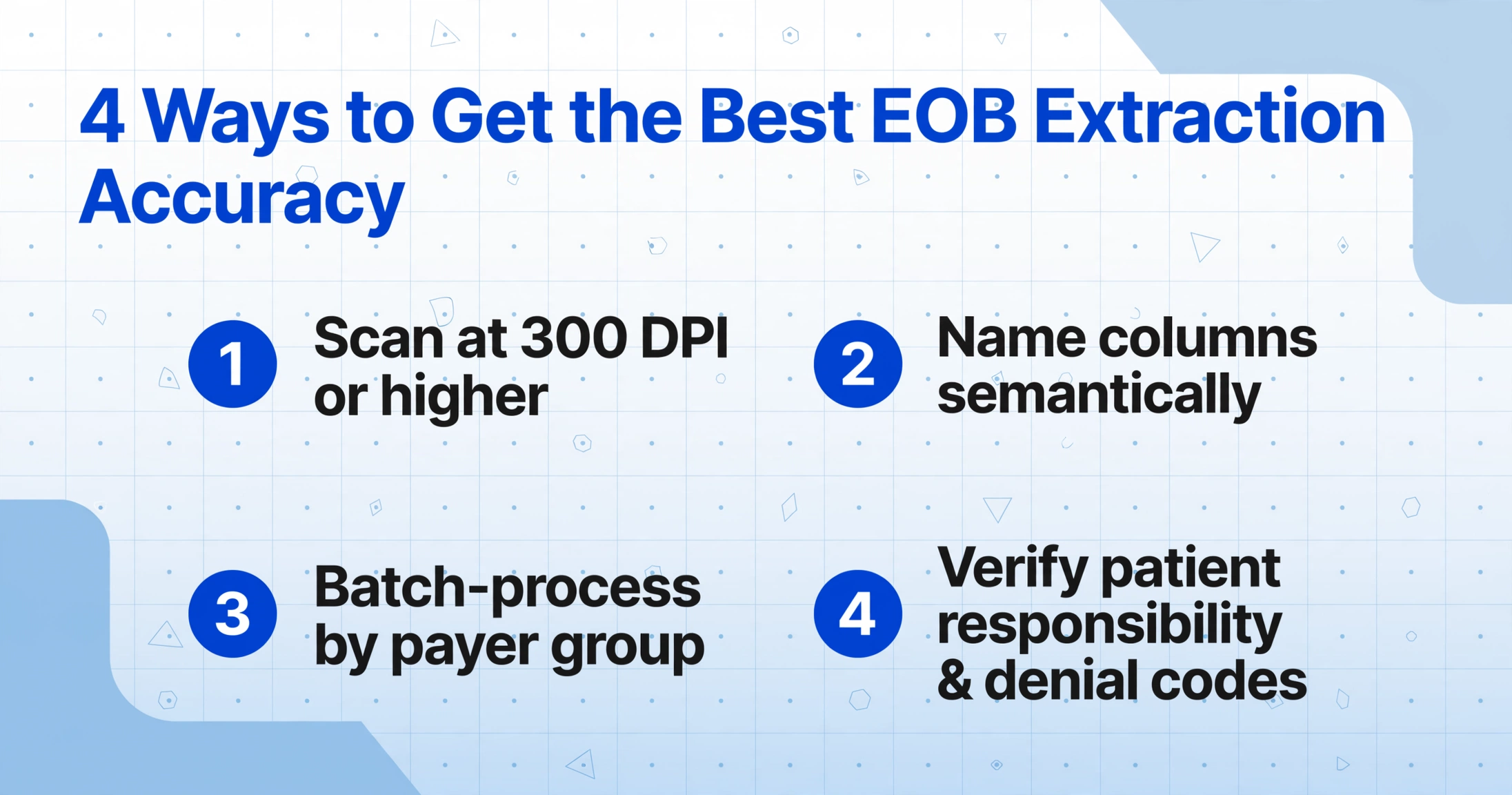
The accuracy you actually get from an AI EOB extraction tool depends less on the model and more on how you prepare the input and define the output. These four adjustments make the biggest difference:
The 6-8 point font used by many payer EOBs is at the threshold of what vision AI can read reliably at standard fax resolution (200 DPI). Scanning at 300 DPI or requesting digital PDFs rather than paper copies eliminates the most common accuracy ceiling without any tool configuration changes.
A column named "CPT Code" or "Allowed Amount" gives the AI a precise target. A column named "Code" or "Amount 1" leaves room for ambiguity. The more specific your column name, the better the AI can distinguish between the four or five different dollar amounts on a single EOB page.
A single BCBS of Texas EOB and a single Aetna EOB may look different, but a batch of 20 BCBS EOBs all follow the same layout. Processing EOBs in payer-specific batches — even if it means uploading two separate batches — gives the AI the visual consistency it needs for the highest field-level accuracy.
These two field groups have the widest accuracy variance because every payer formats them differently. Build a verification step into your workflow: have a billing specialist spot-check patient responsibility amounts and denial reason mappings against the original EOB, catching the 5-15% of cases that need correction before they reach your patient statements or accounts receivable.
What This Means for Your EOB Workflow
Here is the practical takeaway: AI EOB extraction does not eliminate human review, but it changes what that review looks like. Instead of a billing specialist spending 15-20 minutes per EOB manually typing every field — at a 8-12% error rate that generates denied claims costing $25-$50 each to rework — the AI extracts the reliable fields automatically, and the specialist focuses verification on the 2-3 field categories where payer variability is highest.
The workflow shift is from transcription to exception-handling. The routine fields — CPT codes, dates, claim numbers, provider info, standard dollar amounts — come through at 95-99% accuracy and need only random sampling for quality assurance. The attention goes to patient responsibility amounts, denial reason code mappings, and deductible/co-pay/co-insurance splits, where a 5-15% accuracy gap means human judgment is still the right tool for the job.
For the broader picture of how automated extraction fits into healthcare document workflows, including EOBs, see how OCR handles medical records, EOBs, and claim forms.
Frequently Asked Questions
What is the accuracy of AI for EOB data extraction?
Modern AI EOB extraction achieves 95-99% field-level accuracy on structured fields like CPT codes, dates of service, claim numbers, and standard dollar amounts (billed, allowed, paid). Patient responsibility and denial reason codes are typically lower, at 85-95%. The overall error rate drops from 8-12% in manual processing to under 2% with AI — but that "under 2%" includes a mix of fields with very different reliability profiles, so verifying the variable fields remains important.
Can AI handle EOBs from different insurance companies in one batch?
Yes — this is where vision AI has a clear advantage over template-based OCR. A semantic extraction system reads field values by what they mean, not where they appear on the page, so a BCBS EOB and an Aetna EOB with different layouts can be processed in the same batch. Accuracy is highest, however, when you batch EOBs from the same payer together, because the layout consistency within a payer group gives the AI additional visual context to map fields correctly.
Does EOB extraction accuracy require training the AI on my specific payers?
No — and this is a key differentiator from platforms like Nanonets or Rossum that require labeled training samples. AI tools using Custom Column Extraction require zero training: you type the column names you want (like "CPT Code", "Allowed Amount", "Patient Responsibility") and the AI locates the matching values across any payer format by understanding the document semantics. It works on the first upload, not after a training cycle.
Why is patient responsibility harder to extract than other EOB fields?
Because there is no standard label for it across payers. One EOB prints "Patient Responsibility" at the bottom of a summary table. Another calls it "Member Owes" inside a text paragraph. A third calculates it implicitly as the difference between billed and paid, without printing a labeled field at all. A semantic AI system finds it by understanding context rather than matching a label, which works most of the time but not all of the time. This is the field group most worth verifying manually.
Does AI extract denial reason codes from EOBs?
It extracts the codes themselves reliably — standard HIPAA claim adjustment reason codes like CO-4, PR-16, or OA-23 follow a fixed format. The harder part is mapping each denial code to the correct service line, because the remark section that lists denials is often physically separated from the line-item table on the EOB page. Some EOBs use reference line numbers to link them; others rely on row order alignment. AI handles the explicit reference numbers well, but implicit row-order mapping can introduce errors.
Test a batch of EOBs from your actual payers. See which fields come through at 99% and which ones need a second look — before you redesign your workflow around assumptions that might not hold for your specific payer mix.
Try It on Your EOBs