Best OCR Software for Small Business in 2026:
12 Affordable Tools Compared
Most best OCR software roundups take the same approach: scrape the features from each vendor's website, arrange them alphabetically, and call it a comparison. This guide does something different. It evaluates 12 OCR and document extraction tools against five criteria that matter specifically to small businesses — setup time, pricing transparency, format flexibility, accounting software integrations, and how well they handle the phone-camera-quality images that make up most real small-business document workflows. Every pricing figure is sourced from the vendor's public page as of June 2026. If you are new to OCR or want to understand the difference between traditional OCR and modern AI extraction, read our what is OCR and what is AI OCR guides first. Disclosure: ImageToTable.ai, a modern AI extraction tool, is included in this roundup. I have no affiliation with any other tool listed. Every external link points to the vendor's pricing or product page so you can verify claims independently.
Key Takeaways
- 12 tools, free to $500, and on a features page they all look identical — so most small business buyers default to the name they recognize.
- The accuracy benchmarks every vendor publishes were run on pristine 300 DPI scans but your documents arrive as iPhone photos with shadows and creases.
- Ignore accuracy claims entirely and ask one question: will this tool extract data from my ten supplier formats without making me build ten templates.
How We Picked These Tools
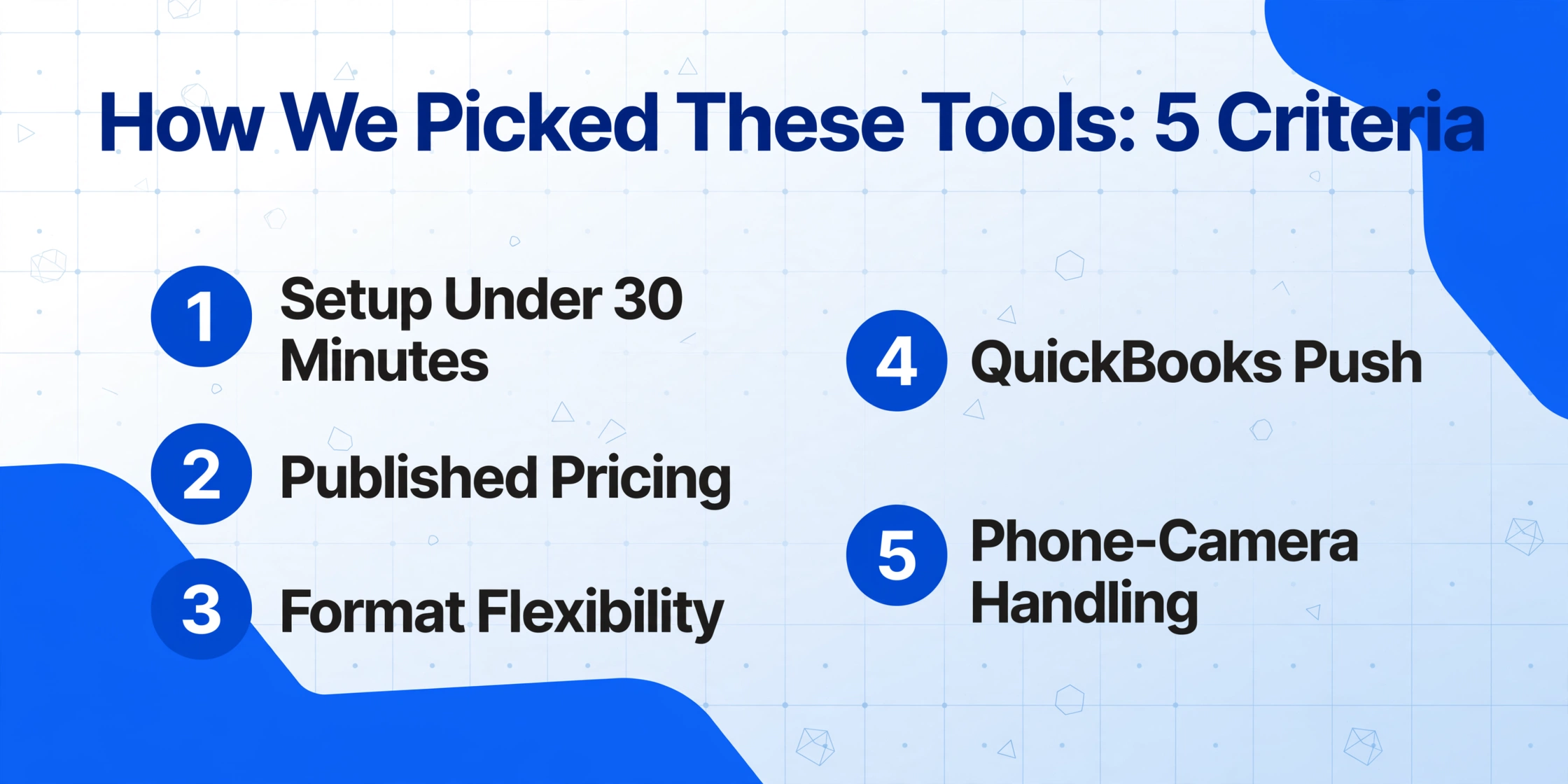
Small business OCR buyers are not enterprise IT teams. They have no dedicated automation department, their document volume is unpredictable, and the invoices, receipts, and bank statements they process come in every format imaginable — scanned PDFs from a multifunction printer, photos taken on an iPhone in bad lighting, email attachments from a dozen different suppliers. The tools on this list were selected and evaluated against five criteria that reflect those realities:
Setup time — Can a non-technical person go from sign-up to first successful extraction in under 30 minutes? Tools that require template creation, model training, or API configuration were penalized.
Pricing transparency — Is the price published on the website? Is the pricing model predictable for a small business on a $50-100/month budget? Tools with "Contact Sales" only or $500+ minimum commitments were noted but not excluded (some small businesses do grow into them).
Format flexibility — Small businesses handle invoices, receipts, purchase orders, bank statements, and contracts — often in the same week. Tools that handle multiple document types without per-type configuration scored higher.
Integrations — According to 2026 market data, roughly 38% of US small businesses use QuickBooks Online, 18% use Xero, and 12% use FreshBooks or Wave. Direct push to these platforms saves hours of manual re-entry.
Phone-camera handling — The test that matters most in practice. Many small businesses do not have a dedicated scanner. Documents arrive as smartphone photos — curved pages, bad lighting, shadows, skewed angles. A tool that stumbles here is a non-starter for many real-world workflows.
The result is 12 tools organized from traditional desktop OCR to modern AI extraction, with a quick-reference comparison table up front and detailed reviews below. To understand the technical shift behind many of these tools, see our guide on how OCR actually works and the difference between OCR vs AI extraction.
Quick Comparison Table
Starting price reflects the cheapest published plan. Estimated cost at ~200 documents/month is calculated from published pricing unless otherwise noted. Phone-camera accuracy is a qualitative assessment based on community reviews and vendor documentation, not controlled lab testing.
| Tool | Starting Price | ~200 Docs/Mo | Phone Photos | QuickBooks Push | Best For |
|---|---|---|---|---|---|
| ImageToTable.ai | $9/mo | $19/mo | ✅ Good | Via export | Mixed doc types, no templates |
| ABBYY FineReader | $69/yr | $69/yr | ⚠️ Fair | ❌ | High-accuracy desktop OCR |
| DocuClipper | $39/mo | $79/mo | ⚠️ Fair | ✅ Direct | Reconciliation-grade extraction |
| BillBjorn | $65/mo | $65/mo | ⚠️ Fair | ✅ Direct | Cheapest per-document cost |
| Envoice | $7/mo | $39/mo | ⚠️ Fair | ✅ Direct | Ultra-low volume budget |
| Adobe Acrobat Pro | $29.99/mo | $29.99/mo | ✅ Good | ❌ | PDF workflow + OCR |
| Google Drive OCR | Free | Free | ⚠️ Fair | ❌ | Free basic text extraction |
| Tesseract OCR | Free | Free | ❌ Poor | ❌ | Developer-built OCR |
| Readiris PDF | $69 one-time | $69 one-time | ⚠️ Fair | ❌ | One-time purchase desktop OCR |
| AutoEntry | $13/mo | $26/mo | ⚠️ Fair | ✅ Direct | Credit-based pay-as-you-go |
| Amazon Textract | Pay-per-use | ~$0.30 | ⚠️ Fair | ❌ | AWS-native cloud extraction |
| Nanonets | Custom quote | $500+/mo | ⚠️ Fair | Via API | AI extraction with training |
ImageToTable.ai
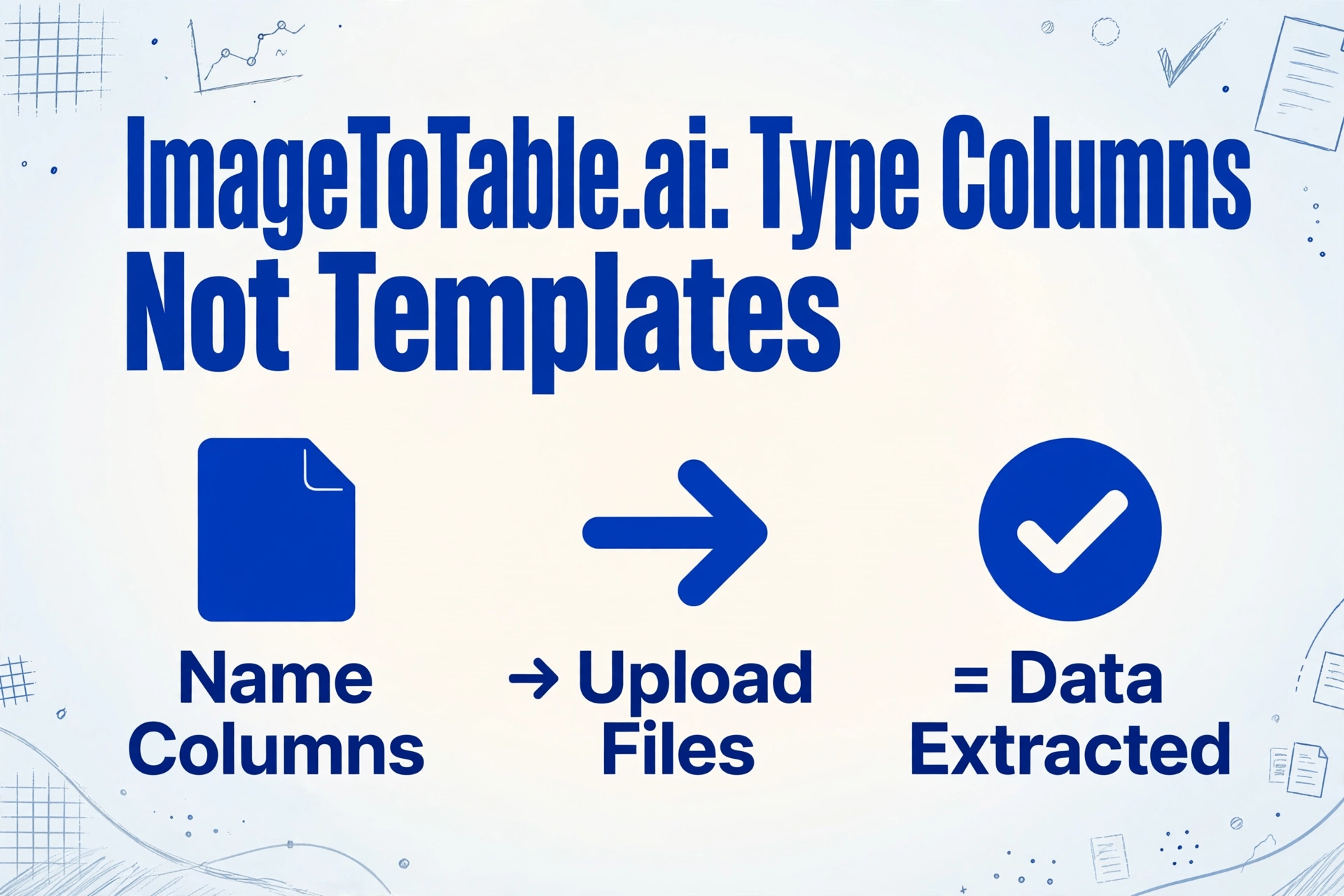
ImageToTable.ai is a modern AI extraction tool built on vision language models. Unlike traditional OCR tools that identify individual characters, it reads documents the way a person would — understanding layout context, field semantics, and document structure as a whole. The core product idea is Custom Column Extraction: you type the column names you want (e.g., "Invoice Number," "Due Date," "Total"), and the AI locates each value by understanding what it means, not where it sits on the page. This means you do not create templates, train models, or define zones — you just name your columns and upload your files.
Pricing: $9/month for 100 pages; $19/month for 500 pages; $39/month for 2,000 pages. Free tier with 25 pages/month available.
Best for: Small business owners who handle mixed document types — invoices from some suppliers, receipts from others, the occasional bank statement or contract — and do not want to configure per-document templates. The template-free approach means a batch of 50 invoices from 50 different suppliers gets processed the same way as 50 identical ones. The tool also handles phone-camera photos well because the vision model adapts to skew, lighting, and curved page surfaces rather than relying on rigid position matching.
Not ideal for: Teams that need built-in approval workflows, ERP integration, or automated payment processing. ImageToTable.ai is a data extraction tool, not an end-to-end AP automation platform. If your workflow requires routing invoices for approval before posting, you would need to pair it with a workflow layer. The tool also does not offer native QuickBooks or Xero push — extracted data exports as Excel, CSV, or JSON, which you then import into your accounting system.
Key differentiator: Template-free extraction that treats each document as a fresh reading task. The AI adapts to format changes automatically — a critical feature for small businesses that cannot rebuild parsing rules every time a supplier changes their invoice layout. The Computed Columns feature (e.g., typing Line Total (Qty × Unit Price) as a column name and having the AI execute the math during extraction) and the Collection Link feature (a shareable URL that lets clients or field staff upload files directly to your processing queue without registering) are both unusual at this price point.
→ Try ImageToTable.ai on your own documents
ABBYY FineReader PDF 16
ABBYY has been in the OCR market for over three decades, and FineReader remains the gold standard for desktop-based text recognition. Its engine handles complex layouts — multi-column documents, tables with irregular borders, mixed-language pages — with accuracy that is genuinely best-in-class. FineReader is primarily a document conversion and PDF editing tool, not a data extraction platform. It turns scanned pages into searchable, editable documents; it does not understand that "28,450.00" is an invoice total rather than a page number unless you tell it where to look using zonal OCR regions.
Pricing: $69/year for Standard (Mac or Windows); $99/year for Windows with advanced features; Corporate edition available by quote.
Best for: High-accuracy text recognition on complex documents — legal contracts with dense formatting, multilingual reports, archival documents. If your primary need is converting scanned PDFs into editable Word files or searchable archives, FineReader is likely the most accurate option on this list, with support for 190+ languages and excellent layout preservation.
Not ideal for: Batch data extraction to spreadsheets. FineReader does not output structured field-level data (invoice numbers, dates, line items) ready for QuickBooks or Excel without manual cleanup. It is a document reader, not a data extractor. It also does not integrate with accounting platforms — you get text and tables in editable formats, but you still copy-paste into your accounting system. Phone-camera photos are processed less reliably than scanned pages because desktop OCR engines were designed for flatbed scanners, not smartphone cameras.
Key differentiator: Its layout retention and accuracy on difficult printed documents remain unmatched among desktop OCR tools. The Compare Documents feature (side-by-side comparison of files in different formats) is genuinely useful for contract review workflows.
DocuClipper
DocuClipper positions itself as a reconciliation-grade document extraction tool — meaning it does not just extract numbers but validates that they are internally consistent. When processing an invoice, it checks that subtotal + tax = total and that the sum of line items matches the subtotal. If the numbers do not add up, it flags the discrepancy before the data leaves the product. This self-consistency check is genuinely rare among tools at this price point, and it matters for businesses that post directly to QuickBooks without a separate validation step.
Pricing: Starter at $39/month (120 pages); Starter 300 at $79/month (300 pages); Business at $159/month (640 pages). 14-day free trial with 120 pages included.
Best for: Bookkeepers and small accounting firms that process bank statements, invoices, and receipts and need to push reconciled data directly into QuickBooks, Xero, or Sage. The per-page cost at the Starter 300 tier ($0.26/page) is competitive — and unlimited users on the account means a bookkeeper with 10 clients does not pay per seat.
Not ideal for: Non-financial documents (contracts, forms, purchase orders with narrative-heavy content). DocuClipper is optimized for the financial document stack — invoices, bank statements, credit card statements, tax forms — and does less well on unstructured documents. The phone-camera accuracy is decent but not market-leading; the tool works best with clean scanned PDFs.
Key differentiator: The built-in reconciliation check that validates extracted numbers before export. For bookkeepers who post invoices directly to clients' QuickBooks, catching a subtotal/tax/total mismatch during extraction rather than during the month-end cleanup is a concrete time saver.
BillBjorn
BillBjorn is a focused, no-frills invoice and receipt OCR tool that wins on one metric decisively: raw per-document cost. At $65/month for 2,500 documents, the per-invoice cost works out to approximately $0.026 — roughly one-tenth the price of many competitors. It achieves this by doing one thing (invoice/receipt data extraction) well and deliberately not expanding into bank statements, reconciliation, or broader document types.
Pricing: $65/month for 2,500 documents (annual billing). 30-day free trial available.
Best for: Cost-conscious small businesses that process a high volume of invoices from a predictable set of suppliers and need the lowest possible per-document price. If your primary workflow is "receive invoice by email, extract data, push to QuickBooks," BillBjorn's pricing is hard to beat — at 500 invoices/month, the tool costs roughly $13/month worth of the per-document allowance.
Not ideal for: Mixed document workflows. BillBjorn handles invoices and receipts but does not support bank statements, purchase orders, contracts, or other document types. If your business processes a variety of documents, you would need a second tool for non-invoice documents, which erases the cost advantage. The tool also has fewer integrations than broader platforms.
Key differentiator: By far the lowest per-document cost on the market as of mid-2026. For pure invoice OCR volume, nothing else comes close on price.
Envoice
Envoice is a European invoice OCR tool that targets the low-volume end of the market. Its Essential plan at $7/month includes 30 documents — which, for a micro-business processing 5-10 invoices per month, is genuinely affordable. The Business plan at $14/month also includes 30 free documents, with overage at $0.15 per document. For comparison, at 30 documents/month, Envoice costs $0.23/doc (Essential) or $0.47/doc (Business) — competitive at this low volume.
Pricing: Essential $7/month (30 docs); Business $14/month (30 docs + line items, $0.15/doc overage).
Best for: Very small businesses and sole proprietors who process 5-30 invoices per month and want the lowest possible entry price. The $7/month plan is the cheapest paid OCR option on this list, and the 30 free documents cover a solo freelancer's monthly workload.
Not ideal for: Growing businesses. The per-document overage cost ($0.15/doc) adds up quickly once you exceed the 30-doc allowance — at 200 documents/month, the cost jumps to approximately $39/month on the Business plan, which is no longer cheap relative to competitors. The tool is also invoice-focused and does not handle bank statements or mixed document types well.
Key differentiator: The lowest entry price for paid OCR. For the micro-business processing fewer than 30 invoices per month, Envoice is the most cost-effective option by a wide margin.
Adobe Acrobat Pro
Adobe Acrobat Pro is the default PDF platform for most businesses, and its built-in OCR engine is competent for occasional document conversion. If your team already pays for Creative Cloud or Acrobat Pro for PDF editing and e-signature workflows, the OCR functionality is effectively free — which makes it the path of least resistance for many organizations. The OCR handles clean printed documents reliably, converts scanned PDFs to searchable text, and supports batch processing.
Pricing: $29.99/month for Acrobat Pro (individual); included with some Creative Cloud plans.
Best for: Businesses that already use Acrobat for PDF editing and need occasional OCR as part of a broader document workflow — not as a dedicated extraction tool. If your typical use case is "convert a scanned contract into searchable PDF," Acrobat is a natural and cost-effective choice because you are not paying extra for OCR.
Not ideal for: Any form of data extraction to spreadsheets. Acrobat's OCR extracts text for search and copy-paste — it does not output structured fields (invoice number, date, total) as data you can load into Excel or QuickBooks. At volume, the manual effort to copy extracted text from Acrobat into your accounting system eliminates any time savings. The tool also cannot handle batch extraction reliably at scale.
Key differentiator: Zero additional cost if you already subscribe, and excellent integration with the broader PDF editing and e-signature ecosystem. For businesses that are in Acrobat all day anyway, the OCR is a bonus feature that covers basic needs.
Google Drive OCR
Google Drive includes a free OCR feature that converts text in uploaded images and PDFs into editable Google Docs. It is as simple as it sounds: upload a scanned file to Drive, open it with Google Docs, and the extracted text appears below the image. The technology is powered by Google's vision infrastructure, so accuracy on clean printed documents is surprisingly good for a free tool. It supports over 100 languages and works within the Google Workspace ecosystem you may already use.
Pricing: Free with any Google account. Processing limits apply but are generous for individual use.
Best for: Quick one-off text extraction — the occasional PDF you need to copy text from, a business card scan, a typed document someone sent as a photo. For the small business that already uses Gmail and Google Drive, it is the fastest path from a scanned document to editable text with zero setup and zero cost.
Not ideal for: Virtually any recurring data extraction workflow. Google Drive OCR outputs a Google Doc with text — it does not identify fields, structure data into columns, or prepare output for accounting software. You get a block of text that needs manual parsing. It also struggles with phone-camera photos, handwriting, and complex table layouts. As a one-off tool it is useful; as a workflow solution it is not viable.
Key differentiator: It is completely free and requires no setup. For the business owner who needs to extract text from a single document three times a year, paying for anything else would be wasteful.
Tesseract OCR
Tesseract is the open-source OCR engine originally developed by HP and now maintained by Google. It is one of the most widely deployed OCR engines in the world — used as the backend for countless document processing applications. Tesseract supports 100+ languages, runs on any platform, and costs nothing to use. For developers and technically inclined business owners, it is the foundation for building custom OCR workflows without licensing costs.
Pricing: Free (open source, Apache 2.0 license).
Best for: Developers building document processing into their own applications, or technically skilled users who need to integrate OCR into a custom workflow. Tesseract's active community, extensive documentation, and compatibility with Python (pytesseract), Node.js, and other ecosystems make it the go-to choice for developer-led projects.
Not ideal for: Non-technical users. Tesseract has no graphical interface, no onboarding flow, no support team. Getting it running requires installing dependencies, configuring language packs, and handling image preprocessing yourself — steps that assume familiarity with the command line. Accuracy on anything other than clean, high-resolution printed text drops significantly, and phone-camera photos produce unreliable results. There are also no integrations with accounting software or spreadsheet tools — you get raw text output and handle the rest yourself.
Key differentiator: Zero cost and full control. For a developer building a document processing pipeline for their own small business, Tesseract is the most flexible option available — as long as you account for the engineering time it takes to get production-grade results.
Readiris PDF
Readiris is a desktop OCR application that targets the middle ground between free online tools and enterprise platforms. Its primary appeal is the pricing model: a one-time purchase (starting at $69 for the Pro version) with no recurring subscription. For a small business that wants a capable desktop OCR tool and prefers to pay once rather than accumulate monthly charges, Readiris is the most obvious candidate. It supports over 130 languages, handles batch conversion, and includes PDF editing features.
Pricing: Readiris Pro $69 one-time; Readiris Corporate $139 one-time.
Best for: Individual users and very small teams who want a capable desktop OCR tool without a recurring subscription. If your document processing volume is moderate and predictable, the one-time payment model makes Readiris more cost-effective over 2-3 years than any subscription-based tool.
Not ideal for: Businesses that need data extraction as structured output (field values, not just searchable text). Readiris converts documents to editable formats (Word, Excel, searchable PDF) but does not extract specific fields into a spreadsheet. The batch processing is manual — you queue files in the desktop application rather than setting up automated workflows. Phone-camera photo handling is, like most desktop OCR tools, limited compared to cloud-based AI alternatives.
Key differentiator: The one-time purchase model. For a business processing a steady but low volume of documents, Readiris avoids the subscription fatigue that accumulates from paying $20-80/month for a tool used a few hours per week.
AutoEntry
AutoEntry is a credit-based OCR and data extraction platform designed for accounting firms and bookkeepers. It processes invoices, receipts, and bank statements, with direct push to QuickBooks, Xero, and Sage. The credit-based pricing means different document types consume different numbers of credits — an invoice with line items costs 2 credits, a bank statement page costs 3 credits — which introduces some complexity in estimating monthly costs.
Pricing: Bronze $13/month (50 credits); Silver $24/month (100 credits); Gold $47/month (200 credits); Sapphire $469/month (2,500 credits). Line-item invoices cost 2 credits each.
Best for: Mid-tier accounting firms and bookkeepers who process a mix of invoices and bank statements and need direct QuickBooks/Xero posting. The credit system gives flexibility — you only pay for what you use within your tier — and the integrations are well-built.
Not ideal for: Small businesses on a tight budget. The credit system makes the true per-document cost hard to calculate upfront — an "invoice with line items" costs 2 credits, meaning the real cost per document at the Silver tier is roughly $0.48 for an average invoice. Phone-camera document handling is functional but not stand-out. The tool is also credit-based rather than flat-rate, which means costs scale linearly with volume without the economies of scale that flat-rate plans offer.
Key differentiator: Deep integration with the major accounting platforms and a solid track record in the accounting industry. AutoEntry has been in the market longer than most AI-based competitors and has the integrations and support infrastructure to show for it.
Amazon Textract
Amazon Textract is a cloud-based OCR and document analysis service that is part of the AWS ecosystem. Unlike desktop OCR tools, Textract is designed to be called programmatically via API — you send a document and receive structured JSON output containing extracted text, tables, and form data. It supports both printed and handwritten text, and the Queries feature lets you ask for specific fields in natural language ("What is the invoice total?").
Pricing: Pay-per-use — first 1,000 pages per month free (for the first year), then approximately $1.50 per 1,000 pages for text extraction, plus additional costs for tables and forms. No monthly minimum.
Best for: Small businesses with in-house development capability who already use AWS for other infrastructure. If you have a developer who can build a document processing pipeline around Textract's API, the pay-per-use pricing scales efficiently with your actual volume — you pay nothing when you process nothing.
Not ideal for: Non-technical users. Textract has no user interface, no upload-and-click workflow, and no onboarding flow beyond the API documentation. Setting it up requires creating an AWS account, configuring IAM permissions, and writing code to call the API and handle the response. The output is structured JSON — you still need a process to move that data into QuickBooks or Excel. The pay-per-use model also means costs are unpredictable for businesses that do not monitor their API usage closely.
Key differentiator: The serverless, pay-per-use model means you can scale from 10 pages per month to 10,000 without changing platforms, as long as you have the engineering resources to build and maintain the integration layer.
Nanonets
Nanonets is an AI-based document extraction platform that offers both zero-shot extraction (upload and extract without training) and custom model training (upload labeled samples to improve accuracy on specific document formats). It covers invoices, receipts, purchase orders, bills of lading, and other business documents, and provides both a web interface and API access. The platform's strength is its flexibility — it can handle a wide variety of document types — but this flexibility comes at a price point that puts it out of reach for most small businesses.
Pricing: Custom quote only. Public pricing starts at approximately $500/month for the entry-level plan, with volume-based pricing scaling up from there. A free tier processes up to 100 pages per month for developers.
Best for: Mid-market companies and larger small businesses that process thousands of documents per month and need AI extraction with the option to train custom models for their specific document formats. The zero-shot extraction works well for common document types, and the training option is genuinely useful for businesses that receive documents in a consistent but unusual format.
Not ideal for: Most small businesses. The $500/month entry point is five to ten times the budget of a typical small business OCR buyer. The platform also requires some setup and configuration — especially if you use the custom training feature — and the interface is designed for dedicated operations teams rather than the business owner who processes 50 invoices a week.
Key differentiator: The ability to train custom AI models on your specific document formats. For a business that receives the same three invoice formats from the same suppliers every month, training a custom model can push accuracy above what zero-shot tools achieve — but you need the volume and the budget to justify it.
Which Tool Is Right for You?
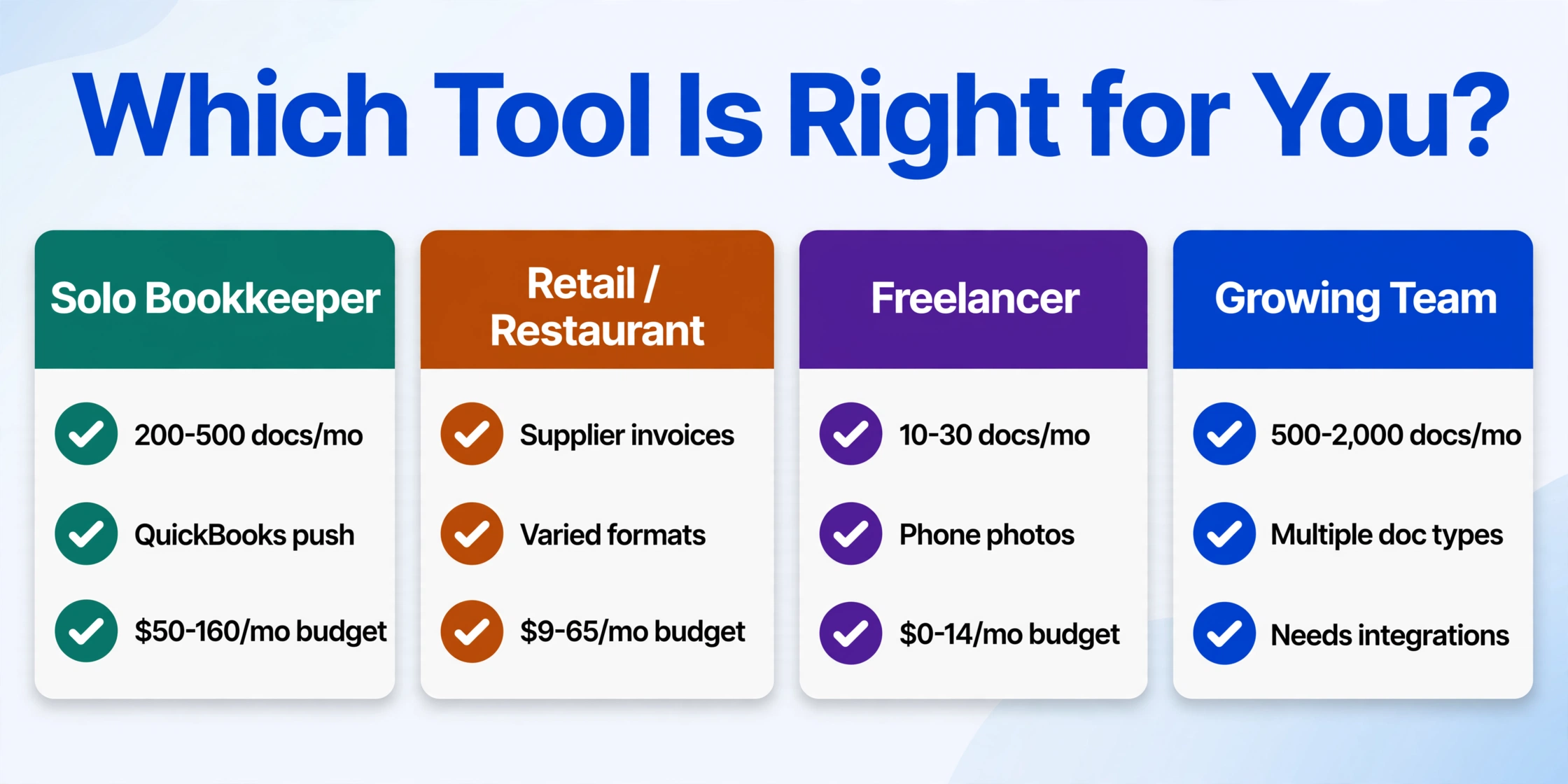
The "best" tool depends on your specific combination of document types, volume, technical comfort, and budget. Here is a scenario-based framework to narrow the list.
Scenario 1: The solo bookkeeper — You process 200-500 invoices and bank statements per month for 5-15 clients. You use QuickBooks Online and need data that posts correctly the first time. Consider DocuClipper or AutoEntry — both offer direct QuickBooks/Xero push and have the reconciliation features that catch errors before they reach your clients' books. Budget: $50-160/month.
Scenario 2: The retail or restaurant owner — You receive supplier invoices (food, supplies, equipment) and need to track expenses. Document formats vary wildly because each supplier uses a different template. Consider ImageToTable.ai or BillBjorn — ImageToTable.ai handles format changes without template reconfiguration, and BillBjorn wins on pure invoice volume cost if your supplier list is stable. Budget: $9-65/month.
Scenario 3: The freelancer or sole proprietor — You process 10-30 receipts and invoices per month, mostly via phone photos. You want something simple and cheap. Consider Envoice ($7/month for up to 30 docs) or the free tools (Google Drive OCR, OneNote OCR) — at this volume, paying for a full-featured platform is unnecessary. Budget: $0-14/month.
Scenario 4: The growing team — You handle 500-2,000 documents per month across multiple document types (invoices, POs, contracts, bank statements). You have someone who can handle light technical setup but no dedicated IT team. Consider ImageToTable.ai for the template-free multi-document handling, or Nanonets if you have the budget and the document volumes to justify custom training. Budget: $19-500+/month.
Scenario 5: The developer-entrepreneur — You run a tech-adjacent business and have the skills to build custom automation. You want to control the full pipeline. Consider Tesseract for zero-cost flexibility or Amazon Textract for scalable API-based extraction. Budget: $0-30/month in API costs.
According to a June 2025 NFIB survey, roughly 53% of small businesses already use AI tools in some capacity, and another 29% plan to start by 2026. The shift from manual data entry to automated extraction is happening across the small business landscape — the NFIB Small Business and Technology Survey found that businesses adopting new technologies report a direct impact on competitiveness. The JPMorganChase Institute confirmed this trend in its June 2026 research on small business AI adoption, showing that employer firms adopt AI at significantly higher rates than non-employers — and that the gap is accelerating.
For a deeper look at free options, our Best Free OCR Software 2026 guide covers free tiers and open-source tools in detail. For a broader overview of the OCR landscape including enterprise-grade tools, see Best OCR Software in 2026: AI vs Traditional Tools Compared.
Frequently Asked Questions
What is the best OCR software for a small business on a tight budget?
For a micro-business processing fewer than 30 documents per month, the best free options are Google Drive OCR and Microsoft OneNote OCR — both are zero-cost for basic text extraction. If you need structured data (invoice numbers, dates, totals), Envoice at $7/month covers up to 30 documents. For higher volume at the lowest per-document cost, BillBjorn at $65/month for 2,500 invoices works out to roughly $0.026 per document.
What is the difference between traditional OCR and AI document extraction?
Traditional OCR (tools like ABBYY FineReader, Tesseract, Adobe Acrobat) converts images of text into machine-readable characters — it reads every letter on the page but does not understand what the words mean. AI document extraction (tools like ImageToTable.ai, Nanonets, DocuClipper) goes further: it identifies the role each piece of text plays (this number is the invoice total, this date is the due date, this name is the supplier) and outputs structured data. For a detailed technical explanation, see our guide on OCR vs AI Extraction: Understanding Reading vs Understanding.
Can OCR tools handle handwritten documents?
Traditional OCR tools generally cannot handle handwriting reliably — Tesseract and ABBYY FineReader both show significant accuracy drops on cursive or messy handwriting. AI-based tools like ImageToTable.ai and Nanonets perform better because their vision models have been trained on handwritten samples, but accuracy is typically lower than on printed text — expect 80-95% on clean handwriting versus 99%+ on printed documents, depending on legibility. For a dedicated look at this topic, see our Best Handwriting OCR Software 2026 guide.
Which OCR tools integrate directly with QuickBooks Online?
DocuClipper, BillBjorn, Envoice, and AutoEntry all offer direct push to QuickBooks Online — extracted data posts as bills or expense transactions without manual copy-paste. ImageToTable.ai exports data as Excel/CSV/JSON that can be imported into QuickBooks but does not offer a direct API integration. For more on QuickBooks-focused workflows, see the Best OCR Software in 2026 guide which covers integration details for each tool.
How much should a small business pay for OCR software?
Based on current pricing across the 12 tools in this guide, the realistic budget range for a small business is $0-100 per month. At the low end, free tools (Google Drive OCR, OneNote) or ultra-low-cost plans (Envoice at $7/month, ImageToTable.ai at $9/month) cover basic needs. For dedicated extraction with accounting integration, expect $40-80/month. The Institute of Finance & Management (IOFM) reports that manual invoice processing costs approximately $15.97 per invoice on average, while automated processing drops to roughly $3 per invoice — meaning even a $40/month tool pays for itself if you process more than three invoices per month.
How accurate is OCR on phone-camera photos versus scanned documents?
Desktop OCR tools (ABBYY, Readiris, Tesseract) were designed for flatbed scanners and see significant accuracy drops on phone photos — expect 10-30% lower field-level accuracy due to perspective distortion, shadows, and curved page surfaces. AI-based cloud tools (ImageToTable.ai, Nanonets, Google Drive OCR) handle phone photos better because their vision models were trained on diverse image qualities. Among the tools in this guide, ImageToTable.ai and Adobe Acrobat Pro handle phone-camera quality most reliably, while Tesseract and desktop-only tools struggle most.
What is the difference between template-free and template-based OCR?
Template-based OCR (used by Docparser, some configurations of ABBYY, and legacy IDP platforms) requires you to define zones or rules for each document format — you draw a box around where the "Invoice Number" field sits and tell the tool to look there. If the supplier changes their layout, the template breaks and you rebuild it. Template-free extraction uses AI to find fields by their semantic meaning — the tool reads the document and identifies the invoice number because it understands what an invoice number looks like, not because it knows where on the page to find it. ImageToTable.ai is the template-free option on this list; everything else either requires templates (Docparser, legacy ABBYY) or uses a hybrid approach.
The Bottom Line
The best OCR tool for your small business is the one that matches your actual workflow — not the one with the most features or the highest accuracy claim on clean scanned PDFs. If you process invoices from a stable set of suppliers, BillBjorn's $0.026 per-document pricing is hard to beat. If your documents arrive as phone photos in wildly different formats, the tools that handle format changes without per-supplier configuration will save you time that the price difference does not capture. If you are a developer, Tesseract or Textract give you full control. And if you are still processing documents manually — typing invoice numbers into QuickBooks by hand — the Institute of Finance & Management (IOFM) estimates you are spending roughly $16 per invoice on that process. By that measure, almost every tool on this list pays for itself in the first few invoices.
The market for OCR and document extraction tools is evolving fast. New vision AI models are closing the gap between desktop OCR accuracy and cloud AI flexibility, and the pricing pressure from tools like BillBjorn and Envoice is forcing broader platforms to offer competitive entry tiers. The hard part is no longer finding a capable tool — it is choosing which of the dozen good options fits your specific combination of document types, volume, and budget. Start with the tool that matches your most common document type and highest-volume workflow. You can always add a second tool for the edge cases later.