Which ACORD 80 Fields Break
Before Rating Ever Sees Them
Two ACORD 80s completed in the same week can put the same house in two different construction classes, and both agents can be reading the form correctly. The form offers Frame, Masonry or Masonry Veneer. The rating system wants a class code, and none of those three labels is one. The gap between what the page says and what the receiving system needs is where a homeowners submission stops moving on its own.
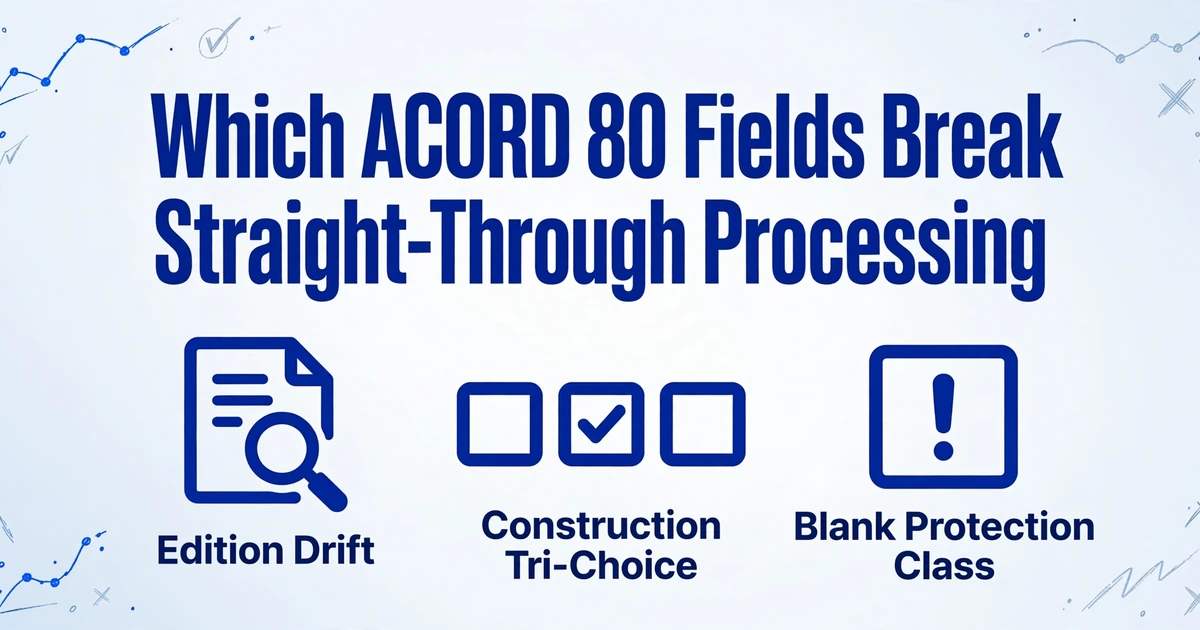
Key Takeaways
- A brick front on a wood frame is ISO Class 1, and the form's Masonry Veneer box describes the skin, not the structure.
- A blank protection class means nobody looked up the address, and filling it with 10 invents an uninsurable house.
- Three blocks decide whether the submission moves, and every failure inside them is a field that looks finished on the page and is not finished for the system receiving it.
Straight-through processing means the application is read, checked and routed into rating without a person keying a field twice. On this form, most of the several hundred boxes are administrative. The ACORD 80 fields that decide the outcome sit in three places: the construction block, the protection block, and the loss history block. Each one fails for a different reason, and none of them announces the failure.
The people who feel it are not the ones filling the form in front of the applicant. They are the CSR rekeying it into a carrier portal, the operations lead counting returns, and the underwriter deciding whether a blank protection class means anything. Agency staff describe the trade-off in their own words: "If you're not insanely careful entering details you'll get rejected or quoted wrong and the carrier will blame the agent," one writes, and another notes that the AMS 'doesn't have most of the risk profile / underwriting data initially when I am writing new business' (r/InsuranceAgent).
The Edition in the Footer Decides How Every Other Page Should Be Read
The edition line in the footer, not the page number, is what makes an ACORD 80 readable, because the same section sits in a different place in different editions and state versions. The 2026/03 edition replaced the 2016/11 base form: seven pages instead of six, "Agency" relabelled "Producer", a co-applicant signature added, and the state fraud statements restructured (ACORD forms notification, May 2026). A file from 2024 is a different document from one printed this month, not just a different footer.
State versions add more than a new page header. The California version, ACORD 80 CA (2026/01), added a California Wildfire Mitigation section on page 5 with five community-level questions covering Fire Risk Reduction Community listing under Public Resources Code 4290.1, Firewise USA status, noncombustible materials within five feet, removal of combustible structures within 30 feet, and defensible space under PRC 4291. The form went from five pages to six to hold it (ACORD forms notification, December 2025). Mississippi and Arkansas got new versions in February 2026 specifically to capture IBHS FORTIFIED certification and wind mitigation data so insurers can apply statutory premium discounts (ACORD forms notification, January 2026). None of those fields exists on the 2016/11 base form at all.
There is a second source of edition drift inside the agency. AMS360's release notes list the ACORD 80 forms it ships: the 2016/11 base, plus ACORD 80FL (2022/05), 80WA (2021/06), 80NY (2022/02) and 80NV (2022/01) (Vertafore AMS360 23R1 release notes). An agency can therefore generate a perfectly valid 2016/11 while the carrier portal asks for 2026/03, and neither side is doing anything wrong. The mismatch is caught by upload validation or by a person, and both cost a day.
The practical rule is to identify the edition and the state version before reading a single field, then anchor the read to section headings rather than page positions. A wildfire section that appears on page 5 of one file and does not exist in another is not an edge case in California. It is the document.
Fifteen Sections, and the Submission Only Depends on Part of Each One
The form is built from about fifteen labelled sections, and a submission depends on the few fields in each that a routing, rating, eligibility or billing system acts on. Reading every box is not the same as reading the form. The table below groups the sections by what happens to the data after the application leaves the agent.
| Section | What it holds | What reads it |
|---|---|---|
| Producer and carrier | Producer name and code, carrier, NAIC code, policy number, effective and expiration dates | Routing and quote setup |
| Status of transaction | New, renewal or policy change; date the agent last inspected the property | Whether this is new business or a change, and how fresh the inspection is |
| Applicant and co-applicant | Legal names, dates of birth, SSN, marital status, addresses, employer, occupation | Identity, eligibility, credit and claims ordering |
| Coverages and deductibles | Coverage A to F limits and premiums, replacement cost options, HO form number, base, wind, hail, theft and hurricane deductibles | Rating and coverage |
| Forms and endorsements | Form number, name and edition date | Policy build |
| Payment plan | Billing type and method, payor, premium finance company | Billing setup |
| Rating and underwriting | Construction, year built, residence and usage type, living area, replacement cost, market value, roof, heating, wiring, plumbing, protection devices, hydrant and station distance, protection class, territory, pool, fuel tank | The rating inputs |
| Location schedule | Street, city, county, state, ZIP+4 for each location | Territory |
| Prior coverage and loss history | Prior carrier, policy number and expiration; each loss with date, type, description, amount paid, dispute status, and the applicant's initials | Eligibility and pricing |
| General information | Coverage declined, cancelled or non-renewed in three years; foreclosure or judgment in five; fraud or arson conviction in five, ten in Rhode Island; business on premises, animals, trampoline, lead paint, code violations | Referral triggers |
| Additional interest | Mortgagee, lienholder or loss payee, loan number, certificate and billing flags | Mortgage clause and billing |
| Remarks and attachments | Replacement cost estimate, photographs, state supplements, ACORD 101 remarks | Completeness |
| Binder, privacy notice and signature | Binder dates and time or "coverage is not bound", privacy notice initials, applicant and producer signatures, national producer number | Whether coverage exists and whether the form is valid |
Two of those rows decide whether the rest of the sheet is usable. The rating block holds the values that price the risk, and it is written in the form's vocabulary rather than the carrier's. The loss history block is the one that can be numerically correct and still wrong, because what matters is a page that may not have arrived.
Construction Type Is Three Checkboxes and a Percentage, and Masonry Veneer Is Still Frame
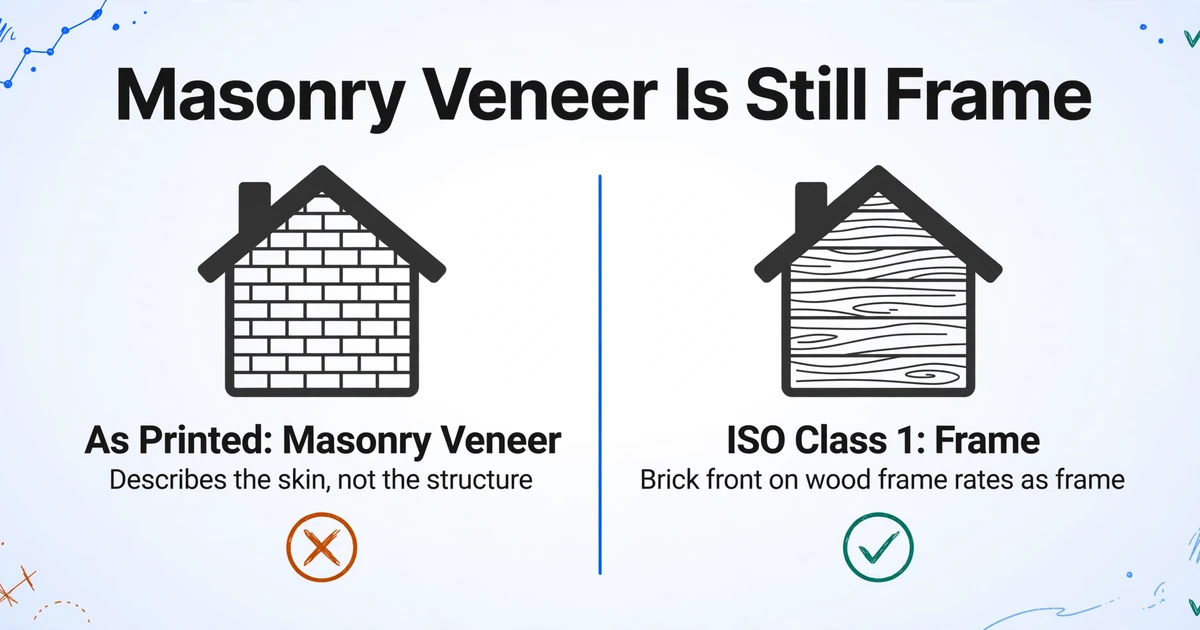
The construction block asks for Frame, Masonry or Masonry Veneer and a percentage, and none of those three answers is an ISO construction class. The percentage is there because houses are mixed: a frame addition on a masonry house, a masonry front on a frame structure. The block describes materials. It does not return a rating code.
The rating code most carriers use comes from the ISO construction categories, which run from Class 1 Frame to Class 6 Fire Resistive. Class 1 is defined as exterior walls of wood, brick veneer, stone veneer, wood ironclad, or stucco on wood (IRMI, ISO building construction categories). A brick-front colonial with a wood frame is Class 1. The form's separate Masonry Veneer box describes the skin, not the structure, which is why a house can be checked "Masonry Veneer" and still rate as frame.
Carriers do not all rate on ISO classes either. Many map the ISO class to their own construction symbols, and the mapping belongs to the carrier. That leaves the agency holding an answer that has to pass through a table it does not own. If your extraction collapses all of this into a single "Construction Type" column, the mapping is destroyed at the point where it is most needed. The application also becomes part of the policy record, so the construction description can be checked against the structure after a loss.
A house with a brick front and a wood frame is ISO Class 1. A read that returns Masonry because the page mentions brick has moved the risk into a cheaper class, and the error survives every total on the sheet.
Protection Class Is Assigned to the Address, So the Box Is Often Blank
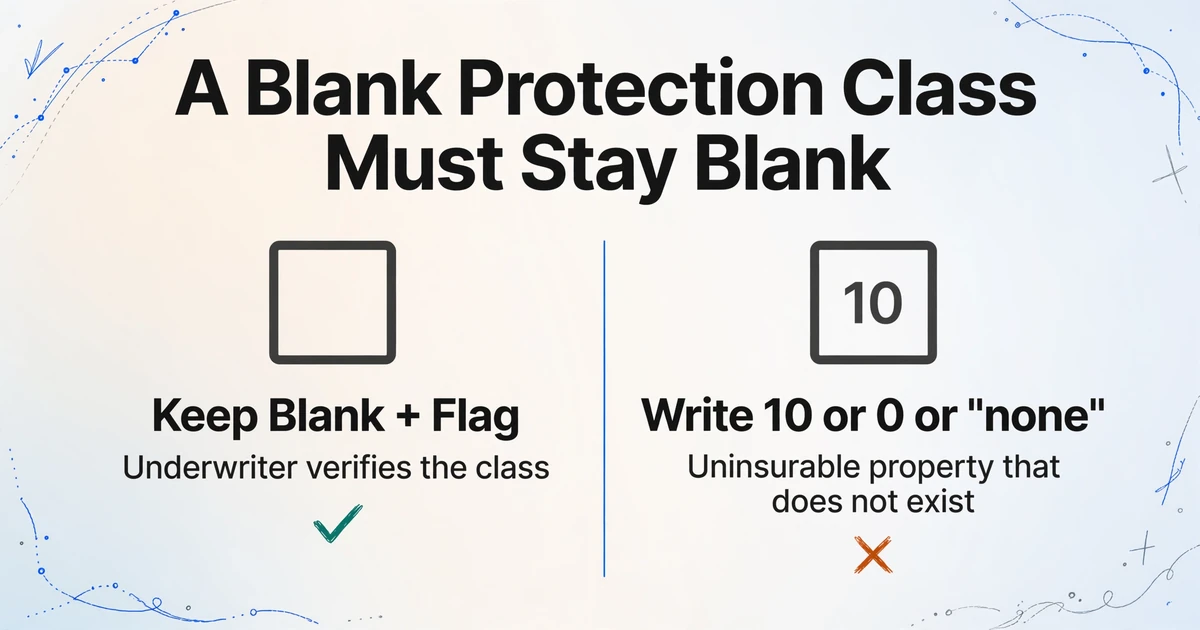
The protection class box is the field most often left empty, because the number is assigned to the location rather than derived by the person filling the form. Protection class runs from 1 to 10, where 1 is the best protected and 10 means no creditable fire protection. It is not a judgement the agent makes at the kitchen table.
On the form it sits in the rating block beside territory, fire district name and code, the number of fire divisions and units, and the distance to the hydrant and the fire station in miles and feet. The class itself comes from the rating bureau for that address. An agent who does not look it up leaves it blank, copies it from an older policy on the same street, or carries it over from a prior carrier's declarations page. All three happen, and the page looks the same in each case.
Blank handling is where a clean spreadsheet becomes a wrong one. A blank protection class must stay blank and be flagged. If the column writes 10, or 0, or "none", the underwriter reads an uninsurable property that does not exist, and the application goes to the exception queue for the wrong reason. The same rating block carries distance to tidal water in miles and feet, which drives coastal eligibility and named-storm deductibles, and it is just as easy to drop.
The hydrant and station distances are the evidence a desk uses to verify a class it does not trust. Extract them alongside the class, and the check can be run from the sheet. Extract only the class, and someone still has to open the PDF.
Loss History Has a Blank Look-Back Period and a Second Page

The loss history question asks for losses "during the last ___ years", and the number is not printed on the form. The blank is completed by the state version or the carrier, so the window is not always three years, which is what the older editions printed. A fixed three-year assumption reads the wrong period on any form where the blank says otherwise, and nothing on the page will tell you it was wrong.
The table under the question holds a fixed number of loss rows: category number, date, type, description, amount paid, whether it was disputed and by whom. When the losses exceed those rows, the rest arrives as an ACORD 101 additional remarks sheet, a carrier loss run, or a second scan. The form's remarks and attachments section is where that shows: ACORD 101 for more space, ACORD 45 for more additional interests.
The applicant's initials sit next to the yes or no. A blank is not "none". An uninitialled answer is an incomplete application, and treating it as a no-loss applicant is the single most expensive read error on this document, because every number on the sheet will still tie.
The comparison window makes it worse. The C.L.U.E. database reports up to seven years of home insurance claims (Consumer Financial Protection Bureau), so the underwriter's view is longer than the form's. A loss that was never listed surfaces as a discrepancy between the application and the claims history, and the form's own wording, "whether or not paid by insurance", removes the defence that it cost the carrier nothing. For how that comparison is run on the claims side, see the guide to insurance claim extraction.
A dropped continuation page produces a clean sheet, a loss count of zero, and no error anywhere in the process. Nothing downstream knows a page existed.
One Application Is Not One Row
A second home, a rented dwelling or a seasonal property turns one application into two or more locations, and both the coverage table and the rating block are organised by LOC number. The location schedule lists every address. Coverage A to F is entered per location. The rating block repeats per location. A submission flattened into one row has to be split again by whoever receives it.
Deductibles are a set rather than a value. Base, wind and hail, theft, and named storm or hurricane each carry their own amount, and the hurricane deductible carries a percentage and a maximum as well as a dollar figure. A single "Deductible" column keeps the base amount and loses the percentage that changes the coastal premium, which is usually the number the quote turns on.
Additional interests multiply the same way. A mortgagee and a second lienholder can both sit on one location, and anything beyond the printed rows goes on an ACORD 45 additional interest schedule. Whether the mortgagee pays the premium is a billing fact, not a name to file away.
Decide the row grain before naming a single column. Application grain gives one row per submission and is easier to read. Location grain gives one row per home with the applicant and policy fields repeated, and it is usually the smaller rework because the carrier's rating system already works that way.
Handwriting and Checkboxes Are Where the Form Stops Being Structured
The riskiest reads on an ACORD 80 are not the long text fields but the checkbox states and the initials, because one tick changes a rating input. A wrong street name is visible to the person reviewing the row. A missed "yes" on a trampoline or a business on the premises is not.
Files arrive as fillable PDFs with embedded text, printed and scanned copies, phone photos, and faxes. The fillable ones are the easy case. The rest need the form read as an image, and the hard parts are the same every time: the construction tri-choice, included and excluded boxes, the deductible type, Social Security numbers and dates of birth written into one box per character, the applicant initials beside loss history and the privacy notice, and the handwritten explanation that follows every "yes" in the general information section.
Model Tier matters here in a way it does not on a printed invoice. Standard handles clean printed forms. Dense handwriting, faxed copies and complex layouts are what the higher tiers exist for, and the per-batch billing is fixed at the tier in force when the batch is submitted.
Review Mode with bounding boxes is the other half of the answer. Hovering or clicking a cell highlights the region on the original page the value came from, and clicking a region jumps back to the cell. Used on the twenty fields that decide the submission, it replaces the line-by-line comparison against the scan. Used on all several hundred, it is just a slower way to read the form.
Build the Column Set by Section and Keep Two Columns Wherever a Field Needs Translating
The column names are the whole design, because the extraction looks for the meaning of a column name rather than a fixed position on the page. That is what Custom Column Extraction means in practice: you type the field names you want, such as "Coverage A Dwelling Limit" or "Protection Class", and the model finds the matching value wherever it sits on that edition or state version. There is no zone map to redraw when the layout changes, which is why a 2026/03 form and a 2016/11 form can be read by the same column set.
| Block | Columns worth naming | Why it earns a column |
|---|---|---|
| Application | Producer, Carrier, Named Insured, Effective Date, Transaction Type | Sorts the batch by agency and separates new business from changes |
| Location | Location Number, Property Address, Year Built, Total Living Area | Keeps the row grain and gives the rating desk the territory inputs |
| Construction | Construction as Printed, Construction Percentage, ISO Class | Preserves the page's answer and the translation, so either can be corrected |
| Protection | Protection Class, Hydrant Distance, Fire Station Distance, Distance to Tidal Water | Lets a reviewer verify a class instead of re-keying the block |
| Coverage | Coverage A Limit, Replacement Cost, Hurricane Deductible Percent, Base Deductible | Makes the limit-to-replacement-cost gap and the coastal deductible visible |
| Losses | Loss Count, Loss 1 Date, Loss 1 Amount Paid, Loss 1 Description, Loss History Initialled | One row per loss, plus a count that makes a missing page obvious |
| Interest | Mortgagee Name, Loan Number, Payor | Feeds the mortgage clause and the billing setup |
Batch processing is what turns the design into a working queue. Upload a month of applications in one go and the results merge into a single table, one row per location, with the producer and carrier carried down every row. Sorted by producer, the sheet answers a question no single application can: which agency keeps leaving protection class blank, and which one keeps sending 2016/11 forms.
Two settings do the rest of the assembly. A computed column can subtract the replacement cost figure from the Coverage A limit on the same form and return the gap, or return "OK" when they agree, which turns a manual comparison into a filter. Multi-Page Merge can fold a separately scanned continuation sheet back into the same row when the pages share a reference such as a policy number or applicant name. If the second page does not repeat that reference, it will not merge, so the loss count still has to be checked against what arrived.
It Reads the Application and Stops Before Rating, Validation and Write-Back
Extraction puts the application into a table with the fields you asked for, and every judgement about the risk stays with a person or the carrier's system. The boundary is worth stating plainly, because the failure mode with a document this consequential is over-trust rather than under-trust.
- No rating and no premium. The sheet carries the inputs, not the price.
- No eligibility or underwriting decision. It will not accept, decline or refer a risk.
- No ACORD validation. It will not tell you that a required field for this edition or state is missing unless you build a column that exposes the absence.
- No edition check. It cannot tell you the form is the wrong version for the carrier; that is the AMS admin's job.
- No AMS integration. Output is Excel, CSV or JSON, or the v1 API if you want to push the data into your own system.
- No knowledge of a page that never arrived. A missing continuation sheet is invisible unless the column set makes the gap countable.
One handling note that matters more here than on most forms: page 1 carries Social Security numbers and dates of birth. Decide whether those columns are needed before the first batch, because a spreadsheet that does not contain them cannot leak them. If the carrier needs the identifiers, keep them in a separate sheet with its own access.
Frequently Asked Questions
What is an ACORD 80 used for? It is the Homeowner Application, the standard form an agent completes with an applicant to request a homeowners quote or policy. It records the applicant, the property and how it is built and protected, the coverage requested, prior insurance and losses, and the mortgagee. It is an application, not a policy, and coverage binds only when the binder section is completed.
Why are there so many versions of the same form? ACORD publishes a countrywide base form and state versions where a state's rules require different fields or notices. California added a wildfire mitigation section, Mississippi and Arkansas added FORTIFIED and wind mitigation data, and other states carry their own notices and look-back periods.
Which edition should I extract, 2016/11 or 2026/03? Whichever edition the carrier accepts, and increasingly that is 2026/03. Read the footer of the file rather than assume, because an agency's AMS may still generate 2016/11 while the portal expects the current form. Extract the edition into its own column so the mismatch is visible.
Can an AI read a handwritten or scanned ACORD 80? Yes, with caveats. Printed and fillable forms are the reliable case. Handwritten answers, faxed copies and photographs need a stronger processing tier, and the fields most likely to be misread are the checkboxes and initials rather than the typed text.
How many rows should one ACORD 80 produce? One per location, not one per form. A second home or a rented dwelling adds a location with its own coverage limits, rating data and deductibles. If you build at application grain, plan for the split downstream.
Does this replace ACORD validation or my AMS? No. It reads the fields you ask for and returns them as a table. It does not check the form against ACORD's field rules, rate the risk, decide eligibility, or write into an agency management system.
Every failure in this article is a field that looks finished on the page and is not finished for the system receiving it. Construction type looks answered until you ask which code set it belongs to. Protection class looks answered until you notice the box is blank. Loss history looks answered until you count the pages. Once those three are named, the form stops being a document to retype and becomes a set of columns to check.
The rest of the ACORD family has the same shape and different failure points. Commercial submissions built on ACORD 125 and 126 carry the property and liability sections that go with them, evidence for a lender runs through ACORD 27, and certificates follow their own rules in the ACORD 25 guide. If you are still choosing a tool rather than a column set, the comparison of insurance document processing software covers where the categories differ.
The fastest way to see which of these fields your own submissions are missing is to run a batch through and sort by the blanks. Upload a set of ACORD 80 homeowner applications, name the columns by section, and look at what comes back empty.